
Apple TV Remote Replacement: Buying and Setup Guide
Looking for an Apple TV remote replacement? The right choice depends on which Apple TV you have, which remote features you need, and whether you want an official Apple remote, a universal remote, or another control method.
For Apple TV 4K and Apple TV HD, you have several options. You can use a compatible Siri Remote or Apple TV Remote, control Apple TV from an iPhone or iPad, or use certain TV, receiver, network-based, and infrared universal remotes. Apple also confirms that an Apple TV (3rd generation) requires an Apple Remote rather than the newer Siri Remote family.
Before buying, identify your Apple TV model. A remote that looks similar to your original one may not offer the same buttons, charging method, or advanced controls.
1. Which Apple TV Remote Replacement Do You Need?
The easiest way to choose an apple tv remote replacement is to start with your Apple TV model rather than the remote’s appearance.
Quick guide
| Your Apple TV | Replacement options to consider | Important point |
| Apple TV 4K | Siri Remote / Apple TV Remote, compatible alternatives | Check generation and required features |
| Apple TV HD | Compatible Siri Remote / Apple TV Remote | Several newer remotes can work with supported tvOS versions |
| Apple TV (3rd generation) | Apple Remote | Do not assume newer Siri Remote compatibility |
| Apple TV (2nd generation) | Apple Remote | Older hardware requires an older remote type |
| Apple TV (1st generation) | Apple Remote | Check the exact model before purchasing |
Apple’s current identification guide lists Apple TV HD, Apple TV 4K generations, and older Apple TV models together with their compatible remote families. Apple TV HD, for example, is model A1625 and was previously called Apple TV (4th generation). Apple TV (3rd generation) uses the aluminum Apple Remote.
Official replacement vs. universal remote
For most people, an official Siri Remote or Apple TV Remote is the simplest replacement because it is designed specifically for Apple TV.
A universal remote can make more sense if you want one controller for your Apple TV, television, soundbar, and other equipment. Apple supports several alternative control methods, including compatible TV or receiver remotes, network-based remotes, and infrared universal remotes.
The trade-off is that a universal remote may not reproduce every feature of the original Apple remote. Basic navigation and playback can be more important than the number of buttons on the replacement.
What should you check before buying?
Check these details:
- Exact Apple TV model
- Apple TV generation
- Compatible remote generation
- Navigation method
- Siri or voice-control support where applicable
- Volume and power control
- Charging or battery type
- Bluetooth, infrared, HDMI-CEC, or network connectivity
- Return policy and warranty
Do not rely solely on a marketplace listing that says “works with all Apple TV models.” Verify the model and supported features first.
Download LG TV Remote2. Identify Your Apple TV and Original Remote Generation
The model number is the most reliable starting point when choosing an apple tv remote replacement.
How to identify your Apple TV
Apple provides model numbers for each Apple TV generation. For example:
- Apple TV 4K (3rd generation): A2843
- Apple TV HD: A1625
- Apple TV (3rd generation): A1427 or A1469
- Apple TV (2nd generation): A1378
- Apple TV (1st generation): A1218
Apple’s model-identification guide also shows the original remote associated with each model.
If your Apple TV is still accessible, check its settings for model information. If you cannot access the menus, check the model number printed on the device and compare it with Apple’s support documentation.
Identify the remote by its design
The remote itself can also provide useful clues.
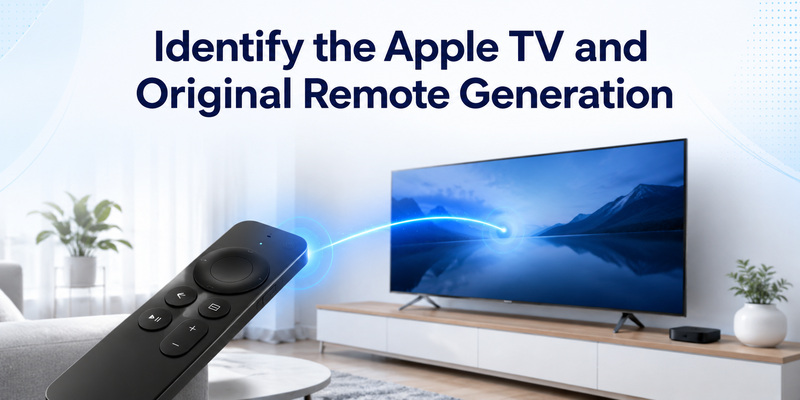
The Siri Remote or Apple TV Remote (3rd generation), for example, has an aluminum body, a touch-enabled clickpad and a USB-C charging connection. Apple lists Bluetooth 5.0 and infrared connectivity for this generation, with an internal rechargeable battery that is not user-replaceable.
Older remotes can look substantially different. The older Apple Remote used with Apple TV (3rd generation) is an aluminum remote with a different button layout.
This is why searching only for a phrase such as apple tv remote 4th gen replacement can be misleading. “4th generation” may refer to the Apple TV hardware rather than the generation of the remote itself.
Check compatibility by function
Compatibility is not simply a yes-or-no question.
A replacement may successfully navigate menus but still differ in areas such as:
- Voice control
- Touch or clickpad navigation
- Volume control
- Power control
- Charging
- Wake behavior
- Control of a TV or receiver
For example, Apple says the Siri Remote (3rd generation) is compatible with Apple TV 4K and Apple TV HD running tvOS 15.4 or later.
If a particular feature matters to you, verify that feature instead of assuming that every button on the original remote will be reproduced.
💡 Discover Helpful Guides: How to Reset Your Apple TV Remote: Pairing, Volume, and No-Remote Fixes
3. Can a Universal Remote Replace an Apple TV Remote?
Yes. Apple TV 4K can work with certain alternative remotes, including compatible TV or receiver remotes, network-based home-control remotes, and infrared universal remotes.
However, the setup method depends on the type of remote.
TV or receiver remote
If your TV or receiver supports HDMI-CEC, Apple TV 4K can use the HDMI connection so that you can control Apple TV with the TV or receiver’s remote.
This can be convenient if you want to reduce the number of remotes in your living room.
Infrared universal remote
An infrared universal remote can be taught to control Apple TV 4K.
On Apple TV, go to:
Settings → Remotes and Devices → Learn Remote
Then follow the onscreen instructions to teach Apple TV the required commands. Apple also notes that some universal remotes can be programmed using a configuration code supplied with the remote.
An IR remote can be a good choice for simple daily controls, but it may not reproduce every function of a modern Siri Remote.
Network-based remote
Apple TV 4K also supports network-based remotes used with home-control systems. Apple says these remotes communicate over the network rather than requiring you to point the remote directly at Apple TV.
This is more relevant for smart-home and home-theater installations than for someone simply looking for an inexpensive replacement.
When should you choose a universal remote?
A universal remote is worth considering when:
- You want one remote for multiple devices.
- You mainly need navigation, playback, volume, and power.
- Your TV or receiver already supports HDMI-CEC.
- You have a home-control system.
- You do not need every Siri Remote feature.
If you want the closest experience to the original Apple controller, an official compatible remote is generally the more straightforward option.
4. How to Pair an Apple TV Remote Replacement
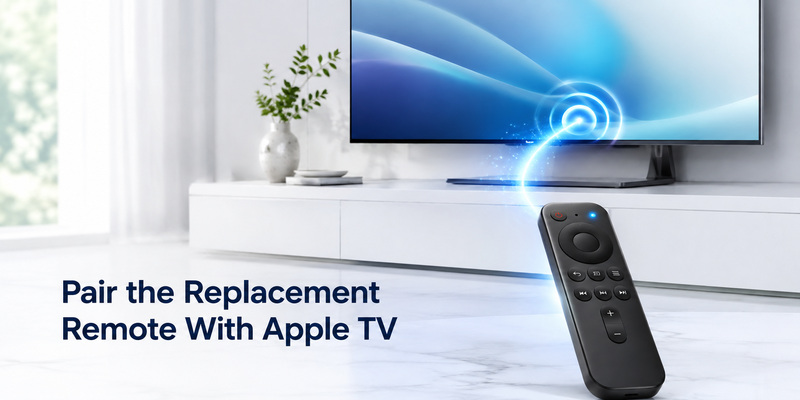
If you bought a compatible replacement Siri Remote or Apple TV Remote, you may need to pair it manually.
Apple’s current instructions say that a replacement remote needs to be paired if the original connection has been lost.
Pair a replacement remote
- Turn on Apple TV 4K.
- Hold the replacement remote close to the Apple TV, within about 3–4 inches (8–10 cm).
- Point the remote toward the front of Apple TV.
- Press and hold Volume Up and Back or Menu for about two seconds.
- Wait for the pairing confirmation to appear on screen.
These are Apple’s current pairing steps for Apple TV 4K.
Apple also notes that when a new Apple TV 4K remote is paired, another Apple TV 4K remote is automatically unpaired.
If the replacement remote does not respond
First check the simple things:
- Charge the remote.
- Move it closer to Apple TV.
- Make sure Apple TV is powered on.
- Try the pairing sequence again.
- Check that the replacement is actually compatible with your Apple TV.
If the remote still does not respond, Apple’s current guide provides a reset procedure before pairing it again.
Do not repeatedly restart the process without checking compatibility first. A failed pairing attempt can be a compatibility or hardware issue rather than a problem with the pairing sequence.
5. Use Your iPhone as an Apple TV Remote
If your original remote is lost, you may not need to buy a replacement immediately.
Apple provides an Apple TV Remote in Control Center on compatible iPhone and iPad devices. Apple’s current guide also supports using an Apple Watch as a remote for Apple TV 4K.
Use an iPhone or iPad
On a compatible iPhone or iPad:
- Open Control Center.
- Tap the Apple TV Remote control.
- Select your Apple TV if necessary.
- Use the touchscreen controls to navigate and operate Apple TV.
Apple’s guide lists controls for navigation, selecting items, returning to the previous screen, returning to the Home Screen, playback, volume and power.
This makes an iPhone particularly useful as a temporary replacement.
When the phone is better than a physical remote
A phone can be especially convenient when:
- You need to type text.
- You are searching for movies or apps.
- You need to enter a long password.
- You have temporarily lost the physical remote.
- You want a backup control method.
The main disadvantage is tactile feedback. A physical remote is easier to operate without looking at the screen, while a phone requires you to interact with a touchscreen.
For that reason, an iPhone is an excellent backup but may not be the best permanent replacement for everyone.
Can you find a lost Apple TV remote?
If you have a Siri Remote or Apple TV Remote (2nd generation or later), Apple supports locating it with an iPhone when the required iOS and tvOS versions are installed. Apple says this feature requires iOS 17 or later on the iPhone and tvOS 17 or later on Apple TV.
So before buying an apple tv remote replacement, it may be worth checking whether your existing remote can be located.
6. Battery, Glass, and Button Repair vs. Replacement
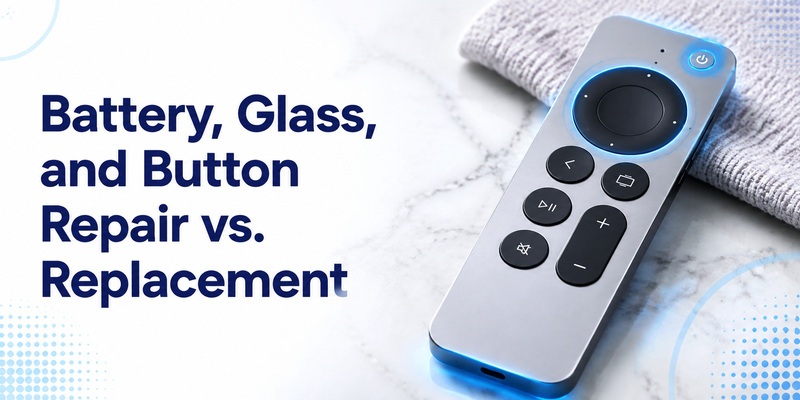
Not every damaged Apple TV remote needs to be replaced immediately.
The right choice depends on what has failed and whether the repair is practical.
Apple TV remote battery replacement
Modern Siri Remote models use internal rechargeable batteries. Apple identifies the 3rd-generation remote as having an internal battery that is not user-replaceable and is charged through USB-C.
If the remote no longer holds a charge, compare the cost and reliability of repair with buying a replacement remote.
For an older remote that uses a replaceable battery, the situation may be different. Identify the exact remote model before purchasing a battery.
Apple TV remote power button replacement
If navigation works but the power button does not, first determine whether the issue is the remote itself or the way Apple TV controls the TV or receiver.
Apple TV can use HDMI-CEC or infrared methods for controlling external devices. Its settings also include options for configuring TV and receiver control.
A power problem therefore does not automatically mean the entire remote needs to be replaced.
Apple TV remote glass replacement
If the touch surface or clickpad is damaged, a repair may be possible depending on the remote and the repair provider. However, replacing the complete remote can be more practical when repair costs approach the price of a compatible replacement.
Before buying a replacement, identify the remote generation so you do not accidentally replace a newer clickpad remote with an incompatible older model.
7. Apple TV Remote Troubleshooting
If your replacement remote is only partially working, test individual functions rather than assuming the entire remote is defective.
| Symptom | Possible cause | First check |
| No response | Battery, connection, or compatibility | Charge remote and verify model |
| Navigation works but other controls do not | Partial compatibility | Test every essential button |
| Volume does not work | TV, receiver, HDMI-CEC, or IR configuration | Check audio-control settings |
| Power control does not work | TV/receiver control configuration | Check HDMI-CEC or IR settings |
| iPhone cannot control Apple TV | Device or network issue | Check Remote controls and device connection |
| Remote works until standby | Wake or connection issue | Restart Apple TV and repeat the test |
| Universal remote works only partially | Limited learned commands | Relearn required functions |
Apple provides separate controls for TV/receiver power and volume, including HDMI-CEC, IR and a “Learn New Device” option for supported setups.
Test more than one button
A common mistake is to test only the Power button or one navigation command.
Instead, test:
- Directional navigation.
- Select/click.
- Back/Menu.
- Home.
- Play/Pause.
- Volume.
- Power.
- Voice control if applicable.
- Wake after standby.
If the replacement passes all the functions you actually use, it is much more likely to work well as a daily controller.
8. Apple TV Remote Replacement Buying Checklist
Before purchasing, run through this checklist.
- Confirm your Apple TV model.
- Confirm the Apple TV generation.
- Identify your original remote if possible.
- Check the replacement remote’s compatibility list.
- Decide whether you need Siri or voice control.
- Check whether volume control matters.
- Check whether TV power control matters.
- Check the charging or battery method.
- Decide between an official and universal remote.
- Check the return policy.
- Keep your iPhone available as a backup where supported.
Do not choose a replacement simply because it has the same general shape as your old remote.
The best apple tv remote replacement is the one that supports the functions you actually use and works reliably with your specific Apple TV.
9. Frequently Asked Questions
What is the best replacement remote for Apple TV?
For Apple TV 4K or Apple TV HD, a compatible Siri Remote or Apple TV Remote is the simplest choice when you want the closest replacement for the original controller. Apple also supports other control methods, including certain TV/receiver remotes, network-based remotes and IR universal remotes.
Can I use an iPhone instead of an Apple TV remote?
Yes. Apple provides the Apple TV Remote in Control Center on compatible iPhone and iPad devices.
Can a universal remote replace an Apple TV remote?
Yes, with supported setups. Apple TV 4K can work with compatible TV or receiver remotes, network-based remotes and infrared universal remotes. An IR universal remote can be programmed through Settings → Remotes and Devices → Learn Remote.
Can I use a newer Siri Remote with Apple TV HD?
Apple’s compatibility information lists Siri Remote generations that work with Apple TV HD, including newer models under the appropriate tvOS requirements. The exact remote and tvOS version should be checked before purchase.
Can I use a Siri Remote with Apple TV 3?
No. Apple’s replacement guidance says that Apple TV 4K and Apple TV HD can use Siri Remote or Apple TV Remote models, while Apple TV (3rd generation) requires an Apple Remote.
What is the difference between Apple TV Remote and Siri Remote?
The name depends partly on region. Apple explains that in countries and regions where Siri is supported, the controller is called Siri Remote; elsewhere it may be called Apple TV Remote.
Can I replace the battery in an Apple TV remote?
It depends on the remote generation. The 3rd-generation Siri Remote/Apple TV Remote uses an internal rechargeable battery that Apple identifies as not user-replaceable.
Conclusion
Choosing an apple tv remote replacement does not have to be complicated. Start by identifying your Apple TV model, then choose the replacement based on the functions you actually need.
For Apple TV 4K and Apple TV HD, a compatible Siri Remote or Apple TV Remote is the most direct replacement. If you want to control several devices with one controller, a supported TV, receiver, network-based or universal remote may be a better fit. And if you have simply lost the physical remote, an iPhone or iPad can provide a convenient temporary control option.
The most important step is to verify compatibility before buying. A remote that can navigate Apple TV is not necessarily equivalent to the original controller when it comes to voice control, power, volume, charging, or wake behavior.
If your Apple TV is an older model, check its exact model number first. Apple TV (3rd generation), for example, uses an Apple Remote rather than the newer Siri Remote family.
Download LG TV Remote