Universal TV Remote Control for JVC
How to Use Your Phone as a Remote for JVC
If your JVC TV remote is lost, damaged, out of batteries, or simply difficult to find, Remote TV App by Begamob can provide a convenient way to control compatible JVC TVs from your smartphone. Instead of depending entirely on a physical controller, you can keep the most frequently used TV controls on a device that is usually already nearby.
For supported JVC Smart TVs, connect your phone and television to the same Wi-Fi network, open Remote TV App, and select your TV when it appears. The exact controls available depend on the JVC model, operating system, and network support.
On compatible TVs, Remote TV App may provide access to common functions such as:
- Volume and mute
- Directional and menu navigation
- Home and Back controls
- Playback controls
- Input selection
- Text entry on supported screens
How to Use Remote TV App With a JVC TV
- Download Remote TV App by Begamob on your smartphone.
- Turn on your JVC TV.
- Connect the TV and phone to the same Wi-Fi network.
- Open Remote TV App and allow local-device discovery if requested.
- Select your JVC TV from the available devices.
- Approve the connection or pairing request if one appears.
- Test Volume, navigation, Input, and playback controls.
A phone-based Universal TV Remote Control for JVC is particularly useful as a backup when the original remote suddenly stops working. It can also be more convenient for everyday navigation because there is no separate controller to search for or batteries to replace.
JVC televisions can differ significantly by model and software platform, so not every JVC TV will support the same app-based controls. If the television is not detected, confirm that the model supports network remote control and that both devices are connected to the same local network.
The Remote TV keyword research also includes dedicated demand around JVC TV remote apps, free JVC remote apps, Android/iPhone control, and controlling a JVC TV without the original remote, which makes this app-focused section relevant to the JVC service page.
Keep your JVC TV remote on your phone and ready whenever the physical remote is unavailable.

Get Universal TV Remote
Control your JVC TV from your phone — free to download.
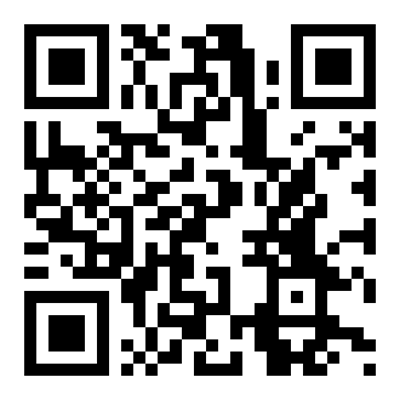

Scan QR to download on iPhone
Supported JVC Models
Related TV brands
Disclaimer
This content is for educational purposes only.
Begamob is not affiliated with or endorsed by JVC. All trademarks and product names are the property of their respective owners and are used solely for identification purposes.