
Samsung Universal Remote TV Codes: Complete Codes and Setup Guide
If you have lost your original Samsung TV remote or want to control several entertainment devices with a single controller, samsung universal remote tv codes can make the setup process much easier. These numerical codes allow a compatible universal remote to communicate with a Samsung television by using the correct infrared command set.
A universal remote is designed to replace one or more original remotes. Depending on the model, it may control your TV, soundbar, Blu-ray player, streaming device, cable box, or other home entertainment equipment. Before a universal remote can control a Samsung television, however, it usually needs to be programmed.
That is where samsung universal remote tv codes become important. During programming, you enter a three-digit, four-digit, or five-digit code into the universal remote. The remote then uses the corresponding command library when you press Power, Volume, Channel, Input, Menu, or other buttons.
There is no single code that works with every remote. Different universal remote manufacturers maintain different code databases, so the correct number can depend on your remote brand, remote model, Samsung TV model, and year of manufacture.
For this reason, it is useful to have several samsung universal remote tv codes available. If the first code powers the TV on but does not operate all functions, another compatible code may provide better control.
Before programming, install fresh batteries and make sure there is a clear line of sight between the universal remote and the TV’s infrared receiver.
1. Complete Samsung Universal Remote TV Codes List
The most commonly used samsung universal remote tv codes are available in several formats. Your universal remote’s instruction manual should specify whether it accepts three-digit, four-digit, or five-digit codes.
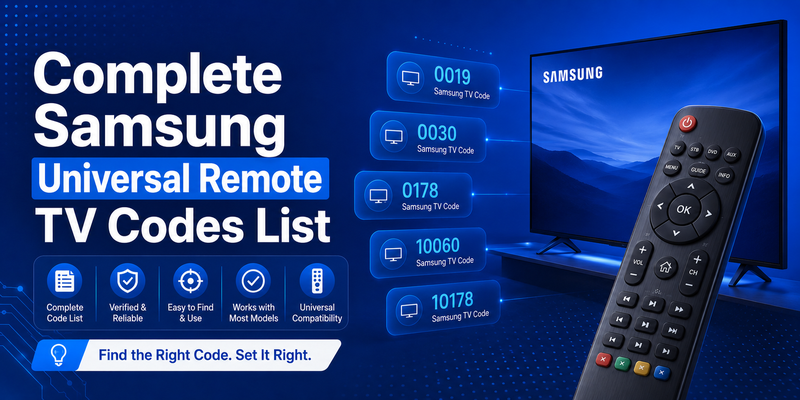
Common 4-digit Samsung TV codes
Try these commonly used Samsung TV codes:
| Code | Code | Code |
| 0019 | 0030 | 0056 |
| 0060 | 0093 | 0178 |
| 0217 | 0448 | 0587 |
| 0702 | 0812 | 1060 |
| 2051 | 0650 | 0766 |
Not every code will work with every television or universal remote. Start with the first code recommended by your remote manufacturer and test the main functions after programming.
Common 5-digit Samsung TV codes
Some universal remotes use five-digit samsung universal remote tv codes, including:
- 10060
- 10030
- 10178
- 10019
- 10702
- 10812
- 12051
- 10650
- 10587
When entering a five-digit code, keep the remote pointed toward the television until the programming process is complete.
What if none of the codes work?
Do not assume your remote is incompatible just because the first few samsung universal remote tv codes fail. Many remotes include dozens of Samsung command profiles.
Try the next code, repeat the setup process, and test Power, Volume Up, Volume Down, Mute, Input, and Menu after each successful pairing.
If none of the listed codes work, use the remote’s automatic code-search feature. This allows the controller to cycle through its internal database until it finds a signal recognized by your Samsung TV.
Always prioritize the code list supplied with your specific universal remote because manufacturers may assign different numbers to the same Samsung infrared command set.
Download LG TV RemoteExplore Related Articles: LG TV Remote Volume Button Not Working? 12 Practical Fixes to Restore Volume Control
2. How to Use Samsung Universal Remote TV Codes
Using samsung universal remote tv codes normally takes only a few minutes. Although the exact buttons vary by remote brand, the basic process is similar.
First, turn on your Samsung TV manually. The television must be powered on so you can confirm when the universal remote sends the correct command.
Next, press and hold the Setup, Code Search, Program, or similar programming button. Wait until the indicator light stays illuminated. Then press the TV device button if your remote has separate buttons for different devices.
Enter one of the available samsung universal remote tv codes using the number keypad. On many remotes, the indicator light will turn off or flash when the code is accepted.
Point the controller toward your Samsung television and press Power. If the television turns off, turn it back on and test additional buttons.
Do not stop testing after Power works. A partially compatible code may control power but fail to change inputs or access menus. Check:
- Power
- Volume Up and Down
- Mute
- Channel Up and Down
- Input or Source
- Menu
- Navigation arrows
If some important controls fail, repeat the programming process with another set of samsung universal remote tv codes.
Keeping a note of the successful number can save time if you later replace the remote batteries, reset the controller, or need to reprogram it.
📘 Find the Right Guide
How to Control Cable Box With LG Magic Remote: Complete Setup Guide
3. How to Pair Universal Remote to Samsung TV
If you are searching for how to pair universal remote to samsung tv, manual code entry is usually the fastest method.
Turn on your Samsung television and place fresh batteries in the universal remote. Stand close enough to the TV for the remote’s infrared signal to reach the receiver without obstruction.
Activate programming mode. Depending on your remote, you may need to press Setup, Set, Code Search, Magic, or a combination of buttons. Hold the button until the LED remains on.
Select TV as the device you want to configure. Enter one of the compatible samsung universal remote tv codes from the code list supplied with your remote or from the common codes above.
When the remote confirms the code, point it at the television and press Power.
If the TV turns off, the basic pairing has succeeded. Turn the TV on again and test other buttons before finishing the setup.
Understanding how to pair universal remote to samsung tv also means recognizing that pairing methods vary. Traditional infrared remotes use programming codes, while some advanced universal remotes use Bluetooth, Wi-Fi, a hub, or a companion mobile application.
If your universal remote supports multiple connection technologies, follow its manufacturer’s instructions first. The samsung universal remote tv codes method is primarily intended for controllers that use an infrared code database.
For the best result, try another Samsung code if only a limited number of buttons respond.
4. How to Connect Universal Remote to Samsung TV Without a Code
You can often connect universal remote to samsung tv even when you do not know the correct programming number. Most modern universal remotes offer an automatic code-search mode.
Start by turning on your Samsung TV manually. Press and hold the Setup or Code Search button on the universal remote until its indicator remains illuminated.
Select the TV device mode. Depending on the remote, you may then press Power repeatedly or press a dedicated Search button. The controller will begin cycling through stored command profiles.
Keep the remote aimed directly at the TV.
When the Samsung television turns off, immediately stop the search and save the active code by pressing Enter, OK, Setup, or another button specified by the remote manufacturer.
This process automatically checks potential samsung universal remote tv codes without requiring you to type each number manually.
After saving the code, turn your TV on and test the essential functions. If Power works but Volume or Input does not, restart the search. Another command profile may provide more complete compatibility.
Automatic search can take longer than direct code entry because the remote may contain hundreds or thousands of device profiles. However, it is particularly useful for older controllers or situations where the original code guide is missing.
Once you successfully connect universal remote to samsung tv, record the code if your remote has a code-identification feature. You may need it again after a reset.
📘 Find the Right Guide: 4 Digit Universal Remote Codes for Roku TV
5. Do Universal Remotes Work With Samsung Smart TVs?
A common question is will a universal remote work on a samsung smart tv? In most cases, yes, provided the television still supports the control technology used by the remote.
Traditional universal remotes typically communicate through infrared. Most Samsung televisions include support for essential infrared commands such as Power, Volume, Channel, Input, and Mute.
Therefore, the answer to does a universal remote work on a samsung tv is generally yes. However, compatibility does not necessarily mean every Smart TV feature will be available.
Basic samsung universal remote tv codes may allow standard controls while advanced functions such as voice search, pointer control, smart-home integration, or app-specific shortcuts remain unavailable.
Bluetooth-based Samsung remotes can also provide capabilities that a basic infrared universal controller cannot reproduce.
Before buying a replacement remote, check its compatibility list and confirm that Samsung televisions are supported. If you already own the remote, try several samsung universal remote tv codes before concluding that it is incompatible.
The age of the TV also matters. Older Samsung televisions may respond perfectly to traditional infrared remotes, while newer Smart TVs may require a more advanced remote to access every feature.
For basic watching, volume adjustment, input switching, and channel control, a well-programmed universal remote is often sufficient.
6. Does ONN Universal Remote Work With Samsung TV?
Many Walmart shoppers ask does onn universal remote work with samsung tv because ONN offers affordable universal controllers designed to support popular TV brands.
Samsung is commonly supported by universal remote systems, and many ONN remote models include programming options for Samsung televisions. However, the exact procedure and compatible samsung universal remote tv codes depend on the specific ONN model.
Before programming your ONN remote, locate the model number. It may be printed inside the battery compartment or on the rear of the remote.
Next, check the code list included with the remote. Choose Samsung under the television section and follow the programming procedure described in the manual.
If direct code entry fails, try the ONN remote’s automatic code-search function if available.
Do not rely on a random code without checking your remote model. A number used by one brand or ONN model may have a completely different meaning on another controller.
Once the television responds, test more than Power. Volume, Input, Menu, and navigation controls should also be checked.
If one set of samsung universal remote tv codes controls only part of the TV, repeat the programming process with the next Samsung option.
This approach gives you a better chance of finding the command profile that most closely matches your particular Samsung television.
📘 Find the Right Guide: LG Universal Remote TV Codes: Codes, Setup and Pairing Guide
7. Is a Samsung TV Remote Universal?
People frequently search is samsung remote universal or is samsung tv remote universal when they want to control additional devices using the remote included with their television.
Samsung remotes and third-party universal remotes are not exactly the same thing.
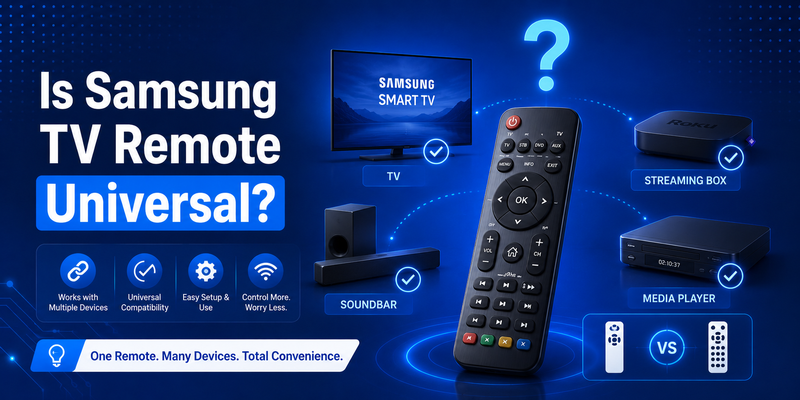
Many Samsung Smart TVs provide universal control features that can operate compatible external devices connected to the television. Depending on the model and connected equipment, the Samsung remote may control a cable box, streaming device, Blu-ray player, game console, or sound system.
Samsung’s Smart Remote may also use HDMI-CEC functionality to control compatible connected devices through the TV.
However, this does not mean every Samsung remote can replace every controller in your home.
Traditional samsung universal remote tv codes work in the opposite direction: they allow a third-party universal remote to send commands to a Samsung TV.
If your goal is simply to replace a damaged Samsung controller, a compatible replacement or universal remote is usually sufficient. If you want one controller for an entire home theater, check how many devices the replacement remote supports.
A quality universal remote can often control four, six, or more devices from one controller, while a Samsung original remote is primarily optimized for interaction with the television and supported connected equipment.
8. Best Universal Remote Apps for Samsung TV
If you cannot find your physical remote, a smartphone may be a convenient alternative. The best universal remote app for samsung tv depends on your TV model, phone, operating system, and the features you need.
For compatible Samsung Smart TVs, Samsung’s SmartThings app is usually one of the first options worth considering. After the TV and smartphone are connected appropriately, the app can provide remote-control functions from your mobile device.
A remote TV app can be particularly useful when your remote is lost, damaged, or temporarily out of batteries.
Many third-party remote apps are also available, but quality varies significantly. Some require both devices to be connected to the same Wi-Fi network, while others rely on an infrared blaster built into the smartphone.
If you need a free universal remote app for samsung tv, check whether all the remote functions you need are included in the free version before relying on the app.
Apps do not normally require samsung universal remote tv codes when they communicate with the TV over Wi-Fi. Instead, they discover compatible televisions on the network and may display a confirmation request on the TV screen.
A mobile remote is useful as a backup, but it may not completely replace a physical controller. For example, turning on a TV that is fully disconnected from the network may be easier with an infrared remote.
For everyday convenience, keeping both a programmed universal controller and a remote TV app available provides a useful backup solution.
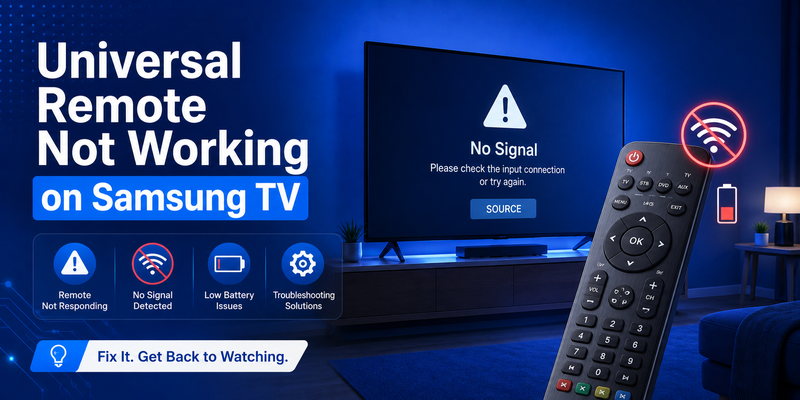
9. Why Is My Universal Remote Not Working on Samsung TV?
Searching for universal remote not working on samsung tv usually means either the programming code is incorrect or the infrared signal is not reaching the television.
Start with the batteries. Weak batteries can cause inconsistent performance even when the programming is correct. Replace both batteries with fresh ones and verify their polarity.
Next, confirm that the remote is in TV mode. Multi-device universal remotes may remain set to AUX, DVD, CBL, or another device after you use them.
If the controller still does not respond, re-enter the samsung universal remote tv codes. The stored code may have been erased after a battery change or accidental reset.
Also remove objects blocking the TV’s infrared sensor. Decorations, soundbars, or furniture positioned directly in front of the sensor can prevent commands from reaching the television.
If Power works but other commands do not, the problem may be partial code compatibility rather than a defective remote. Try another set of samsung universal remote tv codes.
You can also test whether the remote is emitting infrared by viewing the front of the controller through many smartphone camera systems while pressing a button. An infrared LED may appear as a flashing light on compatible cameras.
If automatic code search fails as well, check whether your exact universal remote supports Samsung televisions.
Finally, restart the Samsung TV by disconnecting its power temporarily, reconnecting it, and testing the controller again.
10. How to Find the Correct Samsung TV Code
Finding the right samsung universal remote tv codes is easier when you know the exact model of both your television and universal remote.
First, locate your Samsung TV model number. This information is usually shown on a label on the back of the television and may also be available in the TV’s settings or support information menu.
Next, find the model number of your universal controller. Look inside the battery compartment, on the rear casing, or in the original packaging.
Search the manufacturer’s official code list for Samsung televisions. Because universal remote manufacturers build their own code databases, the most reliable samsung universal remote tv codes are normally the ones listed specifically for your controller.
If several numbers are provided, try them in the recommended order.
Test each successful code thoroughly. A proper setup should ideally provide Power, Volume, Mute, Input, Menu, and navigation support.
If you cannot locate the instruction manual, check whether your remote offers automatic code search. This feature removes the need to identify the number manually.
Another useful strategy is code identification. Some universal remotes can display or blink the currently programmed number after automatic search. Record it once your television is working correctly.
Keeping the correct code somewhere accessible can save considerable time if you reset or replace the remote later.
11. Common Samsung Universal Remote Functions
Once the correct samsung universal remote tv codes have been programmed, a universal controller can usually perform the most important everyday television functions.
Power is typically the first function tested because it provides immediate confirmation that the remote and TV are communicating.
Volume Up, Volume Down, and Mute are also widely supported. If your sound comes directly from the Samsung television, these buttons should work after successful programming.
Channel controls are relevant when watching over-the-air television or when the TV itself handles channel tuning.
Input or Source is particularly important for Smart TV owners with several connected devices. A fully compatible set of samsung universal remote tv codes may allow you to switch between HDMI inputs without reaching for the original controller.
Directional arrows, OK, Back, and Menu may also work, depending on the universal remote and Samsung television.
Smart-specific buttons are less predictable. A basic universal controller may not include dedicated Netflix, Prime Video, voice assistant, microphone, or Home buttons.
For users who need full smart functionality, consider a universal remote designed specifically for smart televisions rather than a basic replacement controller.
The key is to decide which functions matter most. If you only need Power, Volume, and Input, a simple low-cost remote may be enough. If you frequently navigate Samsung Smart Hub apps, a more advanced controller or phone-based app may provide a better experience.
12. FAQs About Samsung Universal Remote TV Codes
What are the most common samsung universal remote tv codes?
Some frequently used four-digit Samsung codes include 0019, 0030, 0056, 0060, 0093, 0178, 0587, 0702, and 0812. Five-digit formats may include 10060, 10030, 10178, 10702, 10812, and 12051.
However, the correct number always depends on the universal remote manufacturer and model.
Why are there so many Samsung TV codes?
Manufacturers use different command databases, and Samsung has produced many television models over the years. As a result, multiple samsung universal remote tv codes may be required to cover different hardware generations and functions.
Can I program my remote without a Samsung code?
Yes. If your remote supports automatic search, you can scan through its internal database until the TV responds. The remote effectively tests available samsung universal remote tv codes for you.
Can one Samsung code control every Samsung TV?
No. A code that works perfectly on one Samsung television may not provide complete functionality on another model. Always test several buttons after programming.
Will universal remote codes unlock Smart TV apps?
Programming samsung universal remote tv codes gives the controller access to whatever commands are included in the selected profile. Some remotes support Smart TV navigation, while basic controllers may offer only traditional commands.
Does the age of my Samsung TV matter?
Yes. Older and newer televisions may use different command profiles. Nevertheless, many Samsung models retain support for basic infrared functions, making universal remotes useful across a wide range of generations.
What should I do if the TV turns off during automatic search?
Stop the scan immediately and save the active code using the button specified in your remote’s instructions. If the remote continues scanning, it may move past the working profile.
Why does Volume work but Input does not?
Your current code may provide only partial compatibility. Repeat the setup with another of the available samsung universal remote tv codes and compare which profile supports more functions.
Can I use a phone instead of programming codes?
Yes, if your Samsung Smart TV supports network-based remote control. A compatible smartphone application can communicate over Wi-Fi and normally does not require traditional samsung universal remote tv codes.
Do universal remotes support Samsung Frame TVs?
Compatibility depends on the universal remote. Basic infrared commands may work, while advanced functions specific to the television may require the original Samsung remote, SmartThings, or another compatible smart remote.
Final Thoughts
Finding the right samsung universal remote tv codes is usually the most important step when replacing a lost Samsung remote or combining several home entertainment controllers into one device.
Start by identifying the exact model of your universal remote, then use the Samsung code list provided by its manufacturer. Common codes such as 0060, 0178, 0702, 0812, 10060, 10178, and 12051 can be useful starting points, but no individual number is guaranteed to work with every controller.
If direct programming fails, automatic code search provides another practical way to test samsung universal remote tv codes without entering dozens of numbers manually.
Remember to test Power, Volume, Mute, Input, Menu, and navigation after programming. A remote that turns the television on but fails to access other functions may simply need a different code.
Smart TV owners also have additional options. A compatible mobile application can provide convenient network-based control, while advanced universal remotes may support several entertainment devices from a single controller.
Whether you use manual programming, automatic search, a smartphone app, or a smart universal controller, the objective is the same: reliable and convenient control of your Samsung television.
Keep your successful samsung universal remote tv codes recorded somewhere safe. If you replace the batteries, reset the remote, or buy another compatible controller later, having the correct code available can make the next setup much faster.
Download LG TV Remote