
Universal Remote TV: Complete Setup, TV Codes, Pairing, Apps, and Troubleshooting Guide
A missing or damaged TV remote can turn a simple evening of streaming into an annoying search around the living room. Fortunately, replacing the original controller is no longer the only solution. A Universal remote tv can often control televisions, streaming boxes, soundbars, receivers, and other home entertainment equipment from one device.
Modern universal remotes are also more flexible than the simple infrared controllers many people remember. Depending on the model, a remote may use infrared commands, preprogrammed manufacturer codes, device-learning functions, Bluetooth, or integrations with HDMI-CEC. Smartphone apps add another option by communicating with compatible smart TVs through the local network.
That variety creates one major problem: setup procedures are not identical.
A code that works with one GE remote, for example, should not automatically be assumed to work with an RCA or One For All remote. Manufacturers maintain different code databases, code lengths, and programming procedures. Jasco, which produces GE-branded universal remotes, specifically instructs users to identify the code-list version printed inside the remote’s battery compartment before choosing codes. One For All similarly recommends using the exact remote and device model when looking up setup codes.
This guide explains how a Universal remote tv works, how to pair one correctly, how to find the right codes, and what to do when your television does not respond. It also covers LG, Samsung, Roku TV, Fire TV, and Apple TV, along with smartphone alternatives.
1. What Is a Universal remote tv and How Does It Work?
A Universal remote tv is a controller designed to operate more than one television brand or entertainment device. Instead of being permanently programmed for a single TV model, it contains commands for multiple manufacturers.
The simplest models are designed mainly for televisions. More advanced versions may also control streaming boxes, Blu-ray players, cable receivers, soundbars, audio receivers, and other equipment.
Infrared universal remotes
Traditional universal remotes generally transmit infrared signals.
When you press Power, Volume Up, Input, or another button, the controller sends a specific IR command. Your television recognizes the command if it matches the protocol the TV expects.
This explains why programming is necessary. Two TV brands may interpret different infrared commands for the same function. A Universal remote tv therefore needs to know which command set to transmit.
One common solution is entering a manufacturer setup code.
The code does not directly represent something like “Volume Up.” Instead, it normally selects a compatible group of commands stored inside the remote.
Code search and automatic setup
Many remotes also provide automatic code-search functions.
Jasco explains that Auto Code Search cycles through codes stored in the remote until a working configuration is found. This is especially useful if you no longer have the printed manual or several possible codes are listed for your TV.
Other models include learning functions. With a learning remote, the controller can copy certain IR signals from the original remote.
This is useful when a Universal remote tv successfully controls power and volume but cannot access one specialized function.
Smart TV control can work differently
Smart TVs introduce additional possibilities.
Some remote systems use HDMI-CEC to control devices connected through HDMI. Others communicate through Bluetooth or Wi-Fi. This is why the phrase “universal remote” can describe several different technologies.
For everyday users, however, the practical goal remains simple: configure one controller so that the most frequently used TV functions are available without searching for several separate remotes.
Download TV Remote APP2. What to Check Before Setting Up a Universal remote tv
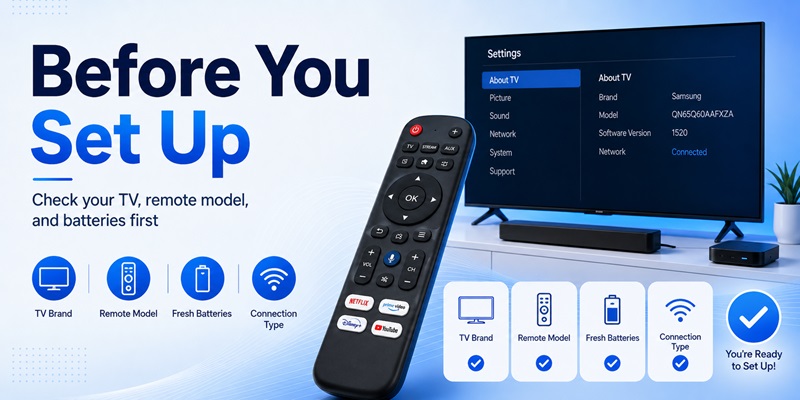
Before trying random codes, identify exactly what you are attempting to control.
A few minutes of preparation can save a lot of repeated programming.
Identify the television
Look for the TV manufacturer and model number.
The manufacturer may be Samsung, LG, TCL, Hisense, Sony, Vizio, Philips, or another brand. Model information is usually printed on the TV itself and may also appear in the television’s settings menu.
You should then identify the Universal remote tv manufacturer and model.
This second detail is especially important.
There is no universal database in which every LG television always uses one identical four-digit number across every remote brand. Code libraries vary between manufacturers and even between different generations of remotes from the same manufacturer.
Jasco, for example, separates its code lists into versions such as CL3, CL4, CL5, and CL6. Users are instructed to check the code-list version associated with their remote before programming it.
Determine which connection method is supported
A Universal remote tv may offer one or more of these setup methods:
- Direct code entry
- Automatic code search
- Brand search
- Learning mode
- Infrared programming
- Bluetooth pairing
- Wi-Fi or smart-home control
- HDMI-CEC device control
Check the manual before starting.
If the remote has number buttons and a Setup button, direct code entry is often available. Minimal streaming remotes may use a completely different procedure.
Install fresh batteries
Weak batteries create confusing symptoms.
A controller might light up normally but transmit an unreliable IR signal. If you are troubleshooting an unfamiliar Universal remote tv, installing fresh batteries removes one possible cause immediately.
You should also keep the remote pointed toward the TV during infrared setup.
For IR-based devices, objects placed directly in front of the TV’s receiver can interfere with operation.
Test the original remote when possible
If the original TV remote still works, test it before programming the replacement.
This confirms that the television itself is responding normally.
When the original controller works but the Universal remote tv does not, you can concentrate on programming, compatibility, code selection, or signal issues rather than troubleshooting the TV.
3. How to Connect a Universal remote tv to a Smart TV
People searching how to connect universal remote to smart tv often expect a single pairing procedure. Unfortunately, there is no one method that applies to every remote.
However, most traditional universal remotes follow a similar sequence.
Method 1: Direct code entry
First, turn on the TV manually.
Select TV mode on the Universal remote tv if the controller supports multiple device categories.
Press and hold the Setup, Code Search, Magic, or similarly labeled programming button according to the remote’s manual. Wait for its indicator to enter programming mode.
Next, enter the setup code listed for your television manufacturer.
One For All, for example, uses different procedures depending on the remote. On some Smart Control models, users hold the Magic button, select the device mode, and enter the appropriate setup code.
After entering the code, test:
- Power
- Volume
- Mute
- Input
- Menu or Home
- Direction buttons
Do not stop after testing only Power.
A partially compatible code may switch the TV on while other important buttons fail.
Method 2: Automatic code search
If none of the listed codes works, use automatic search if your Universal remote tv supports it.
The exact button sequence varies by manufacturer.
During this process, the remote tests commands from its internal database. When the television responds, you save the active code.
Jasco describes Auto Code Search as a way to search through the codes stored in the remote to find one that controls the target device.
This can be slower than entering a known code but is extremely useful when documentation is missing.
Method 3: Learning commands
Some premium controllers can learn signals from the original remote.
Place both controllers in the position described in the manual and copy commands one at a time.
Learning mode is especially useful when your Universal remote tv already handles the main TV functions but lacks one or two less-common controls.
Do smart TVs require Wi-Fi for universal remotes?
Not necessarily.
A conventional IR Universal remote tv can control many smart televisions without being connected to Wi-Fi because infrared operation is independent of the TV’s network connection.
A smartphone remote application is different. Most app-based controllers communicate through the same local network as the television, although exact requirements depend on the app and TV model.
📖 Read More Guides:Universal Remote TV App: How to Turn Your Phone Into a Smart TV Remote
4. How to Find the Correct TV Code for a Universal Remote
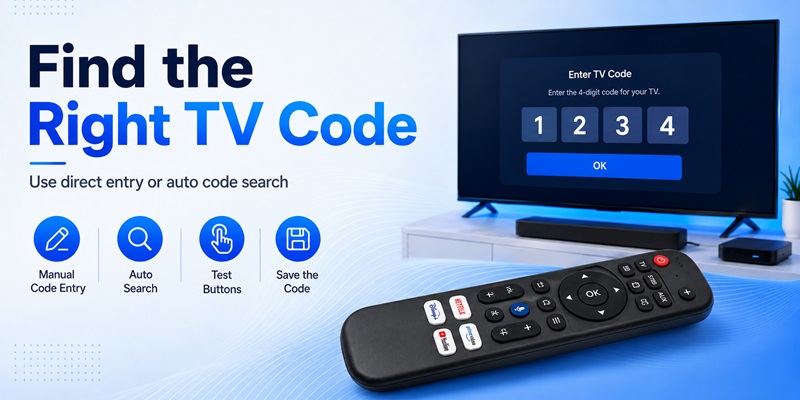
One of the most common searches is how to find tv code for universal remote.
The safest approach is to identify the remote first and the television second.
Do not begin with a random internet list labeled “all universal TV codes.”
Why universal remote codes are different
Suppose two people own the same LG television but use different universal remotes.
One person uses a GE controller while the other uses a One For All model.
Their setup codes may be different because each controller manufacturer organizes its internal command database differently.
Even code length can vary.
A remote may use three-digit, four-digit, or five-digit setup codes. Therefore, a search for a “Samsung universal code” without the remote model is incomplete.
Start with the remote manufacturer
Look inside the battery compartment, on the back of the remote, or on its original packaging.
Record:
- Manufacturer
- Model number
- Code-list version if shown
- Television manufacturer
- Television model
For One For All products, the company recommends locating the remote model and using its setup-code finder with the exact device make and model.
For supported GE, Philips, and UltraPro universal remotes, Jasco provides code lists organized by remote code-list version.
What if the code does not work?
Try every code listed for that specific TV brand and remote model.
After each attempt, test several functions.
If no listed code provides acceptable control, switch to automatic search.
Some remotes also offer learning functionality. One For All specifically suggests either searching for the correct setup code or using a learning feature when a standard code is unavailable.
This method is much more reliable than copying an unexplained number from a generic article.
A properly configured Universal remote tv should ideally provide power, volume, mute, navigation, and input control, although specialized smart-TV functions may vary.
5. Setting Up a Universal remote tv With an LG TV
LG televisions are commonly supported by third-party universal remotes, but people searching for lg universal remote tv codes should understand that the required numbers depend on the controller.
For example, an older One For All code list contains numerous LG entries rather than one single LG code.
That illustrates why guessing one “universal LG code” is unreliable.
How to program an LG TV
Start by finding the exact model of your Universal remote tv.
Open the manufacturer’s code list and select:
Device type: TV
Brand: LG
Enter the first compatible code using the programming procedure specified by the remote manufacturer.
Test Power, Volume, Mute, Input, Home, and navigation.
If Power works but navigation does not, repeat the process with another listed LG code. Different stored command sets can provide different levels of functionality.
LG’s own Universal Control feature
Do not confuse a third-party Universal remote tv with LG’s Universal Control feature.
Supported LG televisions can configure an LG remote to operate certain devices connected to the TV. LG’s instructions describe selecting the relevant HDMI input, opening Universal Control Settings, selecting the connected device type, and following the setup process. The precise menu can vary by model and webOS generation.
That feature works in the opposite direction: instead of using a third-party remote to control the LG television, you are configuring the LG remote to control external equipment.
Can a phone replace an LG remote?
A free universal remote app for lg tv may be useful when the physical remote is missing, particularly if the application supports your LG television and both devices can communicate over the local network.
App compatibility should always be checked against the specific TV.
A phone-based Universal remote tv solution can be convenient for navigation, typing, playback, or basic controls, but it does not automatically replace every function of the original LG Magic Remote.
For long-term use, many households find it useful to keep both options available: a physical controller for instant operation and an app as a backup.
📖 Read More Guides: Download the Universal Remote App for Samsung TV: Easy Setup Guide
6. Setting Up a Universal remote tv With a Samsung TV
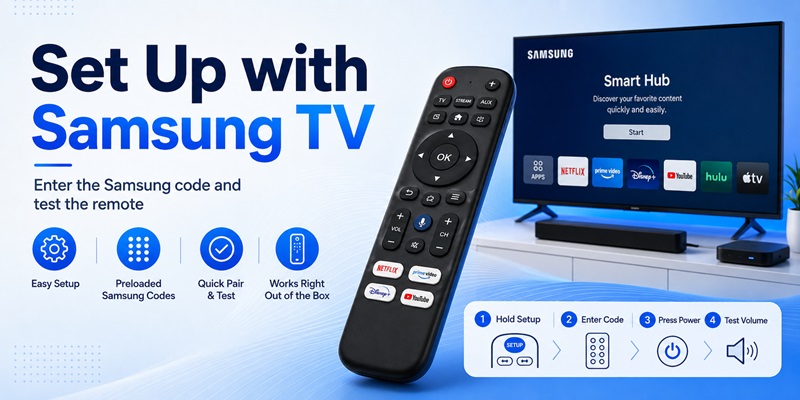
Samsung TVs are another popular target for universal remote programming.
Searches such as samsung tv code for universal remote and samsung universal remote tv codes often produce long lists of numbers. Again, those codes should only be used when they match the brand and model of your controller.
Programming a third-party remote
Turn on the Samsung television.
Put your Universal remote tv into TV programming mode and enter the Samsung code supplied in its documentation.
Samsung’s own support instructions for generic universal remote setup similarly describe turning on the target device, entering programming mode, entering the manufacturer’s code, and testing operation.
If the first code only provides limited functionality, test the remaining codes listed for Samsung.
Some universal remotes are even preprogrammed for Samsung televisions. For example, certain Philips-branded universal remotes sold by Jasco are advertised as preprogrammed for Samsung TVs while also supporting direct code entry and automatic code search.
Samsung’s built-in universal control
Modern Samsung Smart TVs can also use a Samsung remote to control compatible external devices.
Samsung describes connecting the external equipment over HDMI and configuring Universal Remote when automatic detection does not complete the setup.
On supported setups, HDMI-CEC can also be important. Samsung refers to its HDMI-CEC implementation as Anynet+ and recommends ensuring it is enabled when compatible external devices are not responding to the TV remote.
Using a phone with Samsung TV
If you search download universal remote for samsung tv, choose software based on compatibility rather than simply downloading the first app that appears.
Check whether the app supports your Samsung TV generation and whether the television and phone must be connected to the same Wi-Fi network.
A smartphone Universal remote tv option is particularly useful when the physical controller is unavailable, but a dedicated remote is often faster for power and volume adjustments.
7. Using a Universal remote tv With Roku TV
Roku TV deserves special attention because “Roku TV” and a separate Roku streaming player are not the same thing.
A Roku TV is a television with Roku software integrated into the television itself. A Roku streaming box or stick connects to another television.
That difference affects remote compatibility.
Universal remote codes for Roku TV
Users frequently search for 4 digit universal remote codes for roku tv.
Roku maintains an official universal-remote support page containing codes for several remote manufacturers. The listed values differ by remote brand. For example, Roku’s current support information provides separate entries for manufacturers such as Inteset, onn., RCA/Voxx, and others.
This reinforces the central rule of Universal remote tv programming: identify the controller first.
Do not assume that every Roku TV uses the same four-digit number.
Roku TV vs Roku streaming devices
Compatibility also depends on which Roku hardware you own.
Some infrared universal remotes support Roku boxes but not Roku Streaming Sticks because the communication methods differ.
For example, Jasco notes that one Philips universal remote is preprogrammed for Roku streaming media boxes but is not compatible with Roku Streaming Sticks.
Therefore, before buying a Universal remote tv, read the compatibility description carefully.
Roku’s own remote setup
Roku’s voice remotes can also be configured to control TV functions such as power and volume.
Roku’s instructions direct users through Settings > Remotes & devices > Remotes and then the TV-control setup process for supported Roku voice remotes.
If your goal is simply controlling a Roku TV, the official Roku remote may offer better integration. If you want one controller for the TV, sound system, and multiple devices, however, a compatible Universal remote tv can be more practical.
8. Will a Universal remote tv Work With Fire TV?
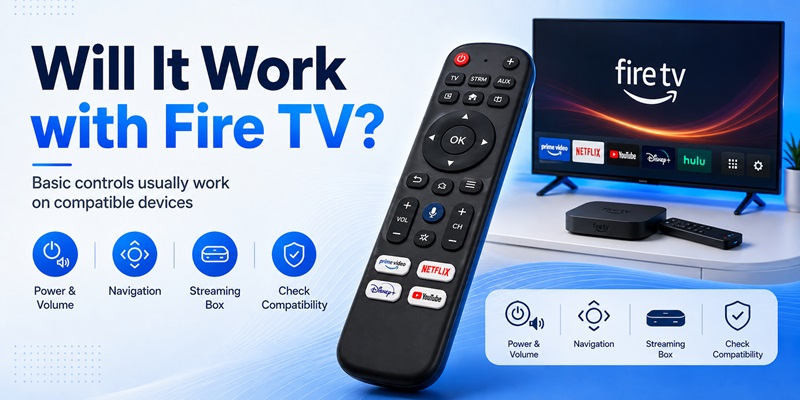
A very common question is will a universal remote work on a fire tv?
The answer is: sometimes, but compatibility depends on the type of Fire TV device and the universal remote.
Amazon sells Fire TV streaming players as well as Fire TV smart televisions. Third-party manufacturers also produce universal remotes designed specifically to work with popular streaming equipment.
Fire TV smart television
If Fire TV software is integrated into the television, a compatible Universal remote tv may be able to control basic television commands such as power, volume, input, and navigation.
However, advanced functions can depend on the controller and the way it communicates with the television.
Some current universal remotes specifically advertise compatibility with Fire TVs. Jasco, for instance, offers a OneTouch streaming remote designed for several major TV families including Roku TVs and Fire TVs.
Fire TV streaming player
A Fire TV Stick presents a different situation.
Traditional infrared commands alone may not provide full Fire TV navigation because Fire TV remotes can use wireless pairing for the streaming interface.
Amazon’s instructions for adding another official Fire TV remote use the Fire TV menu under Controllers & Bluetooth Devices, followed by Amazon Fire TV Remotes and Add New Remote.
Therefore, check whether your Universal remote tv specifically lists compatibility with the Fire TV player you own.
What functions should you test?
After setup, test:
Power
Volume
Mute
Home
Back
Navigation
OK/Select
Playback buttons
Input switching
A Universal remote tv that only turns the television on and changes volume may technically be connected but still cannot replace the Fire TV controller for everyday streaming.
For that reason, Fire TV owners should prioritize stated device compatibility rather than choosing a remote only because the packaging says “universal.”
Download TV Remote APP9. Using a Universal remote tv With Apple TV
Apple TV also supports several ways of interacting with televisions and remote controls.
People searching apple tv remote universal generally want either to control Apple TV with another remote or to use the Apple TV remote to control their television.
Both are possible in supported configurations.
Teach Apple TV an infrared remote
Apple officially supports teaching Apple TV 4K commands from a compatible universal infrared remote.
Apple’s instructions are straightforward: open Settings, go to Remotes and Devices, select Learn Remote, and follow the onscreen process.
This means an IR Universal remote tv does not necessarily need a special Apple TV button layout.
Apple TV can learn the commands generated by the controller.
Some universal remotes also offer direct configuration codes for Apple TV. Apple advises checking the documentation that comes with the universal remote when using that approach.
Control the television using Apple TV hardware
The relationship can also work the other way.
Apple TV 4K can control compatible TV or receiver functions through HDMI-CEC or infrared depending on the equipment and configuration. Apple’s current guide lists HDMI as an option when the television or receiver supports volume control through CEC, alongside IR configurations for TVs and receivers.
This can reduce the need for a separate Universal remote tv if your setup is relatively simple.
When a universal remote still makes sense
A dedicated Universal remote tv becomes more useful when your entertainment system contains several components.
For example, you might have:
Apple TV
Television
Soundbar
Blu-ray player
Cable box
Instead of switching between controllers, one programmable remote can handle many everyday commands.
The key is choosing a model that explicitly supports all important devices rather than assuming “universal” means unlimited compatibility.
📖 Read More Guides: How to Use Universal Remote Control With TV
10. Universal Remote TV App vs. Physical Remote
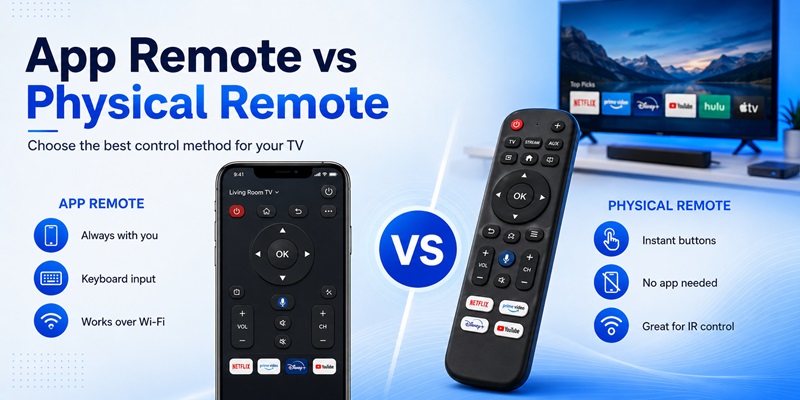
A physical remote is no longer the only option.
A universal tv remote control app turns a compatible smartphone into a controller. Depending on the application and television, commands may be sent over Wi-Fi or through an infrared transmitter built into the phone.
Advantages of remote apps
The biggest advantage is convenience.
Your phone is probably already nearby.
A free universal tv remote app can also provide an emergency solution when a physical controller is lost or damaged.
Smartphone keyboards may make entering passwords or search terms easier than navigating an onscreen keyboard with arrow buttons.
Some applications also combine several control features in a single interface.
A well-designed universal remote tv app may therefore work as both a backup controller and an everyday smart-TV companion.
Advantages of a physical remote
A physical Universal remote tv still has several important benefits.
You can operate buttons by touch without constantly looking at a screen. Power, volume, mute, and navigation commands are immediately accessible.
There is also no need to unlock a phone, launch an application, or keep the app active.
Traditional infrared remotes usually do not depend on the home Wi-Fi network for basic operation.
This means they remain useful even when the router is unavailable.
Which option should you choose?
Choose a physical Universal remote tv if:
You regularly control several entertainment devices.
You want reliable physical buttons.
You frequently adjust volume or channels.
Your television supports infrared commands.
Several family members use the television.
Choose a Remote TV App if:
You need a convenient backup.
You frequently lose the remote.
You prefer using your phone.
Your TV offers good network-based remote support.
Typing and smart-TV navigation are important.
For many households, the strongest solution is not choosing one or the other.
Keep a Universal remote tv near the television and install a compatible app as a backup.
11. Troubleshooting a Universal remote tv That Does Not Work
Programming does not always work on the first attempt.
If your Universal remote tv refuses to control the television, troubleshoot the problem systematically rather than repeatedly entering random codes.
Problem 1: Nothing responds
Install fresh batteries.
Make sure the TV is powered on manually.
Confirm that the Universal remote tv is in TV mode rather than DVD, AUX, Audio, or another device mode.
If it uses infrared, point it toward the television’s IR receiver and remove objects blocking the signal path.
Then repeat programming from the beginning.
Problem 2: Power works but other buttons do not
This usually means the selected code is only partially compatible.
Return to the manufacturer’s code list and try the next code for your TV brand.
Do not assume you have found the best code just because Power works.
Test volume, navigation, input selection, mute, and menu functions before saving your final configuration.
Some remote manufacturers provide several codes because different television generations use different command sets.
Problem 3: No listed code works
This is where automatic code search becomes useful.
Jasco specifically recommends code-search functionality on supported remotes when users need to search through stored codes.
If your Universal remote tv includes a learning mode, you may also be able to copy missing commands from the original controller.
One For All recommends its setup-code finder or learning functionality when standard setup codes are unavailable for supported models.
Problem 4: TV works but streaming device does not
Your television and streaming device are separate pieces of hardware.
Programming TV commands does not automatically program Roku, Fire TV, Apple TV, a soundbar, or a cable box.
Switch the Universal remote tv to the correct device category and configure that equipment separately.
If the streaming device uses Bluetooth or another wireless protocol rather than traditional infrared, verify that your universal controller specifically supports that system.
Problem 5: Volume controls the wrong device
Home theater systems often create this issue.
For example, video may come from a streaming device while audio is handled by a soundbar.
Some Universal remote tv models provide volume-lock or master-volume features that allow volume buttons to control the soundbar regardless of the currently selected source.
Check your remote manual for this option.
Problem 6: Remote stopped working after changing batteries
Some remotes retain programming after battery replacement while others can behave differently depending on their design.
First install new batteries and retest.
If the code appears to have been lost, repeat the setup process using the code you previously recorded.
A simple note containing the TV brand, remote model, and successful setup code can save time later.
- How to Use a Universal remote tv More Efficiently
Once programming is complete, the next question is how to use universal remote control with tv without constantly switching modes or wondering which device is active.
The best approach is to simplify your entertainment setup.
Learn the device buttons
If your Universal remote tv controls four or more devices, understand how the device-selection buttons work.
For example:
TV may control the television.
STR or Streaming may control Roku or another media player.
AUD may control a receiver.
AUX may control an additional device.
Selecting the wrong mode is one of the easiest ways to make a perfectly programmed remote appear broken.
Program only the equipment you actually use
A controller may support eight devices, but that does not mean you need to configure eight.
Start with:
TV
Primary streaming device
Soundbar or receiver
Then test the system for a few days.
A simpler Universal remote tv configuration is easier for everyone in the home to understand.
Use HDMI-CEC when it makes sense
HDMI-CEC allows compatible HDMI-connected products to exchange certain control commands.
Samsung, for example, uses the Anynet+ name for HDMI-CEC and advises checking the setting when supported connected equipment is not responding properly.
Apple TV similarly supports television and receiver control through HDMI-CEC in compatible configurations.
When CEC works properly, it can reduce the number of commands your Universal remote tv needs to handle directly.
However, CEC behavior depends on the connected devices, so test your actual setup.
Record the successful TV code
After answering how do you program a universal remote to a tv, one small step is frequently forgotten: save the working setup code.
Write down:
Remote brand
Remote model
TV brand
TV model
Working code
Programming method
If the Universal remote tv ever needs to be reset or reprogrammed, you will not have to repeat the entire search.
Arrange frequently used controls
Programmable models may offer macros, activity controls, or customizable buttons.
If available, prioritize the actions your household performs every day.
For example:
Power television and sound system
Open streaming device
Control volume through soundbar
Return to TV home screen
Switch HDMI source
The purpose of a Universal remote tv is to simplify the entertainment system. If using the controller requires remembering a complicated sequence every time, revisit the setup.
13. Is a Universal remote tv Worth Using?
For many households, yes.
A properly configured Universal remote tv solves several everyday problems at once.
It can replace a lost original remote, reduce clutter, simplify basic control, and combine several entertainment devices into a more convenient system.
However, expectations matter.
“Universal” does not mean every remote automatically supports every television, every streaming stick, every smart-TV feature, and every advanced function.
Compatibility still depends on hardware, communication technology, code databases, and the features included in the controller.
When a universal remote is the best choice
A Universal remote tv is particularly useful when you own several devices.
Imagine a living-room setup containing a Samsung television, Apple TV, soundbar, and Blu-ray player.
Using four remotes is inconvenient.
A compatible programmable controller can centralize the most important commands.
The same applies when the original TV controller has been lost or damaged.
Instead of finding the exact replacement model, a compatible universal remote may offer a faster solution.
When an app is better
A smartphone controller can be more convenient when your main concern is smart-TV navigation.
If you already carry your phone around the house, opening an application can be easier than searching under the couch for another remote.
A universal remote tv app is especially useful as a backup.
However, network-based apps can depend on Wi-Fi connectivity and television compatibility.
Physical remotes therefore remain more convenient for instant controls such as volume and power in many setups.
When the original remote is better
Some televisions have advanced controls that generic remotes cannot completely reproduce.
Voice commands, motion pointers, specialized shortcut buttons, microphones, touchpads, and manufacturer-specific smart features may require an original or highly compatible replacement remote.
An LG Magic Remote is a good example of a controller offering functions beyond basic IR commands.
In situations like this, a Universal remote tv may still be excellent for power, volume, input, and everyday navigation while the original controller remains useful for advanced features.
Final Setup Checklist for a Universal remote tv
When someone asks how to pair universal remote to tv, the complete process can be summarized in a simple workflow.
First, identify the television brand and exact model.
Next, identify the manufacturer and model of your Universal remote tv.
Find the official code list or setup instructions associated with that specific remote.
Enter the first code provided for your TV brand and test all major controls.
If the first code only works partially, test the remaining codes.
If no direct-entry code works, use automatic code search where supported.
If your remote includes learning functionality, use the original controller to teach missing commands.
For streaming equipment such as Fire TV, Roku, and Apple TV, verify that the universal controller supports the actual streaming device rather than only the television.
Finally, save the successful programming code for future use.
Following this approach is much more reliable than searching for random codes without identifying the remote model.
Conclusion
A Universal remote tv can transform a complicated entertainment setup into something much easier to control, but successful setup depends on understanding how the controller communicates with each device.
The most important principle is that universal remote codes belong to the remote’s code database. There is not one permanent LG, Samsung, or Roku number guaranteed to work with every controller.
If you need lg universal remote tv codes, start with the manufacturer and model of your universal remote.
The same rule applies when searching samsung universal remote tv codes, a samsung tv code for universal remote, or 4 digit universal remote codes for roku tv.
Use the remote manufacturer’s official code list whenever possible. Jasco and One For All both organize setup information around specific controller models or code-list versions, while Roku publishes remote-manufacturer-specific information for Roku TV systems.
For smart streaming equipment, compatibility deserves even more attention.
If you are wondering will a universal remote work on a fire tv, check whether the controller explicitly supports your Fire TV television or streaming hardware.
For Apple TV, Apple’s Learn Remote feature allows Apple TV 4K to learn compatible infrared remote commands through Settings > Remotes and Devices > Learn Remote.
If you prefer using your phone, a universal tv remote control app, free universal tv remote app, or compatible Remote TV App can provide a convenient alternative. Users looking for a free universal remote app for lg tv or trying to download universal remote for samsung tv should check TV-model compatibility before installation.
Ultimately, learning how to connect universal remote to smart tv, how to find tv code for universal remote, and how to pair universal remote to tv comes down to the same process: identify the devices accurately, follow the correct manufacturer’s instructions, test more than one function, and use automatic search or learning mode when necessary.
Once those steps are complete, a good Universal remote tv can become the single controller you reach for every time you sit down to watch television.
Download TV Remote APP