
Universal TV Remote Control App: Download, Setup, TV Codes, and Troubleshooting Guide
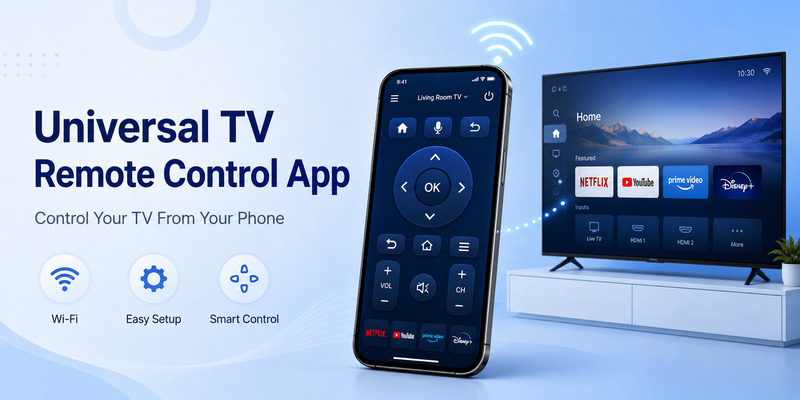
A missing, damaged, or dead TV remote does not always mean you need to order a replacement immediately. If you have a compatible smart television and a smartphone, a universal tv remote control app can often provide many of the controls you use every day, including navigation, volume, playback, input selection, and text entry.
However, the word “universal” can be misleading. No single universal tv remote control app can automatically control every television ever made. Compatibility depends on the TV platform, network connection, app, phone hardware, and sometimes the age of the television.
Modern network-connected TVs can often communicate directly with an app over Wi-Fi. Google, for example, officially allows the Google TV app to control compatible Google TV and Android TV devices. The phone can navigate the TV, adjust volume, control playback, enter text, and pair by entering the code displayed on the TV.
Samsung provides a similar official solution through SmartThings. Once a compatible Samsung TV has been added to SmartThings, the phone can display an on-screen remote with controls such as volume, channels, Home, Back, Guide, navigation, apps, and inputs.
A universal tv remote control app therefore works best when you understand whether your television is being controlled through Wi-Fi, a manufacturer’s smart-home platform, or infrared hardware. This guide focuses on choosing and configuring the right app while also explaining where traditional remote codes still fit into the picture.
1. What Is a Universal TV Remote Control App?
A universal tv remote control app is software that turns a smartphone or tablet into a virtual TV remote.
Instead of holding a dedicated plastic remote, you open the app and interact with an on-screen interface containing familiar controls such as:
- Power
- Volume
- Channel
- Directional navigation
- OK/Select
- Home
- Back
- Source or Input
- Playback buttons
- Number pad
- Keyboard or text entry
The exact functions vary between apps and television models.
Network-based remote apps
Most modern smart-TV solutions use the local network.
The phone and TV establish a connection over Wi-Fi, after which the app sends commands digitally rather than flashing infrared signals.
Google’s official Google TV remote, for example, requires users to select a nearby compatible TV and complete pairing using the code shown on the television. Google also instructs users troubleshooting Android TV remote connectivity to confirm that the phone and television are connected to the same Wi-Fi network.
Samsung SmartThings also supports smartphone remote functionality for compatible Samsung TVs. Samsung says the television first needs to be added to SmartThings as a device, after which an on-screen remote becomes available.
For a recent Smart TV, this type of universal tv remote control app is usually more practical than hunting for four-digit infrared codes.
Infrared remote apps
Some phones have built-in infrared transmitters, often called IR blasters.
With compatible hardware and software, the smartphone can act more like a conventional infrared remote. In that case, the phone may not need to communicate with the TV through Wi-Fi.
However, many phones do not have IR hardware. Installing an app cannot create an infrared transmitter that the phone physically lacks.
That is why a universal tv remote control app advertised as controlling “all TVs” should be evaluated carefully. The important questions are not just what the app promises, but how it communicates with the television and which models it supports.
Explore Related Articles: LG TV Remote Volume Button Not Working? 12 Practical Fixes to Restore Volume Control
2. How a Universal TV Remote App Actually Works
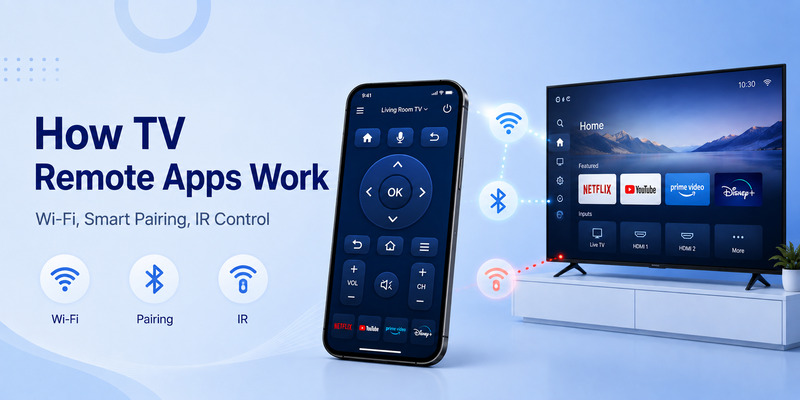
There are three common ways a universal tv remote control app can communicate with a TV.
Wi-Fi control
Wi-Fi control is increasingly common with modern Smart TVs.
Both devices typically join the same home network. The TV advertises itself as an available device, and the phone sends commands over that network.
Google’s Android TV support documentation says the Google TV app can be used as a virtual remote and tells users to ensure their phone and Android TV are on the same Wi-Fi network when troubleshooting.
This model has several advantages.
The phone does not need to be pointed directly at the television, and text entry can be much easier because you can use the smartphone keyboard.
Platform-specific smart control
A television manufacturer may provide its own ecosystem.
Samsung SmartThings is a good example. Samsung says a compatible television can be added to SmartThings and then controlled using an on-screen phone remote. Available functions vary according to the TV.
This approach can offer deeper integration than a generic universal tv remote control app because the manufacturer knows exactly which smart functions the television supports.
Infrared commands
A physical universal remote usually sends IR commands.
A phone with an IR transmitter can potentially do the same with a compatible app. In this scenario, the remote command database becomes more important because different TV manufacturers use different command sets.
Traditional universal remote tv codes are mainly associated with this type of universal-remote programming.
The distinction matters because many users search for remote codes after installing a Wi-Fi universal tv remote control app, even though that app may not use traditional numerical codes at all.
Download LG TV Remote3. How to Download a Universal Remote App Safely
A search for download universal tv remote app can return dozens of applications with similar names.
Choosing the first result is not necessarily the best approach.
Start with the TV manufacturer or platform
Before searching for a generic universal tv remote control app, check whether your television already has an official remote solution.
For compatible Google TV and Android TV devices, Google supports remote control through the Google TV app.
For compatible Samsung televisions, Samsung provides remote control through SmartThings.
Official applications usually provide the clearest compatibility information and avoid the uncertainty of guessing which third-party app supports your television.
What does “download universal remote for TV” really mean?
Users searching download universal remote for tv or download universal remote tv are often looking for one of two things:
- An official network remote for their Smart TV.
- A third-party multi-brand remote application.
The first option should normally be checked first.
A good universal tv remote control app should clearly identify which operating systems and TV brands it supports rather than simply promising compatibility with every device.
Be careful with APK downloads
The phrase universal tv remote apk download usually refers to obtaining an Android installation file outside the normal app-store process.
That approach can introduce unnecessary risk if the APK comes from an unknown source. A TV remote app may request local-network access, device discovery, Bluetooth, or other permissions, so the source of the application matters.
When the same software is available through your device’s official app store, that is generally the simpler route.
Users searching free download universal remote control for tv or universal remote control for all tv free download should also look at what “free” actually means. Some applications may be free to install while placing advanced features behind subscriptions, ads, or in-app purchases.
The best universal tv remote control app is not necessarily the one with the most aggressive “free” marketing. Compatibility, privacy, reliability, and ease of pairing matter more.
Can you download a universal remote?
If you are asking can you download a universal remote, the answer is essentially yes: you can download software that makes a compatible phone function as a remote.
But you cannot download missing hardware.
If your old television only understands infrared and your phone lacks an IR transmitter, a Wi-Fi app cannot necessarily control it just because both devices are nearby.
A universal tv remote control app works only when there is a communication path supported by both the phone and television.
📘 Find the Right Guide
How to Control Cable Box With LG Magic Remote: Complete Setup Guide
4. How to Connect a Phone Remote to Your TV
The exact connection procedure depends on the TV platform.
Connecting to Google TV or Android TV
Google’s current instructions are straightforward.
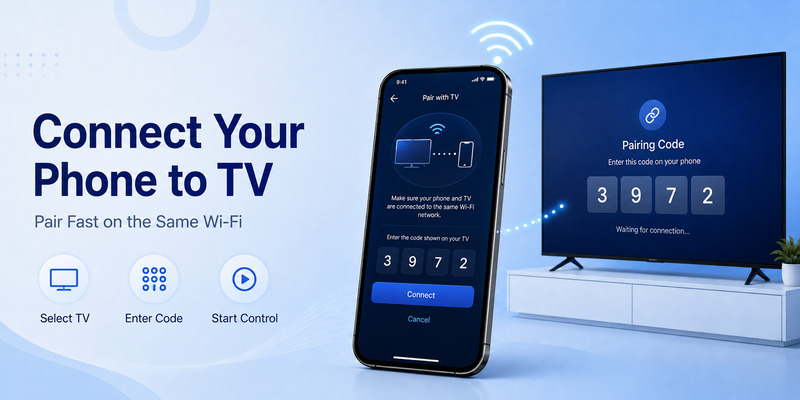
Open the Google TV app, select the nearby TV, enter the code displayed on the television, and complete pairing. Once connected, the phone can function like a remote.
Google notes that its remote functionality can control playback, power, volume, Google Assistant, and text input on compatible devices.
For this type of universal tv remote control app, the number on the screen is a temporary pairing code. It is not the same thing as traditional four-digit universal remote tv codes used to program an infrared remote.
Connecting a Samsung TV
Samsung’s SmartThings process begins by adding the television as a SmartThings device.
Samsung states that the phone and TV should initially be properly connected and authenticated within SmartThings. After the television is added, selecting it in the application opens an on-screen remote.
The available remote functions depend on the specific television.
This provides a practical universal tv remote control app alternative for Samsung owners who have misplaced their physical controller.
If the TV cannot be discovered
Check the following before reinstalling the app:
- Is the television turned on?
- Is the TV connected to Wi-Fi?
- Is the phone on the correct network?
- Has the television already been paired with another account?
- Is a pairing confirmation waiting on the TV screen?
- Is local-network access allowed for the app?
Google specifically recommends checking that the Android device and TV are connected to the same Wi-Fi network when the virtual remote cannot connect.
The universal tv remote control app itself may be working correctly even when network configuration prevents discovery.
🧭 Explore Guides: Samsung TV Code for Universal Remote: Codes, Setup, Apps, and Troubleshooting Guide
5. Do Universal TV Remote Apps Need Remote Codes?
Usually, a modern Wi-Fi universal tv remote control app does not use the same setup codes as a traditional physical universal remote.
This is an important distinction.
Pairing code vs universal remote code
Suppose the TV displays a six-digit number while you connect your phone.
That number typically verifies the current pairing session. It does not identify the TV’s infrared command family.
Traditional universal remote tv codes, by comparison, tell a physical universal remote which command set to use for a particular brand or device.
Jasco’s official GE/Philips/UltraPro remote system demonstrates this approach. The user identifies the remote’s code-list version—such as CL3, CL4, CL5, or CL6—chooses the device type and manufacturer, and enters the supplied four-digit code.
That means a traditional universal remote tv codes list is not necessarily useful when setting up a Wi-Fi universal tv remote control app.
Why remote codes still matter
Codes still matter when you use:
- A GE/Jasco universal remote
- RCA universal remote
- One For All remote
- Older infrared universal controller
- IR-based phone remote system
They can also be useful as a backup if your Smart TV loses network access and you return to a physical remote.
The safest approach is to get codes from the manufacturer of the universal remote rather than from an anonymous master list.
Jasco tells users to first identify their exact remote and code-list version before selecting the television manufacturer.
Similarly, RCA provides a Remote Code Finder based on the remote revision, device brand, and device type.
6. Universal Remote TV Codes by Brand: What You Need to Know
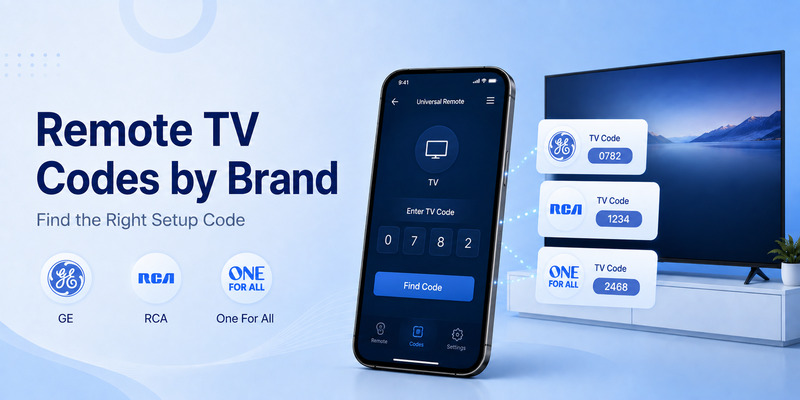
Because users looking for a universal tv remote control app often also own a physical universal controller, it is useful to understand how brand-specific codes work.
The main rule is simple:
There is no single universal code for a TV brand across every remote manufacturer.
The correct number depends on the universal remote’s own database.
GE universal remote codes
Searches such as universal tv remote ge codes, general electric universal remote tv codes, and what are the tv codes for a ge universal remote should begin with the remote’s model and code-list version.
Jasco instructs GE universal-remote users to check under the batteries or battery cover for the model and CL version, then use the corresponding CL3, CL4, CL5, or CL6 database.
Do not copy a random GE code into an unrelated remote.
RCA remote codes
The same principle applies to rca universal remote tv codes and universal remote rca tv codes.
RCA’s official code finder asks for the remote’s revision number, TV brand, and device type.
Supported RCA remotes can also provide auto code search, manual code search, and direct code entry. One current RCA model, for example, officially advertises all three programming methods.
For rca universal remote codes for vizio tv, use the RCA code finder for the specific remote revision rather than assuming every RCA universal remote uses the same Vizio number.
One For All codes
Users searching one for all universal remote tv codes should identify the product number first.
One For All says the product number can be found inside the battery door, on the product, in the manual, or on the original packaging. Its support system then uses that information to find the appropriate setup code.
Some One For All products also provide alternative setup methods such as SimpleSet and learning.
Sony, Hisense, Emerson, Element, and Zenith
Queries like sony universal remote tv codes, sony tv code for universal remote, hisense tv code for universal remote, emerson universal remote tv codes, universal remote emerson tv code, universal remote element tv code, and zenith universal remote tv codes follow the same rule.
The TV brand alone is not enough.
For example, One For All offers dedicated replacement remotes for brands including Sony and Hisense, and its support pages provide model-specific setup-code tools where required.
A generic code list may contain a number that works, but using the exact remote manufacturer’s database is more reliable.
This is another reason a network-based universal tv remote control app can be simpler: compatible Smart TV apps generally pair with the television directly instead of forcing users to test a long sequence of manufacturer codes.
📘 Find the Right Guide: Download the Universal Remote App for Samsung TV: Easy Setup Guide
7. How to Connect a Universal Remote Without Knowing the Code
The keyword how to connect universal remote to tv without codes has two possible answers depending on whether you mean an app or physical remote.
Using a phone app
If you use a compatible Wi-Fi universal tv remote control app, you normally do not need a traditional remote code.
The app searches for compatible televisions, you select the correct device, and the TV may display a temporary pairing code.
Google uses this approach with Google TV and Android TV.
Samsung SmartThings similarly connects the TV as a smart device rather than asking the user to manually search an infrared code table.
Using automatic code search
A physical universal remote may offer code search.
Jasco provides an Auto Code Search programming option for its universal remotes.
RCA also sells remotes that support automatic code search in addition to direct entry.
With this method, the remote cycles through its stored command sets until the television responds.
Using a learning function
Another option is learning.
One For All says users without a setup code may use the learning feature on supported remotes to copy functions from the original controller.
That can be particularly useful when a code controls power and volume but does not reproduce a special menu or Smart TV key.
If you have a compatible Smart TV, however, a universal tv remote control app is frequently faster than working through dozens of stored infrared codes.
8. Best Features to Look for in a TV Remote App
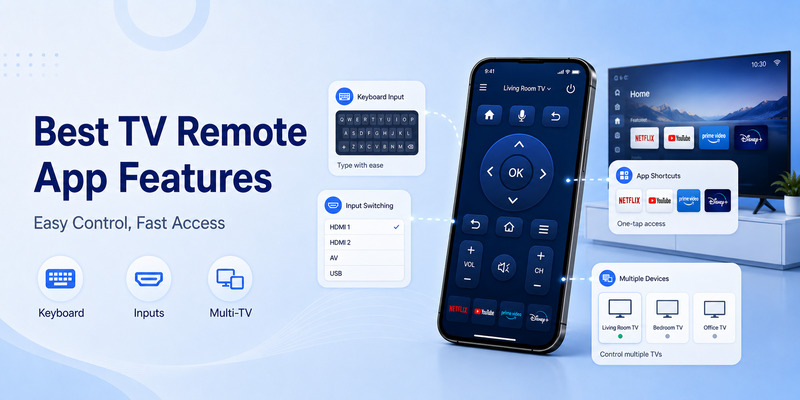
Not every remote TV app deserves to be called a useful universal tv remote control app.
Consider these features before choosing one.
Straightforward pairing
The app should make TV discovery easy and clearly explain whether Wi-Fi, Bluetooth, or IR is required.
A complicated setup process defeats one of the main reasons to use a phone remote.
Navigation and touchpad
A directional pad or touchpad should make menus easy to navigate.
This is particularly important for streaming interfaces where the user spends more time moving around menus than changing traditional broadcast channels.
Keyboard input
Text entry is one of the biggest benefits of using a universal tv remote control app.
Typing an email address, password, or movie title with a phone keyboard can be much faster than moving around an on-screen TV keyboard with arrows.
Google’s official phone remote supports text input for searches and login information on compatible Google TV devices.
Volume and media controls
At minimum, a useful remote should offer:
- Volume
- Mute
- Play/Pause
- Navigation
- Back
- Home
Whether power and volume controls work can depend on the TV and connected equipment.
Input and app shortcuts
Being able to jump between HDMI sources or launch apps makes a universal tv remote control app far more useful as a daily physical-remote replacement.
Samsung states that SmartThings can provide access to features such as volume, channel control, apps, and switching inputs on compatible TVs.
Multiple TV support
If you have televisions in several rooms, look for an app that can remember multiple devices.
A genuine multi-device universal tv remote control app should make switching between Living Room, Bedroom, and Office TVs straightforward.
Sensible permissions
A remote app may reasonably need local-network or Bluetooth access, depending on its connection method.
Be cautious when a simple remote application requests unrelated permissions without explaining why.
📘 Find the Right Guide: How to Control Cable Box With LG Magic Remote: Complete Setup Guide
9. How to Fix a Universal TV Remote App That Won’t Connect
Most universal tv remote control app problems fall into a few categories.
The TV does not appear
First confirm that the television supports smartphone remote control.
Then check the network.
Google says a phone using the Android TV virtual remote needs to be on the same Wi-Fi network as the television.
Restarting the TV can also help. Google’s troubleshooting guidance recommends disconnecting power, waiting about 10 seconds, reconnecting it, and then setting up the virtual remote again when connection problems persist.
Pairing code is rejected
Make sure you are entering the current pairing number shown on the television rather than a traditional universal-remote code from the internet.
A universal tv remote control app pairing PIN may expire when the pairing session changes.
Start the process again and use the new value displayed on screen.
The app connects but volume does not work
Some TV platforms route volume through HDMI-CEC, an external sound system, or another device.
Google’s current troubleshooting documentation tells Google TV users with virtual-remote volume issues to check the TV’s remote-button settings and confirm that volume control is configured appropriately, including an Auto/CEC option where supported.
The physical remote works but the app does not
A physical infrared remote and a network universal tv remote control app use different communication paths.
The IR remote can still work even when the television has lost Wi-Fi.
Reconnect the TV to the network and then retry the application.
The app worked yesterday but stopped today
Check whether:
- The TV changed Wi-Fi networks.
- The phone moved to a guest network.
- The router created separate isolated networks.
- The TV is asleep or fully powered down.
- The application lost local-network permission.
- The television was removed from the relevant smart-home account.
Do this before deleting and reinstalling the universal tv remote control app.
10. Universal TV Remote Control App FAQ and Final Recommendation
Can a phone really replace a TV remote?
Yes, for compatible televisions.
Google officially supports using the Google TV app as a remote for Google TV and Android TV, while Samsung supports smartphone TV controls through SmartThings.
Whether a universal tv remote control app can completely replace the original remote depends on the TV and the functions you need.
Does a remote app work on any TV?
No.
A universal tv remote control app needs a compatible communication method. A modern Smart TV may support Wi-Fi control, while an older television may require infrared.
If the TV only understands IR and your phone has no IR transmitter, installing another application will not necessarily solve the problem.
Do I need a universal TV remote code?
Not normally for a network-connected app.
Traditional universal remote tv codes are mainly used to configure physical programmable remotes and IR command databases.
Google TV and similar network remotes usually pair directly with the television.
Where can I find a complete universal TV remote codes list?
There is no single reliable universal remote tv codes list for every universal remote.
Code databases depend on the remote manufacturer and sometimes the specific revision.
Jasco requires users to identify a CL code-list version, RCA uses a revision-based Remote Code Finder, and One For All provides product-specific setup-code tools.
Can I use a universal remote without knowing any codes?
Yes.
A compatible universal tv remote control app can often pair directly over Wi-Fi.
Physical remotes may also provide automatic code search or learning. Jasco supports Auto Code Search, RCA has models with automatic code search, and One For All documents learning as an alternative when a setup code is unavailable.
Is downloading a remote app better than buying a replacement remote?
It depends on the situation.
A universal tv remote control app is convenient because your phone is usually nearby, and smartphone keyboards make searching and entering account information easier.
A physical remote has other advantages. It does not consume your phone battery, can work without launching an application, and infrared models can remain usable even if the TV’s network connection fails.
Many households benefit from having both.
Should I use an APK for a universal remote app?
If a trusted version is available from the normal app store for your phone, there is usually little reason to seek a random universal tv remote apk download.
An unofficial APK should not be treated as automatically equivalent to the official application.
What is the best universal remote app?
There is no single universal tv remote control app that is best for every television.
For a compatible Samsung TV, SmartThings is the manufacturer’s supported option.
For Google TV and Android TV, Google’s own Google TV app provides official remote functionality.
For another brand, begin by checking whether the manufacturer provides an official smartphone remote before moving to third-party apps.
Final recommendation
The easiest way to choose a universal tv remote control app is to begin with your television rather than with the app store.
Identify the TV brand, model, and smart platform.
If the manufacturer or operating-system provider supplies an official remote application, try that first. Official options such as Google TV and Samsung SmartThings provide documented pairing procedures and supported remote functions.
For older televisions, determine whether the TV supports network control at all. If it does not, you may need a phone with an IR transmitter, an external IR device, or a physical universal remote.
Do not confuse a pairing PIN shown by a Smart TV with universal remote tv codes. Pairing PINs establish a temporary app-to-TV connection, while traditional remote codes select an infrared command set stored inside a programmable remote.
If you use a GE, RCA, or One For All physical remote as a backup, use the manufacturer’s own setup database. Jasco’s GE code system depends on the remote’s CL version; RCA’s finder depends on the remote revision; and One For All’s code tool depends on the product and connected device.
A well-chosen universal tv remote control app can be more convenient than a traditional controller for everyday Smart TV use. It gives you a remote that is already in your pocket, can provide easier text entry, and can remove the frustration of searching under cushions whenever the physical remote disappears.
The best approach is therefore straightforward: use an official or well-supported universal tv remote control app for compatible Smart TVs, keep a physical remote as a fallback when practical, and only rely on numerical remote codes when your hardware actually requires them.
Download LG TV Remote