
Samsung TV Code for Universal Remote: Codes, Setup, Apps, and Troubleshooting Guide
Losing the original TV remote does not necessarily mean you need to buy an identical Samsung replacement. Many third-party universal remotes can control Samsung televisions, but the first challenge is usually finding the correct samsung tv code for universal remote and entering it using the programming procedure required by your particular remote.
The important thing to understand is that there is no single samsung tv code for universal remote that works with every universal remote. Codes belong to the remote manufacturer’s programming database. A code that works on a One For All remote may not be valid on an RCA or GE-branded remote, even when both devices are being programmed for exactly the same Samsung TV.
Official remote manufacturers demonstrate this clearly. Jasco’s current universal-remote system uses different code-list versions identified as CL3, CL4, CL5, and CL6, and instructs users to select the code list matching the remote before searching by device and brand. One For All likewise provides model-specific setup-code tools, while RCA products support their own direct-code and code-search procedures.
That makes finding a samsung tv code for universal remote less about locating one magic number online and more about matching three things correctly: your universal remote model, its code database, and your Samsung TV.
This guide explains how to identify the correct code, program the remote, use automatic code search when the number is unknown, troubleshoot incomplete button control, and use a smartphone as an alternative remote when appropriate.
1. Samsung TV Code for Universal Remote: Quick Answer
If you are searching for a samsung tv code for universal remote, start by checking the brand and model number of the universal remote rather than the Samsung TV alone.
Different universal-remote manufacturers assign different setup codes to Samsung televisions.
For example, One For All documents code 3131 for a particular newer-Samsung-TV scenario on its URC7980 remote. Another One For All manual uses Samsung TV code 2051 as an example for a different product. An RCA manual lists 7003 for Samsung in that specific remote’s code list. These numbers demonstrate why a samsung tv code for universal remote cannot safely be treated as universal across all remote brands and models.
Example codes from manufacturer documentation
| Remote manufacturer / context | Samsung example | Important note |
| One For All URC7980 | 3131 | Recommended by One For All for a specific newer Samsung TV situation |
| One For All product documentation | 2051 | Example Samsung TV code in a specific remote manual |
| RCA X3030 documentation | 7003 | Samsung code in that remote’s own list |
| Jasco / GE universal remotes | Varies | Must match the remote’s CL3, CL4, CL5, or CL6 database |
These examples should not be entered randomly. The best samsung tv code for universal remote is always the one listed for your exact universal remote or code-list version.
Jasco, for example, tells users to locate the model and code-list version inside or near the battery compartment before looking up a code. After finding the correct list, the user selects the device category and brand and enters the first four-digit code provided. If some functions do not operate correctly, Jasco recommends testing the next code.
Some newer GE-branded universal remotes simplify the process further because Jasco sells models that are already preprogrammed for Samsung TVs. On those models, inserting batteries may be enough for basic Samsung TV operation without manually entering a samsung tv code for universal remote.
Download LG TV Remote2. Why Samsung TV Universal Remote Codes Vary
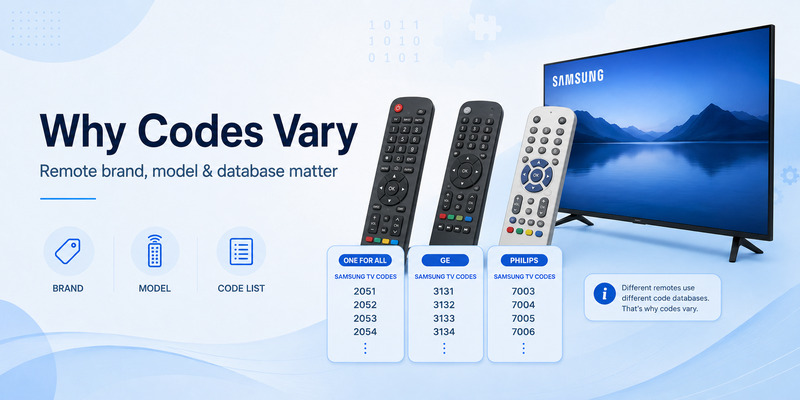
It is tempting to search Google for a list of Samsung remote numbers and try each one. Sometimes that works, but it can also waste time because a samsung tv code for universal remote is tied primarily to the universal remote’s internal database.
The universal remote determines the code format
One remote may expect four digits.
Another may use a different code length or programming method.
Another remote might use a brand-search feature and never require you to enter a numerical samsung tv code for universal remote at all.
Jasco’s current instructions, for instance, use four-digit codes and tell users to identify the correct CL3, CL4, CL5, or CL6 code-list version before programming. One For All offers several approaches, including setup codes, SimpleSet, and learning functionality on supported products.
One working code may not control every function
A second complication is that two codes may both operate the television but expose different functions.
A code might successfully handle:
- Power
- Volume
- Channel changes
- Input selection
while failing to provide access to:
- Home
- Settings
- Smart Hub
- App shortcuts
- Voice functions
- Special Samsung-specific keys
Jasco explicitly warns that some codes may control only certain device functions and recommends trying additional compatible codes if the first one provides incomplete operation.
That means a samsung tv code for universal remote should not be considered fully successful just because the Power button works.
After programming, test Power, Volume Up/Down, Mute, directional navigation, Home, Menu, Input, and any buttons you use regularly.
New Samsung TVs may need different mappings
TV interfaces change over time, and universal-remote manufacturers sometimes provide alternative configurations for newer models. One For All, for example, recommends TV code 3131 for a specific issue in which the SMART key on its URC7980 does not bring up apps on a newer Samsung television.
This illustrates another reason to find the samsung tv code for universal remote from the remote manufacturer instead of relying solely on an old generic code list.
Explore Related Articles: LG TV Remote Volume Button Not Working? 12 Practical Fixes to Restore Volume Control
3. How to Find the Correct Samsung TV Code
The fastest approach is to identify your universal remote before looking at the TV.
Step 1: Find the remote model number
Remove the battery cover and look for:
- Brand name
- Model number
- Product number
- Code-list version
- Setup-code reference
For Jasco remotes, the company specifically tells users to check inside the battery compartment or on the compartment cover for both the model and the CL code-list version.
One For All similarly directs customers to look for the product number inside the battery door, on the product, in the manual, or on the original packaging before using its setup-code finder.
Knowing the remote model dramatically narrows the search for the correct samsung tv code for universal remote.
Step 2: Use the manufacturer’s code list
Look for Samsung under the TV category.
Do not use a code listed for a Samsung Blu-ray player, soundbar, DVD player, or set-top box. Universal remotes store separate command sets for different device categories.
The correct samsung tv code for universal remote should appear under something similar to:
Device: TV
Brand: Samsung
Step 3: Try the codes in the listed order
If several codes are available, begin with the first one recommended by the manufacturer.
Jasco’s official process instructs users to enter the first four-digit code, test the device, and then repeat the process with another code if the buttons do not work as expected.
Step 4: Test more than the Power button
A successful programming test should include:
- Power
- Volume
- Mute
- Channel
- Input or Source
- Menu/Home
- Navigation arrows
- OK/Enter
If Power works but most navigation buttons do not, try another samsung tv code for universal remote from the same code list.
What if your remote is already Samsung-ready?
Some universal remotes have Samsung support built in from the factory.
Current GE-branded models sold by Jasco, for example, advertise that the TV button is preprogrammed for immediate use with Samsung televisions.
In that situation, you may not need to enter a samsung tv code for universal remote unless the default configuration does not provide the functions you need.
📘 Find the Right Guide
How to Control Cable Box With LG Magic Remote: Complete Setup Guide
4. How to Connect a Universal Remote to a Samsung TV
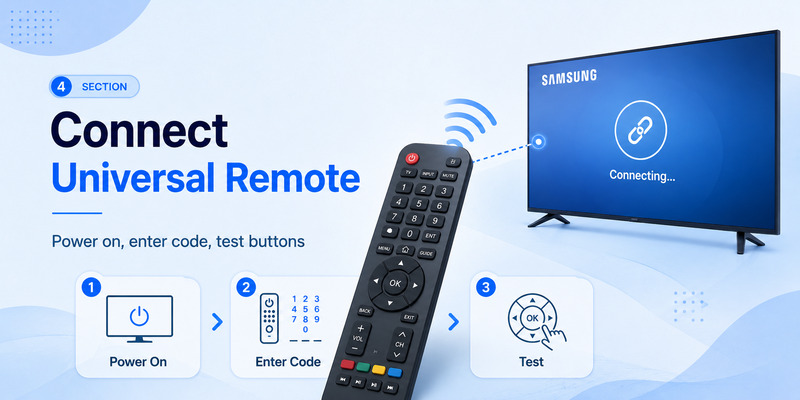
Users searching how to connect universal remote to samsung tv may actually be dealing with one of two different processes.
The first is programming a third-party infrared universal remote to operate the Samsung television.
The second is configuring Samsung’s own Smart Remote to control devices connected to the television.
These processes should not be confused.
Method 1: Direct-code programming
The exact buttons vary by remote, but a common process looks like this:
- Turn on the Samsung TV manually.
- Install fresh batteries in the universal remote.
- Press and hold the Setup or Code Search button.
- Select TV mode.
- Enter the samsung tv code for universal remote from the manufacturer’s code list.
- Point the remote at the television.
- Test Power and other major buttons.
- Try the next code if functionality is incomplete.
For Jasco remotes, the current official sequence is to hold Setup until the red indicator turns on, select the device button, enter the four-digit code, and then test the controls.
Method 2: Samsung Smart Remote pairing
If you are actually trying to reconnect an original Samsung Smart Remote, you normally do not need a third-party samsung tv code for universal remote.
Samsung says Smart Remotes are designed to connect automatically. When manual pairing is necessary, current Samsung instructions tell users to point the remote at the TV and hold the Return and Play/Pause buttons together for at least three seconds until pairing begins.
This distinction is important when researching how to connect universal remote to samsung tv. A Samsung Smart Remote uses a pairing procedure, while many third-party universal remotes rely on code programming or code search.
Make sure the remote can communicate with the TV
Traditional universal remotes commonly rely on infrared.
Keep the front of the remote pointed toward the TV sensor and make sure there are no major obstacles in the path.
Samsung similarly advises keeping devices properly positioned and avoiding obstructions when using universal-remote functionality with connected equipment.
📘 Find the Right Guide: Samsung Universal Remote TV Codes: Complete Codes and Setup Guide
5. How to Program a Samsung TV Without Knowing the Code
Not having a samsung tv code for universal remote does not necessarily prevent setup.
Many universal remotes provide automatic code search, brand search, or another simplified programming method.
Automatic code search
Auto code search works by cycling through compatible command sets stored inside the remote until the television responds.
The exact button sequence depends on the remote model, so follow the manufacturer’s instructions rather than using a generic procedure.
Jasco officially supports Auto Code Search on its universal remotes in addition to direct code entry. RCA also describes universal remotes that support automatic, brand, manual, and direct code-search methods.
Once the television turns off or otherwise responds, save the active setup configuration according to the remote’s instructions.
Then test several buttons.
Auto search may find a working samsung tv code for universal remote, but the first configuration it discovers may not provide the best Samsung-specific key mapping.
Brand-based setup
Some One For All remotes provide SimpleSet.
One For All describes this as a simplified setup feature that lets users select the device and then hold the digit associated with the brand; its example uses digit 6 for a Samsung TV.
This can be significantly faster than entering one samsung tv code for universal remote after another.
Learning remotes
A learning remote can copy infrared functions from the original Samsung remote.
This approach is useful when:
- Basic universal functions work but a special button is missing.
- Home or Apps is not mapped correctly.
- You need an unusual Samsung command.
- No stored samsung tv code for universal remote provides complete control.
One For All includes learning capabilities on several of its remotes and describes learning as a way to copy functions from another working remote.
The limitation is obvious: learning requires access to a functioning original remote or another compatible remote containing the desired command.
6. Samsung Universal Remote Apps and Phone Control
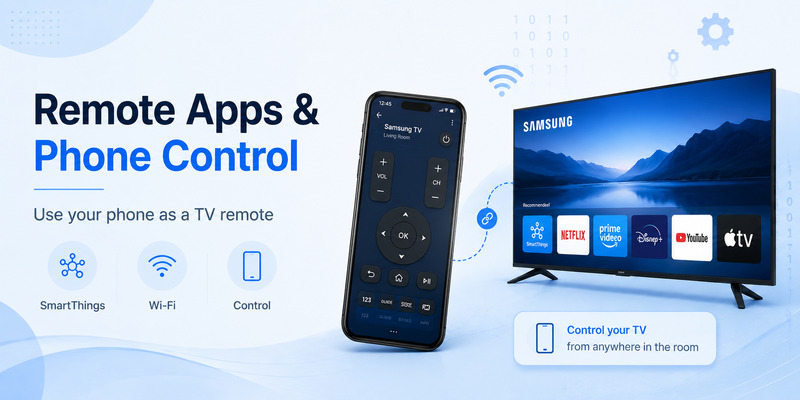
A physical universal remote is not your only option.
If you mainly need basic TV navigation, volume, channel control, or source selection, your smartphone may be able to replace the missing remote.
Use Samsung SmartThings
For a supported Samsung Smart TV, Samsung’s official option is SmartThings.
Samsung states that users can add their TV to the SmartThings app and then select Remote Control on the phone to change channels, adjust volume, view the TV guide, or switch inputs.
If you are searching for a samsung universal remote app, SmartThings should generally be the first official option to investigate for a compatible Samsung television.
Unlike a traditional infrared remote that needs a samsung tv code for universal remote, SmartThings connects the phone to the television through Samsung’s smart-device ecosystem.
Is a phone app the same as a universal remote?
Not exactly.
A traditional universal remote stores infrared or other device commands and can often control several unrelated devices.
A universal remote app for samsung tv may instead communicate over the local network, Bluetooth, or another supported connection depending on the app and television.
For that reason, a phone-based solution may require:
- A supported Smart TV
- Network connectivity
- Initial device authorization
- Both devices to be properly configured
If the TV has no network connection and the phone has no IR blaster, a random universal remote for samsung tv app may not be able to control it.
Official app vs third-party apps
App stores contain many products described as a universal samsung tv remote app, but availability and features can change.
For Samsung televisions that support it, SmartThings offers a direct Samsung-supported route.
If you choose a third-party remote TV app, check permissions, privacy information, supported TV models, and whether it requires a subscription before relying on it.
A smartphone app is especially useful as a temporary solution while you search for the correct samsung tv code for universal remote or order a replacement physical remote.
📘 Find the Right Guide: 4 Digit Universal Remote Codes for Roku TV
7. How to Fix Universal Remote Programming Problems
Finding a samsung tv code for universal remote is only half the job. Programming can still fail because of batteries, infrared alignment, the wrong code database, or incomplete function mappings.
Problem 1: Nothing happens after entering the code
First confirm that:
- The Samsung TV is powered on.
- The universal remote is in TV mode.
- The batteries are fresh.
- You selected Samsung under the TV category.
- The code belongs to your exact remote model.
Do not assume a code found for another remote brand will work.
A One For All code is not automatically a Jasco or RCA samsung tv code for universal remote.
Problem 2: Power works, but other buttons do not
This normally means the selected code is only partially compatible.
Jasco explicitly warns that some codes may operate only a limited number of functions and recommends trying additional codes for better functionality.
Repeat the programming process using the next samsung tv code for universal remote listed for your remote.
Problem 3: Volume works, but Home or Smart features do not
Older or simpler universal remotes may not reproduce every modern Smart TV function.
Try:
- Another Samsung code.
- A newer programming profile if your remote offers one.
- A learning function.
- Samsung SmartThings for smart-TV navigation.
- A Samsung-specific replacement remote.
One For All sells Samsung TV replacement remotes that it describes as requiring no setup and including common Samsung functions.
Problem 4: The TV responds inconsistently
Check the line of sight.
Infrared commands can become unreliable when an object blocks the signal or the user points the remote away from the TV.
Samsung also notes that obstacles and installation conditions can affect universal-remote control of connected devices.
Problem 5: The remote lost its programming
Replace the batteries and repeat setup.
Some remotes preserve codes during battery replacement, while others may behave differently depending on model and condition.
Keep a note of your successful samsung tv code for universal remote once you find it. Recording the remote model and code together is more useful than saving the number alone.
8. Samsung Smart Remote vs Third-Party Universal Remotes
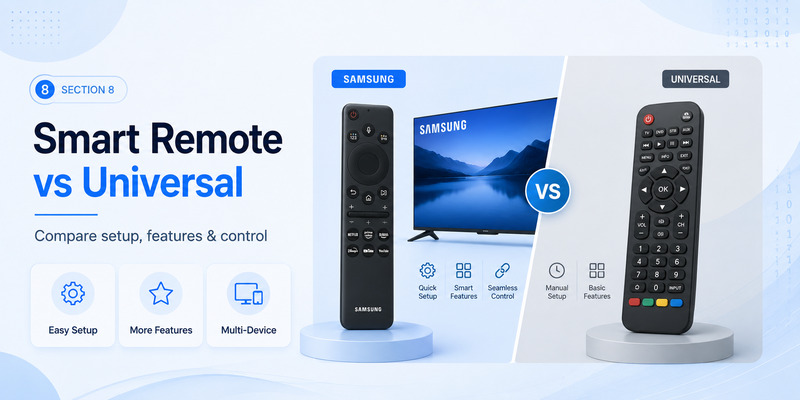
The phrase “universal remote” can describe very different products.
Samsung Smart Remote
Samsung’s Smart Remote is designed for Samsung TVs and can also control compatible external equipment.
Samsung’s current support documentation says its universal remote functionality can control supported third-party devices connected through HDMI. Setup on current models involves opening the relevant Connected Devices or Universal Remote menu and following the on-screen device registration process.
Samsung also supports HDMI-CEC under the Anynet+ name for compatible connected equipment.
In this environment, you normally do not manually enter a traditional samsung tv code for universal remote just to control the Samsung television itself.
Third-party universal remote
A third-party remote from a company such as One For All, RCA, or Jasco is different.
It may control televisions from dozens of brands and therefore requires a way to identify the correct command set.
That is where the samsung tv code for universal remote becomes important.
Depending on the model, setup may use:
- Direct code entry
- Automatic code search
- Brand search
- One-touch programming
- Learning from the original remote
Which option is better?
Choose a Samsung Smart Remote or Samsung-specific replacement remote if you want the closest experience to the original Samsung controls.
Choose a general universal remote if you want one inexpensive physical controller for several devices.
Choose SmartThings if you want to use your smartphone and have a compatible connected Samsung television.
A dedicated universal remote can still be particularly useful when the television is offline, when family members prefer physical buttons, or when you want to control devices from multiple manufacturers without opening a remote TV app.
📘 Find the Right Guide: LG Universal Remote TV Codes: Codes, Setup and Pairing Guide
9. Samsung TV Universal Remote FAQ
What is the most common samsung tv code for universal remote?
There is no single code that can accurately be called the universal Samsung TV code.
Manufacturer documentation shows different examples. One For All documents values including 3131 and 2051 in specific remote contexts, while one RCA product manual lists Samsung as 7003.
Use the code list belonging to your remote.
Why are Samsung TV codes different on different websites?
Because a samsung tv code for universal remote belongs to the programming system of the universal remote.
Different brands and even different product generations from the same manufacturer can use different code databases.
Jasco illustrates this by dividing its code database into CL3, CL4, CL5, and CL6 versions.
Can I program a universal remote without a Samsung code?
Often, yes.
Many remotes include automatic code search or brand search. Jasco and RCA both provide code-search functionality on supported universal remotes.
This allows the remote to locate a compatible samsung tv code for universal remote without you knowing the number first.
How do I know if I found the best code?
Do not test only Power.
Test volume, mute, navigation, source selection, menu, and smart-TV controls.
If several buttons fail, try another samsung tv code for universal remote recommended for your remote.
Can I use my phone instead?
Yes, on supported Samsung Smart TVs.
Samsung officially supports controlling compatible TVs through SmartThings after the television has been added to the app.
For users searching samsung universal remote app or universal remote app for samsung tv, this is the official Samsung option worth checking first.
Does a universal remote app require a Samsung code?
Usually not in the same way a traditional programmable IR remote does.
A universal remote for samsung tv app may connect through the network rather than using a numeric samsung tv code for universal remote.
The exact method depends on the application and TV model.
Can one universal remote control my Samsung TV and other devices?
Many can.
Jasco currently sells universal remotes that control multiple audio/video devices, while Samsung’s own universal-remote feature can control supported equipment connected to the TV.
Compatibility depends on the exact remote and external devices.
What if no Samsung code works?
Try automatic code search first.
If that fails, verify the remote model and correct code-list version. If the remote supports learning, copy the required functions from a working Samsung remote.
If the remote is too old to support your television properly, replacing it may be easier than continuing to test unrelated codes.
10. Final Recommendation: The Best Way to Control Your Samsung TV
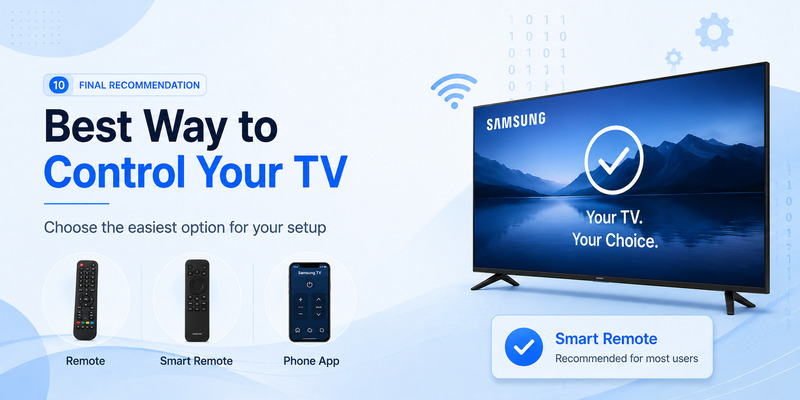
The biggest mistake when searching for a samsung tv code for universal remote is assuming every universal remote uses the same Samsung number.
It does not.
The correct code depends on the universal remote manufacturer, model, and code-list version. Official documentation demonstrates this clearly: One For All, RCA, and Jasco use their own programming systems and code databases.
For the fastest setup, use this order:
- Identify the universal remote’s brand and exact model.
- Check its battery compartment for a code-list version or product number.
- Open the manufacturer’s official code list.
- Select TV and Samsung.
- Enter the first recommended samsung tv code for universal remote.
- Test more than Power.
- Try the next Samsung code if important functions are missing.
- Use automatic code search if direct programming fails.
- Consider a learning remote if you need unusual Samsung functions.
- Use SmartThings as a smartphone alternative on supported Samsung Smart TVs.
If you are specifically researching how to connect universal remote to samsung tv, also make sure you know whether you have a third-party universal remote or Samsung’s own Smart Remote. Third-party devices frequently require direct code entry or code search, while Samsung Smart Remotes use Samsung’s pairing and on-screen universal-control features.
For a modern connected Samsung TV, SmartThings can also provide phone-based remote control without searching for a traditional samsung tv code for universal remote. Samsung officially documents using SmartThings to control volume, channels, sources, and other TV functions.
If you prefer physical buttons, a Samsung-specific replacement remote or a current universal remote preprogrammed for Samsung may offer the easiest setup. Jasco currently sells GE-branded universal remotes that are preprogrammed for Samsung televisions, and One For All offers dedicated Samsung replacement remotes designed to work without conventional setup.
Ultimately, the best samsung tv code for universal remote is not the number that appears most frequently in online lists. It is the code officially associated with your particular remote and capable of controlling the Samsung functions you actually use.
Identify the remote first, use its official code database, test all important buttons, and keep a record of the successful samsung tv code for universal remote. That approach is faster, more reliable, and much less frustrating than entering random Samsung codes until something happens.