
How to Find TV Code for Universal Remote: Complete Setup Code, Auto Search, and Troubleshooting Guide
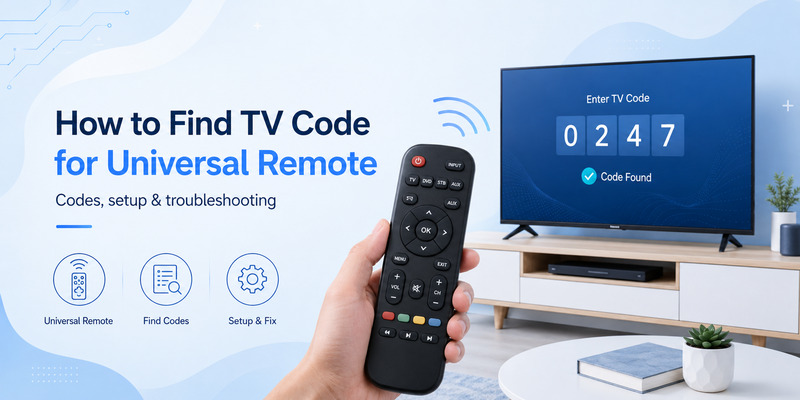
If you have replaced a lost TV remote with a universal model, one of the first questions is how to find tv code for universal remote without trying dozens of random numbers from outdated code lists.
The most important fact is that a television does not usually have one universal code that works with every remote. The correct setup code depends on the manufacturer and model of the universal remote, its internal code database, and the brand or model of the TV you want to control.
That is why two people with the same LG, Samsung, Sony, or Hisense television may need completely different codes when they use different universal remotes.
Official remote manufacturers confirm this approach. Jasco, which provides support for GE, Philips, and UltraPro universal remotes, instructs users to identify the remote’s model and code-list version—such as CL3, CL4, CL5, or CL6—before looking up a TV brand. One For All similarly asks users to identify the exact remote product and then use its setup-code finder with the make and model of the device. RCA maintains a Remote Code Finder tied to the particular remote or revision.
So, if you are wondering how to find tv code for universal remote, do not begin with the television alone. Begin with the universal remote in your hand.
This guide explains how to identify your remote, locate the correct code database, understand 3-digit and 4-digit codes, use automatic code search when you cannot find a number, and troubleshoot a code that only controls some TV functions.
1. How to Find TV Code for Universal Remote: Quick Answer
The fastest way to understand how to find tv code for universal remote is to follow this sequence:
- Identify the brand and exact model of your universal remote.
- Look inside the battery compartment for a model, revision, or code-list number.
- Open the official support page or manual for that remote.
- Select TV as the device category.
- Select your TV manufacturer.
- Try the first recommended setup code.
- Test Power, Volume, Mute, Input, Menu, and navigation.
- If the first code gives incomplete control, try the next listed code.
- If no code works, use Auto Code Search or the remote’s learning feature if supported.
This method is much more reliable than searching for a generic 4 digit tv remote codes list and entering every number associated with your TV manufacturer.
Why the remote model matters first
Jasco explicitly tells users to look inside the battery compartment or underneath the compartment cover to identify the remote’s model and code-list version. After selecting the matching CL3, CL4, CL5, or CL6 database, users can choose their device category and brand.
One For All follows the same underlying principle. Its support system asks users to identify the product number, which may be found inside the battery door, on the product, in the manual, or on the packaging. Its setup-code tool then uses the exact device make and model to find a compatible code.
Therefore, when someone asks how do i find my tv remote code, the first question should actually be: Which universal remote are you programming?
The TV itself may not display the code
Another common misconception is that you can open your television settings and find a permanent universal remote code.
Usually, the setup number belongs to the universal remote’s command database. It is not necessarily a code stored in a TV menu.
This distinction is central to how to find tv code for universal remote. Instead of expecting the television to reveal a number, look up the combination of universal-remote model and TV brand.
Download LG TV Remote2. Why Universal Remote TV Codes Are Different
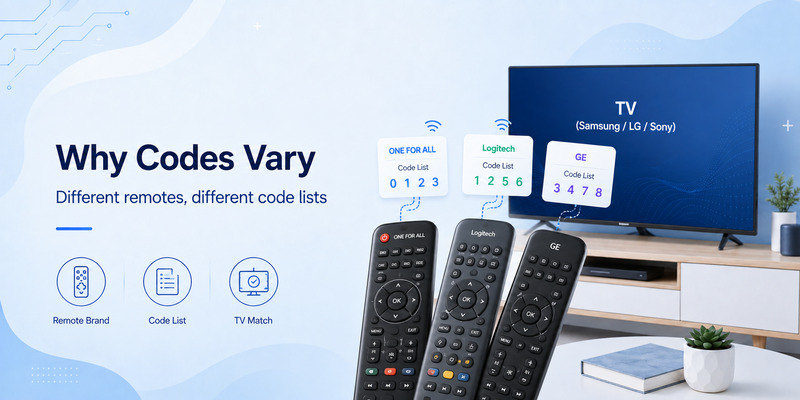
Users searching how to find the tv code for universal remote often find conflicting answers such as three-digit, four-digit, or even five-digit numbers.
That does not necessarily mean one website is wrong.
Different universal remotes can organize their infrared command databases differently.
Codes belong to a remote database
A setup code essentially tells the universal remote which stored command set it should use.
The remote may contain hundreds or thousands of command profiles for TVs, streaming devices, audio equipment, cable boxes, and other home-entertainment products.
When you enter a code, you are selecting one of those profiles.
This means how to find tv code for universal remote depends partly on the architecture of the remote.
For example, Jasco’s current direct-code instructions use four-digit values. The user chooses the correct code-list version, selects a brand, enters the first four-digit code, and then tests the device.
An older or different remote manufacturer may use another code length.
Why several codes can exist for one TV brand
A television manufacturer can use multiple infrared command sets across years, product families, regions, and hardware platforms.
That is why a code list may show several possibilities under one brand.
You might enter the first code and discover that:
- Power works.
- Volume works.
- Input does not work.
- Menu does not work.
Jasco specifically notes that some codes may control only a few device functions and recommends testing other listed codes for greater functionality.
So learning how to find your tv code for universal remote is not simply about finding a code that turns the TV off. The goal is to find the best-supported command profile.
Do not mix code databases
A One For All setup code should not automatically be treated as a GE code.
An RCA code should not automatically be entered into a Philips universal remote.
Even if two products use four digits, the numbers do not necessarily refer to the same internal command profile.
This is the most important rule when trying to find tv codes online: always identify the universal remote manufacturer and model before relying on a numerical list.
 Find the Right Guide: Universal TV Remote Control App: Download, Setup, TV Codes, and Troubleshooting Guide
3. Where to Find the Correct TV Code for Your Remote
If your goal is where to find tv code for universal remote, there are four particularly useful places to check.
Check the original remote manual
The manual is often the quickest source.
One For All explicitly says users can find setup codes through its online finder or refer to the code list at the back of the remote’s user manual.
If you still have the booklet that came with the remote, look for sections named:
- Code List
- TV Codes
- Device Codes
- Setup Codes
- Programming Codes
This is often the best answer to how to find tv code for remote because the list was made for that exact remote.
Check inside the battery compartment
Remove the batteries and look carefully at labels inside the remote.
You may find:
- Model number
- Revision number
- Code-list version
- Product number
- FCC or product identifiers
For GE/Jasco remotes, the code-list version is particularly important. Jasco’s current system distinguishes CL3, CL4, CL5, and CL6 lists and tells users to find this information before searching for codes.
This step can solve much of the confusion around how do i find my universal remote code.
Use the official online code finder
Many major universal-remote brands provide searchable databases.
One For All’s support system includes a “Find your setup code” tool and instructs users to enter the exact make and model of the device being controlled.
RCA likewise provides a Remote Code Finder for compatible universal remotes. Its support pages allow users to identify the appropriate remote and then look for supported device codes.
If you want to find tv code for remote, an official manufacturer database is usually more trustworthy than a generic list copied across multiple websites.
Search for your exact remote model
A better web search is:
remote manufacturer + remote model + TV brand + setup code
For example:
GE 33709 LG TV code
is more useful than:
LG universal code
This principle is essential to how to find tv code for universal remote because it keeps the search tied to the actual code database inside your device.
Find the Right Guide: LG Universal Remote TV Codes: Codes, Setup and Pairing Guide
4. How to Find 3-Digit and 4-Digit Universal Remote Codes
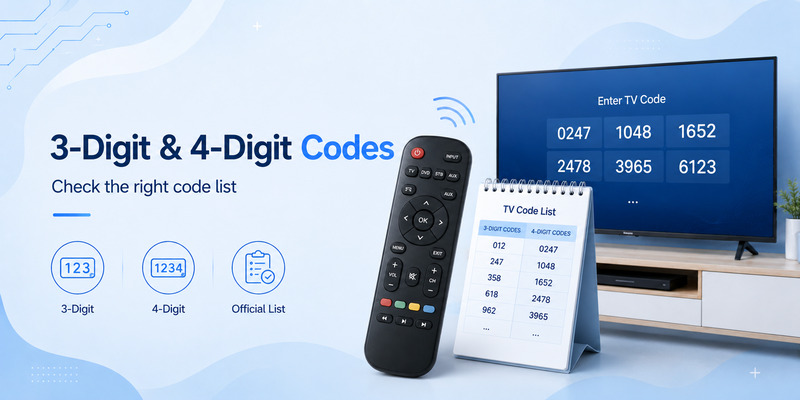
People frequently search for both 3 digit tv codes for universal remotes and four-digit alternatives.
The code length is determined by the universal remote’s programming system.
How to find a four-digit code
If you are asking how to find the 4 digit code for your tv, first verify that your universal remote actually expects four digits.
Jasco’s current direct-programming system is a good example of a four-digit code workflow. After selecting the correct CL database, users hold Setup, select the device button, enter the first four-digit code, and test the TV.
If your remote uses this method, do not substitute a three-digit value from an unrelated 3 digit tv remote codes list.
Three-digit codes are not universal either
Older or model-specific universal remotes may use shorter setup numbers.
But a list labeled 3 digit tv codes for universal remotes should not be interpreted as one worldwide standard.
The relevant question is:
Does my exact remote use three-digit setup codes?
Check the manual.
If the programming instructions tell you to enter three digits, then use the code list associated with that exact product.
If they specify four digits, use the appropriate four-digit database instead.
Why a giant master list can be misleading
A generic 4 digit tv remote codes list often combines codes from multiple manufacturers without clearly identifying which remote each number belongs to.
That can lead to endless failed programming attempts.
A better strategy for how to find tv code for universal remote is:
remote model → official code list → TV brand → code → test.
That order removes most ambiguity.
What if the code list gives several choices?
Start with the first code recommended for the brand.
Then test more than Power.
Jasco advises users to test the buttons after entering each code and repeat the process using the next code if the controls do not behave as expected.
Finding the right setup therefore may require two or three attempts even when you already have the official list.
Find the Right Guide: Samsung Universal Remote TV Codes: Complete Codes and Setup Guide
5. How to Program Your TV Using a Remote Code
Once you know how to get a code for universal remote, the next step is programming.
The exact procedure varies by product, so your manual remains the primary reference. However, direct code entry follows a broadly similar pattern on many remotes.
Example: GE/Jasco direct code entry
Jasco’s official process is:
- Find the correct remote model and code-list version.
- Locate the device code.
- Hold the Setup button until the red indicator stays on.
- Press the TV device button.
- Enter the four-digit TV code.
- Point the remote at the television.
- Test the buttons.
- Try the next code if necessary.
This workflow illustrates why how to find tv code for universal remote and how to program the remote are closely connected.
Test the important controls
Do not stop once the TV powers off.
After entering a code, test:
- Power
- Volume Up
- Volume Down
- Mute
- Channel Up/Down
- Menu or Home
- Input/Source
- Arrow keys
- OK/Enter
- Back
If Power works but Input or navigation does not, another compatible code may provide a better match.
Save the successful code
Once you find the best one, write it down with the remote model.
For example:
Living Room LG TV — GE remote model XXXXX — CL6 — code XXXX
This saves you from having to repeat how to find tv code for universal remote after battery changes, accidental resets, or future reprogramming.
What if the LED indicates an error?
Recheck the code length, the device button selected, and the remote’s exact version.
A rejected code can simply mean the number belongs to another remote database.
Again, knowing how do i find the code for my universal remote is often more important than knowing a long list of TV-brand numbers.
Explore Related Articles: LG TV Remote Volume Button Not Working? 12 Practical Fixes to Restore Volume Control
6. How to Find a TV Code Without Knowing the Code
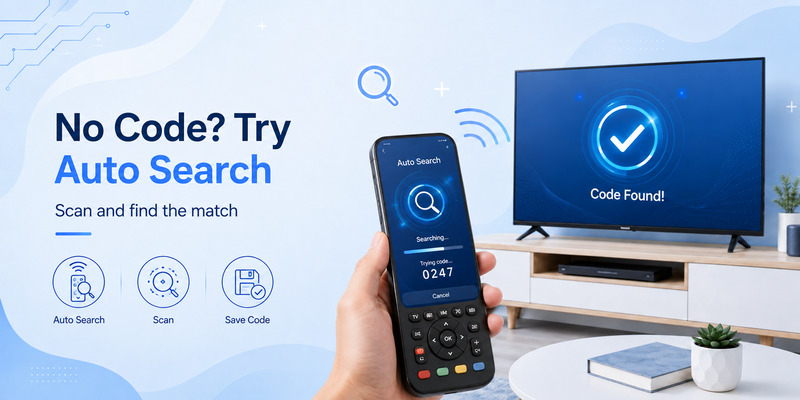
What happens if you have lost the manual and cannot locate a compatible numerical code?
That is where how to find tv code for universal remote without code becomes useful.
Many remotes provide automatic code search.
Use Auto Code Search
Jasco describes Auto Code Search as a process that searches through codes stored in the remote to identify a working profile for the device.
Its process tests groups of codes and then lets the user review individual candidates until the television responds correctly. Once a working code is located, it can be saved.
RCA also supports Auto Code Search on multiple universal-remote models. Its documentation explains that the feature can automatically move through the remote’s stored codes for the device being controlled.
This gives you a practical answer to how do i find my tv code for universal remote when no printed list is available.
Use the remote’s learning feature
Some universal remotes can learn commands directly from the original TV remote.
One For All recommends learning as one option when users do not have a setup code. The universal remote can copy functions from an original working remote when the particular model supports learning.
Learning can also help when:
- A setup code controls basic features only.
- One special key is missing.
- Your TV is newer than the remote’s stored database.
Use a setup application
Some newer universal remotes use companion smartphone applications.
For supported One For All products, the company’s Setup App can access its code database, search by device model, and configure the remote.
This is different from a general remote TV app that directly controls a television. A setup app can help configure a physical universal remote, whereas a TV remote app may replace the remote itself.
If nothing works
Your remote may simply be too old to contain a compatible command profile.
In that case, the manufacturer may recommend another setup method, software update on supported models, learning, or a newer remote.
One For All specifically tells users to consult support if its finder indicates that the required device code is not stored in the remote.
Therefore, how to find tv code for universal remote sometimes ends with discovering that the correct code does not exist in that particular remote’s memory.
💡 Discover Helpful Guides: How to Connect Universal Remote to Smart TV: Complete Setup Guide
7. How to Find an LG TV Code for a Universal Remote
Searches for how to find lg tv code for universal remote are extremely common, but the same core rule still applies.
LG does not have one number that works with every third-party universal remote.
Start with the universal remote brand
If you want to know how to find tv code for universal remote lg tv, identify:
- Universal remote brand
- Remote model
- Code-list version or revision
- LG TV model
Then use the remote manufacturer’s database.
For a One For All product, search its setup-code tool using the exact device make and model.
For a GE/Jasco remote, identify the CL3, CL4, CL5, or CL6 version and then select TV and LG in the matching database.
For an RCA remote, use RCA’s product-specific code finder rather than a generic LG code table.
This is the most reliable approach to how to find lg tv code for universal remote.
Do not confuse LG Universal Control with a third-party setup code
LG also has a feature called Universal Control on compatible televisions and Magic Remotes. LG’s current instructions explain that Universal Control can be configured through TV settings to control external equipment such as set-top boxes using the Magic Remote.
That is not the same process as entering an LG code into a GE, RCA, or One For All remote.
If you are researching how to find tv code for universal remote, make sure you know which direction the control relationship is going:
- Third-party remote controlling LG TV → use the third-party remote’s code database.
- LG Magic Remote controlling connected equipment → use LG’s Universal Control settings.
This distinction can save a lot of unnecessary code searching.
8. Why a TV Code Works Only Partially or Does Not Work
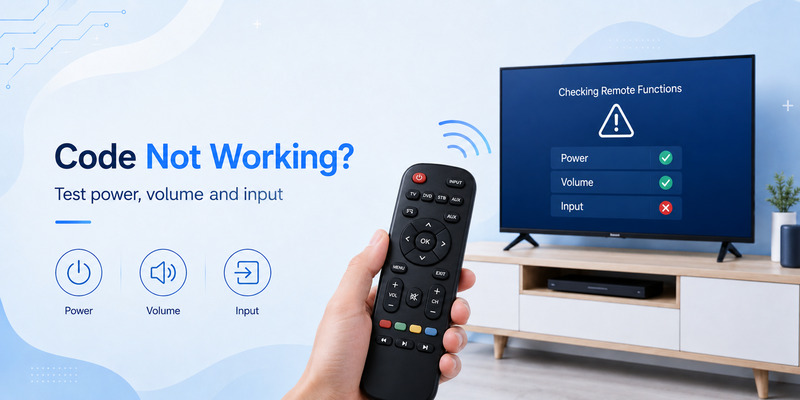
Finding a number is not always the end of how to find tv code for universal remote.
Sometimes the code appears correct but the remote behaves strangely.
Only Power works
This often means the selected command profile is partially compatible.
Try the next code listed for the TV brand.
Jasco explicitly notes that some codes may operate only a few functions, so trying additional codes can provide better functionality.
Volume works but Home does not
Modern Smart TVs can have newer commands that older universal remotes do not understand.
Possible solutions include:
- Another code from the same official list.
- Learning the missing command.
- Updating a supported remote through its companion setup system.
- Using the original remote for advanced functions.
No code works
First verify that you have correctly identified the universal remote.
If you accidentally use a code list from another revision, every number may fail.
Then try Auto Code Search.
Jasco and RCA both document auto-search features on supported products.
If automatic search also fails, the television may not be supported by the remote’s internal database.
The TV turns off during Auto Search but nothing else works
Do not immediately assume you found the best code.
Continue through the remote’s procedure for testing individual candidates.
Jasco’s Auto Code Search instructions specifically include a review step for identifying the individual code that produced the correct response and then testing the resulting functions.
You changed batteries and lost the setup
If the remote needs to be programmed again, having written down the successful code makes recovery easy.
Otherwise, repeat the same how to find tv code for universal remote process using the exact remote model and code-list version.
💡 Discover Helpful Guides: Universal TV Remote Control App: Download, Setup, TV Codes, and Troubleshooting Guide
9. Universal Remote Code FAQ and Final Checklist
How do i find my tv remote code?
Identify the exact universal remote model first. Check the manual, battery compartment, manufacturer support page, and product-specific code finder.
The code is normally tied to the universal remote’s database rather than being one permanent number assigned to the TV.
How do i find my universal remote code if I lost the manual?
Search the remote manufacturer’s official support site using the product number.
One For All provides a setup-code finder, Jasco maintains CL-specific databases for supported GE/Philips/UltraPro products, and RCA provides its own Remote Code Finder.
Is there one universal four-digit TV code?
No.
There is no single 4 digit tv remote codes list that applies identically to every universal remote manufacturer.
Jasco uses four-digit codes in its current direct-entry system, but another remote can organize its stored profiles differently.
What if my remote uses three digits?
Use the code list created specifically for that remote model.
Do not mix a 3 digit tv remote codes list with a remote that expects four-digit codes.
How can I find tv code for remote when the TV brand has several codes?
Try the codes in the manufacturer’s recommended order.
Test all major functions after each setup. If the first profile only controls some buttons, move to the next one.
How do i find the code for my universal remote without searching a list?
Use Auto Code Search if your remote supports it.
Jasco and RCA both document automatic search methods that cycle through stored command profiles.
How can I find tv codes for One For All?
Use the official One For All setup-code finder and enter your device’s exact make and model. The company also says the remote’s manual can contain the relevant code list.
How do I know whether the code is correct?
A good code should control more than Power.
Check volume, mute, navigation, input, menu, Home, and other important buttons.
A partially working code may mean another profile is a better match.
Can I use Auto Search instead of learning how to find tv code for universal remote?
Yes, on supported remotes.
Auto Search is especially helpful when you cannot identify the printed code, but knowing the remote model is still useful because the exact search procedure differs by product.
Does a remote TV app need these codes?
Usually not when the app controls a modern Smart TV through Wi-Fi or another network protocol.
Traditional universal setup codes are primarily associated with programmable physical remotes and infrared command databases.
What is the best answer to where to find tv code for universal remote?
Start with the universal remote manufacturer, not a generic TV-code website.
The most reliable order is:
Exact remote model → official manual/database → TV brand/model → code → test.
💡 Discover Helpful Guides: Download the Universal Remote App for Samsung TV: Easy Setup Guide
Final Recommendation
The key lesson in how to find tv code for universal remote is that the television brand alone does not determine the number you need.
The universal remote does.
A GE/Jasco remote can use a particular CL database. A One For All product can use its own setup-code system. RCA can require its own remote revision and code finder. The same television can therefore have different valid programming numbers depending on the controller.
For that reason, avoid beginning your search with random collections of 3 digit tv codes for universal remotes or a huge four-digit code chart.
Instead, when determining how to find tv code for universal remote, inspect the remote’s battery compartment, identify its model or revision, use the manufacturer’s official database, and test every important function after programming.
If you cannot find a printed setup number, do not assume the remote is useless. Auto Code Search can scan the codes already stored inside many Jasco and RCA remotes, while compatible One For All products may offer learning or app-assisted setup.
For LG owners asking how to find tv code for universal remote lg tv, the same rule applies: find the code from the manufacturer of the universal remote, not from a generic LG list.
Ultimately, how to find tv code for universal remote becomes much easier once you stop searching for a universal number and instead search for the correct combination of remote model + code database + television brand. That method is faster, more accurate, and much more likely to give you full control of your TV rather than only a working Power button.
Download LG TV Remote