
How to Pair Universal Remote to TV: Complete Setup Guide for Any Smart TV
A universal remote can make your entertainment setup much easier, especially when the original television remote is lost, damaged, or no longer convenient. Instead of keeping several controllers on the coffee table, you can often use one universal remote for your television and other compatible devices.
The important part is understanding how to pair universal remote to tv correctly. Most universal remotes need to be programmed before they can communicate with a television. This is usually done by entering a device code or running an automatic code search.
If you have been wondering how do i pair a universal remote to my tv, the process is generally straightforward. You turn on the TV, put the controller into programming mode, select TV as the target device, and then either enter a compatible code or allow the remote to scan for one.
Although manufacturers use slightly different buttons and programming sequences, the basic principles of how to pair universal remote to tv remain similar across Samsung, LG, Vizio, Hisense, Roku TV, TCL, Insignia, Sony, Emerson, and many other brands.
This guide explains both code-based and code-free setup methods, along with troubleshooting steps to help you get the best possible control from your universal remote.
1. What You Need Before Pairing a Universal Remote
Before starting how to pair universal remote to tv, take a moment to prepare your devices.
First, identify the universal remote manufacturer and model number. Look at the back of the controller, inside the battery compartment, or on the original packaging.
This is important because different universal remote manufacturers use different programming systems. Even if two remotes look similar, their setup codes may not be interchangeable.
Next, identify your television brand and model. The model number is usually printed on a label on the back of the television or available in the Settings, About, or Support menu.
Install fresh batteries in the controller. Weak batteries are one of the most common reasons pairing fails or becomes inconsistent.
Make sure nothing blocks the television’s infrared receiver. Soundbars, decorations, furniture, or objects directly in front of the TV can interfere with commands.
When learning how to pair universal remote with tv, you should also locate the programming guide that came with your controller.
If you have lost the guide, do not worry. Most universal remotes offer an automatic search option that lets you complete how to pair universal remote to tv without knowing the numerical code in advance.
Before proceeding, remember these basic preparation points:
- Turn on the television.
- Use fresh remote batteries.
- Point the controller directly at the TV.
- Stay within a few feet of the television.
- Select TV mode during programming.
- Avoid pressing unrelated buttons.
Once everything is ready, pairing usually takes only a few minutes.
Download LG TV Remote2. How to Pair Universal Remote to TV With a Code
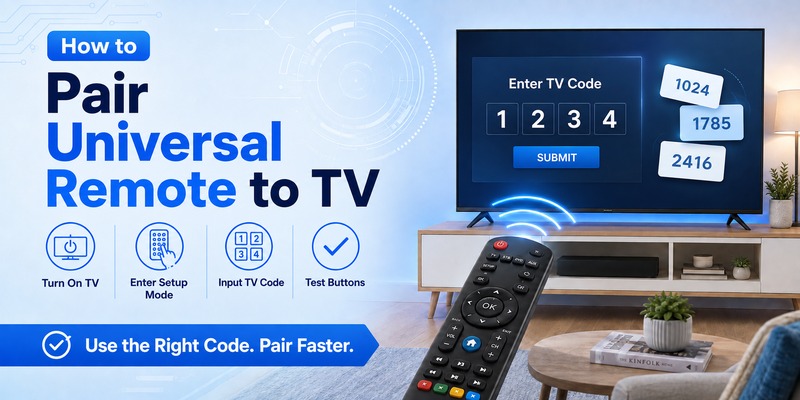
The fastest way to complete how to pair universal remote to tv is usually direct code entry.
A universal remote contains a database of command profiles for different television brands. A programming code tells the controller which command set to use.
Step 1: Turn the TV on
Use the television’s physical Power button or its original remote.
Leave the television powered on throughout the programming process.
Step 2: Activate programming mode
Press and hold the button labeled Setup, Set, Code Search, Program, Magic, or a similar name.
The exact button depends on the remote.
Hold it until the LED remains illuminated or changes its blinking pattern.
Step 3: Select the TV device
Press the TV button on your universal controller.
This tells the remote that the code you are about to enter belongs to a television rather than a DVD player, soundbar, cable box, or other device.
Step 4: Enter the programming code
Type the code using the remote’s number keypad.
Codes may contain three, four, or five digits depending on the universal remote brand.
If the LED flashes or turns off, the code has usually been accepted.
Step 5: Test the remote
Point it at the TV and press Power.
If the television turns off, turn it back on and test other functions.
This is an essential part of how to pair a universal remote to a tv because a partially compatible code may control Power but not Input or Menu.
Test:
- Power
- Volume Up
- Volume Down
- Mute
- Channel
- Input
- Menu
- Directional buttons
- OK or Select
If important buttons fail, repeat how to pair universal remote to tv using another code listed for your television brand.
Do not automatically assume the first code that turns off your television is the best code.
📘 Find the Right Guide: Universal TV Remote Control App: Download, Setup, TV Codes, and Troubleshooting Guide
3. How to Pair Universal Remote to TV Without a Code
One of the most useful techniques is learning how to connect universal remote to tv without code.
Most modern universal controllers include automatic or manual code search.
Start by turning on the television.
Hold the Setup or Code Search button until the remote enters programming mode.
Select TV.
Depending on the remote model, you may then press Power repeatedly, press Channel Up, or activate an automatic scanning feature.
Keep the controller aimed directly at the television.
The remote will begin testing different stored command sets.
When the television turns off, stop immediately.
Press Enter, OK, Setup, or another confirmation button specified by the remote manufacturer.
This saves the working code.
The code-search method is particularly useful when you want to know how to pair universal remote to tv but cannot find the original code list.
After storing the code, turn your television back on.
Test Volume, Input, Menu, navigation, and other commonly used buttons.
If basic Power control works but several other commands fail, restart the search. Another compatible profile may provide better functionality.
Understanding how to pair universal remote to tv without direct code entry can save considerable time when working with an older remote or television.
📘 Find the Right Guide: LG Universal Remote TV Codes: Codes, Setup and Pairing Guide
4. How Automatic Code Search Works
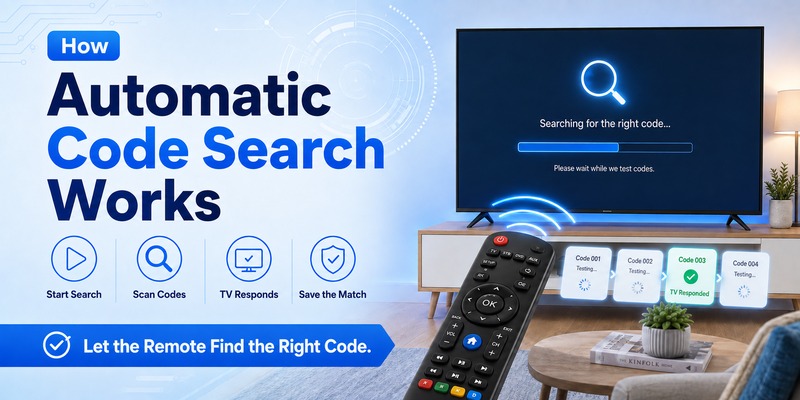
Automatic search simplifies how to pair universal remote to tv by allowing the controller to test its own database.
Universal remotes store numerous infrared command profiles.
During automatic search, the controller sends one profile after another to the TV.
A Power command is often used because it provides an obvious response.
The television remains on while incompatible codes are tested. When a compatible signal is transmitted, the TV turns off.
You then save that profile.
This method can answer the common question of how to sync universal remote to tv when you do not have a code chart.
Automatic search can take longer than manual programming because the controller may contain hundreds of device profiles.
To improve your chances:
- Start with the television turned on.
- Keep the controller pointed at the TV.
- Do not press the search button too quickly.
- Stop as soon as the television responds.
- Save the code before doing anything else.
- Test multiple functions afterward.
If the search passes the working profile because you pressed the button again too quickly, restart the process.
The most reliable how to pair universal remote to tv setup is not necessarily the first profile that produces a response. It is the profile that controls the largest number of useful TV functions.
5. How to Sync a Universal Remote to a TV Correctly
People often use the terms pair, connect, program, and sync interchangeably.
For traditional infrared controllers, how to pair universal remote to tv usually means programming the controller with the correct command set.
There is normally no Bluetooth-style handshake.
Instead, the remote sends infrared commands that the television recognizes.
Some advanced universal remotes may use Bluetooth, Wi-Fi, or a hub, but code-based infrared programming remains extremely common.
If you are searching how to pair my universal remote to my tv, use this sequence:
Turn on the television, enter setup mode, select TV, enter or search for a compatible code, save the result, and test the buttons.
If the controller supports several devices, make sure TV mode is active whenever you want to control the television.
A remote that was programmed correctly may appear to stop working simply because someone accidentally pressed AUX, DVD, CBL, or another device button.
That is why knowing how to pair universal remote to tv also includes knowing how to switch between stored device profiles.
📘 Find the Right Guide: Samsung Universal Remote TV Codes: Complete Codes and Setup Guide
6. How to Pair a Universal Remote to Samsung TV
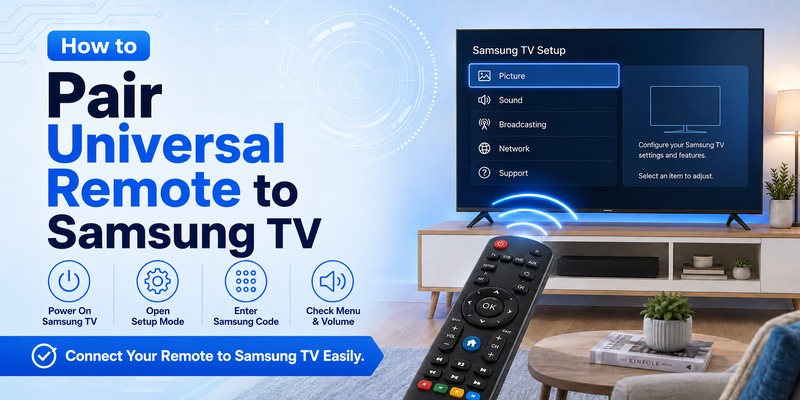
Samsung televisions are widely supported by universal remote manufacturers.
If you are researching how to pair universal remote to samsung tv, begin by checking the Samsung codes provided specifically for your remote model.
Turn on the Samsung television.
Press and hold Setup until the indicator light stays on.
Press TV.
Enter a Samsung code from the remote’s code guide.
Test Power.
If successful, test Volume, Mute, Input, Home, Menu, and directional controls.
The procedure for how to pair a universal remote to a samsung tv may vary slightly between controller brands, but direct code entry remains one of the fastest methods.
If none of the codes work, use automatic search.
Remember that newer Samsung Smart TVs may offer features that a simple infrared universal remote cannot reproduce, such as voice control or Bluetooth-specific functions.
However, for Power, Volume, Input, and basic navigation, a compatible remote can often work well.
When following how to pair universal remote to tv for Samsung, test multiple Samsung profiles if the first one provides only partial control.
7. How to Pair a Universal Remote to LG TV
LG televisions are another common universal-remote use case.
For how to pair universal remote to lg tv, turn on your LG television and place the controller into setup mode.
Press the TV device button.
Enter the LG programming code supplied with your universal remote.
Test Power and Volume.
If the code works only partially, try the next LG option.
People who do not have the code chart often search how to pair universal remote to lg tv without code.
In that case, use automatic code search.
Turn on the LG TV, enter programming mode, select TV, and begin scanning.
Stop as soon as the television responds.
Save the active code and test additional buttons.
The same approach applies if you are searching how to pair a universal remote to lg tv and are unsure which specific LG code matches your model.
A successful how to pair universal remote to tv setup for LG should ideally control Power, Volume, Mute, Input, and menu navigation.
Explore Related Articles: LG TV Remote Volume Button Not Working? 12 Practical Fixes to Restore Volume Control
8. How to Pair a Universal Remote to Vizio TV
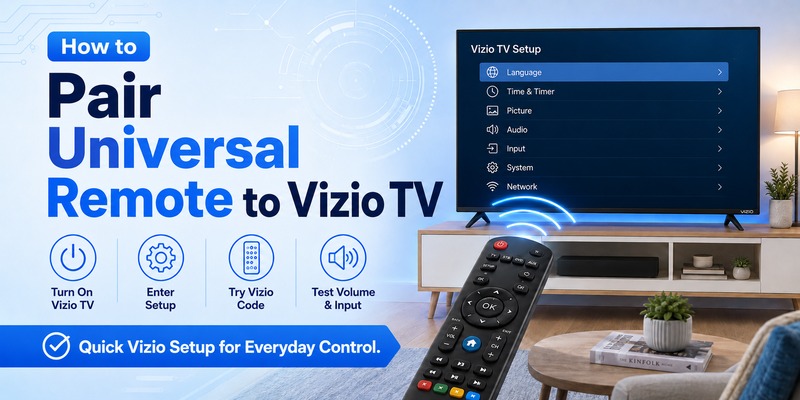
If you need how to pair universal remote to vizio tv, start with direct programming.
Turn on your Vizio television.
Hold Setup until the programming light remains active.
Press TV.
Enter a Vizio code provided by your remote manufacturer.
Point the controller toward the television and test Power.
If it works, check other buttons.
The same process applies to anyone searching how to pair a universal remote to a vizio tv.
If no manual code works, start automatic search.
Vizio televisions commonly respond to standard infrared commands, although the exact level of functionality depends on the universal controller.
For the best how to pair universal remote to tv result, compare multiple working codes if necessary.
One Vizio code may support Power and Volume, while another may provide better Input or navigation support.
💡 Discover Helpful Guides: How to Connect Universal Remote to Smart TV: Complete Setup Guide
9. How to Pair a Universal Remote to Hisense TV
Hisense televisions can run different smart platforms, including Google TV, Roku TV, and VIDAA, but many models still support infrared universal controllers.
To learn how to pair universal remote to hisense tv, start with the code list included with your remote.
Turn on the television.
Enter setup mode.
Select TV and type the Hisense code.
Test the remote.
If you do not have the code list, how to connect universal remote to hisense tv without code generally involves automatic search.
Place the remote into programming mode and let it cycle through available TV profiles until the Hisense television responds.
Save the code immediately.
When applying how to pair universal remote to tv to a Hisense Smart TV, remember that advanced voice-control or platform-specific buttons may not be available on a basic controller.
Basic functions should be your first compatibility test.
10. How to Pair a Universal Remote to Roku and TCL TVs
Roku TVs can be slightly different because Roku functionality may rely on platform-specific controls.
However, many Roku TV models still respond to compatible infrared universal remotes.
For how to pair universal remote to roku tv, first determine the actual television manufacturer.
Roku TV is a platform used by several manufacturers.
Select the appropriate brand in your universal remote’s code guide and test the available profiles.
If you are searching how to pair a universal remote to a roku tv, automatic search can also help when the manufacturer code is unclear.
TCL is one of the most common Roku TV manufacturers.
For how to pair universal remote to tcl tv, turn on the television, activate programming mode, select TV, and enter a TCL or supported Roku TV code from your controller’s guide.
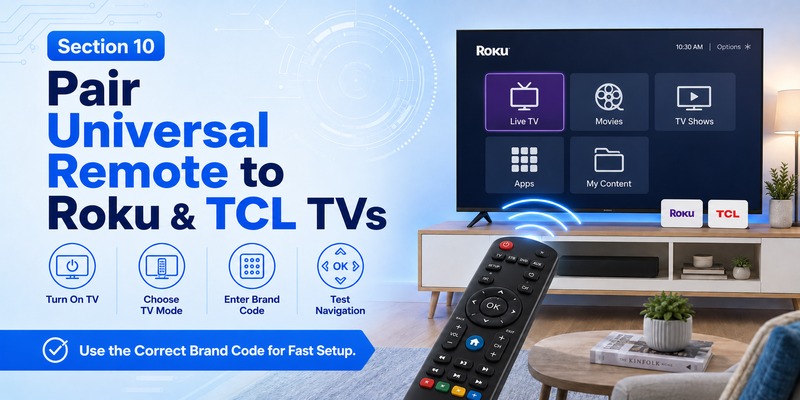
Test navigation carefully.
For Roku TV owners, directional controls, OK, Home, and Back can be just as important as Power and Volume.
A good how to pair universal remote to tv result should support the functions you use most frequently.
💡 Discover Helpful Guides: How to Find TV Code for Universal Remote: Complete Setup Code, Auto Search, and Troubleshooting Guide
11. How to Pair Philips and GE Universal Remotes
Some setup questions relate to the remote brand rather than the television.
If you are looking for how to pair philips universal remote to tv, identify the exact Philips universal remote model first.
Philips controllers may support direct code entry and automatic code search.
The typical process is:
- Turn on the television.
- Enter setup mode.
- Press TV.
- Enter the code for your TV brand.
- Test Power and Volume.
- Try another code if needed.
For how to pair ge universal remote to tv, the principle is similar.
GE universal remotes often use code lists associated with a specific code-list version, so it is important to match the correct manual to your remote.
Once you find the correct television manufacturer entry, program the code and test it.
If code entry fails, use code search if supported.
Regardless of whether you use Philips, GE, RCA, or another brand, the core how to pair universal remote to tv process remains largely the same.
12. How to Pair Universal Remote to Insignia and Emerson TVs
Insignia televisions are commonly compatible with universal remotes.
For how to pair universal remote to insignia tv, turn the television on and enter programming mode on your controller.
Select TV and enter an Insignia code from the remote’s manufacturer guide.
If the TV responds, test Volume, Input, Menu, and navigation.
Some Insignia models use Fire TV or Roku TV platforms, so advanced smart features may require additional compatibility.
Emerson televisions can also often be programmed using universal remote codes.
If you are researching how to connect universal remote to emerson tv, follow the same direct-entry process first.
Use the Emerson codes provided specifically for your controller.
If none work, run automatic search.
As with every brand, successful how to pair universal remote to tv programming should be judged by how many everyday controls operate correctly.
13. Why Your Universal Remote Will Not Pair
Even when you follow how to pair universal remote to tv correctly, problems can occur.
The most common issue is an incorrect programming code.
A television manufacturer may have several compatible profiles, so the first listed number is not guaranteed to work.
Try every recommended code.
Another frequent problem is weak batteries.
The remote LED may still illuminate even when battery power is too low for reliable infrared transmission.
Replace both batteries before troubleshooting further.
Also check whether the remote is in TV mode.
If you accidentally selected AUX, DVD, STB, CBL, or another device, the remote will send commands intended for something else.
Make sure nothing blocks the television’s infrared sensor.
A soundbar is a particularly common obstacle because it may sit directly in front of the TV.
The remote itself may also be too old to support the television.
Universal remotes contain built-in device databases. A controller manufactured many years before your Smart TV may not include the right command profile.
If direct entry fails, retry how to pair universal remote to tv using automatic search.
If automatic search also fails, check the remote manufacturer’s compatibility information.
Finally, consider whether the feature you are trying to use relies on Bluetooth rather than infrared.
Voice commands, motion pointers, microphones, and specialized Smart TV controls may not work even when basic universal remote pairing succeeds.
💡 Discover Helpful Guides: How to Connect Universal Remote to Smart TV: Complete Setup Guide
Can You Use a Remote TV App Instead?
A remote TV app can be a useful alternative when you cannot complete how to pair universal remote to tv with a physical controller.
Smartphone remote apps often communicate with televisions over Wi-Fi.
The phone and TV generally need to be connected to the same network.
After opening the appropriate app, select your television and follow the on-screen confirmation process.
This type of setup differs from traditional infrared programming because it does not normally require universal remote codes.
However, a mobile remote has limitations.
If the television is completely powered off or disconnected from the network, the app may not be able to find it.
A physical infrared remote can therefore remain more convenient for basic everyday control.
Many households use both options: a programmed universal controller for normal viewing and a mobile app as a backup.
For users struggling with how to pair universal remote to tv, the app can also provide temporary control while troubleshooting the physical remote.
FAQs About Universal Remote Pairing
Can any universal remote work with any television?
No.
The controller must contain a compatible command profile for the television.
Most major brands are supported by popular universal remotes, but compatibility depends on the exact model.
Before attempting how to pair universal remote to tv, check whether your TV manufacturer appears in the controller’s code guide.
Can I pair a universal remote without knowing the code?
Yes.
Automatic code search is designed specifically for this situation.
Turn on the TV, enter setup mode, select TV, and start scanning until the television responds.
This is one of the easiest alternatives when learning how to pair universal remote to tv.
Why does Power work but Volume does not?
The code may be only partially compatible.
Try another code for the same television brand.
A better profile may support a wider range of commands.
How long does universal remote pairing take?
Direct code entry can take less than a minute if you already know the correct code.
Automatic search can take several minutes depending on the size of the controller’s database.
Do universal remotes actually “pair” with TVs?
Traditional infrared remotes are technically programmed rather than paired in the Bluetooth sense.
However, “pairing” is commonly used to describe the entire process of configuring the remote to control the television.
That is why how to pair universal remote to tv usually refers to entering or finding a compatible command code.
Can a universal remote control Smart TV apps?
Sometimes.
Directional buttons, Home, Menu, Back, and OK may work when the selected profile supports them.
Dedicated streaming shortcuts or voice control may not be available.
Why did my remote stop working after I replaced the batteries?
Some universal remotes may lose their stored programming when batteries are removed for an extended period.
Repeat how to pair universal remote to tv and re-enter the successful code.
Keeping a written note of the code makes this much easier.
Can I use the same universal remote for multiple devices?
Yes, if the controller supports multiple device profiles.
Many universal remotes include separate TV, DVD, AUX, STB, CBL, or audio modes.
You program each mode separately.
How do I know which TV code is best?
The best code is the one that controls the largest number of functions.
Test Power, Volume, Mute, Input, navigation, Menu, and Home whenever available.
Do not judge how to pair universal remote to tv solely by whether the Power button works.
Can I pair a universal remote if I lost the original TV remote?
Yes.
Use the physical Power button on the television to turn it on, then follow the normal programming procedure.
You do not usually need the original controller to complete how to pair universal remote to tv.
Final Thoughts
Understanding how to pair universal remote to tv can save you from buying an expensive original replacement controller and can simplify a cluttered entertainment setup.
The easiest method is direct code entry.
Turn on the television, put the universal remote into setup mode, select TV, enter the manufacturer code, and test the controller.
If you do not know the code, automatic search provides an effective alternative.
Keep the remote aimed toward the television, let it scan available command profiles, and save the profile as soon as the TV responds.
Whether you are working with Samsung, LG, Vizio, Hisense, Roku TV, TCL, Insignia, Emerson, or another television brand, the basic how to pair universal remote to tv process is similar.
The biggest differences usually come from the universal remote manufacturer rather than the television itself.
Always use the programming instructions and code list designed specifically for your controller.
After pairing, test more than just Power.
Volume, Mute, Input, Menu, Home, directional buttons, and OK can reveal whether you have selected the best available profile.
If some controls are missing, try another code.
If all manual codes fail, use automatic search.
And if a traditional controller cannot reproduce advanced Smart TV functions, consider keeping an official mobile app available as a secondary option.
Once you understand how to pair universal remote to tv, setting up replacement controllers becomes much faster. Save the successful code somewhere accessible so you can reprogram the remote quickly after a reset, battery change, or future setup.
Download LG TV Remote