
Best Universal TV Remotes: Apps vs Physical Remotes Compared
The best universal tv remote for most people depends on whether you want to control only a smart TV or an entire entertainment system. For a TV-first setup, a phone-based remote app is usually the easiest option because there is no extra remote to buy or batteries to replace. For a TV, soundbar, streaming box, and receiver setup, a dedicated universal remote such as the SofaBaton X1S gives you more consistent multi-device control.
If you want something less expensive, the SofaBaton U2 or a traditional One For All remote can make more sense. The important point is that no universal remote is truly universal at the feature level. Basic power, volume, input, and navigation are much easier to support than proprietary voice controls, Bluetooth functions, or smart-home features.
This guide compares both approaches so you can choose the best universal tv remote based on your actual TV, connected devices, and daily viewing habits.
1. Best Universal TV Remote: Quick Answer
For most users, there is no single remote that wins in every situation.
| User need | Recommended option | Why | Main limitation |
| Smart TV only | Remote TV App | Phone-based, convenient, no separate remote | Depends on network and TV compatibility |
| Complex home theater | SofaBaton X1S | IR, Bluetooth, selected Wi-Fi control, activities | More expensive and requires setup |
| Budget physical remote | SofaBaton U2 | Controls IR and Bluetooth devices | No Wi-Fi or RF |
| Traditional multi-device control | One For All Smart Control | Physical buttons, macros, multiple devices | Less flexible than hub-based systems |
| Samsung TV | SmartThings or compatible universal remote | Strong manufacturer integration | Features vary by TV model |
| LG TV | LG ThinQ or compatible universal remote | Full app-style TV controls on supported models | Network setup required |
| Apple TV | Apple TV Remote/Siri Remote or compatible universal remote | Excellent native integration | Not universal for every home-theater device |
| Vizio TV | VIZIO Mobile or compatible IR remote | Straightforward TV control | Advanced features can be model-dependent |
The best universal tv remote therefore comes down to one question: Are you replacing one TV remote, or are you trying to replace every remote in the room?
Choose an app when convenience matters most. Choose a physical universal remote when you regularly control several entertainment devices and need tactile buttons without unlocking a phone first.
2. Apps vs Physical Universal Remotes
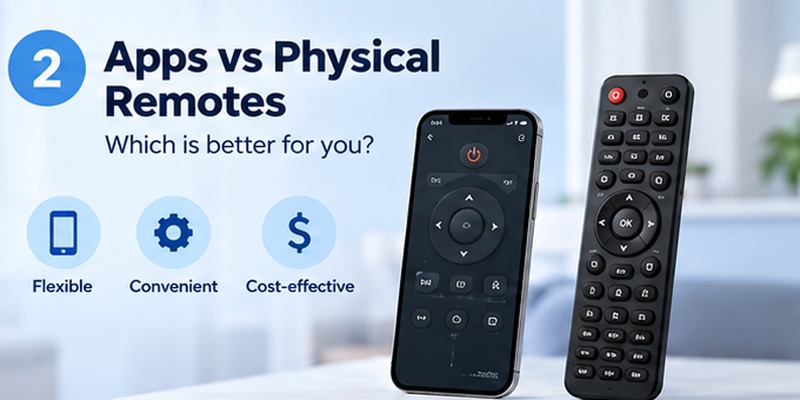
The biggest choice is not between individual brands. It is between two fundamentally different ways of controlling your TV.
Universal remote apps
A best universal tv remote app candidate connects to compatible smart TVs over Wi-Fi or a supported network protocol. Once paired, a phone can provide navigation, volume controls, input switching, text entry, streaming shortcuts, and sometimes casting.
The biggest advantages are convenience and accessibility. Your phone is usually already with you, typing passwords or movie titles is faster on a touchscreen, and there are no AA or AAA batteries to replace.
However, apps have one major weakness: they depend heavily on connectivity. If your phone and TV cannot communicate over the network, a Wi-Fi-based remote can stop working until the connection is restored.
Physical universal remotes
A physical best universal tv remote usually uses infrared, Bluetooth, RF, Wi-Fi, or a combination of these technologies.
Infrared remotes are especially useful because they can control many TVs without relying on the home network. More advanced hub-based products add Bluetooth and selected Wi-Fi control for streaming devices and entertainment systems.
| Feature | Remote app | Physical universal remote |
| Extra hardware | No | Yes |
| Battery required | Phone battery | Usually AA/AAA or rechargeable |
| Works without home Wi-Fi | Usually limited | Often yes with IR |
| Physical buttons | No | Yes |
| Text input | Excellent | Usually slower |
| Multi-device home theater | Limited to app support | Often better |
| Setup difficulty | Usually low | Low to high |
| Easy to replace | Very easy | Requires another remote |
The best universal tv remote for someone with one smart TV may therefore look completely different from the right choice for someone running a TV, Apple TV, Blu-ray player, receiver, and soundbar.
3. Best Universal TV Remote Recommendations by Need
Rather than looking for one universal winner, match the remote to your entertainment setup.
Best for a multi-device home theater: SofaBaton X1S. It supports infrared, Bluetooth LE, classic Bluetooth for selected devices, and limited Wi-Fi device integration. SofaBaton states that its database covers more than 6,000 brands and 500,000 home-entertainment devices.
Best budget physical choice: SofaBaton U2. It supports IR and Bluetooth LE and can handle up to 15 devices. The trade-off is that it does not control Wi-Fi or RF devices.
Best traditional remote: One For All Smart Control. Models in this family combine multiple entertainment remotes and provide learning, macros, activity controls, and app-assisted setup.
Best phone-first option: Remote TV App. This is the most practical direction when your main goal is controlling supported TVs without adding another physical remote to the room.
If you are searching for the best rated universal tv remote, do not judge a product only by its star rating. Compatibility with your exact TV, soundbar, streaming box, and connection method matters much more than an average score.
Independent testing reflects the same divide. Tom’s Guide has identified SofaBaton’s higher-end models as leading modern Harmony alternatives, while also positioning the U2 as a more affordable choice.
4. SofaBaton X1S: Best for Multi-Device Home Theaters
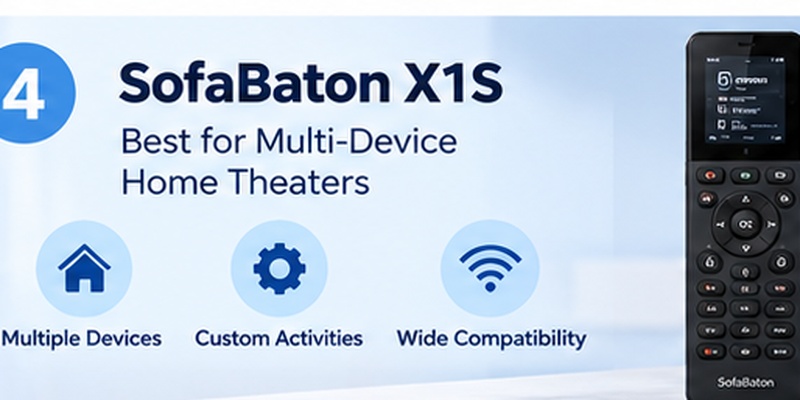
The SofaBaton X1S is one of the strongest choices when the best universal tv remote needs to control more than a television.
It uses a separate hub and supports IR devices, Bluetooth devices, Roku over Wi-Fi, Philips Hue, and Sonos. It also includes an activity mode, allowing one command to coordinate multiple components.
For example, a “Watch TV” activity can potentially turn on a TV and receiver, select an input, and prepare a connected streaming device instead of making you switch manually between three remotes.
That is the main difference between a premium universal controller and a cheap replacement TV remote: the best universal tv remote should manage the viewing activity, not merely reproduce individual buttons.
The X1S also has a rechargeable battery and 2-inch LCD display. SofaBaton lists support for a large device database, although you should still check the exact model before purchase because database size does not guarantee every proprietary feature will work.
What we like
- Strong combination of IR and Bluetooth control
- Activity-based automation
- Hub allows equipment to be controlled without directly pointing the remote at every device
- Suitable for TVs, AV receivers, soundbars, streaming boxes, and other entertainment equipment
What to consider
The X1S is unnecessary if you only want volume, power, and navigation for one television. Setup is also more involved than downloading an app or programming a basic IR remote.
For a complicated home theater, however, it is one of the more capable answers to the best universal tv remote question.
5. SofaBaton U2: Best Budget Physical Universal Remote
The SofaBaton U2 is designed for users who want one physical controller but do not need a separate smart hub.
According to SofaBaton, the U2 supports both infrared and Bluetooth LE devices, uses a 1.3-inch OLED display, and runs on two AA batteries. The company says the remote can control up to 15 devices.
The company also states that its remote database covers more than 6,000 brands and 500,000 entertainment devices.
This makes the U2 attractive when the best universal tv remote needs to replace separate controls for a TV, Blu-ray player, sound system, and several other IR or compatible Bluetooth devices.
Its biggest limitation is connectivity. The U2 does not support Wi-Fi or conventional RF control. That matters for devices such as certain Roku configurations or smart-home products that depend on technologies outside IR and supported Bluetooth LE profiles.
The practical lesson is simple: check how your device communicates before buying. A long compatibility list does not automatically mean every button, voice function, or streaming-device feature will be available.
6. One For All: Best Traditional Universal Remote
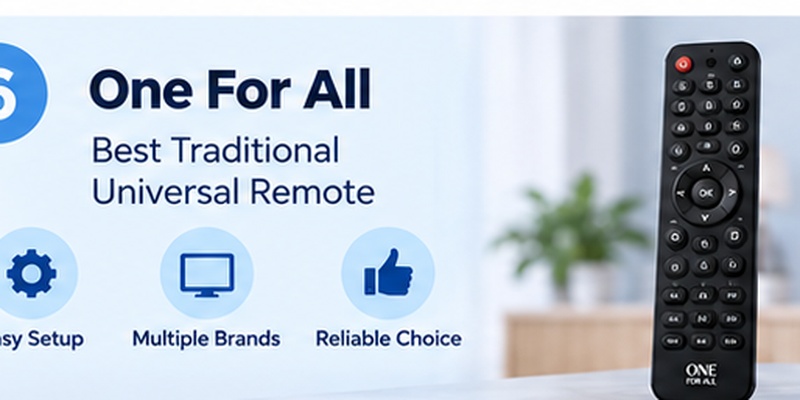
Not everyone needs a display, hub, account, or complex automation system.
One For All remains a useful option for people who want the best universal tv remote to feel like a conventional television remote.
Its Smart Control 5, for example, can combine five controllers and supports TVs, set-top boxes, DVD/Blu-ray players, soundbars, audio devices, and compatible media streamers such as Apple TV and Roku. It includes macros, learning functions, smart activities, and app-assisted setup.
One For All also offers larger-capacity models. Its current universal-remote catalog includes Smart Control products designed for six, eight, or even twelve devices, depending on model.
This approach works particularly well for users who value physical number keys, dedicated volume controls, predictable button placement, and simple IR operation.
It is less attractive when advanced Bluetooth, Wi-Fi, voice integration, or deep smart-home automation is required.
Retail availability also varies. Search results at Best Buy currently include options such as Insignia multi-device remotes and One For All models, so people searching for best buy universal tv remote control or universal tv remote best buy should compare device support rather than choosing purely on price.
7. Remote TV App: Best Phone-Based Universal Remote Option
For many smart-TV owners, the best universal tv remote may already be in their pocket.
Remote TV App by Begamob is designed to turn a compatible iPhone or iPad into a TV controller. Depending on the supported TV, users can access functions such as navigation, channel and volume control, streaming-app shortcuts, and media casting from the phone.
This approach removes two common physical-remote frustrations: searching around the room for the remote and dealing with dead remote batteries.
A phone interface also makes text entry much easier. Searching for a long YouTube title or typing a streaming password with arrow buttons on a traditional remote can be tedious; a smartphone keyboard is considerably faster.
For readers comparing several phone solutions, see the Best Remote TV App guide.
A remote tv app is particularly useful as:
- A replacement when the original remote is lost
- A backup when batteries die
- A second remote for another person
- A faster way to navigate smart-TV interfaces
- A convenient way to control several supported TV brands from one phone
The main requirement is compatibility. Network-based TV remotes normally need the phone and TV to be discoverable on the same network during setup.
For users who primarily control smart TVs rather than receivers and legacy AV equipment, a phone app can be the best universal tv remote approach without purchasing another piece of hardware.
8. Best Universal Remote for Samsung, LG, and Vizio TVs
Brand matters because Samsung, LG, and Vizio each provide their own smart-TV ecosystems.
Samsung TV
The best universal remote for samsung tv depends on whether you want phone control or a physical replacement.
Samsung’s SmartThings app can turn a supported phone into a TV remote. Samsung says users can access controls for volume, channels, Home, Back, Guide, apps, and inputs after adding the TV to SmartThings.
For a broader comparison, see the Best Samsung TV Remote App guide.
A physical universal remote can still be preferable when you want instant buttons or need to control a Samsung TV alongside a soundbar and set-top box.
LG TV
The best universal remote for lg tv should support the functions you actually use, not merely power and volume.
LG states that ThinQ can provide remote controls including inputs, channel changes, volume, pointer navigation, scrolling, directional buttons, and app launching on supported televisions. LG also notes that functionality varies according to TV and webOS generation.
The Best LG TV Remote App guide provides a more focused comparison.
Vizio TV
The best universal remote for vizio tv can be either a compatible IR controller or VIZIO’s own phone app.
VIZIO says its mobile app can control volume, inputs, playback, casting, voice search, and other compatible features. Pairing requires the phone and TV to be on the same Wi-Fi network and uses a code shown on the TV.
The best universal tv remote for these brands therefore depends on whether you prioritize native software features or physical-button convenience.
9. Best Universal Remote for Apple TV and Streaming Devices
Apple TV is a special case because it relies heavily on Bluetooth and HDMI-CEC rather than behaving like a conventional IR-only television.
For an Apple-only setup, Apple’s own remote experience is difficult to beat. Apple says the Apple TV Remote available through iPhone and iPad Control Center can control Apple TV HD or later and compatible AirPlay smart TVs.
If you are researching the best universal remote for apple tv, however, you may be trying to control more than the Apple TV itself.
In that case, a device such as the SofaBaton U2 or X1S becomes more interesting because both support compatible Bluetooth equipment in addition to traditional infrared devices. SofaBaton specifically lists Apple TV compatibility for the U2.
You can also see the dedicated Best Apple TV Remote guide.
The best universal tv remote for Apple TV is therefore less about replacing the Siri Remote and more about deciding whether the Apple TV should be part of a larger one-remote entertainment system.
10. How to Choose a Universal TV Remote

The best universal remote for smart tv use is not necessarily the product with the largest compatibility claim.
Start with the devices you actually need to control.
Check the connection technology
Infrared is common for televisions, soundbars, receivers, Blu-ray players, and older media equipment. It normally requires line of sight.
Bluetooth is common on newer streaming devices and smart remotes.
Wi-Fi can support richer app functionality, discovery, and smart-device integration, but it also creates network dependency.
RF is used by some equipment where line-of-sight control is undesirable.
The best universal tv remote should support the protocols your equipment uses rather than simply advertise a huge number of brands.
Decide how many devices matter
If you control only one TV, buying a remote capable of managing dozens of devices adds complexity with little benefit.
If you have a TV, streaming box, AV receiver, game console, projector, and sound system, multi-device capacity and activities become much more valuable.
Look at the buttons you use every day
Touchscreens look modern, but many people still prefer tactile volume, mute, playback, directional, and power buttons.
A good best universal smart tv remote should make common actions faster, not require opening several screens just to adjust the volume.
Check advanced feature support
Voice search, proprietary pointer controls, app shortcuts, headphone modes, smart-home scenes, and device-specific buttons may not transfer to a generic universal remote.
Always distinguish between basic compatibility and full feature compatibility.
11. How to Use a Universal TV Remote
People searching how to use universal tv remote often expect one universal setup process, but the exact steps depend on whether the remote uses codes, an app, Bluetooth, or a hub.
For a basic physical remote, the process usually looks like this:
- Insert or charge the batteries.
- Select the device type you want to control.
- Enter the manufacturer’s setup code or use automatic code search.
- Test Power, Volume, Input, Home, and navigation.
- Use the learning function if supported and a command is missing.
- Repeat the process for additional devices.
For an app-based remote:
- Connect your phone and smart TV to the appropriate network.
- Open the remote app.
- Choose your television from the detected-device list.
- Accept the pairing request or enter the code displayed on the TV.
- Test basic navigation before configuring shortcuts or casting.
Google’s official Android TV instructions, for example, tell users to open the Google TV app, choose Connect TV, select the television, enter the on-screen code, and pair the devices. Google also says the phone and television should be on the same network for Wi-Fi control.
That setup pattern is why the best universal tv remote app can be easier to start using than a traditional code-based controller.
12. Universal Remote Compatibility: What Actually Matters
“Universal” is a category, not a promise that every possible function will work.
That distinction is crucial when shopping for the best universal tv remote control.
A cheap IR remote may successfully turn a Samsung, LG, Sony, TCL, or Vizio television on and off while failing to reproduce voice search or proprietary smart features. Meanwhile, a Bluetooth remote may work perfectly with one streaming box but lack support for another.
| Device | Typical control method | Good universal option | Check before buying |
| Samsung Smart TV | IR + network/Bluetooth varies | App or physical universal remote | Voice and smart features |
| LG Smart TV | IR + Wi-Fi/Bluetooth varies | ThinQ/app or physical remote | Magic Remote-style functions |
| Vizio Smart TV | IR + Wi-Fi | App or IR universal remote | Model-specific features |
| Apple TV | Bluetooth + HDMI-CEC | Siri Remote, app, compatible universal remote | Bluetooth support |
| Roku | IR or Wi-Fi depending device | Compatible app/hub/IR remote | Roku Stick usually needs non-IR control |
| Soundbar | Usually IR, sometimes Bluetooth/HDMI-CEC | Physical universal remote | Input and sound-mode buttons |
| AV receiver | Usually IR/IP | Hub-based universal remote | Activities and input commands |
This is also why the best universal tv remote should be chosen by model and protocol, not just brand.
SofaBaton, for example, explicitly states that its U2 supports IR and Bluetooth LE but not Wi-Fi or RF, while the X1S adds support for selected Wi-Fi products.
If you have an unusual device combination, check the manufacturer’s compatibility database before ordering.
13. FAQ
What is the best universal tv remote for most people?
For a single smart TV, an app-based remote is often the simplest option. For multiple entertainment devices, a physical controller such as the SofaBaton X1S provides broader multi-device control. The right choice depends on your TV, streaming device, audio system, and preferred connection method.
Is a universal remote app better than a physical remote?
It can be. An app provides convenient text input, no separate batteries, and easy access from a phone. A physical remote is better when you want tactile buttons, instant access, offline IR control, or one controller for several home-theater devices.
Can I use one universal remote for every smart TV?
Not necessarily. The best universal tv remote can support many brands, but full compatibility depends on the TV model and whether functions use IR, Bluetooth, Wi-Fi, or proprietary technology. Always check the manufacturer’s compatibility list.
What is the best universal TV remote for Apple TV?
For Apple TV alone, Apple’s Siri Remote or built-in iPhone remote offers the deepest native integration. The best universal remote for apple tv in a multi-device system is instead one that supports Apple TV plus your television, receiver, and sound equipment.
Can a universal remote control Samsung and LG TVs?
Yes, many universal remotes support basic Samsung and LG television functions. For more advanced smart-TV features, Samsung SmartThings and LG ThinQ can provide network-based controls on supported models.
Are Logitech Harmony remotes still worth buying?
Logitech officially stopped manufacturing Harmony remotes in 2021, although it stated that existing users would continue receiving platform and database support. Because new hardware is no longer being developed, buyers looking for a current best universal tv remote will usually want to compare actively supported alternatives instead.
14. Final Thoughts
There is no reason to buy the most complicated universal remote if your only problem is a missing TV controller.
For a smart-TV-first household, using a phone as a remote can be the simplest answer. Remote TV App provides an option for users who want to control compatible televisions from an iPhone or iPad without keeping another physical controller on the coffee table.
For larger entertainment systems, the best universal tv remote should provide dependable multi-device control. SofaBaton X1S is better suited to complex setups involving TVs, streaming devices, receivers, and sound systems, while the U2 offers a simpler and less expensive physical approach. Traditional One For All remotes remain attractive when straightforward buttons and IR control matter more than advanced automation.
The most important buying rule is simple: check your exact devices and connection types before choosing a remote. A product that controls 500,000 devices is not automatically better for you than an app or remote that perfectly supports the five devices you actually own.
Ultimately, the best universal tv remote is the one that reduces the number of steps between sitting down and watching TV — whether that means one physical controller or turning the phone you already carry into a Remote TV App.
Sources consulted
Product specifications and compatibility were cross-checked against official documentation from SofaBaton, Apple, Samsung, LG, VIZIO, Google/Android TV, One For All, Logitech, and current Best Buy listings. Independent product context was also checked against Tom’s Guide’s universal-remote testing and recommendations.
Download TV Remote App