
Best samsung tv remote app: 7 Apps Compared
The best samsung tv remote app depends primarily on what you want your phone remote to do.
For most Samsung-only households, SmartThings is the easiest recommendation. It comes directly from Samsung, integrates with the wider Samsung ecosystem, and does not require a separate paid remote subscription for normal TV controls.
Google Play currently lists SmartThings at 4.6 stars, more than 5 million reviews, and over 1 billion downloads. It is much more than a TV remote: it can also manage compatible appliances, smart-home devices, routines, and connected products.
However, the official app is not automatically the most convenient choice for everyone.
If your home has a Samsung TV in one room, an LG television elsewhere, and perhaps Roku or Fire TV devices, installing a separate manufacturer app for every screen can become inconvenient. This is where a universal remote tv app such as Begamob becomes more useful.
Begamob’s Universal TV Remote Control combines traditional remote functions with support for multiple television ecosystems. The current App Store listing describes channel adjustment, volume control, streaming-app launching, photo/video casting, automatic TV detection, and broad multi-brand support.
Our overall recommendations are therefore:
- Best official Samsung option: SmartThings
- Best free option: SmartThings
- Best universal option: Begamob Universal TV Remote Control
- Best universal iPhone alternative: TV Remote – Universal Control by EVOLLY.APP
- Best option for some older Samsung TVs on Android: TV Remote for Samsung TV
- Best dedicated Samsung-style interface: ControllaTV
- Best simple iPhone Samsung remote: Remote for Samsung TV by Pylab
- Best iPhone option with casting features: TV Remote ∙ Universal Control
This comparison is based on current manufacturer documentation, app-store information, compatibility claims, feature sets, ratings, and download data. It does not claim hands-on laboratory testing of every app. App ratings, subscription prices, and features may also change by country or software version.
7 Best Samsung TV Remote Apps Compared
If you simply want the best remote app for samsung tv, start with this comparison.
| App | Best for | Platforms verified | Key strengths | Main limitation |
| Samsung SmartThings | Most Samsung TV owners | Android, iOS | Official Samsung integration, TV controls, apps, smart-home features | More complex than a remote-only app |
| Begamob Universal TV Remote Control | Multi-brand households | Android, iOS | Samsung + many TV brands, casting, app shortcuts, universal controls | Some features require in-app purchase |
| TV Remote – Universal Control by EVOLLY | Feature-rich universal control | iPhone/iPad | Touchpad, keyboard, voice search, several TV brands | Premium features are paid |
| TV Remote for Samsung TV | Older and newer Samsung models on Android | Android | Claims support for network-enabled Samsung TVs dating back to 2010 | Android-focused interface |
| Remote For Samsung Smart TV by ControllaTV | Dedicated Samsung control | Android/iPhone | Large remote layout, streaming buttons, source controls | Premium options and ads |
| Remote for Samsung TV by Pylab | Simple iPhone remote | iPhone | Keyboard, touchpad, app launcher, Samsung-focused design | Listed for Samsung TVs from 2016 onward |
| TV Remote ∙ Universal Control | iPhone casting + universal control | iPhone | Remote functions, keyboard, photo/video casting | Not Samsung-specific |
SmartThings is the only official Samsung application in this group. Samsung specifically recommends SmartThings for controlling Samsung televisions from a smartphone.
For third-party options, store scale varies considerably. EVOLLY’s universal app currently has about 608,000 App Store ratings at 4.4 stars, Fiision’s universal remote has around 33,000 ratings at 4.5 stars, Pylab’s Samsung remote has approximately 6,100 ratings at 4.6 stars, and Controlla’s iPhone application has roughly 12,000 ratings at 4.3 stars.
Ratings should not be treated as a guarantee that an app will work with a particular Samsung television. TV model, Tizen version, Wi-Fi configuration, phone operating system, and permissions can all affect compatibility.
Which Samsung TV Remote App Should You Choose?
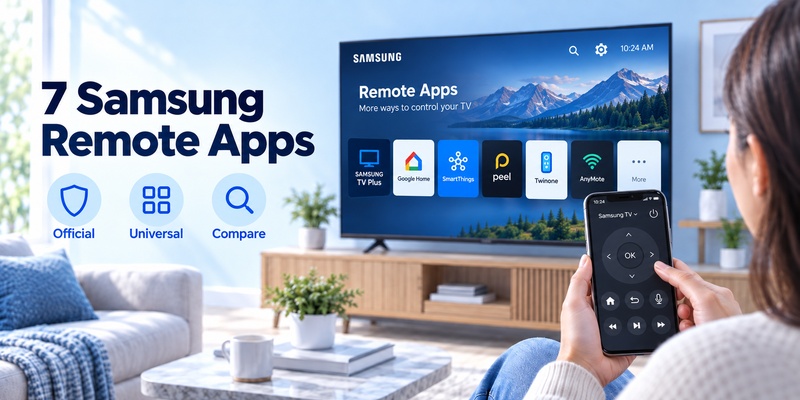
Instead of asking which application is universally “best,” match the app to your setup.
Best for most Samsung TV owners: Samsung SmartThings
If you own a compatible Samsung Smart TV and mainly need a replacement for the physical remote, SmartThings should usually be the first app you install.
It handles core TV functions while connecting directly to Samsung’s ecosystem.
Samsung says the phone remote can provide controls including volume, channels, Mute, Home, Back, Guide, navigation, apps, inputs, and other functions depending on the television.
That makes SmartThings the strongest answer for users searching for the best free samsung tv remote app.
Best universal remote: Begamob Universal TV Remote Control
Begamob is more interesting when Samsung is not the only television platform in your home.
Instead of keeping SmartThings for Samsung, another app for LG, another for Roku, and another for Fire TV, Begamob aims to provide a common control interface.
Its current listings include support for Samsung as well as LG, Roku, Sony, TCL, Fire TV, Chromecast, Philips, Panasonic, Android TV, Xiaomi, Toshiba, and other devices.
That makes Begamob one of the stronger candidates for the best universal remote app for samsung tv, especially for users who frequently switch between TV brands.
Best for universal control on iPhone: TV Remote – Universal Control
EVOLLY.APP’s universal remote is another established iPhone option.
Its App Store listing reports support for Samsung, Roku, LG, Sony, Fire TV, Android TV, Vizio, and Hisense, with automatic TV detection, a touchpad, keyboard input, channel launching, and voice search.
Best for older Samsung TVs on Android: TV Remote for Samsung TV
Some remote apps focus mainly on recent Tizen models.
TV Remote for Samsung TV takes a broader approach. Its Google Play listing claims compatibility with Samsung network-enabled models including C, D, E, F, H, J and K-series televisions, covering televisions manufactured as far back as 2010 in some cases.
This may make it useful when SmartThings or newer apps have difficulty discovering an older television.
Best dedicated Samsung-style remote: ControllaTV
ControllaTV provides a conventional button-heavy interface with channel controls, volume, input switching, playback buttons, number keys, navigation controls, and shortcuts for streaming services.
Its Android version currently shows 10M+ downloads and 236K reviews on Google Play.
Best simple Samsung remote for iPhone: Pylab
Pylab’s app is designed specifically around Samsung Smart TVs rather than a long list of manufacturers.
Its listing includes keyboard input, a precision touchpad, app launching, volume and channel controls, menu navigation, and power functions. The developer lists compatibility with Samsung Smart TVs from 2016 onward.
Best for remote control plus casting: TV Remote ∙ Universal Control
Fiision Studio combines standard remote functionality with photo and video casting.
Its App Store description lists Samsung, LG, Roku, Sony, TCL, Vizio, and other platforms, along with touchpad navigation, keyboard input, shortcuts, screen mirroring, and media casting.
💡 Discover Helpful Guides: Best Remote TV App: Top Apps for iPhone, Android & Smart TVs
Detailed Reviews of the 7 Best Samsung TV Remote Apps
1. Samsung SmartThings
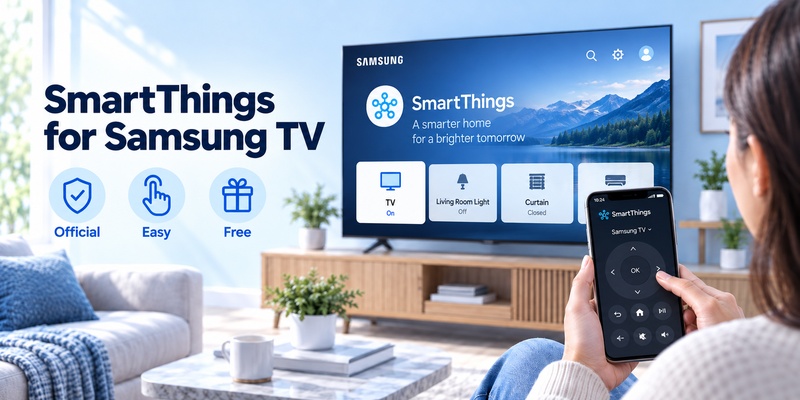
Samsung SmartThings is the obvious place to begin any best samsung tv remote app comparison.
Unlike most alternatives in this list, it is developed by Samsung Electronics.
After adding a compatible television to SmartThings, the app provides an on-screen remote that can control common functions such as channels, volume, Home, Back, Guide, settings, and navigation.
Samsung also supports content search through the phone, which can be significantly faster than entering text using directional buttons on a traditional TV remote.
Another advantage is ecosystem integration. The same application can control compatible smart lights, appliances, speakers, routines, and other SmartThings devices.
The trade-off is that SmartThings can feel like a smart-home dashboard rather than a dedicated remote. Someone who wants to open an app and immediately see a traditional remote layout may prefer a third-party alternative.
Choose SmartThings if:
- You primarily own Samsung products.
- You want an official application.
- You do not want a separate remote subscription.
- Smart-home integration matters.
- You use a recent Samsung Smart TV.
For most users asking for the best samsung smart tv remote app, SmartThings remains the logical first installation.
2. Universal TV Remote Control by Begamob
Begamob takes a different approach.
Rather than building an application exclusively around Samsung TVs, it attempts to replace multiple TV remotes with one phone app.
Its Google Play listing shows 10M+ downloads and more than 320,000 reviews, while the current U.S. App Store listing shows approximately 139,000 ratings at 4.7 stars.
The application supports common controls such as volume adjustment, channel switching, navigation, input selection, streaming-app access, and other functions depending on the connected TV.
It also supports multiple television ecosystems, which is its main advantage over a Samsung-only remote.
Imagine that your living-room TV is Samsung, the bedroom television is LG, and another room uses Roku TV. A universal interface can be more convenient than remembering which manufacturer app belongs to each screen.
Begamob’s App Store listing also promotes photo/video casting and automatic device detection over the local Wi-Fi network.
Choose Begamob if:
- You own TVs from several manufacturers.
- You prefer one remote interface.
- You want more than basic Samsung-only functionality.
- Casting and quick entertainment controls matter.
- You frequently lose or replace physical remotes.
For a household with mixed TV brands, it is one of the more practical answers to best tv remote app for samsung searches.
3. TV Remote – Universal Control by EVOLLY.APP
EVOLLY.APP has one of the most heavily rated third-party universal TV remote apps in Apple’s store.
At the time of review, the listing shows approximately 608,000 ratings and a 4.4-star score.
It supports Samsung plus Roku, LG, Sony, Fire TV, Android TV, Vizio, Hisense, and other platforms.
Features include:
- Automatic detection of TVs on the same Wi-Fi network
- Touchpad navigation
- Keyboard input
- Channel launching
- Voice search
- Volume and input controls
The main issue is monetization. The app is free to install, but the listing includes weekly, monthly, annual, and lifetime premium options.
If you only need occasional remote control, paying for advanced functions may not make sense when SmartThings already handles basic Samsung control for free.
However, users who want a polished universal interface may find the additional features worthwhile.
4. TV Remote for Samsung TV
This Android application stands out because its compatibility information explicitly covers several generations of Samsung TVs.
Its Google Play listing reports 10M+ downloads, around 194,000 reviews, and a 4.3-star rating.
The developer lists support for K-series Tizen TVs from 2016 onward as well as several network-capable C, D, E, F, H, and J-series televisions from earlier years.
That does not guarantee every old Samsung television will work. Some models require network remote-control settings or AllShare permissions to be enabled.
Still, it is worth considering if you have an older Samsung TV that does not integrate smoothly with newer remote solutions.
For someone researching the best remote control app for samsung tv specifically for an older set, checking the TV model against this app’s compatibility list may be worthwhile.
5. Remote For Samsung Smart TV by ControllaTV
ControllaTV focuses heavily on reproducing the functions of a traditional Samsung remote.
The Android listing includes controls for volume, channels, navigation, streaming apps, and other everyday functions. It currently shows more than 10 million downloads and approximately 236,000 reviews.
Its iPhone version adds controls such as:
- Power on/off on supported models
- Home and Return
- Channel number keypad
- Volume and mute
- HDMI/source switching
- Directional navigation
- Play, pause, rewind and fast-forward
- Netflix, Prime Video and YouTube shortcuts
- Multiple-TV switching
The iOS listing currently has around 12,000 ratings and a 4.3-star score.
One important limitation applies to virtually every network remote: if your TV has never been connected to Wi-Fi and you have lost the physical remote, setup can become difficult because the television may need you to approve the connection.
6. Remote for Samsung TV by Pylab
Pylab provides a simpler, Samsung-focused option for iPhone owners.
Its App Store listing currently shows around 6,100 ratings and a 4.6-star score.
The developer highlights a phone keyboard, touchpad, app launcher, volume control, channel control, power control, and menu navigation.
The application is listed as compatible with Samsung Smart TV models from 2016 and newer.
That relatively clear model requirement makes it easier to understand whether the app is worth trying.
If your main goal is simply replacing a lost Samsung remote rather than controlling several different TV brands, this type of dedicated application can provide a cleaner experience than a large universal remote platform.
7. TV Remote ∙ Universal Control by Fiision Studio
The final option combines TV controls with media features.
Its current App Store listing shows approximately 33,000 ratings with a 4.5-star score.
Along with Samsung control, the app lists compatibility with LG, Roku, Sony, TCL, Vizio, and other smart TV platforms.
Features include remote controls, automatic device discovery, keyboard input, app shortcuts, touchpad navigation, photo/video casting, and screen-mirroring functionality.
That makes it particularly relevant to users who want their remote application to double as a media-sharing tool.
If you only need volume, channels, Home, and navigation, SmartThings remains simpler. If casting is part of your normal TV routine, an app like this becomes more interesting.
📖 Read More Guides: Best Universal TV Remotes: Apps vs Physical Remotes Compared
How to Choose a Samsung TV Remote App
When choosing the best samsung tv remote app, do not make the decision based only on App Store stars.
Start with these factors.
1. Samsung-only or universal?
If every TV you own is Samsung, SmartThings or a dedicated Samsung remote makes sense.
If your home contains Samsung plus LG, Sony, Roku, Fire TV, Android TV, or other platforms, a universal solution such as Begamob can reduce the number of apps you need.
This distinction matters more than many advanced features.
2. Check the Samsung TV year
Older televisions can use different network-control technologies than recent Tizen TVs.
Some third-party applications explicitly support Samsung TVs from 2016 onward, while others also claim support for older models dating back to around 2010.
Before purchasing premium access, check your Samsung model number and the developer’s compatibility information.
3. Look for keyboard input
Searching Netflix or YouTube one letter at a time with directional buttons is frustrating.
A mobile keyboard is therefore one of the most useful advantages of a phone remote.
If you type frequently on your television, prioritize apps offering keyboard input rather than simply copying the physical remote layout.
4. Consider touchpad navigation
Touchpads let you swipe across menus instead of repeatedly tapping directional arrows.
This can make navigating streaming apps and TV interfaces significantly faster.
5. Check universal-device support
A good best remote app for samsung smart tv candidate may be less useful if it cannot control your other televisions.
Universal support becomes especially important in households with several brands.
6. Understand free versus premium
“Free download” does not necessarily mean every feature is free.
Many third-party remote apps use advertising, subscriptions, lifetime purchases, or feature restrictions.
SmartThings is therefore particularly attractive for users who only need standard Samsung controls.
7. Check privacy and permissions
Remote apps may request local-network permission because they need to discover your TV.
Other permissions may be required for casting, photos, Bluetooth, voice control, analytics, or advertising.
Review the privacy information shown in the App Store or Google Play before granting permissions you do not understand.
📘 Find the Right Guide: Best Remote App for Samsung TV: 7 Apps Compared
Samsung TV Remote App Compatibility and Setup
Can Samsung TVs really be controlled from a phone?
Yes.
Samsung specifically documents phone-based remote control through SmartThings.
Once the television is added, Samsung says users can access an on-screen remote with controls that vary by device.
So if you are asking can i control my samsung smart tv with my phone, the answer is yes, provided your TV supports the feature and is properly connected.
The same applies if you are wondering can you use your phone as a samsung tv remote: compatible Samsung TVs can be controlled from Android phones and iPhones using SmartThings or supported third-party remote applications.
How to use your phone as a Samsung TV remote with SmartThings
If you are researching how to use phone as remote for samsung tv, the basic SmartThings process is straightforward:
- Turn on your Samsung TV.
- Connect the television and phone to the same Wi-Fi network during initial setup.
- Install and open SmartThings.
- Sign in to your Samsung account.
- Open the Devices section.
- Select Add Device.
- Choose Samsung and then TV, or scan for nearby devices.
- Select your television.
- Approve the connection or enter the PIN if requested.
- Open the TV device card and choose the remote control.
Samsung documents a similar process and notes that some televisions manufactured before 2020 may require a PIN during connection.
Once connected, the available controls may include volume, channels, Home, Back, Guide, settings, apps, navigation, and content search.
Using a Samsung phone as a remote
There is no special requirement that the phone itself must be made by Samsung.
However, using samsung phone as remote for samsung tv can offer additional convenience because SmartThings is closely integrated into the Galaxy ecosystem.
Samsung’s newer Quick Remote features can surface remote controls more quickly on supported devices. Compatibility varies by TV year and phone operating system. Samsung notes, for example, that certain Quick Remote features work with 2020-and-newer TVs on supported Android devices, while access to newer Smart TV features varies by model and OS.
For select 2025 Samsung TVs and monitors, Samsung also documents Mobile Remote support with Android 11 or later and iOS 16 or later.
These requirements apply to specific newer remote experiences rather than every SmartThings-compatible television.
Why can’t my phone find my Samsung TV?
Check the following first:
Same network: Your TV and phone should normally be connected to the same home network for initial discovery.
TV power: Keep the television turned on while pairing.
Connection approval: Look for a permission or pairing message on the TV.
App updates: Install the latest SmartThings or remote-app version.
TV firmware: Check Samsung TV software updates.
Router isolation: Some guest networks prevent devices from communicating with one another.
VPNs: Temporarily disabling a phone VPN may help local device discovery.
Old TV compatibility: Older Samsung models may require specific network-control settings.
Samsung recommends checking phone software, the SmartThings version, and TV firmware if adding a television fails.
Frequently Asked Questions
Is there a Samsung TV remote app?
Yes. If you are asking is there a samsung tv remote app, Samsung’s official solution is SmartThings.
It can turn a compatible Android phone or iPhone into a Samsung TV remote and provides controls such as volume, channels, navigation, Home, Back, Guide, apps, and inputs depending on the model.
Third-party Samsung and universal remote apps are also available.
What is the best Samsung TV remote app overall?
For most Samsung-only users, the best samsung tv remote app is SmartThings because it is Samsung’s official application and integrates directly with compatible Samsung TVs.
For multi-brand households, Begamob Universal TV Remote Control is a stronger option because one application can control Samsung and many other TV platforms.
What is the best free Samsung TV remote app?
SmartThings is the easiest recommendation for users who want normal Samsung remote functions without paying for a separate remote-control subscription.
Many third-party applications are free to install but include advertising or premium purchases.
Can an iPhone control a Samsung TV?
Yes.
SmartThings is available for iPhone, and multiple third-party remote apps also support Samsung TVs from iOS.
Samsung documents iPhone support for its mobile remote features, although exact functionality depends on TV model, TV year, iOS version, and SmartThings version.
Can an Android phone control a Samsung TV?
Yes.
Android users can use SmartThings as well as various third-party applications.
SmartThings currently has more than one billion Google Play downloads and is Samsung’s official smart-home and device-control application.
Does my phone need an infrared blaster?
Usually not for modern Samsung Smart TVs.
SmartThings and most applications in this comparison communicate with compatible televisions through the network rather than infrared.
Some Android apps can additionally use an IR blaster when the phone includes one, which may be helpful for older TVs.
Do the phone and Samsung TV need to use the same Wi-Fi?
For most third-party local-network remote apps, yes.
Samsung also instructs users to connect the phone and TV to the same Wi-Fi network when initially adding a television to SmartThings.
Once SmartThings is configured, some Samsung cloud-connected controls may work beyond the immediate room or local connection depending on the device and feature.
Can I turn on a Samsung TV from my phone?
Often, but not universally.
Power-on functionality depends on TV model, network standby behavior, app support, and configuration.
Do not assume every Samsung TV can be powered on remotely simply because volume and navigation work after the TV is already running.
What is the best Samsung remote app for typing?
Look for an app with phone keyboard support.
SmartThings supports mobile content search, while several third-party options including Pylab, EVOLLY, and other universal remote apps advertise keyboard input.
Typing from a smartphone is generally much faster than selecting letters individually with a TV remote.
Which app is best if I own several TV brands?
A universal remote tv app is usually the more practical approach.
Begamob Universal TV Remote Control supports Samsung and numerous other ecosystems, including LG, Sony, Roku, TCL, Fire TV, Chromecast, Philips, Panasonic, Android TV, Xiaomi, and Toshiba according to its current store listing.
That makes it particularly useful if you want one familiar interface across multiple rooms.
Is Begamob an official Samsung app?
No.
Universal TV Remote Control by Begamob is a third-party universal remote application, not an official Samsung product.
Samsung SmartThings is the official Samsung solution.
The difference does not automatically make a third-party app unsuitable. It simply means compatibility, subscriptions, privacy practices, and feature support are managed independently from Samsung.
Which is better: SmartThings or Begamob?
Choose SmartThings if you mainly use a Samsung TV and want Samsung’s official, free ecosystem.
Choose Begamob Universal TV Remote Control if you want one application that can control Samsung alongside several other TV brands and streaming platforms.
Neither approach fits every household.
Final Takeaway
The best samsung tv remote app should make controlling your television easier than reaching for the physical remote.
For most Samsung owners, start with SmartThings. It is official, widely supported, free for standard controls, and deeply connected to Samsung TVs and the wider SmartThings ecosystem.
For households with multiple television brands, consider Begamob Universal TV Remote Control. Its broader platform support makes it easier to use one phone as a remote across Samsung, LG, Roku, Sony, TCL, Fire TV, Android TV, and other devices.
Other apps such as EVOLLY’s TV Remote, ControllaTV, Pylab’s Samsung remote, and dedicated Android Samsung controllers can be useful when you prefer a different interface, need support for an older TV, want casting features, or simply want a second remote option.
The simplest rule is this: choose SmartThings for Samsung-first control, and choose a universal remote when your home goes beyond Samsung.
