
Download Remote for Vizio TV: Complete Setup Guide
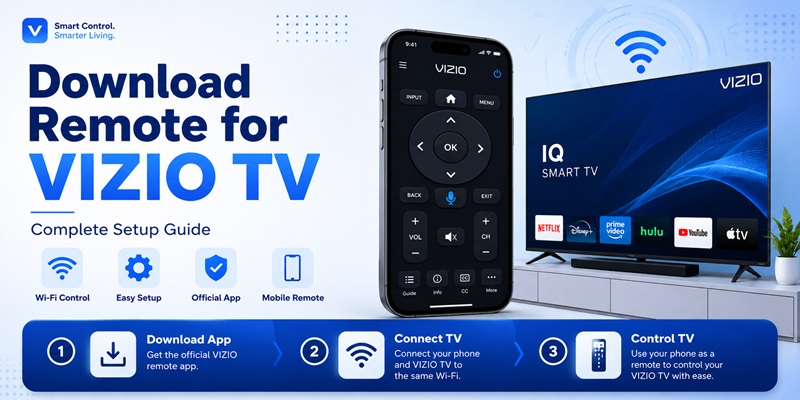
Losing a television remote can interrupt almost everything you normally do with your TV. You may still be able to press a physical power button, but changing the input, opening streaming apps, lowering the volume, or typing a Wi-Fi password becomes much harder. The fastest solution for many smart models is to download remote for vizio tv and use a compatible phone as the controller.
The official VIZIO mobile experience currently combines device control with WatchFree+ streaming. VIZIO says the mobile app can control compatible televisions and soundbars, browse content, launch apps, and pair with a TV by entering the four-digit code shown on the screen. The phone and TV generally need to be connected to the same Wi-Fi network during setup.
However, the decision to download remote for vizio tv should begin with the television model. The phrase download remote for vizio tv describes the goal, but the model number determines which app can actually work. Newer VIZIO OS and SmartCast televisions are the best candidates for Wi-Fi control. Older or non-smart models may need an infrared remote, a compatible physical replacement, or a universal remote programmed with the correct code.
This guide explains where to download remote for vizio tv, how to identify the official app, how to pair the phone, which controls should work, and what to do when the television cannot be found. It turns the download remote for vizio tv search into a clear setup process. It also compares official, universal, and third-party options so you can avoid downloading an app that does not match your TV.
1. What Does Download Remote for Vizio TV Mean?
When people search download remote for vizio tv, they are usually looking for a mobile application that reproduces the buttons of a physical controller. A compatible app can place power, volume, mute, navigation, playback, input, channel, keyboard, and app-launch controls on a smartphone screen.
A phone remote can communicate with a television in two main ways. The first is network control. The phone and television exchange commands through the home Wi-Fi network. This method is used by the official VIZIO mobile app and is the most useful choice for recent VIZIO smart televisions.
The second method is infrared control. An Android phone with an IR blaster may send signals directly to some older TVs, similar to a traditional handheld remote. Most iPhones and many current Android phones do not contain an IR transmitter, so installing software alone does not add this capability.
Before you download remote for vizio tv, check the rear model label and open the TV’s system information if possible. Determine whether the television has VIZIO Home, VIZIO OS, SmartCast, Wi-Fi, and mobile-app pairing. This prevents a common mistake: installing several remote apps for a television that only accepts infrared commands.
The goal is not merely to download remote for vizio tv. The goal is to select a controller that uses the communication method supported by the television and the phone. A careful download remote for vizio tv decision saves time because it prevents repeated installs of incompatible apps.
2. Can a VIZIO TV Remote App Work with Every Model?
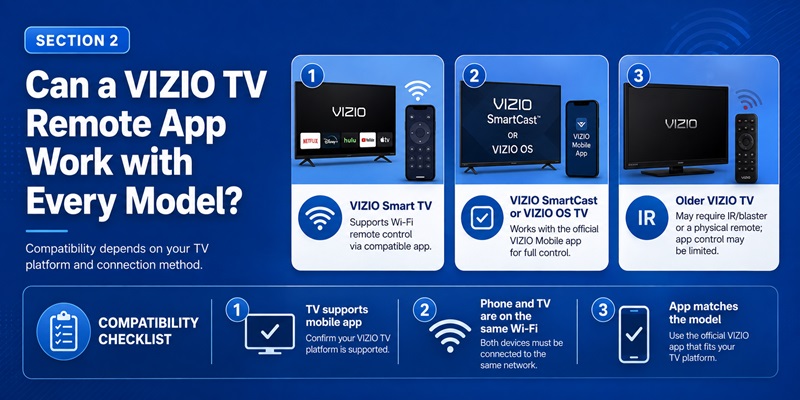
A common question is whether a phone remote can control every television made by the brand. You can install an app on most modern smartphones, but the app will not necessarily control every VIZIO model.
Recent VIZIO smart televisions are more likely to support network pairing. VIZIO promotes its mobile app as a way to control compatible TVs and soundbars from a phone. Its support instructions describe selecting the TV in the device list and completing the pairing process.
Older VIZIO televisions may not include SmartCast, VIZIO OS, Wi-Fi control, or mobile discovery. If the original remote only worked when pointed at the television, the TV may rely primarily on infrared. In that situation, the ability to download remote for vizio tv depends on whether the phone has an IR blaster and whether an app includes the correct command profile.
Compatibility is more likely when:
- The television is connected to the home network.
- VIZIO Home, VIZIO OS, or SmartCast is available.
- Mobile control is supported by the TV.
- The phone and TV are connected to the same Wi-Fi.
- A four-digit pairing code appears on the TV.
- The app has local-network permission.
Compatibility is less likely when the TV is a basic non-smart model, has never been connected to Wi-Fi, is stuck on an initial setup screen, or uses an unsupported legacy protocol.
Therefore, the answer to can you download a vizio tv remote is yes, but downloading and controlling are separate steps. A successful download remote for vizio tv setup requires a compatible app, television, phone, and network.
If you have the model number, compare it with VIZIO support information before installing several apps. This is especially important when a third-party listing claims to support “all VIZIO TVs,” because real feature support can vary by model year and platform.
Treat download remote for vizio tv as a compatibility task, not simply a search-and-install task.
3. What Is the Official VIZIO Mobile App?
The safest place to begin a download remote for vizio tv search is VIZIO’s own mobile application. On current US store listings, the official app appears as VIZIO | WatchFree+. VIZIO’s website and support pages also refer to it as the VIZIO Mobile app.
The official app combines television control with content discovery and WatchFree+ streaming. VIZIO states that users can control compatible devices, browse apps, find entertainment, and stream free live channels from the mobile experience. The official Apple and Google Play listings identify VIZIO as the publisher.
The exact interface and available buttons may change with app and TV updates. Current iOS release information has also described lock-screen controls for playback, volume, and closed captions.
When you download remote for vizio tv from an app store, check the publisher before tapping Install or Get. Similar names such as Vizio Remote, SmartCast Remote, or Universal Remote for Vizio may belong to independent developers.
An independent app is not automatically unsafe, but it should not be confused with the official VIZIO product. Read its subscription terms, privacy information, compatibility notes, and developer identity.
For most supported TVs, the official app is the best first option because the pairing instructions and device features are designed around VIZIO’s platform. A third-party Remote TV App is better treated as an alternative when the official application is unavailable, incompatible, or missing a specific interface you need.
For most owners, download remote for vizio tv should begin with the official store listing.
Get the App Now4. How to Download the VIZIO TV Remote App on iPhone and Android
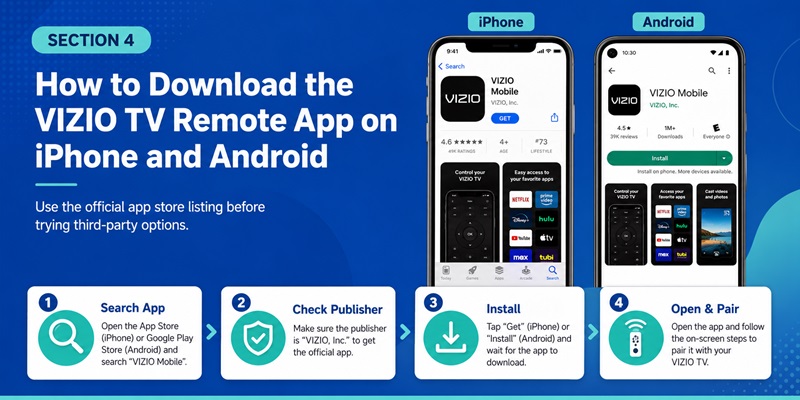
The process to download remote for vizio tv is straightforward when you use an official app store. Avoid advertisements that lead to unknown APK pages, browser extensions, configuration profiles, or unrelated download managers.
Download on iPhone or iPad
Follow these steps:
- Open the Apple App Store.
- Search for “VIZIO” or “VIZIO WatchFree+.”
- Open the listing published by VIZIO.
- Review the supported operating-system version, privacy details, and in-app features.
- Tap Get.
- Confirm the installation using Face ID, Touch ID, or your Apple Account password.
- Open the app and allow local-network access when it needs to discover the TV.
The official App Store listing says the application can control VIZIO devices and access WatchFree+ content.
Download on Android
Follow this process:
- Open Google Play.
- Search for “VIZIO WatchFree+” or “VIZIO Mobile.”
- Verify that the developer is VIZIO.
- Review the permissions, data-safety information, and recent update details.
- Tap Install.
- Open the application.
- Sign in or follow the initial setup prompts.
- Allow nearby-device or network access when required.
The official Google Play listing uses the package name associated with VIZIO’s mobile launcher and describes both VIZIO device control and WatchFree+ streaming.
A search for vizio tv remote app free download can produce many alternatives. The official application is free to install, but content, account, advertising, or data-use conditions may still apply. Always inspect the store page rather than relying only on the word “free.”
After you download remote for vizio tv, do not delete the physical controller immediately. You may need it to connect the television to Wi-Fi, approve pairing, open settings, or recover from a network change.
The safest download remote for vizio tv workflow keeps the original controller available until pairing has been fully tested.
5. How to Pair Your Phone with a VIZIO TV Step by Step
After you download remote for vizio tv, the application must discover and pair with the television. VIZIO says the mobile app uses the home Wi-Fi network to find compatible devices.
Its current mobile page instructs users to put the phone and TV on the same network, select the television, and enter the four-digit code displayed on the TV.
Step 1: Turn On and Connect the TV
Turn on the television using the original remote or the physical power button. Confirm that it is connected to your normal home Wi-Fi.
Do not use an isolated guest network unless you know it allows devices to communicate with one another.
Step 2: Connect the Phone to the Same Network
Open the phone’s Wi-Fi settings and join the exact same network. A phone using mobile data or another router may not detect the TV.
Having internet access on both devices is not always enough. The phone and television must be able to communicate through the local network.
Step 3: Open the Official VIZIO App
Launch the application and find the device selector. Depending on the current interface, this may appear as a TV name, device icon, drop-down menu, or Add Device option.
Step 4: Select the Television
Tap the matching TV. If several VIZIO devices appear, compare the name shown in the TV’s network or device settings.
You may want to rename multiple TVs as Living Room TV, Bedroom TV, or Office TV to prevent selecting the wrong device later.
Step 5: Enter the Pairing Code
A four-digit code should appear on the television. Enter it in the mobile app to confirm that you are pairing with the correct screen.
If the code expires, restart the pairing process and enter the newly displayed code.
Step 6: Test the Remote
After pairing, test:
- Directional navigation
- Volume and mute
- Playback controls
- Home and back
- Input selection
- Power or standby
- App launching
Do not assume the setup is complete because one button works. Some features can depend on the model and current TV settings.
This pairing stage is where many users think the download remote for vizio tv process has failed. Usually, the problem is a network mismatch, missing local-network permission, an expired code, or the television being in a standby state that disables discovery.
Repeating the download remote for vizio tv process is less useful than checking these connection conditions first.
6. How to Use the VIZIO Mobile App as a Remote
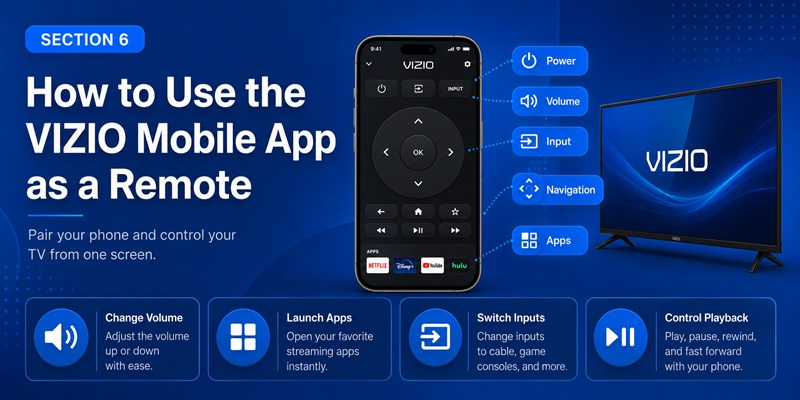
Once pairing is complete, the download remote for vizio tv process should give you an on-screen control panel. VIZIO’s support page instructs users to select the device name and follow the prompts to pair and use the mobile application as a remote.
Depending on the television and app version, you may be able to control:
- Power and standby
- Volume
- Mute
- Directional navigation
- Playback
- Home and back
- Input selection
- App launching
- Search
- Selected television settings
Some controls depend on the TV model and current app version. A soundbar may show audio modes and equalizer settings, while a television may emphasize navigation and content discovery. VIZIO’s mobile-control pages also describe device personalization and soundbar configuration.
The mobile keyboard may also make it easier to enter search terms, usernames, or Wi-Fi passwords. Whether the keyboard works depends on the screen and application currently open on the TV.
Keep in mind that download remote for vizio tv does not mean the phone will work from anywhere. Normal remote commands depend on local connectivity and the television being reachable.
WatchFree+ streaming on the phone is a different feature from controlling the TV. You may be able to watch mobile content away from home, but that does not mean every remote button will control a television on another network.
Use the app as a convenient primary or backup controller, but keep another way to turn on the TV and restore Wi-Fi access. A successful download remote for vizio tv setup should improve convenience without removing your backup options.
7. Official VIZIO App vs Universal and Third-Party Remote Apps
Users may choose to download universal remote for vizio tv when they want one interface for several television brands. A universal app can be convenient, but it may provide only basic controls or require a subscription for premium features.
Why Start with the Official VIZIO App?
The official VIZIO app is usually the first choice because:
- It is published by VIZIO.
- It follows VIZIO’s pairing process.
- It integrates control with VIZIO content and settings.
- Official support documentation is available.
- Updates are designed around VIZIO products.
- The app can recognize compatible VIZIO TVs and soundbars.
When Can a Third-Party App Be Useful?
A third-party Remote TV App may be useful when:
- You prefer a different button layout.
- You want a watch companion or widget.
- You control several television brands.
- The official app is unavailable in your region.
- A legacy model works with a particular IR database.
- You need a simplified remote-only interface.
Before choosing a third-party option to download remote for vizio tv, check whether it uses Wi-Fi, Wi-Fi Direct, LAN, or infrared.
Some store listings state that network control works mainly with SmartCast TVs from certain model years, while other apps require an IR blaster. Those are developer claims and should be tested against your exact television.
Also check the payment model. A vizio tv remote app free download may include advertising, limited controls, a trial, or an automatically renewing subscription. “Free to install” does not always mean “free to use without limits.”
Read the price shown on the final confirmation screen before starting a trial. Also check how to cancel the subscription through the App Store or Google Play.
If you download universal remote for vizio tv, keep the official app installed until the alternative has passed a full test. Verify power, volume, input, navigation, playback, and reconnection after the TV wakes from standby.
Compare every download remote for vizio tv option by actual controls rather than by marketing claims.
Get the App Now8. How to Fix a Downloaded VIZIO Remote That Does Not Work
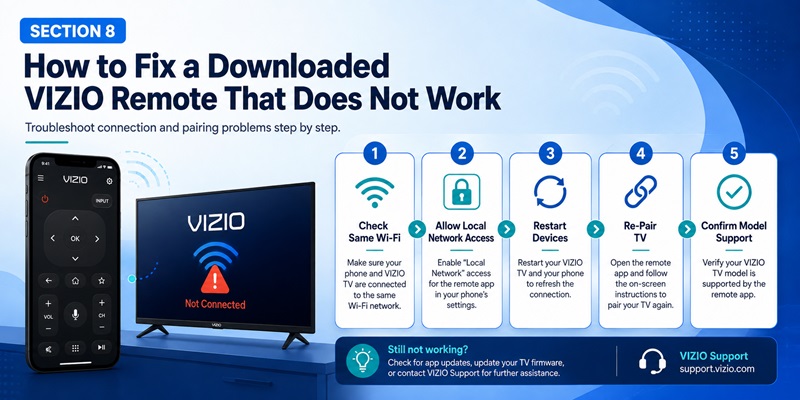
If you download remote for vizio tv but the phone cannot find or control the television, begin with the network rather than installing more apps.
Confirm the Same Wi-Fi Network
Check the network name on both devices. Avoid guest Wi-Fi and disable router settings that isolate wireless clients.
If the router separates 2.4 GHz and 5 GHz devices, make sure devices on the two bands are still allowed to communicate locally.
Check Local-Network Permission
On iPhone:
- Open Settings.
- Select Apps.
- Choose the VIZIO mobile app.
- Enable Local Network.
VIZIO’s current FAQ specifically directs Apple users to this setting when local discovery is affected.
On Android, open the app permissions and allow nearby devices, network discovery, or other required access. Menu names vary by phone manufacturer and Android version.
Restart the Equipment
Close the app, restart the phone, power-cycle the television, and restart the router. Wait for the TV to reconnect before scanning again.
Update the App and Television
Install the latest app-store update and check the TV for system updates. An outdated app or television service may interrupt discovery or pairing.
Remove and Pair Again
Delete the saved device from the app if possible. Start a new scan, select the correct TV, and enter a newly generated four-digit code.
Disable VPN or Private Network Tools Temporarily
A VPN, firewall, private DNS configuration, or security app may block local discovery. Turn it off only long enough to test the connection, then restore your normal protection.
Check the TV’s Power Mode
Some televisions reduce network activity in an energy-saving or deep standby mode. The app may work after the TV has been turned on physically but may be unable to wake it from a fully disconnected state.
Confirm Model Support
If these steps fail, confirm that the model actually supports VIZIO mobile control. Download remote for vizio tv cannot add network support to a television that was designed only for infrared commands.
In that case, another download remote for vizio tv attempt will not solve the underlying hardware limitation.
9. What to Do When Your VIZIO TV Is Offline or Unsupported
A Wi-Fi remote app cannot discover a television that is no longer connected to the network. This creates a common problem: you need the app to control the TV, but you need a working controller to reconnect the TV.
Try the physical buttons on the television first. Depending on the model, a button may provide:
- Power
- Volume
- Input selection
- Basic menu navigation
- A small on-screen control panel
Connect the TV to the router with Ethernet when the model has a compatible port. Once the TV is online, repeat the download remote for vizio tv pairing process.
You can also consider:
- A replacement VIZIO remote
- A physical universal remote
- An IR-capable Android phone
- A compatible streaming-device remote
- HDMI-CEC control
- A USB keyboard for limited navigation
VIZIO’s support site recommends its mobile app as an alternative when the original remote is missing. It also provides information about replacement remotes and universal remote codes.
If you need to download tv remote for vizio because the original controller is permanently damaged, consider keeping both a mobile app and a low-cost physical remote.
The physical controller is especially useful during:
- Factory resets
- Wi-Fi changes
- App outages
- Router problems
- Phone battery loss
- Initial TV setup
- Local-network permission problems
A phone app is most reliable as part of a backup plan rather than the only way to access the television. This makes download remote for vizio tv one part of a broader control strategy.
10. Frequently Asked Questions and the Best Remote Option
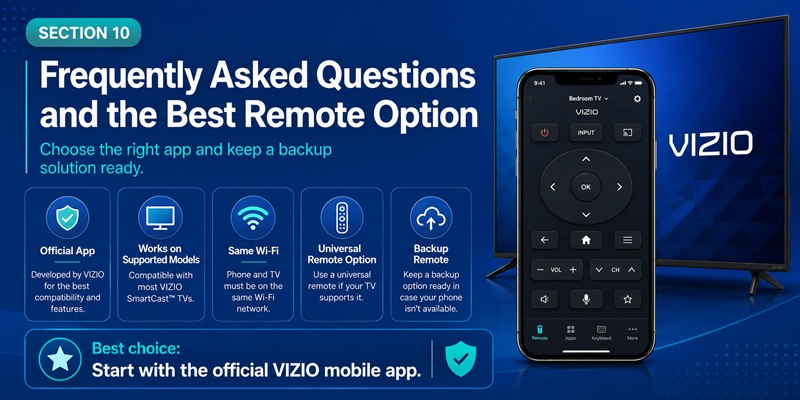
Can a VIZIO Remote Be Installed on a Phone?
Yes. The official VIZIO mobile app is available for supported iPhone, iPad, and Android devices. It can pair with compatible VIZIO televisions through the home network.
Is the Official VIZIO Remote App Free?
The official app is free to install. Review the current store listing for account, content, advertising, privacy, and regional availability details.
Why Can’t the App Find My TV?
The devices may be on different networks, local-network permission may be disabled, the TV may be offline, or the model may not support mobile control.
Restart the phone, television, app, and router before repeating the pairing process.
Can I Use the App Without Wi-Fi?
The official network remote generally requires local-network connectivity. An infrared third-party app may work without Wi-Fi, but only when the phone has an IR blaster and the app supports the TV.
Can the App Turn On a VIZIO TV?
It may power on compatible televisions that remain reachable in standby. Deep standby, disabled network wake, or an offline TV can prevent this function.
Does the App Work with Soundbars?
The official VIZIO mobile app supports compatible VIZIO televisions and soundbars. Available sound controls and settings depend on the connected model.
Should I Use a Universal Remote App?
A universal app may be useful for several brands, but test compatibility and subscription terms carefully. The official VIZIO app remains the preferred starting point for a supported VIZIO television.
Is It Safe to Download a VIZIO Remote APK?
Installing from Google Play or the Apple App Store is the safer default. Avoid unknown APK sites, modified versions, and files that require you to disable device protection.
Can I Control More Than One VIZIO TV?
Compatible devices can be selected through the app’s device menu. Give each television a clear name to make switching between rooms easier.
What Is the Best Way to Download Remote for Vizio TV?
Start with the official VIZIO | WatchFree+ listing published by VIZIO. Connect the phone and television to the same Wi-Fi network, select the TV, enter the four-digit pairing code, and test every important control.
The best download remote for vizio tv choice is the one that matches the model and connection method. A good download remote for vizio tv result should connect consistently, expose the controls you need, and avoid unnecessary payments.
For a recent VIZIO OS or SmartCast television, use the official mobile app first. For an older infrared-only television, use a compatible physical remote or an IR-capable phone. For multiple brands, test a reputable universal controller without deleting the official app.
By following this process, you can download remote for vizio tv safely, avoid misleading app listings, and keep a reliable backup ready whenever the physical controller is unavailable.
The right download remote for vizio tv choice can then serve as a dependable everyday controller.
Get the App Now