
Download Remote TV Toshiba: How to Control Toshiba TV With Your Phone
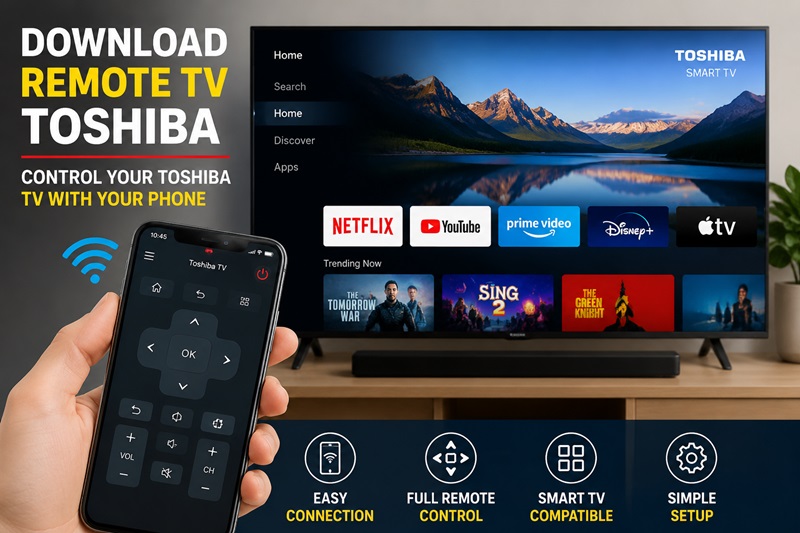
Short answer: Yes. If you have a compatible Toshiba Smart TV, you can download a Toshiba TV remote app and use your phone for everyday controls such as navigation, volume, channel selection, and text input.
For most network-based remote apps, the easiest setup is to connect your phone and Toshiba TV to the same Wi-Fi network, open the remote app, select your TV, and complete any pairing request shown on the television.
Some Toshiba models even include a Mobile App Download option directly in the TV settings. Toshiba documentation shows this under Settings > Connection on supported models, although availability varies by model, country, and region.
If you want one convenient controller on your phone, the Remote TV App by Begamob is another option to try with compatible Toshiba TVs
What You Need to Know Before Downloading a Toshiba TV Remote App
Before starting a download remote tv toshiba process, you should understand that Toshiba televisions do not all use the same operating system or remote technology.
Over the years, Toshiba has produced different TV categories. Some models are powered by Amazon Fire TV, while others use Smart TV platforms or Android-based systems. Because of these differences, the remote solution that works for one Toshiba TV may not work for another.
Many users download the first Toshiba remote application they find and expect it to connect immediately. However, compatibility is the most important factor. A successful setup depends on whether your TV supports Wi-Fi control, infrared signals, or universal remote programming.
Does Toshiba Have a Remote App?
Many people search does toshiba have a remote app because they expect Toshiba to provide one universal application for every television model.
The reality is that Toshiba does not have one single remote solution that works with every TV. Different Toshiba televisions use different systems, and each system may require its own compatible controller.
For example, Toshiba Fire TV models are closely connected with Amazon’s ecosystem and usually work best with Fire TV remote solutions. Meanwhile, Toshiba Smart TV models may require a different type of remote application depending on the platform and region.
Before choosing a download remote tv toshiba option, check your TV model number and operating system. This simple step prevents many connection problems later.
Is There an App for Toshiba TV Remote?
The question is there an app for toshiba tv remote is common among users who have lost their physical controller.
Yes, there are applications that can control many Toshiba televisions, but the available options depend on your device. Some apps are designed for Toshiba-compatible Smart TVs, while others are universal remote applications that support multiple brands.
A compatible app can usually replace basic remote functions such as:
- Turning the TV on and off.
- Adjusting volume.
- Changing inputs.
- Navigating menus.
For smart televisions, some applications may also provide additional features such as keyboard typing and faster content searching.
However, a remote application cannot automatically control every Toshiba TV. Older models without smart features may require infrared support or a universal remote instead.
How Does a Toshiba TV Remote App Work?
A Toshiba TV remote application works by sending commands from your smartphone to your television. Instead of pressing physical buttons, you interact with a digital remote interface displayed on your phone.
Modern Toshiba Smart TVs usually use network-based control. In this case, your smartphone and television communicate through the same Wi-Fi connection.
The connection works like this:
Smartphone → Wi-Fi Network → Toshiba TV
This method allows more advanced control because the phone can provide features that traditional remotes cannot, such as easier text input and faster navigation.
For older Toshiba televisions, infrared technology may be a better option. Some Android smartphones include an IR transmitter that can send remote commands directly to the TV without requiring Wi-Fi.
Wi-Fi Remote and Infrared Remote Technology
When choosing a download remote tv toshiba solution, understanding the difference between Wi-Fi and infrared control is important.
Wi-Fi remote applications are mainly designed for Toshiba Smart TV, Fire TV, and Android-based models. They allow users to control the television through their home network, meaning the phone does not need to point directly at the TV.
This makes Wi-Fi remotes more convenient for daily use because you can navigate menus, search content, and control smart applications naturally.
Infrared remote applications work differently. They send signals directly from the phone to the television’s infrared receiver, similar to how a traditional remote works.
The advantage of infrared is that it does not require internet or Wi-Fi. However, only some Android phones include IR hardware, and most modern smartphones no longer support this feature.
For users searching for toshiba tv remote app download, checking whether their phone supports infrared or Wi-Fi control is an important step.
Toshiba TV Remote Functions You Can Control
The available functions depend on your Toshiba TV model and the application you choose. However, most compatible remote solutions provide the essential controls needed for everyday viewing.
| Function | Availability |
| Power On/Off | Usually available |
| Volume Control | Available |
| Channel Switching | Usually available |
| Input Selection | Available on many models |
| Menu Navigation | Depends on TV platform |
| Keyboard Input | Available on some Smart TVs |
| App Navigation | Depends on model |
These toshiba tv remote functions make smartphone applications useful when the original remote is lost or unavailable.
A basic remote app may only provide simple controls, while a Smart TV-compatible application can offer a more complete replacement experience.
Control your Toshiba Smart TV directly from your smartphone. Enjoy quick setup, smooth navigation, volume control, channel switching, and media playback without needing the original remote.
Where to Download Toshiba TV Remote App Safely
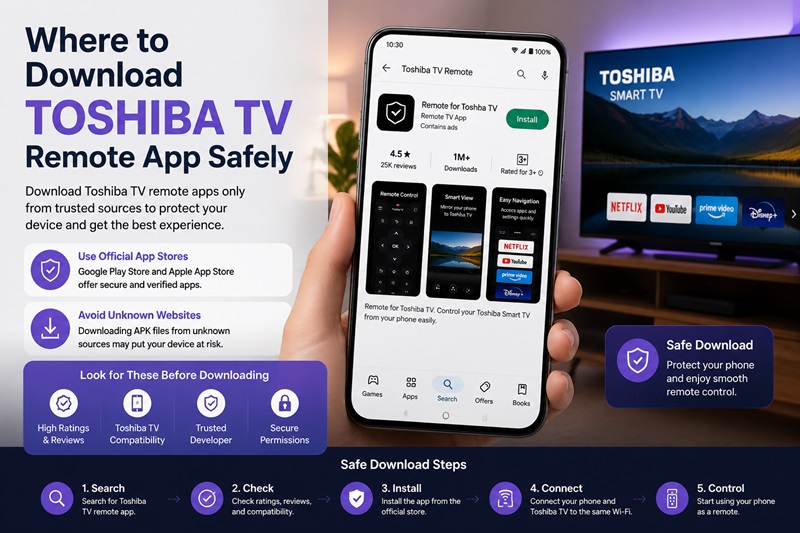
Finding a reliable download remote tv toshiba source is just as important as choosing the correct application.
Many users search for free remote applications or APK files because they want a quick replacement. However, downloading from unknown websites can create problems such as poor compatibility, excessive advertisements, or unsafe software.
The safest approach is to use trusted application stores and verify that the app supports your Toshiba TV model.
Download Toshiba TV Remote App From Official Stores
Users who want to download toshiba tv remote control should start with official platforms such as Google Play Store or Apple App Store.
Before installing an application, review:
- Supported TV brands.
- User feedback.
- Developer information.
- Required permissions.
A good remote application should clearly explain how it connects to Toshiba televisions and what features it provides.
Some universal remote apps support hundreds of TV brands, but Toshiba compatibility can vary between models. Reading recent reviews is often helpful because users with similar devices may share their experience.
Toshiba TV Remote Free Download Options
Many users search for toshiba tv remote free download because they want a replacement without purchasing new hardware.
Free remote applications are often enough for basic tasks such as changing volume, switching channels, or navigating simple menus.
Premium versions may provide additional features, including:
- Removing advertisements.
- Keyboard support.
- Multiple saved devices.
- Advanced smart TV controls.
A free application can be a practical temporary solution, but users should still verify compatibility before relying on it as a permanent remote.
Download Toshiba Remote Control Applications
Searches for download toshiba remote and download toshiba remote control usually lead to two types of solutions.
The first type is Toshiba-compatible applications designed for specific TV platforms. The second type is universal remote software that supports multiple television brands.
Universal applications are useful for households with several TVs because one phone can control different devices. However, they may require additional setup because the application needs to identify the correct remote profile.
Toshiba Smart TV Remote App Download
The keyword toshiba smart tv remote app download is commonly searched by users with connected Toshiba televisions.
Before installing an application, check whether your TV supports:
- Smart TV features.
- Wi-Fi connection.
- Mobile remote control.
- The required operating system.
Most Smart TV remote applications require your phone and television to be connected to the same network.
How to Download a Toshiba TV Remote App
If you are searching for download remote TV Toshiba, avoid installing several similarly named apps before checking what your TV supports.
A better process is:
1. Identify Your Toshiba TV
Look at:
Settings > System / Support > About
or check the label on the back of the television.
Record the full model number instead of relying only on the screen size. Two Toshiba 55-inch televisions can run different software and require different remote-control methods.
2. Check the TV for a Mobile App Option
On some supported Toshiba TVs, the menu includes:
Settings > Connection > Mobile App Download
Toshiba’s operating instructions state that supported models can display a QR code that directs users to the appropriate mobile application.
Menu names can vary between models. Another Toshiba manual, for example, places the mobile app option under Support rather than Connection.
Therefore, if you cannot find the exact path above, search your TV’s settings for terms such as:
- Mobile App
- Mobile Device Connection
- Device Management
- Connection
- Content Sharing
3. Download the Remote App
Install the appropriate remote-control app on your phone.
If you prefer a universal option for everyday TV control, you can also try the Remote TV App by Begamob with a compatible Toshiba television.
4. Keep the TV On During First Setup
Do not switch the television off before completing the first connection.
Many remote apps need to discover the TV over the local network and may require confirmation on the television screen. Completing that process is much easier while you still have access through your existing remote or the physical TV controls.
3. How to Connect a Remote App to Toshiba TV
Once you have installed a compatible app, connection is usually straightforward.
Step 1: Connect the TV to Wi-Fi
Make sure your Toshiba TV is connected to your home network.
Step 2: Connect Your Phone to the Same Network
Your phone and television should normally be on the same local Wi-Fi network.
For supported Toshiba mobile control features, Toshiba specifically instructs users to keep the mobile device and TV in the same network environment.
Step 3: Enable Mobile Device Access if Required
Some models require Content Sharing or another mobile-device connection feature to be enabled.
For example, Toshiba documentation describes a route similar to:
Settings > Connection > Mobile Device Connection > Content Sharing
The exact menu can differ by software version and model.
Step 4: Open the Remote App
Launch your Toshiba-compatible remote app and allow it to search for devices.
Step 5: Select Your Toshiba TV
Your television may appear using:
- Its model name
- A custom device name
- A room name
- A network device name
Select the correct television.
If you have several smart TVs on the same network, confirm which screen responds before continuing.
Step 6: Complete Pairing
Follow any authorization or pairing message displayed on the television.
Do not confuse an on-screen pairing request with a universal remote programming code. Network app pairing and physical universal remote programming are different processes.
Step 7: Test the Main Controls
Once connected, test:
- Home
- Direction controls
- OK / Select
- Back
- Volume
- Mute
- Channel controls
- Play / Pause
Test actual commands instead of assuming that device discovery alone means setup is complete.
Which Toshiba TVs Work With Remote Apps?
Compatibility depends more on the television’s platform and network-control support than simply having the Toshiba logo.
Toshiba Smart TVs With Mobile App Support
Some Toshiba Smart TVs include built-in mobile application support.
Toshiba documentation for supported models allows users to install a mobile app and use functions including TV power, volume adjustment, channel switching and mobile keyboard input.
However, Toshiba repeatedly notes that some features may not be available in every model, country, or region.
Toshiba Android or Google TV Models
If your television uses an Android TV or Google TV interface, remote-control availability can depend on the platform, TV software and the app you choose.
Always confirm the exact TV before following instructions written for another Toshiba operating system.
Toshiba Fire TV Models
Some Toshiba televisions use the Fire TV platform.
A remote application intended specifically for another Toshiba smart platform may therefore not follow the same connection process.
If you own a Toshiba Fire TV, identify its platform first instead of assuming every Toshiba remote app uses the same pairing method.
Older Toshiba TVs
Older televisions without network connectivity usually cannot be controlled by an ordinary Wi-Fi remote app.
Some physical universal remotes can still control these TVs using infrared commands.
A phone-based solution may also require infrared hardware, which many modern smartphones do not include.
For that reason, check the television’s connectivity before downloading several apps hoping one will automatically control an offline TV.
Use Remote TV App by Begamob With Toshiba TV
If you want your phone to act as an everyday TV controller, the Remote TV App by Begamob provides another convenient option for compatible televisions.
Instead of searching around the room for a physical remote, you can keep frequently used controls available on a device you already carry.
Depending on your Toshiba model and supported functions, a phone remote can help with tasks such as:
- Navigating TV menus
- Adjusting volume
- Muting audio
- Changing channels
- Using Home and Back controls
- Controlling playback
- Selecting content
- Entering text more comfortably
How to Try Remote TV App With Toshiba TV
Start with this simple setup:
- Turn on your Toshiba TV.
- Connect the TV to your Wi-Fi network.
- Connect your phone to the same Wi-Fi.
- Open the Remote TV App by Begamob.
- Search for available televisions.
- Select your Toshiba TV if it appears.
- Complete any confirmation displayed on the TV.
- Test basic navigation and volume.
Compatibility and available controls can vary by Toshiba model, so test the functions you actually need before relying on the phone as your only controller.
Why Keep a Phone Remote?
A phone-based remote is useful when:
- Your physical Toshiba remote is lost
- The batteries are empty
- Frequently used buttons are worn out
- You are waiting for a replacement remote
- Someone else is using the physical controller
- You want easier text input
- You simply prefer controlling the TV from your phone
The physical remote is still useful for initial setup, network recovery and model-specific functions, but Remote TV App can provide a convenient backup for everyday viewing.
Want a remote that’s already on your phone? Download Remote TV App by Begamob and try controlling your compatible Toshiba TV from your smartphone.
What Can You Control From Your Phone?
Available features depend on the app and television, but a compatible setup may provide many of the controls used during a normal viewing session.
| Function | Phone Remote Availability |
|---|---|
| Menu navigation | Common on compatible TVs |
| Home / Back | Common on compatible TVs |
| Volume up/down | Common on compatible TVs |
| Mute | Common on compatible TVs |
| Channel control | Model/app dependent |
| Playback | App/content dependent |
| Text entry | Supported on some setups |
| Power off | Supported on some models |
| Power on | Depends on standby/network wake support |
| Voice control | App and platform dependent |
Be particularly careful with Power On claims.
Some Toshiba models support features such as Wake on Wireless Network or Wake on LAN, which can allow the television to wake from standby under supported conditions. Toshiba notes that these features are model- and region-dependent.
Therefore, a remote app that works perfectly while the TV is on may not necessarily wake every Toshiba TV from standby.
Toshiba Remote App Not Connecting? Try These Fixes
If your phone cannot find or control your television, avoid resetting everything immediately.
Work through these checks in order.
1. Make Sure Both Devices Use the Same Network
Check the Wi-Fi network name on both devices.
A phone using mobile data while the TV is connected to home Wi-Fi may not be able to discover the television locally.
2. Confirm That the TV Is Online
Open a network-dependent feature on the TV or check its network settings.
If the television itself has lost Wi-Fi, the remote app cannot repair that connection without another available control method.
3. Restart the Remote App
Close the app completely and reopen it.
Then scan for the TV again.
4. Check Mobile Device Settings on the TV
Look for options such as:
- Mobile Device Connection
- Content Sharing
- Device Management
- Network Control
- Mobile App Download
On supported Toshiba models, Content Sharing must be enabled for the documented mobile app connection process.
5. Confirm the Correct Television
If several smart televisions or streaming devices appear, select the device name that corresponds to your Toshiba TV.
6. Restart the Network Connection
If both devices appear online but cannot discover one another, reconnect the phone and television to Wi-Fi before considering more disruptive troubleshooting.
7. Check Model Compatibility
If the TV never appears, verify that your model actually supports the chosen app or network-based remote control.
Do not factory reset the television as the first troubleshooting step. A reset can remove the Wi-Fi configuration that a phone remote needs to communicate with the TV.
Can You Control Toshiba TV Without Wi-Fi?
Sometimes, but it depends on the control technology.
Physical Infrared Remote
A traditional compatible IR remote does not require Wi-Fi. It sends commands directly to the TV’s infrared receiver.
Phone With IR Hardware
A phone with a built-in infrared transmitter may potentially work with a suitable IR remote app, but IR hardware is not present on many smartphones.
Wi-Fi Remote App
A standard network-based Toshiba TV remote app normally needs a network connection between the phone and television.
If your TV has forgotten its Wi-Fi network and the phone app can no longer find it, you may need:
- The original Toshiba remote
- A compatible replacement remote
- The TV’s physical controls
- Another already-authorized controller
Restore network access first and then reconnect the phone app.
Should You Use an App or a Physical Toshiba Remote?
You do not necessarily need to choose only one.
For most households, the best setup is to keep both available.
Use the Physical Remote When:
- Setting up a new TV
- Connecting to a new Wi-Fi network
- Recovering an offline TV
- Using model-specific buttons
- Accessing functions unsupported by the app
Use the Remote TV App When:
- The remote is temporarily missing
- The batteries are empty
- You want another controller
- You prefer using your phone
- You need convenient everyday navigation
- You want easier text input where supported
Think of the app as a convenient additional control method, rather than assuming it will reproduce every function of every Toshiba handset.
Frequently Asked Questions
Can I Download a Remote for My Toshiba TV?
Yes, if your Toshiba TV supports mobile or network-based control. Check the TV model and smart platform before installing an app.
Does Toshiba Have a TV Remote App?
Toshiba support documentation confirms mobile remote options for supported televisions, including Smart Centre/Smart Remote references and built-in Mobile App Download menus on certain models.
Can I Use My Phone as a Toshiba TV Remote?
Yes, on supported models. Usually, your phone and Toshiba TV need to be connected to the same network.
How Do I Connect My Phone to My Toshiba TV as a Remote?
Connect both devices to the same Wi-Fi, open a compatible remote app, choose your TV and complete any authorization displayed on screen.
Why Can’t My Remote App Find My Toshiba TV?
Common causes include different Wi-Fi networks, an offline TV, disabled mobile device access, incorrect app compatibility or a television that does not support the selected network-control method.
Can a Toshiba Remote App Turn the TV On?
Possibly. Power-on behavior depends on the television, standby settings and whether supported network wake features are enabled. It should not be assumed to work on every Toshiba TV.
Can I Control My Toshiba TV Without the Original Remote?
Yes in many situations. A compatible phone app, replacement remote or universal remote may provide an alternative. However, initial setup or network recovery can still require a compatible physical controller.
Is Remote TV App by Begamob a Replacement for Every Toshiba Remote?
Not necessarily. Available controls depend on the TV model, network and supported app features. Use it as a convenient everyday controller and backup while retaining a compatible physical remote for recovery and model-specific functions.
Final Thoughts
If you are searching for download remote TV Toshiba, start with your television model rather than downloading several random remote apps.
For a compatible Smart TV, the normal process is simple: connect the TV and phone to the same network, install a suitable remote app, select your Toshiba TV and complete the on-screen connection.
Toshiba itself supports mobile control on a range of models, although menus and available features vary by television and region.
For everyday control, the Remote TV App by Begamob can also give you a convenient phone-based backup. Keep the physical remote for setup and recovery, while using your smartphone for the controls you reach for most often.
Download Remote TV App and keep a convenient Toshiba TV controller within reach on your phone.
Download Toshiba TV Remote