
Firestick Remote App Keeps Disconnecting? 12 Ways to Fix It
When the firestick remote app keeps disconnecting, using your phone as a controller quickly becomes frustrating. The app may connect for a few seconds, lose the Fire TV device when the phone locks, repeatedly request a code, or fail to find the Firestick at all. Sometimes the mobile app is not the real problem because the Fire TV Stick itself is dropping Wi-Fi or restarting.
The correct fix depends on where the connection fails. The Fire TV app communicates through the local Wi-Fi network, while a physical Fire TV remote uses a separate wireless connection. Power, volume, and mute may also depend on the television’s equipment-control settings.
This guide explains why the firestick remote app keeps disconnecting, how to stabilize the network, repair the app on iPhone and Android, and reconnect a physical remote without immediately factory-resetting Fire TV. Following the fixes in order is the safest way to stop the firestick remote app keeps disconnecting problem without erasing your setup.
1. Why the Firestick Remote App Keeps Disconnecting
If the firestick remote app keeps disconnecting, identify whether the phone, app, router, Fire TV device, or physical remote is causing it. Reinstalling the app will not help when Fire TV is offline, and resetting the physical remote will not fix blocked local-network discovery.
The Phone and Fire TV Use Different Networks
Amazon instructs users to connect the mobile device to the same Wi-Fi network as Fire TV, open the app, select the Fire TV device, and follow the on-screen steps.
Check whether:
- The phone switched to mobile data.
- The phone joined guest Wi-Fi.
- Fire TV uses another router, extender, or hotspot.
- A VPN is blocking local discovery.
- A mesh system is isolating devices.
When the amazon fire tv remote app keeps disconnecting, compare the exact Wi-Fi name on both devices instead of assuming they share the same router.
Fire TV Is Losing Wi-Fi
Users asking why does my firestick keep disconnecting may have a Fire TV network problem rather than an app problem. Weak signal, router instability, interference, inadequate power, or a Fire TV restart can make the device disappear from the phone.
Amazon recommends restarting Fire TV, restarting the modem and router, and moving Fire TV closer to the router when Wi-Fi is unstable.
The Phone Closes the App
Battery-saving features may pause the app when the screen locks or another app opens. This can explain why the firestick app keeps disconnecting while Fire TV remains online.
Common causes include Battery Saver, restricted background activity, low available memory, Wi-Fi power saving, and aggressive Android battery optimization.
The App or Fire TV Software Is Outdated
An outdated app or Fire TV software version can create discovery and stability problems. Update both before considering a factory reset.
The App and Physical Remote Are Different
The question why does my fire tv remote app keep disconnecting describes a Wi-Fi-based phone connection. A physical remote may disconnect because of weak batteries, lost pairing, distance, interference, or damage.
The fixes are not interchangeable. A reliable firestick remote app keeps disconnecting diagnosis starts by separating mobile-app symptoms from physical-remote symptoms.
2. Quick Fixes for a Disconnecting Fire TV Remote App
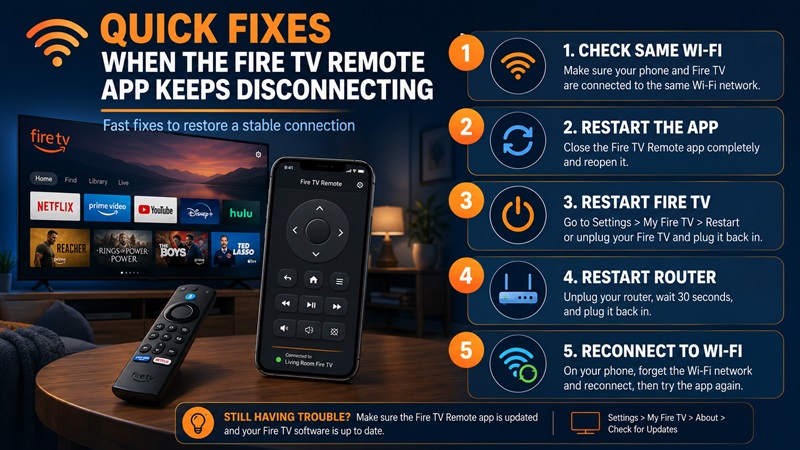
When the firestick remote app keeps disconnecting, begin with these low-risk steps and test the app after each one.
Confirm the Same Wi-Fi
On the phone, note the connected Wi-Fi name. On Fire TV, open:
Settings > Network
Confirm that both devices show the same network. Avoid guest Wi-Fi because it may provide internet access while preventing devices from communicating.
Temporarily disable:
- Mobile data
- VPN services
- Personal hotspots
- Automatic network switching
Then reopen the app and select Fire TV again.
Force Close and Reopen the App
Completely close the Fire TV app, wait a few seconds, and reopen it. Select the Fire TV device and enter the four-digit code shown on the television when requested.
Repeated code requests usually mean the connection session is being interrupted by network switching, Fire TV restarting, or the app being closed in the background.
Restart the Phone and Fire TV
Restart the phone, reconnect it to the correct Wi-Fi, and reopen the remote TV app.
If the fire tv remote app keeps disconnecting, restart Fire TV as well. When no remote works, unplug Fire TV from power, wait briefly, reconnect it, and allow the Home screen to load fully. Amazon includes a power restart in its Wi-Fi troubleshooting guidance.
Restart the Router
Unplug the modem and router, wait about one minute, and reconnect them. Wait until Wi-Fi is stable before reconnecting the phone and Fire TV.
Restarting the network can refresh local device discovery and resolve temporary address or router communication problems.
Forget and Reconnect to Wi-Fi
If the firestick remote app keeps disconnecting after a router restart, forget the Wi-Fi network on Fire TV and reconnect with the correct password. Repeat the process on the phone when necessary.
A network reconnection is preferable to a factory reset because it does not remove apps, accounts, or preferences. In many homes, this alone stops the firestick remote app keeps disconnecting cycle.
3. Fix Firestick Wi-Fi and Network Connection Problems
The firestick remote app keeps disconnecting whenever the Fire TV device itself falls offline. If every phone loses the Firestick at the same time, investigate Fire TV and the router first.
Check Fire TV Network Status
Open:
Settings > Network
Select the connected network and review its status. Fire TV includes a Network Status tool for identifying connectivity problems.
Look for:
- Weak signal strength
- Missing internet access
- Failed connection tests
- Frequent reconnection
- A network name that repeatedly disappears
If streaming apps are also buffering, the mobile remote is only one symptom of a wider network problem. This is a strong sign that the firestick remote app keeps disconnecting issue begins with Fire TV connectivity.
Improve Signal Strength
Try these changes:
- Move the router closer to the television.
- Raise the router above floor level.
- Reposition the Fire TV Stick with an HDMI extender.
- Avoid enclosing Fire TV behind metal or inside a cabinet.
- Move the router away from microwaves and other interference.
- Connect both devices through the same nearby mesh node.
Amazon recommends reducing the distance between Fire TV and the router when connection problems continue.
Avoid Guest Networks and Device Isolation
Guest networks commonly block local device-to-device traffic. The phone and Fire TV may both have internet access but remain unable to communicate with each other.
Router features named client isolation, AP isolation, or wireless isolation can produce the same result. Connect both devices to the main home network.
Only change advanced router settings when you understand their purpose and have permission to manage the network.
Stop Automatic Network Switching
A phone may switch to mobile data when Wi-Fi weakens. It may also jump between saved networks, different mesh nodes, or personal hotspots. Any change can end the remote session.
During troubleshooting:
- Stay close to the router.
- Disable automatic mobile-data switching.
- Disconnect unnecessary hotspots.
- Keep the phone connected to one Wi-Fi network.
- Avoid moving between distant mesh nodes.
Check Fire TV Power
An unstable power source can restart Fire TV and disconnect the app. Use the compatible power adapter and cable instead of an underpowered television USB port.
If the Fire TV logo repeatedly appears or the device unexpectedly restarts while streaming, test another compatible cable and power adapter.
Why Firestick Keeps Disconnecting
The answer to why does my firestick keep disconnecting is usually weak Wi-Fi, router congestion, insufficient power, outdated software, excessive heat, or hardware failure.
When the firestick remote app keeps disconnecting on every phone, repair the Fire TV network before reinstalling the mobile application.
4. Fix the Fire TV Remote App on iPhone and Android
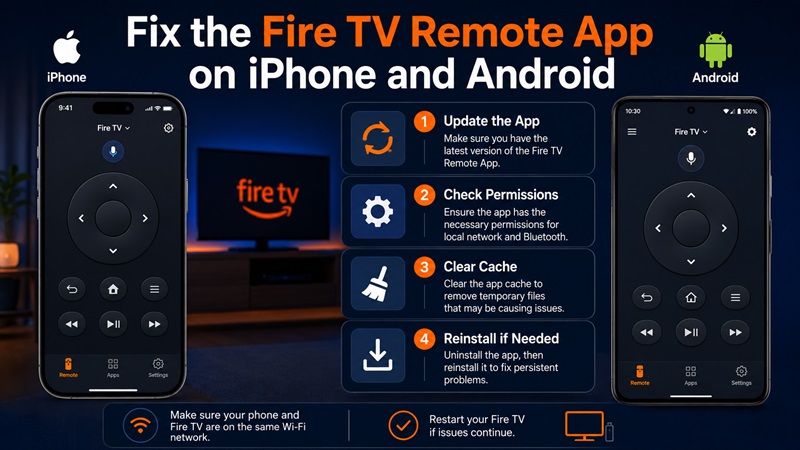
If Fire TV stays online and another phone can control it, focus on the affected phone.
Update the App
Open the Apple App Store or Google Play, search for the official Amazon Fire TV app, and install any available update.
Also update the phone operating system when practical. Keeping both sides current reduces the chance that the firestick remote app keeps disconnecting because of compatibility bugs.
Check Local Network Access on iPhone
Open iPhone Settings, locate the Fire TV app, and review the available network permissions. Enable Local Network access when it is disabled, then reopen the app.
When the amazon fire tv remote app keeps disconnecting only on an iPhone, also test with Low Power Mode turned off and confirm that the phone remains connected to Wi-Fi.
Clear Cache on Android
On many Android phones:
- Open Settings.
- Select Apps.
- Choose Amazon Fire TV.
- Open Storage or Storage & cache.
- Tap Clear Cache.
- Tap Force Stop.
- Reopen the app.
Menu names vary by phone manufacturer. Start with Clear Cache rather than Clear Data because clearing all data may sign you out and remove saved app settings.
Remove Battery Restrictions
Temporarily disable:
- Battery Saver
- Data Saver
- Automatic app sleeping
- Background-data restrictions
- Wi-Fi power saving
If the firestick app keeps disconnecting when the screen turns off, background battery management is a likely cause.
Some Android devices also let you choose an Unrestricted or Not Optimized battery mode for individual apps. Use it temporarily to test whether battery management is closing Fire TV.
Reinstall the App
If permissions and network settings are correct:
- Uninstall the Fire TV app.
- Restart the phone.
- Reinstall the official app.
- Connect to the same Wi-Fi as Fire TV.
- Open the app and select the device.
- Enter the code shown on the television.
Amazon also documents using the Fire TV app to navigate to remote settings and pair a physical replacement remote.
Test Another Phone
Install the app on another phone connected to the same Wi-Fi.
- One phone disconnects: inspect that phone’s permissions, battery settings, and app data.
- Every phone disconnects: return to Fire TV, router, Wi-Fi, and power troubleshooting.
- Another phone works normally: reinstalling or resetting Fire TV is probably unnecessary.
5. What to Do When the Physical Firestick Remote Keeps Disconnecting
A physical remote requires different troubleshooting. Do not treat every firestick remote app keeps disconnecting complaint as proof that the handheld remote is faulty.
If my firestick remote keeps disconnecting, replace the batteries, restart Fire TV, reset the remote, and pair it again.
Replace the Batteries
Install a fresh matching pair of batteries. Do not mix old and new batteries or combine different battery types.
After installing the batteries, hold Home for about ten seconds to attempt pairing. Amazon recommends holding Home and testing fresh batteries during pairing troubleshooting.
Weak batteries may allow the remote to work temporarily before it loses its connection again.
Reset the Fire TV Remote
Amazon provides this process for many Fire TV remotes:
- Unplug Fire TV from power and HDMI.
- Wait 60 seconds.
- Hold Left, Menu, and Back together for 12 seconds.
- Release the buttons and wait.
- Remove the remote batteries.
- Reconnect Fire TV and wait for startup.
- Reinsert the batteries.
- Press Home.
The procedure can vary by remote model, so use Amazon’s model-specific reset instructions when the standard method does not apply.
This process is suitable when the firestick remote keeps unpairing from tv, but it is unnecessary when only the power or volume buttons fail.
Pair the Remote Again
With another working remote or the mobile app, open:
Settings > Controllers & Bluetooth Devices > Amazon Fire TV Remotes > Add New Remote
Hold Home on the remote being added. Amazon documents this menu and pairing method.
If why does my fire stick remote keep disconnecting is your main concern, check the batteries, distance, interference, and whether the remote is trying to connect to another Fire TV device.
Check Distance and Interference
Move the remote closer to Fire TV. Temporarily disconnect unnecessary nearby Bluetooth devices and reposition Fire TV when it is hidden behind the television.
A physical remote does not rely on the phone’s Wi-Fi permissions. Changing Local Network access or reinstalling the app cannot repair a lost physical pairing.
Fix Power, Volume, and Mute Separately
If navigation works but TV controls fail, the remote may still be paired correctly. Open:
Settings > Equipment Control > Manage Equipment > TV
Then follow the on-screen setup. Amazon uses this menu for power, volume, and mute troubleshooting.
This distinction matters when users ask why does my firestick remote keep disconnecting from my tv. Navigation connects to Fire TV, while television-control buttons may depend on separate equipment settings.
Fire Stick Remote Keeps Disconnecting From TV
When the fire stick remote keeps disconnecting from tv, identify which controls fail:
- All buttons fail: replace batteries, reset, and pair again.
- Only power or volume fails: reconfigure Equipment Control.
- The remote works only at close range: reduce interference.
- It disconnects after every restart: update Fire TV and test another compatible remote.
The same diagnosis applies when the firestick remote keeps disconnecting from tv after apparently successful pairing.
When to Replace the Remote
Replace the physical remote when:
- New batteries do not help.
- A correct reset and pairing process fails.
- The remote has liquid or impact damage.
- Several buttons are stuck.
- The battery contacts are damaged.
- Another compatible remote works normally.
6. Common Firestick Remote Problems and Solutions
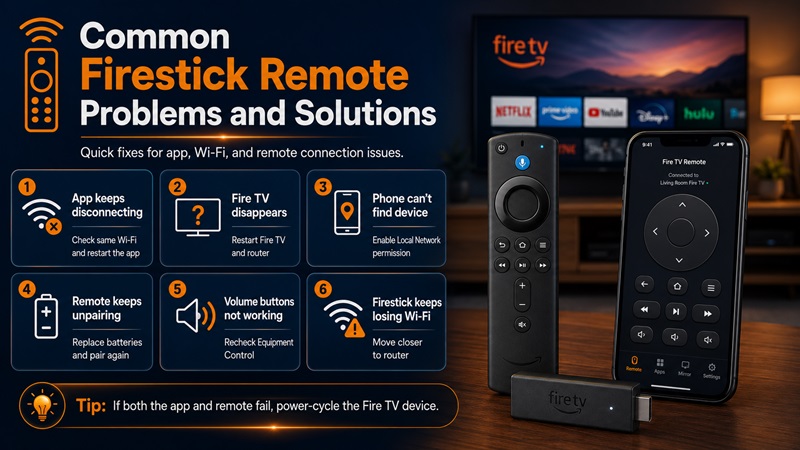
Use this table when the firestick remote app keeps disconnecting and you need to identify the likely source. Match the symptom before changing multiple settings at once.
| Problem | Likely Cause | Recommended Solution |
| App connects, then disconnects | Different Wi-Fi, VPN, or network switching | Use the same main Wi-Fi and disable VPN temporarily |
| Fire TV disappears from every phone | Fire TV is offline or restarting | Check Wi-Fi, power, temperature, and system status |
| App disconnects when the phone locks | Background battery restriction | Allow background activity and disable Battery Saver temporarily |
| iPhone cannot find Fire TV | Local Network access is disabled | Enable the app’s local network permission |
| Android app is unstable | Corrupted cache or battery optimization | Clear cache, force stop, and remove battery restrictions |
| Pairing code appears repeatedly | The connection session keeps resetting | Restart the app, phone, Fire TV, and router |
| Fire TV frequently loses Wi-Fi | Weak signal or router instability | Move devices closer and restart network equipment |
| Physical remote keeps unpairing | Weak batteries or pairing failure | Replace batteries, reset the remote, and pair again |
| Navigation works but volume fails | Equipment Control is incorrect | Reconfigure the television under Equipment Control |
| Only one phone disconnects | Phone-specific settings | Compare permissions, battery modes, and network settings |
| App and physical remote both fail | Fire TV may be frozen | Power-cycle Fire TV and allow startup to finish |
| Nothing restores control | Possible hardware issue | Test another remote, network, adapter, or Fire TV device |
When the firestick remote app keeps disconnecting, these patterns help isolate the cause:
- One phone fails: phone or app problem.
- Every phone fails: Fire TV or router problem.
- Mobile app fails but the physical remote works: Wi-Fi discovery problem.
- Mobile app works but the physical remote fails: battery, pairing, or hardware problem.
- Both fail together: Fire TV may be frozen, restarting, or underpowered.
Users reporting my firestick remote keeps disconnecting should focus on physical pairing unless the mobile app is also affected.
Users reporting the firestick remote keeps unpairing from tv should check batteries and reset the physical remote before reinstalling the phone app.
7. Frequently Asked Questions
Why Does My Fire TV Remote App Keep Disconnecting?
Different Wi-Fi networks, Fire TV going offline, VPN interference, missing permissions, battery restrictions, and unstable router performance are common causes.
These checks resolve many firestick remote app keeps disconnecting cases without resetting the device. Confirm the same main Wi-Fi first, then restart the app, phone, Fire TV, and router.
Why Does My Fire Stick Remote Keep Disconnecting?
The phrase why does my fire stick remote keep disconnecting usually points to weak batteries, lost pairing, excessive distance, wireless interference, outdated Fire TV software, or remote damage.
Install new batteries and pair the remote again before buying a replacement.
Can I Use the Fire TV App Without Wi-Fi?
The normal Fire TV remote app requires the mobile device and Fire TV to communicate through the same local Wi-Fi network.
Amazon’s setup instructions tell users to connect the phone to the same network and select Fire TV in the app.
Why Does My Firestick Remote Keep Disconnecting From My TV?
When asking why does my firestick remote keep disconnecting from my tv, determine which buttons stop responding.
If navigation fails, reset and pair the remote. If only power, volume, or mute fails, reconfigure the television under Equipment Control.
Why Does the App Still Disconnect After Reinstallation?
Reinstallation cannot fix:
- Weak Fire TV Wi-Fi
- Guest-network isolation
- VPN interference
- Automatic network switching
- An unstable Fire TV power source
- Router device-isolation settings
Test another phone and confirm that Fire TV stays online before reinstalling the app again.
Should I Factory-Reset Fire TV?
Use a factory reset only after network, app, power, software, and remote troubleshooting fail. A factory reset removes account and device settings.
Amazon documents a remote shortcut using Back and the right side of the navigation circle, followed by on-screen confirmation.
Conclusion
When the firestick remote app keeps disconnecting, first confirm that the phone and Fire TV use the same main Wi-Fi network. Disable VPN and mobile-data switching, restart the app and devices, and verify that Fire TV has stable power and network access.
Next, review iPhone Local Network permission or Android battery and cache settings. If the physical remote is the problem, install fresh batteries, reset it using the correct model-specific steps, and pair it again.
Following this order can solve the firestick remote app keeps disconnecting problem without an unnecessary factory reset or replacement device. Once the connection is stable, test the app with the phone screen locked and unlocked to confirm that the firestick remote app keeps disconnecting issue has been fully resolved.
