
TCL TV Remote Battery Size and Replacement Guide
By the Remote TV App Team
Last updated: September 2026
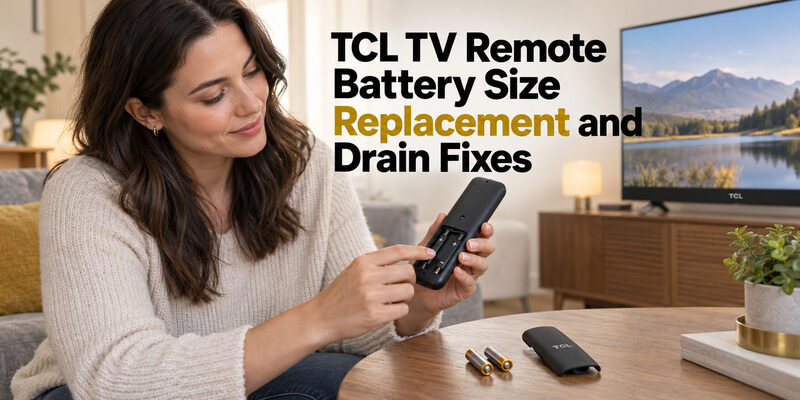
Short answer: Use the battery type marked inside your TCL remote’s compartment.
A TCL TV remote battery is not selected by television screen size: the handset determines whether you need AAA cells, AA cells, or a charging method for a rechargeable model. TCL’s C645 series manual specifies two AAA batteries for the remote it describes, while Roku’s battery guidance covers both AA and AAA handsets. Your own remote’s markings take priority over those examples.
This guide explains how to identify the right cells, open and close the compartment, and distinguish weak power from connection problems. It also covers unusually fast drain, headphone use, replacement covers, and a phone backup when the physical remote cannot be used immediately.
Identify the TCL TV Remote Battery Size
Read the compartment before buying
Open the normal battery door and look for the size and polarity markings. Photograph them if they are difficult to remember. The correct TCL TV remote battery size belongs to the remote you actually use, which may be a replacement accessory rather than the handset originally supplied with the television.
| Remote evidence | Power choice | What to verify |
|---|---|---|
| Compartment marked AAA | Matching AAA cells | Quantity and permitted chemistry |
| Compartment marked AA | Matching AA cells | Quantity and permitted chemistry |
| Sealed rechargeable model | Its specified charging method | Exact remote model and instructions |
| Missing or unreadable markings | Check the remote manual or support | Do not infer from screen size |
Identify the handset as well as the television. A remote model number, rear-label photograph, and clear picture of its buttons are more useful than a description such as “the black TCL remote.” If its battery door is missing, the marking may still be visible inside the housing.
Separate physical size from battery chemistry
A cell fitting the slot does not establish that it is the recommended battery type. TCL’s C645 manual specifies two AAA batteries and advises against rechargeable replacements; that instruction applies to the remote described in that manual. Follow the documentation for your own handset when selecting chemistry.
If someone previously installed an unfamiliar cell, do not use it as your only reference. Compare the compartment and manual first. Buying the correct TCL TV remote battery begins with identification, not with copying whatever happens to be lying in the drawer.
If you are ordering supplies for several rooms, label the requirement by remote model. A TCL TV remote battery shopping list that simply says “living room TV” can become misleading after the handset is replaced or moved to another room.
Open the Battery Door Without Forcing It
Find the release direction
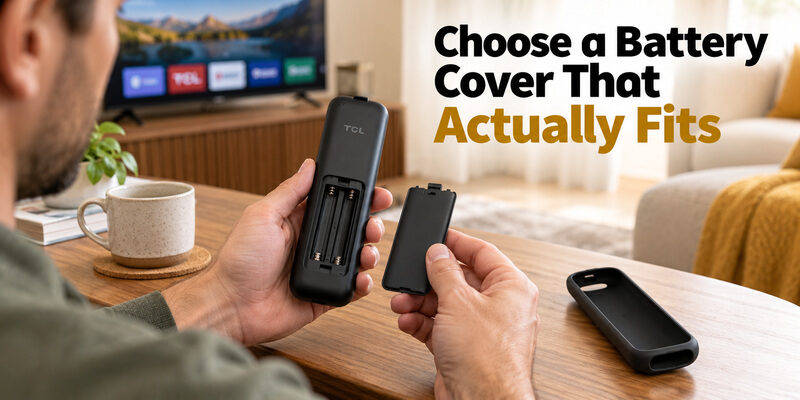
Remove an outer sleeve so you can see the actual door, its arrow, and any latch. TCL’s Android TV battery-installation guide describes sliding the back cover downward, then sliding it upward to close until it clicks. Other remote housings may release differently, so inspect your model before applying pressure.
Support the handset in one hand and move only the intended door. Stop if the plastic bends without releasing. Forcing a seam with a knife can damage a latch and turn a routine TCL TV remote battery change into a housing problem.
Put the door beside the handset before removing the cells. This simple habit also prevents it being mistaken for packaging or disappearing under a cushion. If the cover will not open with its indicated motion, consult the model’s instructions rather than escalating the force.
Recognize a rechargeable housing
A remote designed around an internal rechargeable battery may not have a user-removable battery door. Check its model and charging instructions before trying to pry apart the casing. Rechargeable Roku Voice Remote Pro models belong to this different maintenance category.
A charging socket is a reason to identify the accessory, not proof that any available cable or adapter is appropriate. Do not attempt to fit loose AAA cells inside a sealed handset. If a rechargeable TCL-compatible remote no longer holds power, use its manufacturer’s service route instead of treating the housing as a standard battery compartment.
Keep the compartment photograph until the next change. It can show both the battery label and the original door arrangement, helping someone else perform a TCL TV remote battery replacement without having to rediscover how the cover releases.
Replace the Cells and Verify the Result
Install a complete matching set
For a remote with replaceable cells, have the specified fresh set ready before starting. TCL’s installation advice recommends replacing depleted batteries together with matching new batteries from the same manufacturer. Do not combine one fresh cell with one already used in another device.
- Inspect the compartment: Check for obvious damage or residue before inserting new cells.
- Read each polarity mark: Align the positive and negative ends with that slot’s symbols.
- Seat both cells: Make sure they rest in their intended positions without improvised spacers.
- Close the door: Align its tabs and use the designed closing motion.
The two cells do not necessarily face the same direction. Follow each marking independently; do not copy a photo of a different remote. A correctly seated battery should not need foil, paper, or extra pressure from the cover.
Test from the usual seat
After a TCL TV remote battery replacement, try Power, Home, a direction button, and Volume separately. Wait for the television to respond between presses. This reveals whether normal control has returned instead of merely showing that one button produces a reaction.
Try the handset from the seat where it is normally used, then briefly from a clear position near the TV. If it works only close to the set, investigate aiming or reception before concluding the new cells are depleted. Record what changed after the replacement; that observation is more useful than immediately changing batteries again.
Before clearing away the old cells, keep them separate from the fresh supply. An interrupted TCL TV remote battery change is easy to resume incorrectly if both sets are loose on the table. Finish one handset before starting another.
Investigate Batteries That Drain Too Quickly
Establish a useful starting point
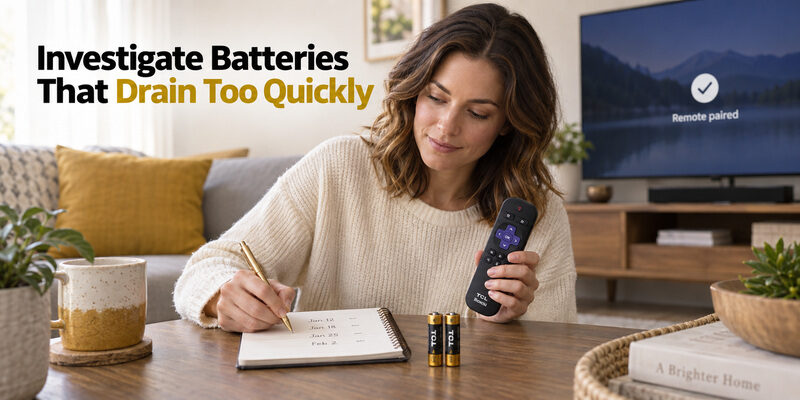
A report of a TCL TV remote battery draining fast needs a baseline. Note when a fresh matching set was fitted, how the remote behaved immediately afterward, and when the problem returned. A random pair from a kitchen drawer cannot establish how long a new set should last.
Keep the handset somewhere its buttons are not being pressed by cushions or other objects. Temporarily remove a tight sleeve if it seems to hold a key down. This is a diagnostic comparison, not proof that every protective cover causes extra consumption.
Change one condition at a time. If you replace cells, remove the case, restart the TV, and change settings together, you will not know which action affected the result. For a recurring TCL TV remote battery problem, a brief note over ordinary use is more informative than repeated changes within a few minutes.
Check the voice remote connection
TCL’s dedicated Roku voice-remote drain guidance identifies incomplete pairing as one possible reason for batteries lasting only a few days. That makes connection status worth investigating on the relevant voice remote; it does not mean every battery problem is a pairing fault.
Use the pairing procedure for the actual handset and wait for confirmation on the television. A simple infrared remote does not gain anything from voice-remote pairing instructions. If two correctly installed fresh sets produce the same short-lived result after the relevant checks, collect the remote model and observations for support instead of continuing to consume batteries without a diagnosis.
When describing TCL TV remote battery life to support, distinguish a warning from a total loss of control. Include whether the remote recovered after reseating the same cells or required a genuinely fresh set; those are different observations, even if both interrupted viewing.
Account for Headphone Listening
Unplug headphones when finished
A TCL TV remote with headphone jack needs a different usage check from a basic infrared handset. Roku’s official Headphone Mode instructions advise unplugging headphones when they are not being used to help extend remote battery life. Check this habit before interpreting every short battery interval as a defective handset.
When you finish listening, remove the plug completely rather than leaving the headphones beside the remote while still connected. Headphone listening belongs in the battery-use record. Compare evenings with similar listening patterns if you are trying to understand a change.
For this kind of TCL TV remote battery complaint, record roughly how much listening occurred before the low-power warning. That does not establish a universal lifespan, but it prevents comparing occasional button presses with several evenings of audio use as though they were identical workloads.
Distinguish audio problems from low power
If the remote still navigates reliably but headphone audio cuts out, also check the plug and headphones. A poor audio connection should not automatically send you back to the battery drawer. Roku’s Headphone Mode troubleshooting includes fresh matching batteries as one check for certain audio faults, alongside connection checks.
Where supported, listening through the Roku mobile app provides another route using headphones connected to the phone. Confirm availability on your device and input source; a headphone symbol on one Roku product does not establish identical support on every TCL television or remote accessory.
Choose a Battery Cover That Actually Fits
Match the rigid door to the handset
A replacement TCL TV remote battery cover must match the remote’s shape, rails, and latch. A product called a TCL 55 inch TV remote cover may describe a seller’s compatibility category, but television size alone cannot identify the correct door. Ask for the actual remote model match.
Photograph the back of the remote and the missing or broken part if it is available. Check whether the listing supplies a rigid battery door, a complete rear housing, or an external sleeve. Those are different products even when search results display them together.
A TCL 43 inch TV remote cover search requires the same check. The remote’s part identity is the fit test. Compare the seller’s detail photos with the attachment points before ordering, and keep the order description until the part has been fitted successfully.
Treat silicone sleeves as a separate accessory
A silicone cover for TCL TV remote use can add grip, but it should not be assumed to replace the structural battery door. The underlying compartment still needs to close and retain its cells as designed. A stretched sleeve cannot repair a snapped internal latch.
After fitting a TCL TV remote silicone cover, check that every button releases freely and any required emitter, microphone, socket, or charging port remains accessible. Remove it during a battery investigation if its fit is uncertain. When choosing a cover for TCL TV remote use, prioritize correct openings and access to the compartment over color alone.
Test the remote once without its sleeve and once with it fitted, using the same buttons. If a TCL TV remote battery issue appears only after the cover is reinstalled, describe that repeatable change to the seller instead of assuming the cells themselves are failing.
Diagnose a Remote That Still Fails With Fresh Batteries
Use the symptom to narrow the problem
A fresh TCL TV remote battery set restores power; it cannot correct every communication or mechanical fault. Separate what fails before buying another pack. Check the same command more than once, with a short pause, so startup delay does not look like inconsistent power.
| What happens | Next check | What it does not prove |
|---|---|---|
| No response immediately after replacement | Polarity, seating, correct cells | That the TV needs resetting |
| Works nearby but not from the sofa | Clear IR path and receiver visibility | That new batteries are already empty |
| Power works but voice does not | Supported pairing and voice connection | That the whole remote lacks power |
| One button fails repeatedly | Key movement and physical damage | That every battery is defective |
| Phone control works but handset does not | Remote-specific signal or connection | That the handset must be replaced immediately |
Test a specific failed function. Saying “Home does not respond, but Power does” gives support a much clearer starting point than saying the remote is dead.
Follow the appropriate recovery path
TCL’s Roku troubleshooting recommends clearing obstructions and, where needed, restarting the television with power disconnected for at least 30 seconds. Its pairing-button guidance describes holding that button for about five seconds until the indicator flashes. These steps belong to the models that support them.
Do not apply a Roku button sequence to an unidentified Google TV or Fire TV remote. If your TCL TV remote battery replacement changes nothing, the dedicated guide covers the Roku diagnosis in more depth. Identify the platform before following a recovery sequence, and avoid a television factory reset as an initial battery test.
Handle Damage and Storage Sensibly
Stop when heat or damage changes the situation
Routine TCL TV remote battery troubleshooting is for a normal, intact handset. Roku’s battery-handling guidance says to discontinue use if the remote becomes warm or hot, disconnect charging if applicable, and let it cool on a hard, nonflammable surface. It specifically warns against removing alkaline batteries while they are hot.
Heat, leakage, or damaged cells need a different response from ordinary low power. Do not keep trying fresh sets in a visibly damaged compartment. Follow the manufacturer’s handling and service instructions; a generic battery-replacement guide cannot establish the condition of damaged contacts or an internal rechargeable pack.
If you contact support, describe what you observed without opening sealed parts. A clear exterior photograph and the remote model can help explain the problem while avoiding an unnecessary attempt to dismantle the accessory.
Plan for a remote that will sit unused
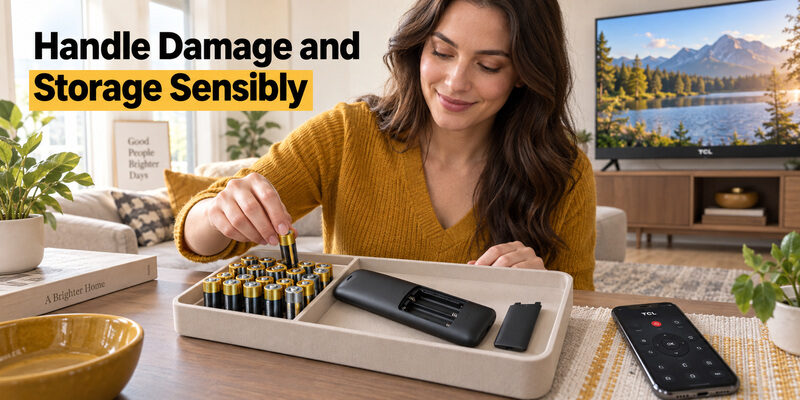
TCL’s C645 manual advises removing batteries for a long period of nonuse. Check the storage instructions for your own handset, particularly for a spare remote that may stay in a drawer for months. Store its door with it so the next battery change does not start with a missing part.
Keep fresh and used cells separate, with the original packaging available to identify the size and type. Before a stored TCL TV remote battery set goes back into service, inspect the cells and compartment instead of assuming they remain usable. Follow local collection instructions when disposing of used batteries.
Keep a Phone Backup While You Replace Batteries
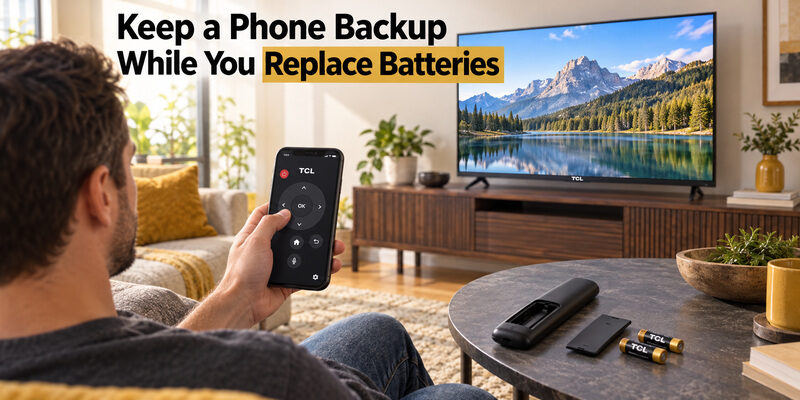
Set up control while the television is reachable
A depleted TCL TV remote battery does not have to stop viewing if a compatible phone remote can already reach the television. On a TCL Roku TV, TCL’s own troubleshooting suggests the Roku mobile app as a temporary controller when the phone and TV share the required network.
For other TCL platforms, choose an app that supports the actual television system. Complete any device-selection or on-screen permission step while you can still operate the TV. Verify navigation before relying on the backup. Seeing a television name in an app is not the same as successfully opening Home or changing the volume.
A phone backup is especially useful while waiting for a correct battery door or investigating recurring drain. It gives you time to make the right replacement decision without treating an unsuitable battery or loose cover as an acceptable quick fix.
Keep the backup within its limits
For supported models, provides another phone-control option while the physical handset is unavailable. Check the current model support and setup requirements, then test the controls you need. It offers an alternative control route, not a repair for a TCL TV remote battery compartment.
A phone app may not discover a TV that has lost its network connection or complete every initial setup task after a reset. Keep a working physical route available where needed. If repeated battery checks eventually establish a handset fault, use the guide to match a replacement to the television and required functions.
Store the successful setup information where another household member can find it. Include the remote model, specified cells, and which phone app already works. That turns the next TCL TV remote battery interruption into a familiar maintenance task rather than a fresh compatibility search.
Common Battery Questions
Do all TCL remotes use two AAA batteries?
No. The correct TCL TV remote battery type depends on the handset. The C645 manual describes two AAA cells, while Roku documents AA and AAA remotes and also has rechargeable models. Read the compartment marking and instructions for the accessory you own.
Can I use rechargeable AA or AAA cells?
Only if the remote’s instructions permit them. Some TCL documentation specifically advises against rechargeable replacements. A remote designed with an internal rechargeable battery is a different product; its charging capability does not make loose rechargeable cells suitable for another handset.
Why does the battery warning return after replacement?
First confirm that the complete set was fresh, correctly specified, and properly installed. Then note whether control actually deteriorates, inspect button freedom, and check the relevant voice connection. A returning warning needs investigation; it does not establish a universal TCL TV remote battery defect.
Will a silicone sleeve fix a missing battery door?
No. A sleeve is an outer accessory and should not be treated as a structural replacement for the compartment door. Find the rigid cover that matches the remote model and its latch arrangement, then check the sleeve separately for unobstructed buttons and openings.
How long should the batteries last?
There is no single dependable interval for every TCL handset and usage pattern. Remote type, cell condition, listening features, and connection problems can change the result. Record the installation date and normal use so a sudden change can be explained clearly to support.
Use a Remote TV App When Your TCL Remote Battery Dies
If your TCL TV remote battery is dead, you do not have to wait until you find replacement batteries. A Remote TV App can turn your smartphone into a temporary or even long-term TCL remote.
Simply download a compatible remote control app, connect your phone and TCL TV to the same Wi-Fi network, and select your TV when it appears. Once connected, you can use your phone to control common functions such as volume, navigation, Home, Back, channel selection, and app launching.
This is especially useful when your physical remote suddenly stops responding and you are not sure whether the problem is caused by weak batteries or the remote itself.
Quick solution:
- Download the Remote TV App on your phone.
- Make sure your TCL TV and phone use the same Wi-Fi network.
- Open the app and select your TCL TV.
- Start controlling the TV directly from your phone.
Using a Remote TV App gives you immediate access to your TCL TV while you replace the batteries or troubleshoot the physical remote.
Download TV Remote App