5 Best Google TV Remote Apps in 2026: Pros, Cons, Price and Ratings
By the Remote TV App Team
Last updated: September 2026
Quick answer: Universal Remote TV Control by Begamob is our best overall option for users who want Google TV plus multi-brand control, while Google TV is the best official choice for a Google-focused setup.
Finding the best Google TV remote app isn’t simply about choosing the app with the highest App Store rating. Compatibility, connection stability, useful controls, pricing, ads, keyboard support, and the number of TV brands supported all matter.
We narrowed this review to five strong options:
- Universal Remote TV Control by Begamob
- Google TV
- Google Home
- Remote for Android TV by Simha Software
- Universal TV — Remote Control by Remote Sunrise LTD
Below, we compare each app based on features, price, advantages, disadvantages, store reputation, and our score out of five.
Prices and store ratings were checked in September 2026. Subscriptions and promotional prices may vary by country, device, and storefront.
1. Best Google TV Remote Apps: Quick Comparison
| App | Best For | Price | Store Rating | Our Rating |
| Universal Remote TV Control by Begamob | Best Overall / Multi-brand | Free download; Premium available | 4.7★ / 139K ratings | ★★★★★ 4.8/5 |
| Google TV | Best Official App | Free remote functionality | 3.9★ / 2.88M reviews | ★★★★★ 4.7/5 |
| Google Home | Best Smart Home App | Free | 4.6★ / 1.4M ratings | ★★★★☆ 4.5/5 |
| Remote for Android TV | Best Android Third-Party App | Free with ads + IAP | 4.6★ / 211K reviews | ★★★★☆ 4.6/5 |
| Universal TV — Remote Control | Best Apple Ecosystem Option | Free; Premium available | 4.3★ / 1.2K ratings | ★★★★☆ 4.3/5 |
Best Overall: Universal Remote TV Control by Begamob
Best Official App: Google TV
Best for Smart Homes: Google Home
Best Dedicated Android App: Remote for Android TV
Best for Apple Watch: Universal TV — Remote Control
The differences become clearer when we look beyond star ratings.
💡 Discover Helpful Guides
Google TV Remote App Android: How to Control Google TV From Your Phone
2. Criteria We Used to Choose the Best Google TV Remote App
We evaluated each best Google TV remote app candidate using criteria that affect everyday remote control rather than simply comparing download numbers.
Google TV compatibility
The first requirement is obvious: the app must actually work with Google TV or compatible Android TV hardware.
Some apps specialize specifically in Google TV and Android TV. Others attempt to control multiple platforms including Samsung, LG, Roku, Fire TV, and Google TV.
Apps with broader compatibility score higher for multi-TV households, while official Google integration scores higher for users who only own Google devices.
Core remote controls
We looked for the controls people use most:
- directional navigation;
- Select/OK;
- Home;
- Back;
- volume;
- mute;
- playback;
- supported power control.
Keyboard, touchpad, voice, app shortcuts, and source controls earn additional points.
Ease of connection
A good remote app should be ready quickly.
Automatic device discovery over the same Wi-Fi network is preferable to entering IP addresses or manually programming codes.
The fewer steps between opening the app and controlling the TV, the better.
Multi-brand compatibility
A Google-only app can be excellent if your entire house runs Google TV.
But if your living room has Google TV while another room has Samsung, LG, Roku, or Fire TV, using separate remote applications becomes inconvenient.
Universal support therefore weighs heavily in our overall ranking.
User interface
Remote buttons should be easy to find and easy to press.
We favor apps where Home, Back, navigation, volume, and playback controls are immediately accessible rather than hidden behind several menus.
Price and premium limitations
Price matters because TV remote apps use several different business models:
- completely free;
- free with ads;
- free download with premium subscription;
- free basic remote with advanced controls behind a paywall.
We considered not only whether an app costs money but what you receive without paying.
Store rating and user base
Ratings provide useful context but are not the final verdict.
An app with hundreds of thousands of ratings gives us a much larger feedback sample than one with a few hundred.
However, a 4.8-star score does not compensate for poor compatibility with your specific TV.
Value for money
Finally, we considered whether premium features justify their price.
A subscription is easier to justify when one app replaces several separate TV remotes and adds keyboard, casting, voice, or advanced controls.
3. Universal Remote TV Control by Begamob — Best Overall
- Best for: Multi-brand households and users who want one app for several TVs
- Price: Free download; Premium available. The current U.S. listing advertises a Premium subscription at $6.99/week, while additional weekly/yearly offers may vary.
- Store Rating: 4.7/5 from approximately 139K ratings
- Our Rating: ★★★★★ 4.8/5
Universal Remote TV Control by Begamob earns our top overall position because it solves a problem Google’s official app doesn’t: controlling televisions across multiple ecosystems from one phone.
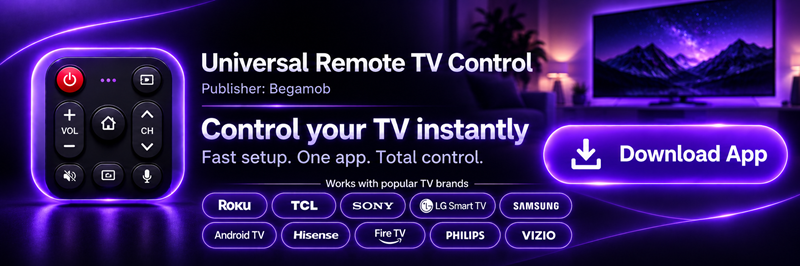
The supplied product information lists support for Roku, TCL, Sony, LG Smart TV, Samsung, Android TV, Hisense, Fire TV, Philips, and Vizio.
The current U.S. App Store page shows 4.7 stars from about 139,000 ratings, with the app available as a free download with in-app purchases.
Main features
Begamob focuses on replacing everyday physical remote functions with a smartphone.
Features highlighted in its current listing include:
- channel control;
- volume adjustment;
- TV menu navigation;
- streaming-app shortcuts;
- keyboard and voice search;
- supported power controls;
- photo/video/music casting;
- automatic TV discovery.
For supported TVs, setup is based around connecting the phone and TV to the same Wi-Fi network and letting the application detect available devices automatically.
Advantages
Excellent multi-brand support
This is the biggest advantage.
A home with TCL Google TV, Samsung, LG, and Roku devices doesn’t need four completely separate remote apps.
That is particularly useful for users searching for a Remote TV app rather than a Google-only solution.
Easy Wi-Fi discovery
The app is designed to automatically detect compatible TVs on the same network rather than making users search for universal remote codes.
Strong store reputation
A 4.7-star score from approximately 139K U.S. App Store ratings provides a substantial user-feedback base.
Useful beyond basic navigation
Casting, keyboard input, app shortcuts, and supported power functions give it more value than a basic four-direction virtual remote.
Disadvantages
Premium pricing can be expensive for casual users
The U.S. description currently advertises $6.99 per week for Premium, and the App Store displays multiple subscription and promotional price points.
For someone who only needs a remote once because the physical remote is temporarily missing, a subscription may be harder to justify.
Functionality varies by TV platform
Samsung, LG, Roku, Google TV, and Fire TV do not expose identical control APIs.
That means keyboard, power, source selection, casting, or app launching can vary depending on the model.
It is not an official Google product
Users who only care about Google TV may prefer Google’s own first-party solution.
Who should choose it?
Choose Begamob when:
- you own multiple TV brands;
- you frequently lose physical remotes;
- you want one consistent phone interface;
- cross-brand control is more important than first-party Google integration.
Verdict
Begamob is our overall winner for flexibility.
It doesn’t beat Google TV at being an official Google product, but it solves a broader problem.
★★★★★ 4.8/5
4. Google TV — Best Official Google TV Remote App
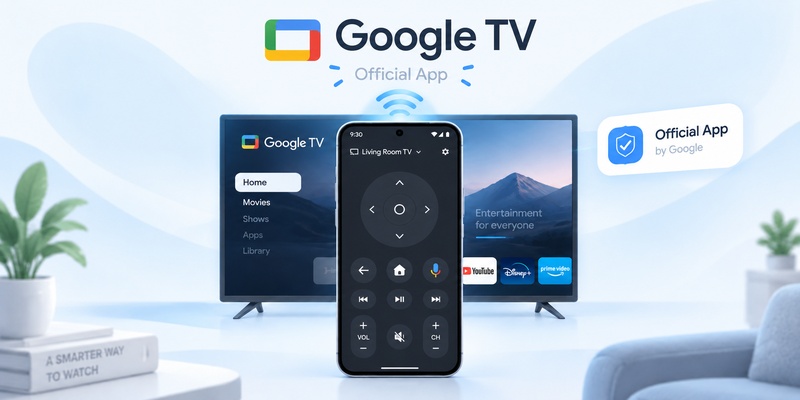
- Best for: Google TV and Android TV users who want first-party integration
- Price: Free for remote functionality; media/content purchases may be separate
- Store Rating: 3.9/5 from approximately 2.88M reviews on Google Play
- Downloads: 10B+ for the overall Google TV application
- Our Rating: ★★★★★ 4.7/5
If your household mainly uses Google TV, Google’s own app is arguably the most logical best Google TV remote app.
Google Play currently lists Google TV with 10B+ downloads, around 2.88 million reviews, and a 3.9-star rating.
That enormous download count covers the entire Google TV entertainment application, not just its remote feature, so it should not be interpreted as 10 billion remote users.
Main features
Google’s phone remote supports key functions such as:
- navigation;
- media playback;
- volume;
- supported power controls;
- Google Assistant;
- text entry.
The text-entry feature is particularly valuable when logging into streaming services or searching for long movie titles.
Advantages
Official Google integration
This is the strongest reason to choose it.
There is no ambiguity about whether Google TV is designed for Google TV devices.
Excellent keyboard functionality
Typing a 20-character Wi-Fi password with a physical directional pad is miserable.
Typing it from a phone keyboard is dramatically easier.
Google Assistant
Google’s own ecosystem provides natural access to Assistant and related Google features.
No dedicated remote subscription
The remote functionality does not require users to subscribe to a separate premium remote service.
For price-sensitive Google TV owners, that’s a significant advantage.
Disadvantages
Poor choice for multi-brand households
Google TV isn’t designed to become the single remote for every Samsung, LG, Roku, and Fire TV in your home.
Remote control is only one part of the app
Google TV is primarily a broader entertainment platform.
Someone looking for a minimalist remote-only application may find the extra content functionality unnecessary.
The store rating is relatively modest
Despite its enormous scale, the current Google Play rating is around 3.9/5.
That doesn’t necessarily reflect the quality of the remote feature specifically, but it is worth noting.
Who should choose it?
Choose Google TV when:
- your main television runs Google TV;
- you value official support;
- you want keyboard and Assistant integration;
- you don’t need multi-brand control.
Verdict
The best official option and arguably the best value for a Google-only household.
★★★★★ 4.7/5
5. Google Home — Best for Google Smart Home Users
- Best for: Users whose Google TV is already part of a connected Google Home setup
- Price: Free
- Store Rating: 4.6/5 from approximately 1.4M App Store ratings
- Our Rating: ★★★★☆ 4.5/5
Google Home has a very different purpose from a dedicated remote app.
Its main advantage is that your television lives alongside other smart devices rather than inside a separate TV-only ecosystem.
The current U.S. App Store lists Google Home as free, with approximately 1.4 million ratings and a 4.6-star average.
Main features
For compatible setups, Google Home allows users to access television controls while also managing:
- smart lights;
- speakers;
- cameras;
- thermostats;
- plugs;
- other connected devices.
Google also supports virtual remote functionality for compatible Google TV streaming hardware.
Advantages
Completely free
There is no dedicated TV-remote subscription required.
That makes Google Home one of the strongest options from a pure value perspective.
TV and smart-home control in one app
Imagine watching a movie and wanting to lower the lights and adjust the TV.
Google Home’s broader ecosystem makes that kind of workflow more natural.
Excellent store reputation
A 4.6-star score from around 1.4 million U.S. App Store ratings is one of the strongest feedback samples among the five apps here.
Official Google ecosystem
Like Google TV, it benefits from being a first-party Google solution.
Disadvantages
Not designed primarily as a remote
This is its biggest weakness.
If all you want is Volume Down, the smart-home dashboard may feel unnecessarily large.
Remote controls take more context
A dedicated remote application can often present the most important TV buttons more immediately.
Limited value without smart-home devices
If you don’t use Google Home for lights, cameras, speakers, or other connected devices, its main advantage largely disappears.
Who should choose it?
Choose Google Home if:
- your TV is already connected to Google Home;
- you own Nest or other smart-home devices;
- you want one free app for your connected home;
- remote control is only one part of what you need.
Verdict
Excellent value for Google Home users, but less focused than a dedicated TV remote.
★★★★☆ 4.5/5
6. Remote for Android TV — Best Third-Party Android Option
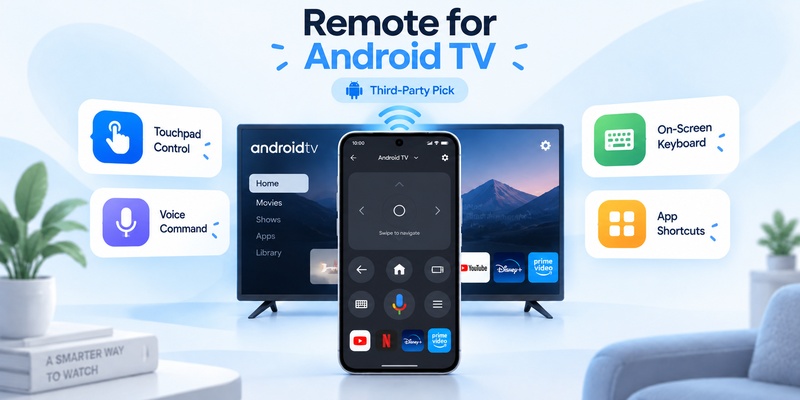
- Best for: Android users who want a dedicated Google TV/Android TV remote
- Price: Free download with ads and in-app purchases
- Store Rating: 4.6/5 from approximately 211K reviews
- Downloads: 10M+
- Our Rating: ★★★★☆ 4.6/5
Remote for Android TV by Simha Software is the most specialized option in our five-app review.
Google Play currently shows 4.6 stars, approximately 211K reviews, and more than 10 million downloads. The listing also confirms that it contains ads and in-app purchases.
Main features
The app includes:
- voice commands;
- built-in keyboard;
- touchpad;
- quick app launching;
- visible volume information;
- saved last-used remote.
It supports TVs running Android TV OS or Google TV OS, including devices from brands such as Xiaomi, TCL, Sony, Skyworth, Haier, and Google Chromecast.
Advantages
Dedicated remote-first design
Unlike Google Home or Google TV, the application’s main job is controlling your television.
That means fewer unrelated screens.
Touchpad
Touch-based navigation can feel quicker than tapping virtual directional buttons repeatedly.
Voice commands
Voice support gives the application a meaningful advantage over basic universal remote apps.
Built-in keyboard
This is especially useful for searches and login forms.
Strong third-party adoption
More than 10 million downloads is impressive for an independent remote app.
Disadvantages
Advertising
The free version contains ads.
Since a remote is an app users may open frequently, ads can become more noticeable here than in an application used only occasionally.
In-app purchases
Some users may need premium features or pay to improve the experience.
Exact offers may vary by region and device.
Android-focused
This isn’t the strongest option for iPhone owners.
Not first-party
Google’s own apps still have an advantage in native ecosystem integration.
Who should choose it?
Choose Remote for Android TV if:
- you use Android;
- you want a dedicated remote interface;
- touchpad navigation matters;
- voice and keyboard controls are priorities;
- you don’t mind ads or optional premium purchases.
Verdict
One of the strongest dedicated Android alternatives to Google’s own remote.
★★★★☆ 4.6/5
7. Universal TV — Remote Control — Best for Apple Ecosystem Users
- Best for: Users who want TV controls across iPhone, iPad, Mac, and Apple Watch
- Price: Free basic version; Premium available
- Store Rating: 4.3/5 from approximately 1.2K U.S. App Store ratings
- Our Rating: ★★★★☆ 4.3/5
Universal TV — Remote Control by Remote Sunrise LTD has one feature none of the other apps in this comparison emphasizes as heavily: Apple ecosystem support.
The U.S. App Store lists compatibility with iPhone, iPad, Mac, and Apple Watch, while the app supports compatible Google TV, Android TV, Samsung, LG, Roku, Fire TV, Hisense, Vizio, and Apple TV devices.
Main features
The free version includes basic Wi-Fi remote functionality.
Premium features can include:
- keyboard input;
- app launching;
- source controls;
- enhanced Apple Watch functionality;
- additional advanced controls.
Price
The app is free to download with in-app purchases.
Pricing varies between storefronts and offers.
For reference, one current App Store storefront lists examples including approximately:
- $3.99 Unlock All Features
- $9.99/year
- $19.99–$39.99 lifetime
Other subscription offers are also listed, so check the price shown on your own App Store before purchasing.
Advantages
Apple Watch support
This is the clearest differentiator.
Basic TV controls from your wrist can be surprisingly convenient when your iPhone is charging or sitting elsewhere.
Mac support
Few TV remote apps make desktop control a major part of their offering.
Broad TV compatibility
Google TV is only one of several supported platforms.
That makes the app more flexible than Google’s official options.
Free basic remote
Users can try its core Wi-Fi remote functionality before deciding whether premium features are worth paying for.
Disadvantages
Premium restrictions
Keyboard, app launching, source selection, and some Apple Watch capabilities may require premium access.
Smaller rating base
The U.S. App Store currently shows approximately 1.2K ratings at 4.3 stars.
That’s a much smaller feedback sample than Begamob, Google Home, or Remote for Android TV.
Less compelling if you don’t use Apple Watch or Mac
Its biggest advantages are specifically tied to Apple’s wider device ecosystem.
Who should choose it?
Choose Universal TV — Remote Control if:
- you own an Apple Watch;
- you want TV controls on Mac;
- you use several Apple devices;
- you also need multi-brand TV support.
Verdict
The most interesting specialist option for Apple-heavy households.
★★★★☆ 4.3/5
8. Which Google TV Remote App Should You Choose?
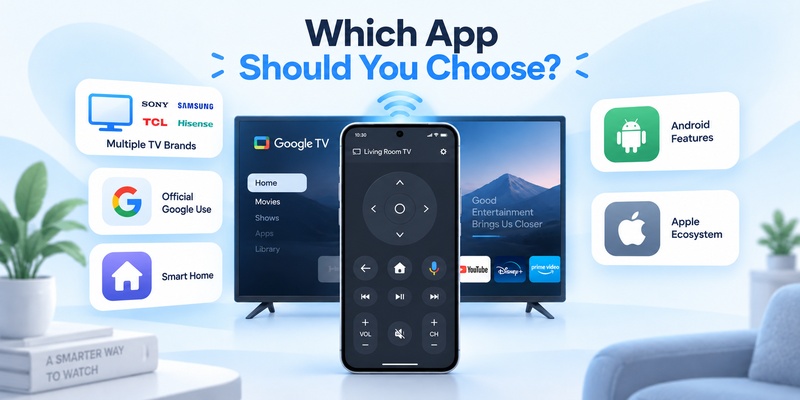
The five apps become much easier to compare when you reduce the decision to your primary requirement.
| Your Priority | Recommended App | Our Rating |
| Multiple TV brands | Universal Remote TV Control by Begamob | 4.8/5 |
| Official Google TV control | Google TV | 4.7/5 |
| Google smart-home integration | Google Home | 4.5/5 |
| Dedicated Android remote | Remote for Android TV | 4.6/5 |
| Apple Watch + Mac | Universal TV — Remote Control | 4.3/5 |
Choose Begamob when universal compatibility is the priority.
Choose Google TV when native Google integration and free remote functionality matter more.
Choose Google Home when your television is only one part of a connected-home setup.
Choose Remote for Android TV when you’re an Android user who prefers a dedicated remote with touchpad, keyboard, and voice.
Choose Universal TV — Remote Control when Apple Watch or Mac remote access is a deciding factor.
There is no reason to pay for universal functionality if all you own is one Google TV.
Likewise, there is little reason to install several manufacturer apps if a good universal controller supports all of your televisions.
That’s why the best Google TV remote app ultimately depends on the devices you actually own.
9. FAQ
What is the best Google TV remote app overall?
Universal Remote TV Control by Begamob is our overall pick for multi-brand households, with a score of 4.8/5. For users who exclusively control Google TV or Android TV, Google TV is the stronger first-party choice.
Which Google TV remote app has the best rating?
Among the apps reviewed here, Begamob currently shows 4.7/5 from around 139K U.S. App Store ratings. Google Home and Remote for Android TV both currently show approximately 4.6/5 on their respective stores.
What is the best free Google TV remote app?
Google TV is our best free choice for dedicated Google TV users. Google Home is also free and makes more sense if you already manage a Google smart-home ecosystem.
Is paying for a Google TV remote app worth it?
It can be if the paid app replaces several physical remotes or multiple brand-specific apps. If you own only one Google TV, however, Google’s free official options may already provide everything you need.
What is the best Google TV remote app for Android?
Google TV is our best official Android choice. Remote for Android TV is our preferred dedicated third-party alternative, scoring 4.6/5 thanks to its touchpad, voice, keyboard, and quick app-launching functions.
What is the best Google TV remote app for iPhone?
For users who also own TVs from other brands, we rate Universal Remote TV Control by Begamob at 4.8/5. For Apple Watch and Mac users, Universal TV — Remote Control is the more specialized alternative.
10. Final Verdict
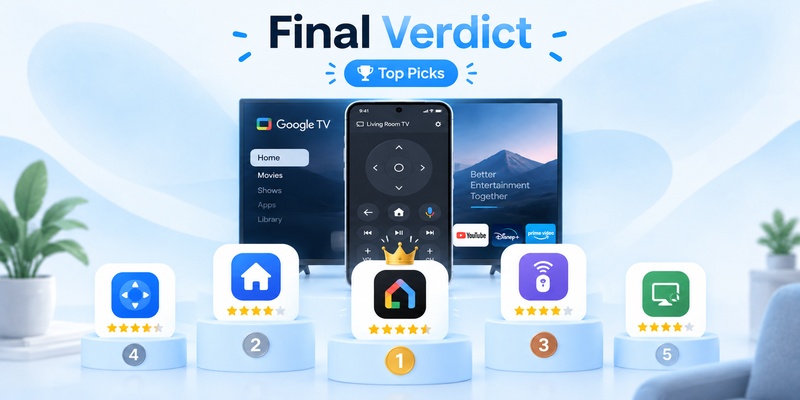
After comparing the five apps on compatibility, controls, ease of use, price, platform support, user reputation, and overall value, there isn’t a single winner for every household.
🥇 Universal Remote TV Control by Begamob
- Price: Free + Premium
- Our Rating: ★★★★★ 4.8/5
- Best for: Multiple TV brands
Begamob takes first place overall because it addresses the broadest use case.
If your home contains Google TV plus Samsung, LG, Roku, TCL, Fire TV, or other compatible TVs, one universal Remote TV app is easier to manage than several separate brand apps.
🥈 Google TV
- Price: Free remote functionality
- Our Rating: ★★★★★ 4.7/5
- Best for: Pure Google TV setups
Google TV remains the strongest official choice.
It costs nothing extra for basic phone-remote functionality and benefits from direct Google ecosystem integration.
🥉 Remote for Android TV
- Price: Free + ads + in-app purchases
- Our Rating: ★★★★☆ 4.6/5
- Best for: Android power users
Its focused remote interface, touchpad, keyboard, voice commands, 10M+ downloads, and 4.6-star Google Play score make it one of the most convincing third-party choices.
Google Home
- Price: Free
- Our Rating: ★★★★☆ 4.5/5
- Best for: Smart-home users
Choose it when Google TV is only one part of a larger Google Home setup.
Universal TV — Remote Control
- Price: Free + Premium
- Our Rating: ★★★★☆ 4.3/5
- Best for: Apple Watch and Mac users
It doesn’t win on raw rating numbers, but its cross-device Apple support gives it a niche the other apps don’t fully cover.
Our final ranking:
1. Universal Remote TV Control by Begamob — 4.8/5
2. Google TV — 4.7/5
3. Remote for Android TV — 4.6/5
4. Google Home — 4.5/5
5. Universal TV — Remote Control — 4.3/5
For most users searching for the best Google TV remote app, the decision comes down to one question:
Do you need the best Google TV integration or the best multi-brand flexibility?
For Google TV only, choose Google TV.
For Google TV plus other television brands, our winner is Universal Remote TV Control by Begamob.