
Universal Remote LG TV Code: Complete Setup Guide
Buying a universal remote is supposed to make TV control easier, but setup can become confusing when several LG codes appear in the manual. The most important thing to know is that there is no single universal remote lg tv code that works with every LG television and every remote. The correct number depends on the remote brand, model, code-list version, and sometimes the age of the TV.
This guide explains how to identify the right universal remote lg tv code, where to find official code lists for GE, RCA, and One For All remotes, and how to program the remote using direct code entry. You will also learn how to use automatic code search, recover a saved code, solve partial-control problems, and use a phone app when the physical remote will not cooperate.
The safest approach to finding a universal remote lg tv code is to begin with the manual or official code finder for your exact remote. GE/Jasco asks users to locate the model and code-list version inside the battery compartment, while One For All recommends searching by the exact make and model of the device.
What Is the Universal Remote Code for an LG TV?
A universal remote lg tv code is a setup number stored inside a universal remote. When you enter the correct number, the remote sends an infrared command pattern that the LG television recognizes.
The challenge is that the code belongs to the remote’s internal library, not to the TV alone. The same LG television may use one number with a GE remote, another with an RCA remote, and a different one with a One For All remote. That is why lists of lg universal remote tv codes often contain several options.
There is also no single universal remote lg code that covers every model. A remote may use three-, four-, or five-digit codes depending on its design. Even two remotes from the same brand may use different code lists.
The correct code of lg tv in universal remote setup is therefore the first compatible number in the official list for your exact remote model. If the first code powers the TV on and off but does not control Input, Home, or Menu, try the next listed code. That first result may be only a partial match.
One For All illustrates this variation clearly. An older official code list includes several four-digit LG entries, while the Streamer Remote URC7935 uses a separate group of five-digit LG codes.
The best lg tv code for universal remote use is not merely the first one that turns the television off. It is the code that supports the largest number of buttons you actually need.
Before You Enter an LG TV Universal Remote Code
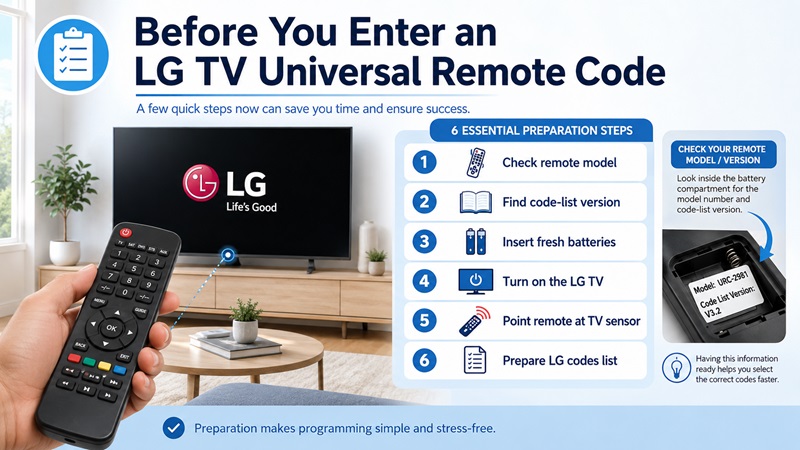
Before trying any universal remote lg tv code, identify the exact remote you own. A reliable universal remote lg tv code must match that model’s internal library.
Remove the battery cover and look for:
- The remote model number
- A code-list or CL version
- A revision number
- A product label or support URL
- The number of devices the remote controls
GE-branded remotes supported by Jasco commonly require both the model and code-list version. Jasco specifically tells users to look inside the battery compartment or on the underside of the cover.
Next, prepare the LG TV and remote:
- Install fresh batteries.
- Turn on the LG TV manually.
- Point the remote toward the TV’s infrared sensor.
- Remove objects blocking the front of the television.
- Select TV mode on the universal remote.
- Keep the official code list nearby.
- Write down every code you test.
Do not confuse the universal remote control code for lg tv with a code for an LG soundbar, Blu-ray player, cable box, or streaming device. Universal remotes often organize each device category separately.
You should also check whether the remote is a standard programmable model or an LG replacement remote. Some replacement remotes are preprogrammed and may not need a setup code at all. For example, Jasco sells an LG replacement remote with a preprogrammed TV button, and One For All lists LG replacement models designed for direct use with LG televisions.
Finally, confirm that your remote supports television control. If it has no TV device button or no LG entries in its official documentation, entering a random universal remote lg tv code will not add a code library that the remote does not contain.
Universal Remote Codes for LG TVs by Remote Brand
The correct universal remote lg tv code must come from the code set built into your remote. Treat every universal remote lg tv code as model-specific rather than brand-wide.
GE Universal Remote Codes for LG TV
When searching for ge universal remote codes for lg tv, begin with the model and CL version printed inside the battery compartment. GE/Jasco code databases are organized around those details rather than one universal LG list.
Use this process:
- Remove the battery cover.
- Record the model number.
- Find the CL or code-list version.
- Open the official Jasco universal remote code page.
- Select the matching remote information.
- Choose TV as the device type.
- Choose LG as the brand.
- Try the listed numbers in order.
People often search for 4 digit ge universal remote codes for lg tv, but a four-digit list still needs to match the correct CL version. A number from another GE list may not exist in the memory of your remote.
The same warning applies when looking for a ge universal remote code for lg tv on a forum or general code website. Verify it against the official list before spending time on setup.
If direct entry fails, Jasco provides an Auto Code Search process that scans through all codes stored in the remote.
| GE remote detail | Where to find it |
| Model number | Battery compartment or cover |
| Code-list version | Usually near the model label |
| Device category | Select TV |
| Brand | Select LG |
| Backup method | Auto Code Search |
RCA Universal Remote Codes for LG TV
RCA remotes also use different code lists based on the remote model or revision. Therefore, rca universal remote codes for lg tv should always be checked against the manual supplied with that specific remote.
A typical RCA direct-entry process uses a Setup or Code Search button, a TV device key, and the digits from the matching code list. However, button names and indicator-light behavior vary.
Some RCA models use five-digit codes, while others use shorter formats. Do not add or remove leading zeros unless the manual tells you to do so.
When testing rca universal remote codes for lg tv, check more than Power. A good setup should ideally control:
- Volume
- Mute
- Input
- Channel
- Menu
- Navigation
- Back
- Home, when supported
If Power works but several other buttons fail, move to the next LG code in the list. The remote may have found a partial command set.
One For All Remote LG TV Codes
For one for all remote lg tv codes, the manufacturer recommends using its setup-code finder and entering the exact make and model of the device. The code list at the back of the user manual is another official option.
One For All codes vary by remote:
- Traditional universal remotes may use four-digit setup codes.
- Streamer remotes may use five-digit setup codes.
- LG replacement remotes may arrive preprogrammed.
- Learning remotes may copy missing functions from the original LG remote.
For example, the official URC7935 TV code page lists multiple five-digit LG entries, while another One For All code list contains a different four-digit group.
This does not mean one list is wrong. It means the universal remote lg tv code format depends on the remote model.
| Remote family | Typical setup approach |
| Standard universal remote | Enter a code from its manual |
| Streamer remote | Use its model-specific code list |
| LG replacement remote | Often preprogrammed |
| Learning remote | Copy missing commands from the original |
How to Program a Universal Remote to an LG TV With a Code
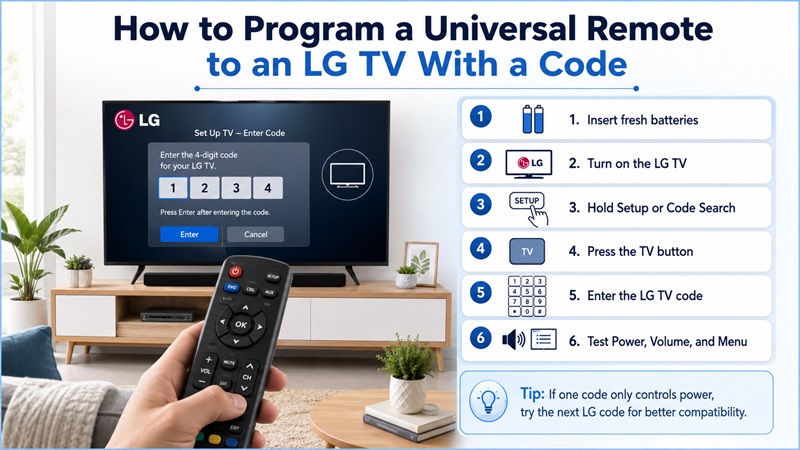
The exact button sequence differs by brand, but the following direct-entry method works as a general guide for entering a universal remote lg tv code. Always follow your remote’s manual when its instructions differ.
- Insert fresh batteries into the universal remote.
- Turn on the LG TV using its physical power button.
- Point the remote directly at the television.
- Press and hold Setup, Code Search, Magic, or the equivalent programming button.
- Wait for the indicator light to remain on or flash as described in the manual.
- Press the TV device button.
- Enter the universal remote lg tv code from the correct list.
- Wait for the indicator light to confirm the entry.
- Press Power.
- Test the remaining controls.
If the TV does not respond, repeat the process with the next code. Do not assume the setup procedure failed simply because the first number was wrong.
Test the Code Properly
A successful Power command is only the first check. Test:
- Power on and off
- Volume up and down
- Mute
- Channel controls
- Input selection
- Directional navigation
- OK or Select
- Menu or Settings
- Back
- Home
- Playback buttons
A universal remote control code for lg tv may support basic functions but omit smart-TV controls. If another listed code offers a better button map, use that one instead.
When a button sends the wrong command, confirm that the remote is still in TV mode. Multi-device remotes can accidentally switch to a cable box, soundbar, or streaming player.
Keep the remote pointed toward the TV during testing. Most standard universal remotes use infrared and require a clear line of sight.
Once you identify the best universal remote lg tv code, write it inside the battery cover or save it in your phone. This will make reprogramming easier after a battery change or reset.
How to Connect a Universal Remote Without an LG TV Code
You can still program many remotes when you do not know the universal remote lg tv code. In that situation, the remote can search for a universal remote lg tv code stored in its memory.
The most common alternatives are Auto Code Search, manual search, and learning mode.
Use Auto Code Search
Auto Code Search scans the codes stored inside the remote until the TV responds. Jasco describes it as a process for searching through all codes saved in the remote’s library.
A general process is:
- Turn on the LG TV.
- Point the remote at the TV.
- Hold Setup or Code Search until the indicator enters programming mode.
- Press the TV device button.
- Start the automatic search using the button sequence in the manual.
- Keep the remote aimed at the television.
- When the TV turns off, immediately save the code.
- Turn the TV back on and test all main controls.
The exact save button may be Enter, OK, Setup, or another key. Follow the manual carefully, because failing to save at the right moment may restart the scan.
Use Manual Code Search
Manual search advances through the code library one step at a time. It is slower but gives you more control.
You may need to press Power, Channel Up, or another specified key repeatedly until the television responds. Save the code immediately, then test it.
Manual search is useful when automatic search passes a working code too quickly.
Use the Learning Feature
Some One For All and other advanced remotes can learn commands from the original LG controller. Place both remotes facing each other and follow the learning instructions for each missing button.
One For All specifically recommends its code finder or learning feature when a normal setup code is unavailable.
Learning mode is especially helpful when the universal remote lg code controls Power and Volume but lacks Input, Home, or a streaming shortcut.
What to Do When the LG TV Remote Code Does Not Work
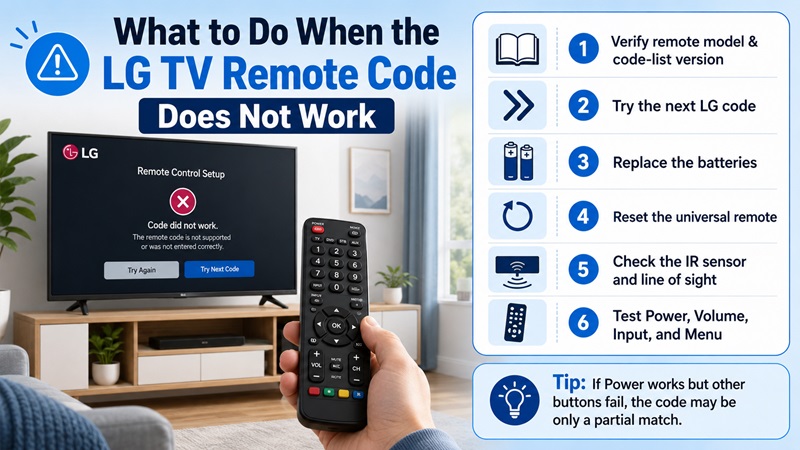
If the universal remote lg tv code does not work, do not assume the television is incompatible. Another universal remote lg tv code in the same official list may provide a better match.
Most failures come from the wrong code list, weak batteries, incorrect programming mode, or a partial code match.
Verify the Remote Model and Code List
Return to the battery compartment and confirm the exact model, CL version, or revision. Then reopen the official code source.
A code from another remote brand will not normally work. A code from another version of the same brand may also fail.
Try Every LG Code in the Correct List
Manufacturers often provide several lg universal remote tv codes because LG television models may respond to different command sets.
Test each code in order and record the results. Stop when you find the option with the most complete control.
Replace the Batteries
Weak batteries can provide enough power for the indicator light while producing an unreliable infrared signal.
Install a fresh matching pair and confirm the positive and negative ends are positioned correctly.
Check the Infrared Path
Remove objects between the remote and TV. Clean the front of the remote and the television’s sensor area.
You can also view the remote’s infrared LED through many phone cameras. Press a button while looking at the LED through the camera preview. A flashing light may indicate that the remote is transmitting, although some cameras filter infrared.
Reset the Remote Correctly
Reset procedures vary. Use the manual for the exact model rather than following a generic button combination.
After resetting, enter the ge universal remote code for lg tv, RCA code, or One For All code from the correct official list again.
Diagnose Partial Control
| Symptom | Likely explanation | Next step |
| Power works only | Partial code match | Try the next LG code |
| Volume fails | Wrong command set | Reprogram with another code |
| Input does not work | Limited function map | Try another code or learning mode |
| No buttons work | Wrong list or setup mode | Verify model and repeat setup |
| Indicator rejects digits | Code not stored in that remote | Use the correct code list |
| Commands are inconsistent | Weak batteries or blocked IR | Replace batteries and clear the path |
Jasco’s FAQ recommends code search when listed numbers are unavailable or do not work.
How to Find the Saved Code on Your Universal Remote
After Auto Code Search succeeds, you may want to identify the saved universal remote lg tv code for future use. Recording the universal remote lg tv code prevents repeating the full search later.
Many remotes provide a Code Identification, Code Retrieval, or Code Display procedure. The exact sequence varies, so use the manual for your model.
A typical retrieval process may involve:
- Select TV mode.
- Hold Setup or Code Search.
- Activate the code-identification command.
- Press each number key in sequence.
- Watch the indicator light.
- Record the digits when the light responds.
Some remotes report one digit at a time. Others use a series of flashes. A zero may be represented differently from the other digits.
Once you recover the code, store it in at least one safe place:
- Inside the battery cover
- In the remote manual
- In a phone note
- On a label near the TV
- In a home-device inventory
Remember that the recovered lg tv code for universal remote use belongs to that specific remote and code-list version. It may not program a different GE, RCA, or One For All model.
If the remote has no retrieval feature, you can still note the working code while performing direct entry. This is another reason to test and record each number systematically.
Use a Remote Universal TV App Instead of a Physical Remote
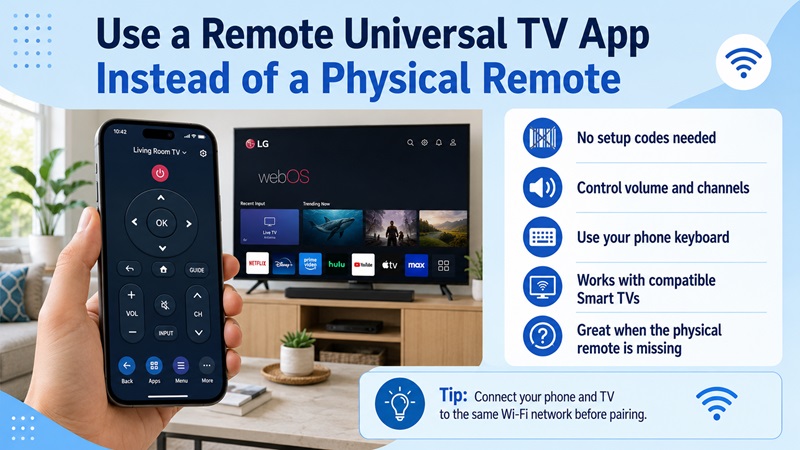
When no universal remote lg tv code gives complete control, a phone app can be a practical alternative for a compatible LG Smart TV. This avoids testing another universal remote lg tv code when app control already meets your needs.
LG says the ThinQ app can control compatible televisions, launch apps, and share content from a mobile phone.
A Remote universal TV App may offer:
- Volume and mute controls
- Channel changes
- Directional navigation
- Home and Back buttons
- Phone keyboard input
- Streaming-app shortcuts
- Media playback
- Photo or video casting
- Control for several TV brands
For Wi-Fi control, connect the phone and LG TV to the same network. Open the app, scan for devices, select the television, and approve any connection request shown on the TV.
Unlike a physical universal remote, a network app usually does not require a numeric universal remote lg tv code. However, availability depends on the LG model, webOS version, network settings, and app compatibility.
A non-smart LG television may still require an infrared remote, an IR-capable phone, or an external control device. Many modern phones do not include an infrared transmitter.
If you prefer a physical controller, return to the official code finder and verify the exact remote model. If you prefer touch controls, keyboard input, and multi-brand support, a Remote universal TV App may be faster than testing a long code list.
The key lesson is simple: the best universal remote lg tv code is the one listed for your exact remote and capable of controlling the functions you use. Start with the official code source, test every important button, and use code search or a mobile app when direct entry does not provide a complete result.
Download Universal remote TV App
