
Can I Use My Phone as a Roku Remote?
Yes, you can use your phone as a Roku remote — install a Roku remote app, connect your phone to the same Wi-Fi network as your Roku, and control the TV from your screen.
It works on both iPhone and Android, it’s free, and it often does more than the physical remote thanks to a full keyboard and private listening. For anyone who has lost their remote or just prefers their phone, it’s the simplest fix there is.
This guide answers the question can I use my phone as a Roku remote in full — how it works, which free apps to use, how to set it up, and the few situations where the physical remote is still needed.
By the end you’ll have your phone controlling your Roku, whether or not the original remote is anywhere to be found.
The core answer to can I use my phone as a Roku remote is yes on every count — free, cross-platform, and quick to set up.
Can I Use My Phone as a Roku Remote? The Short Answer
Yes. The answer to can I use my phone as a Roku remote is a clear yes, on both iPhone and Android. A Roku remote app connects to your Roku over your home Wi-Fi and turns your phone into a full-featured controller.
This isn’t a limited workaround — a phone app covers power, volume, navigation, and app launching, which is everything most people use a remote for. So when you ask can I use the Roku app as a remote, the answer is yes, and it’s genuinely one of the best ways to control a Roku.
Download TV Remote AppHow Using Your Phone as a Roku Remote Works
A phone Roku remote works over your local Wi-Fi network rather than infrared. Your phone sends commands to the Roku across the network, and the Roku responds just as it would to its physical remote.
This is why the one firm requirement is that your phone and Roku share the same Wi-Fi network. Once they’re on the same network, using your phone as a Roku remote is seamless. It also means you don’t need line of sight — you can control the TV from anywhere in the room, or even the next room.
If you’ve been wondering can I use my phone as a Roku remote reliably, the Wi-Fi-based design is exactly why the answer is yes — it’s a stable, purpose-built connection.
Wi-Fi, Not Infrared
Because a phone Roku remote uses Wi-Fi rather than infrared, you never have to point your phone at the TV. This is a genuine upgrade over basic infrared remotes that need a clear line of sight to work.
The Same-Network Requirement
The catch is that both devices must be on the same Wi-Fi network. If you’re wondering can I use my phone as a Roku remote and it isn’t connecting, a network mismatch is almost always why — and it’s easily fixed by joining the right network.
So if can I use my phone as a Roku remote is your question and it isn’t connecting, this shared-network check is the very first thing to confirm.
Which App Should You Use?
Several apps let you use your phone as a Roku remote. The main choice is between the official Roku app and trusted third-party options, all of which are free.
The Official Roku App
The official app is the most direct way to use your phone as a Roku remote. It offers full navigation, a keyboard, private listening, and search, all free. It’s the baseline option and a solid choice for most people.
For most people asking can I use my phone as a Roku remote, this app alone fully answers it.
The Remote TV App
The Remote TV App is a free alternative with a clean interface that also works across other TV brands. If you have more than one type of smart TV, a single app can control them all. to use your phone as a Roku remote for free.
Is the Roku Remote App Free?
Yes — is the roku tv remote app free comes up often, and the answer is that core control is free in reputable apps. So a roku remote app that handles everyday control won’t cost you anything, which makes trying one an easy decision.
How to Set Up Your Phone as a Roku Remote
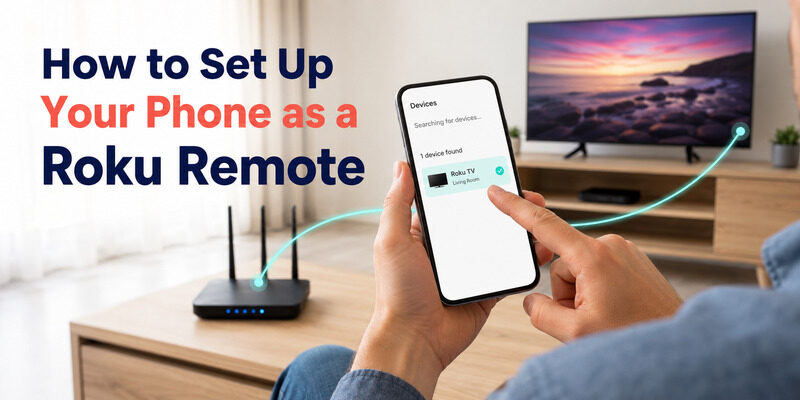
Setup is quick and works the same in principle on any phone. Here’s the process to download roku tv remote on my phone and get it controlling the TV.
Install the App
Download a Roku remote app from your phone’s official app store. Whether you want to use the official app or a trusted alternative, the install is free and takes seconds.
Join the Same Network
Connect your phone to the same Wi-Fi network as your Roku. This step is essential — using your phone as a Roku remote only works when both devices share a network.
Select Your Roku and Go
Open the app, let it scan for devices, and select your Roku. The on-screen remote appears within seconds, and you’re controlling the TV. That’s all it takes to answer can I use my phone as a Roku remote in practice.
What Your Phone Can Do That the Remote Can’t
Using your phone as a Roku remote isn’t just a fallback — it adds real capabilities. The standout is text entry: typing searches and passwords on your phone keyboard is far faster than a directional pad.
Private listening is another: plug headphones into your phone and the TV’s audio streams to them, ideal for late-night watching. And your phone is always with you, so there’s nothing to lose in the couch cushions. These extras are part of why so many people, once they try using the Roku app as a remote, stick with it.
These extras are a big part of why people who ask can I use my phone as a Roku remote end up preferring the app to the original.
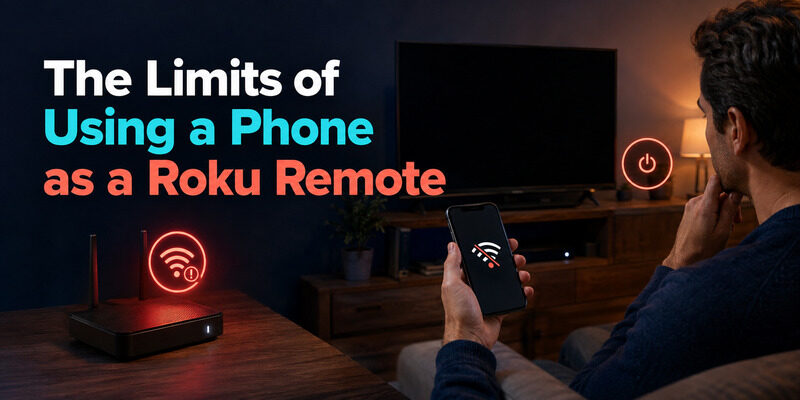
The Limits of Using a Phone as a Roku Remote
Being honest about the limits helps set expectations. There are two situations where the physical remote still wins.
The first is a network outage: since a phone Roku remote needs Wi-Fi, it won’t work if your network is down, whereas an infrared remote would. The second is the very first cold power-on of a fully-off TV that isn’t listening on the network — that needs the physical button or remote. Outside these two cases, using your phone as a Roku remote covers everything.
Knowing these limits upfront gives an honest answer to can I use my phone as a Roku remote in every situation, rather than just most of them.
Do You Still Need the Physical Remote?
For daily use, not really. Once you can use your phone as a Roku remote, the physical remote becomes a backup for the two edge cases above rather than a necessity.
Many people happily go without a physical remote entirely, relying on the app full-time. Others keep the physical remote in a drawer for network outages. Either approach is valid, and both start from the same place: the app does the everyday work.
In practice, once people confirm that can I use my phone as a Roku remote is a yes, the physical remote spends most of its life in a drawer.
Using Your Phone vs. a Physical Remote in Everyday Life
Once you know you can use your phone as a Roku remote, it helps to picture how it fits into daily routines against the physical remote.
For Searching and Typing
This is where the phone clearly wins. Entering a show title or a streaming password on a phone keyboard takes seconds, versus the slow letter-by-letter grind of a directional pad. Anyone asking can I use my phone as a Roku remote for faster searching will be glad they did.
For Quick Channel Changes
For a fast, one-handed volume nudge or channel flip, a physical remote’s tactile buttons are slightly quicker since there’s no screen to wake. Many people keep the physical remote nearby for exactly these quick actions.
For a Lost or Broken Remote
This is the scenario that sends most people searching. If the physical remote is gone, the phone app is an instant, free replacement — the definitive reason the answer to can I use my phone as a Roku remote matters so much.
Turn Your Phone Into a Roku Remote for Free
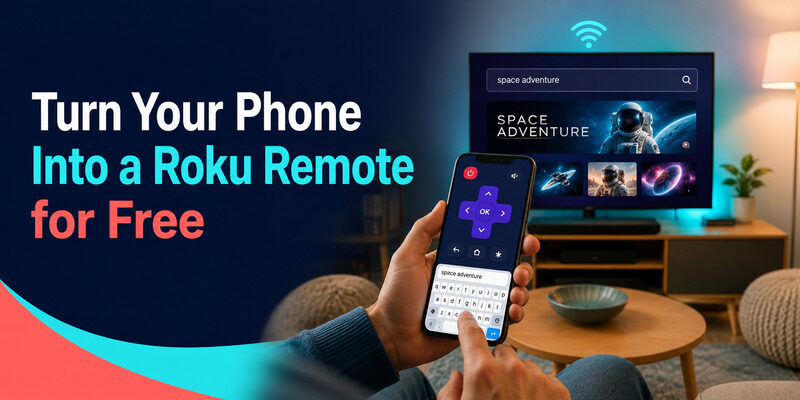
If you’re ready to use your phone as a Roku remote, the Remote TV App makes it free and simple. It connects over Wi-Fi, covers full control, and adds fast keyboard text entry, with a clean interface that works across TV brands.
There’s nothing to buy and nothing to lose — your phone becomes a complete Roku remote in about a minute. to control your Roku from your phone.
FAQs About Using a Phone as a Roku Remote
Can I use my phone as a Roku remote for free?
Yes. The official Roku app and reputable alternatives like the Remote TV App are free for core control. Just install one, join the same Wi-Fi network as your Roku, and select the device.
Does it work on both iPhone and Android?
Yes. Roku remote apps are available on both platforms and work the same way — connect to the same Wi-Fi as your Roku and control the TV over the network.
Can I use the Roku app as a remote without the physical one?
Yes. The app fully replaces the physical remote for daily use. You only need the physical remote for a network outage or the first power-on of a completely off, un-networked TV.
Why won’t my phone connect to my Roku?
Almost always a network mismatch. Confirm your phone and Roku are on the exact same Wi-Fi network, not a guest network or a separate frequency band, and the app should find the TV.
Is the Roku remote app really free?
Yes, core control is free in reputable apps. Some offer optional paid extras, but changing channels, adjusting volume, and navigating menus cost nothing.
Final Thoughts
So, can I use my phone as a Roku remote? Absolutely — it’s free, works on any phone over Wi-Fi, and often beats the physical remote for typing and private listening. Setup takes a minute: install an app, share a network, and select your Roku.
The only times you’ll still want the physical remote are a network outage or a cold power-on. For everything else, your phone is a complete Roku remote, and the Remote TV App makes it free and easy to set up.
Download TV Remote App