Can You Turn On TCL TV Without Remote? Try These Methods
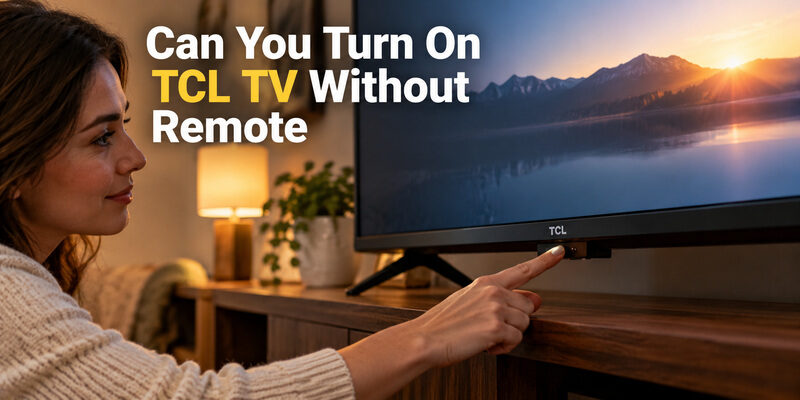
Short answer: Yes—press the television’s physical power button to turn it on without the remote.
The button may be underneath the screen, near a lower edge, or on the back, depending on the model. Phone control and HDMI-connected devices can also help in supported, already configured setups, but they have prerequisites that the physical button does not share.
The practical question behind “can you turn on TCL TV without remote” is often what happens next: reaching an input, adjusting sound, or getting the TV back onto Wi-Fi. Start with the power button, then choose the control route that matches your television’s current state instead of downloading several apps before checking the hardware.
Can You Turn On TCL TV Without Remote Using Its Button
Use this short sequence to attempt a normal startup. TCL’s official troubleshooting guidance recommends checking the physical button when the remote does not turn the television on.
- Confirm wall power: Check that the television is plugged into a working outlet and that any switched socket or power strip is on.
- Locate the TV control: Inspect the underside and accessible edges using the model’s manual or a light.
- Press once: Give the identified power button a normal press, then allow the television to start.
- Observe the result: Look for a logo, home screen, input label, or sound before deciding nothing happened.
A normal power press is different from a reset procedure. Do not begin by holding unidentified buttons for long periods. When answering “can you turn on TCL TV without remote,” first establish whether the TV responds to its own control at all.
If startup succeeds, leave the television on while you arrange a dependable navigation method. Turning it off again before connecting a phone can remove the easiest opportunity to finish that setup.
Find the Button Without Moving the Television Unsafely
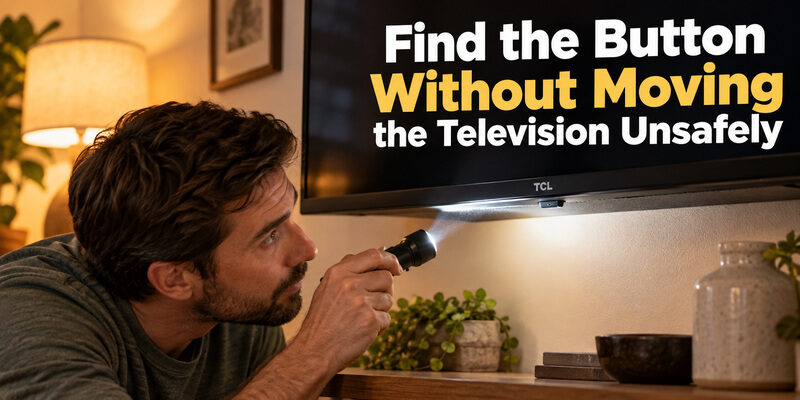
Inspect the underside and lower edges
TCL’s power troubleshooting page describes several possible button locations, including beneath the center area, near the logo, at the bottom side, and on the back. A small control can be difficult to see from the normal viewing position.
For TCL TV buttons location without remote searches, use a flashlight and the exact model manual. Do not mistake a status light, infrared receiver window, or microphone switch for the power button. A light alone is not a surface you should press.
Check the manual before reaching behind a mount
Look up the complete model from your purchase record or an accessible label. Do not pull a mounted screen away from the wall just to guess. Use the documented location and obtain help if access requires moving the television safely.
People asking “can you turn on TCL TV without remote” sometimes assume the button must be in the same place as on another TCL set. Even related models can use different chassis layouts, so a picture of another size is only a clue.
Understand What Short and Long Presses Do
Use the model’s normal startup action
On supported TCL Android TV designs, the power/options button turns the TV on with a press. Once the TV is running, that same button may open a small on-screen menu. Its meaning changes with the television’s current state.
TCL’s official “Using the Power and Options Button on Your Android TV” guide describes pressing to cycle through options and holding for more than two seconds to select. That is model-specific guidance, not a universal command for every TCL television.
Avoid confusing selection with reset
A pinhole marked Reset is a different control from an ordinary power button. Do not insert a tool into an opening unless the manual identifies its purpose and the procedure you intend to perform requires it.
The answer to “can you turn on TCL TV without remote” does not require erasing accounts or settings. If the short press opens an options menu, read its choices and follow the documented selection method rather than experimenting with longer holds.
Choose a Wake Method for the Current TV State
The useful alternatives depend on what is already configured. A phone app may work perfectly after startup yet remain unable to wake a television in its present standby mode.
| Current situation | Practical first method | Important condition |
|---|---|---|
| Remote missing, TV plugged in | Physical power button | Locate the correct control |
| TV on and already networked | Compatible phone remote | Phone can reach and pair with TV |
| Configured TV in supported standby | Supported network wake | Model and standby settings permit it |
| Connected player with CEC enabled | Player’s supported wake action | Both devices support the required CEC behavior |
| TV disconnected from wall power | Restore electrical power | No remote method replaces mains power |
Choose from the TV’s actual state. A guide answering “can you turn on TCL TV without remote” should distinguish standby from a disconnected power cable. These situations can both produce a black screen, but they require different actions.
If you have no Wi-Fi access, the physical button remains the first option. An ordinary network app cannot communicate with an offline television merely because the phone has mobile data.
Set Up Phone Control After the Screen Wakes
Match the app to the built-in platform
Identify whether the TV runs Roku, Google TV, Android TV, or Fire TV. The television brand alone is not enough to select an app. Use the appropriate official platform app as a starting point and check its current device requirements.
For how to use TCL TV without remote, complete the phone connection while the TV is visible and reachable. Google TV uses an on-screen pairing code; other platforms have their own device-selection and approval process. Do not substitute a universal remote’s programming code.
Test more than the connection screen
Open Home, move the selection, select a familiar service, and adjust sound. Then close and reopen the app. Successful discovery is only the first step; verify that commands reach the correct television.
Someone asking “can you turn on TCL TV without remote” may be satisfied once the screen lights up, but a connected phone solves the next problem: continuing to use it. Keep the physical button location recorded so you can recover if the app later loses access.
Check Standby Network Settings on TCL Roku TV
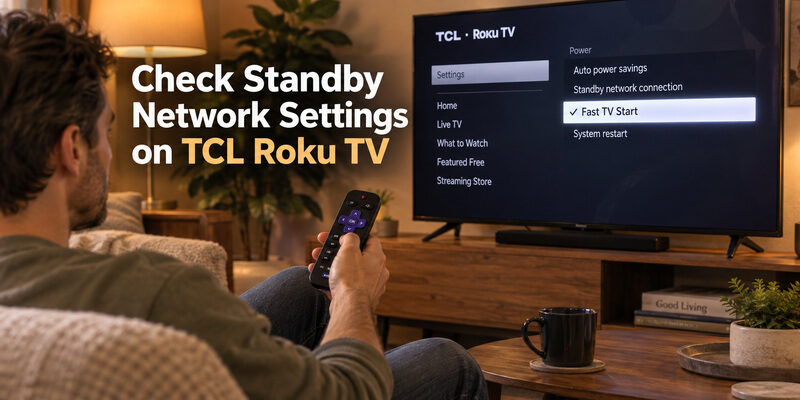
Understand Fast TV Start
TCL’s official Fast TV Start instructions for Roku TV use Settings, System, Power, and Fast TV Start. This feature keeps network connectivity available while the television is off in its supported standby state and uses more standby power.
It can matter when “can you turn on TCL TV without remote” really means waking the screen from a phone. Fast TV Start does not power an unplugged television. Confirm the feature on your model and test the intended app or wake action rather than assuming all standby behavior is identical.
Make the choice while controls work
You need a way to reach settings before changing them. If the TV is currently inaccessible to the phone, use its power button or a compatible physical controller first. A disabled setting cannot be changed through a connection that does not exist.
After enabling a supported option, let the television enter standby normally and test one wake attempt. Note the result and the setting you changed. This answers “can you turn on TCL TV without remote” for your own configured set more reliably than a general compatibility claim.
Try a Connected HDMI Device Where CEC Supports Wake
Check both ends of the HDMI connection
HDMI-CEC allows supported devices to exchange certain control commands through HDMI. TCL’s official CEC explanation describes One Touch Play behavior that can turn on the TV and switch to the relevant source when compatible connected equipment initiates playback.
Both the TV and the connected device must support and permit the relevant behavior. An HDMI cable alone does not guarantee wake control. Look for the manufacturer’s CEC settings on each device and use the documented action for that player or console.
Verify wake and input selection separately
Start the connected device and observe whether the TV wakes, changes input, does both, or does neither. A player can turn on while the television remains in standby. That result does not prove the television’s power button is broken.
For “can you turn on TCL TV without remote” in an offline room, CEC may be useful because the command travels through HDMI rather than the phone’s Wi-Fi connection. It still requires powered equipment and an already suitable setup; do not treat it as a guaranteed first-installation shortcut.
Reach Inputs Volume and Settings After Startup
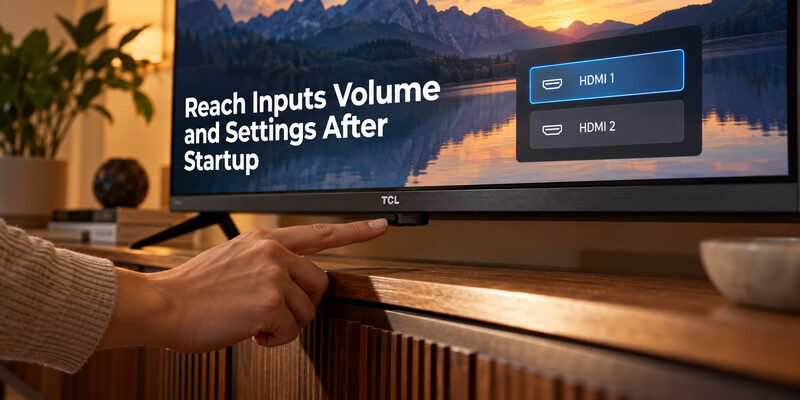
How to Turn Up Volume on TCL TV Without Remote
TCL TV volume control without remote depends on the model’s onboard menu. Some button arrangements expose volume and source choices; others offer fewer functions. Follow the displayed options rather than assuming a single button can navigate every screen.
For TCL TV how to change input without remote, identify the desired HDMI connection first. The input menu chooses the television’s source; opening a streaming app is a different task. Labeling a connected console or receiver can simplify later selection where the TV supports it.
Move to a fuller controller when necessary
How to get to settings on TCL TV without remote may require a compatible phone or replacement handset if the onboard controls are limited. Power access does not imply full menu access. Avoid repeating button presses after you have established that the desired option is absent.
This is the point where “can you turn on TCL TV without remote” becomes a broader control question. If you can wake the screen but cannot enter Wi-Fi details, obtain a supported setup controller instead of resetting the television and making the setup task larger.
Handle a Missing Network or a Black Screen
How to Control TCL TV Without Remote or WiFi
How to connect TCL TV to WiFi without remote depends on the controls the TV still accepts. A compatible physical replacement is often the straightforward route when the set has lost the network that previously supported phone control.
Do not assume a newly downloaded app can send new Wi-Fi credentials to an unreachable TV. When considering “can you turn on TCL TV without remote,” keep the electrical startup task separate from the network configuration task. Solving one does not automatically solve the other.
Distinguish no picture from no power
Listen for sound and watch for any change after a button press. A television with audio but no visible picture needs different investigation from a set with no response at all. TCL provides separate support guidance for these symptoms.
| Observation | What to check next |
|---|---|
| Physical button starts the TV | Restore remote or phone control |
| Sound plays but screen remains black | Picture, source, and TV display troubleshooting |
| No response from any control | Outlet, cable, and model-specific power guidance |
| TV starts but phone cannot find it | Platform, network, and app connection prerequisites |
Record what changes after each attempt. TCL’s no-power guidance includes a power-cycle procedure, but use the instructions for the actual symptom and model. A factory reset is not the first answer to “can you turn on TCL TV without remote.”
Work Through Three Common Missing Remote Situations
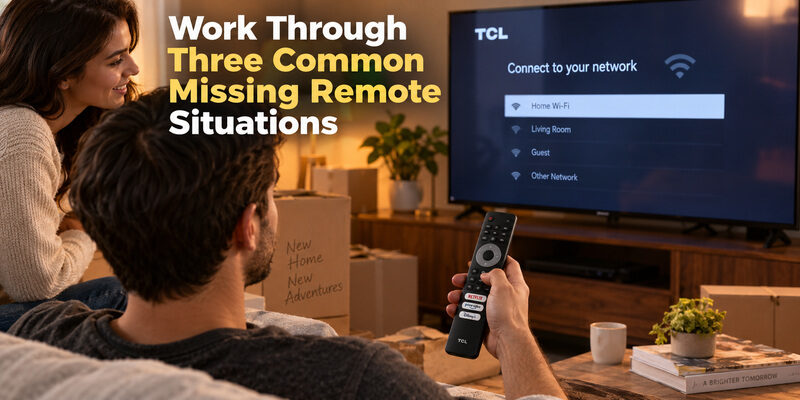
The remote disappeared during an ordinary evening
The television was working yesterday, the router has not changed, and the only missing item is the handset. Begin with a normal press of the physical button. Once the screen starts, use the appropriate phone controller and complete any approval while the television is visible.
In this situation, “can you turn on TCL TV without remote” usually has a simple practical answer. Preserve the existing network and accounts because they support your easiest alternative. Searching for a replacement can wait until you have restored the controls needed for tonight’s viewing.
Check where the sound is coming from before adjusting volume. If a soundbar has its own remote, keep it available during the phone test. The television may start successfully while the separate audio device remains off or on a different input.
The television has just moved to a different home
Here, the previous Wi-Fi connection may no longer exist. Pressing the television’s button can still start the screen, but the phone may be unable to find it. Read the setup screen and identify which controls are available before deciding on the next step.
The question “can you turn on TCL TV without remote” should not be used to assume that a phone can complete every part of a move. Arrange a compatible setup controller when the network is unavailable. This may save time compared with trying several apps that all require the same missing connection.
Keep the old settings until you understand the recovery route. A deliberate factory reset removes stored setup information and can introduce additional steps without improving access to the buttons you currently lack.
A guest needs to use a television you configured
A connected phone belonging to the owner is not necessarily available to a guest. Show the guest the physical power button, then provide a supported controller with clear Home, Back, and sound controls. Do not depend on them knowing which of several similarly named devices to select.
When a guest asks “can you turn on TCL TV without remote,” an effective answer includes a short demonstration on that screen. Let them repeat the startup and return to the intended input once. This reveals whether the instructions are usable without the person who originally configured the TV.
Write down only the practical controls and the recognized device name. There is no need to put account passwords into a public instruction card. The goal is predictable viewing access, with a known fallback if the phone connection or connected HDMI device is unavailable.
Prepare a Practical Backup for the Next Time
Once normal viewing is restored, leave a short note with the model number, physical button location, and working phone app. Check that another household member can find the correct TV in the app and reach a familiar service.
For supported models, can provide an additional phone-control route. Verify compatibility and connection requirements while you still have working controls. A prepared backup is more useful than an untested download.
Keep a compatible physical handset for network changes and first setup. The guide explains how to match one, while covers phone pairing for that platform.
Revisit “can you turn on TCL TV without remote” after moving the TV or changing the router. The button location stays with the television, but your successful network and HDMI wake methods may depend on the new arrangement.
Keep the instruction note beside the usual controller storage place. A clear location and a tested sequence help another viewer recover without changing accounts, unplugging working equipment, or guessing at an unfamiliar menu.
Use a Remote TV App to Control Your TCL TV
If your TCL remote is lost, broken, or out of battery, a Remote TV App can turn your phone into a convenient replacement remote. Once your TCL TV is powered on and connected to a compatible network, you can use your smartphone for everyday controls instead of relying on the physical remote.
Control Your TCL TV With the Remote TV App by Begamob
The Remote TV App by Begamob is designed to make TV control easier from your phone. It supports popular smart TV brands, including TCL, and provides the essential controls most users need for daily viewing.
Depending on your TCL model and connection, you can use the app to:
- Navigate menus and apps
- Adjust the volume
- Change channels
- Use Home, Back, and directional controls
- Control playback
- Enter text more easily using your phone
- Manage compatible TVs from one mobile device
Setup is straightforward: connect your phone and TCL TV to the same Wi-Fi network, open the Remote TV App, and select your TV when it appears. Follow any pairing instructions shown on the television.
This makes the app especially useful when you lost your TCL TV remote, the batteries suddenly run out, or you simply prefer using your phone instead of keeping another physical controller nearby.
However, keep in mind that a phone remote normally requires the TV to be powered on or available through a supported network standby mode. If your TCL TV is completely offline or disconnected from Wi-Fi, use the TV’s physical power button first, then connect the app once the television is accessible again.
Want an easier backup for your TCL remote? Try the Remote TV App by Begamob and control your TV directly from your phone.
Download TV Remote AppFinal Thoughts
Yes is the starting answer to “can you turn on TCL TV without remote”: use the television’s physical power button first. Confirm its location in the model documentation, make a normal startup attempt, and observe whether the screen, sound, or status changes.
Build full control after restoring power. A compatible phone app, supported standby wake, or HDMI-CEC setup can help, but each depends on the television’s state. Knowing those limits turns “can you turn on TCL TV without remote” into a repeatable recovery routine instead of a series of guesses.