
Download Remote TV Sharp: How to Control Sharp TV With Your Phone
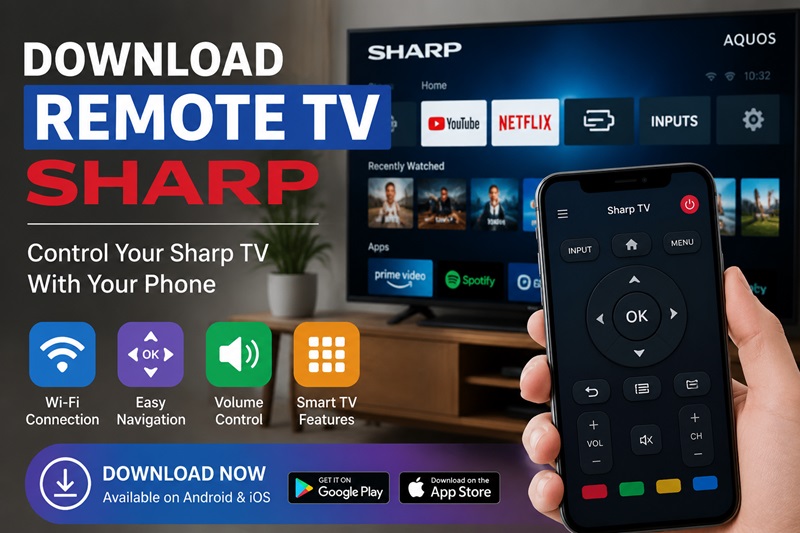
A missing or damaged remote can quickly become a frustrating problem, especially when you need to adjust the volume, switch input sources, or access your Sharp TV settings. This is why many users search for download remote tv sharp solutions to replace their physical controller with a smartphone.
Using a phone as a remote is now possible for many Sharp televisions. Depending on your TV model, you can control it through a Wi-Fi connection, an infrared transmitter, or a universal remote application. However, choosing the right solution is not always straightforward because Sharp produces many different TV lines, including Sharp Aquos, Android TV, and Smart TV models.
Before starting a download remote tv sharp process, you need to understand what type of Sharp TV you own and what connection method it supports. A remote app that works perfectly with one Sharp Smart TV may not work with an older Aquos model.
This guide explains how Sharp remote apps work, where to download them safely, how to connect your phone step by step, and what alternatives you can use when the original remote is unavailable.
1. Looking for Download Remote TV Sharp? Here Is What You Need to Know First
When people search for download remote tv sharp, they usually want a quick replacement for their missing remote. However, the first thing to understand is that Sharp TVs do not all use the same remote technology.
Some Sharp televisions can communicate directly with smartphones through Wi-Fi, while others require infrared signals or universal remote solutions. The correct method depends on the TV model, the operating system, and the smartphone you are using.
For example, a modern Sharp Android TV can usually work with network-based remote applications because it supports smart features. On the other hand, an older Sharp Aquos television without internet connectivity may need an infrared-enabled phone or a physical universal remote.
Understanding this difference before searching for a download remote tv sharp solution will save time and prevent installing apps that cannot communicate with your TV.
Is There a Sharp TV Remote App?
Many users ask is there a sharp tv remote app because they expect Sharp to provide one universal application for every television model.
The reality is more complicated. Sharp has produced TVs using different platforms over many years, and remote compatibility depends on the specific model. Some Sharp Smart TVs support official or compatible remote applications, while others work better with universal remote apps.
If you have a Sharp Aquos TV, Sharp Android TV, or another smart model, you should first check:
- The exact TV model number.
- The operating system installed on the TV.
- Whether the TV supports network control.
For users looking for a download remote tv sharp option, checking compatibility first is more important than simply installing the first remote app available.
How Does a Sharp TV Remote App Work?
A Sharp TV remote application works by sending commands from your smartphone to your television. Instead of pressing buttons on a physical remote, you interact with a digital remote interface on your phone.
Most modern applications use Wi-Fi communication. In this setup, your smartphone and Sharp TV communicate through the same home network. This allows the app to control functions such as volume, navigation, input selection, and smart TV menus.
The basic connection looks like this:
Smartphone → Home Wi-Fi Network → Sharp TV
This method provides more features than a traditional remote because your phone can also provide a keyboard, touch controls, and faster text input.
However, Wi-Fi remote applications require your TV to support smart features. If your Sharp television is not connected to the internet, you may need another solution.
Wi-Fi Remote vs Infrared Remote Technology
Not every download remote tv sharp solution works the same way. The biggest difference is whether the app uses Wi-Fi or infrared.
Wi-Fi-based remote apps are designed mainly for modern Sharp Smart TVs. They are convenient because they do not require your phone to point directly at the television. You can navigate menus, type text, and control smart features more naturally.
Infrared remote apps work differently. They send signals from your phone’s IR transmitter to the TV sensor, similar to a traditional remote. This makes them useful for older televisions that do not support smart connectivity.
The limitation is that only some Android phones include infrared hardware. Most modern smartphones, especially iPhones, do not have built-in IR transmitters.
Because of this, users searching for sharp tv remote app download should check whether their phone supports infrared or whether their Sharp TV supports Wi-Fi control.
Sharp TV Remote App vs Physical Remote
A smartphone remote is convenient, but it does not completely replace every advantage of a physical controller.
| Feature | Remote App | Physical Remote |
| Easy replacement | Yes | Requires purchase |
| Keyboard typing | Usually available | Not available |
| Battery | Uses phone battery | Uses remote batteries |
| Works without Wi-Fi | Only IR apps | Yes |
| Smart TV navigation | Often better | Depends on remote |
A remote application is especially useful when you temporarily lose your controller or want faster searching on smart TV apps. However, a physical remote may still be better for daily use because it works immediately without network requirements.
2. Where to Download Sharp TV Remote App Safely
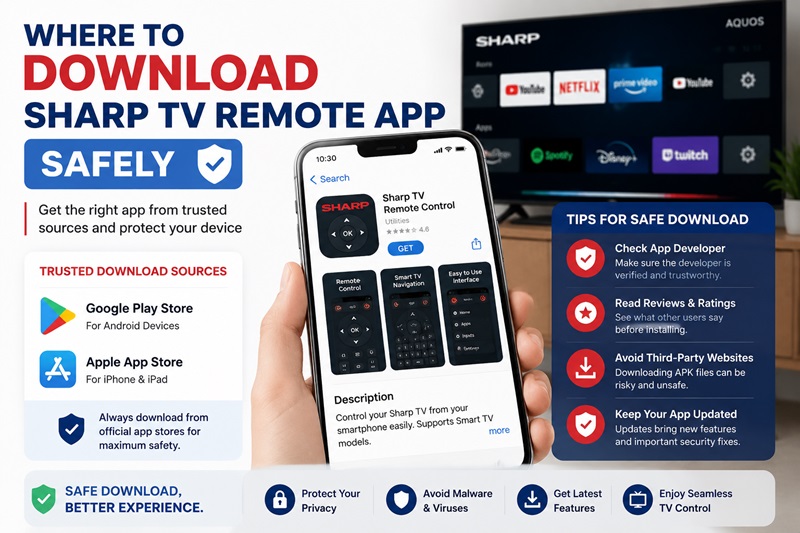
After understanding compatibility, the next step is finding a reliable download remote tv sharp source.
Many users immediately search online for APK files or unknown remote applications. However, not every download source is safe. Some apps may contain unnecessary permissions, aggressive advertisements, or simply fail to support Sharp televisions.
The safest approach is to start with official app stores and verify compatibility before installation.
Download Sharp TV Remote App From Official Stores
Users searching for download sharp tv remote should begin with Google Play Store or Apple App Store.
The process is simple:
- Open the official app store on your phone.
- Search for Sharp remote applications or universal TV remote apps.
- Check the supported TV brands.
- Review ratings and recent feedback.
- Install the application and allow required permissions.
Before choosing an application, pay attention to whether it specifically mentions Sharp support. Many universal remote apps support dozens of brands, but compatibility quality can vary between models.
A sharp tv remote download option should clearly explain:
- Supported devices.
- Connection method.
- Required permissions.
- Available features.
Sharp Aquos TV Remote App Compatibility
The phrase sharp aquos tv remote app download is common because Sharp Aquos is one of the most recognized Sharp TV product lines.
However, Aquos TVs exist across multiple generations. Some models support smart features, while older versions may only respond to infrared commands.
For a successful setup, check whether your Aquos TV supports:
- Wi-Fi connection.
- Smart TV functions.
- Mobile remote control.
- Third-party remote compatibility.
A download remote tv sharp aquos solution may work well on one Aquos model but fail on another because of differences in hardware and software.
Free Apps, Premium Apps, and APK Options
Many users search for sharp tv remote app free download because they want a free replacement for their lost remote.
Free applications often provide basic controls:
- Power.
- Volume.
- Navigation.
- Input switching.
Premium versions may add:
- No advertisements.
- Multiple saved devices.
- Keyboard support.
- Advanced controls.
Some users also search for download apk remote tv sharp or download remote tv sharp apk when they cannot find an app through official stores.
APK files can sometimes provide additional options on Android, but they should be downloaded carefully. Unknown APK websites may distribute modified applications or unsafe files.
Whenever possible, use official stores or trusted developers.
Turn your smartphone into a powerful Sharp TV remote. Connect in minutes and enjoy easy navigation, volume control, channel switching, and quick access to your favorite apps.
Get the App NowExplore Related Articles: Download the Samsung TV Remote App: Control Your Samsung TV From Your Phone
3. How to Set Up a Sharp TV Remote App and Connect Your TV
After completing a download remote tv sharp installation, the next step is connecting your smartphone with your Sharp television. This process is usually simple, but the exact steps depend on whether your app uses Wi-Fi or infrared technology.
Before pairing, remember that a remote application cannot communicate with every Sharp TV automatically. The TV must support the connection method used by the app.
Prepare Your Sharp TV Before Pairing
Before opening your remote application, check that your devices are ready.
Your Sharp TV should be:
- Powered on.
- Connected to Wi-Fi if using a network remote.
- Visible on the same local network as your phone.
Your smartphone should also have:
- The remote application installed.
- Wi-Fi enabled.
- Required permissions activated.
A common reason users fail during a download remote tv sharp setup is that the phone and TV are connected to different networks. For example, the phone may be connected to a guest Wi-Fi network while the television uses the main home network. Although both devices have internet access, they may not be able to communicate with each other.
Connect Sharp TV Remote App Through Wi-Fi
Most modern Sharp Smart TVs use Wi-Fi-based remote control because it provides more features than infrared.
To connect your phone:
- Open the Sharp remote application.
- Choose the option to add or search for a device.
- Wait while the app scans available televisions.
- Select your Sharp TV from the list.
- Enter the pairing code if the TV displays one.
- Confirm the connection.
- Test basic functions such as power, volume, and navigation.
After successful pairing, your smartphone should work as a replacement controller.
This method is commonly used for Sharp Android TV and Smart TV models because it allows more than simple button commands. Users can often access menus, type text, and navigate applications more easily.
Connect Sharp TV Using Infrared Mode
For older Sharp televisions, infrared control may be a better option.
Some Android smartphones include built-in IR hardware that can send remote signals directly to the TV. In this case, you do not need Wi-Fi.
The setup usually involves:
- Opening an IR-compatible remote app.
- Selecting Sharp as the TV brand.
- Choosing an available remote profile.
- Pointing the phone toward the TV sensor.
- Testing the Power button.
- Saving the working configuration.
Infrared mode is especially useful when users want to download remote tv sharp solutions for older televisions that do not support smart features.
What to Do If the Sharp Remote App Cannot Find Your TV
If your download remote tv sharp setup fails, the problem is usually related to compatibility or network settings rather than the application itself.
Try these solutions:
- Confirm that both devices use the same Wi-Fi network.
- Restart your Sharp TV.
- Restart your smartphone.
- Restart the router.
- Update the remote application.
- Enable Local Network permissions.
- Check whether your Sharp model supports mobile control.
If the TV still cannot be detected, your model may require a universal remote or a different application.
4. Sharp Aquos Remote App, Smart TV Compatibility, and Features
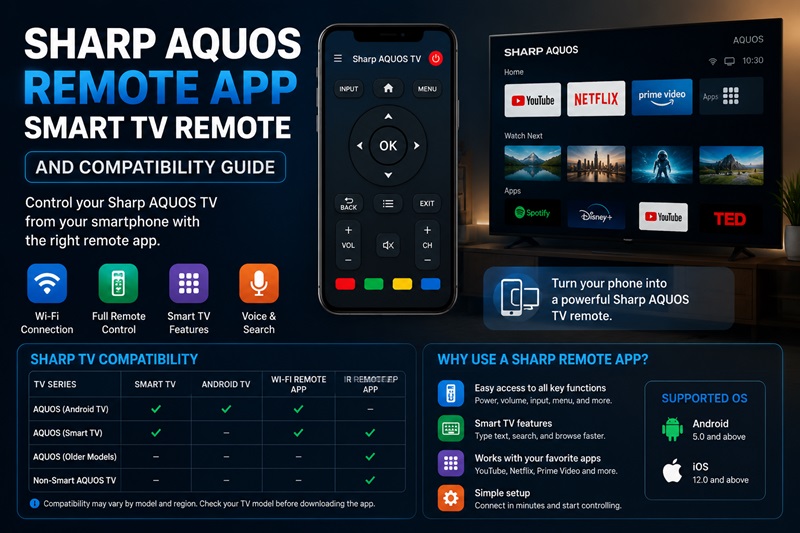
Sharp televisions are available in many generations, so compatibility is one of the most important factors when choosing a remote solution.
A download remote tv sharp option that works for a new Sharp Android TV may not work for an older Sharp Aquos model.
Understanding your TV platform helps you choose the right controller.
Sharp Aquos TV Remote App Download
The keyword sharp aquos tv remote app download is popular because Sharp Aquos is one of the company’s best-known television product lines.
However, Sharp Aquos includes many different generations.
Some Aquos models support:
- Smart TV features.
- Network control.
- Mobile applications.
Other older models may only support:
- Infrared remotes.
- Universal remotes.
- Physical controllers.
Before searching for download remote tv sharp aquos, check:
- TV model number.
- Release year.
- Operating system.
- Available connection options.
This prevents downloading an app that cannot communicate with your television.
Control Sharp Smart TV From Your Phone
A compatible Sharp remote application can replace many functions of the original controller.
With the right app, you may be able to:
- Turn the TV on or off.
- Adjust volume.
- Change channels.
- Switch input sources.
- Open menus.
- Navigate smart applications.
For users searching for sharp tv remote control app download, the main benefit is convenience. Instead of keeping track of a physical remote, your phone becomes an always-available controller.
However, advanced functions depend on the TV platform. Some apps may support basic controls but not every smart feature.
What Features Can a Sharp Remote App Provide?
A modern Sharp remote application can provide more than traditional buttons.
Common features include:
| Feature | Description |
| Touch navigation | Move through menus using phone gestures |
| Keyboard input | Type searches and passwords faster |
| Volume control | Adjust sound directly from phone |
| Input switching | Change HDMI sources |
| Device saving | Store multiple TVs |
| Smart navigation | Open and control supported apps |
These features make a smartphone remote more practical than a traditional replacement in many situations.
Sharp Android TV and Smart TV Compatibility
Not all Sharp TVs use the same software platform.
A remote application may support:
- Sharp Android TV.
- Sharp Google TV.
- Certain Sharp Smart TV models.
However, a sharp tv remote download solution should always be checked against your exact model before installation.
If your television is not supported, a universal remote app may provide better results.
5. Sharp Remote Download Alternatives: Universal Remote and Replacement Options
Although smartphone apps are convenient, they are not the only way to control a Sharp television.
Many users searching for download remote tv sharp also consider universal remotes, APK solutions, or replacement controllers.
Will a Universal Remote Work on a Sharp TV?
Many users ask will a universal remote work on a sharp tv when they lose the original controller.
The answer is usually yes, provided that the universal remote supports Sharp TV codes.
Universal remotes work by storing command databases for different brands. After programming the correct code, the remote can control basic functions such as:
- Power.
- Volume.
- Input.
- Channel switching.
However, compatibility depends on the remote brand and Sharp TV model.
Download Sharp Remote Control Alternatives
Users searching for:
- download remote control for sharp tv
- download remote for sharp tv
- download sharp tv remote control
may be looking for universal solutions rather than Sharp-specific apps.
Universal remote applications can be useful because they support multiple brands in one app.
For example, one application may control:
- Sharp TV.
- Samsung TV.
- LG TV.
- Sony TV.
This is helpful for households with several televisions.
Sharp Remote Download APK Options
Some Android users search for download aplikasi remote tv sharp or sharp remote download because they want a downloadable APK version.
APK files can sometimes provide additional options, but they should be handled carefully.
Before installing an APK:
- Check the source.
- Verify the developer.
- Avoid modified versions.
- Scan files when possible.
The safest option is usually downloading from official app stores.
Sharp TV Remote Near Me: Should You Buy a Replacement?
Some users search for sharp tv remote near me because they prefer buying a physical replacement.
A replacement remote may be better when:
- Your TV is not a smart model.
- Your family prefers physical buttons.
- You do not want to rely on Wi-Fi.
- The remote app does not support your model.
A universal remote is often cheaper than an original replacement and can provide similar functionality.
6. Lost Sharp TV Remote? Best Ways to Control Your TV Without It
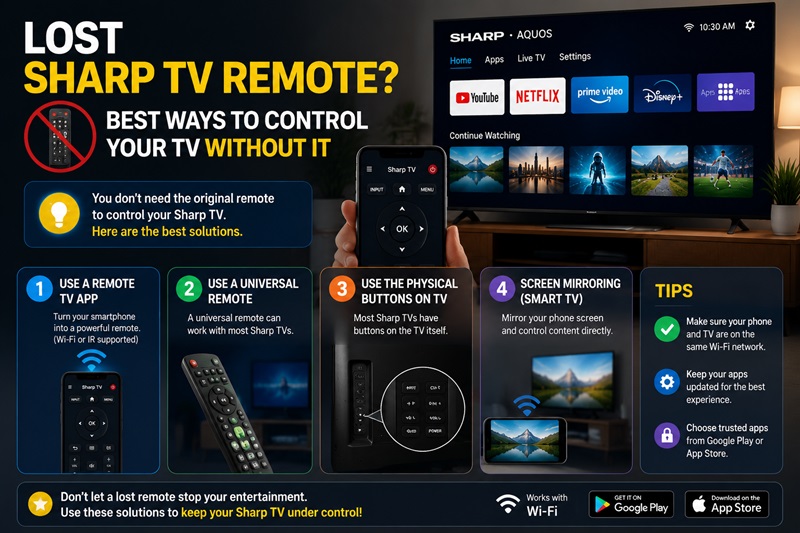
Losing a remote does not always mean you need to buy a replacement immediately. Many Sharp TV owners search for what to do if you lost your smart tv remote because they want a faster way to regain control.
Depending on your Sharp TV model, you may have several options, including smartphone applications, universal remotes, and physical buttons on the television.
The best solution depends on whether your TV is a smart model and whether it can connect to your phone.
What to Do If You Lost Your Smart TV Remote
If your Sharp Smart TV remote is missing, the first step is identifying what type of TV you own.
For modern Sharp Smart TVs, a remote application is often the fastest solution. You can install a compatible app, connect your phone to the same network, and use your smartphone as a replacement controller.
A download remote tv sharp solution is especially useful when:
- You need immediate access to volume controls.
- You want to open TV settings.
- You need to switch HDMI inputs.
- You want to continue using smart TV applications.
For older Sharp televisions without smart features, a smartphone app may not work. In that situation, a universal remote or replacement controller is usually a better option.
Can Your Phone Replace a Sharp Remote?
A smartphone can replace a Sharp remote in many cases, but the experience depends on the connection method.
Wi-Fi-based remote apps provide the best experience for modern Sharp TVs because they can offer:
- Full menu navigation.
- Keyboard typing.
- Smart app control.
- Faster searching.
Infrared-based apps are useful for older TVs, but they require an Android phone with IR hardware.
This is why users searching for download sharp remote should first check whether their phone and TV support the same technology.
Using Physical Buttons on Sharp TV
Even without a remote or app, some Sharp TVs include built-in controls.
Depending on the model, physical buttons may allow you to:
- Turn the TV on and off.
- Adjust volume.
- Change input.
- Open basic settings.
The location of these buttons varies:
- Behind the TV.
- Under the bottom edge.
- On the side panel.
However, physical controls are usually limited compared with a complete remote. They are mainly useful as a temporary solution while setting up another controller.
Remote TV App as a Backup Solution
A Remote TV App can be useful when your original Sharp remote is unavailable.
Compared with buying a new controller immediately, an app offers:
- Faster setup.
- No extra hardware cost.
- Convenient smartphone control.
- Keyboard features for smart TVs.
However, always check compatibility before installing. Some applications may support Sharp TVs generally but fail with specific models.
No physical remote? No problem. Use the Sharp TV Remote App to control your TV over Wi-Fi, manage playback, adjust settings, and enjoy a seamless viewing experience.
7. Sharp TV Remote App Not Working: Common Problems and Fixes
Even after completing a download remote tv sharp setup, some users may experience connection problems.
The issue is not always the application itself. Problems can come from:
- Network settings.
- TV compatibility.
- Smartphone permissions.
- Outdated software.
- Incorrect remote mode.
The table below shows common issues and solutions.
| Problem | Possible Cause | Solution |
| App cannot detect Sharp TV | Phone and TV use different networks | Connect both devices to the same Wi-Fi |
| Remote buttons do not work | Incorrect TV profile | Select the correct Sharp model |
| Connection keeps dropping | Weak Wi-Fi signal | Restart router and reconnect |
| IR remote does not respond | Phone has no IR transmitter | Use Wi-Fi remote mode |
| App crashes repeatedly | Outdated application | Update or reinstall the app |
| Pairing code fails | Previous connection issue | Restart TV and repeat pairing |
| Some buttons are missing | TV model limitation | Try another compatible app |
| APK cannot install | Android security restrictions | Use trusted sources or official stores |
Fix Connection and Pairing Problems
If your download remote tv sharp application cannot connect, start with simple solutions before changing settings.
First, check whether your phone and TV are connected to the same Wi-Fi network. This is the most common cause of smart TV remote connection failures.
Next, restart both devices:
- Turn off your Sharp TV.
- Restart your smartphone.
- Restart your Wi-Fi router.
- Open the remote app again.
- Try pairing once more.
If the problem continues, check whether your Sharp TV model actually supports mobile remote control.
Fix Sharp Remote App Permission Problems
Some remote applications require access to local network features.
Without permission, the app may not discover your TV.
Check:
- Local Network permission on iPhone.
- Nearby Devices permission on Android.
- Wi-Fi access.
- Bluetooth permission if required.
These settings are especially important after installing a new application or updating your phone software.
When Should You Use a Universal Remote Instead?
A universal remote may be a better option when:
- Your Sharp TV is older.
- The TV does not support Wi-Fi control.
- Your phone does not have IR hardware.
- The remote app cannot connect.
- Multiple people need to control the TV.
Universal remotes are reliable because they do not depend on internet connections or smartphone batteries.
Conclusion
A download remote tv sharp solution can help you regain control of your Sharp TV without the original remote. Whether you use a smartphone application, infrared remote app, or universal controller, the best option depends on your TV model and available features.
Modern Sharp Smart TVs usually work best with Wi-Fi-based remote applications because they provide advanced controls such as keyboard input and smart navigation. Older televisions may require infrared solutions or universal remotes.
Before installing any remote application, check compatibility and download from trusted sources. If you lose your controller, a reliable Remote TV App can provide a convenient replacement and help you continue using your Sharp TV without interruption.
