
Download Samsung Remote TV: Control Your Samsung TV From Your Phone
A missing or broken remote can prevent you from changing volume, switching inputs, or opening streaming services. Fortunately, many Samsung Smart TV owners can download Samsung remote TV software and use a phone as a virtual controller.
A mobile remote can provide power, volume, navigation, keyboard, touchpad, and app controls. This guide explains how to download Samsung remote TV software safely, connect it, compare options, install TV apps without the original remote, and solve common problems.
1. Can You Download a Remote for a Samsung TV?
Yes. In many cases, you can download Samsung remote TV software to your phone and control a compatible Samsung television through Wi-Fi. You are not downloading a physical remote. You are installing an app that sends commands from your phone to the TV.
Samsung’s official option is SmartThings. When a supported TV has been added to the app, Samsung says an on-screen remote becomes available. The controls can vary by model, but supported functions may include power, volume, channels, Home, settings, content search, and app access.
The search “can i download a remote for my samsung tv” usually follows a lost or broken controller. A connected Smart TV is the easiest case; an older non-smart model may require infrared hardware or a physical replacement.
You may also ask, “can you download a samsung tv remote” on any phone? Android and iPhone both have compatible options, but not every app works with every model. Before you download Samsung remote TV controls, check the model number, connection type, permissions, and pricing.
For users asking “can you download a remote for a samsung smart tv,” the answer is yes for many supported models. Use the same Wi-Fi network during setup and approve any PIN or connection message shown on the TV. Features vary by model and software.
2. Which Samsung TV Remote App Should You Download?
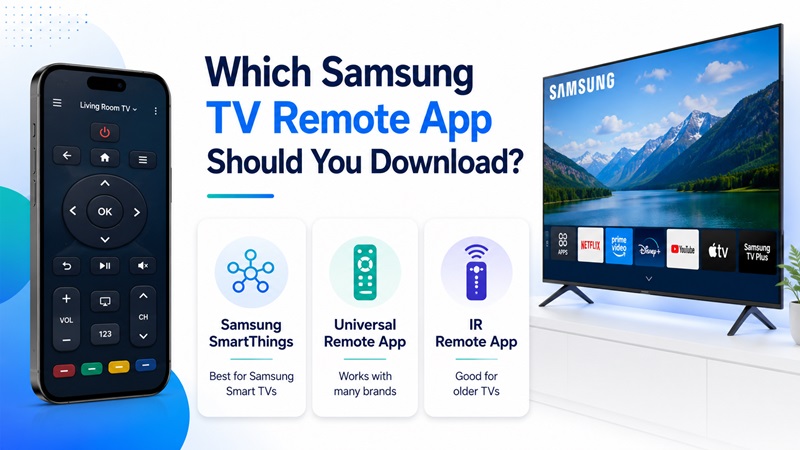
Before you download Samsung remote TV controls, compare three main options: Samsung SmartThings, a third-party universal controller, or an infrared remote app. The right choice depends on your television and how you want to use it.
Samsung SmartThings
SmartThings is Samsung’s official app for compatible connected devices. After the TV has been registered, you can select it in the app and open the mobile remote. Samsung’s current guidance also shows controls for TV power, volume, channels, Home, settings, content search, and apps on supported products.
SmartThings is a sensible first choice when you want to download Samsung remote TV functionality from Samsung. Initial registration commonly requires the same Wi-Fi network and Samsung account.
Universal Mobile Controller
A universal controller is useful for several TV brands or a different interface. It may include a directional pad, touchpad, keyboard, media buttons, source selection, and app shortcuts.
Before installing a third-party controller, confirm Samsung support, connection type, advertisements, and subscription limits. A download universal remote for samsung tv option is convenient only when it supports your model.
Infrared Remote App
An infrared app copies a traditional remote signal. It can control some older TVs without Wi-Fi, but the phone needs an IR blaster or compatible accessory.
Therefore, identify your television before you download Samsung remote TV software. A Smart TV owner should usually try a Wi-Fi-based option first. An older TV owner should check whether the phone can actually transmit infrared commands.
3. How to Download Samsung TV Remote App on Android and iPhone
Use the official app store to download Samsung remote TV software. Avoid unknown websites offering modified files or unnecessary permissions.
Android Instructions
To install the remote on Android:
- Open Google Play on your phone.
- Search for SmartThings, Samsung TV remote, or a compatible universal controller.
- Open the listing and check the developer name.
- Read the description to confirm Samsung TV support.
- Review ratings, permissions, advertisements, and in-app purchases.
- Tap Install and wait for the download to finish.
- Open the app and sign in if required.
- Allow network, nearby-device, or Bluetooth access when it is genuinely needed for discovery.
This process also answers samsung remote tv download and download remote tv samsung searches. Verify the developer and features before installing.
iPhone Instructions
To install a Samsung TV remote on an iPhone:
- Open the Apple App Store.
- Search for SmartThings or a Samsung-compatible remote.
- Review the app description and privacy details.
- Check whether a subscription or trial is offered.
- Tap Get and authenticate the installation.
- Open the app and allow Local Network access if requested.
- Continue to the television pairing screen.
Samsung lists SmartThings in the Galaxy Store, Google Play Store, and Apple App Store. Check the current store listing for compatibility requirements.
Is the Download Free?
A samsung tv remote app free download may cost nothing to install, yet ads, device limits, or paid keyboards and touchpads may still apply.
The phrase samsung tv remote download free can lead to different billing models. Review the trial length, renewal price, cancellation process, and included controls before you download Samsung remote TV software.
4. How to Connect a Downloaded Remote App to Samsung TV
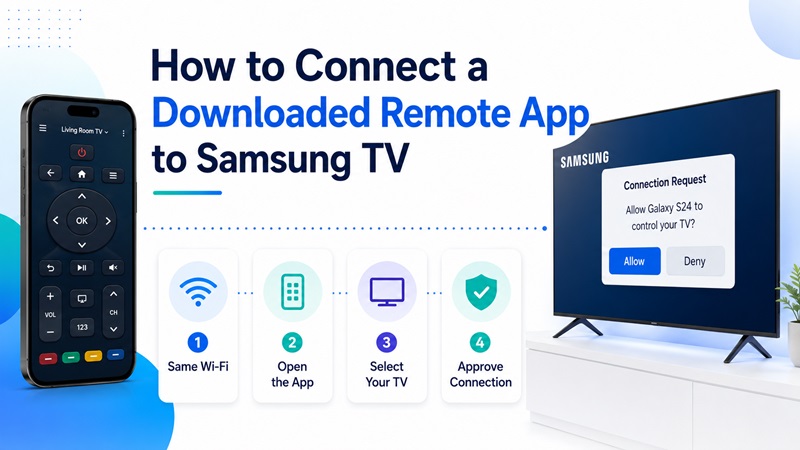
After installation, the television must be added or paired. Samsung’s current SmartThings instructions direct users to open the Devices area, tap Add device, choose Samsung devices, select TV, and allow the app to scan. A PIN or approval message may appear on the television.
Before pairing, turn on the TV, connect both devices to the same Wi-Fi network, enable any required phone permissions, and temporarily disable a VPN if discovery fails.
Step-by-Step Connection Guide
After you download Samsung remote TV software, complete these steps:
- Open SmartThings or your chosen controller.
- Tap Devices, Add device, or the equivalent option.
- Select Samsung and then choose TV.
- Wait while the app searches for nearby televisions.
- Select the correct model from the list.
- Approve the request shown on the TV.
- Enter the displayed PIN if the app asks for it.
- Choose the room or location when required.
- Open the TV device card and select Remote.
- Test volume, Home, directional navigation, Back, and input controls.
After you download Samsung remote TV controls and pairing succeeds, try the keyboard, touchpad, channel buttons, content search, and app shortcuts. This makes it easier to download Samsung remote TV controls as a dependable backup. Available controls vary by television.
People searching download remote control tv samsung should check the full model code. The same applies to download remote tv samsung led: it may be a Wi-Fi Smart TV or an older infrared-only model.
A samsung tv 32 inch remote download depends on the model, not the screen size; two 32-inch TVs may use different platforms and remote types.
If discovery fails, confirm that both devices use the main network, restart the phone, TV, and router, and retry before reinstalling.
5. Samsung Remote TV App Download Options Compared
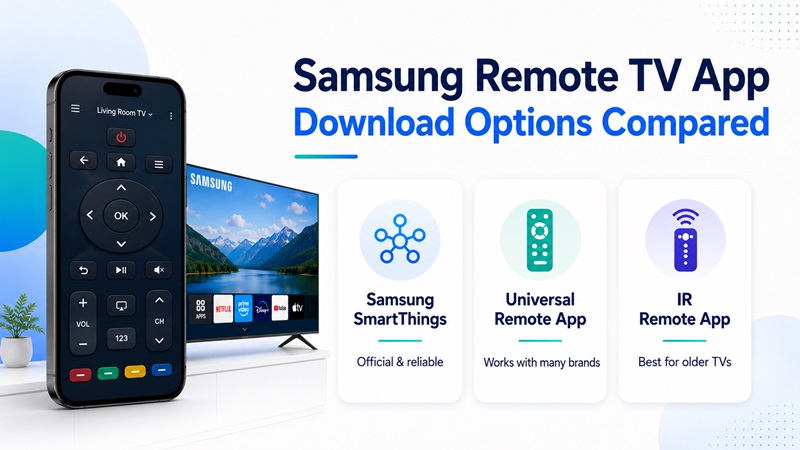
Use this table to choose a method before you download Samsung remote TV software.
| Option | Best for | Connection | Advantages | Limitations |
| Samsung SmartThings | Compatible Samsung Smart TVs | Wi-Fi and internet | Official solution, mobile controls, connected-device features | Functions vary by TV model |
| Universal remote app | Homes with several TV brands | Usually Wi-Fi; sometimes IR | One app can manage multiple televisions | Ads, subscriptions, or limited free controls |
| Infrared remote app | Older non-smart TVs | IR blaster or external accessory | Can work without connecting the TV to Wi-Fi | Many phones do not include IR hardware |
| Physical replacement | TVs that cannot use a mobile app | Infrared or Bluetooth | Familiar buttons and dependable basic use | Must be purchased and matched to the TV |
| TV control button | Emergency access | Physical TV button | No app or network needed | Navigation can be very limited |
A samsung tv remote app download is often fastest when the television is online. Samsung says selecting an added TV in SmartThings displays an on-screen remote.
A universal app may be better when you want to download tv remote for samsung and manage another brand from the same phone. Review privacy details, billing terms, and device support before subscribing. A physical replacement remains useful if Wi-Fi is unstable or the TV is not smart.
Before you download Samsung remote TV software for long-term use, compare reliability and pricing. The best samsung remote tv download choice depends on the model, network, phone hardware, and preferred controls—not only promotional screenshots.
6. How to Download Apps on Samsung Smart TV Without Remote
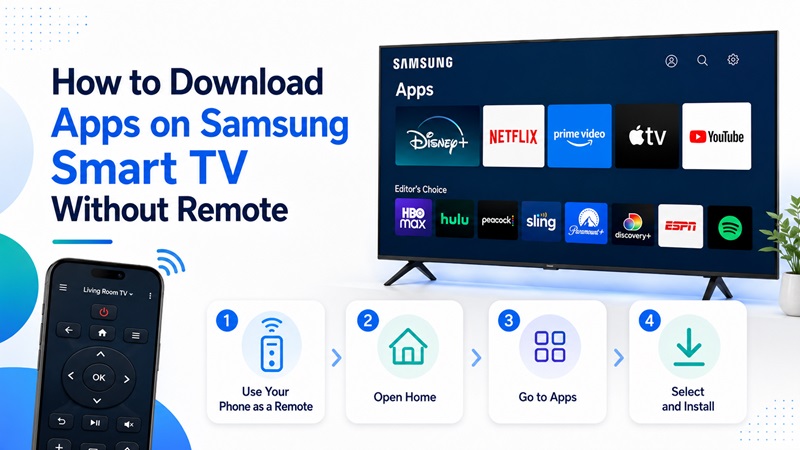
The phrase how to download apps on samsung smart tv without remote refers to installing streaming or utility apps on the television. The simplest approach is to download Samsung remote TV software first, pair the phone, and use the mobile controller to navigate the TV.
Samsung Smart TVs provide an app area where users can browse and install supported services. Availability can differ by model, region, and service provider.
Method 1: Use Your Phone as the Remote
- Install SmartThings or another compatible controller.
- Turn on the television with its physical power button.
- Connect the phone and TV to the same Wi-Fi network.
- Add and pair the television.
- Open the mobile remote.
- Press Home and navigate to Apps.
- Search for the app using the phone keyboard if supported.
- Select the app and choose Install.
- Open it from the TV’s Home screen.
This method is usually easier because typing and navigation can be faster on a phone.
Method 2: Use the TV’s Physical Button
Samsung televisions generally include a physical controller under the center, along an edge, or on the rear panel. It can usually power on the TV and may open a small menu.
A physical button can help you connect to Wi-Fi or approve a request, but app installation may be difficult with limited navigation.
Method 3: Use Another Compatible Remote
A replacement Samsung controller, a previously paired remote, or a configured universal remote can restore navigation. Confirm that it supports the model’s infrared or Bluetooth connection. Users searching download tv remote for samsung usually get the fastest result from a phone when the TV is already online.
7. What to Do When the Samsung TV Remote App Does Not Work
Pairing can still fail after you download Samsung remote TV software. Start with the network because registration commonly requires the same Wi-Fi connection, and account settings can also matter.
The App Cannot Find the TV
Try these fixes:
- Confirm that both devices use the same Wi-Fi name.
- Avoid a guest network or mobile hotspot during setup.
- Restart the phone, television, and router.
- Enable Bluetooth and nearby-device permissions.
- Allow Local Network access on iPhone.
- Temporarily turn off a VPN.
- Update the mobile app and TV software.
- Remove the old TV entry and add it again.
The Pairing Code Does Not Appear
Make sure the television is fully on. Restart the add-device process and watch the screen for a request. If the phone was previously blocked, remove that decision in the TV’s device-management settings.
The App Connects but Buttons Do Not Respond
Verify the selected television, test basic controls first, restart the router if commands lag, and choose the correct Samsung profile. Reinstalling will not fix a blocked network or wrong profile.
The App Cannot Turn On the TV
Power-on support depends on the model, settings, account, and network state. Available remote functions vary by device. If the TV is offline, use its physical power button and reconnect the app.
The App Suddenly Stopped Working
Close and reopen the app, restart both devices, check for updates, and pair again. Samsung also recommends restarts and software updates when troubleshooting Smart TV app problems.
If reinstalling is necessary, use the official app store. Do not download Samsung remote TV installation files from an unknown website.
8. Frequently Asked Questions
Can I download a remote for my Samsung TV?
Yes. Many Smart TV owners can download Samsung remote TV software, pair it through Wi-Fi, and use an on-screen controller. Older televisions may need infrared hardware or a physical replacement.
How do I download a Samsung TV remote?
For how to download samsung tv remote, open Google Play or the Apple App Store, search for SmartThings or a compatible controller, verify the developer and pricing, install the app, and follow the pairing steps.
Can you download a remote for a Samsung Smart TV?
Yes. The answer to “can you download a remote for a samsung smart tv” is generally yes for a compatible network-connected model. SmartThings is the official Samsung option, while universal apps can provide alternative layouts.
Is there a free Samsung TV remote app?
A samsung tv remote app free download may be available, but features such as touchpad control, keyboards, casting, or multiple devices may require payment. Check the store page before beginning a trial.
How do I control a Samsung LED TV?
For download remote tv samsung led searches, check whether the model is smart. A Smart TV may use Wi-Fi; an older model may need an IR-capable phone, external transmitter, or physical controller.
Does a 32-Inch Samsung TV Need a Special App?
A samsung tv 32 inch remote download depends on the exact model code, not the screen size. Check whether the television supports SmartThings, another Wi-Fi remote, infrared, or Bluetooth.
Samsung TV Ka Remote Download Kaise Karen?
For samsung tv ka remote download, open the Play Store or App Store, install a compatible remote app, and connect the phone and TV to the same Wi-Fi network. In simple terms, samsung tv remote kaise download karen means installing the app and pairing it with the television.
Can I Use a Universal App?
Yes. A download universal remote for samsung tv option may control Samsung and other brands. Confirm model support, connection type, permissions, and pricing before use.
Conclusion
A phone can replace a lost or damaged controller. Check the model and network, then download Samsung remote TV software from an official app store. SmartThings is Samsung’s official option, while a universal Remote TV App may suit a multi-brand home.
Connect the phone and TV to the same Wi-Fi network during setup, approve the pairing request, and test the main controls. If the app cannot find the television, check permissions, account details, Bluetooth, Wi-Fi, VPN settings, and updates.
Whether you need to download remote for samsung tv, open streaming services without a physical controller, or keep an emergency backup, compatibility is more important than screen size. With the right setup, you can download Samsung remote TV controls and restore navigation, volume, channels, search, input selection, and app access from your phone.
