
Replacement Remote for Roku TV: Options and Buying Guide
The best replacement remote for Roku TV is a genuine Roku-branded remote or an official brand replacement matched to your TV, since it restores every button and feature without setup guesswork.
That said, you have real choices. A genuine remote, a compatible third-party remote, a universal remote, or a free phone app each solve the problem at different price points and with different trade-offs, and the right pick depends on whether you’ve lost your remote, broken it, or just want a backup.
This guide compares every replacement remote for Roku TV option side by side, covers brand-specific replacements for TCL, GE, and Insignia Roku TVs, and explains what to do first if your remote is simply lost rather than gone for good.
Before you spend anything, there’s also a free option worth trying, which we’ll cover along the way.
Replacement Remote for Roku TV Options Compared
Four routes cover almost every situation. This comparison lays them out so you can see which fits your needs and budget before reading the detail below.
| Option | Restores | Best For |
| Genuine Roku remote | All buttons and features | Exact original experience |
| Compatible third-party remote | Most functions, sometimes voice | Lower-cost genuine-like control |
| Universal remote | Power, volume, input, channel | A cheap, widely available fix |
| Free phone app | Full control over Wi-Fi | Immediate, no-cost replacement |
Genuine vs. Third-Party Replacement Remotes
The first decision is whether to buy a genuine Roku remote or a compatible third-party one. Both are valid; they differ in price, feature coverage, and reliability.
Genuine Roku Remotes
A genuine replacement remote for Roku TV guarantees an exact match: every button works, voice and app shortcuts are preserved on enhanced models, and pairing is seamless. It’s the most reliable choice and the one least likely to disappoint, though it usually costs more than a third-party equivalent.
Genuine remotes also tend to have better build quality and longer lifespans, so if your household is hard on remotes, the extra upfront cost can pay off over time. They’re the safe default when you want zero surprises.
Third-Party Compatible Remotes
A compatible third-party replacement remote for Roku TV costs less and often covers the core functions well, but quality varies. Some replicate voice and shortcuts; others handle only basic navigation. Check the listing carefully for exactly which features it supports before buying, and favor sellers with a clear return policy.
The biggest variable with third-party remotes is consistency between units. Two remotes from the same listing can differ in feel and durability, so seller reviews and return policies matter more here than with a genuine remote where quality is predictable.
Which One to Choose
If you rely on voice search and one-touch app buttons, a genuine remote or a full-featured third-party model is worth the extra cost. If you just need navigation, power, and volume back, a basic compatible remote does the job for less.
A useful way to decide: list the buttons you actually press in a typical week. If voice and app-shortcut keys are on that list, pay for a remote that includes them; if not, the cheaper option loses you nothing you’d miss.
Using a Universal Remote as a Replacement
A universal remote is a widely available replacement remote for Roku TV that covers power, volume, input, and channel once programmed with a Roku TV code. It won’t drive Roku’s smart menus fully, but it’s a cheap, same-day fix found in most electronics stores.
Programming is quick: enter the Roku TV code for your remote brand, or use auto code search if you don’t have the code. A dedicated code guide is available in . Just set expectations — a universal remote is a control replacement, not a full smart-remote replacement.
The main appeal of a universal remote is availability: you can walk into a store and walk out with one the same day, which matters when you don’t want to wait for shipping. The trade-off is the loss of Roku-specific shortcuts, so it suits people who mostly use the TV for a cable box or a single connected device rather than heavy in-TV streaming.
Brand-Specific Roku TV Replacement Remotes
Roku TVs are made by many brands, and while any Roku remote works with any Roku TV, some people prefer a replacement matched to their exact brand for a guaranteed button layout.
TCL Roku TV Replacement Remote
A 43 tcl roku tv remote replacement or any TCL Roku TV remote is easy to source, since TCL is one of the most common Roku TV brands. A genuine TCL replacement or a standard Roku remote both pair using the pairing button, and screen size doesn’t change compatibility — a replacement remote for Roku TV works the same on a 43-inch or a 65-inch TCL set.
GE Roku TV Replacement Remote
A ge roku tv replacement remote, including specific models like the ge roku tv replacement remote black 66814, is a common aftermarket option. These are widely sold as compatible replacements and pair like any enhanced Roku remote, making them a straightforward replacement remote for Roku TV choice.
GE-branded remotes are a popular middle-ground pick: more affordable than a genuine Roku remote but generally better built than the cheapest no-name compatibles, which is why specific model numbers like the 66814 show up so often in searches.
Insignia Roku TV Replacement Remote
An insignia roku tv remote replacement follows the same pattern. Insignia Roku TVs accept genuine Insignia remotes, standard Roku remotes, and compatible third-party remotes interchangeably, since the Roku platform underneath is identical across brands.
First, Make Sure Your Remote Is Actually Gone
Before buying anything, it’s worth ruling out that the remote is simply misplaced. Many people search for a replacement remote for Roku TV when the original is wedged in the couch.
Using the Remote Finder Feature
Some Roku remotes and TVs include a roku tv remote finder that plays a sound from the remote to help you locate it. If your enhanced remote supports it, trigger the finder from the TV or the Roku app before assuming the remote is lost for good.
The finder only works on certain enhanced remotes with a built-in speaker, so it’s not universal — but when it’s available, it’s the single fastest way to end the search.
Checking Common Hiding Spots
A lost roku tv remote most often turns up in couch cushions, under furniture, in another room, or slipped into a bag. A quick search of these spots frequently saves the cost of a replacement remote for Roku TV entirely.
It’s worth checking laundry, car seats, and children’s play areas too, since remotes migrate surprisingly far. Five minutes of looking can save a purchase you’d otherwise regret when the original resurfaces a day later.
Controlling the TV While You Search
Whether the outcome is i lost my roku tv remote or roku tv remote missing, you can keep the TV usable during the hunt with a phone app — no need to sit in front of a frozen screen while you look.
This also takes the urgency out of the search. When the TV still works through your phone, you can look for the physical remote calmly instead of rushing to buy a replacement in frustration.
What to Do If Your Roku TV Remote Is Lost for Good
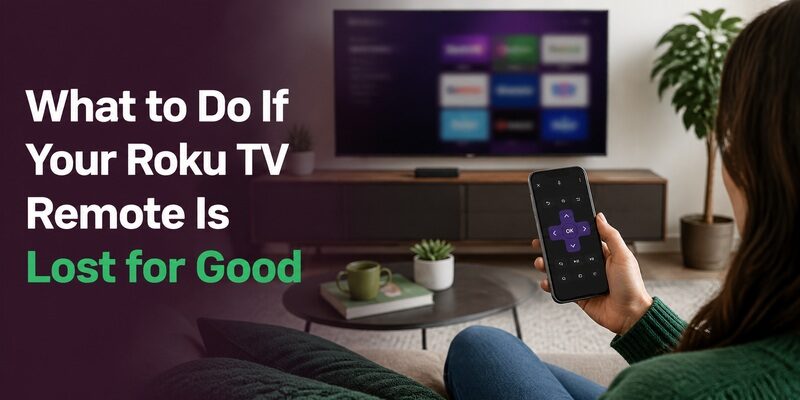
If the remote genuinely isn’t turning up — the roku tv remote lost and gone permanently scenario — you have two immediate paths: buy a replacement remote for Roku TV, or switch to a phone app that costs nothing.
Many people do both: use the free app right away to keep watching, then decide at their own pace whether a physical replacement is worth buying. This removes the pressure to rush an order the moment you realize the remote is gone. Whether it’s a tcl roku tv lost remote or any other brand, the app-first approach keeps the TV working while you shop.
There’s no wrong answer here — some people are perfectly happy using their phone permanently and never buy a physical remote at all, while others prefer the tactile feel of a dedicated remote and order one right away. The point is that you get to choose calmly instead of under pressure, because the TV keeps working either way.
How to Pair a New Replacement Remote
Once a replacement remote for Roku TV arrives, setup is quick. Enhanced remotes pair in under a minute; universal remotes need a code.
For an enhanced Roku remote, insert fresh batteries, power on the TV, and hold the pairing button inside the battery compartment for about five seconds until the light flashes and the on-screen confirmation appears. For a universal remote, enter the Roku TV code or run auto search. Either way, test power, volume, and navigation before considering setup complete.
Testing every function matters most with a compatible third-party remote, where feature coverage can vary. Confirm not just power and volume but also the buttons you use daily — the directional pad, back, home, and any app shortcuts — so you catch any gaps while a return is still possible.
How Much Should a Replacement Remote Cost?
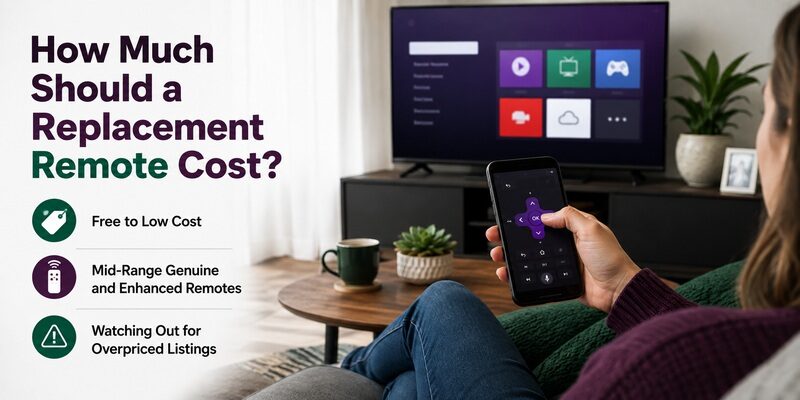
Price is a big part of an Action-intent decision, so it helps to know roughly what each route costs before you commit.
Free to Low Cost
A phone app is free, making it the lowest-cost route by definition. Basic universal remotes and simple compatible third-party remotes sit at the low end of paid options, covering core control without a premium price.
Mid-Range Genuine and Enhanced Remotes
Genuine Roku remotes and full-featured enhanced replacements cost more but restore voice, app shortcuts, and an exact button match. For anyone who wants the original experience back with zero compromise, this tier is the reliable choice.
Watching Out for Overpriced Listings
Some marketplace listings mark up ordinary compatible remotes well above their value. Compare a few sellers before buying, and remember that a free app already covers full control, so there’s rarely a reason to overpay for a physical replacement remote for Roku TV.
Avoiding a Repeat: Keep a Backup Ready
Once you’ve solved the immediate problem, a little planning prevents a repeat scramble the next time a remote goes missing or breaks.
The simplest insurance is installing a phone remote app before you need it and keeping the TV connected to Wi-Fi, so control is always one tap away. Some households also keep a cheap spare remote in a drawer. Either approach means the next lost remote is a minor annoyance rather than an urgent trip to buy a replacement remote for Roku TV.
The Free Alternative: A Remote TV App
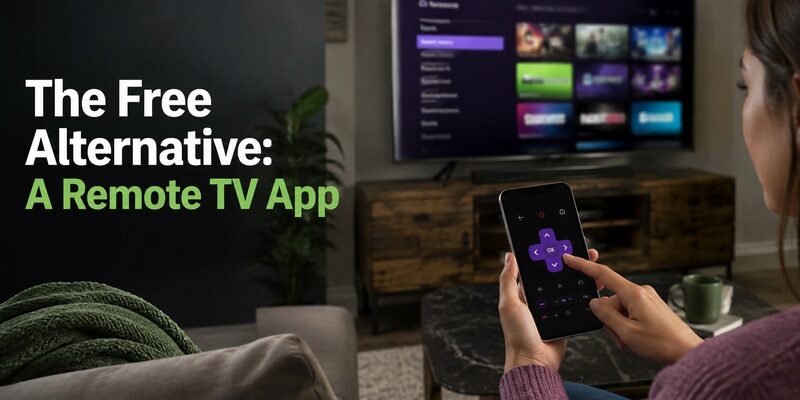
Before buying any replacement remote for Roku TV, it’s worth trying a free phone app first. The Remote TV App turns a phone into a full Roku remote over Wi-Fi, covering power, volume, navigation, and app launching at no cost.
For many people it’s not just a stopgap but a permanent solution — the phone is always nearby, and there’s no remote to lose again. At minimum, it keeps the TV fully usable the moment your remote goes missing, before any replacement arrives. before spending on a physical replacement remote for Roku TV.
FAQs About Roku TV Replacement Remotes
What’s the cheapest replacement remote for Roku TV?
A free phone app is the cheapest option, covering full control over Wi-Fi at no cost. Among physical remotes, a basic universal remote or a compatible third-party remote is usually the least expensive.
Will any Roku remote work as a replacement?
Any enhanced Roku remote pairs with any Roku TV regardless of brand, since they share the Roku platform. Brand-specific remotes for TCL, GE, and Insignia Roku TVs are interchangeable with standard Roku remotes.
How do I find a lost Roku TV remote?
Use the remote finder feature if your model has one, then check couch cushions, under furniture, and other rooms. A phone app lets you keep using the TV while you search.
Can I use my phone instead of buying a replacement remote?
Yes. The Remote TV App controls a Roku TV over Wi-Fi with full functionality and no cost, making it a genuine alternative to buying a physical replacement remote for Roku TV.
Does a replacement remote need programming?
An enhanced Roku remote just needs pairing via the pairing button. A universal remote needs a Roku TV code or an auto code search. Genuine and compatible Roku remotes pair rather than requiring codes.
Final Thoughts
Choosing a replacement remote for Roku TV comes down to how much functionality you need: a genuine remote for the full experience, a compatible or universal remote for basic control at lower cost, or a free phone app for an instant no-cost fix.
Rule out a merely misplaced remote first, try the Remote TV App to keep watching immediately, and then decide whether a physical replacement is worth buying. With the app as a backup, a lost Roku remote never has to mean an unusable TV.
Download TV Remote App