
Roku Remote Control Volume: How to Fix and Set It Up
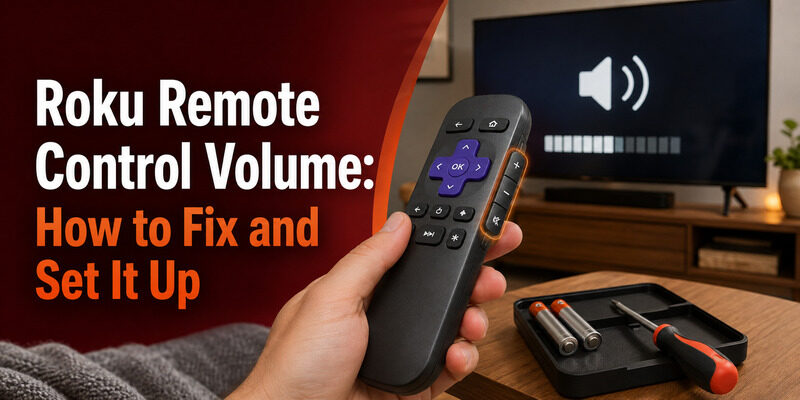
On most Roku remotes, the volume control is on the right edge of the remote rather than the front face — with volume up, volume down, and mute buttons running down the side.
But not every Roku remote has volume buttons, and even those that do sometimes need a quick setup step before they’ll control your TV’s sound. That’s the source of a lot of confusion around roku remote control volume.
This guide shows where the volume buttons are, how to set up volume control on a Roku remote that isn’t adjusting sound, how to fix volume that suddenly stopped working, and how to control volume from a phone when the remote can’t.
Whether your remote has side buttons, no buttons, or buttons that aren’t responding, there’s a fix below.
Where Is the Volume Button on a Roku TV Remote?
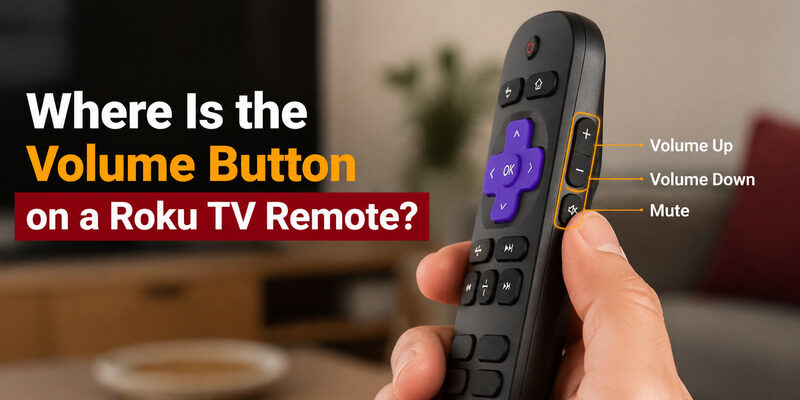
The most common question is simply where to find the controls. On enhanced Roku remotes, the answer to where is the volume button on a roku tv remote is the right-hand edge of the remote, not the front.
Running your thumb down the right side, you’ll usually feel three buttons: volume up at the top, volume down below it, and mute at the bottom. This side placement keeps the front face clean for navigation, and it’s why some people miss the roku remote control volume buttons at first glance.
Enhanced Remotes With Side Buttons
Enhanced Roku remotes place the roku tv remote volume button on the right edge. These remotes control your TV’s actual volume, not just the Roku device, because they’re designed to operate the TV directly.
The tactile placement means you can adjust sound by feel without looking down, once you’re used to it. Most people find the side buttons more natural than front-facing ones after a day or two.
Simple Remotes Without Volume Buttons
Basic infrared Roku remotes often have no volume buttons at all. On these, roku remote control volume isn’t available from the remote itself — you’d use your TV’s own buttons, a universal remote, or a phone app instead.
This is a deliberate design choice for streaming-focused remotes, which assume your TV or soundbar handles audio. It keeps the remote small and the button count low.
Download TV Remote AppWhy Roku Remote Volume Buttons Exist Only on Some Models
The presence of roku remote tv volume buttons comes down to the remote type. Enhanced remotes that control TV power and volume include them; simple remotes meant only for navigating the Roku interface don’t.
This is because a basic Roku remote assumes another device — the TV’s own remote or a soundbar remote — handles volume. Enhanced remotes fold that control in, which is why roku remote for tv volume is a feature of the higher-tier remotes rather than every model.
How to Set Up Volume Control on a Roku Remote
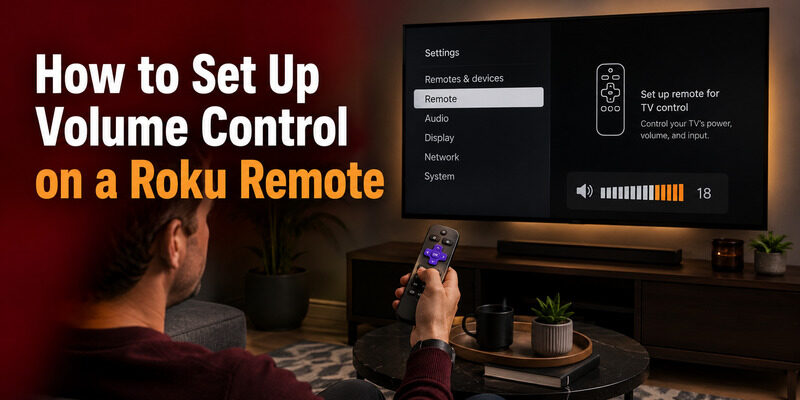
If your enhanced remote has volume buttons that aren’t controlling the TV, it likely needs a quick setup so it learns your TV’s volume commands. This is common on Roku streaming devices connected to a separate TV.
Setup on a Roku TV
On a Roku TV, roku remote tv volume control usually works automatically once the remote is paired, since the remote and TV are integrated. If it’s not working, re-pairing the remote often restores it.
Because the remote and TV share the same system, there’s rarely anything to configure — pairing handles it. A failed case almost always points back to batteries or a dropped pairing rather than a missing setup step.
Setup on a Roku Streaming Device
On a Roku stick or box connected to a separate TV, go to Settings, then Remotes & devices, then set up remote for TV control. The guided steps teach the remote your TV’s volume signals, which is what activates roku remote control volume on a streaming-device setup.
This extra step exists because the streaming stick has no built-in knowledge of your specific TV brand, so it has to learn the commands during setup. Once learned, it remembers them.
Testing After Setup
After setup, test volume up, volume down, and mute. If all three work, the roku remote control volume is configured correctly. If only some work, re-run the setup, as the remote may have learned an incomplete command set.
How to Fix Roku Remote Volume That Stopped Working
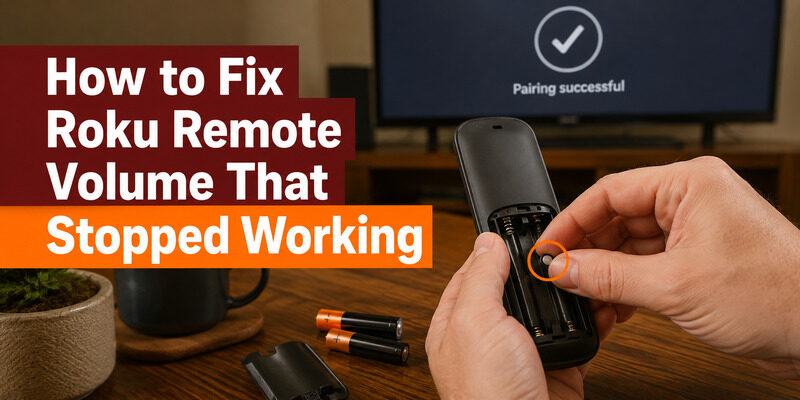
A remote whose volume suddenly quit is a common problem. Work through these fixes in order, starting with the simplest.
Replace the Batteries
Weak batteries are the top cause of roku remote control volume issues, sometimes affecting only certain buttons before the remote fails entirely. Fresh batteries are the first thing to try and resolve a surprising share of cases.
A battery that still lights an indicator can be too weak to send the higher-power signals some functions need, so don’t rule batteries out just because the remote isn’t completely dead.
Re-Pair the Remote
If batteries don’t help, re-pair the remote by holding the pairing button inside the battery compartment for five seconds. A lost pairing can leave navigation working while roku remote tv volume stops, and a re-pair restores full control.
Hold the button until the light flashes to confirm pairing mode engaged; a quick tap won’t trigger it. Wait up to 30 seconds for the on-screen confirmation.
Re-Run TV Volume Setup
On a streaming device, re-running the TV-control setup re-teaches the volume commands. This fixes cases where the remote pairs fine but roku remote control volume specifically doesn’t respond.
Check for HDMI-CEC Conflicts
Occasionally a soundbar or receiver connected via HDMI-CEC intercepts volume commands. If your roku remote for tv volume behaves oddly with external audio gear attached, adjusting the CEC or audio settings can resolve the conflict.
This is worth checking specifically when you’ve recently added a soundbar or AV receiver, since that’s usually when CEC-related quirks first appear.
Controlling Volume Without Volume Buttons
If your Roku remote simply has no volume buttons, you’re not stuck. Several alternatives cover roku remote control volume without the remote itself doing it.
Your TV’s own physical buttons can adjust volume directly. A universal remote programmed to the TV handles it too. And a phone app connected to the Roku controls volume over Wi-Fi, which is often the most convenient option since the phone is always nearby.
Using a Phone App for Roku Volume Control
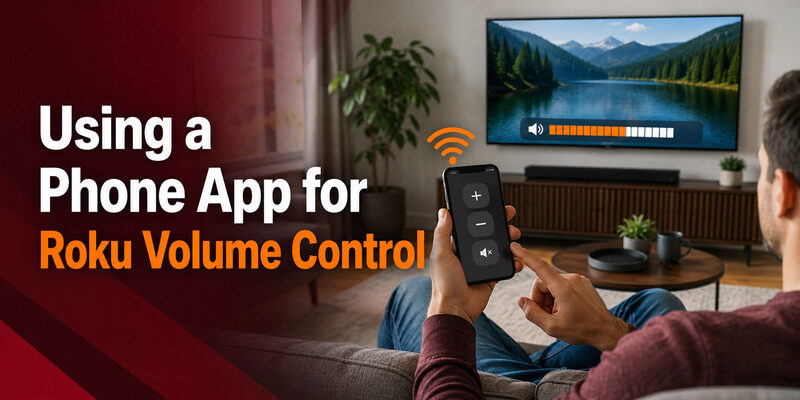
A phone app is the simplest fix when the remote can’t control volume — whether it lacks buttons, they’re broken, or setup keeps failing.
How App Volume Control Works
A connected app sends volume commands over Wi-Fi, adjusting the TV’s sound just like a physical remote’s side buttons. It covers volume up, down, and mute, giving full roku remote control volume from your phone screen.
Because it runs over Wi-Fi rather than infrared, it works from anywhere in the room without needing to point at the TV.
Setting It Up
Install the app, ensure your phone and Roku are on the same Wi-Fi network, and select the TV. Volume control is available immediately, with no code entry or button setup required — a clean workaround for any roku remote control volume problem.
The whole process takes under a minute, and once connected the app remembers your TV for next time.
Common Volume Problems and Quick Fixes
Beyond a total failure, a few specific volume quirks come up often. Here’s how to handle each.
Volume Works but Mute Doesn’t
If volume up and down work but mute doesn’t, the remote likely learned an incomplete command set during TV-control setup. Re-running the setup usually captures the missing mute command and restores full roku remote control volume.
Volume Is Delayed or Laggy
A slow response to volume presses is often an early low-battery sign. Before assuming a deeper fault, swap in fresh batteries, which frequently restores instant response. Network congestion can also delay enhanced remotes on very busy Wi-Fi.
Volume Changes on Its Own
If the volume drifts without input, a stuck button or debris under the side buttons is the usual cause. Gently pressing and releasing each volume button, or cleaning around them, typically frees a sticking button.
Preventing Future Volume Issues
A little maintenance keeps volume control reliable over time. Most problems trace back to just two things: batteries and pairing.
Use quality alkaline batteries and replace both at once rather than one at a time, since a mismatched pair causes intermittent glitches. Keep the Roku device on current software too, since firmware updates occasionally reset a remote’s TV-control settings. These small habits keep roku remote control volume working smoothly and cut down on repeat setup.
Should You Use the Remote or an App for Volume?
Once you have both options working, it’s worth knowing when each is better. Neither is strictly superior — they suit different moments.
The physical remote’s side buttons are fastest for a quick volume nudge while watching, since they’re tactile and need no unlocking. A phone app shines when the remote’s volume has failed, when you want mute plus fine control from across the room, or when the remote is simply out of reach. Many households use both interchangeably, reaching for whichever is closer, and that flexibility is the real benefit of having roku remote control volume available on your phone as well as the remote.
Fix Roku Volume Instantly With a Remote TV App
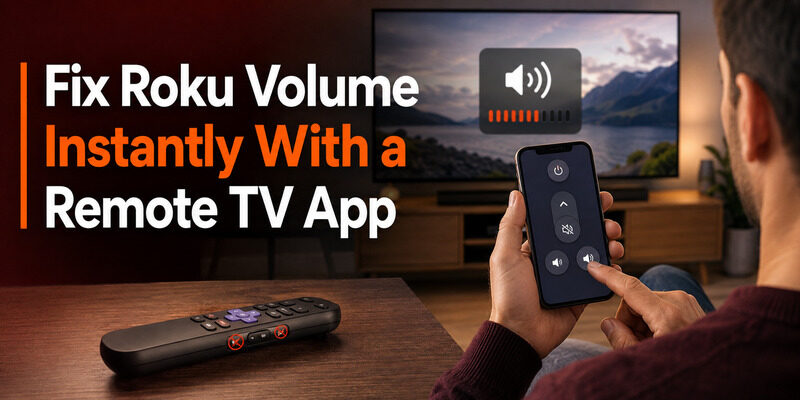
When your remote’s volume won’t cooperate — no buttons, dead buttons, or failed setup — the Remote TV App restores roku remote control volume immediately from your phone over Wi-Fi.
It handles volume up, down, and mute along with full navigation and power, so a volume problem never leaves you stuck adjusting sound another way. to control your Roku TV’s volume from your phone.
FAQs About Roku Remote Control Volume
Where is the volume button on a Roku remote?
On enhanced Roku remotes, the volume buttons are on the right edge of the remote, not the front face. You’ll find volume up, volume down, and mute running down the side.
Why doesn’t my Roku remote control the volume?
Either your remote is a simple model without volume buttons, or an enhanced remote needs its TV-control setup run so it learns your TV’s volume commands. Weak batteries and lost pairing are also common causes.
How do I set up volume control on a Roku remote?
On a Roku streaming device, go to Settings > Remotes & devices > set up remote for TV control. On a Roku TV, volume usually works automatically after pairing; re-pair if it doesn’t.
Can I control Roku volume without volume buttons?
Yes. Use your TV’s own buttons, a universal remote programmed to the TV, or a phone app connected over Wi-Fi. The app is usually the most convenient of the three.
Why did my Roku remote volume suddenly stop working?
Most often weak batteries or a lost pairing. Replace the batteries and re-pair the remote; on a streaming device, re-run the TV-control setup to re-teach the volume commands.
Final Thoughts
Roku remote control volume lives on the right edge of enhanced remotes, works automatically on most Roku TVs, and needs a quick setup step on streaming devices. When it stops, fresh batteries, a re-pair, and a setup re-run resolve nearly every case.
And if your remote has no volume buttons or they’ve failed for good, a phone app restores full volume control instantly over Wi-Fi. Keep the Remote TV App handy so a volume issue never means fumbling with the TV’s own buttons.
Download TV Remote App