
Universal Remote Control Download: Complete TV Guide
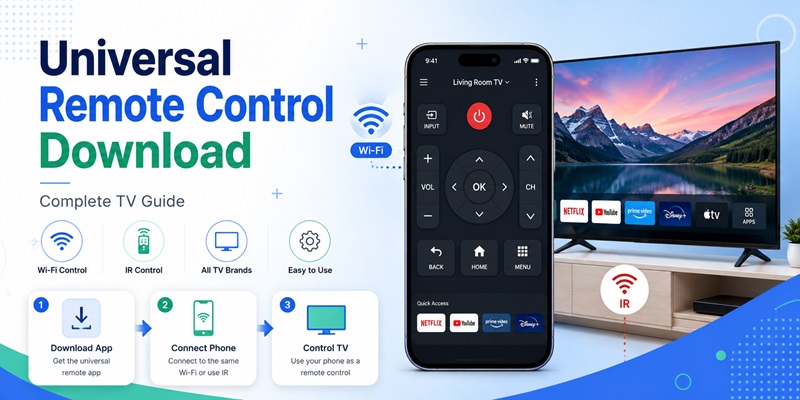
Losing a TV remote can become a real problem when you need to change the input, lower the volume, open a streaming app, or reconnect the television to Wi-Fi. A universal remote control download can turn a compatible smartphone into a practical replacement within minutes.
However, not every app works with every television. Some apps use Wi-Fi, some depend on an infrared transmitter, and others are designed only for a particular platform. Choosing the wrong universal remote control download may lead to connection failures, missing buttons, unwanted subscriptions, or an app that cannot detect your TV at all.
This guide explains how to find a safe universal remote control download, compare official and third-party options, install the app on Android or iPhone, connect it to your television, and fix common problems. It also explains what “universal” really means, when an APK may be risky, and which connection method is most likely to work for your device.
1. What Is a Universal Remote Control Download and How Does It Work?
A universal remote control download is a mobile app that provides an on-screen remote for a TV, streaming player, projector, or other entertainment device. Depending on compatibility, it may include power, volume, channel, navigation, playback, keyboard, input, app shortcut, and voice-control functions.
The word “universal” normally means that the app supports several brands or device types. It does not guarantee that one app can control every television or reproduce every button from the original remote.
Wi-Fi Remote Control
A Wi-Fi remote sends commands through the local network. The phone and television usually need to be connected to the same router during setup. This type of universal remote control download is common for smart TVs and streaming devices because it can support text entry, device discovery, touchpad navigation, and app launching.
The main limitation is network access. If the TV is offline, connected to a different network, or in a standby mode that disables Wi-Fi, the app may not find it.
Infrared Remote Control
An infrared app sends signals similar to a physical remote. It can be useful for an older non-smart TV, but the phone must include an IR blaster or use a compatible external accessory.
Many current phones do not include infrared hardware. An IR-only universal remote control download therefore cannot work simply because the app was installed. ZaZa Remote’s Google Play listing, for example, says it supports phones with built-in infrared and can use a separate accessory when infrared is unavailable.
Before installing any app, determine whether your TV needs Wi-Fi, infrared, Bluetooth, or platform-specific pairing.
Download universal tv remote app2. Can You Download a Universal Remote for Any TV?
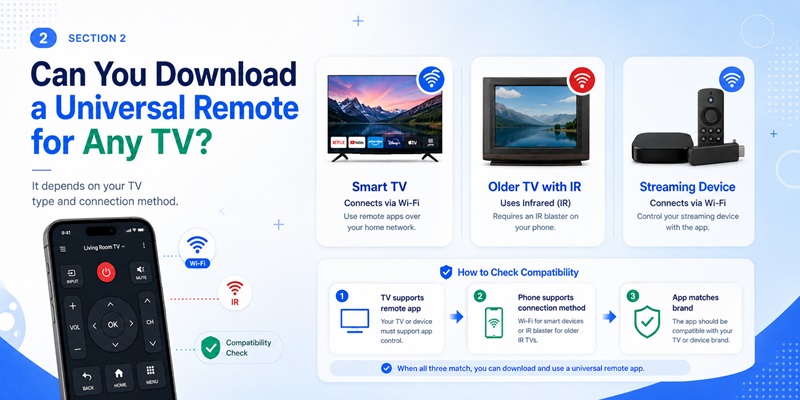
People often ask, can you download a universal remote and use it immediately with any television? You can download a remote app for many TVs, but success depends on the TV model, phone hardware, operating system, region, and connection method.
Check the Television Type
A smart TV with Wi-Fi, built-in streaming apps, or an Ethernet port may support network control. Look in the TV settings or manual for terms such as mobile remote, companion app, network control, smartphone control, or device pairing.
An older TV may require infrared. In that case, check whether the Android phone includes an IR blaster. An iPhone normally cannot send traditional infrared commands without additional hardware.
The question can i download a universal remote for my tv should be answered with three checks:
- Does the TV support Wi-Fi or infrared control?
- Does the phone support the required method?
- Does the app list the relevant TV brand, platform, or model?
Understand the Power Limitation
A Wi-Fi universal remote control download may work only after the television is already on and connected to the network. Some TVs support wake-on-network, while others disconnect from Wi-Fi when fully powered down.
An infrared app or physical power button can be more useful in that situation. Even after pairing, test volume, source, navigation, number keys, playback, and app shortcuts. Partial compatibility is common, so one working power button does not prove that every feature will function.
Keep a physical remote available for factory resets, first-time Wi-Fi setup, service menus, and emergencies. Even the best universal remote control download cannot replace every manufacturer-specific or service-menu function.
3. How to Choose the Right Universal TV Remote Control App
A search for universal tv remote control app download can show many similar apps. Some are official manufacturer tools, while others are third-party utilities with different feature sets, advertising models, and privacy practices.
Start with the Official App
An official app is usually the best first option because it is built around the manufacturer’s pairing process. Samsung explains that selecting a compatible TV in SmartThings opens an on-screen remote. LG promotes ThinQ as a way to use a smartphone as a remote for supported TVs. Google provides remote features through Google TV or Google Home, while Roku offers a free official mobile app for iOS and Android.
An official app may not be universal across unrelated brands, but it is often more stable than a general universal remote control download.
Compare the Important Details
Before installing, review:
- Supported TV brands and model years
- Wi-Fi, infrared, or Bluetooth requirements
- Android and iPhone compatibility
- Power, volume, input, keyboard, and voice features
- In-app purchases or subscriptions
- Developer identity and update history
- Privacy information and requested permissions
Queries such as download universal tv remote app, download universal remote tv, download remote control universal, and download remote tv universal describe a goal rather than one verified product. Check the developer instead of trusting the app name alone.
The phrase tv ram universal tv remote app download also appears to be a search variation rather than a recognized standard app category. Do not install an unknown file merely because its title repeats the words in your search.
Treat each universal remote control download as a separate product rather than assuming that similar names provide identical features. A reliable universal remote control download should clearly explain compatibility and pricing before asking you to subscribe.
4. How to Download a Universal Remote for TV on iPhone and Android
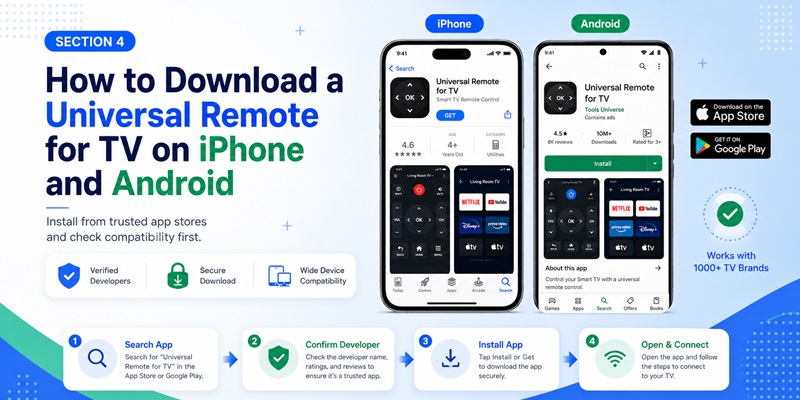
After confirming compatibility, install the app from a trusted source. The safest default is Google Play for Android and the Apple App Store for iPhone or iPad.
Download on Android
To download universal remote for tv on Android:
- Open Google Play.
- Search for the official manufacturer app or a verified universal remote.
- Confirm the developer name.
- Check recent reviews, permissions, pricing, and compatibility.
- Tap Install.
- Open the app and allow only the permissions needed for discovery or control.
Google says Play Protect checks apps from Google Play before download and scans devices for harmful behavior. Before opening the universal remote control download, review the first subscription screen and cancel any trial you do not intend to keep.
A search for universal remote control for all tv free download may show sponsored results. “Free to download” does not always mean every feature is free, so read the subscription terms before starting a trial.
Download on iPhone or iPad
To install a universal remote control download on iPhone:
- Open the App Store.
- Search for the TV brand, platform, or verified app.
- Confirm the seller or developer.
- Review privacy labels and in-app purchases.
- Tap Get and authenticate the installation.
- Allow local-network access when the app needs to discover the TV.
After the universal remote control download is installed, confirm that local-network access is enabled if discovery fails. For supported Apple devices, a separate app may not be necessary. Apple’s TV Remote in Control Center works with Apple TV 4K, Apple TV HD, and compatible AirPlay smart TVs.
Avoid websites that require configuration profiles, unknown stores, browser extensions, or unrelated download managers. A trustworthy universal remote control download should not require you to weaken phone security.
Download universal tv remote app5. How to Connect and Set Up a Universal Remote App
Installing the app does not automatically connect it to the television. The setup process depends on whether the selected universal remote control download uses Wi-Fi or infrared.
Connect Through Wi-Fi
Use this process for most smart TVs:
- Turn on the TV with its physical button or existing remote.
- Connect the phone and TV to the same Wi-Fi network.
- Open the app and choose Add Device, Scan, or Connect TV.
- Select the television from the device list.
- Enter the pairing code displayed on the TV or approve the request.
- Test power, volume, navigation, playback, and input controls.
- Save the device with a clear name.
Google’s official instructions for Google TV and Android TV use this general process: select a nearby TV in the Google TV app, enter the code shown on the screen, and tap Pair. Roku also requires the phone and Roku device to be on the same network for normal mobile-app control.
The universal remote control download should save the paired television so you do not need to repeat setup every time. If the universal remote control download cannot find the TV, disable a VPN temporarily and check that the router is not using guest-network isolation.
Connect Through Infrared
For an IR app:
- Confirm that the phone has infrared hardware or a supported accessory.
- Choose TV and select the brand.
- Point the top of the phone toward the television.
- Test the power button.
- Try the next code profile if the TV does not respond.
- Save the profile after several buttons work.
Infrared normally does not require Wi-Fi, but it needs a clear line of sight. A thick phone case may also block the transmitter. If the first profile is incomplete, keep testing profiles inside the universal remote control download until several essential buttons respond.
6. Which TV Brands and Devices Work with Universal Remote Apps?
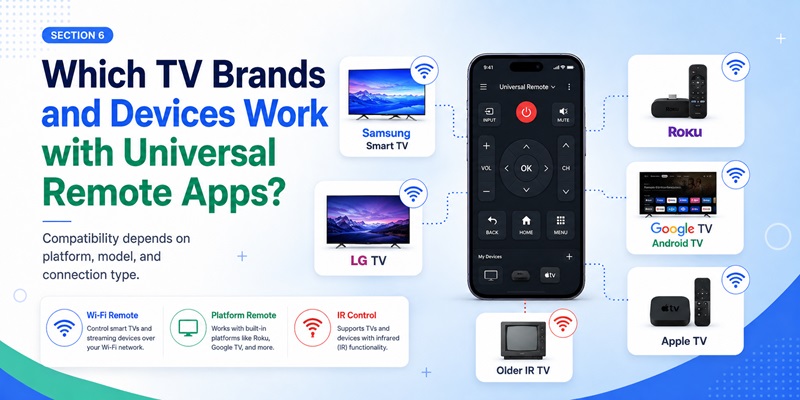
Compatibility depends on the platform and connection type. The same universal remote control download may work well with one model and poorly with another. The table below shows the best first option for common devices.
| TV or Device | Recommended First Option | Connection | Main Limitation |
| Samsung Smart TV | SmartThings | Wi-Fi/account pairing | Features vary by model |
| LG Smart TV | LG ThinQ | Wi-Fi/account pairing | Older models may differ |
| Google TV or Android TV | Google TV or Google Home | Wi-Fi and pairing code | TV must be on the network |
| Roku TV or player | Official Roku app | Same Wi-Fi network | Network access required |
| Apple TV or AirPlay TV | Apple TV Remote | Local network | Supported devices only |
| Older non-smart TV | IR remote app | Infrared | Phone needs IR hardware |
| Several TV brands | Third-party universal app | Wi-Fi and/or IR | Features differ by brand |
Samsung’s SmartThings app can display remote controls after a TV is selected, and LG ThinQ supports phone-based control for compatible LG televisions.
Roku’s official mobile app can turn a phone into a remote for Roku players and Roku TV systems. Roku also advises users to prefer its official app over third-party Roku remote apps for security reasons.
A universal remote control for all tv free download may cover several brands, especially when it combines Wi-Fi discovery and an IR database. However, one universal remote control download may provide only power and volume for one TV while offering keyboard, app shortcuts, and voice control for another.
Use an official app when you need advanced smart features. Choose a reputable third-party universal remote control download when you have several brands or need basic controls in one interface.
7. Is a Universal TV Remote APK Download Safe?
An APK is an Android installation package. It can be installed outside Google Play, but an unknown universal tv remote apk download may be outdated, modified, or repackaged.
Searches for download universal tv remote apk often lead to mirrors that are not operated by the original developer. Sideloading may also remove convenient store updates and make developer verification harder.
Main APK Risks
An unofficial universal remote control download may:
- Request excessive permissions
- Contain modified or unwanted code
- Display deceptive payment screens
- Lack automatic updates
- Misrepresent the developer
- Collect unnecessary device or network data
- Include aggressive advertising
Google Play Protect can check apps from other sources and warn about potentially harmful behavior, but an official store remains the easier default for most users.
Check the Source Before Installing
Before using a universal tv remote apk download, verify:
- The developer’s official website
- The Android package name
- The current app version
- The signing identity
- The privacy policy and support contact
- The reason the app is unavailable from Google Play
The phrase universal tv remote zaza remote apk download may be used to find ZaZa Remote outside Google Play. Since ZaZa Remote currently has a Google Play listing, the store version is a safer starting point than an unknown mirror.
Never disable Play Protect permanently or install an “unlocked” APK simply to avoid a small remote-app payment. A legitimate universal remote control download should not require permanent changes to Android security settings.
A universal remote control download is a convenience tool, not a reason to weaken the security of the entire phone.
8. How to Fix a Universal Remote App That Does Not Work
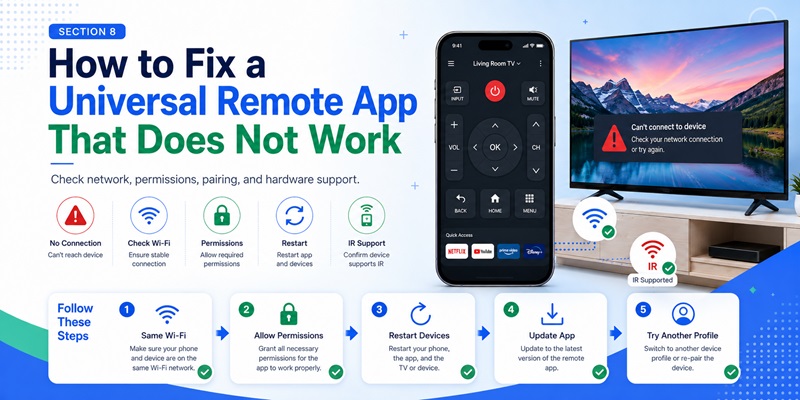
A universal remote control download may install successfully but fail to discover the TV, complete pairing, or send commands. Most problems involve the network, phone permissions, unsupported hardware, or an incorrect remote profile.
The App Cannot Find the TV
Try the following:
- Connect both devices to the same Wi-Fi network.
- Avoid a guest network that blocks local devices.
- Restart the phone, TV, and router.
- Allow local-network or nearby-device permission.
- Disable a VPN temporarily.
- Update the app and TV software.
- Enable mobile-app control in the TV settings.
- Enter the TV’s IP address manually if supported.
Some routers isolate 2.4 GHz and 5 GHz devices. Both devices may have internet access while still being unable to communicate locally.
Pairing or Buttons Fail
If the pairing code does not appear, remove old mobile connections from the TV and restart pairing. Keep the TV screen visible so you can approve the request.
If power works but navigation does not, try another profile for the same brand. Different model families may use different infrared commands.
For an IR universal remote control download, point the phone directly at the receiver and remove any case blocking the transmitter. For Wi-Fi control, make sure the app is connected to the correct TV.
The App Disconnects
Disable battery optimization if the phone repeatedly closes the app. Keep both devices on a stable network and avoid moving between Wi-Fi connections.
If the universal remote control download remains unreliable, test the manufacturer’s official app. A stable official connection suggests that the third-party app does not fully support the TV.
When the television is offline and the original remote is missing, use physical TV buttons, Ethernet, a USB keyboard, an IR-capable phone, or a basic physical universal remote. Reopen the universal remote control download only after the TV is reachable by the required connection method.
A Wi-Fi-only app cannot discover a TV that is not connected to the network.
9. Frequently Asked Questions About Universal Remote Control Download
Can You Download a Universal Remote for Free?
Yes. Many official and third-party apps are free to install, but some include ads, premium buttons, trials, or subscriptions. Review the price before confirming payment.
Can I Use a Remote App Without Wi-Fi?
An infrared universal remote control download may work without Wi-Fi when the phone has an IR blaster or compatible accessory. A network remote normally requires the phone and TV on the same local network.
Can You Download a Universal TV Remote on an iPhone?
Yes. iPhones can use compatible Wi-Fi remote apps, brand apps, and Apple TV Remote for supported devices. They do not normally provide a built-in traditional IR transmitter.
Is There One Free Remote for Every Television?
No. A free download universal remote control for tv may support many brands, but it cannot guarantee every model, button, or smart feature.
What Does Universal TV Remote APK Download Mean?
It means downloading the Android installation package instead of installing the app directly from Google Play. The store is usually safer and easier for updates.
Why Does My Phone Not Control an Older TV?
The TV may require infrared while the phone lacks IR hardware. Installing another universal remote control download will not add a physical transmitter to the phone.
Can a Phone Turn On a TV That Is Completely Off?
Sometimes. Certain smart TVs support network wake-up, while others disable Wi-Fi in deep standby. Infrared or a physical button may be required.
What Permissions Are Reasonable?
A Wi-Fi remote may need local-network, nearby-device, Bluetooth, microphone, or location-related permissions for discovery and voice features. Be cautious if a basic remote requests contacts, messages, call logs, or unrelated files.
Should I Keep a Physical Remote?
Yes. Router failures, phone battery loss, factory resets, and first-time Wi-Fi setup can make a universal remote control download temporarily unusable.
10. The Best Way to Download and Use a Universal TV Remote
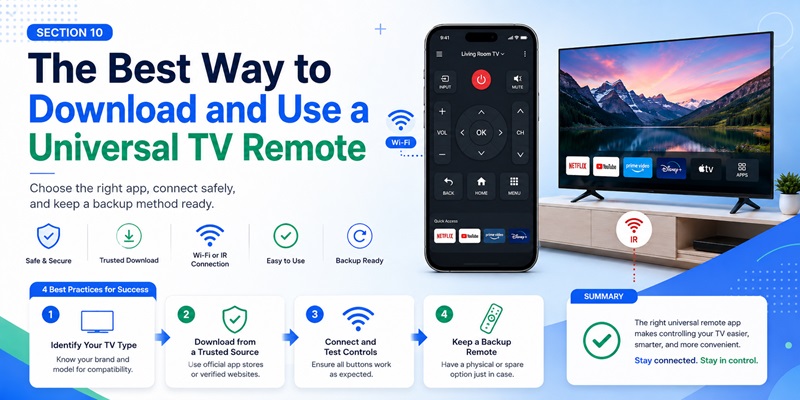
The best process starts with the television model, not a random download button. Determine whether the TV supports Wi-Fi control, infrared, Bluetooth, or a manufacturer platform. Then look for the official remote option.
For Samsung, start with SmartThings. For LG, check ThinQ. For Google TV or Android TV, try Google TV or Google Home. For Roku, use the official Roku app. For compatible Apple devices, use Apple TV Remote in Control Center.
When no official option meets your needs, choose a well-reviewed third-party universal remote control download from an official store. Confirm the developer, supported brands, connection type, permissions, pricing, and update history. Do not assume that universal remote control for all tv free download guarantees complete compatibility.
After installation, pair the phone and television, then test power, volume, navigation, input, playback, keyboard, and app shortcuts. Keep the universal remote control download updated so compatibility fixes and security improvements can be installed. Keep a physical remote or another backup method available.
A carefully selected universal remote control download can replace a lost remote, simplify text entry, and control several compatible devices from one phone. The key is to match the app to the TV’s technology, use a trusted download source, and recognize that “universal” means broad support rather than perfect control of every television.
By following this approach, you can safely download universal tv remote app options, avoid misleading APK pages, and turn a compatible phone into a reliable TV controller.
Download universal tv remote app
