
VU TV Remote Download: Safe Setup and Pairing Guide
Losing or damaging a television remote can make simple tasks difficult. You may still turn the screen on with a physical button, but changing the input, entering a password, opening an app, or adjusting the volume becomes inconvenient. A vu tv remote download can turn a compatible smartphone into a useful temporary or everyday controller.
The right solution depends on the TV platform. Current VU product pages list several models with Google TV OS, including the VU Glo QLED, VIBE DV QLED, and Masterpiece ranges. Google TV devices can normally pair with the Google TV mobile app by selecting the television and entering the code shown on the screen.
Older VU televisions may not support network control. They may require an infrared app and a phone with an IR blaster, or a compatible physical replacement remote. Therefore, a successful vu tv remote download starts with identifying the model, operating system, and connection method.
This guide explains how to choose a reliable vu tv remote download, pair the phone, compare network and infrared options, and fix common problems without weakening your phone’s security.
1. What Is VU TV Remote Download and How Does It Work?
A vu tv remote download is a mobile application or built-in phone feature that provides an on-screen television controller. Depending on compatibility, it may include power, volume, mute, directional navigation, home, back, playback, input selection, keyboard entry, voice search, and app shortcuts.
There are two main connection methods.
Wi-Fi Network Control
A network remote communicates through the home router. The phone and TV usually need to be connected to the same Wi-Fi network. Recent VU models that use Google TV OS are the strongest candidates for this type of vu tv remote download. VU’s current product pages describe Google TV OS and, on some ranges, an Instant Network Remote.
Wi-Fi control is convenient because the phone does not need to point directly at the screen. It may also provide keyboard and voice functions. However, it cannot discover a television that is offline, connected to another router, or isolated on a guest network.
Infrared Control
An infrared remote app sends signals similar to a physical controller. It can work without Wi-Fi, but the smartphone must contain an IR blaster. Many phones, especially iPhones, do not include one.
Installing a vu tv remote download cannot add infrared hardware. If the TV is older and the phone has no IR transmitter, use a model-compatible physical remote or a universal remote programmed for VU.
No physical remote? No problem. Download the VU TV Remote App to control your Mi Smart TV, launch apps, adjust settings, and enjoy seamless entertainment from your phone.
Get the App Now
2. Which VU Televisions Can Use a Phone Remote?
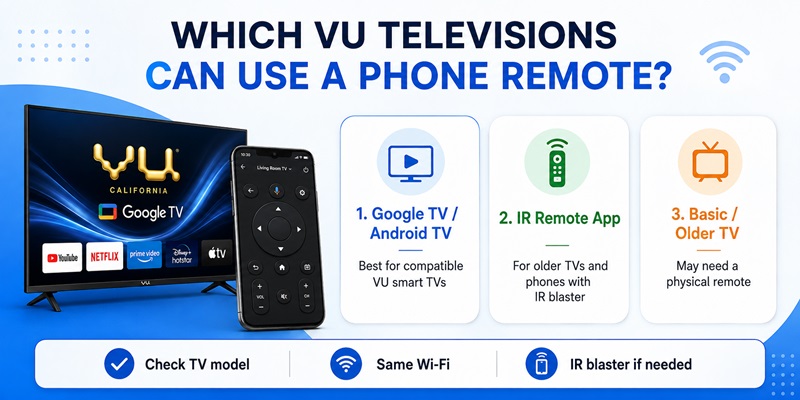
Not every television works with the same vu tv remote download. Compatibility depends on the model year, operating system, network settings, and phone hardware. Before choosing a vu tv remote download, confirm the exact platform.
Current VU televisions such as the Glo QLED, VIBE DV QLED, and Masterpiece QLED are advertised with Google TV OS. These models are more likely to work with Google’s virtual remote because Google TV provides a standard phone-pairing system.
A VU TV is a good candidate for network control when it includes:
- Google TV or Android TV branding
- Google Play Store
- A Google Account section
- Built-in Wi-Fi
- A pairing code when the phone connects
An older or basic television may rely on infrared. If the original remote worked only when pointed directly at the screen, the main controls probably used IR. In that case, a vu tv remote download works only when the phone has compatible infrared hardware and the app includes the correct command profile.
Screen size does not determine compatibility. Two 43-inch VU televisions can use different platforms. Find the complete model number on the rear label, packaging, invoice, or Settings > About page.
Before installing a vu tv remote download, confirm that the television is connected to Wi-Fi. A network app cannot complete first-time Wi-Fi setup when the TV is offline and there is no other way to navigate the menus.
Explore Articles: Apple TV Remote Download: Complete Guide to Controlling Apple TV From Your Phone
3. What Is the Best App for Controlling a VU TV?
For a compatible Google TV or Android TV model, the best first choice is the official Google TV app. Google says users can open Google TV, select a nearby television, enter the code displayed on the TV, and tap Pair. The virtual remote can then navigate the television.
A search for vu tv remote download also returns independent Android apps. Current Google Play results include apps described as Wi-Fi remotes and infrared remotes for VU televisions. Some listings explicitly say that they are not official VU applications.
I could not verify a VU-published phone remote in the current store results. That is an inference from the available listings, so do not assume an app is official merely because “VU” appears in its title.
Choose Google TV when:
- The television runs Google TV or compatible Android TV
- The phone and TV use the same Wi-Fi
- You want navigation, keyboard, and voice features
- The TV displays a pairing code
Consider an IR app when the television is older, the phone has an IR blaster, and the app clearly supports VU profiles.
A vu tv remote app free download may still contain ads, subscriptions, limited buttons, or data collection. “Free to install” does not mean every feature is free. Review the developer, permissions, pricing, and recent feedback before completing a vu tv remote download.
4. How to Download and Pair Google TV with VU TV
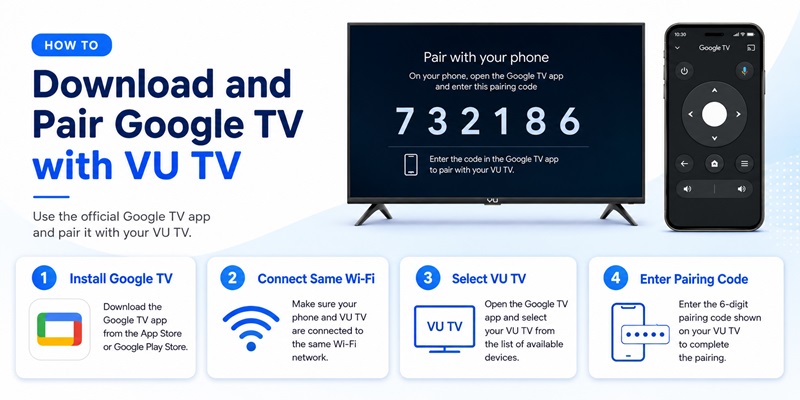
For many recent models, Google TV is the simplest vu tv remote download option. This vu tv remote download uses the television’s standard Google TV pairing system.
Step 1: Install Google TV
On Android, open Google Play, search for Google TV, and confirm that the developer is Google LLC.
On iPhone or iPad, open the App Store, search for Google TV, and confirm that the publisher is Google. The official application is currently available through both stores.
Avoid applications that imitate the Google TV icon or use names such as “remote for Google TV” without clearly identifying Google as the developer.
Step 2: Use the Same Wi-Fi
Turn on the television and confirm that it is connected to the home network. Connect the phone to the exact same Wi-Fi name.
Avoid guest Wi-Fi because many routers block communication between local devices. Both the phone and television may have internet access while still being unable to see each other.
Step 3: Select the Television
Open Google TV and tap the remote or nearby-TV option. Select the VU television from the list.
Google’s official instructions require users to enter the code shown on the TV and tap Pair.
If several televisions appear, check the device name in the VU TV’s network or system settings before selecting one.
Step 4: Test Important Controls
After the vu tv remote download is paired, test:
- Directional navigation and OK
- Home and Back
- Playback
- Keyboard and voice input
- Power and volume, when supported
Some power and volume commands depend on the TV model, sound system, HDMI-CEC setup, and standby mode. Keep the physical remote until every essential function has been tested.
Android users can also add the Google TV remote to Quick Settings for faster access.
>>> Explore Articles: Download Remote TV Toshiba: How to Control Toshiba TV With Your Phone
5. How to Use an Infrared Remote App with Older VU TVs
If the television does not run Google TV or cannot connect to Wi-Fi, an infrared vu tv remote download may be an alternative.
First, confirm that the Android phone has an IR blaster. Check the manufacturer’s specifications instead of assuming that a small opening on the phone is an infrared transmitter.
Then follow this process:
- Install a reputable remote app from Google Play.
- Select TV as the device category.
- Choose VU as the brand.
- Point the top of the phone toward the television.
- Test the power command.
- Try another profile if the first one fails.
- Test volume, input, navigation, and menu.
- Save the profile only after several controls work.
Some VU remote listings say they require an IR emitter, while others advertise Wi-Fi support for Android smart TVs. These are third-party products, so test their claims against the exact television model.
Do not assume every button works because the power command succeeds. Different model families may use different infrared codes. Test several core controls before relying on the phone as the primary remote.
An infrared vu tv remote download is most useful for basic functions. Voice search, phone keyboard input, and app discovery generally require network integration.
If the phone has no IR hardware, stop installing IR apps. Use a compatible physical replacement, a universal remote, or contact VU support for model-specific help. VU publishes support contacts on its official customer-support page.
6. How to Fix a VU TV Remote App That Does Not Work
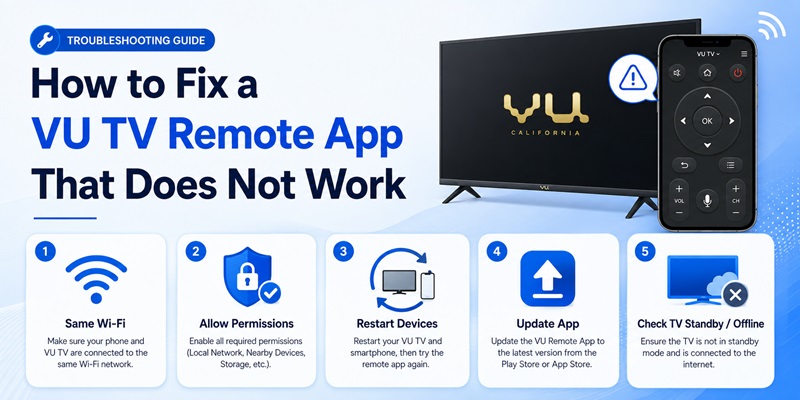
When a vu tv remote download installs but cannot find or control the television, troubleshoot the connection method before replacing the app. Reinstalling another vu tv remote download rarely fixes a network mismatch.
The TV Does Not Appear
Confirm that the phone and TV are on the same Wi-Fi. Disable a VPN temporarily, avoid guest Wi-Fi, and restart the phone, television, and router.
Make sure the TV is fully awake. Deep standby can disable network discovery on some models.
The Pairing Code Fails
Select the television again and request a new code. Enter it before it expires. If several TVs appear, check the device name in Settings.
Also confirm that the phone is not trying to reconnect to a previously saved television with a similar name.
The App Connects but Buttons Fail
Remove the saved connection and pair again. Update the Google TV app and television software. Check whether only one feature, such as volume, is affected.
If navigation works but volume does not, the sound may be controlled by a soundbar, receiver, or HDMI-CEC device rather than directly by the TV.
The IR App Does Nothing
Confirm that the phone has an IR blaster. Remove any case blocking the transmitter, point the phone directly at the sensor, and try another VU profile.
The TV Is Offline
A Wi-Fi vu tv remote download cannot reconnect a television that has lost network access. Use physical buttons, the original remote, Ethernet, a USB keyboard, or infrared control to restore Wi-Fi first.
Google’s pairing flow requires the phone to select the device and enter the code shown on the screen, so the TV must be powered on and reachable.
Get the App Now7. Is a Third-Party VU Remote App Safe to Download?
A third-party vu tv remote download can be useful, but evaluate it carefully.
Check:
- Developer name and contact details
- Recent update date
- Quality of reviews
- Wi-Fi or IR requirements
- Permissions
- Advertising and subscription terms
- Privacy policy
- Compatibility claims
- Disclaimer about affiliation
Several current VU remote listings identify themselves as unofficial or state that they do not belong to VU.
Be cautious when a basic remote requests contacts, messages, call logs, or unrelated storage. Local-network, nearby-device, Bluetooth, microphone, or notification permissions may be reasonable when connected to discovery, voice control, or remote features.
Avoid modified APK files from unknown websites, especially when a store version exists. An unofficial APK may be outdated, repackaged, or unable to receive automatic security updates.
The safest vu tv remote download order is:
- Google TV for compatible Google TV or Android TV models
- A well-reviewed store app for an IR-capable phone
- A physical replacement or universal remote
- VU customer support when the model remains unclear
This approach prioritizes platform compatibility instead of trusting a broad “works with every VU TV” claim.
8. Frequently Asked Questions and Final Recommendations
Is There an Official VU TV Remote App?
I could not verify a VU-published remote app in the current mobile-store results. Several VU-branded applications describe themselves as unofficial.
For compatible Google TV models, begin with the official Google TV app.
Is VU TV Remote Download Free?
Google TV is free to install. Third-party apps may be free to download but can include advertisements, purchases, subscriptions, or limited controls.
Can an iPhone Control a VU TV?
An iPhone can control a compatible Google TV or Android TV model through the Google TV app. It cannot normally send traditional infrared commands without extra hardware.
Does the Phone Need Wi-Fi?
Google TV control requires local-network connectivity. An infrared app can work without Wi-Fi, but only when the phone has an IR blaster.
Can the App Turn On the TV?
It depends on the model and standby configuration. Some televisions remain reachable over the network, while others disconnect in deep standby and require a physical or IR power command.
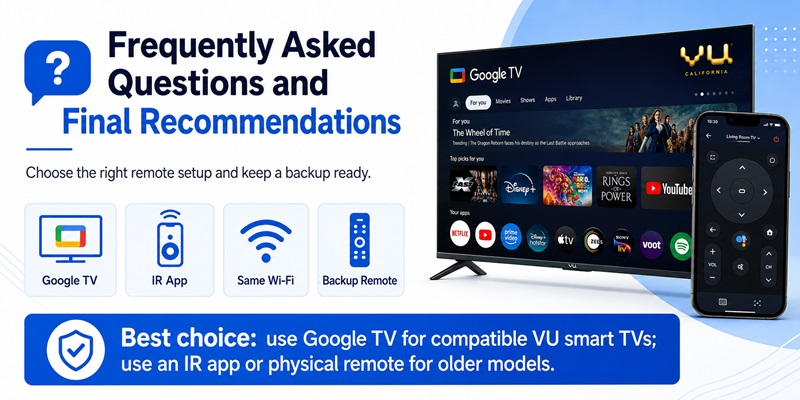
What Is the Best Choice?
For a recent VU television running Google TV OS, use Google TV first. This vu tv remote download is the most suitable starting point for supported models.
VU’s current product pages identify Google TV OS on several major ranges, making Google’s virtual remote the logical first option.
For an older TV, use an IR-capable Android phone or a physical remote. Keep a backup controller for network outages, factory resets, and first-time setup.
A reliable vu tv remote download should match the television platform, connect consistently, and provide the controls you need. Do not select an app only because its title contains the VU brand name.
By checking the model, using official platform tools first, and testing every important button, a vu tv remote download can become a convenient replacement when the original controller is lost or unavailable.
Download VU TV Remote App