
Android TV Remote APK: How to Install, Connect, and Use Your Phone as a TV Remote
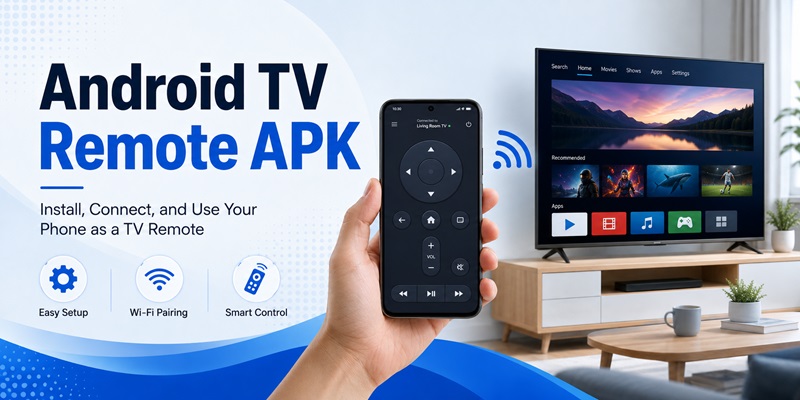
Losing a physical TV remote is surprisingly common. It can disappear between sofa cushions, run out of batteries, or simply stop responding at the worst possible moment. Fortunately, an android tv remote apk can turn an Android smartphone into a practical replacement for many television remotes.
Instead of buying another controller immediately, you can install a remote application, connect your phone to your television, and control navigation, volume, playback, apps, and other functions directly from your mobile device.
However, not every android tv remote apk works in exactly the same way. Some apps communicate through Wi-Fi, others use infrared hardware, and some require additional services to be active on the television. Compatibility also varies between Android TV, Google TV, TV boxes, and TVs from different manufacturers.
This guide explains how these apps work, how to install them correctly, how to pair your phone with your television, and what to check when the connection fails.
1. What Is an Android TV Remote APK?
An android tv remote apk is an Android application package designed to provide remote-control functions for a television or Android-powered media device. Once installed on your phone, it can reproduce many of the controls normally found on a physical remote.
What can a TV remote app control?
Depending on the app and television model, common functions include:
- Directional navigation
- Home and back buttons
- Volume adjustment
- Power controls
- Play and pause
- Fast-forward and rewind
- App launching
- Keyboard input
- Touchpad navigation
- Media controls
An android tv remote control apk can be especially useful when typing search queries or passwords because using a smartphone keyboard is often faster than navigating an on-screen TV keyboard with arrow buttons.
Some applications also include casting, screen mirroring, channel controls, or shortcuts to frequently used functions.
APK versus Play Store installation
APK is the Android application package format used to install apps on Android devices. Apps installed from Google Play are also distributed using Android application packages behind the scenes, although the store handles the installation automatically.
People usually search for an android tv remote apk when they want to install a remote app manually, reinstall an older application, use a remote utility not currently visible in their regional store, or control a specific Android TV device.
Manual installation requires more caution than installing directly from an official app store. The APK should come from a trusted source and should not request permissions unrelated to remote-control functionality.
Download TV Remote APP📖 Read More Guides: Apple TV Remote Android: How to Control Apple TV From Android
2. How an Android TV Remote APK Works
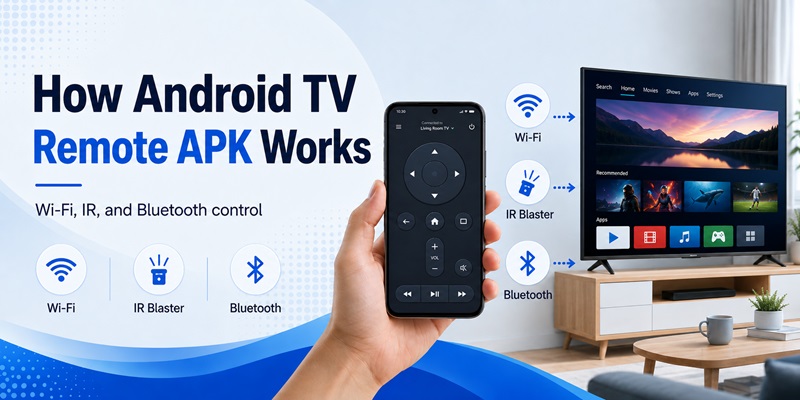
Before installing an android tv remote apk, it helps to understand how your phone communicates with the television. The connection method determines whether the remote will work with your TV.
Wi-Fi remote control
Most modern Android TV remote applications use a local network connection.
Your phone and television normally need to be connected to the same Wi-Fi network. The android tv remote controller apk searches the local network for compatible televisions and media devices.
When you select your television, a pairing code may appear on the TV screen. Enter that code on your phone to authorize the connection.
After pairing, commands travel from your smartphone through the local network to the television.
This method usually supports more features than traditional infrared control, including:
- Keyboard input
- Touchpad gestures
- App navigation
- Media playback
- Voice-related controls in supported apps
Infrared remote control
Some Android phones contain an infrared transmitter, commonly called an IR blaster.
With compatible hardware, a tv remote apk for android can send infrared signals directly to a TV just like a traditional remote.
This method may work even when the TV and phone are not connected to Wi-Fi.
However, many newer Android phones no longer include IR hardware. Installing an IR remote application does not add infrared capability to a device that lacks the required transmitter.
Therefore, when choosing an android tv remote apk, first determine whether the application uses Wi-Fi, Bluetooth, infrared, or a combination of these technologies.
3. How to Install an Android TV Remote APK Safely
Installing an android tv remote apk is similar to installing other Android applications, but manual APK installation requires a few additional steps.
Step 1: Check compatibility
Before downloading anything, verify:
- Your Android version
- Your television operating system
- Whether both devices support Wi-Fi
- Whether the app supports your TV manufacturer
- Whether additional TV-side software is required
A free android tv remote app designed specifically for Android TV may not necessarily support every older smart television.
Likewise, an application designed for infrared control may be useless on a phone without an IR transmitter.
Step 2: Prefer trusted distribution channels
The safest option is generally to install remote applications through a recognized app store.
If you manually install an android tv remote apk, avoid files from unknown websites, modified packages with unclear origins, or downloads that promise suspicious premium features.
Check the developer information, application version, requested permissions, and source reputation before installing.
Step 3: Allow installation if required
Android may block installation from outside your normal app store.
If you intentionally install a legitimate APK, Android can ask you to allow the specific browser or file manager to install apps.
Enable this permission only when needed.
After installation, you can disable the permission again.
Step 4: Review app permissions
A normal android tv remote apk may reasonably require network access, Bluetooth access, or permission to locate nearby devices.
Be cautious if a simple TV remote asks for unrelated access such as contacts, messages, call history, or other sensitive information without a clear reason.
A good free android tv remote control app should request only permissions necessary for its features.
📖 Read More Guides: Download Remote TV Android: How to Install and Set Up a TV Remote App
4. How to Connect Your Android Phone to a TV
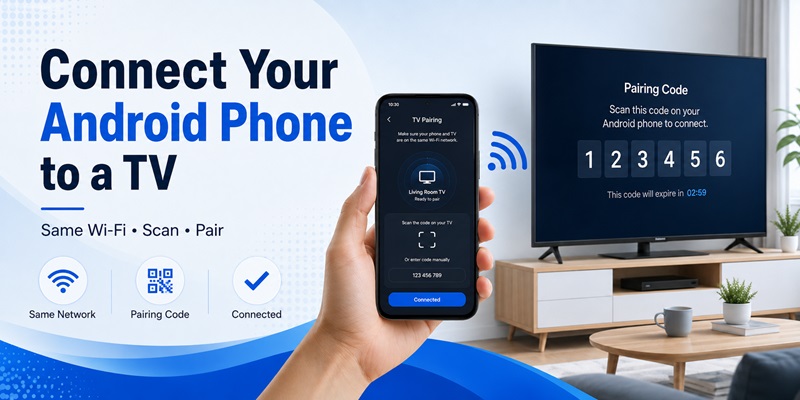
After installing your preferred android tv remote apk, the next step is pairing the phone with the television.
The exact menus vary between applications, but the basic process is usually similar.
Connect through the same Wi-Fi network
First, connect your television and Android phone to the same local Wi-Fi network.
Then:
- Turn on the television.
- Open the android tv remote apk.
- Select Add TV, Connect Device, Scan, or a similar option.
- Wait for the television name to appear.
- Tap the television.
- Check the TV screen for a pairing code.
- Enter the code on your phone.
- Confirm the connection.
Once pairing is complete, test directional navigation and volume controls.
If they respond normally, the connection has been established.
What if the television does not appear?
If your android tv remote apk cannot find the television, check whether both devices are actually using the same network.
For example, the phone might be connected to mobile data while the TV uses Wi-Fi. Guest Wi-Fi networks can also prevent devices from discovering each other.
Try temporarily disabling mobile data, reconnecting Wi-Fi, and restarting the scanning process.
Some TVs also require remote-control or network-control permissions to be enabled in settings.
An android tv remote service apk or built-in remote service may handle communication on certain Android TV systems. If this service is disabled or outdated, pairing can fail even when the phone and television are on the same network.
5. How to Use Android Phone as TV Remote
If you are wondering how to use android phone as tv remote, the process becomes straightforward once your television is paired.
Open the android tv remote apk whenever you want to control your television.
Use the directional remote
Most apps display a virtual directional pad containing:
- Up
- Down
- Left
- Right
- OK/Select
- Back
- Home
Swipe or tap depending on the interface.
The controls should behave similarly to the directional buttons on your physical remote.
A good android tv remote apk may also offer a touchpad mode. Instead of repeatedly pressing arrow buttons, you can swipe across the phone screen to move around the television interface.
Control media and volume
Remote applications often provide dedicated controls for:
- Play
- Pause
- Previous
- Next
- Rewind
- Fast-forward
- Volume up
- Volume down
- Mute
These are useful when watching streaming content or local media.
Use your phone keyboard
One of the biggest benefits of an android tv remote apk is text input.
When a search field appears on the television, compatible applications allow you to type using your smartphone keyboard.
This can make searching for movies, apps, videos, and settings considerably faster.
A Remote TV App may also provide shortcuts for frequently used controls, allowing your phone to replace most day-to-day functions of the original remote.
Download TV Remote APP6. Android TV Remote APK for Different TV Types
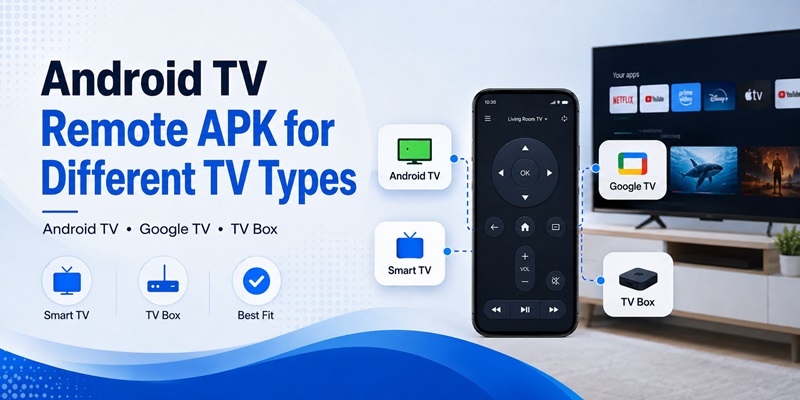
Compatibility is one of the most important factors when selecting an android tv remote apk.
There is no guarantee that one application will work with every television.
Android TV and Google TV
Android TV and Google TV devices are generally the easiest targets for network-based remote applications.
Your phone and television connect over the same network, allowing the remote for android tv apk to send navigation and playback commands.
Some apps automatically discover compatible devices.
Others require manual pairing.
Android TV boxes
An android tv box remote apk can be useful for Android-powered media boxes when the original remote becomes unavailable.
Depending on the box, supported features may include:
- Home navigation
- App launching
- D-pad controls
- Keyboard input
- Media playback
- Mouse or touchpad simulation
Not every generic remote works with every TV box, so checking compatibility before installation is important.
Manufacturer-specific televisions
Some television manufacturers use proprietary remote-control protocols.
A generic android tv remote apk may offer basic controls but not every advanced function.
In these situations, an official manufacturer application can sometimes provide better compatibility.
You may also encounter searches such as zank remote for android tv apk or c remote apk for android tv when looking for utilities designed around Android TV boxes and network remote control.
Another unrelated search term is ps remote play android tv apk. Remote Play is designed around game streaming and should not be confused with a standard TV remote application. If your goal is simply television navigation, choose software specifically designed for TV remote control.
📖 Read More Guides: Roku TV Remote App for Android: Complete Setup and Troubleshooting Guide
7. Free, Pro, and Mod Android TV Remote APK Options
When searching for an android tv remote apk, you will often see free, paid, Pro, and modified versions.
Understanding the difference helps you avoid unnecessary risks.
Free remote apps
A basic free android tv remote app may already provide everything required for normal television use.
Common free features include:
- Navigation
- Volume
- Home
- Back
- Playback
- TV discovery
- Basic pairing
Some applications use advertisements to support the free version.
Other developers reserve features such as keyboard input, multiple saved TVs, customizable layouts, or advanced casting for premium plans.
Pro versions and pricing
Searches for android tv remote price usually come from users comparing premium remote apps with purchasing a replacement physical remote.
There is no universal price because every developer uses a different model. An android tv remote pro apk may be sold as a one-time purchase, subscription, or in-app upgrade.
Before paying, test compatibility whenever a free version is available.
There is little value in purchasing premium features before confirming that the application can reliably communicate with your television.
Be careful with modified APKs
Search terms such as android tv remote mod apk, android tv remote apk mod, and remote control for android tv mod apk usually refer to unofficially modified application packages.
These packages can introduce security, privacy, compatibility, or stability risks because the software may have been altered by an unknown third party.
A modified android tv remote apk may also stop working after an Android or television update.
For most users, the safer approach is to use the official free version or purchase premium functionality through the application’s legitimate distribution channel.
8. Common Android TV Remote APK Problems and Fixes
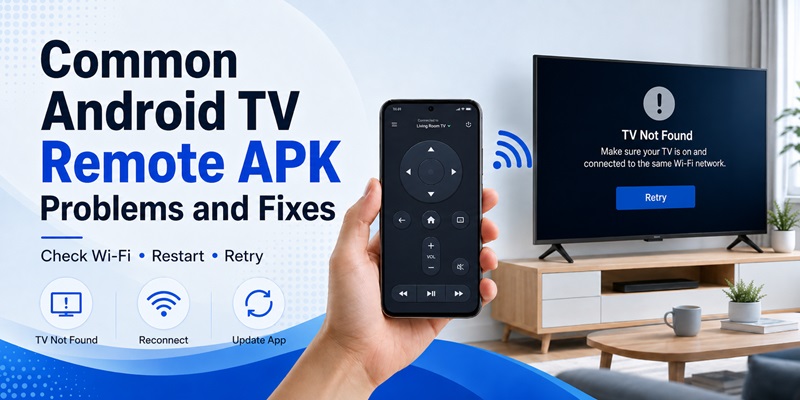
Even a compatible android tv remote apk may occasionally fail to connect.
Most problems can be narrowed down by checking the network and restarting the connection.
Problem 1: TV is not detected
If your television does not appear:
- Confirm both devices use the same Wi-Fi network.
- Disable mobile data temporarily.
- Avoid guest Wi-Fi networks.
- Restart the TV.
- Restart the phone.
- Reopen the remote application.
- Scan again.
Network isolation settings on certain routers can prevent devices from discovering each other.
Problem 2: Pairing code does not appear
Close the android tv remote apk, restart the television, and initiate pairing again.
Check the TV settings for options related to remote devices, paired devices, network control, or mobile remote access.
Removing an old pairing can also solve connection problems.
Problem 3: Connected but buttons do not work
The application may recognize the television but use a control method that is only partially compatible.
Try disconnecting the TV and pairing again.
If only certain controls fail, test another compatible remote application.
Problem 4: Connection frequently drops
Unstable Wi-Fi can cause a network-based android tv remote apk to disconnect.
Check your phone’s Wi-Fi connection and ensure the television has a stable signal.
Power-saving settings can sometimes restrict background network access on Android phones. Keeping the remote application active while controlling the TV may improve reliability.
Problem 5: An older remote APK suddenly stops working
An old quick remote apk or other discontinued remote utility may depend on services that are no longer supported.
Television firmware updates can also change compatibility.
In this situation, updating to a currently maintained remote application is generally more practical than repeatedly reinstalling an outdated APK.
9. How to Choose the Best Android TV Remote App
The best android tv remote apk is not necessarily the application with the longest feature list.
Compatibility and reliability matter more.
Check your connection method
Determine whether your setup uses:
- Wi-Fi
- Bluetooth
- Infrared
- A manufacturer-specific protocol
If your phone lacks infrared hardware, avoid choosing an application that depends entirely on IR control.
For Android TV and Google TV, network-based apps are usually more suitable.
Look for useful everyday controls
A practical android tv remote apk should make common actions easy.
Prioritize:
- Responsive directional controls
- Home and back
- Volume
- Playback controls
- Easy TV discovery
- Fast reconnection
- Keyboard input
Advanced features are useful only if you actually need them.
Check interface quality
A remote application is something you may open frequently.
Buttons should be large enough to use without constantly looking at the phone.
A well-designed android tv remote apk should also make switching between directional pad, touchpad, keyboard, and media controls straightforward.
Test before upgrading
If a free version exists, test it with your television first.
Confirm that:
- Pairing works
- Navigation responds quickly
- Volume controls function
- Reconnection is reliable
Only consider premium options after basic compatibility has been confirmed.
When searching for a free android tv remote control app, pay attention to the developer, recent compatibility information, permissions, and whether the app is still maintained.
10. Android TV Remote APK Safety and Final Tips
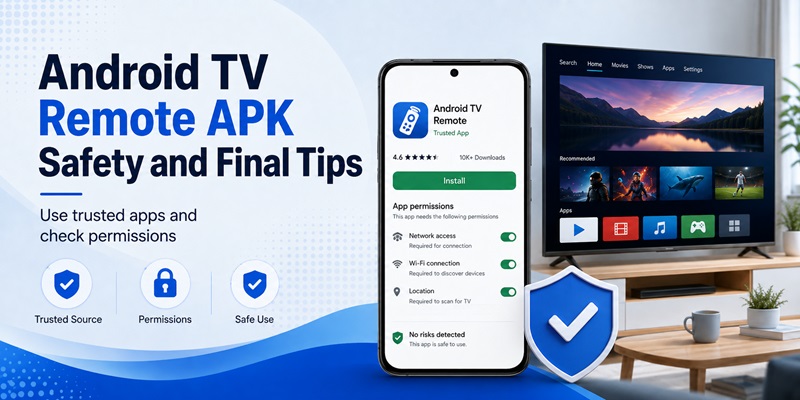
An android tv remote apk can be a convenient backup or even a permanent replacement for a physical television remote.
However, installation source and permissions matter.
Keep APK installation safe
Whenever possible, obtain remote applications through official app stores or trusted developer channels.
If manual APK installation is necessary:
- Verify the source.
- Check the developer.
- Review permissions.
- Avoid unexpectedly large permission requests.
- Keep Android security protections enabled.
- Avoid unknown modified versions.
An android tv remote apk should not require unrelated personal data simply to send remote-control commands to your television.
Be particularly careful when a download claims to provide unlocked paid functionality through an unofficial package.
Keep a backup control method
A phone remote relies on your phone being available and, in many cases, connected to the same Wi-Fi network.
For that reason, keeping the original physical remote is still useful.
If the TV loses its network connection, you may need the physical remote to reconnect it before the android tv remote apk can communicate again.
Choose compatibility over extra features
A simple remote that connects instantly and works consistently is more useful than an application containing dozens of features that frequently disconnects.
Start with basic controls. Test navigation, volume, playback, keyboard input, and reconnection.
If all of these functions work reliably, there may be little reason to change apps.
Final thoughts
Using an android tv remote apk is one of the easiest ways to turn an Android smartphone into a practical television controller.
The typical setup takes only a few steps: install a compatible application, connect the phone and television to the same network, pair them, and start controlling the TV.
For Android TV and Google TV users, network-based control usually provides the most convenient experience because it can support navigation, typing, media playback, and other smart features.
Users with an Android TV box can similarly look for an android tv box remote apk designed for their device, while phones with infrared hardware may also support traditional IR control.
The most important rule is to choose a trustworthy application rather than downloading the first android tv remote apk you find.
Avoid unofficial modified packages whenever possible, verify permissions, and make sure the app actually supports your television before considering a paid upgrade.
Once properly configured, your smartphone can handle most everyday TV controls and provide a useful backup whenever the physical remote is unavailable.
Download TV Remote APP