
App Remote TV LG: Best Free Apps to Control Your LG Smart TV
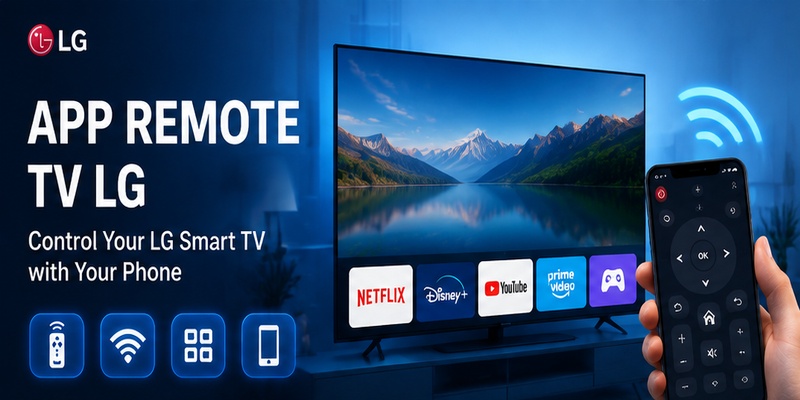
A lost or damaged television remote can quickly become inconvenient, especially when using a modern LG Smart TV. Without the physical controller, users may struggle to open streaming applications, adjust volume, change HDMI sources, or enter text when searching for content.
This is why many people look for an app remote tv lg solution that can transform a smartphone into a convenient television controller.
Unlike older infrared remotes, many LG Smart TVs communicate with mobile devices through WiFi-based connections. This allows a smartphone to send commands directly to the television, providing access to common controls such as navigation, volume adjustment, app launching, and keyboard input.
However, choosing the right application is not always simple. App stores contain many remote applications with different features, connection methods, pricing models, and compatibility levels. Some applications are designed specifically for LG Smart TVs, while others work as universal controllers for multiple television brands.
A reliable app remote tv lg should match your specific needs:
- Your LG TV model and webOS version
- Your smartphone operating system
- Whether your TV is connected to WiFi
- Whether you need basic controls or advanced features
- Whether you prefer a completely free option
This guide explains how LG remote applications work, what features users should expect, how iPhone and Android options differ, whether remote apps can work without WiFi, and how to choose a solution without unnecessary subscription costs.
1. Best Free LG TV Remote Apps
Finding the right app remote tv lg depends on what you need from a mobile remote. Some users only want basic controls such as volume, channels, and menu navigation, while others prefer a more complete solution with keyboard input, streaming shortcuts, casting, and support for multiple TV brands.
If you are searching for a lg tv remote app free, it is important to compare more than the price. A useful remote app should provide a stable connection, responsive controls, an easy-to-use interface, and compatibility with your specific LG Smart TV model.
LG has released many television generations over the years, including older Smart TVs and newer webOS models. Because of this, not every remote app works the same way across every device.
Official LG Remote Solutions
For many LG TV owners, an official LG-supported remote solution is the first option to consider.
Official apps are designed around LG’s own TV ecosystem, so they are often better integrated with supported LG models and webOS features.
Typical functions may include:
| Feature | What It Does |
|---|---|
| Navigation pad | Move through TV menus |
| Volume control | Increase, decrease, or mute sound |
| Power control | Turn supported TVs on or off |
| Input selection | Switch between HDMI and other sources |
| Keyboard input | Type searches using your phone |
| App navigation | Access supported streaming apps |
The main advantage of an official solution is compatibility with LG-specific functions.
However, support can still vary by TV generation. Some older LG TVs may not support newer mobile-control features, while certain functions may depend on network settings or the TV’s software version.
For users who only own LG TVs and want an app built specifically around the LG ecosystem, an official solution may be the simplest choice.
Universal Remote TV Control by Begamob
For users who want more flexibility, Universal Remote TV Control by Begamob provides another option for controlling compatible LG Smart TVs from an iPhone or iPad.
The app is designed to turn your mobile device into a universal TV remote, giving you access to everyday controls without relying entirely on a physical remote.
Setup is simple. Connect your phone and TV to the same Wi-Fi network, and the app can automatically detect supported devices without requiring complicated pairing codes.
Once connected, users can access features such as:
- Change channels
- Adjust volume and mute sound
- Power supported TVs on or off
- Navigate TV menus
- Launch streaming apps such as Netflix or YouTube
- Use the phone keyboard for faster searches
- Use voice search where supported
- Cast photos and videos to the TV
- Control TVs from multiple supported brands
One of the biggest advantages is convenience. Instead of searching for the physical remote or replacing dead batteries, you can control the TV from a device that is usually already in your hand.
One App for Multiple TV Brands
Another advantage of Begamob is its universal approach.
The app supports a range of popular TV brands and platforms, including:
- LG Smart TV
- Samsung
- Sony
- TCL
- Roku
- Hisense
- Android TV
- Fire TV
- Philips
- Vizio
This can be particularly useful in households with more than one television brand.
Instead of installing a separate app for each TV, users can manage compatible devices from one universal remote app.
Begamob App Highlights
According to the app’s published information, Universal Remote TV Control by Begamob has:
- 10M+ downloads
- 4.8 rating
- 50K+ reviews
- Top 50 ranking in Utilities
- Price of approximately $12 per week
These figures may appeal to users who prefer an app with a large existing user base and a broader set of features than a basic free remote.
However, because the app uses a paid subscription model, users specifically searching for a completely free LG remote should compare the available pricing and access before subscribing.
Other Third-Party LG Remote Apps
There are also many other third-party options available for users searching for a free remote app for lg tv.
These applications often focus on universal TV control and may support several brands in addition to LG.
Common features include:
- Virtual remote buttons
- Touchpad navigation
- Swipe controls
- Keyboard input
- Volume control
- Source switching
- Multiple device profiles
A free universal remote app for lg tv can be useful for users who only need essential controls or want to test a smartphone remote before paying for more advanced features.
However, quality varies significantly between apps.
Before installing one, check the following factors.
Developer Reputation
Look at:
- Developer name
- Number of downloads
- User ratings
- Recent reviews
- Update history
Apps that have not been updated for a long time may be less reliable with newer LG TVs.
Permissions
A TV remote app may reasonably require access to:
- Local network
- Nearby devices
- Bluetooth in some cases
Be cautious if an app requests access to unrelated information such as contacts, messages, or personal files without a clear reason.
Free vs Paid Features
Many remote apps are free to install but limit important features.
For example:
- Basic controls may be free
- Ads may require payment to remove
- Multiple TV support may require premium access
- Casting may be locked behind a subscription
- Advanced navigation may require an upgrade
This is why users should check the app’s pricing model before relying on it as their main remote.
How to Choose the Right LG Remote App
The best free lg tv remote app depends on how you use your television.
| Your Need | Feature to Look For |
|---|---|
| Lost remote replacement | Essential buttons and stable connection |
| Streaming navigation | Keyboard and app shortcuts |
| Multiple TV brands | Universal TV support |
| Family use | Simple interface |
| Avoid subscriptions | Clearly defined free features |
| Faster searching | Phone keyboard or voice search |
| Share phone content | Casting support |
| Backup remote | Quick Wi-Fi connection |
If you only need volume, channels, and navigation, a basic free solution may be enough.
If you want a broader feature set that includes search, streaming shortcuts, casting, and multi-brand support, a universal app such as Begamob may be more suitable.
Official LG vs Begamob vs Other Universal Remote Apps
| Solution | Best For | Main Advantage | Possible Limitation |
|---|---|---|---|
| Official LG remote | LG-only users | LG-focused compatibility | Limited to supported LG devices |
| Begamob Universal Remote TV Control | Users wanting advanced universal control | Remote, search, casting, and multi-brand support | Subscription pricing |
| Other universal apps | Multi-brand households | Flexible device support | Quality varies by app |
| Basic free remote | Simple TV control | Low-cost or free access | Fewer advanced features |
| Smart home controller | Advanced setups | Automation and ecosystem integration | More setup required |
For users who only want a straightforward LG controller, an official app or basic free remote may be enough.
For users who want to do more from their phone, Universal Remote TV Control by Begamob offers a broader set of features, including TV control, faster text input, streaming shortcuts, casting, and support for multiple TV brands.
A well-chosen app remote tv lg can make everyday TV control more convenient and reduce your dependence on the original physical remote.
➡️ Explore More: LG Remote TV: Complete Guide to Setup, Apps, Pairing, Codes, and Troubleshooting
2. Features of an LG Remote Control App
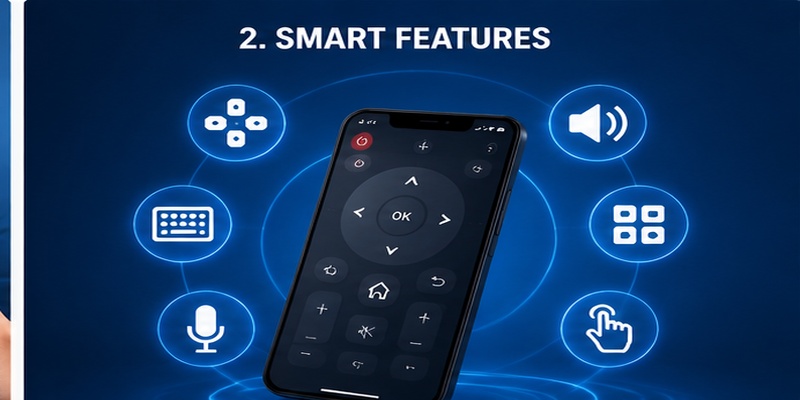
A good app remote tv lg solution should do more than simply replace physical buttons on a traditional remote. Modern LG Smart TVs include streaming platforms, voice features, connected devices, and smart-home integrations, so a useful mobile controller needs to support multiple daily tasks.
The main advantage of using a smartphone as an LG TV controller is convenience. A phone is usually easier to find than a remote, provides a full keyboard for text input, and can offer additional features that are not available on a standard remote.
However, the available functions depend on the LG TV model, webOS version, smartphone platform, and connection method. Some applications provide only basic controls, while others attempt to replicate advanced features from LG’s Magic Remote.
Before choosing an app remote control lg, users should understand which features are essential and which features may require a premium version or a compatible TV model.
Essential Remote Functions
The primary purpose of any LG remote application is to provide the controls users access most frequently.
A reliable mobile controller should include the following basic functions:
| Feature | What It Does |
| Power control | Turn the TV on or off when supported |
| Navigation pad | Move through menus and settings |
| Home button | Access LG Smart TV applications |
| Back button | Return to previous screens |
| Volume control | Adjust or mute sound |
| Input switching | Change HDMI and connected sources |
| Channel control | Switch channels on supported services |
These functions allow users to complete most everyday tasks without searching for the original remote.
For example, if the physical controller disappears while watching Netflix, an app remote tv lg solution can help users return to the Home screen, open another application, or adjust the sound without manually using buttons on the television.
Smart Touchpad and Gesture Controls
One of the biggest differences between a basic remote application and a more advanced controller is navigation style.
Some LG Smart TVs support pointer-based navigation similar to the LG Magic Remote. Instead of pressing directional buttons repeatedly, users can move through menus using touch gestures.
Advanced applications may include:
- Touchpad navigation
- Swipe gestures
- Pointer movement
- Tap-to-select controls
- Scroll functions
These features make browsing content faster, especially when navigating large application libraries or websites through the TV browser.
However, users should understand that not every mobile application can fully reproduce the Magic Remote experience. Motion-based pointer control depends on how the application communicates with the television.
A smartphone may replace standard navigation, but certain motion gestures still require LG’s original hardware remote.
Keyboard Input for Faster Searching
One of the most useful advantages of a mobile controller is smartphone keyboard support.
Typing directly on a television screen using arrow buttons can be slow. Searching for movies, entering account information, or typing website addresses becomes much easier when the phone keyboard is available.
A good lg tv remote app free solution often includes text input because it improves daily usability.
Examples of situations where keyboard input helps:
- Searching YouTube videos
- Finding Netflix content
- Entering WiFi passwords
- Logging into streaming services
- Typing website addresses
- Searching applications
For users who frequently consume streaming content, keyboard support can be more valuable than additional remote buttons.
Streaming App Control
Modern LG TVs are often used primarily for streaming rather than traditional television channels.
A useful remote application should provide easy access to popular entertainment platforms and allow users to navigate applications smoothly.
Common streaming-related controls include:
- Opening installed applications
- Moving through content menus
- Selecting videos
- Playing and pausing media
- Adjusting volume while streaming
A free tv remote app for lg can be especially useful for users who frequently switch between different streaming services.
However, application availability depends on the LG TV region, installed apps, and webOS version. A remote application cannot install unsupported applications or bypass LG’s platform limitations.
Voice Control Support
Voice features are becoming more common in smart television ecosystems.
Some LG remote applications support voice input, allowing users to search content or control compatible TV functions using spoken commands.
Possible voice features include:
- Searching movies or shows
- Opening applications
- Changing inputs
- Adjusting volume
- Finding specific content
However, voice support depends on several factors:
- LG TV model
- webOS version
- Smartphone operating system
- Application support
- Language availability
A third-party application may advertise voice control but provide limited functionality compared with LG’s original voice-enabled remote.
Users who specifically need voice features should verify compatibility before choosing an application.
Multi-Device Control
Some users own multiple televisions or smart devices. In this case, a universal remote application can provide additional convenience.
A free universal remote app for lg tv may allow users to manage:
- Multiple LG televisions
- TVs from different brands
- Streaming devices
- Smart entertainment systems
This is useful for households with several screens because users do not need separate remote applications for every device.
However, universal support usually means some advanced features may be limited. A multi-brand application may control basic functions but not fully support brand-specific features.
Connection Stability and Security Features
A remote application is only useful if it connects reliably.
A quality free lg smart tv remote app should provide:
- Fast TV discovery
- Stable connection
- Automatic reconnection
- Clear pairing instructions
- Minimal unnecessary permissions
Most modern LG remote applications use WiFi because it allows two-way communication between the phone and TV.
The application should explain why it requires network permissions. A television controller needs access to nearby devices, but it should not request unrelated personal information.
Users should avoid applications that:
- Request excessive permissions
- Hide subscription details
- Have poor update history
- Cannot explain compatibility
- Display aggressive advertisements
Features That May Require Premium Access
Although many users search for a free lg tv remote app no subscription, some applications separate basic and advanced features.
Free versions commonly include:
- Basic navigation
- Volume control
- Power functions
- Simple remote buttons
Premium versions may add:
- Advertisement removal
- Unlimited devices
- Custom remote layouts
- Advanced gestures
- Extra smart-home features
- Voice functions
Before paying, users should compare whether the premium features are actually necessary.
For many LG TV owners, a free application with stable connection and basic controls is enough for everyday use.
Feature Comparison: Basic vs Advanced LG Remote Apps
| Feature | Basic Free App | Advanced App |
| Power control | Usually available | Available |
| Volume control | Usually available | Available |
| Navigation | Available | Available |
| Keyboard input | Sometimes available | Usually included |
| Touch gestures | Limited | More advanced |
| Multiple devices | Limited | Often supported |
| Ads removal | Usually unavailable | Often included |
| Voice control | Depends on app | More likely available |
The best choice depends on personal needs rather than the number of features listed.
For users who only need a backup controller, a simple app remote tv lg is usually sufficient. For users managing multiple smart devices or frequently searching content, a more advanced application may provide better long-term value.
➡️ Explore More: LG Remote TV: Complete Guide to Setup, Apps, Pairing, Codes, and Troubleshooting
3. Free LG TV Remote Apps for iPhone and Android
Choosing an app remote tv lg also depends on the smartphone platform you use. iPhone and Android devices have different permission systems, connection methods, and application availability, so the same remote application may provide a slightly different experience on each platform.
Most modern LG Smart TV remote applications communicate through WiFi rather than traditional infrared signals. This means the smartphone and television usually need to be connected to the same network before pairing can begin.
Users searching for a free lg tv remote app for iphone should focus on applications that support iOS versions compatible with their device, while Android users should check whether the application supports their phone model and required permissions.
LG Remote Apps for iPhone Users
iPhone users often choose remote applications because iOS devices provide a convenient touchscreen experience and reliable keyboard input.
A free lg tv remote app for iphone can help replace many functions of a physical controller, including:
- Opening the Home menu
- Adjusting volume
- Switching inputs
- Navigating applications
- Typing search queries
- Controlling playback
The biggest advantage of using an iPhone as an LG TV controller is the keyboard. Entering passwords, searching for movies, and typing content names is significantly faster compared with using directional buttons on a physical remote.
However, iPhone users should understand that most modern LG remote applications require network communication. The phone normally needs permission to access local devices on the network so it can discover and communicate with the television.
Before connecting, check:
- iPhone and LG TV are connected to the same WiFi network
- Local network permission is enabled
- The LG TV allows mobile device connections
- The application supports your webOS version
If an iPhone cannot discover the television, the problem is usually related to network settings rather than the application itself.
LG Remote Apps for Android Users
Android users have a wider selection of remote applications because the platform supports many different device configurations.
A free tv remote app for lg on Android can provide similar functions to iPhone solutions:
- Virtual remote buttons
- Touch navigation
- Keyboard typing
- Volume control
- Streaming navigation
- Multiple device support
Some Android phones may also support infrared remote applications if they include an IR blaster. This allows certain phones to control televisions without WiFi.
However, most modern smartphones no longer include infrared hardware. Therefore, WiFi-based applications remain the most common option for LG Smart TVs.
Android users should pay attention to permissions during installation. A TV remote application may need network access, but unnecessary permissions should be reviewed carefully.
Compatibility Differences Between iPhone and Android
Although both platforms can control LG televisions, there are several practical differences.
| Category | iPhone | Android |
| WiFi remote control | Supported | Supported |
| Keyboard input | Excellent | Excellent |
| App availability | More controlled ecosystem | More application variety |
| Infrared support | Rare | Available on some devices |
| Device compatibility | Depends on iOS version | Depends on Android model |
For users who only need a basic controller, both platforms can provide a good experience.
For users who want additional flexibility, Android may offer more options because some devices support extra hardware features.
Regardless of platform, the most important factor is not the phone brand but whether the application can communicate correctly with the LG television.
No more searching for a lost remote. Use your smartphone to power your LG TV, browse apps, adjust settings, and control your entertainment anytime.
Download LG TV Remote4. Can You Use an LG TV Remote App Without WiFi?
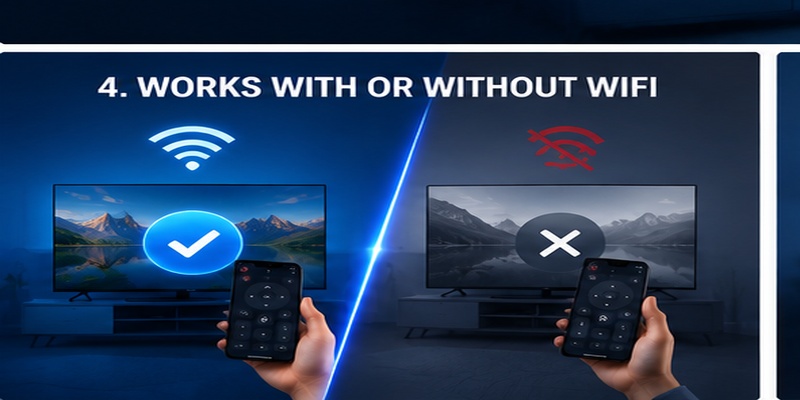
One of the most common questions about an app remote tv lg solution is whether it can work without an internet connection.
The answer depends on the type of connection used by the application.
Most modern LG Smart TV remote applications rely on WiFi because smartphones and televisions communicate through the local network. This does not always mean the internet is required, but both devices usually need to be connected to the same router.
How WiFi-Based Remote Apps Work
A WiFi-based remote application creates communication between the smartphone and television.
The basic process usually works like this:
- The LG TV connects to the home network.
- The smartphone connects to the same network.
- The application searches for compatible LG devices.
- The user approves the connection.
- The phone sends commands to the TV.
After pairing, users can control many functions without touching the physical remote.
These functions may include:
- Navigation
- Volume adjustment
- Input selection
- App launching
- Keyboard input
- Playback control
This method is common because modern LG Smart TVs are designed around network connectivity.
Can an LG Remote App Work Without Internet?
A common misunderstanding is that WiFi and internet are always the same thing.
A local WiFi connection may allow devices to communicate even when internet access is unavailable.
For example:
- The router is powered on
- The phone and TV connect to the router
- Internet service is temporarily unavailable
In some cases, the remote application may continue working because communication happens locally.
However, the initial setup may require internet access for:
- Account verification
- Application updates
- Cloud services
- Firmware features
Therefore, a completely offline experience is not guaranteed.
Using Infrared Remote Apps Without WiFi
Some users search for a free lg tv remote app without wifi because they want a solution that works anywhere.
Infrared-based remote applications can work without WiFi if the smartphone includes an infrared transmitter.
Advantages:
- No network required
- Works with many older TVs
- Simple setup
Limitations:
- Most modern phones do not include IR hardware
- Requires pointing the phone toward the TV
- May not support Smart TV features
For this reason, infrared solutions are less common today.
What to Do When WiFi Remote Apps Cannot Connect
If an LG remote application cannot find the TV:
Check these steps:
- Confirm the TV is connected to WiFi.
- Confirm the phone uses the same network.
- Restart the application.
- Restart the TV.
- Allow local network permissions.
- Disable guest network isolation.
- Update the application.
Many connection problems are caused by network separation rather than the remote application.
5. Do Free LG TV Remote Apps Require a Subscription?
Many users specifically search for a free lg tv remote app no subscription because they want a simple replacement without monthly payments.
The answer depends on the application provider. Some apps are completely free, while others use a freemium model where basic controls are available without payment but advanced features require a subscription.
Understanding this difference helps users choose the right option.
Free vs Premium Remote Apps
A free remote application usually provides basic functions:
- Navigation buttons
- Volume control
- Power functions
- Input switching
- Simple menus
Premium versions may include:
- Removing advertisements
- Unlimited device connections
- Custom remote layouts
- Advanced gestures
- Extra smart-home features
- Priority support
A subscription is not always necessary for normal LG TV control.
Many users only need basic functions, meaning a free application may already provide enough functionality.
Why Some Apps Use Subscriptions
Developers may charge subscriptions because maintaining a remote application requires:
- Compatibility updates
- Server maintenance
- Customer support
- New operating system support
- Security improvements
However, users should evaluate whether premium features provide real value.
A simple television controller should not require expensive recurring payments just to adjust volume or change inputs.
How to Avoid Unnecessary Costs
Before installing an LG remote application:
Read the application description carefully.
Check:
- Free features
- Premium features
- Trial duration
- Subscription price
- Cancellation policy
Avoid applications that hide payment requirements until after installation.
A good app remote tv lg solution should clearly explain what users receive for free.
Choosing a No-Subscription Option
For users who want a simple controller, focus on:
- Basic remote buttons
- Stable connection
- Good reviews
- Clear pricing information
- Compatible LG TV support
A free application with fewer features may provide a better experience than an expensive application filled with unnecessary tools.
🔍 View Related Articles: LG ThinQ App Not Finding TV: Complete Fix Guide
Download LG TV Remote6. Why Choose the Remote TV App?
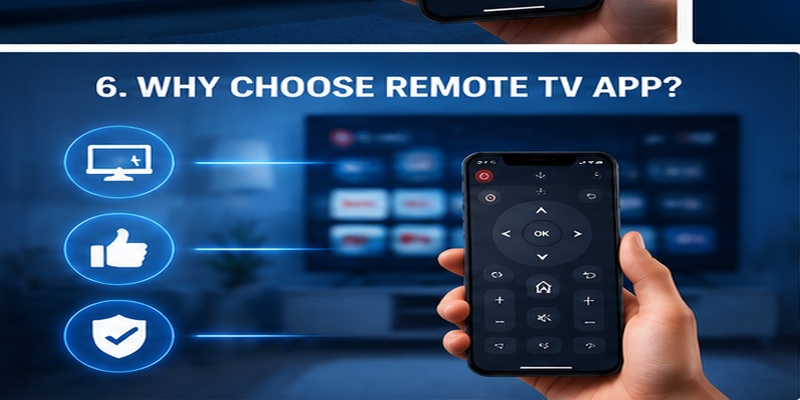
A dedicated remote TV app can change the way users interact with smart televisions. Instead of depending entirely on a small physical controller, users can manage their LG TV through a device they already carry every day.
An app remote tv lg solution is especially useful for people who frequently stream content, search applications, or manage multiple smart devices.
One App for Multiple Smart TVs
One advantage of mobile remote applications is flexibility.
A universal controller may support:
- LG TVs
- Samsung TVs
- Sony TVs
- Streaming devices
- Other smart entertainment products
For households with multiple screens, a single application can reduce the need for several physical remotes.
A free universal remote app for lg tv may be useful when different devices exist in the same home.
However, universal applications may not provide every brand-specific feature.
Easier Control and Better Convenience
Smartphone-based controllers provide several practical benefits:
Faster typing
Searching for content is easier with a phone keyboard.
Always available
Most people keep their phone nearby, reducing the problem of losing the remote.
Better navigation
Touchscreens can provide larger controls compared with compact physical remotes.
Easier setup
Users can update applications without purchasing new hardware.
These advantages make mobile controllers a useful backup or replacement option.
Remote TV App as a Backup Solution
Even users who prefer physical remotes can benefit from having an application installed.
A backup controller helps when:
- The remote battery dies
- The remote is misplaced
- A button stops working
- Guests need temporary control
- The original remote is being replaced
However, users should configure the application before an emergency happens.
If the TV is not connected to the network and the physical remote is unavailable, setting up a mobile controller may become difficult.
Final Recommendation
The best app remote tv lg choice depends on your personal needs.
Choose a simple free application if you only need:
- Volume control
- Navigation
- Power functions
- Input switching
Choose a more advanced solution if you need:
- Keyboard typing
- Multiple device support
- Smart-home integration
- Additional customization
Before downloading, always check compatibility, privacy permissions, and pricing details.
A reliable mobile controller does not need hundreds of features. The best solution is the one that connects quickly, works consistently, and provides the controls you use most often.
7. Frequently Asked Questions
Can I use my phone as an LG TV remote?
Yes. Compatible smartphones can control LG Smart TVs through supported remote applications, usually when the phone and TV are connected to the same WiFi network.
Is there a free LG TV remote app?
Yes. Many applications provide basic LG TV controls for free. However, some advanced features may require payment.
Can LG remote apps work without WiFi?
Some infrared-based solutions can work without WiFi if the phone includes IR hardware. Most modern LG Smart TV apps require a network connection.
Do LG remote apps require subscriptions?
Not always. Many apps offer free basic controls, while premium features such as removing ads or adding multiple devices may require payment.
What is the best LG remote app?
The best option depends on your LG TV model, smartphone type, and required features. Compatibility and connection stability are usually more important than the number of features.
An app remote tv lg solution provides a convenient way to control an LG Smart TV without relying only on the original remote. With the right application, users can adjust volume, navigate menus, search content, and manage streaming services directly from a smartphone.
Before choosing an application, check TV compatibility, connection requirements, and whether important features are included for free.
For most users, a reliable WiFi-based remote application offers the best balance between convenience and functionality. It provides a practical backup solution while making everyday Smart TV control faster and easier.
Download LG TV Remote🔍 View Related Articles: Download the LG TV Remote App: Control Your LG TV From Your Phone
