
Control Samsung Soundbar With TV Remote: Complete Guide
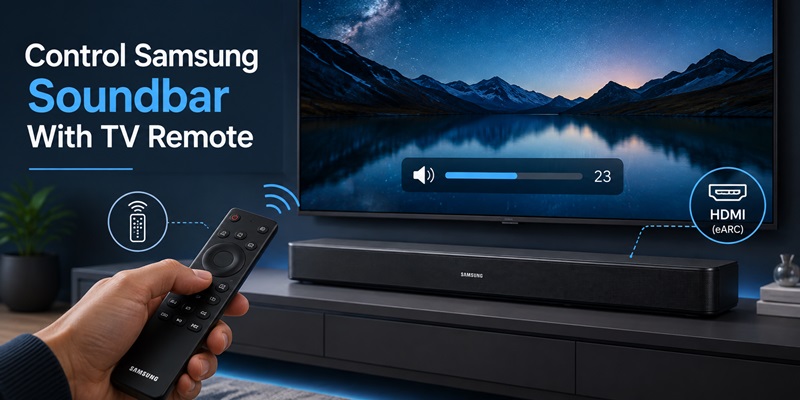
Using separate controllers for a television and soundbar quickly becomes inconvenient. The easiest setup is to control samsung soundbar with tv remote so one controller handles everyday power, volume, and mute functions.
In many cases, you do not need remote codes or additional equipment. HDMI ARC or eARC can carry television audio to the soundbar, while HDMI-CEC carries control commands. Samsung calls its HDMI-CEC system Anynet+.
When the correct ports and settings are used, you can control samsung soundbar with tv remote without pointing the controller directly at the soundbar. The television receives the button press and sends the corresponding command through the HDMI cable.
Samsung confirms that a compatible Samsung TV remote can adjust soundbar volume and mute when the bar is connected through HDMI ARC or a supported optical configuration. A properly detected Samsung soundbar may also turn on and off with the television.
The same principle can work across brands. An LG TV uses SIMPLINK, a Sony television uses BRAVIA Sync, and Samsung uses Anynet+. These names all refer to implementations of HDMI-CEC.
This guide explains how to control samsung soundbar with tv remote using Samsung, LG, Sony, Bose, Vizio, and Polk products. It also covers phone applications, optical connections, IR learning, audio settings, and troubleshooting when the volume or power commands do not respond.
1. What Does It Mean to Control Samsung Soundbar With TV Remote?
To control samsung soundbar with tv remote means using the television controller for the soundbar functions needed during normal viewing.
These usually include:
- Volume up and down
- Mute and unmute
- Soundbar power
- Automatic power synchronization
- Basic input switching
- Occasionally basic playback or menu control
The TV remote does not always send commands directly to the soundbar. With HDMI ARC or eARC, the television interprets the remote command and passes it to the soundbar through HDMI-CEC.
Samsung describes Anynet+ as a feature that allows its TV remote to operate compatible HDMI-connected devices, including soundbars, Blu-ray players, and game consoles.
There are three common ways to control samsung soundbar with tv remote:
HDMI ARC/eARC and HDMI-CEC
This is usually the easiest and most complete option. Audio and control commands travel through one HDMI cable.
Optical Audio and Infrared Commands
The optical cable carries audio only. The soundbar must recognize the TV remote’s infrared commands through Universal Remote Setup, built-in brand compatibility, or IR learning.
Mobile Application
A compatible phone app can provide source selection, sound modes, channel levels, equalizer controls, firmware updates, and other features. It is normally a companion rather than a full replacement for physical volume control.
A successful samsung control soundbar with tv remote configuration should show that the volume is being adjusted through an external speaker or receiver. The built-in television speakers should normally be disabled to prevent an audible echo.
2. Why HDMI ARC or eARC Is the Best Connection
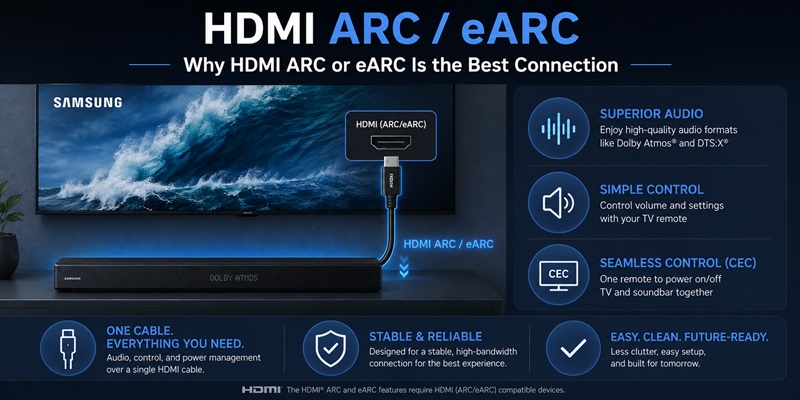
HDMI ARC and eARC allow the television to send sound back to a soundbar through an HDMI connection. HDMI-CEC then carries power, volume, and mute instructions.
This combination is normally the most reliable way to control samsung soundbar with tv remote.
Connect the Correct HDMI Ports
Find the HDMI port on the television labeled:
- ARC
- eARC
- HDMI ARC
- HDMI eARC
Connect it to the soundbar port labeled:
- HDMI OUT
- HDMI OUT (TV-ARC)
- HDMI OUT (TV-eARC)
- TO TV
A normal HDMI input without the ARC or eARC label may accept video but may not send television audio back to the soundbar.
After connecting the cable, open the television audio settings and select the soundbar as the output device.
On recent Samsung televisions, the general path is:
Settings > Sound > Sound Output > Soundbar or Receiver (HDMI)
Samsung’s support guidance says that after the soundbar is selected under Sound Output, the Samsung TV remote should control its volume and mute functions. The soundbar should also turn on and off with the television on supported configurations.
Enable Anynet+
To control samsung soundbar with tv remote, enable Anynet+ on the television.
The menu path varies by model year, but it is commonly located under:
Settings > General or Connection > External Device Manager > Anynet+ (HDMI-CEC)
The soundbar may also have a separate HDMI Control, CEC, or Auto Power option. Enable it when available.
The phrase control soundbar volume with tv remote samsung usually describes this exact setup: HDMI ARC/eARC is connected, Anynet+ is active, and the TV Sound Output is set to the soundbar.
Standard ARC is enough for normal volume and power control. eARC is more important when you need higher-bandwidth formats such as lossless Dolby Atmos from compatible sources.
After completing the setup, restart both devices and test whether you can control samsung soundbar with tv remote after the system has been completely powered off.
3. How to Set Up a Samsung TV and Samsung Soundbar
A Samsung television and compatible Samsung soundbar usually provide the most straightforward setup.
Follow these steps to control samsung soundbar with tv remote:
- Turn off the television and soundbar.
- Connect the TV’s HDMI ARC/eARC port to the soundbar’s HDMI OUT TV-ARC/eARC port.
- Turn on the television.
- Turn on the soundbar.
- Set the soundbar source to D.IN, TV ARC, or eARC if it does not change automatically.
- Open the TV’s Sound settings.
- Select Sound Output.
- Choose the Samsung soundbar or Receiver (HDMI).
- Enable Anynet+.
- Test volume, mute, and power.
Samsung states that a Samsung TV remote can control a connected soundbar through HDMI ARC or optical on supported models. Its current instructions also say that selecting the soundbar under Sound Output should allow volume, mute, and synchronized power operation.
Confirm That the TV Is Controlling the Soundbar
Press Volume Up. The screen should show a soundbar, receiver, or external-speaker indicator instead of TV Speaker.
Press Mute and confirm that the soundbar becomes silent.
Turn the TV off and wait several seconds. The soundbar should enter standby when CEC power synchronization is supported.
Turn the TV on again. If everything is configured correctly, you should still be able to control samsung soundbar with tv remote without selecting the soundbar manually.
What the TV Remote Usually Cannot Control
The TV controller is designed primarily for everyday functions. You may still need the soundbar remote or mobile app for:
- Sound mode selection
- Woofer level
- Rear speaker level
- Center channel level
- Voice enhancement
- Night Mode
- Equalizer adjustment
- SpaceFit Sound
- Firmware settings
The original samsung soundbar remote volume control remains useful when you need soundbar-specific configuration. The goal is to use the TV remote for frequent actions while keeping advanced controls available elsewhere.
Forget missing remotes and enjoy instant access to your Samsung TV. Our app makes it easy to power your TV, switch channels, adjust settings, and control entertainment from anywhere in the room.
Download Samsung TV Remote4. How to Control Bose, Vizio, and Polk Soundbars With a Samsung TV Remote
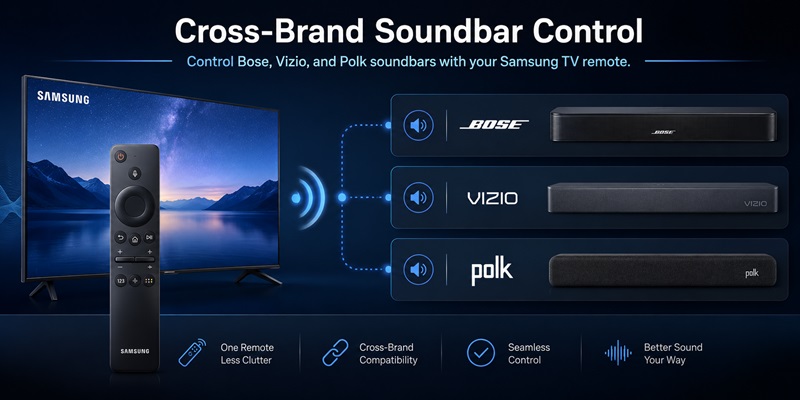
A Samsung television can often operate a third-party soundbar when both devices support HDMI ARC/eARC and CEC.
Control a Bose Soundbar
To control bose soundbar with samsung tv remote:
- Connect the Bose soundbar to the Samsung TV’s HDMI ARC/eARC port.
- Set the Samsung TV Sound Output to Receiver or HDMI Soundbar.
- Enable Anynet+.
- Enable HDMI-CEC in the Bose system settings.
- Test volume, mute, and power.
Bose states that newer HDMI devices can use CEC without programming another remote. The Bose TV Speaker can automatically power on with a compatible television, and the existing TV remote can control its volume through HDMI-CEC.
Some Bose Smart Soundbars include Advanced CEC options in the Bose app. If the soundbar changes input unexpectedly or does not follow TV power commands, test the alternative CEC modes provided for the product.
Control a Vizio Soundbar
To control vizio soundbar with samsung tv remote, connect the products using HDMI ARC/eARC and enable Anynet+ on the Samsung TV.
Vizio says that a soundbar connected through ARC may require the television’s CEC setting to be enabled. Vizio also recommends testing the soundbar’s power and volume with the TV remote to confirm that CEC is working.
Some Vizio soundbars also support IR learning when HDMI control is unavailable.
Control a Polk Soundbar
To control polk soundbar with samsung tv remote, connect the Polk soundbar through HDMI ARC and turn on Anynet+.
Polk states that compatible soundbars can be controlled automatically with the TV remote through HDMI ARC/CEC without separate programming.
Cross-brand control generally covers volume, mute, and power. Specialized features such as Polk VoiceAdjust, Bose dialogue modes, or Vizio surround levels may still require the soundbar’s original remote or app.
Explore Articles: Samsung Remote Control Manual: Setup, Buttons, and Fixes
5. How to Control a Samsung Soundbar With LG and Sony TV Remotes
HDMI-CEC is not limited to Samsung televisions. A Samsung soundbar can often work with an LG or Sony remote when it is connected through HDMI ARC/eARC.
LG TV and SIMPLINK
To control samsung soundbar with lg tv remote:
- Connect the soundbar to the LG TV’s HDMI ARC/eARC port.
- Turn on the TV and soundbar.
- Open All Settings.
- Go to General.
- Select Devices.
- Open HDMI Settings.
- Turn on SIMPLINK (HDMI-CEC).
- Set Sound Out to HDMI ARC/eARC.
- Test volume and power.
LG’s current instructions place SIMPLINK under the HDMI Settings menu on recent webOS televisions. LG recommends HDMI ARC for television-remote volume control and says SIMPLINK must be enabled.
Once detected, you should be able to control samsung soundbar with tv remote functions through the LG Magic Remote, particularly volume, mute, and power.
Sony TV and BRAVIA Sync
To control samsung soundbar with sony tv remote:
- Connect the soundbar to the Sony TV’s HDMI ARC/eARC port.
- Open the Sony settings.
- Enable BRAVIA Sync Control.
- Open the BRAVIA Sync device list if required.
- Select Audio System as the speaker output.
- Test the Sony remote’s volume and power controls.
Sony identifies BRAVIA Sync as its HDMI-CEC system and recommends enabling it when operating a soundbar through a Sony TV remote.
Cross-brand CEC behavior may vary. You may be able to control samsung soundbar with tv remote volume even when automatic power or source switching does not behave perfectly.
6. Which Phone App Can Control a Samsung Soundbar?
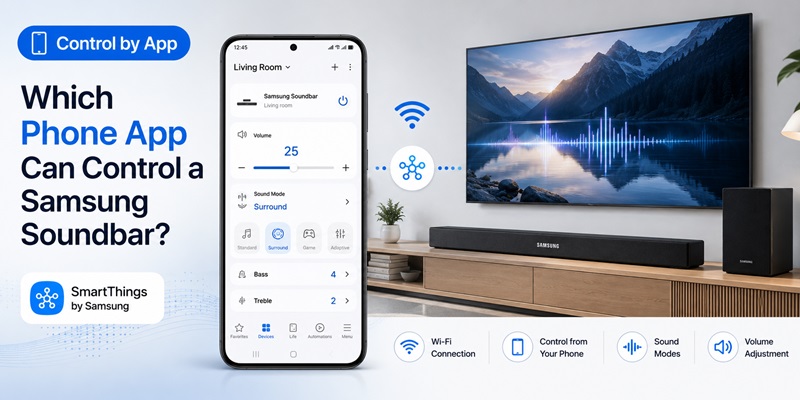
A phone app is useful when the TV remote handles volume but does not expose advanced soundbar functions.
The best app to control samsung soundbar depends on the soundbar model and production year.
SmartThings
SmartThings supports many Samsung soundbars. It may provide:
- Soundbar power
- Source selection
- Volume
- Sound modes
- Equalizer options
- Woofer level
- Wi-Fi setup
- Voice-assistant setup
- Firmware information
- Multi-device integration
Samsung’s current instructions say compatible phones and soundbars should be connected to the same Wi-Fi network when adding a soundbar to SmartThings.
For users searching samsung tv remote app android, SmartThings can also display a remote for a registered Samsung television. Open the application, select All devices, and choose the television.
Samsung Sound App
Samsung currently offers the Samsung Sound app for selected Q-Series soundbars, Wi-Fi speakers, and Music Frame products. Samsung describes the app as offering enhanced control and functionality for supported audio products on Android and iOS.
A search for samsung remote app android should therefore begin with the soundbar’s official product page or manual. Some models use SmartThings, while selected recent products may support Samsung Sound.
The phone app does not remove the need to control samsung soundbar with tv remote. The most convenient arrangement is:
- TV remote for everyday volume, mute, and power
- Mobile app for advanced settings
- Original soundbar remote as a backup
A remote TV app may also control the television, but it does not automatically provide every soundbar setting unless the audio product is separately added to the relevant application.
Explore Articles: Download the Universal Remote App for Samsung TV: Easy Setup Guide
7. How Optical Connections and IR Remote Learning Work
HDMI ARC/eARC is preferred, but an optical connection remains useful when one of the devices lacks a suitable HDMI port.
Optical audio carries sound but does not carry HDMI-CEC control commands. To control samsung soundbar with tv remote over optical, the TV or soundbar must use infrared control instead.
Connect Through Optical
- Connect the TV optical output to the soundbar optical input.
- Set the soundbar source to Optical or D.IN.
- Set the television Sound Output to Optical or External Speaker.
- Disable the internal TV speakers.
- Test the TV remote volume.
- Run Universal Remote Setup if the bar does not respond.
Samsung says supported Samsung soundbars can be controlled through a Samsung TV remote when connected by optical. Samsung televisions may use Universal Remote Setup or built-in device compatibility to send the correct IR instructions.
Use IR Learning
Some soundbars can learn the infrared commands from a TV remote.
Vizio documentation, for example, provides learning modes for:
- Volume Up
- Volume Down
- Mute
The user puts the soundbar into learning mode and presses the corresponding button on the TV remote.
Bose also explains that selected soundbars can learn another remote’s commands when HDMI-CEC is not being used.
When using IR learning to control samsung soundbar with tv remote, keep the soundbar sensor visible. The controller may need to be pointed toward the soundbar rather than the television.
Optical setups may support volume and mute without providing synchronized power, source selection, or advanced device discovery.
8. How to Fix Volume, Power, and Connection Problems
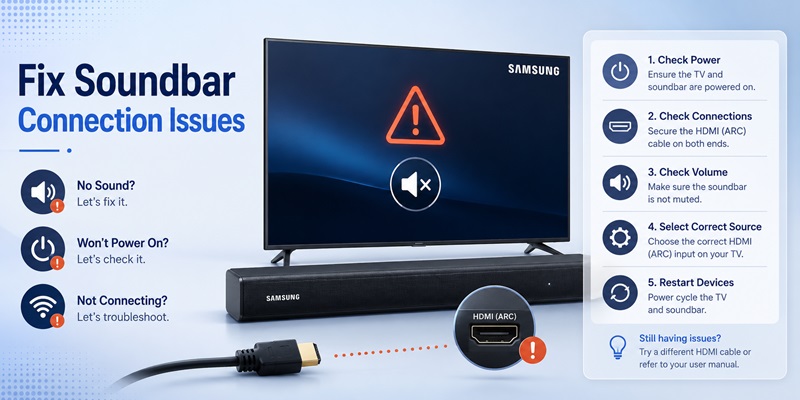
When you cannot control samsung soundbar with tv remote, first determine which part of the system is failing.
The Volume Indicator Moves but the Soundbar Does Not Respond
Open Sound Output and confirm that the soundbar or Receiver (HDMI) is selected. If the television remains set to TV Speaker, its remote may only be changing the internal speaker volume.
Confirm that Anynet+ is enabled and that the HDMI cable uses the ARC/eARC port at both ends.
The Soundbar Does Not Turn On With the Television
Automatic power depends on CEC. Check:
- Anynet+ on the Samsung TV
- HDMI Control or CEC on the soundbar
- Auto Power settings
- Correct ARC/eARC connection
- Soundbar input
- Other HDMI devices that may interfere
Restart the television and soundbar after changing CEC settings.
Volume Works but No Sound Plays
Make sure the soundbar source is TV ARC, eARC, D.IN, or the correct optical input.
Check the TV’s Digital Output Audio Format. Try PCM temporarily. If audio begins playing, the previous output format may not be supported by the soundbar or current source.
The TV and Soundbar Create an Echo
Turn off the TV speakers and use only the external soundbar. Echo usually occurs when both systems play the same signal with slightly different delays.
The Connection Stops Working After an Update or Power Outage
Use this restart sequence:
- Turn off the TV and soundbar.
- Unplug both devices.
- Disconnect the HDMI cable.
- Wait approximately one minute.
- Reconnect the HDMI ARC/eARC cable.
- Plug in the soundbar.
- Plug in the television.
- Turn on the TV first.
- Select the soundbar output again.
- Test the remote.
Samsung also recommends resetting and restarting the soundbar when HDMI or optical connection problems remain unresolved.
A stable control samsung soundbar with tv remote configuration should continue working after a complete power cycle.
Control your Samsung TV faster and more conveniently with one easy-to-use remote app. Spend less time searching for your remote and more time enjoying your favorite shows.
Download Samsung TV Remote9. Which Audio Settings Improve Soundbar Control?
Once you can control samsung soundbar with tv remote, review the television audio settings to improve reliability and sound quality.
Sound Output
Select:
- Samsung Soundbar
- Receiver (HDMI)
- HDMI ARC/eARC
- Optical or External Speaker
Do not leave TV Speaker selected unless you intentionally use a compatible simultaneous-output feature.
HDMI-eARC Mode
Set eARC to Auto when both products support it. ARC is sufficient for basic control, but eARC supports higher-bandwidth audio formats and improved audio return capabilities.
Digital Output Audio Format
Common options include:
- PCM
- Auto
- Pass-Through
- Dolby Digital
- Dolby Digital Plus
PCM is useful for troubleshooting. Auto or Pass-Through may preserve compatible surround formats.
Anynet+
Keep Anynet+ enabled to control samsung soundbar with tv remote over HDMI. Samsung explains that Anynet+ uses HDMI-CEC to operate compatible soundbars and external devices through the Samsung television controller.
HDMI Cable
Use a suitable HDMI cable and confirm that it is fully inserted. LG’s current connection guidance also recommends a High-Speed HDMI cable that supports CEC when using ARC/eARC and TV-remote control.
Test Multiple Sources
Test sound and control with:
- Built-in TV streaming applications
- Live television
- HDMI streaming device
- Game console
- Blu-ray player
- Cable or satellite box
One source may output a format that behaves differently from the others.
The goal is not only to control samsung soundbar with tv remote, but to make volume, power, audio format, and source switching consistent throughout the entertainment system.
Explore Articles: Download the Samsung TV Remote App: Control Your Samsung TV From Your Phone
10. Frequently Asked Questions and Final Recommendations
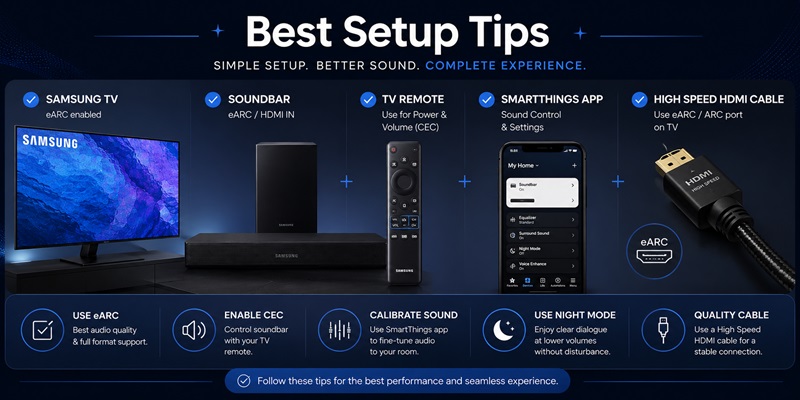
Can Any TV Remote Control a Samsung Soundbar?
Many modern televisions can control basic Samsung soundbar functions when the products use HDMI ARC/eARC and HDMI-CEC.
Samsung uses Anynet+, LG uses SIMPLINK, and Sony uses BRAVIA Sync.
How Do I Control Samsung Soundbar Volume With a Samsung TV Remote?
Connect the soundbar through HDMI ARC/eARC, enable Anynet+, and select the soundbar under Sound Output. You should then be able to control samsung soundbar with tv remote for volume and mute.
Can a Samsung TV Remote Control a Non-Samsung Soundbar?
Yes. Bose, Vizio, and Polk all document TV-remote control through HDMI-CEC on supported products.
Does Optical Allow TV-Remote Control?
Sometimes. Optical does not carry CEC. Control must be provided through Universal Remote Setup, built-in device compatibility, or IR learning.
Why Can the TV Remote Control Volume but Not Sound Mode?
CEC standardizes basic functions such as volume, mute, and power. Sound modes, dialogue enhancement, woofer level, rear levels, and equalizer settings are specific to the soundbar.
Can SmartThings Replace the Soundbar Remote?
SmartThings can replace many controls on compatible soundbars, but the available features depend on the product. It is still useful to keep the original soundbar controller.
What Is the Best Way to Control Samsung Soundbar With TV Remote?
The most dependable process is:
- Connect HDMI ARC/eARC to HDMI ARC/eARC.
- Enable Anynet+ or the TV brand’s HDMI-CEC setting.
- Select the soundbar as the TV audio output.
- Turn off the internal TV speakers.
- Test volume, mute, and power.
- Use SmartThings or Samsung Sound for advanced settings.
- Keep the original soundbar remote as a backup.
Final Recommendation
Start with HDMI ARC/eARC before trying optical, Bluetooth, or remote-code programming.
When you need to control samsung soundbar with tv remote across different brands, identify the CEC name used by the TV:
- Samsung: Anynet+
- LG: SIMPLINK
- Sony: BRAVIA Sync
- Other brands: HDMI-CEC, Device Control, or System Audio Control
If HDMI control fails, check the ARC/eARC ports, cable, Sound Output, CEC settings, soundbar input, audio format, and restart order.
Use optical with Universal Remote Setup or IR learning only when HDMI ARC/eARC is unavailable.
A properly configured system lets you control samsung soundbar with tv remote for everyday volume, mute, and power while keeping the soundbar app or original controller available for advanced audio adjustments.
Looking for a simple way to control your Samsung Smart TV? Download our remote app to enjoy quick pairing, responsive controls, and convenient access to power, volume, channels, navigation, and streaming apps—all from your mobile device.
Download Samsung TV Remote