
Free Remote Control App for TV: Best Free Apps for iPhone, Android & Smart TVs
Yes, you can use a free remote control app for TV to replace many everyday functions of a physical remote without immediately paying for another controller.
The best option, however, depends less on the logo on the front of your television and more on which operating system your TV uses. A Samsung TV may work best with SmartThings, an LG TV with ThinQ, a Roku TV with Roku’s mobile app, and a Google TV with Google’s own remote. If you have several TV brands, a universal app such as Universal Remote TV Control by Begamob may be more convenient, although it is freemium rather than completely free.
This guide compares both official and universal options, explains what “free” really means, and helps you choose a free remote control app for TV without downloading dozens of nearly identical apps.
1. Best Free Remote Control Apps for TV at a Glance
You do not need to test 20 apps to find a usable free remote control app for TV. Start with a small group of established options and choose according to your TV platform.
| App | Best for | Free model | Main advantage | Main limitation |
| Roku Mobile App | Roku TV/Roku players | Free | Excellent Roku integration | Roku ecosystem only |
| Google TV | Google TV/Android TV | Free | Remote + keyboard + search | Compatible Google/Android TVs |
| SmartThings | Samsung TVs | Free | Deep Samsung integration | Primarily Samsung ecosystem |
| LG ThinQ | LG smart TVs | Free | TV controls + LG ecosystem | LG-focused |
| Fire TV | Fire TV devices | Free | Simple Fire TV navigation | Fire TV ecosystem |
| Apple TV Remote | Apple TV | Free | Built into Apple ecosystem | Mainly Apple TV/AirPlay devices |
| Universal Remote TV Control by Begamob | Multiple smart TV brands | Free download + in-app purchases | One interface for several brands | Premium features/subscription |
Roku describes its official mobile app as free for both iOS and Android and includes remote navigation, keyboard input and other Roku-specific features. Google likewise allows its Google TV app to control compatible Google TV and Android TV devices.
For Samsung TVs, SmartThings can provide volume, channel, navigation, Home, Back and app controls once a compatible TV has been added. LG ThinQ offers similar phone-based remote functions for supported LG televisions.
That makes these official apps strong starting points when you only need to control one TV ecosystem.
A universal free remote control app for TV becomes more interesting when your home has several different brands.
2. What Does “Free” Actually Mean for a TV Remote App?
This is one of the most important distinctions in the entire article.
Search “free TV remote” in an app store and you will find dozens of apps labelled free. That does not mean every feature is free forever.
A free remote control app for TV normally falls into one of four categories:
Completely free
The basic remote functionality does not require a subscription.
Official platform apps such as Roku’s mobile app are good examples. Roku explicitly states that its mobile app and built-in remote are free to download.
Free as part of a larger ecosystem
Some manufacturers provide remote functions inside a broader smart-home or entertainment application.
SmartThings, LG ThinQ and Google TV fit this model. You install the app primarily for the manufacturer’s ecosystem, and remote control is one of the available functions.
Freemium
The app can be downloaded without an upfront payment, but premium features or continued access to certain functions may require an in-app purchase or subscription.
Universal Remote TV Control by Begamob fits this category. Its current U.S. App Store listing identifies the app as Free · In-App Purchases, rather than completely free.
Free with advertising
Some apps offer their basic remote interface at no cost but display ads or frequent premium prompts.
This can still be useful if you only need a temporary remote after losing the physical one, but the experience may be less convenient for everyday use.
Free download and completely free are not the same thing.
When comparing a free remote control app for TV, always check what remains usable after the initial installation.
3. Official TV Remote Apps vs Universal Remote Apps
The biggest decision is not Samsung vs LG or Roku vs Sony.
It is official app vs universal app.
| Official app | Universal app | |
| Compatibility | One brand/platform | Multiple brands |
| Setup | Usually straightforward | Depends on TV |
| Core controls | Often free | May be free or freemium |
| Advanced integration | Usually stronger | Varies by TV |
| Multiple TV brands | Less convenient | Major advantage |
| Best for | One ecosystem | Mixed-TV households |
Why official apps are often the safest starting point
An official free remote control app for TV is designed around a particular platform.
That means the developer knows how the TV handles navigation, account integration, power states, inputs and other functions.
For example, Samsung says SmartThings can turn a phone into an on-screen remote for compatible Samsung TVs, while LG says ThinQ provides controls similar to its Magic Remote on supported televisions.
If your entire home uses Samsung TVs, a universal app may add little value.
Why universal apps still matter
Imagine a home with:
- Samsung TV in the living room
- LG TV in the bedroom
- TCL Roku TV in a guest room
- Fire TV Stick attached to another display
Using four official applications works, but switching among them is not particularly elegant.
This is where a free universal tv remote app or freemium universal app becomes useful: one interface can potentially replace several brand-specific apps.
You sacrifice some platform-specific depth in exchange for convenience.
4. 7 Free and Freemium TV Remote Apps Worth Trying
Instead of reviewing one almost-identical app for every television brand, it is more useful to compare the main approaches.
Roku Mobile App
If you own a Roku TV or Roku streaming device, Roku’s own app is one of the strongest examples of a genuinely useful free remote.
It includes navigation, playback controls, phone keyboard input and voice-related functions. Both the phone and Roku device generally need to be on the same Wi-Fi network for remote control.
For someone searching roku remote control free, there is little reason to begin with a third-party app unless the official app lacks a specific feature you need.
Best for: Roku households.
Why choose it: Completely integrated with Roku.
Skip it if: You need one remote for several non-Roku TVs.
Google TV
Google TV is a particularly useful free remote control app for TV because it works across compatible Google TV and Android TV hardware rather than a single television manufacturer.
Google says the app can control playback, change volume, enter text, use Google Assistant and, on supported setups, turn the TV on or off. Pairing typically involves selecting the TV and entering a code shown on the television.
That makes google tv remote app free an important option for brands such as Sony, TCL, Hisense, Philips, Xiaomi and others when those televisions use Google TV or Android TV.
Best for: Google TV and Android TV.
Why choose it: Works across several manufacturers.
Skip it if: Your TV uses Roku, Fire TV, webOS, Tizen or another platform.
Samsung SmartThings
If you are specifically looking for samsung tv remote app free, SmartThings should normally be the first app you test.
Samsung’s documentation shows an on-screen remote with volume, channel, navigation, Home, Back and Guide controls. Available options vary by device, and network-based smart services may require a Samsung Account.
SmartThings is more than a remote; it is Samsung’s wider smart-device ecosystem.
Best for: Samsung smart TVs.
Why choose it: Deep Samsung integration.
Skip it if: You mainly want to control TVs from several unrelated brands.
LG ThinQ
The main lg tv remote app free option is LG ThinQ.
LG says compatible TVs can expose controls for inputs, volume, channels, navigation, pointer functions and more. Some LG models can also be powered on through the app, although capability varies by webOS generation and settings.
Best for: LG TV owners.
Why choose it: Strong control of supported LG televisions.
Skip it if: Your goal is cross-brand TV management.
Fire TV
For Fire TV hardware, Amazon’s mobile app is generally a better first choice than a random universal remote.
Amazon instructs users to connect the phone to the same Wi-Fi network as the Fire TV and then use the Fire TV mobile app as a remote.
So if your search is free fire tv remote app, start with Amazon’s own solution.
Best for: Fire TV Stick and Fire TV devices.
Why choose it: Designed specifically for Amazon’s interface.
Skip it if: Most of your televisions use another platform.
Apple TV Remote
An apple tv remote app free solution is already closely integrated into the Apple ecosystem.
Apple supports controlling Apple TV through the Apple TV Remote on iPhone and iPad, including from Control Center on compatible devices.
This makes it particularly useful when the Siri Remote disappears between sofa cushions—which, scientifically speaking, appears to be the natural habitat of TV remotes.
Best for: Apple TV users.
Why choose it: Tight iOS integration.
Skip it if: You want a universal remote for conventional smart TVs from multiple ecosystems.
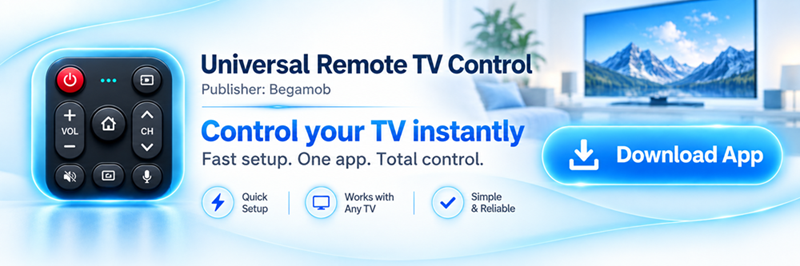
Universal Remote TV Control by Begamob
Universal Remote TV Control by Begamob takes the opposite approach.
Instead of being tied to one ecosystem, it is designed as a universal remote tv app for multiple smart-TV brands.
The current App Store listing says the app supports functions including channel changes, volume adjustment, streaming-app launching, phone keyboard/voice search, power control on supported TVs and photo/video casting. The listing names compatibility with brands and platforms including Roku, TCL, Sony, LG, Samsung, Android TV, Hisense, Fire TV, Philips and VIZIO.
The main attraction is therefore convenience across brands.
If your household contains an LG television, a Samsung TV and a Roku-based TCL, using one remote interface can be easier than maintaining separate manufacturer apps.
The trade-off is important: Begamob’s app is free to download but contains in-app purchases. The App Store currently displays multiple subscription and purchase options, so it should be treated as a freemium option rather than described as completely free.
At the time of checking, its U.S. App Store listing shows a 4.7/5 rating from around 140,000 ratings. The listing also states that the app is available for iPhone and iPad and requires iOS/iPadOS 16 or later.
Best for: Users with multiple compatible TV brands.
Main strength: One app can cover several smart-TV ecosystems.
Main limitation: Some features are monetized through in-app purchases.
Worth considering if: Convenience matters more than sticking to each manufacturer’s official app.
For someone whose priority is finding a completely free remote control app for TV, official apps should generally come first. For someone who wants one remote interface for several TVs, Begamob becomes considerably more relevant.
5. Choose a Remote App by TV Platform, Not Just TV Brand
This is the easiest way to avoid downloading the wrong app.
Many television brands sell models using several different smart-TV platforms.
A TCL television, for example, could run Roku TV, Google TV or another operating system. Hisense sells televisions across several ecosystems. Toshiba models may use Fire TV in one market and another system elsewhere.
So before choosing a free remote control app for TV, check:
Settings → System/About → TV operating system or software platform
Then use this logic:
| Your TV platform | App to try first |
| Roku TV | Roku |
| Google TV / Android TV | Google TV |
| Fire TV | Fire TV |
| Samsung/Tizen | SmartThings |
| LG/webOS | LG ThinQ |
| Apple TV | Apple TV Remote |
| VIZIO | VIZIO Mobile |
| Several compatible brands | Universal remote app |
This also explains why two people searching the same brand keyword can need completely different apps.
For example, someone searching for a tcl tv remote app free might need Roku on one TCL model but Google TV on another.
The same logic applies to a hisense tv remote control app free. Check whether that particular Hisense television runs Google TV, Roku TV, Fire TV, VIDAA or another platform before choosing an application.
Sony provides another good example. Sony currently documents using either BRAVIA Connect or the Google TV app depending on the television model, so a sony tv remote app free search cannot be answered accurately with one app for every BRAVIA ever made.
Operating system beats brand name.
That one rule makes choosing a free remote control app for TV considerably easier.
6. Free TV Remote Apps for iPhone vs Android
Both platforms can make good smart-TV remotes, but there is one major hardware difference.
iPhone
A free tv remote app for iphone normally controls the TV through Wi-Fi, a smart-home ecosystem or supported Bluetooth/network protocols.
For example, an iPhone can use:
- Apple TV Remote
- Roku
- Google TV
- SmartThings
- LG ThinQ
- Fire TV
- VIZIO Mobile
- Compatible universal remote apps
Apple’s own remote works especially well with Apple TV, while Google confirms that its Google TV app for iPhone and iPad can control compatible Google TV and Android TV devices.
The limitation is that iPhones do not provide the traditional built-in IR blaster found on some Android devices.
That matters if your television is old and has no smart/network functionality.
Android
A free tv remote app android users install can also control TVs over Wi-Fi, but certain Android phones add another possibility: infrared.
Phones equipped with an IR blaster may imitate a traditional remote for older TVs, air conditioners and other appliances.
Not every Android phone includes IR, so check your device specifications rather than assuming it is available.
For modern smart TVs, the difference between iPhone and Android is relatively small. Both can run many official and universal remote apps.
If your TV is smart and connected to Wi-Fi, choose based on TV compatibility rather than phone operating system.
7. What Features Should a Good Free TV Remote App Include?
Changing channels is only part of the story.
A good free remote control app for TV should make a phone more convenient than hunting for the physical remote, not merely reproduce four arrow buttons.
Essential controls
At minimum, look for:
- Directional navigation
- OK/Select
- Home
- Back
- Play/Pause
- Volume
- Channel controls where supported
If these are hidden behind an immediate subscription wall, the free tier offers limited value.
Keyboard input
This is one of the most useful phone-remote features.
Entering:
The Lord of the Rings: The Fellowship of the Ring
with a physical TV remote can feel like a small endurance test.
A phone keyboard lets you type searches, usernames and other text much faster.
Google TV specifically supports text input from the phone, while Roku also provides phone keyboard functionality.
App shortcuts
Launching Netflix, YouTube or another streaming service directly can reduce several navigation steps.
Universal Remote TV Control by Begamob lists one-tap streaming-app launching among its features, while official ecosystems often provide their own shortcuts or app-launching methods.
Power control
This sounds basic, but it is not guaranteed.
A TV that is fully powered down may stop listening for network commands.
Some televisions maintain network connectivity in standby and can be awakened from a phone; others cannot. LG, for example, documents different mobile power capabilities according to webOS generation and settings.
Casting
Casting photos or videos can turn a remote app into more than a replacement controller.
Begamob lists photo/video casting, LG ThinQ provides sharing features on compatible products, and VIZIO’s mobile platform supports cast
