
LG Magic Remote Pointer Not Working? 10 Ways to Fix the Cursor
The LG Magic Remote is one of the most convenient ways to control an LG Smart TV. Instead of relying only on directional buttons, you can move the remote in the air and use an on-screen pointer much like a computer mouse.
That convenience makes an lg magic remote pointer not working problem especially frustrating. You may still be able to change the volume, open menus, or turn the television on, yet the cursor suddenly refuses to appear.
In many cases, however, an lg magic remote pointer not working issue does not mean that the remote needs to be replaced. The pointer can disappear because the remote has entered another navigation mode, its batteries are weak, the connection with the television has been interrupted, or the TV software temporarily stops responding correctly.
The troubleshooting steps below start with the easiest solutions and gradually move toward pairing, interference, and hardware checks.
1. LG Magic Remote Pointer Not Working: Quick Fixes First
When you first notice lg magic remote pointer not working, avoid immediately resetting the television or purchasing another remote. Several simple actions can restore the pointer within seconds.
Try these quick fixes first:
- Gently shake the Magic Remote from side to side.
- Press the Wheel/OK button once.
- Point the remote directly toward the television.
- Press Home and then move the remote again.
- Check whether the directional buttons still work.
- Replace the batteries if they have been installed for a long time.
- Move closer to the television and test the cursor.
The Magic Remote does not display its pointer continuously in every situation. When you use the directional keys, the television may temporarily switch to traditional button navigation. Moving or shaking the remote usually brings the pointer back.
Therefore, if lg magic remote pointer not working happens immediately after you have been pressing Up, Down, Left, or Right, simply move the remote again before trying anything more complicated.
The Wheel/OK button is also important. Pressing it can wake the remote, select the current item, or help establish communication with the television.
If the pointer appears after these quick steps, your remote is probably functioning normally.
If the lg magic remote pointer not working problem continues, move through the following sections in order.
Download LG TV RemoteExplore Related Articles: How to Connect LG Remote to TV: Complete Pairing and Recovery Guide
2. Why Is the LG Magic Remote Pointer Not Working?
Understanding what causes the problem makes troubleshooting much easier.
Unlike a traditional television remote, the LG Magic Remote uses motion sensing and wireless communication to control the on-screen cursor. That means the pointer depends on several components working together.
Common reasons for lg magic remote pointer not working include:
- The pointer has temporarily gone inactive.
- The remote is using directional navigation instead of motion control.
- Batteries are weak or unstable.
- The Magic Remote is no longer properly registered with the television.
- Wireless interference is affecting communication.
- Pointer settings have been changed.
- webOS is temporarily unresponsive.
- The remote’s motion sensor has developed a hardware fault.
One important clue is whether other buttons still work.
If nothing on the remote responds, start with the batteries and basic remote functionality.
If the volume and power buttons work but the cursor does not, the lg magic remote pointer not working issue is more likely related to motion control, pairing, or communication between the Magic Remote and the TV.
You should also consider when the problem started.
For example, if the lg magic remote cursor disappeared after replacing your router, rearranging devices around the television, or updating TV software, those changes may help identify the cause.
If the pointer disappeared gradually and became increasingly unreliable before failing, battery or hardware problems are more likely.
View Related Articles: What Is a Magic Remote Control for LG TV? Complete Setup Guide
3. How to Get the Pointer Back on LG Magic Remote
Many users searching how to get pointer back on lg magic remote are dealing with a pointer that has simply become hidden rather than a completely broken remote.
Start by holding the Magic Remote normally and moving your wrist gently from left to right.
Do not make exaggerated movements. A small shake is usually enough for the television to detect motion and display the pointer.
If lg magic remote pointer not working, try the following sequence:
Shake the remote
Move the remote from side to side two or three times.
Wait a second and look at the center area of the TV screen.
Press Wheel/OK
Press the center scroll wheel once and then move the remote again.
Open the Home screen
Press Home and check whether the pointer appears over the webOS interface.
Testing the cursor from the Home screen is useful because some individual applications may handle remote navigation differently.
Move closer to the TV
Stand approximately one to two meters from the television and try again.
Although the Magic Remote should normally work from farther away, testing at close range helps eliminate weak wireless communication as a possible cause.
Stop using the directional buttons temporarily
After pressing arrow buttons, move the remote again rather than continuing to press them.
If these steps solve the lg magic remote pointer not working issue, no reset is required.
However, if the lg magic remote pointer not showing even after shaking the remote and pressing Wheel/OK, battery and pairing checks should be your next priority.
4. Replace the Batteries and Check Remote Power
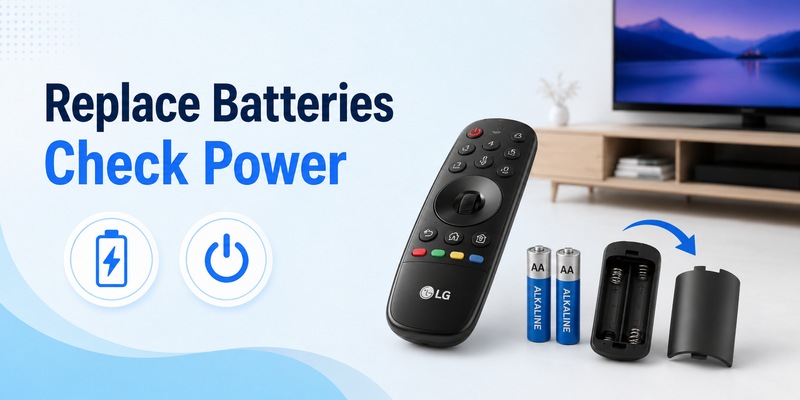
Weak batteries are easy to overlook because a Magic Remote may continue to perform basic actions even when battery power is becoming unreliable.
If your lg magic remote pointer not working, replace both batteries before spending time changing advanced settings.
Remove the existing batteries and install a completely fresh matching pair.
Check that:
- Both batteries are the correct type.
- Positive and negative ends are installed correctly.
- Battery contacts are clean.
- The battery compartment is dry.
- Both batteries are new rather than mixing an old and new battery.
After installing them, press a button and observe whether the remote responds normally.
Then point the remote toward the television, press Wheel/OK, and move it from side to side.
If the lg magic remote pointer not working problem was caused by unstable power, the cursor may immediately return.
Weak batteries can also produce inconsistent symptoms. The pointer may appear one moment and disappear the next, or movement may feel delayed and inaccurate.
This can sometimes be mistaken for a motion sensor failure.
If replacing batteries fixes the issue temporarily but the problem returns unusually quickly, inspect the battery compartment for poor contact or damage.
If fresh batteries make absolutely no difference, continue to re-register the Magic Remote.
View Related Articles: LG TV Remote iOS: Official iPhone Setup and Control Guide
5. Re-Register or Reset the LG Magic Remote
Pairing is one of the most important steps when solving an lg magic remote pointer not working problem.
The Magic Remote must be registered with the television so its advanced functions can operate correctly.
In many cases, pairing can be restored simply by pointing the remote toward the TV and pressing the Wheel/OK button.
Wait for the television to display a registration or connection message.
After registration:
- Wait several seconds.
- Move the remote from side to side.
- Check whether the cursor appears.
- Open Home and Settings to test navigation.
If lg magic remote pointer not working continues, you may need to reset or unregister the remote before pairing it again.
On many Magic Remote generations, this can be done by holding the Home and Back buttons together for several seconds.
After resetting:
- Release the buttons.
- Point the remote toward the television.
- Press Wheel/OK.
- Wait for pairing to complete.
- Move the remote and check the pointer.
Exact reset combinations can vary among LG TV and Magic Remote generations, so consult the instructions for your specific model if Home + Back does not work.
Pairing is particularly important when an lg magic remote pointer not working problem appears even though ordinary controls remain functional.
Do not repeatedly factory reset your entire TV just to repair the remote. Re-registering the Magic Remote should always be attempted first because it is much less disruptive.
6. Check Wireless Interference and Pointer Settings
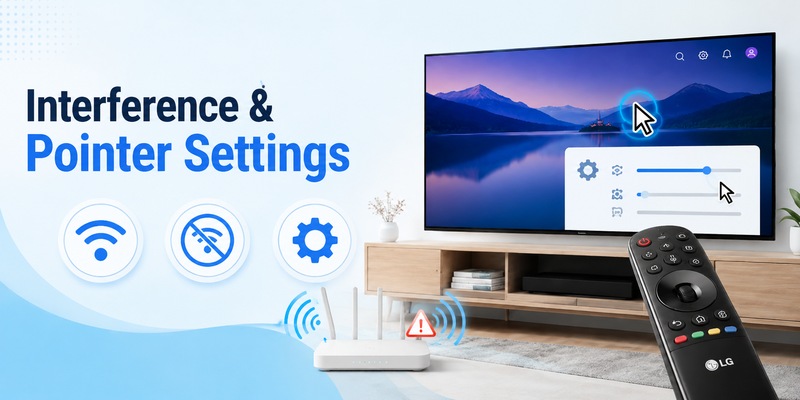
If pairing succeeds but lg magic remote pointer not working continues intermittently, inspect the area around your television.
The Magic Remote communicates wirelessly with the TV, and nearby wireless devices can sometimes interfere with the connection.
Possible sources include:
- Wi-Fi routers
- Wireless access points
- Bluetooth devices
- Streaming boxes
- Wireless speakers
- Game consoles
- USB 3.0 devices
- Other electronics located directly beside the TV
Temporarily move your router or other wireless equipment farther away from the television.
Then restart the Magic Remote and test the pointer.
This test is particularly useful when the cursor works from certain positions but becomes unreliable from others.
Next, check the pointer settings on the television.
Depending on your LG TV and webOS generation, pointer options may allow you to adjust settings such as:
- Pointer speed
- Pointer size
- Tracking behavior
- Alignment
A pointer that is extremely small or moving too quickly can sometimes create the impression of an lg magic remote pointer not working issue even though the cursor is technically active.
Set the pointer speed to a medium level and choose a clearly visible cursor size.
If available, reset pointer-related options to their defaults.
After changing the settings, move the remote slowly and check whether tracking becomes more consistent.
View Related Articles: LG Remote TV: Complete Guide to Setup, Apps, Pairing, Codes, and Troubleshooting
7. Restart the LG TV and Check webOS
Sometimes the remote itself is working correctly, but webOS has temporarily stopped responding to pointer input.
If lg magic remote pointer not working remains after battery replacement and re-pairing, restart the TV.
Do not only press Power and immediately turn the TV back on.
For a more complete restart:
- Turn the television off.
- Disconnect it from power.
- Wait briefly.
- Reconnect the power cable.
- Turn the television on.
- Press Wheel/OK.
- Move the Magic Remote.
Then test the pointer in several areas:
- webOS Home screen
- Settings
- App menu
- Input menu
- Another installed application
If the pointer works everywhere except one particular app, your lg magic remote pointer not working problem may actually be related to that application.
Close and reopen the app or restart the television again.
You should also check whether a TV software update is available through the LG settings menu. Software updates can include performance and compatibility improvements.
However, avoid performing a full factory reset too early.
A factory reset removes preferences, network configuration, account information, app settings, and other customization. It should be considered only after simpler options have failed.
For most lg magic remote pointer not working cases, replacing batteries, pairing again, or performing a normal TV restart is enough.
8. What to Do If the LG Magic Remote Cursor Keeps Disappearing
An intermittent cursor requires slightly different troubleshooting from a pointer that never appears.
If the lg magic remote cursor keeps disappearing, pay attention to exactly what you are doing before it vanishes.
Cursor disappears after using arrow buttons
This can be normal behavior.
When you use directional controls, the television can temporarily switch away from pointer navigation.
Shake or move the remote and check whether the cursor returns.
Cursor disappears randomly
If lg magic remote pointer not working occurs at random intervals, consider:
- Weak batteries
- Wireless interference
- Poor pairing
- Unstable connection
- Remote hardware problems
Replace the batteries and re-register the remote.
Cursor disappears only at a distance
Move closer to the TV.
If the pointer works reliably at one meter but fails at normal viewing distance, investigate interference or weak remote performance.
Cursor disappears in one particular app
Return to the webOS Home screen and test again.
A pointer that works normally outside one app usually indicates an application-related behavior rather than an lg magic remote pointer not working hardware fault.
Cursor movement becomes increasingly erratic
If the cursor jumps, drifts, freezes, or repeatedly disappears even after new batteries and successful pairing, the remote’s motion sensing hardware may require closer inspection.
The key is to identify a pattern rather than immediately assuming the remote has failed.
9. When the Buttons Work but the Pointer Does Not
A very common situation is that the TV still responds to button presses while lg magic remote pointer not working remains unresolved.
You may find that:
- Power works.
- Volume works.
- Channel buttons work.
- Home works.
- Direction buttons work.
- Motion pointer does not work.
This can happen because traditional button commands and the Magic Remote’s motion functions do not necessarily depend on exactly the same type of communication.
Therefore, functioning buttons do not automatically prove that the pointer system is working properly.
Try this troubleshooting order:
1. Shake the remote
Confirm it is not simply in directional-navigation mode.
2. Press Wheel/OK
Try to activate or re-register the remote.
3. Replace the batteries
Use a fresh matching pair.
4. Re-pair the remote
Reset and register the Magic Remote again.
5. Remove possible interference
Move nearby wireless hardware away.
6. Restart the television
Test again from the webOS Home screen.
If the lg magic remote pointer not working issue survives every step but all other buttons work normally, a failure in the motion sensor or another internal component becomes more likely.
Physical damage is another clue.
If the remote was dropped shortly before the pointer failed, internal motion-sensing hardware could have been damaged even though buttons remain functional.
Before replacing it, confirm that the remote model you plan to purchase is compatible with your exact LG TV.
10. FAQs About LG Magic Remote Pointer Problems
Why is my LG Magic Remote pointer not working?
An lg magic remote pointer not working problem can be caused by navigation mode, weak batteries, pairing issues, wireless interference, temporary webOS errors, pointer settings, or remote hardware failure.
Start by shaking the remote and pressing Wheel/OK. If that does not help, install fresh batteries and pair the remote again.
How do I get the LG Magic Remote pointer back?
If you want to know how to get pointer back on lg magic remote, gently shake the remote or move it from side to side.
Then press Wheel/OK.
If the pointer still does not return, check the batteries and re-register the remote with your TV.
Why did my Magic Remote cursor suddenly disappear?
If lg magic remote pointer not working started after using the arrow keys, the cursor may simply have switched into directional-navigation mode.
Move the remote again.
If that fails, battery or connection problems may be responsible.
Can the LG Magic Remote work without the pointer?
Yes.
You can normally use directional buttons, Wheel/OK, volume controls, and other standard commands even when the pointer is unavailable.
However, if you purchased a Magic Remote specifically for motion control, you should troubleshoot the missing cursor rather than permanently relying on arrow buttons.
Why is the pointer not showing even after changing batteries?
If lg magic remote pointer not working continues with fresh batteries, re-register the remote.
A pairing or communication problem may be preventing motion information from reaching the television.
Do I need to reset my LG TV?
Usually no.
Start with the remote itself.
Try shaking it, pressing Wheel/OK, replacing batteries, re-registering the remote, checking interference, and restarting the television.
A factory reset should be one of the last options.
How do I know if my LG Magic Remote is broken?
Hardware failure becomes more likely if:
- Fresh batteries do not help.
- Pairing repeatedly fails.
- The cursor never appears.
- Motion tracking is permanently erratic.
- The remote was recently dropped.
- The same problem continues after restarting the TV.
If lg magic remote pointer not working remains after all troubleshooting steps, test another compatible Magic Remote if possible.
Why does the cursor disappear but return when I shake the remote?
This is often normal.
The remote can switch between cursor navigation and directional-button navigation. Moving the remote wakes the pointer again.
Therefore, this behavior alone does not necessarily indicate a fault.
What should I try before buying a new Magic Remote?
Before replacing the remote, use this sequence:
Shake remote → Press Wheel/OK → Replace batteries → Re-register remote → Reset and re-pair → Remove wireless interference → Check pointer settings → Restart TV.
This process covers the most common causes of an lg magic remote pointer not working problem.
In most cases, a missing Magic Remote pointer can be restored without replacing the remote or resetting the entire television. Start with simple cursor activation, then move through battery, pairing, wireless, and software checks.
If the lg magic remote pointer not working issue continues after successful pairing, fresh batteries, a full TV restart, and interference checks, the remote’s motion hardware may be damaged. At that point, checking compatibility with a replacement Magic Remote or contacting LG support is the most practical next step.
Download LG TV Remote