
Apple TV Remote Charge: How to Charge Your Siri Remote, Check Battery Level, and Fix Charging Problems
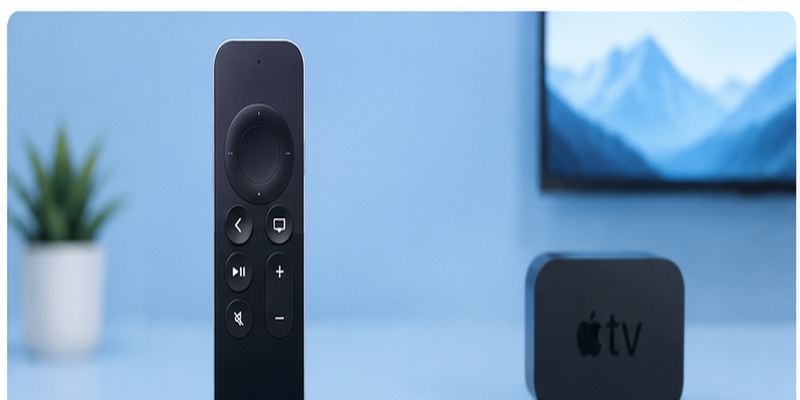
A low-battery warning appearing just before you start a movie can be annoying, but apple tv remote charge is generally simple once you know which Siri Remote model you own. The main difference is the charging connector: recent third-generation Siri Remotes use USB-C, while first- and second-generation Siri Remotes use Lightning.
Apple says the rechargeable remote supplied with Apple TV 4K normally needs charging only a few times per year under typical use. When it is time to recharge, you can connect the appropriate cable to the port on the bottom of the remote and connect the other end to a computer or compatible power adapter. Apple states that a full charge takes about three hours.
That basic process sounds straightforward, but questions about apple tv remote charge often arise because Apple has released several remote generations with different ports. Older Apple Remotes are even more confusing because some use replaceable coin-cell batteries instead of rechargeable batteries.
This guide explains the different generations, which charging cable you need, how long charging takes, how to check the battery level, and what to do when the remote refuses to charge.
What You Need to Know About Apple TV Remote Charge
Modern Siri Remote models contain an internal rechargeable battery. You do not normally remove the battery or replace it every time it becomes depleted.
Instead, apple tv remote charge works through a port located on the bottom edge of the remote.
For current Apple TV remotes, the important distinction is:
- Siri Remote / Apple TV Remote 3rd generation: USB-C.
- Siri Remote / Apple TV Remote 2nd generation: Lightning.
- Siri Remote / Apple TV Remote 1st generation: Lightning.
Apple’s remote identification documentation confirms that the third-generation model has an internal rechargeable battery charged through USB-C, while the first- and second-generation models recharge through Lightning.
So when someone asks what charger for apple tv remote, the correct answer depends on the remote generation rather than just the Apple TV model.
An older silver Apple Remote is different. Apple’s identification guide states that the aluminum Apple Remote used with older Apple TV hardware takes a replaceable CR2032 or BR2032 3V coin battery. That model does not use the same apple tv remote charge process as a Siri Remote.
Which Cable Does Your Apple TV Remote Need?
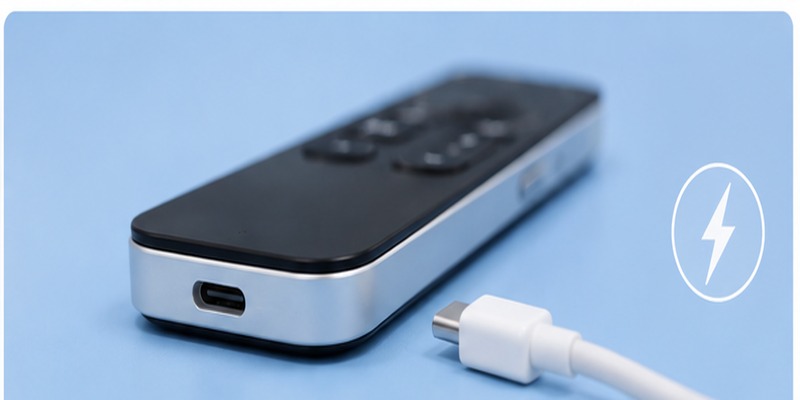
Before connecting anything, identify the port at the bottom of the remote.
This avoids one of the most common apple tv remote charge mistakes: buying the wrong cable.
Third-generation Siri Remote
The third-generation Siri Remote was introduced with USB-C charging.
Apple’s technical specifications list a USB-C connector and charging through a USB-C cable connected to a computer or power adapter.
If you are searching how to charge apple tv remote 3rd gen, use a USB-C cable.
Second-generation Siri Remote
The second-generation silver Siri Remote uses Lightning.
Apple’s specifications identify a Lightning connector for charging and a built-in rechargeable lithium-ion battery.
First-generation Siri Remote
The first-generation Siri Remote—the black remote with a glass Touch surface—also uses Lightning.
That means the correct apple tv remote charger 1st generation setup is a Lightning cable connected to a suitable USB power source.
If you are buying an apple tv remote charger cord, check the connector before ordering rather than assuming every Siri Remote uses USB-C.
💡 Discover Helpful Guides
Apple remote tv app: Complete Apple TV Remote Guide for iPhone, Siri Remote, Pairing & Fixes
How to Apple TV Remote Charge With USB-C
If your Siri Remote has a USB-C port, the charging process is simple.
Use these steps:
- Find the USB-C port on the bottom edge of the remote.
- Insert one end of a USB-C cable.
- Connect the other end to a USB-C computer port or compatible USB-C power adapter.
- Leave the remote connected while the battery charges.
Apple specifically says third-generation Siri Remote models recharge through USB-C connected to a computer system or power adapter.
For someone searching how do i charge my apple tv remote, the cable does not need to connect directly to the Apple TV television interface.
A regular compatible USB power source is enough.
The apple tv remote charge process does not require the Apple TV itself to be turned off, and the remote can remain paired while charging.
This USB-C setup is particularly convenient if your home already uses USB-C for a recent iPhone, iPad, MacBook, or other devices.
How to Apple TV Remote Charge With Lightning
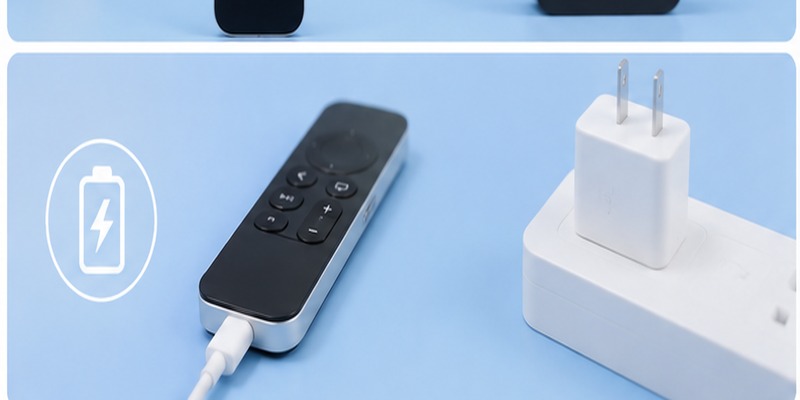
Older Siri Remote generations use Apple’s Lightning connector.
For apple tv remote charge with Lightning:
- Find the Lightning port on the bottom of the remote.
- Connect the Lightning end of the cable.
- Connect the USB or USB-C end to a computer or compatible wall adapter.
- Allow the remote to charge.
Apple confirms that Siri Remote can be charged with a USB-C to Lightning cable when that cable is connected to a USB-C port on a Mac, PC, or USB-C power adapter.
This answers how do you charge an apple tv remote when you have a first- or second-generation model.
If you previously owned an older iPhone with Lightning, you may already have a compatible cable.
The cable itself does not need to be permanently dedicated to apple tv remote charge. A suitable Lightning charging cable can be used when required.
💡 Discover Helpful Guides: Apple TV Remote Replacement: Buying and Setup Guide
How Long Does an Apple TV Remote Take to Charge?
Apple says the remote takes approximately three hours to charge fully.
So the short answer to how long to charge apple tv remote is:
About three hours for a full charge.
You do not always need to wait three hours before using it, however.
If the remote is completely unresponsive because the battery is extremely low, Apple recommends charging it for at least 30 minutes as part of its troubleshooting procedure.
That gives you two useful apple tv remote charge time frames:
- Around 30 minutes for troubleshooting a very low or unresponsive remote.
- Around three hours for a full charge.
You can leave it connected until it is fully charged, then disconnect it and continue normal wireless use.
How to Check Your Apple TV Remote Battery Level
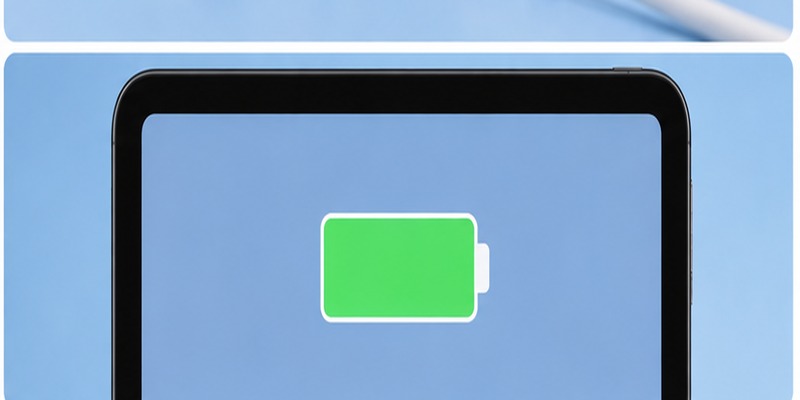
Unlike many devices, the Siri Remote does not rely on a large battery display directly on the remote.
Instead, check the battery from Apple TV.
Apple’s instructions for checking apple tv remote charge status are:
Settings → Remotes and Devices → Remote
The information displayed for the connected remote includes its battery level.
This is the most reliable way to see whether the remote needs charging.
Apple also says that an alert appears on your TV when the remote battery becomes low.
So you usually do not have to monitor the battery constantly.
If you are asking how to know when apple tv remote is charged, checking the Remote section under Settings provides much more useful information than trying to interpret the behavior of buttons or lights.
Regularly checking this screen can also help diagnose an apple tv remote charge problem. If the battery percentage stays extremely low despite being connected for a long period, inspect the cable, charger, and charging port.
💡 Discover Helpful Guides: How to Reset Your Apple TV Remote: Pairing, Volume, and No-Remote Fixes
How to Know If Your Apple TV Remote Is Charging
A frequent question is how to tell if apple tv remote is charging.
Unlike a phone, the Siri Remote does not provide a large screen showing a charging animation.
The practical approach is to connect the remote, allow it some charging time, and then check the battery level through:
Settings → Remotes and Devices → Remote
Apple lists this menu as the place to view Battery Level.
This also answers how to know if apple tv remote is charging and how to tell if an apple tv remote is charging.
If the displayed battery level rises after being connected, apple tv remote charge is working.
If the percentage remains unchanged after a reasonable period, try another cable or power source.
A low battery remote may also begin functioning again after being connected for a while. Apple recommends a 30-minute charge when troubleshooting a remote that is not working.
📖 Explore Articles: Apple TV Remote for iPhone: How to Set Up and Use Your iPhone as an Apple TV Remote
What to Do If Your Apple TV Remote Is Not Charging
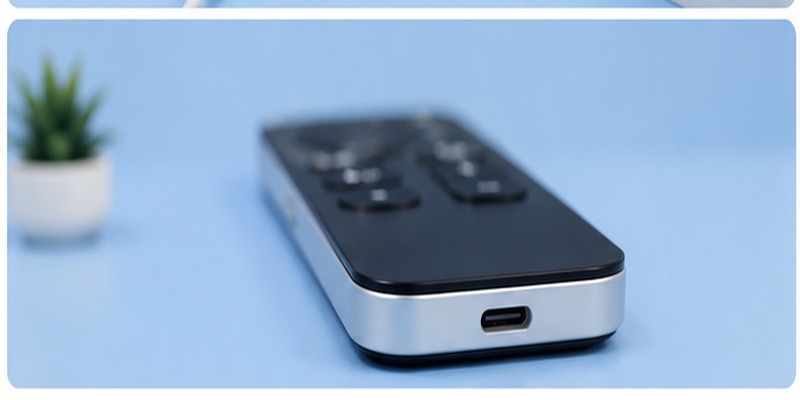
If you have an apple tv remote not charging, start with the simplest possibilities before assuming the battery has failed.
Check the cable
Disconnect and reconnect the cable firmly.
Make sure you are using:
- USB-C for a third-generation Siri Remote.
- Lightning for a first- or second-generation Siri Remote.
A damaged cable can prevent apple tv remote charge even if the remote itself is fine.
Try another power source
Move the cable to another wall adapter or computer USB port.
Apple says its remotes can charge from an appropriate computer USB connection or power adapter.
Give it at least 30 minutes
If the remote battery is extremely low, it may not immediately respond.
Apple’s current troubleshooting guidance specifically recommends charging for 30 minutes with the appropriate USB-C or Lightning cable and a USB wall charger.
Inspect the charging port
Check for visible dust or debris around the USB-C or Lightning port.
Do not force a connector into the port.
Restart or reconnect the remote if necessary
Sometimes a charging issue is actually a communication problem.
If apple tv remote won t charge seems to describe the issue but the battery has power, restart or re-pair the remote using Apple’s troubleshooting procedure.
Apple also recommends keeping Apple TV updated to the latest tvOS version when troubleshooting a remote.
After testing another cable and charger, check Battery Level again to confirm whether apple tv remote charge has resumed.
📘 Find the Right Guide: Apple TV Remote iPad: How to Set Up and Control Apple TV From Your iPad
Charging the 1st, 2nd, and 3rd Generation Siri Remote
Generational differences are the main source of confusion around apple tv remote charge.
1st generation
The first Siri Remote has a black aluminum body and glass Touch surface.
It uses Lightning for charging.
So if someone asks apple tv remote how to charge for the original Siri Remote, the answer is a Lightning cable.
2nd generation
The second generation changed to a silver aluminum enclosure with a touch-enabled clickpad but retained Lightning charging.
Apple identifies its battery as a built-in rechargeable lithium-ion battery.
3rd generation
The third-generation Siri Remote looks similar to the second generation but changes the charging port to USB-C.
Apple identifies USB-C as its charging connector and says its rechargeable battery can provide months of battery life with typical daily use.
This generational comparison makes choosing a charger for apple tv remote much easier:
| Remote | Charging method |
| Siri Remote 1st generation | Lightning |
| Siri Remote 2nd generation | Lightning |
| Siri Remote 3rd generation | USB-C |
| Older aluminum Apple Remote | Replaceable coin battery |
Always identify the physical remote before purchasing charging accessories.
Can You Use the Apple TV Remote While Charging?
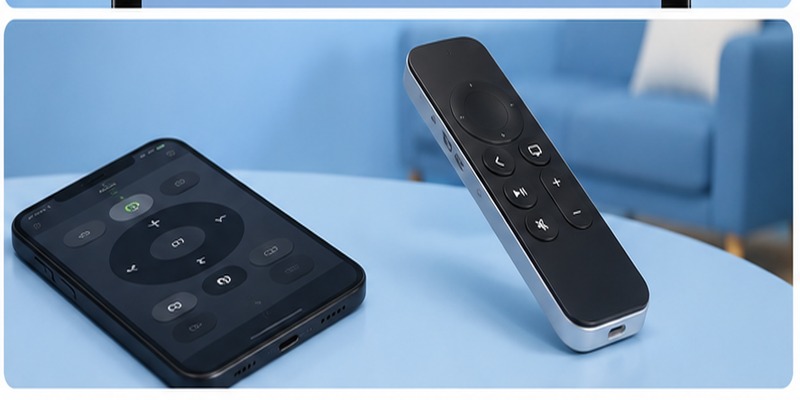
Yes.
Apple explicitly states that you can continue using the remote while it is charging.
That makes apple tv remote charge convenient if the low-battery warning appears during a movie.
Connect the appropriate cable and continue operating Apple TV.
Naturally, the cable limits how far you can move the remote while it is plugged in, so a sufficiently long cable can make the process more comfortable.
Once enough battery has accumulated, disconnect the cable and return to wireless operation.
This is useful if you suddenly discover a nearly empty battery and do not want to interrupt your viewing session for the entire three-hour apple tv remote charge cycle.
How Often Should You Charge an Apple TV Remote?
You should not need to charge it every few days.
Apple says that with typical use, the Apple TV 4K remote generally needs charging only a few times per year.
Apple also describes the third-generation Siri Remote as providing months of battery life on a single charge under typical daily usage.
Therefore, apple tv remote charging should normally be an occasional maintenance task.
There is usually no benefit in plugging it in every night.
Instead, watch for Apple’s low-battery notification or check the battery percentage from Settings.
This helps keep apple tv remote charge simple rather than turning it into another device you constantly have to manage.
Can You Charge the Remote From the Apple TV Box?
Do not assume that every USB or USB-C-looking port on Apple TV itself can power the remote.
Apple specifically notes that the USB-C port on Apple TV HD does not support charging a Siri Remote.
Use a computer USB port or appropriate power adapter instead.
This is an important apple tv remote charge detail because someone may naturally see a USB connection on an older Apple TV and assume it is designed to charge accessories.
It is safer to use the charging methods Apple specifies.
If you’re wondering what charger for apple tv remote works best, start with the correct USB-C or Lightning cable and a compatible computer or wall power adapter.
💡 Discover Helpful Guides: How to Use Apple TV Remote on iPhone: Complete Setup and Control Guide
Using Your Phone While the Apple TV Remote Charges
If your Siri Remote is completely depleted, you do not necessarily have to stop using Apple TV during apple tv remote charge.
Apple recommends using Apple TV Remote on an iPhone or iPad as part of troubleshooting when the physical remote is unavailable.
On current Apple software, the Apple TV Remote is available through Control Center.
This can be more useful than searching for an apple tv remote app for iphone, because Apple’s official remote experience is integrated into the system.
People using search phrases like apple tv remote app iphone, apple tv remote app on iphone, or apple tv remote control app for iPhone are generally looking for the same practical capability: controlling Apple TV from the phone while the physical remote is unavailable.
A third-party remote TV App can also provide phone-based television controls depending on the TV platform, but Apple’s built-in controller is the natural first option for Apple TV.
That gives you a convenient backup while apple tv remote charge continues.
Frequently Asked Questions
How to charge an apple tv remote?
Check the port on the bottom.
Use USB-C for the third-generation Siri Remote and Lightning for the first- or second-generation Siri Remote. Connect the other end to a computer or compatible power adapter.
Does the third-generation Siri Remote use USB-C?
Yes.
Apple identifies USB-C as the charging connector on the third-generation Siri Remote.
Does the second-generation Siri Remote use USB-C?
No.
The second-generation Siri Remote uses Lightning.
What does the first-generation Siri Remote use?
The first-generation model uses Lightning for apple tv remote charge.
How to charge apple tv remote if I lost the original cable?
Use another suitable cable that matches the remote’s charging port.
Third generation requires USB-C. First and second generation require Lightning.
How long does a full apple tv remote charge take?
Apple says approximately three hours.
Can I use the remote before it reaches 100%?
Yes.
Apple says you can use the Siri Remote while it charges.
How do I check the battery?
Go to:
Settings → Remotes and Devices → Remote
Apple TV displays the Battery Level there.
What if the remote has been plugged in but does not work?
Charge it for at least 30 minutes, then try again.
Apple recommends this as an initial troubleshooting step.
If apple tv remote charge still does not work, test another cable and power source.
Does the old silver Apple Remote need a cable?
No.
Older aluminum Apple Remotes use a replaceable CR2032 or BR2032 lithium coin battery rather than USB-C or Lightning charging.
Should I leave my Siri Remote charging overnight?
A full apple tv remote charge normally requires about three hours, so overnight charging is generally unnecessary.
How often will I need to charge it?
Apple says only a few times each year under typical usage.
The third-generation remote is also rated for months of typical daily use on one charge.
Final Thoughts on Apple TV Remote Charge
The most important part of apple tv remote charge is knowing which remote generation you own.
The current third-generation Siri Remote uses USB-C. The second-generation Siri Remote uses Lightning, and the original first-generation Siri Remote also charges through Lightning. Older aluminum Apple Remotes use a replaceable coin battery instead of a rechargeable internal battery.
Once you have the correct cable, connect it to the port on the bottom of the remote and attach the other end to a suitable computer USB port or power adapter.
A complete apple tv remote charge takes approximately three hours, although Apple recommends as little as 30 minutes when troubleshooting a remote with a very low battery.
To check the battery, open:
Settings → Remotes and Devices → Remote → Battery Level
This is the easiest way to determine whether apple tv remote charge is working and whether you actually need to plug the remote in.
If charging fails, check the connector type, try another cable and power source, allow at least 30 minutes, and then check the battery level again.
Fortunately, charging should not be something you do frequently. Under typical use, Apple says its rechargeable Apple TV remote needs power only a few times per year.
Once you know whether your remote uses USB-C or Lightning, apple tv remote charge becomes a simple maintenance task rather than a complicated troubleshooting problem.
