
Apple TV Remote iPad: How to Set Up and Control Apple TV From Your iPad
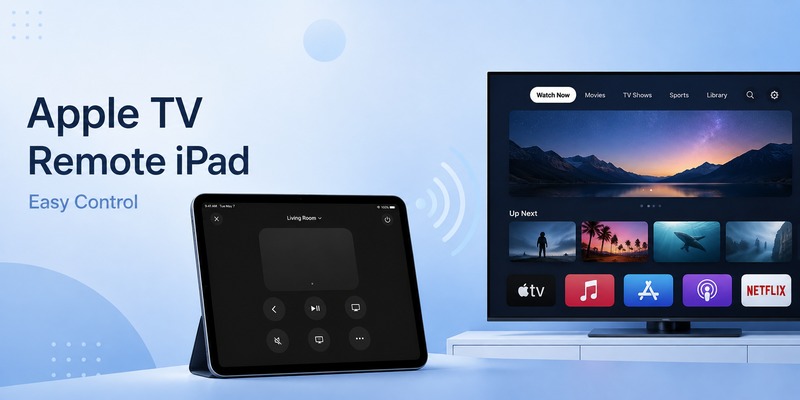
Your Siri Remote is across the room, buried under a cushion, charging, or simply nowhere to be found. If your iPad is already nearby, apple tv remote ipad gives you a convenient way to control Apple TV without reaching for the physical remote.
Apple includes Apple TV Remote directly in Control Center on supported iPads. You can open it, choose your Apple TV, navigate menus, select apps, manage playback, and enter text from the iPad. There is normally no need to install a separate official Apple TV remote application.
Apple’s support documentation updated in May 2026 confirms that Apple TV Remote in Control Center works with Apple TV 4K, Apple TV HD, and compatible AirPlay smart TVs. Apple also states that your iPhone or iPad and Apple TV should use the same Wi-Fi network when setting up or troubleshooting the feature.
For anyone looking for apple tv remote ipad, the important thing to know is that the feature is already part of iPadOS. Once it is set up, your tablet becomes a practical second controller for your Apple TV.
This guide explains everything from finding the Remote button to pairing devices, navigating tvOS, typing on Apple TV, controlling playback, and fixing connection problems.
1. What Is Apple TV Remote iPad?
Apple TV Remote iPad refers to Apple’s built-in remote-control interface that allows an iPad to control a compatible Apple TV or supported AirPlay television.
Instead of holding a physical Siri Remote, you interact with a remote interface on the iPad screen.
Apple’s current tvOS guide explicitly says that an iPhone or iPad can be used as a remote control for Apple TV 4K. The Remote provides a touch area and on-screen buttons for normal Apple TV operations.
If you search for apple tv remote on ipad, you may expect to find a dedicated application icon on the Home Screen. On current software, however, the most important entry point is Control Center.
This makes apple tv remote ipad particularly convenient because you can access it without leaving whatever app you are currently using.
You might use your iPad to:
- Navigate the Apple TV interface.
- Open streaming applications.
- Select movies and shows.
- Pause or resume playback.
- Move backward through menus.
- Type into Apple TV text fields.
- Choose between multiple Apple TVs.
- Control supported audio volume configurations.
The result is an apple tv ipad remote control experience that can handle most common Apple TV interactions.
Download LG TV Remote2. Which Devices Work With Apple TV Remote iPad?
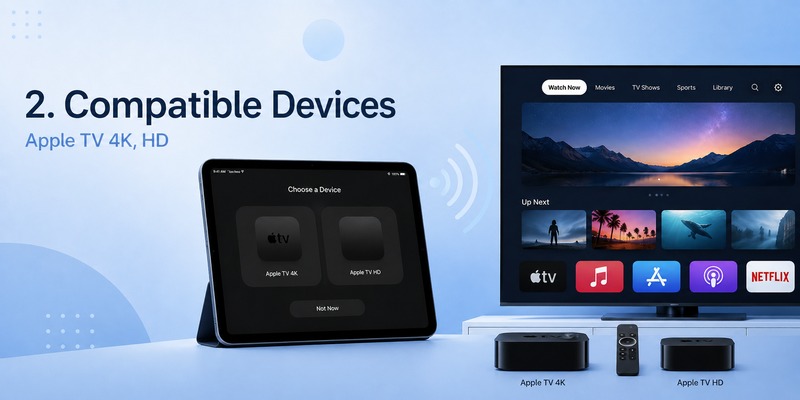
Before configuring apple tv remote ipad, check that the television hardware is supported.
According to Apple, Apple TV Remote in Control Center supports:
- Apple TV 4K
- Apple TV HD
- AirPlay-compatible smart TVs
Apple specifically says that an AirPlay-compatible smart TV should be added to the Home app and assigned to a room before you try to control it through Apple TV Remote.
For Apple TV hardware, the process is simpler.
Your iPad and Apple TV should normally be connected to the same Wi-Fi network. This allows the devices to discover and communicate with each other.
The built-in apple tv remote control ipad feature is therefore intended primarily for relatively recent Apple TV hardware and compatible smart televisions.
Apple’s tvOS documentation also notes that remote controls are automatically activated when a compatible iPad running iPadOS 13 or later connects to Apple TV 4K.
Keeping iPadOS and tvOS updated is still recommended, especially if you encounter pairing or connection issues.
💡 Discover Helpful Guides
Apple remote tv app: Complete Apple TV Remote Guide for iPhone, Siri Remote, Pairing & Fixes
3. Where to Find Apple TV Remote iPad
The quickest place to find apple tv remote ipad is Control Center.
On current iPads:
- Go to the Home Screen or stay inside any app.
- Swipe down from the upper-right corner of the display.
- Look for the Remote control.
- Tap it to open Apple TV Remote.
Apple’s June 2026 iPad documentation confirms that Control Center is opened by swiping downward from the top-right corner of the iPad screen. Apple specifically lists controlling Apple TV as one of the functions accessible through Control Center.
Once you know this gesture, opening apple tv remote ipad takes only a few seconds.
If the Remote control does not appear, that usually does not mean your iPad is incompatible.
You may simply need to add Remote to Control Center.
That distinction is important for people searching for apple tv remote for ipad because older online tutorials sometimes point users toward outdated menus or standalone apps.
On current iPadOS versions, start with Control Center.
💡 Discover Helpful Guides: Apple TV Remote Replacement: Buying and Setup Guide
4. How to Set Up Apple TV Remote iPad
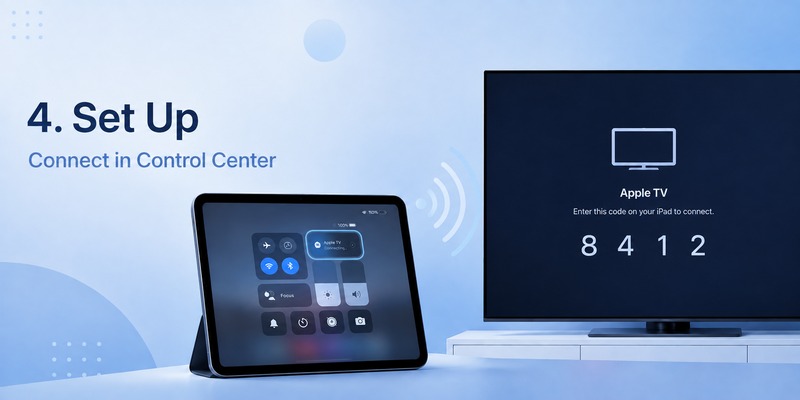
Setting up apple tv remote ipad is straightforward.
First, make sure your Apple TV and iPad are connected to the same Wi-Fi network.
Then:
- Swipe down from the upper-right corner of your iPad.
- Tap Apple TV Remote.
- Tap your Apple TV or compatible smart TV in the device list.
- Follow the on-screen pairing instructions.
- Enter the four-digit passcode if one appears.
Apple’s current setup instructions specifically state that users may be asked to enter a four-digit passcode on the iPhone or iPad during pairing.
After pairing, test apple tv remote ipad by swiping across the touch area.
The highlighted item on the television should move.
Tap the touch area to select something.
If the selected app or menu opens, your apple tv remote with ipad connection is working correctly.
You normally do not need to repeat the complete pairing process every time you use the Remote. Once the iPad recognizes the Apple TV, reopening the controller is usually much faster.
5. How to Add Apple TV Remote to Control Center
If apple tv remote ipad is missing, add the Remote control manually.
On current Apple software, open Control Center and enter customization mode. Choose the option to add a control, then search for Remote.
Apple’s May 2026 support guide tells users to choose Add a Control, then scroll to Remote or search for Remote before adding it to Control Center.
Once added, you can position the button somewhere convenient.
If you use apple tv remote ipad frequently, keeping the Remote near your media, Wi-Fi, brightness, or volume controls can make it quicker to access.
The important point is that you generally do not need to download a separate ipad apple tv remote application from the App Store.
The Apple-provided controller is integrated into the operating system.
This integration also makes apple tv remote ipad feel more like a system tool than a conventional third-party app.
6. How to Navigate Apple TV From Your iPad
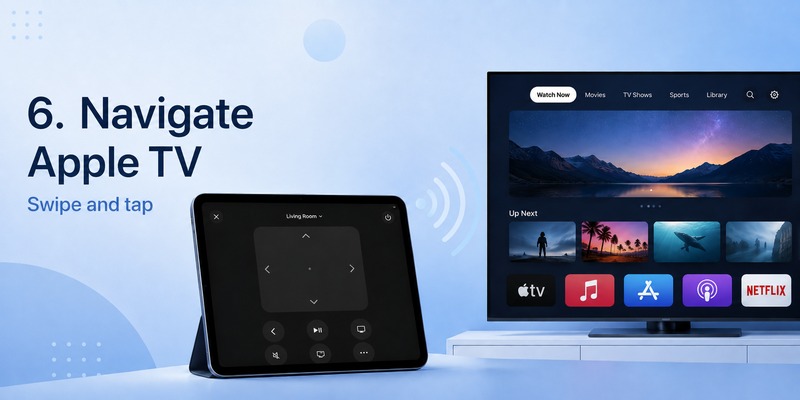
After pairing, apple tv remote ipad provides a large touch-sensitive control area.
Swipe across this area to navigate.
For example:
Swipe right to move to the next item.
Swipe left to return to an item on the other side.
Swipe up or down to move through rows and menus.
Tap to select the highlighted item.
Apple’s tvOS guide confirms that the iPhone or iPad Remote uses a touch area and on-screen buttons to control Apple TV.
This means using an ipad as remote for apple tv feels similar to navigating with the touch-enabled section of a physical Siri Remote, but you are using the larger iPad display.
You can use apple tv remote ipad to browse the Home Screen, enter Settings, open Apple TV+, launch streaming apps, and select content.
The larger screen does not necessarily give you additional Apple TV functions, but it can make controls easier to see.
For users who frequently misplace small physical remotes, this is one of the most practical benefits of apple tv remote ipad.
💡 Discover Helpful Guides: How to Reset Your Apple TV Remote: Pairing, Volume, and No-Remote Fixes
7. How to Control Playback With Apple TV Remote iPad
You can also use apple tv remote ipad while content is playing.
Supported playback controls can let you pause, resume, and move through content without touching your physical Siri Remote.
Suppose you are streaming a movie and someone calls you.
Instead of searching for the remote, open Control Center on your iPad, tap Apple TV Remote, and pause playback.
Typical playback interactions can include:
- Play
- Pause
- Previous or backward actions
- Forward or next actions
- Returning to menus
The exact controls available can depend on the current app and content.
For everyday viewing, though, remote apple tv ipad functionality covers the most common media commands.
This also makes apple tv remote ipad useful as a secondary controller in a shared household.
Someone can leave the physical remote at the other end of the room while you continue controlling playback from the iPad.
8. How to Type on Apple TV Using Your iPad
Text input is one of the strongest reasons to keep apple tv remote ipad configured even if you still prefer a Siri Remote for normal navigation.
Typing a long search query using a TV keyboard and directional controls can be slow.
When Apple TV provides compatible text entry, your iPad can give you a familiar software keyboard.
This can make it much easier to enter:
- Movie titles
- Show names
- Search terms
- Email addresses
- Usernames
- Account information
- Other text
For someone who regularly needs to remote control apple tv from ipad, keyboard entry alone can make the tablet more convenient than the physical remote.
Imagine searching for a long program title. Rather than moving letter by letter across the television keyboard, type it normally on the iPad.
That is one of the situations where apple tv remote ipad is not merely a backup. It can actually be more efficient.
📖 Explore Articles: Apple TV Remote for iPhone: How to Set Up and Use Your iPhone as an Apple TV Remote
9. How Volume Control Works on Apple TV Remote iPad
A common assumption is that apple tv remote ipad can always change the TV volume.
That is not necessarily true.
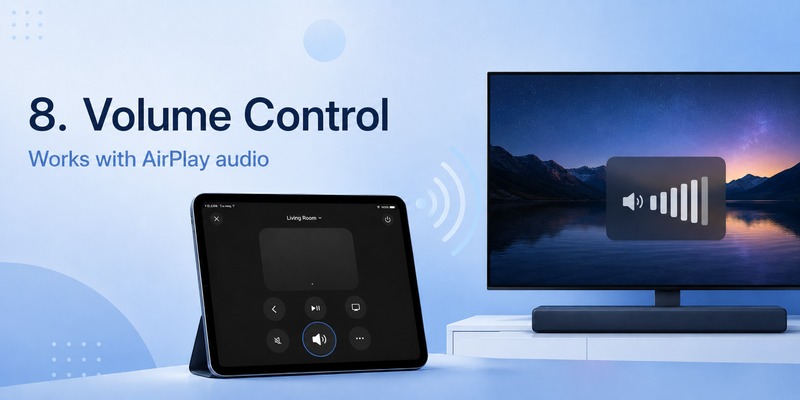
Apple says the volume controls in Apple TV Remote can control volume when Apple TV is configured with a HomePod, soundbar, or another AirPlay-compatible speaker.
If Apple TV is not configured with supported audio equipment, Apple recommends using the volume buttons on the remote supplied with the television.
Therefore, you may find that apple tv remote ipad controls navigation perfectly while volume does not respond.
This does not automatically mean the iPad connection is broken.
It can simply reflect the audio configuration of your television system.
If volume control is essential to you, check whether Apple TV outputs audio through compatible HomePod, soundbar, or AirPlay speaker hardware.
10. What to Do If Apple TV Remote iPad Does Not Connect
Sometimes apple tv remote ipad opens correctly but cannot find your television.
Apple recommends several troubleshooting steps.
Check Wi-Fi first
Your iPad and Apple TV should be on the same Wi-Fi network.
On iPad:
Settings → Wi-Fi
On Apple TV:
Settings → Network
Apple lists this as the first troubleshooting check when Apple TV Remote cannot be set up.
Update iPadOS and tvOS
Make sure your iPad runs the latest supported iPadOS version.
Update Apple TV to the latest available tvOS version as well.
Apple recommends updating both devices when apple tv remote ipad cannot be configured.
Restart both devices
Restart the iPad.
Restart Apple TV or the compatible smart television.
Reconnect them to Wi-Fi and open apple tv remote ipad again.
Apple also includes restarting both devices in its current troubleshooting instructions.
Make sure you selected the right Apple TV
Homes with several Apple TVs may show multiple devices in the Remote selector.
Check the room or device name.
Repeat pairing
Select the Apple TV again.
If a four-digit passcode appears, follow the displayed instructions carefully.
Check Home setup for a smart TV
If you are controlling an AirPlay-compatible smart television instead of an Apple TV box, add the TV to Apple’s Home app and assign it to a room.
After these checks, apple tv remote ipad should connect in most ordinary setups.
💡 Discover Helpful Guides: How to Use Apple TV Remote on iPhone: Complete Setup and Control Guide
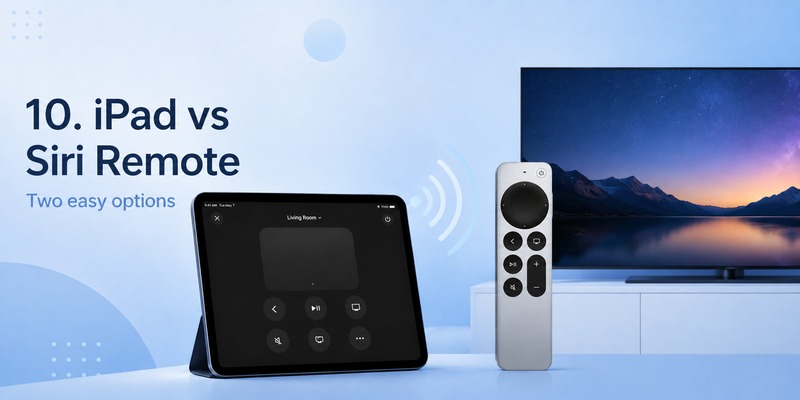
iPad Remote vs Siri Remote
Should apple tv remote ipad replace the physical Siri Remote completely?
That depends on how you watch TV.
The iPad offers several advantages.
It is easy to access if the tablet is already beside you.
Its large display makes controls easy to see.
Typing is much faster.
You do not have to find a small physical remote every time you watch something.
However, a Siri Remote has advantages too.
Physical buttons can be operated without looking down.
The remote is smaller and easier to hold with one hand.
You do not need to open Control Center before adjusting playback.
It also remains available if your iPad battery is low.
For many users, the best arrangement is to keep both.
Use apple tv remote ipad when your tablet is already nearby or when you need to type. Use the Siri Remote when you want simple tactile control.
They complement each other rather than requiring you to choose only one.
Can You Use the Same Apple TV Remote Feature on iPhone?
Yes. Apple supports the same Control Center Remote concept on iPhone as well as iPad.
This is useful context because users sometimes search for an apple tv remote app for iphone after learning to control Apple TV from an iPad.
On current Apple software, the official Remote experience is integrated into Control Center rather than requiring a separate apple tv remote app iphone download.
Similarly, searches for apple tv remote app on iphone or apple tv remote control app for iPhone generally refer to the same built-in Apple TV Remote functionality.
The setup principle is almost identical:
Open Control Center, tap Remote, choose the Apple TV, and pair if necessary.
However, the focus of this guide remains apple tv remote ipad, where the larger iPad screen can be particularly comfortable for navigation and keyboard entry.
Using a remote TV App as an Alternative
For Apple TV itself, Apple’s built-in controller should normally be the first option.
A third-party remote TV App can become more relevant when you want the same tablet to control televisions from several manufacturers.
Depending on the television and application, phone- or tablet-based remote tools may offer:
- Directional navigation
- Playback controls
- Volume controls
- Channel controls
- Keyboard entry
- App shortcuts
- Device discovery
Functionality varies considerably between television brands.
If your primary purpose is apple tv remote ipad, Control Center offers the most direct Apple-integrated approach.
If your household contains several smart-TV platforms, a broader remote solution may complement it.
Frequently Asked Questions
Is there an apple tv remote on ipad?
Yes.
Apple TV Remote is available through Control Center on supported iPads.
Swipe down from the upper-right corner, tap Remote, and choose your Apple TV.
Do I need to install apple tv remote ipad?
Normally, no.
The official Apple TV Remote experience is built into Control Center.
If the control is missing, customize Control Center and add Remote.
How do I use my ipad as remote for apple tv?
Open Control Center, tap Apple TV Remote, select the Apple TV you want to control, and complete the pairing process if prompted.
Then use the touch area to navigate.
Can apple tv remote ipad control Apple TV 4K?
Yes.
Apple officially states that an iPhone or iPad can be used as a remote for Apple TV 4K.
Does it work with Apple TV HD?
Yes.
Apple’s current setup documentation lists Apple TV HD as supported by Apple TV Remote in Control Center.
Can I use apple tv remote ipad with a smart TV?
Yes, if the television is AirPlay-compatible and meets Apple’s requirements.
Apple says compatible smart TVs should be added to the Home app and assigned to a room.
Why can’t apple tv remote ipad find my Apple TV?
Check that both devices are connected to the same Wi-Fi network.
Then update iPadOS and tvOS and restart both devices.
These are Apple’s main recommended troubleshooting steps.
Does apple tv remote ipad control volume?
It can in compatible audio configurations.
Apple says Remote volume controls work when Apple TV is set up with HomePod, a soundbar, or other AirPlay-compatible speakers. Otherwise, use the television’s physical remote for volume.
Can I switch between multiple Apple TVs?
Yes.
Open apple tv remote ipad and select the Apple TV you want from the device selector.
Naming Apple TVs by room—such as Living Room or Bedroom—can make this easier.
Is there a separate apple tv remote app for iphone?
For current Apple devices, the official Apple TV Remote functionality is integrated into Control Center.
A separate official download is generally unnecessary.
Final Thoughts on Apple TV Remote iPad
For most users, setting up apple tv remote ipad takes only a few steps:
Open Control Center → Tap Apple TV Remote → Select your Apple TV → Enter the four-digit code if requested → Start controlling the TV.
Apple’s current documentation confirms that the Remote works with Apple TV 4K, Apple TV HD, and compatible AirPlay smart TVs. Apple also recommends placing the iPad and Apple TV on the same Wi-Fi network for setup and troubleshooting.
Once connected, apple tv remote ipad can handle navigation, content selection, playback, and convenient text input.
Its greatest advantage may be convenience.
If your iPad is already beside you, there is no need to search the room for a physical controller just to pause a show or open another app.
At the same time, the Siri Remote remains useful because physical buttons are easier to operate without looking at a screen.
For that reason, apple tv remote ipad works best as both a capable alternative and a backup to the traditional remote.
Keep it configured in Control Center, and whenever your Siri Remote is charging, missing, or simply too far away, apple tv remote ipad gives you immediate control from a device you may already have in your hands.
Download LG TV Remote