
Google TV Remote App for Android: Phone Control Guide
Losing a television remote is a surprisingly small problem that can make a smart TV much harder to use. The TV may still be connected to Wi-Fi, your streaming subscriptions may still work, and all your apps may still be installed, but navigating the interface becomes frustrating without the physical controller.
For owners of Google TV and Android TV devices, there is another option: turning an Android phone into a virtual remote.
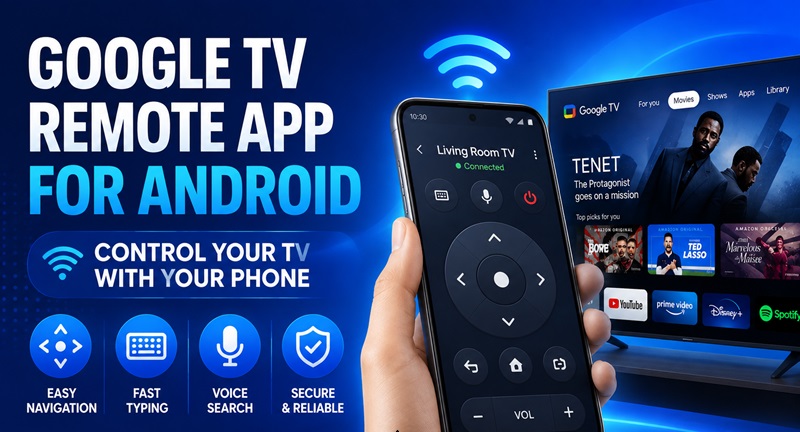
A google tv remote app for android can provide navigation controls directly on the phone you already carry. Instead of searching under the sofa for the original remote, you can open your phone, connect to the television, and continue browsing.
Google officially supports phone-based control through the Google TV app. Depending on the Android device and configuration, users may also encounter remote controls through Google Home or Android Quick Settings. Google states that the Google TV app can control Google TV and Android TV devices, while Android TV Remote Service provides the underlying remote functionality on compatible systems.
This makes the google tv remote app for android especially useful for a specific group of users: people who already have a functioning Google TV or Android TV but want a faster backup remote, easier text entry, or a convenient controller that is always nearby.
1. What Is a Google TV Remote App for Android?
A google tv remote app for android turns a compatible Android smartphone or tablet into a software-based television controller.
Instead of transmitting commands through infrared like many traditional remotes, the phone generally communicates with a compatible Google TV or Android TV over the local network. For the official Google TV virtual remote, Google instructs users to connect the phone and TV appropriately and complete pairing using a code displayed on the television.
A virtual version of the buttons you use most
The main purpose of a google tv remote app for android is navigation.
You can use the virtual control surface to move around the TV interface, select apps, return to previous screens and interact with media without constantly needing the original remote.
The official Android TV Remote Service also supports D-pad and touchpad-style navigation. Google says the service can provide voice search and a phone keyboard for text input as well.
That final feature is more important than it first appears.
Typing a long movie title, email address or account information using an on-screen television keyboard can be slow. On a phone, users already have a full touchscreen keyboard available.
This means the google tv remote app for android is not simply an emergency replacement. For text-heavy actions, it can actually be more convenient than the physical remote.
Google TV and Android TV are the key targets
This type of remote is primarily relevant when the television or streaming device uses Google TV or Android TV.
Google’s current support documentation specifically says the Google TV app can be used on a phone or tablet to navigate Android TV. Google TV documentation also describes controlling Google TV or Android TV through the mobile app.
That distinction matters because a generic smart TV is not automatically compatible with the same remote method.
If your TV uses another operating system, you may need a remote designed for that platform instead.
Download TV Remote for Android2. When a Phone Remote Is Better Than the Physical Remote
The most obvious reason to install a google tv remote app for android is losing the original remote.
But that is not the only useful scenario.
For many households, phone-based control works best as a secondary remote rather than a complete replacement.
When the physical remote disappears
Remote controls tend to disappear exactly when you want to watch something.
They fall between sofa cushions, get moved to another room, lose battery power or simply end up somewhere nobody remembers.
If the television is already powered and connected to the network, a google tv remote app for android may let you regain control without immediately finding the physical controller.
The phone is also easier to locate because most users keep it nearby throughout the day.
This makes the virtual remote particularly convenient in bedrooms, kitchens or shared living rooms where multiple people use the same television.
Instead of keeping several physical remotes around the house, each person can potentially use a compatible Android phone.
When you need to type more than a few characters
Text entry is another strong reason to use a google tv remote app for android.
Imagine searching for:
“best science fiction movies from the 1990s”
Entering that phrase one character at a time with directional buttons is possible, but not pleasant.
Typing it on a smartphone is much faster.
Android TV Remote Service explicitly supports keyboard input for Android TV, alongside navigation and voice functionality.
This makes phone control particularly useful when signing into an app, entering search phrases or navigating services that require frequent text input.
People searching for a remote TV app often assume the main benefit is replacing physical buttons. In practice, the smartphone keyboard can be one of the biggest improvements.
Explore Samsung TV Remote App: Download a Remote TV App for Android: Control Your TV With Your Phone
3. How to Set Up a Google TV Remote App for Android
Setting up a google tv remote app for android does not normally require complicated networking.
The important part is making sure the phone and television can discover each other.
Pair through the Google TV app
Google’s current Android TV instructions describe the following process:
- Open the Google TV app on the Android phone.
- Tap the option to connect to the TV.
- Choose the television or device you want to control.
- Enter the pairing code shown on the television.
- Complete the pairing process.
Once paired, the google tv remote app for android becomes a virtual controller for the selected device.
The precise labels or placement of controls may change as Google updates its apps, so users should follow the interface currently displayed on their phone rather than relying solely on screenshots from older tutorials.
Keep the phone and TV on the same network
Network configuration is one of the most important requirements.
Google’s troubleshooting guidance states that the phone and TV must be connected to the same Wi-Fi network for the virtual remote connection.
For example:
- Phone: HomeWiFi
- TV: HomeWiFi
This should work.
But:
- Phone: HomeWiFi
- TV: GuestWiFi
may prevent discovery even if both networks come from the same router.
If your google tv remote app for android keeps scanning without displaying the television, checking Wi-Fi should therefore be one of the first troubleshooting steps.
It is a much more likely cause than assuming the remote feature itself is broken.
4. Google TV App vs Google Home vs Android TV Remote Service
Several Google-related names appear when people search for Android TV remotes, which can make the subject unnecessarily confusing.
You may see Google TV, Google Home, Android TV Remote Service and older references to dedicated remote-control apps.
They are not necessarily the same thing.
Google TV app: the straightforward option
For most users looking for a google tv remote app for android, the Google TV app is the easiest place to start.
Google’s official documentation directly describes using the Google TV mobile app to control Google TV or Android TV devices. The connection allows users to perform remote-like actions from the phone.
Google also notes that Android users can add TV remote access to Quick Settings, making the controller easier to reach without repeatedly navigating through the full app.
That can turn a phone into a much more practical everyday remote.
What about Google Home?
The phrase android tv remote google home appears frequently because Google’s television ecosystem overlaps with its broader smart-home ecosystem.
Google Home remains important for device setup and smart-home management. Google’s current Google TV setup instructions, for example, include Google Home as part of certain setup flows.
However, if your main objective is simply getting a familiar virtual navigation remote on an Android phone, starting with the Google TV app is usually the clearer path.
What is Android TV Remote Service?
Another common search is android tv remote google llc.
Android TV Remote Service is published by Google LLC and works as a system service supporting remote functionality for Android TV.
Google’s Play Store listing describes D-pad navigation, touchpad navigation, voice search and keyboard input. It also states that phone-based control can be accessed through Google TV, Google Home or Android Quick Settings on supported Android configurations.
This distinction is useful because users searching for android tv remote google llc apk may think they need to manually install a separate APK from an unofficial website.
Normally, downloading random APK packages should not be the first troubleshooting method. Check the installed system services and official Play Store updates first.
A google tv remote app for android relies on several pieces of the Google TV/Android TV ecosystem working together, so replacing system components manually may create more problems than it solves.
📖 Read More Security Guides: Samsung TV Remote App Android: Complete Download and Setup Guide
5. Using Your Android Phone as a Daily TV Remote
Once connected, a google tv remote app for android can become more than an emergency controller.
It can fit naturally into everyday viewing.
Navigate without reaching for another device
Consider a typical evening.
You are scrolling on your phone while watching TV. A streaming episode ends, and you want to switch to another app.
With a traditional setup, you put the phone down, find the remote and navigate the television.
With a google tv remote app for android, the controller is already in your hand.
That small difference becomes useful when you repeatedly switch content throughout the day.
Google’s mobile remote functionality supports common TV-control actions, and its documentation describes features such as media control, volume adjustment and text input for compatible Google TV or Android TV setups.
Use the phone keyboard for searches
The biggest productivity improvement may still be typing.
Streaming interfaces increasingly require text for:
- movie searches;
- YouTube searches;
- usernames;
- email addresses;
- Wi-Fi information;
- app searches.
A google tv remote app for android turns those tasks into normal phone typing instead of directional-button typing.
This can be particularly useful for users who regularly search for content rather than simply opening recommendations from the TV home screen.
The google tv remote for android concept therefore makes the most sense when viewed as an alternative input method rather than merely a digital copy of a plastic remote.
For navigation, the physical remote may still feel faster.
For typing, the phone often has the advantage.
6. Why the Google TV Remote Cannot Find Your TV
A google tv remote app for android is only convenient when the television appears in the device list.
If it does not, there are several logical places to investigate before reinstalling everything.
Check Wi-Fi first
Google specifically recommends confirming that both devices are connected to the same Wi-Fi network when a virtual remote is not working.
Start on the phone.
Open Android network settings and identify the current Wi-Fi network.
Then check the TV’s network settings.
The names should match.
Be especially careful if your router provides:
- a guest network;
- an extender network;
- multiple access points;
- separate home and IoT networks.
The internet may work on both devices while local discovery between them is restricted.
That situation can make a google tv remote app for android appear broken even though both devices are technically online.
Restart the TV when discovery gets stuck
Google also recommends restarting the Google TV device during virtual remote troubleshooting. Its instructions include disconnecting power, waiting briefly and reconnecting the device before trying the remote again.
A restart can refresh network discovery and services used for pairing.
After the television returns to the home screen, reopen the google tv remote app for android and scan again.
Avoid changing five settings simultaneously.
Testing one change at a time makes it easier to identify what actually fixed the connection.
If Wi-Fi is correct and a restart solves the issue, there is little reason to reset the entire TV or reinstall unrelated apps.
7. What to Do When the Virtual Remote Stops Working
A google tv remote app for android can work normally for weeks and then unexpectedly stop connecting.
This does not automatically mean you need a new app.
Start with the simplest checks.
Use a basic troubleshooting order
A practical sequence is:
- Confirm the phone has Wi-Fi enabled.
- Confirm the TV is still connected to Wi-Fi.
- Verify both are on the same network.
- Close and reopen the Google TV app.
- Scan for the television again.
- Restart the Google TV or Android TV device.
- Check whether relevant Google and TV system components have updates available.
Google’s official troubleshooting documentation emphasizes Wi-Fi verification and restarting the television when the virtual remote cannot connect.
This troubleshooting order keeps the process focused.
You should not need to factory-reset your television because a google tv remote app for android temporarily fails to discover it.
If navigation works but volume does not
Volume is slightly different from simple interface navigation because television setups may depend on HDMI-CEC or other device-control configurations.
Google’s current virtual-remote troubleshooting guidance specifically recommends checking the TV’s volume-control configuration and notes an Auto (CEC) setting in relevant Google TV setups.
Therefore, a situation where the google tv remote app for android can move through menus but cannot adjust volume does not necessarily indicate a complete remote failure.
Separate the problem into functions:
- Can the phone discover the TV?
- Can it navigate?
- Can it select items?
- Can it type?
- Can it control playback?
- Can it change volume?
Knowing exactly what fails makes troubleshooting much easier.
📚 Explore More Guides: Hisense TV Remote App for Android: Setup Guide A-Z
8. Is a Google TV Remote App for Android Worth Using?
For many Google TV and Android TV owners, yes—but mostly as a complementary remote rather than something that must permanently replace the physical controller.
A google tv remote app for android is particularly valuable in three situations.
It is an excellent backup remote
If the original remote disappears or its batteries run out, the phone gives you another way to interact with the television.
That alone can justify having the Google TV app configured before you actually need it.
Pair your google tv remote app for android while the physical remote is still available rather than waiting until the remote has disappeared.
Doing so turns the phone into a ready backup.
It makes text-heavy TV use easier
Searching and entering account information are awkward tasks on many physical television remotes.
A smartphone already includes a responsive keyboard, familiar autocorrect behavior and a touchscreen.
For those tasks, the google tv remote app for android is not just a substitute—it can be the more comfortable input device.
It reduces dependence on one physical controller
Smart TVs increasingly function like computers connected to the living-room screen.
It therefore makes sense to have more than one way to control them.
The physical remote remains useful for instant navigation. Voice control may be useful for certain searches. The phone provides another control layer when you need quick access or easier typing.
That combination is more flexible than relying on one plastic remote.
Google continues to support mobile remote functionality across its Google TV and Android TV ecosystem. Current Google documentation describes Google TV mobile control, same-network pairing and Android Quick Settings access, while Android TV Remote Service continues to support remote functions on compatible devices.
For someone who frequently loses a remote, searches for long titles, signs into streaming apps or simply keeps their smartphone nearby, a google tv remote app for android can become one of the most practical features in the Google TV ecosystem.
You do not need to think of it as replacing the television remote forever.
Instead, think of it as giving your TV a second controller—one that already sits in your pocket.
Download TV Remote for Android