
Insignia TV Remote Not Working: Quick Fixes and Full Troubleshooting Guide
If your Insignia TV remote is not working, start with fresh batteries and a remote reset or re-pair — those steps fix the large majority of an Insignia TV remote not working before any deeper troubleshooting.
Insignia makes both simple infrared remotes and Fire TV voice remotes, and which one you have changes the fix. A dead Fire TV remote often needs re-pairing, while an infrared remote usually just needs batteries and a clear line of sight.
This guide moves from the fastest fixes to the more specific ones, so you can stop as soon as your remote comes back to life. It also covers targeted problems like a remote where only the power button works and volume that won’t respond.
Whatever the cause, there’s also a way to keep watching right now using your phone, covered near the end.
Quick Diagnosis: Why Your Insignia Remote Isn’t Working
Before trying fixes, match your symptom to its likely cause and fastest fix. Find your symptom, then jump to the matching section below.
| Symptom | Likely Cause | First Fix |
| No response at all | Dead batteries | Replace both batteries with fresh ones |
| Only power button works | Partial pairing or stuck buttons | Re-pair the remote; clean the buttons |
| Turns TV on but nothing else | Pairing or button issue | Re-pair; check for jammed keys |
| Won’t pair | Weak batteries or wrong steps | Fresh batteries; redo pairing |
| Volume doesn’t work | Partial pairing or wear | Re-pair; test other buttons |
💡 Discover Helpful Guides: Insignia TV Remote App: Free Options and How to Set Up
Start Here: The Fixes That Solve Most Cases
When an Insignia TV remote is not working, two steps resolve it far more often than anything else. Try both before moving on.
Replace the Batteries
Weak batteries are the number-one reason an Insignia TV remote is not working, and a battery that still lights an indicator can be too weak to sustain a connection. Use two fresh alkaline batteries, replaced both at once, rather than partially-used ones.
A common variant is an insignia tv remote not working with new batteries — if that’s you, the batteries aren’t the issue, so move on to re-pairing and a restart below.
Fresh batteries are the first thing to try for any Insignia TV remote not working, and they resolve a surprising share of cases on their own.
Restart the TV
A quick restart clears temporary glitches that can make a remote seem dead. Unplug the Insignia TV from power, wait about 30 seconds, then plug it back in and let it fully boot. A frozen TV can ignore a perfectly good remote until it’s restarted.
A restart is the second essential step for an Insignia TV remote not working, since a frozen system mimics a dead remote.
How to Reset or Re-Pair an Insignia Remote
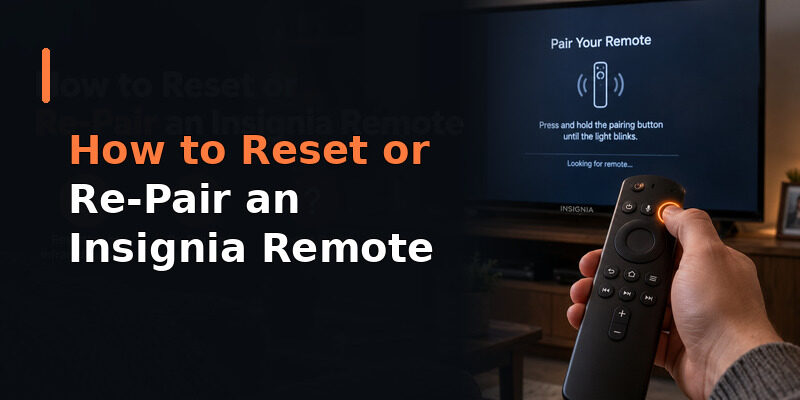
If batteries and a restart didn’t help, resetting or re-pairing the remote is the next step. This is the fix for many cases where an insignia tv remote stopped working or an insignia tv remote won t pair.
Resetting an Infrared Remote
For a simple infrared remote, remove the batteries, press and hold any button for about 15 seconds to discharge residual power, then reinsert fresh batteries. This clears a stuck state that a plain battery swap sometimes doesn’t fix, and it’s the go-to when reset insignia tv remote not working is your search.
A reset is often the turning point for an Insignia TV remote not working that survived a battery change.
Holding a button while the batteries are out is the step most people skip, and it’s exactly what clears a stubborn stuck state.
Re-Pairing a Fire TV Remote
For an Insignia Fire TV remote, a lost pairing is often why the insignia tv remote not pairing problem appears. Hold the home button for about 10 seconds with the TV on until it reconnects. This is the standard fix when an insignia tv remote won’t pair.
Re-pairing is the single most effective fix for a Fire TV Insignia TV remote not working.
Keep the remote within a few feet of the TV during pairing for the strongest signal, and wait for the on-screen confirmation before testing buttons.
When a Reset Doesn’t Help
If a reset and re-pair still leave the remote dead after fresh batteries, the remote may have a hardware fault. Confirm with the phone-camera test below before assuming it’s broken for good.
Knowing when to stop resetting saves time — past a certain point, a replacement or a phone app is the faster route back to a working TV.
📘 Find the Right Guide: Insignia TV Remote Replacement: Options and Buying Guide
Fixing Specific Button Problems
Sometimes an Insignia remote isn’t fully dead — only certain buttons fail. These narrower issues have their own fixes.
Only the Power Button Works
When an insignia tv remote not working except power button describes your situation — the remote turns the TV on but nothing else — it’s usually a partial pairing or debris under the other buttons. A full re-pair typically restores the rest, and gently working each stuck button can free ones blocked by dust. This also covers insignia tv remote turns tv on but nothing else.
This is a reassuring symptom, oddly enough, because a remote that still powers the TV is clearly alive and usually just needs its full connection restored.
Volume Buttons Don’t Work
An insignia tv remote volume not working often points to a partial pairing or physical wear. Re-pairing restores software-side issues, while consistently dead volume buttons usually indicate wear on those specific keys.
If cleaning and re-pairing don’t help and only a couple of keys are affected, the remote is likely near the end of its life and worth replacing.
Power Button Not Working
If the insignia tv remote power button not working is your issue while other buttons respond, it’s typically wear or debris under that one key. Cleaning around it helps; if it stays dead, the remote is wearing out and a replacement or app is the next step.
Since the power button sees frequent use, it’s often among the first to wear out, so a stuck or dead power key is a common late-life symptom.
Fixing a New Insignia Remote That Won’t Work
A brand-new replacement remote that won’t work is frustrating but usually simple to fix. A new insignia tv remote not working is almost always a pairing issue rather than a defect.
Insert fresh batteries, then pair it: for a Fire TV remote, hold the home button for about 10 seconds with the TV on; for a universal remote, enter an Insignia code or run auto search. A new remote rarely arrives faulty, so pairing is nearly always what a new insignia tv remote not working needs.
A brand-new Insignia TV remote not working almost never means a defect — it means the pairing step hasn’t been done yet.
📖 Read More Guides: Insignia TV Remote Codes: Complete Programming Guide
Testing Whether the Remote Itself Has Failed
Before buying a replacement, confirm whether the hardware is truly dead. For an infrared remote, point it at a phone camera and press a button.
A working infrared remote shows a faint light on the camera screen that the naked eye can’t see. No light means the remote isn’t emitting, confirming a hardware fault rather than a battery or pairing issue. This quick test settles whether an insignia tv remote stopped working due to internal failure or something fixable.
This camera test is the definitive check for an Insignia TV remote not working, cleanly separating a hardware fault from a fixable battery or pairing issue.
Common Mistakes That Make Troubleshooting Harder
A few avoidable missteps turn a quick fix into a long session. Knowing them saves time when your insignia tv remote is not working.
Replacing Only One Battery
Pairing a fresh battery with a half-drained one leaves the remote underpowered and makes it look like batteries weren’t the problem. Always change both together so your test is clean and conclusive.
It’s a small detail, but it’s a frequent reason an Insignia TV remote not working seems unfixable when the real issue was a mismatched battery pair.
Giving Up After One Pairing Attempt
A single failed re-pair doesn’t mean re-pairing won’t work. Weak batteries often cause the first attempt to fail, so a fresh set plus one more try succeeds far more often than people expect before declaring the remote dead.
A little persistence with fresh batteries pays off here, since the fix is often just one more attempt away.
💡 Discover Helpful Guides: Insignia TV Remote Not Working? How to Fix It Fast
Keep Watching Now With a Remote TV App
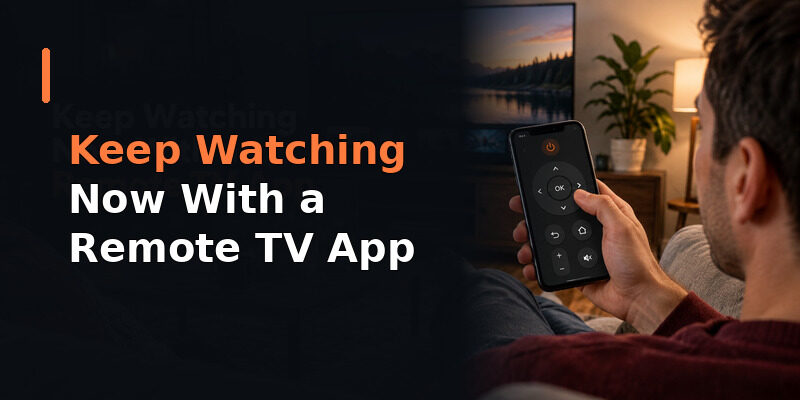
While you troubleshoot why your Insignia TV remote is not working, you don’t have to sit in front of a stuck screen. The Remote TV App turns a phone into a working remote over Wi-Fi, restoring power, volume, navigation, and app launching so the TV stays usable.
It’s the fastest way to regain control the moment an Insignia remote fails, and many people keep it installed as a permanent backup. to keep watching while you fix or replace the physical remote.
FAQs About an Insignia TV Remote Not Working
Why did my Insignia TV remote suddenly stop working?
The most common causes are drained batteries and a lost pairing. Fresh batteries plus a reset or re-pair resolve most sudden failures. A restart of the TV clears frozen-system cases.
My Insignia remote isn’t working with new batteries — what now?
If fresh batteries change nothing, the remote likely lost its pairing, the TV is frozen, or the remote has a hardware fault. Re-pair the remote and restart the TV before concluding it’s broken.
Why does only the power button work on my Insignia remote?
This usually means a partial pairing or debris under the other buttons. A full re-pair typically restores the rest, and gently working stuck buttons can free ones blocked by dust.
How do I fix an Insignia remote that won’t pair?
Insert fresh batteries, then for a Fire TV remote hold the home button for about 10 seconds with the TV on. For a universal remote, enter an Insignia code or run auto search.
Can I use my phone while my Insignia remote is broken?
Yes. The Remote TV App controls the TV over Wi-Fi, so you can keep watching immediately while you fix or replace the physical remote.
🗺️ Browse How-To Guides: Lost Insignia TV Remote: What to Do Right Now
Final Thoughts
When an Insignia TV remote is not working, the fix is usually simpler than it feels: fresh batteries and a reset or re-pair solve most cases, a restart handles frozen-system ones, and a phone-camera test tells you when the hardware is genuinely done.
Specific problems — power-only response, volume failures, a new remote that won’t pair — each have their own quick fix, and none require a replacement in most cases. Keep the Remote TV App installed so the next time an Insignia remote fails, you can keep watching without missing a beat.
Download TV Remote App