
LG Magic Remote Voice Recognition Not Working? Complete Fix Guide
Voice control is one of the most useful features of an LG Magic Remote. Instead of navigating through menus manually, you can press the microphone or AI button and ask the television to search for content, open functions, or perform supported commands.
When lg magic remote voice recognition not working, however, the problem can be confusing because the rest of the remote may still work perfectly. The pointer moves, volume controls respond, and the Home button opens webOS, but pressing the voice button does nothing or the television fails to understand what you say.
Fortunately, lg magic remote voice recognition not working does not necessarily mean that the microphone has failed. LG’s current troubleshooting guidance lists several requirements for voice recognition, including an internet connection, an LG account, acceptance of voice-recognition terms, suitable language and region settings, correct button operation, and proper pairing between the Magic Remote and TV.
The following troubleshooting process focuses on those causes first before considering hardware replacement.
1. LG Magic Remote Voice Recognition Not Working: Quick Fixes
If you suddenly find lg magic remote voice recognition not working, start with the simplest checks.
Try these steps in order:
- Confirm that the LG TV is connected to the internet.
- Press and hold the AI or microphone button while speaking.
- Release the button after finishing your command.
- Hold the remote close to your mouth.
- Speak clearly at a normal volume.
- Make sure you are signed in to your LG account.
- Check that voice-recognition terms have been accepted.
- Confirm that the TV’s language and region settings match.
- Press the Wheel/OK button to confirm that the Magic Remote is paired.
- Restart the television if voice control still does not respond.
LG’s July 2026 Magic Remote guidance specifically says users should press and hold the AI or microphone button while speaking, then release it after finishing. LG also recommends holding the remote approximately 10 cm, or about four inches, from your mouth and speaking slowly and clearly.
This is important because some users with lg magic remote voice recognition not working press the microphone button once instead of holding it.
If voice control works after changing how you press the button, the remote itself is probably fine.
You should also test more than one simple command. Try commands such as:
- “Open Settings.”
- “Volume up.”
- “Search for movies.”
- “Open YouTube.”
The exact commands and available services can differ by TV generation, region, and software configuration.
If lg magic remote voice recognition not working remains after these quick checks, continue with the causes below.
Explore Related Articles: How to Connect LG Remote to TV: Complete Pairing and Recovery Guide
2. Why Is LG Magic Remote Voice Recognition Not Working?
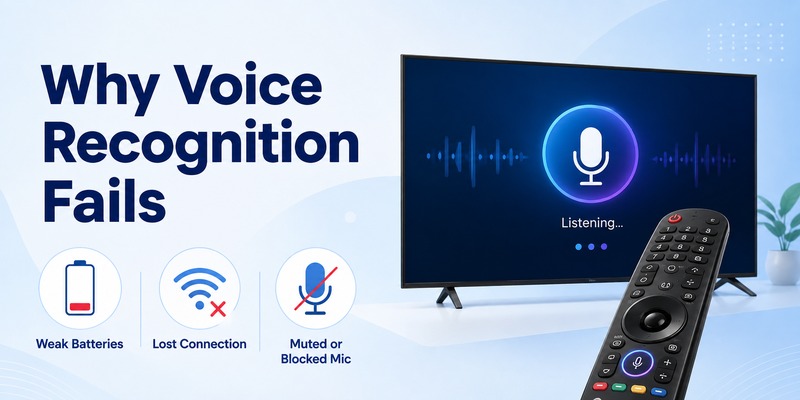
There are several possible reasons why lg magic remote voice recognition not working even though other Magic Remote controls still respond.
Common causes include:
- No internet connection
- Remote not properly paired
- Incorrect use of the microphone or AI button
- LG account not signed in
- Voice-recognition terms not accepted
- Language and region mismatch
- Voice recognition disabled in webOS
- Weak remote batteries
- Excessive background noise
- Microphone obstruction
- Temporary webOS problems
- Remote hardware failure
LG states that voice recognition requires network connectivity on supported models. The company also notes that voice features may be limited when the menu language does not match the official language associated with the TV’s region setting.
One useful diagnostic question is:
Does everything else on the remote work?
If the pointer, volume, Home, Back, and navigation functions work but voice recognition alone fails, focus first on network connectivity, voice settings, account configuration, and the microphone button.
LG has a separate troubleshooting guide for cases where the AI Magic Remote works normally except for voice recognition. That guidance identifies internet connectivity as a key requirement.
If the whole remote behaves incorrectly, pairing or battery problems become more likely.
When lg magic remote voice recognition not working occurs immediately after changing network, country, language, or LG account settings, review those changes before resetting the television.
View Related Articles: What Is a Magic Remote Control for LG TV? Complete Setup Guide
3. How to Use Voice Commands on LG Magic Remote Correctly
Understanding how to use voice commands on lg magic remote is important because the voice button does not always behave like a simple one-tap assistant button.
On supported models, the basic procedure is:
- Point the Magic Remote toward the television.
- Press and hold the microphone or AI button.
- Speak your command while continuing to hold the button.
- Release the button after you finish speaking.
- Wait for the TV to process the request.
LG’s current documentation describes this press-and-hold behavior for both newer AI-button remotes and previous Voice Recognition-button designs. The 2025 AI Magic Remote uses an AI button for voice recognition, while some earlier models use a dedicated microphone or voice-recognition button.
If lg magic remote voice recognition not working, pay close attention to when you release the button.
Releasing the button before speaking can prevent the television from receiving the full command.
LG’s voice-search instructions similarly state that the user should speak while pressing the microphone button and release it when the command is complete.
Use short commands first
Instead of beginning with a complicated request, test a short phrase.
For example:
“Open Settings.”
If that works, test:
“Search for action movies.”
This helps determine whether lg magic remote voice recognition not working is a complete voice-input failure or simply poor recognition of a particular phrase.
Avoid shouting
Speaking louder does not necessarily improve recognition.
LG recommends speaking slowly, clearly, and at a normal volume while keeping the remote relatively close to your mouth.
4. Check Internet, LG Account, Language, and Voice Permissions
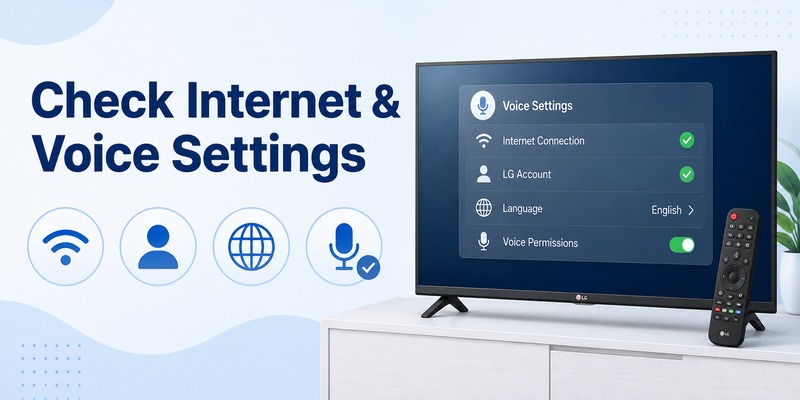
Network and account requirements should be checked early whenever lg magic remote voice recognition not working.
Check the internet connection
Open a streaming application or another internet-based feature.
If apps cannot access online content, troubleshoot the TV’s connection before troubleshooting the microphone.
LG’s support documentation states that voice recognition requires an internet connection for supported Magic Remote voice functions.
Restarting the router may help if the television recently lost its connection.
You can also disconnect and reconnect the TV to Wi-Fi.
Sign in to your LG account
Current LG guidance says users should be signed into an LG account when troubleshooting voice recognition.
If lg magic remote voice recognition not working began after signing out, check the account section of the television.
Accept voice-recognition terms
LG also requires relevant voice-recognition terms to be accepted for supported services.
If you skipped a privacy or service agreement during setup, voice features may not operate normally.
Look through the TV’s account and privacy settings for pending agreements.
Check language and location
Language mismatch is another possible cause of lg magic remote voice recognition not working.
LG says the menu language should correspond to the official language for the configured region, noting that some functionality may be limited otherwise.
For example, if you recently changed the TV’s location while leaving another language selected, try setting them consistently and test voice recognition again.
Do not randomly change the service country merely to troubleshoot. Instead, configure the TV correctly for your actual location and supported language.
5. Fix LG Magic Remote Microphone or AI Button Problems
If lg tv remote microphone not working, first determine whether the problem is the microphone itself or the button used to activate it.
Newer Magic Remote designs can use an AI button, while previous models may show a microphone or Voice Recognition symbol. LG’s 2026 support documentation identifies the AI button on 2025 models as the button that activates voice recognition.
This distinction matters when dealing with lg magic remote ai button not working.
Test whether the button triggers anything
Press and hold the AI or microphone button.
Watch the TV carefully.
Normally, the television should react by displaying a voice interface, listening prompt, or another indication that it is ready for a command.
If nothing appears:
- Check pairing.
- Replace the batteries.
- Restart the television.
- Test the button again.
If the voice interface appears but your speech is never detected, the issue is more likely related to the microphone, voice settings, noise, or service configuration.
Inspect the microphone opening
Examine the remote for:
- Dust
- Dirt
- Liquid residue
- A case covering the microphone area
- Physical damage
Do not insert sharp objects into the microphone opening.
A blocked microphone can reduce the clarity of the audio reaching the television.
Replace the batteries
Even when navigation still works, installing fresh batteries is a reasonable diagnostic step when lg magic remote voice recognition not working.
If the voice button becomes responsive after replacing the batteries, unstable remote power may have been contributing to the problem.
View Related Articles: LG TV Remote iOS: Official iPhone Setup and Control Guide
6. Re-Pair or Reset the LG Magic Remote
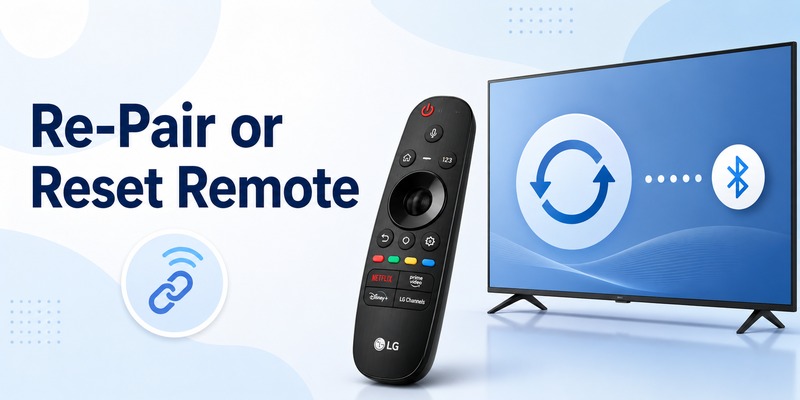
Pairing is another major troubleshooting step for lg magic remote voice recognition not working.
The Magic Remote uses its registered connection with the television to provide advanced features. LG instructs users to point the remote at the TV and press the scroll wheel/OK button to pair it.
To test:
- Turn on the television.
- Point the Magic Remote toward it.
- Press Wheel/OK.
- Wait for a pairing confirmation.
- Press and hold the voice button.
- Test a simple command.
LG also recommends initializing and re-pairing a Magic Remote when registration has failed. However, the exact reset combination varies among remote generations. LG’s support material therefore advises consulting the model-specific instructions if the standard procedure does not match your remote.
This is especially important because different Magic Remote generations use different button combinations for re-registration or initialization.
Do not assume that instructions written for a 2020 remote will necessarily apply to a 2025 model.
If lg magic remote voice recognition not working immediately after replacing the remote or moving it from another television, registration should be one of your first checks.
Once pairing succeeds, test both:
- Pointer movement
- Voice recognition
If the pointer works and voice control returns, the connection was likely part of the problem.
7. Improve Voice Recognition Accuracy and Microphone Performance
Sometimes lg magic remote voice recognition not working actually means that the feature responds but consistently misunderstands commands.
That is different from the microphone being completely unavailable.
LG says voice-recognition accuracy can be affected by pronunciation, speaking speed, volume, intonation, environmental noise, and television volume.
Reduce background noise
Mute or lower:
- Music
- Loud TV content
- Fans
- Conversations nearby
- Other audio devices
Then try the same command again.
Hold the remote closer
LG recommends holding the remote about 10 cm from your mouth when using voice recognition.
You do not need to place it directly against your face.
Speak naturally
Use normal conversational volume.
Avoid speaking extremely quickly or stretching individual words unnaturally.
Test a known simple command
If lg magic remote voice search not working, compare a basic system command with a search request.
For example:
- “Volume up.”
- “Open Settings.”
- “Search for comedy movies.”
If system commands work but search requests do not, the microphone is probably receiving your voice. The issue may instead involve a particular service, search function, network connection, language, or availability in your region.
Testing several commands helps isolate the failure much more effectively than repeating the same phrase.
8. Restart the TV and Check webOS Voice Settings
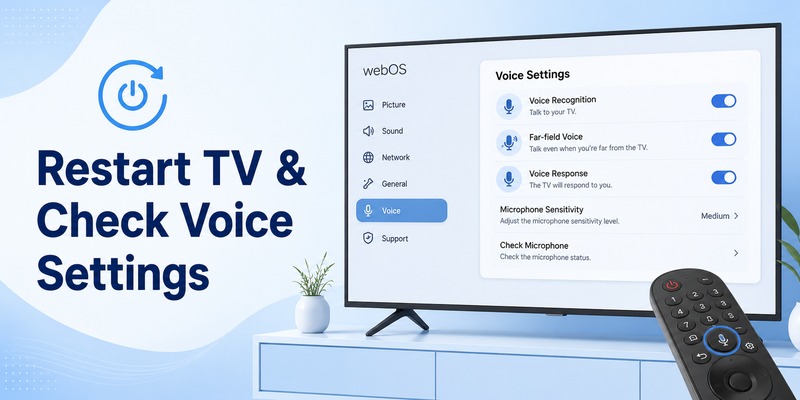
A temporary webOS problem can sometimes make it appear that lg magic remote voice recognition not working even though the remote itself is fine.
Start with a normal restart.
If the problem remains:
- Turn off the television.
- Disconnect power briefly.
- Reconnect the television.
- Turn it back on.
- Confirm internet access.
- Test the Magic Remote again.
You should also review the television’s voice settings.
On some webOS generations, LG lists voice options under a path similar to:
All Settings → General → AI Service → Voice Recognition Settings
LG documentation for webOS 6.0 and webOS 22 shows Voice Recognition Settings under the AI Service menu, while older versions can use a slightly different menu structure.
Therefore, if lg magic remote voice recognition not working, do not worry if your exact menu does not match an online screenshot.
Menu structure varies by model and webOS generation.
LG also notes that the Voice Recognition Settings menu may not appear when the TV does not have an internet connection.
That means a missing voice-recognition menu can itself be a clue that network connectivity needs to be checked.
A factory reset should not be the first solution. It removes considerably more settings and personal configuration than a remote re-pair or TV restart.
9. How to Tell If the Magic Remote Microphone Is Faulty
Hardware failure becomes more likely only after the common causes of lg magic remote voice recognition not working have been eliminated.
Possible signs include:
- Voice interface appears but never detects sound.
- The microphone works only intermittently.
- The AI or microphone button feels physically damaged.
- The remote was dropped shortly before voice recognition failed.
- Liquid entered the remote.
- Internet and voice settings are correct.
- The remote is successfully paired.
- Fresh batteries make no difference.
- Other Magic Remote functions remain normal.
- Voice recognition fails with every supported command.
Before replacing the remote, make sure you can distinguish between a microphone failure and a voice-service problem.
If the television shows the listening interface when you press the button but repeatedly reports that it cannot hear you—even when the room is quiet and the remote is close to your mouth—the microphone becomes a stronger suspect.
If pressing the button produces no voice interface at all, the button, pairing, remote electronics, or TV configuration could still be responsible.
When lg magic remote voice recognition not working persists after correct network, language, account, permissions, pairing, and restart checks, LG recommends seeking further support.
If replacement becomes necessary, verify compatibility with your exact LG TV model rather than buying a remote based only on appearance.
View Related Articles: LG Remote TV: Complete Guide to Setup, Apps, Pairing, Codes, and Troubleshooting
10. FAQs About LG Magic Remote Voice Recognition Problems
Why is my LG Magic Remote voice recognition not working?
The most common causes of lg magic remote voice recognition not working include no internet connection, incorrect voice-button operation, pairing problems, account or terms configuration, language and region mismatch, voice settings, or a microphone problem.
LG currently recommends checking internet access, LG account status, voice-recognition terms, menu language, and correct use of the AI or microphone button.
How do I activate voice recognition on LG Magic Remote?
Press and hold the AI or microphone/Voice Recognition button while speaking.
Release the button when you finish your command.
On supported newer remotes, LG identifies the AI button as the control used for voice recognition.
Why does my LG remote microphone work sometimes but not always?
Intermittent recognition can be affected by background noise, voice volume, pronunciation, speaking speed, distance from the remote, or unstable connectivity.
LG specifically notes that environmental noise and speaking characteristics can affect recognition accuracy.
Why is voice search not working but other commands work?
If lg magic remote voice search not working while commands such as changing volume still succeed, the microphone is probably capturing your voice.
Check your internet connection, region, language, and the availability of the particular search service.
Does the LG Magic Remote need internet for voice commands?
Supported voice-recognition features generally require network connectivity. LG lists internet access as a requirement in its Magic Remote voice-recognition troubleshooting instructions.
Why does pressing the AI button do nothing?
If lg magic remote voice recognition not working and the AI button produces no response, first press and hold rather than tapping it.
Then check batteries, pairing, internet connectivity, and the remote’s compatibility with your television.
Should I reset the Magic Remote?
Re-pairing is worth trying when other troubleshooting steps fail.
Start by pressing Wheel/OK to register the remote. If necessary, initialize and re-register it according to the procedure for your exact model because button combinations can vary by remote generation.
Should I factory reset my LG TV?
Usually not.
For lg magic remote voice recognition not working, a better troubleshooting order is:
Check internet → Hold AI/Mic button correctly → Check LG account and permissions → Match language and region → Replace batteries → Re-pair remote → Restart TV → Check voice settings.
A factory reset should generally be considered only after less disruptive troubleshooting has failed.
What should I do if nothing fixes voice recognition?
If lg magic remote voice recognition not working continues after confirming network access, account configuration, language, voice permissions, fresh batteries, correct pairing, proper microphone use, and a television restart, hardware failure becomes more plausible.
At that stage, check the Magic Remote model and TV compatibility and consider contacting LG support or testing another compatible remote.
In most cases, though, lg magic remote voice recognition not working can be resolved without replacing the television or performing a full factory reset. Start with how the voice button is being used, then move through network, account, language, pairing, and microphone checks. This approach targets the most likely causes first while avoiding unnecessary resets or replacement purchases.
