
LG MR26GA vs MR25GA: Which LG Magic Remote Should You Choose in 2026?
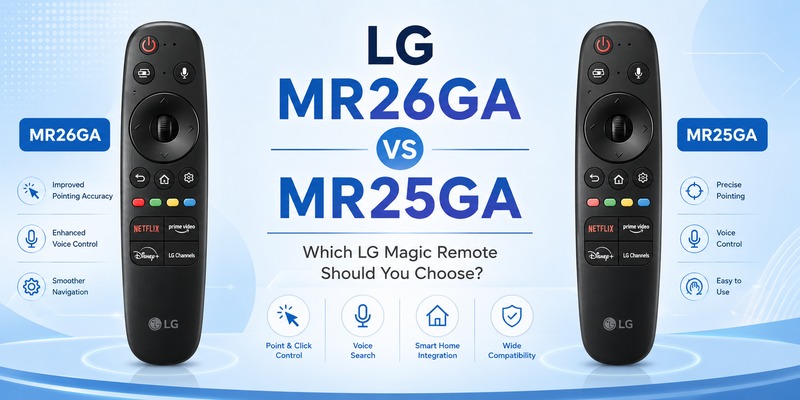
MR25GA is LG’s 2025 Magic Remote, while MR26GA is the newer remote associated with the 2026 TV generation. More importantly, LG states that MR26GA works not only with compatible 2026 televisions but also with 2025 and 2024 models in its U.S. compatibility information.
However, a newer remote does not automatically mean that every owner of MR25GA should replace it. In the LG MR26GA vs MR25GA decision, television compatibility, existing remote condition, button preferences, and price are generally more important than the model year printed on the product.
This guide breaks down those factors so you can determine which remote makes the most sense for your setup.
LG MR26GA vs MR25GA: Quick Answer
For most buyers, the biggest advantage of MR26GA is its broader officially stated generation compatibility.
LG describes MR26GA as its 2026 Magic Remote and lists support for selected 2026 OLED, QNED, Nano, and Lifestyle televisions. The same official page specifically states that MR26GA is also compatible with 2025 and 2024 TVs.
MR25GA, meanwhile, is officially presented as the 2025 Magic Remote. LG lists it for 2025 models including OLED G5, C5, and B5 series televisions, as well as selected QNED and UA models.
Therefore, the practical LG MR26GA vs MR25GA recommendation is straightforward:
If you already own a working MR25GA with a supported 2025 TV, upgrading solely because MR26GA exists probably offers limited value. If you are purchasing a new replacement remote and your television is confirmed compatible with MR26GA, the newer model may be the more flexible purchase because LG officially gives it cross-generation support.
Neither choice should be made by model number alone. Always check your exact TV series and region before buying.
Download LG TV RemoteWhat Is the LG MR26GA Magic Remote?
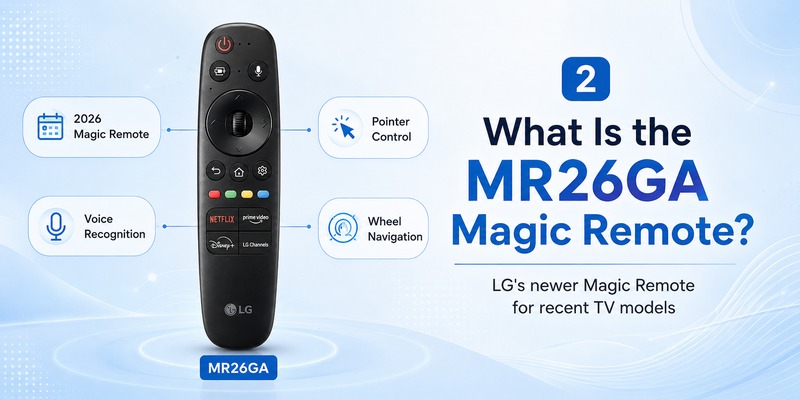
MR26GA is LG’s Magic Remote introduced for the 2026 television generation. It continues the concept that makes LG’s Magic Remote different from a conventional directional remote: instead of navigating exclusively with buttons, users can move a pointer across the TV screen by moving the remote.
LG officially lists three major features for MR26GA: universal remote capability, intelligent voice recognition, and mouse-like pointing with wheel control.
The remote is officially listed for multiple 2026 series, including OLED W6, G6, C6, and B6 models, alongside selected QNED, Nano, MRGB, and Lifestyle televisions. Its official compatibility with 2025 and 2024 TV generations is particularly important when evaluating LG MR26GA vs MR25GA.
This makes MR26GA more than a replacement intended only for people buying a 2026 television. Depending on the exact TV, it may also be relevant to owners of recent LG televisions who lose or damage their original remote.
The important word is “depending.” Compatibility can vary between TV series, market versions, and available functions, so buyers should still confirm their individual TV model rather than assuming every LG television from those years will provide identical functionality.
Explore Related Articles: LG TV Remote Volume Button Not Working? 12 Practical Fixes to Restore Volume Control
What Is the LG MR25GA Magic Remote?
MR25GA is the Magic Remote associated with LG’s 2025 television generation.
LG lists it as a Universal Magic Remote featuring intelligent voice recognition plus mouse-like pointing and wheel navigation. The official U.S. compatibility information includes 2025 OLED G5, C5, and B5 models as well as selected QNED and UA televisions.
That feature list is significant in the LG MR26GA vs MR25GA debate because the main Magic Remote experience already exists on MR25GA. Pointer navigation, scrolling, voice interaction, and universal-control functionality are not features that suddenly begin with MR26GA.
For someone using a compatible 2025 TV, MR25GA remains a highly relevant remote rather than an obsolete accessory simply because a 2026 version has appeared.
This distinction is especially important when shopping online. Sellers often market the latest remote as an “upgrade,” but a newer model number does not necessarily mean a dramatic improvement in navigation speed, voice recognition, or pointer accuracy. LG’s official headline specifications for both generations emphasize essentially the same core Magic Remote functions.
Key Differences in LG MR26GA vs MR25GA
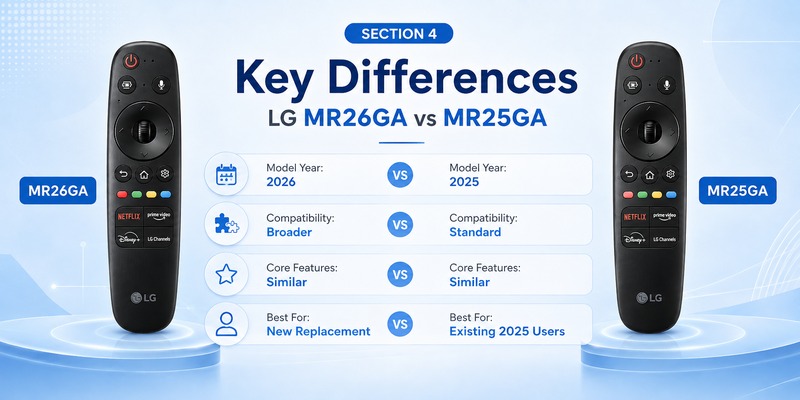
Key Differences in LG MR26GA vs MR25GA
The easiest way to understand LG MR26GA vs MR25GA is to separate confirmed differences from assumptions based only on the newer model number.
| Comparison | LG MR26GA | LG MR25GA | What It Means |
|---|---|---|---|
| Model generation: | 2026 Magic Remote generation | 2025 Magic Remote generation | MR26GA is newer, but a newer model does not automatically mean a better experience for every user. |
| Official compatibility: | LG lists it for selected 2026 TVs and also states compatibility with 2025 and 2024 TVs. | LG’s product information focuses primarily on supported 2025 TV models. | MR26GA has the advantage in officially stated cross-generation compatibility, but you should still verify your exact TV model and region. |
| Pointer navigation: | Supports LG’s mouse-like pointer interface. | Supports the same core pointer interface. | Pointer control is not a major reason to upgrade from MR25GA to MR26GA. |
| Wheel control: | Yes | Yes | Both allow scrolling through webOS menus and selecting content with the central wheel. |
| Voice recognition: | LG lists intelligent voice recognition. | LG also lists intelligent voice recognition. | Both support voice features, although available commands can depend on the TV, webOS version, region, language, network, and supported services. |
| Core Magic Remote experience: | Pointer, wheel navigation, voice recognition, and universal remote functions | Pointer, wheel navigation, voice recognition, and universal remote functions | The everyday control experience is broadly similar based on LG’s headline specifications. |
| Upgrade value: | More attractive when buying a new replacement for a confirmed compatible TV | Still a strong choice if you already own one and it works correctly | There is little reason to replace a working MR25GA solely because MR26GA is newer. |
| Best for: | Buyers purchasing a new remote, especially those wanting broader officially stated generation support | Owners of compatible 2025 TVs whose existing remote still works | Choose based on TV compatibility, remote condition, required features, and price rather than model year alone. |
Quick Verdict:
- Already have a working MR25GA: Keep it. The core Magic Remote features are already available, and upgrading only for the newer model number is unlikely to provide a major benefit.
- Buying a new replacement: MR26GA is generally the more flexible option when your exact TV is confirmed compatible, particularly because LG officially states support across recent TV generations.
- Most important: Always verify your complete LG TV model and regional compatibility before purchasing either remote.
Explore Related Articles: LG Magic Remote Lagging: 12 Fixes for Slow or Delayed Response
LG MR26GA vs MR25GA Compatibility
Compatibility should be the first thing you check before ordering either model.
According to LG U.S., MR26GA supports specified 2026 TVs such as the OLED W6, G6, C6, and B6 families, plus multiple QNED, Nano, and Lifestyle series. LG additionally states compatibility with 2025 and 2024 TVs.
MR25GA is officially associated with selected 2025 models, including OLED G5, C5, and B5 series televisions and several QNED and UA series.
That makes compatibility one of the strongest arguments favoring MR26GA in the LG MR26GA vs MR25GA comparison.
Still, buyers should avoid interpreting “compatible with 2025 and 2024 TVs” as a guarantee that every button, shortcut, voice service, or region-specific feature behaves identically on every TV.
LG itself notes that actual features and specifications can vary.
Before purchasing, find the full TV model number from the label on the television or from the TV information screen. Then compare that model against LG’s official accessory information for your country.
This is safer than selecting a remote simply because your television was manufactured in a particular year.
Design, Pointer, Voice Control, and Everyday Use
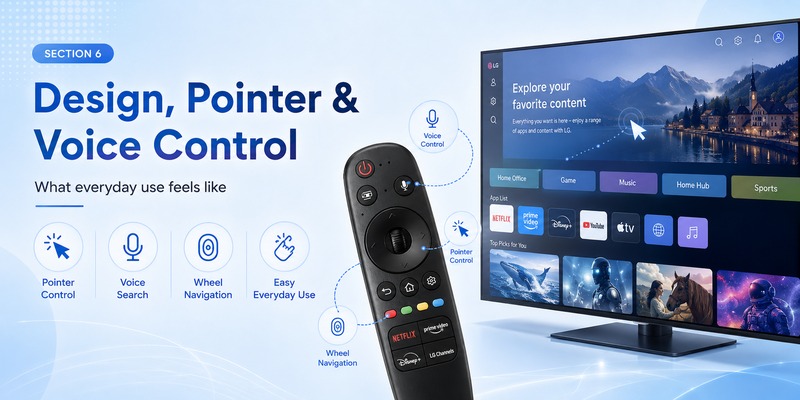
In everyday use, MR26GA and MR25GA should feel more similar than different because both retain the core Magic Remote controls LG emphasizes: pointer navigation, wheel control, voice recognition, and universal remote functionality.
Rather than choosing between them based on these shared features, it is more useful to consider how each function affects daily TV use.
Pointer navigation: similar core experience
Both remotes support LG’s mouse-like pointer, allowing you to move a cursor around the webOS interface by moving the remote.
This is especially useful when:
- Searching for content: Point directly at letters or search fields instead of repeatedly pressing directional buttons.
- Navigating apps: Move quickly between icons, menus, and on-screen controls.
- Using the webOS interface: Select smaller interface elements more naturally than with a traditional D-pad.
Because both models offer pointer navigation, this feature alone is not a strong reason to upgrade from MR25GA to MR26GA.
Wheel control: useful for scrolling and selection
The central wheel combines scrolling with an OK/select function.
It can make long content rows, menus, and webOS pages easier to navigate without repeatedly pressing the up or down buttons.
For most users, the wheel experience is part of the standard Magic Remote workflow on both models, rather than a major difference between MR26GA and MR25GA.
Voice control: useful, but partly dependent on the TV
LG lists intelligent voice recognition for both MR26GA and MR25GA.
Voice control can reduce manual input when searching for movies, opening supported apps, or using compatible TV functions.
However, available voice features depend partly on the television itself, including the webOS version, region, language, network connection, and supported services.
A newer remote cannot add TV-side voice features that the television does not support.
What matters most in everyday use
For most owners, the practical differences between MR26GA and MR25GA are therefore less about pointer speed or voice control and more about compatibility, replacement needs, and price.
- Already using MR25GA successfully: There is little everyday-use benefit in replacing it only because MR26GA is newer.
- Buying a replacement remote: MR26GA may be the better option if your exact TV is confirmed compatible.
- Choosing based on pointer or voice: Either model provides the main Magic Remote experience.
The key takeaway is simple: choose the remote that is confirmed compatible with your TV rather than expecting MR26GA to provide a dramatically different control experience.
Should You Upgrade in LG MR26GA vs MR25GA?
If your MR25GA is functioning properly, an immediate upgrade is unlikely to be necessary for most users.
The main reasons to consider MR26GA are broader compatibility, replacement of a lost or damaged remote, or the desire to buy the newer model when purchasing a remote for the first time.
Keep MR25GA if your current remote works
MR25GA already provides the important Magic Remote functions. Replacing a perfectly functional remote simply because the model number changed from 25 to 26 is unlikely to transform the way you use your television.
In this situation, the practical winner of LG MR26GA vs MR25GA is whichever remote you already own.
Choose MR26GA when buying a new replacement
The equation changes when you no longer have a working remote.
If your television is officially supported by MR26GA, buying the newer generation can make sense because LG lists compatibility across the 2026, 2025, and 2024 TV generations.
That broader range may be useful if you move the remote between compatible televisions or replace your TV later.
Compare genuine and third-party models carefully
Another consideration is authenticity.
Many third-party remotes use LG model numbers in listing titles even when the product is not an original LG Magic Remote. Some replacements may perform basic navigation correctly while lacking Bluetooth pointer functionality, voice support, or specific shortcut buttons.
Before purchasing, check whether you are buying a genuine LG model or a compatible replacement.
This detail can matter more than the theoretical difference in LG MR26GA vs MR25GA itself.
Explore Related Articles: How to Connect LG Remote to TV: Complete Pairing and Recovery Guide
What Older LG Magic Remote Comparisons Tell Us
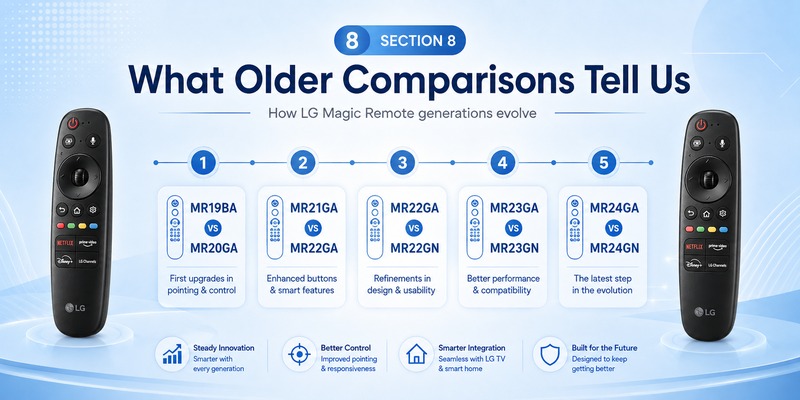
LG remote model numbers change frequently, and older searches can help explain why buyers become confused about compatibility.
For example, mr22ga vs mr22gn commonly refers to two variants associated with LG’s 2022 Magic Remote generation. MR22GN is particularly known for its NFC-related Magic Tap capability, while the basic Magic Remote navigation experience is shared across the family.
Similar searches such as mr23ga vs mr23gn and mr24ga vs mr24gn show that buyers should pay attention to complete suffixes instead of assuming two similar-looking model numbers are automatically identical. Regional availability and additional hardware functions can affect how particular variants are sold.
There is another lesson from generational searches such as mr20ga vs mr19ba or mr21ga vs mr22ga. A newer annual remote does not necessarily mean that the previous year’s device immediately stops working with newer or older TVs. Compatibility across adjacent generations has appeared repeatedly within LG’s Magic Remote ecosystem.
That pattern helps explain the current LG MR26GA vs MR25GA question.
The correct approach is not simply “26 is newer than 25, therefore buy 26.” Instead, start with the TV model, identify confirmed compatibility, compare required features, and only then select the remote.
Using a remote TV App as an Alternative
A physical Magic Remote offers one major advantage that smartphone controls cannot perfectly replicate: immediate tactile operation.
You can pick up the remote, adjust volume, scroll, return home, or select content without unlocking another device.
However, a remote TV App can still be useful when the original remote is lost, damaged, out of battery, or somewhere inconvenient.
For compatible smart TVs, phone-based remote solutions can provide common controls such as navigation, volume adjustment, playback commands, keyboard input, and app access depending on the television and app.
This makes a mobile remote a useful complement to the LG MR26GA vs MR25GA decision rather than necessarily a permanent replacement for Magic Remote hardware.
For example, if you have temporarily lost your MR25GA, using an app may be more economical than immediately buying MR26GA. On the other hand, users who depend heavily on the physical pointer, wheel, dedicated buttons, and voice interaction may still prefer an actual Magic Remote for everyday use.
View Related Articles: LG TV Remote iOS: Official iPhone Setup and Control Guide
Frequently Asked Questions
Is MR26GA newer than MR25GA?
Yes. MR25GA is LG’s 2025 Magic Remote, while MR26GA is the model associated with the 2026 generation. In LG MR26GA vs MR25GA, MR26GA is therefore the newer remote.
Does MR26GA work with 2025 LG TVs?
LG’s U.S. product page states that MR26GA is compatible with 2025 and 2024 TVs in addition to the listed 2026 series.
However, users should still check their exact television model and regional LG support page before purchasing.
Does MR26GA have a pointer?
Yes. LG lists intuitive mouse-like pointing and wheel control as one of MR26GA’s primary features. The same core capability is also listed for MR25GA.
This means the pointer itself is not a major differentiator in LG MR26GA vs MR25GA.
Is voice control available on both models?
Yes. LG lists intelligent voice recognition as a feature of both MR26GA and MR25GA.
Available commands and services may depend on your television, market, software, and supported language.
Should I replace MR25GA with MR26GA?
Not necessarily.
If your MR25GA works correctly with your TV, there is little reason to replace it simply to own the newer model. When comparing LG MR26GA vs MR25GA, the strongest reason to choose MR26GA is compatibility when purchasing a new or replacement remote.
Which one should I buy for a 2026 LG TV?
For a 2026 television, MR26GA is the logical starting point because LG officially lists it as the 2026 Magic Remote and identifies specific supported 2026 series.
Always confirm the complete TV model before ordering.
Which one should I buy for a 2025 LG TV?
If your television officially supports MR25GA and you find it at a good price, there is no obvious need to avoid it.
However, if MR26GA is confirmed compatible with the same television and costs about the same, the newer remote may offer better flexibility because of its officially stated compatibility across multiple recent TV generations.
That is one of the most practical considerations in LG MR26GA vs MR25GA.
🧭 Explore Guides: Which LG Magic Remote Is Compatible With My TV? Complete Compatibility Guide
Final Verdict: LG MR26GA vs MR25GA
MR26GA should not be viewed as a revolutionary replacement for MR25GA. Both remotes preserve the main features people expect from LG’s Magic Remote system: pointer navigation, wheel control, intelligent voice recognition, and universal remote functionality.
The more meaningful distinction is compatibility.
MR25GA remains an appropriate choice for compatible 2025 LG televisions. If you already own one and it works properly, there is little reason to replace it purely because a newer model has launched.
MR26GA becomes more attractive when purchasing a replacement or choosing a remote for a 2026 television. LG specifically identifies it as the 2026 Magic Remote, while also stating compatibility with 2025 and 2024 TVs.
Therefore, the winner in LG MR26GA vs MR25GA depends on your situation rather than simply the generation number.
Keep MR25GA if you already own a compatible, functioning remote. Choose MR26GA if your television is confirmed compatible and you want the newer model with broader officially stated generation support. Most importantly, check the complete model number of your LG TV before purchasing either remote.
Once compatibility is confirmed, the LG MR26GA vs MR25GA choice becomes much simpler: buy the remote that supports your television and required features instead of paying for a model-year upgrade you may not actually need.
Download LG TV Remote