Panasonic TV Remote Not Working Troubleshooting Guide
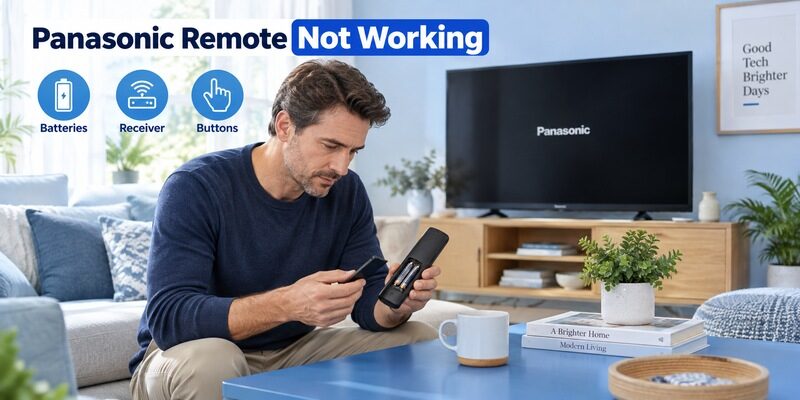
Short answer: Start with fresh correctly installed batteries and a clear path to the TV receiver.
A Panasonic TV remote not working can result from the handset, its setup, an obstructed sensor, or a television that is itself unresponsive. The quickest useful approach is to separate those possibilities before replacing parts or changing settings. A working Power button, for example, does not prove that a wireless voice connection is healthy.
This guide follows the symptoms you can observe: no response, only some keys failing, short range, or a silent microphone. It also explains how to test infrared cautiously, when to use the model’s pairing instructions, and how to decide whether a compatible replacement or television service is the appropriate next step.
Fast Checks for a Panasonic TV Remote Not Working
Change one condition at a time so you can tell which check restored control. Keep the remote pointed at the television during basic infrared tests, and avoid entering a factory reset menu simply because ordinary button presses are not responding.
• Check the TV first: Try its physical power control and observe the screen or indicator.
• Replace the battery pair: Use the size and type specified for the handset and follow the polarity marks.
• Clear the receiver: Move objects that block the television’s front sensor area.
• Release stuck keys: Remove anything pressing against the remote and check that each key returns normally.
• Confirm the controller: Verify that the handset belongs to this TV or has the correct universal profile.
If these checks resolve a panasonic tv remote not working complaint, retest from your usual seat before stopping. A temporary close-range success can conceal a weak battery contact or a remaining obstruction. Note which action helped so you can recognize the pattern if it returns.
📘 Find the Right Guide: Panasonic TV Remote: Choose, Set Up and Replace It
Separate a Dead Remote from an Unresponsive Television
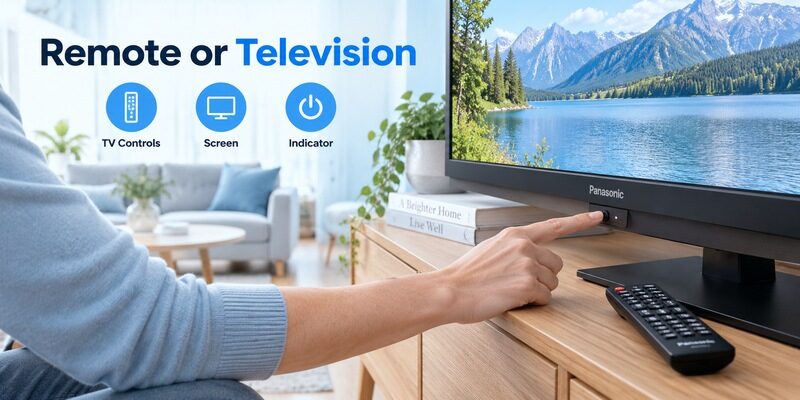
Test a physical television control
Find the TV’s power button using its operating instructions. Its position and available functions vary; it may be on the side, rear, or underside. Use it as documented rather than holding an unidentified switch for a guessed reset sequence.
When investigating a panasonic tv remote not working, a successful physical power test establishes that the television can at least respond locally. It does not prove every receiver or software function is healthy. If the television does not respond at all, move to its power troubleshooting guidance before spending money on another remote.
A local-control test should use a button whose purpose you have identified, not a connector or an unlabelled opening. If the manual shows a multifunction switch, follow the on-screen guide that appears. This avoids confusing a normal input menu with a failed power command. Photographing the visible result can help when the control is difficult to reach and another person will continue the diagnosis later.
Observe the screen and indicator together
Record whether the screen shows a menu, remains black, or briefly lights before shutting down. Note whether the indicator is steady or repeats a blinking pattern. A blinking TV light and a light on the remote are different observations and should not be described interchangeably.
Repeated fault blinking belongs to television diagnosis. Panasonic’s no-power guidance directs persistent problems toward support. A panasonic tv remote not working explanation becomes less likely when the set also ignores its own controls and repeatedly shuts down. Do not open the television or infer an internal board failure from a generic online blink chart.
Use the Symptom to Choose the Next Test
| Symptom | Check next | Useful distinction |
|---|---|---|
| Every button fails | TV controls batteries and receiver path | TV issue versus remote issue |
| Power works but voice fails | Supported pairing and voice setup | Infrared versus wireless function |
| Only several keys fail | Button condition and command mapping | Local wear versus profile mismatch |
| Range is very short | Fresh batteries and clear line of sight | Power or obstruction issue |
| TV menu works but an app does not | Active app or external device | Controller versus current software |
A failure that began suddenly
If the panasonic tv remote stopped working without a new purchase, identify the last change: battery replacement, a moved soundbar, a drop, a spill, or a television update. Treat that as a clue, not a proven cause. Repeat a safe comparison that isolates the change before deciding what it means.
For example, move a newly positioned speaker away from the receiver and test again from the same seat. That gives stronger evidence than simultaneously changing batteries, restarting the TV, and reprogramming the remote. A panasonic tv remote not working investigation is faster when successful and unsuccessful tests remain interpretable.
Also distinguish a frozen application from a frozen television. If the TV’s own settings open but one streaming page ignores navigation, the handset has demonstrated some useful control. Check that app or the attached device before replacing the remote. A panasonic tv remote not working report becomes more precise when it names the interface that fails and another interface where the same buttons still respond normally.
A replacement that never worked correctly
If the handset is new, prioritize compatibility and setup. Confirm the full television model, remote part number, and any required programming. Similar buttons or a Panasonic label cannot establish that Menu, Input, and microphone functions match.
A new remote deserves a model check before a TV reset. Test the old handset if it still works, and describe specific missing functions to the seller. Keep packaging and order information while resolving an uncertain replacement so an exchange remains straightforward.
💡 Discover Helpful Guides
Can You Factory Reset a Panasonic TV Without a Remote?
Check Batteries and Contacts Even When the Batteries Are New

Verify the actual installation
A panasonic tv remote not working with new batteries still needs a polarity check. Read the symbols inside each slot; the two cells do not necessarily face the same way. Confirm that the batteries are the correct size and sit firmly without forcing the cover shut.
Use a matched fresh pair of the type specified by the remote manual. Panasonic’s troubleshooting guidance warns against mixing old and new cells or different battery types. A panasonic tv remote not working can persist when one apparently new battery came from an already used pair, so keep your test pair clearly identified.
Inspect without damaging the contacts
With the batteries removed, look for obvious corrosion, a displaced spring, or debris preventing contact. Do not bridge the contacts with metal or force a battery into a damaged slot. A loose cover that lets the cells shift may produce intermittent behavior when the remote is moved.
Visible leakage or damaged contacts changes the repair decision. Stop ordinary use and follow the battery manufacturer’s handling guidance or obtain a replacement. For an undamaged compartment, a dry external inspection is sufficient; dismantling the case is not necessary to check orientation and seating.
Restore the Infrared Signal Path
Remove receiver obstructions
A soundbar, decorative object, or cabinet edge can sit directly in front of the television’s infrared receiver. Check the receiver location in the manual, then create an unobstructed path from the remote. Panasonic specifically identifies front-mounted speaker obstruction as a possible cause in its remote troubleshooting guidance.
For a panasonic tv remote not working from the sofa, compare a nearer position with the usual seat while keeping other conditions unchanged. If range improves only after moving an obstruction, the useful fix is the room arrangement. Re-pairing a conventional infrared handset would not address that blocked path.
Consider what changed in the room since the last reliable viewing session. A new speaker, a moved ornament, or a different seating angle can explain why the remote seems suddenly weaker. Restore one earlier condition and repeat the same command. For a panasonic tv remote not working at one seat but working elsewhere, that simple comparison is more useful than resetting accounts or retuning channels.
Interpret distance tests cautiously
Do not turn a successful test from a few inches away into a claim that the remote is fully healthy. Weak batteries, contact problems, or a marginal emitter can remain possibilities. Try a known compatible handset from the same positions if available and record the difference.
Consistent comparisons matter more than repeated presses. When a panasonic tv remote not working behaves differently under different lighting or angles, note those conditions. A support agent can use that detail to separate a location-dependent reception issue from missing commands in a replacement profile.
📘 Find the Right Guide: Panasonic TV Remote: Choose, Set Up and Replace It
Test Infrared with a Camera Only as a Limited Check
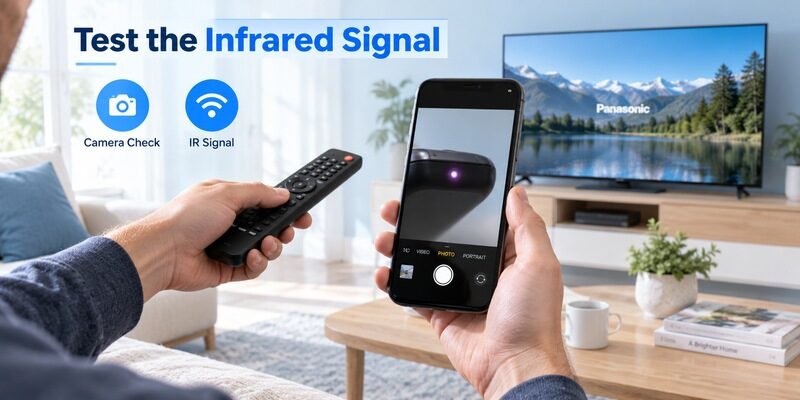
Confirm that the camera can see infrared
A phone camera may show a remote’s infrared emitter flashing while a suitable button is pressed. However, some cameras filter that light. Sony’s official infrared test guidance advises confirming the camera with another working infrared remote before relying on the result.
This is a general infrared test, not a Panasonic-specific compatibility test. No visible flash on an unverified camera proves nothing. For a panasonic tv remote not working, compare the suspect remote with a known working infrared unit through the same camera and under the same conditions.
Know what a visible flash cannot establish
A flash shows that infrared light is being emitted; it does not prove the command is correct for the television. It also does not test a Bluetooth microphone connection. Some hybrid handsets use infrared for only certain functions, so choose the test button according to the remote’s design.
If the camera shows emission but the TV ignores the remote, return to compatibility, receiver access, and television response. Do not conclude that the receiver board is defective from that observation alone. A panasonic tv remote not working diagnosis still needs a known compatible comparison or model-specific support assessment.
💡 Discover Helpful Guides: Lost Panasonic TV Remote and How to Regain Control
Reset the Handset Without Erasing the Television
Use a documented battery reset
Panasonic’s general remote troubleshooting page describes removing the batteries, pressing every button twice, and reinstalling the batteries. That is a handset check, separate from resetting the TV’s stored settings. Apply it to the relevant conventional remote guidance and test afterward.
A remote reset and a television factory reset are different actions. If a panasonic tv remote not working began after keys were trapped under a cushion, releasing the keys and completing the appropriate handset check is a proportionate response. Erasing television accounts and tuning data would not be the first step.
Remove any protective sleeve temporarily if it appears to hold a key down, then check the button movement without batteries installed. Do not spray liquid into the gaps or prise the keys out. A panasonic tv remote not working after external pressure may recover when the pressure is removed, but a damaged key mechanism needs a different repair decision. Preserve the handset identity before replacing it.
Follow separate instructions for wireless remotes
A voice or touch pad controller can require a different reset and registration sequence. Find the instructions for the exact television and accessory. Do not borrow a button combination from a Panasonic recorder, a different TV platform, or another brand’s streaming remote.
If the panasonic smart tv remote not working still sends Power commands, preserve that useful control while investigating wireless features. Use the guide to identify the correct setup branch rather than resetting everything at once.
Download TV Remote AppFix Home Volume and Other Individual Button Problems
Home and Menu fail
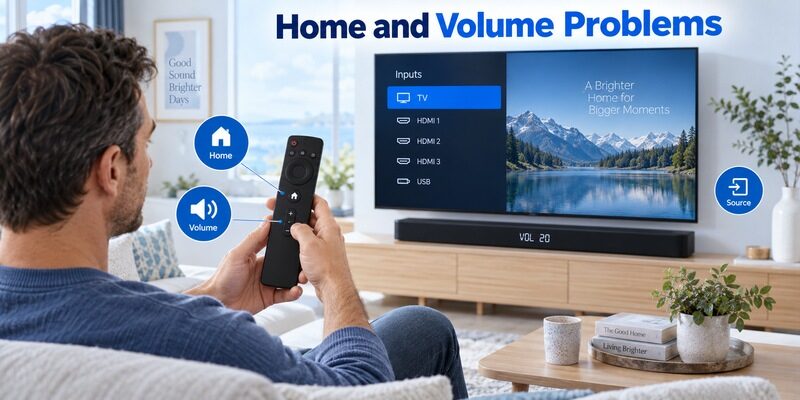
A panasonic tv remote home button not working can reflect a mismatched replacement or the wrong active interface. Try the television’s own menu and compare with the original handset if available. An older remote may use a different key to reach the TV’s main functions, so consult the model’s button map.
For panasonic tv remote some buttons not working, observe whether the failed keys feel stuck, worn, or physically different. A consistent group of missing commands on a new universal remote suggests checking its profile. The same keys failing after years of use can justify closer attention to the handset’s condition.
Volume behaves differently from navigation
A panasonic tv remote volume not working complaint needs the current audio output identified. The television may be sending sound to an external system, and a universal remote may have volume assigned to another device. Check which device actually changes when Volume is pressed.
Test TV volume and external audio separately where the setup permits. If navigation works normally, avoid treating a sound-routing question as a complete panasonic tv remote not working failure. Record the audio connection and any recent soundbar change before adjusting remote assignments.
📘 Find the Right Guide: App for Panasonic TV Remote: VIERA and Platform Options
Troubleshoot the Microphone as Its Own Feature
Pairing and service readiness
For panasonic tv remote mic not working, confirm that the handset and TV support voice together. On compatible wireless voice setups, the microphone may require registration even when basic infrared commands work. Internet access, account state, and supported language can also affect the voice service.
A panasonic tv remote voice control not working symptom therefore needs a different test from infrared range. Press the supported voice button and observe whether a listening interface appears. An absent listening prompt differs from a prompt that appears but misunderstands speech. Describe which event occurs before changing settings.
A microphone failure that began after a replacement purchase should bring compatibility back into the investigation. Ask whether the delivered handset supports voice on the exact TV, not simply whether it can turn the screen on. A panasonic tv remote not working only for speech can otherwise lead to repeated pairing attempts on hardware that was never intended to provide that feature in the first place.
Speech recognition and physical damage
If the listening interface appears, try a short supported command in a quieter room. Keep the microphone opening unobstructed and follow the model’s usage instructions. Do not assume that louder speech fixes an unsupported language or an unavailable service.
If voice alone remains absent after the documented setup checks, compare with another confirmed compatible controller if practical. A panasonic tv remote not working only in voice mode does not justify replacing a fully responsive television. Preserve basic navigation while arranging support for the narrower problem.
💡 Discover Helpful Guides: Can You Factory Reset a Panasonic TV Without a Remote?
Decide Between Replacement and Television Support
| Evidence | Reasonable next step |
|---|---|
| Confirmed compatible spare works normally | Investigate or replace the original handset |
| New remote lacks listed essential commands | Ask seller about exact compatibility or exchange |
| Several compatible remotes fail but local controls work | Seek model-specific receiver or software support |
| TV cannot start and repeats fault blinking | Follow television power support guidance |
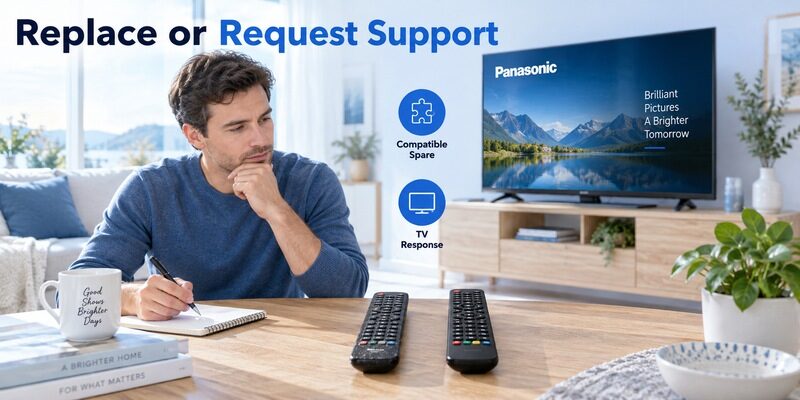
Replace the component supported by the evidence. The guide helps match a handset when the remote is the likely problem. Keep a note of your tests, the TV model, and the remote part number for a support conversation.
For a panasonic tv remote not working after a spill or serious drop, a replacement may be more practical than exploratory disassembly. For a television that repeatedly shuts down, another remote may add no useful test. Avoid internal TV repairs; the useful home-level work is observing behavior, checking accessible connections, and identifying the correct service route.
If the evidence remains mixed, stop changing settings and prepare a short support note. Include the original symptom, the tests that passed, and those that failed. Mention whether the remote is original or recently replaced, and whether the issue began after a drop, a spill, or an equipment change. A panasonic tv remote not working case is easier to resolve when the next person can follow the evidence without reproducing every earlier action.
💡 Discover Helpful Guides:
Panasonic TV Code for Xfinity Remote and Programming Guide
Keep Navigation Available with a Supported Phone
Remote TV App can offer temporary navigation on a compatible television that is already reachable through its supported network-control method. Check the information and verify that the intended TV responds. An app is a backup control method, not a repair for a TV that cannot start.
During a panasonic tv remote not working problem, use that backup to check ordinary settings or keep watching while a replacement arrives. Connection approval or first-time network setup may still require another working control. Test a harmless command first, especially if several televisions appear in the device list.
Keep the successful troubleshooting note with the remote information. If the same symptom returns, you can repeat the useful check without undoing unrelated settings. A prepared backup and a precise symptom record reduce the inconvenience much more effectively than collecting random reset combinations.
Once control returns, repeat the task that originally failed under the same conditions. If the problem occurred from the sofa, test there; if it affected a particular app, open that app again. Keep any successful change documented. A single response during troubleshooting is encouraging, but the relevant measure is whether ordinary use has become reliable without holding the remote differently or repeatedly pressing the same key.
Final Thoughts
If another household member continues the troubleshooting, leave the current state clear. Note which batteries are installed, which remote profile is active, and whether any temporary change remains in place. This prevents the next person from repeating the same uncertain test or assuming an experimental setting was the original configuration. Restore unrelated settings once their comparison is complete, and keep only changes that helped the actual symptom.
Resolve a panasonic tv remote not working by separating TV power, handset power, signal reception, and wireless features. Start with fresh batteries and a clear receiver path, then use the actual symptom to choose a controlled comparison.
A single failed key, a silent microphone, and a television that will not start need different next steps. Follow the exact model’s reset or pairing guidance, preserve useful working controls, and replace or service the component that the evidence points to.