
Panasonic TV Remote Viera Model Identification and Controls
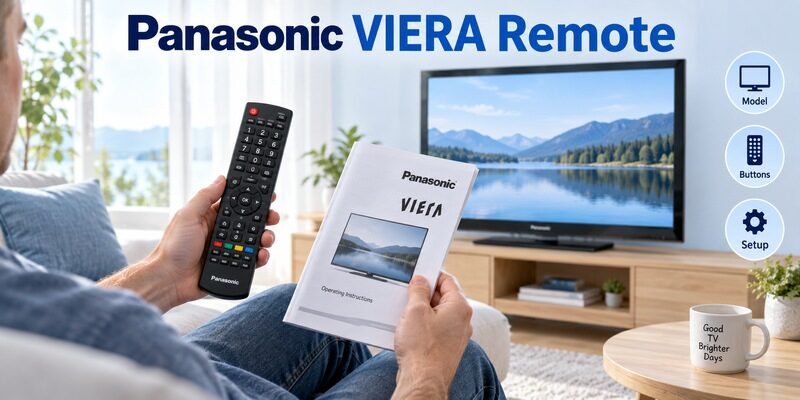
Short answer: Find the correct VIERA remote by matching the television model to its documented handset part number.
The phrase “panasonic tv remote viera” covers televisions from different generations, with different menus and remote designs. Some use a conventional numeric infrared handset; certain models also support a separate touch pad controller. A familiar Panasonic case or the VIERA name alone cannot establish that every button will work.
This guide helps you identify the remote for panasonic viera tv, understand the controls that matter on older sets, and distinguish basic infrared operation from pairing a supported accessory. It also explains how to evaluate replacement listings and preserve useful access when a particular key or controller stops responding.
Panasonic TV Remote Viera Identification by Remote Type
Start with the kind of controller you actually have. The right instruction branch depends on whether you are holding the television’s conventional handset, a supported touch pad accessory, or an unrelated replacement.
| Controller | Useful identifying clue | Relevant setup question |
|---|---|---|
| Conventional VIERA remote | Numeric keypad and TV menu keys | Is the handset the correct part for this TV |
| Supported touch pad controller | Touch surface and model-specific controls | Is the accessory registered to this TV |
| Universal replacement | Setup or device-selection keys | Which command profile is programmed |
| Modern voice remote | Microphone key and platform-specific design | Does this TV support that handset family |
Conventional numeric handsets
Many older VIERA setups use a long remote with numbers, directional keys, and dedicated television controls. Begin by checking its part number and the television’s manual. A panasonic tv remote viera match should preserve the keys needed to select inputs and navigate the television itself, even when most programs come from a separate streaming device.
Do not assume that a newer handset is required because an old one lacks an Apps or microphone button. A remote cannot add those capabilities to the television. The useful question is whether it operates the features the set already provides, including less obvious tasks such as changing picture format or opening the setup menu.
📘 Find the Right Guide: Panasonic TV Remote: Choose, Set Up and Replace It
Touch pad accessories
Certain supported Panasonic televisions have a separate touch pad controller with its own registration procedure. This is different from programming a universal remote with a numeric code. Keep the conventional handset available when possible because it may help you reach the accessory settings if registration needs attention.
When a panasonic tv remote viera search shows both controller styles, choose the documentation that names your television and accessory. Photographs can identify the broad category, but the supported model list determines whether that procedure is relevant. Treat an accessory listed for another VIERA generation as unconfirmed until a matching reference says otherwise.
Read Complete Part Numbers Such as N2QAYB
A prefix is not a complete model
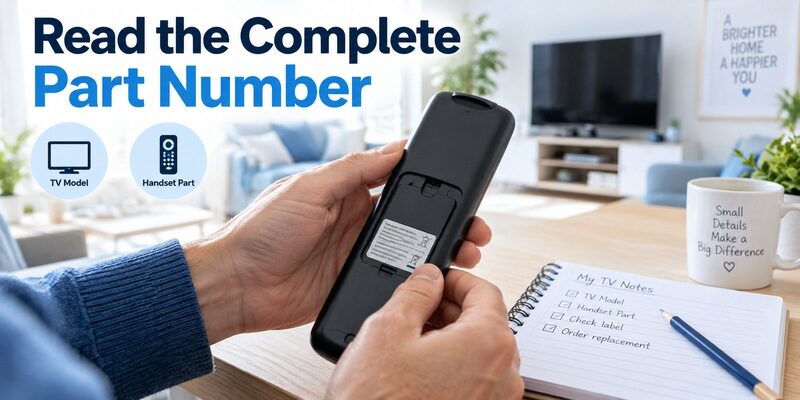
A panasonic tv remote n2qayb search returns many handsets because the prefix appears in multiple part numbers. The digits that follow it matter. Panasonic’s remote compatibility directory distinguishes those complete numbers across television series rather than treating N2QAYB as one interchangeable product.
Copy the entire identifier before searching. Look inside the battery compartment and on the rear case, then keep a clear photograph. If part of the printing has worn away, do not fill in the missing digits from a similar product picture. Use the full TV model to identify the documented original instead.
Keep the television and remote records together
Write the panasonic tv remote model number beside the television model with separate labels. The serial number can be useful for service, but it does not replace either product identifier when finding a manual. Screen size is another separate field and should not be substituted for the model.
This small record makes panasonic tv remote viera troubleshooting easier later. Someone helping over the phone can find the correct reference without guessing from a description such as “the old black remote.” It also reduces the risk of buying a handset for a different regional television with a similar front design.
If two remotes are stored together, label their intended televisions after confirming the match. This is useful when an older set moves from the living room to a bedroom and the handsets become separated from their manuals. A panasonic tv remote viera identification note should travel with the television so a later owner does not have to reconstruct its accessory history from appearance alone.
💡 Discover Helpful Guides
Can You Factory Reset a Panasonic TV Without a Remote?
Find the Manual That Belongs to the Television
Start from the TV operating instructions
For a panasonic tv remote old model, the television manual often provides the most useful remote diagram. It connects each button to the functions of that particular screen, which is more informative than a generic photograph of a handset sold for many models.
Panasonic’s TC-P60U50 operating instructions, for example, identify the supplied remote as N2QAYB000706 and show its button map. That is a specific documented pairing, not evidence that the same handset is correct for every VIERA television. Use examples to understand the lookup method, then confirm your own set.
Read the scope before following a procedure
A panasonic tv remote n2qayb manual result might be a sales page, a television manual, or a document for another device. Read the title and model list before using any key combination. Recorder and audio-system instructions can involve different remote modes even when the handset carries the Panasonic brand.
For panasonic tv remote viera instructions, the named model takes priority over a familiar menu label. If your screen does not show the documented option, stop and check the reference. Repeatedly trying unrelated combinations can create new confusion without answering the original control problem.
Save the relevant button-map page with the complete manual rather than keeping an isolated screenshot without a model name. A cropped diagram can lose the information that establishes which television it describes. In a panasonic tv remote viera support conversation, sharing the model and page title together helps another person confirm that the instructions and the physical handset belong to the same setup.
Understand Menu Navigation on an Older VIERA
Arrows OK Return and Exit
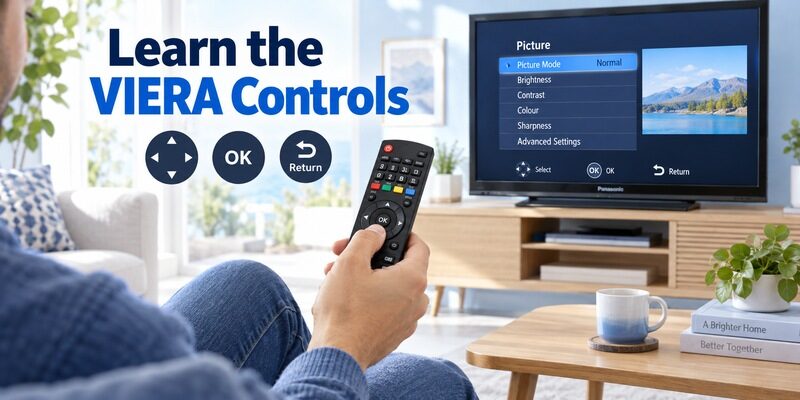
The directional keys move the on-screen selection, while OK confirms the highlighted item. Return or Back normally steps out of the current level where supported, and Exit leaves an interface according to the model’s design. Confirm those roles against the actual manual rather than assuming two differently labelled keys are identical.
Try a harmless navigation exercise before changing settings: open the television menu, move between two options, and leave without saving a change. This is a practical panasonic tv remote viera check because it tests a chain of essential commands. A handset with working Power but missing confirmation cannot complete that chain.
Context-dependent buttons
Colored keys and option buttons can change purpose with the current screen. Look for matching prompts on the television instead of assigning a permanent meaning from memory. A red key used in one guide does not necessarily perform the same action inside another application or connected device.
Read the screen before pressing a context key. When helping another viewer, explain the task in terms of the visible menu item as well as the physical button. That gives them a way to recognize a different screen and stop before selecting an unintended command.
Buttons marked Option or Tools can be particularly dependent on the active screen. Try them only when you can see the resulting menu and leave it without saving an unwanted change. Familiarity with that behavior makes panasonic tv remote viera operation less confusing than memorizing a long sequence of presses that assumes the TV always starts on the same page.
📘 Find the Right Guide: App for Panasonic TV Remote: VIERA and Platform Options
Keep Television Inputs Separate from External Device Menus
Select the physical connection
Input or TV/Video controls choose which connection the television displays. If a streaming box is connected to HDMI 2, selecting its app name inside another interface will not necessarily switch the TV to that socket. Note the physical connection when setting up the room so source selection remains clear.
A panasonic tv remote viera guide should distinguish that television task from navigating the connected device. The TV handset may provide some external control through supported features, but the external device can still require its own remote. Test the actual combination rather than assuming every button is forwarded.
Know which menu is on screen
A cable guide, a streaming home screen, and the TV picture menu belong to different devices or software layers. If a button seems to do nothing, first identify which layer is active. A TV Menu key may open television settings over the picture while another handset’s Menu key controls the box.
A visible picture proves the source is selected, not that every controller manages that source. Keep the remote roles simple for regular viewers. A short note such as “Panasonic for volume and input, box remote for programs” can be more useful than trying to force complete control through an unsupported combination.
Label HDMI connections according to the equipment attached, where the TV offers that feature. An input name such as Game or Cable can help a viewer recover after an accidental source change. This is a useful panasonic tv remote viera usability improvement because it explains the result of Input without requiring anyone to remember which numbered socket is hidden behind the screen.
💡 Discover Helpful Guides: Can You Factory Reset a Panasonic TV Without a Remote?
Check Picture Format Captions and Channel Controls
Picture shape and cropping
On models with a Format or Aspect control, the available choices depend on the incoming picture and television settings. Avoid repeatedly selecting Zoom to fix every black bar; zooming can crop captions or picture edges. Identify whether the source itself is sending an already cropped image before changing the TV.
For panasonic tv remote viera operation, keep the original picture setting noted while experimenting. Compare the same program before and after one change. This makes it easier to distinguish a deliberate aspect-ratio adjustment from a source issue, and lets you restore a comfortable view without guessing which option was selected earlier.
Captions and channels belong to a source
Television caption controls may apply to broadcasts received by the TV, while an HDMI device can generate its own subtitles. A dedicated CC key cannot be assumed to control every streaming application’s caption setting. Open the active source’s relevant menu when the television setting has no effect.
Similarly, channel up and down on the TV may not select programs on an external box. Use the control that belongs to the active source. This is often the explanation when a replacement appears to work for volume but seems ineffective for program selection.
💡 Discover Helpful Guides: Panasonic TV Remote Instructions for Buttons Menus and Daily Use
Pair a Supported VIERA Touch Pad Controller
Confirm the supported model first
Panasonic’s official touch pad pairing guide includes specific models such as TC-55EZ950 and TC-65EZ950. For those documented setups, registration starts with batteries installed and the controller close to the television. The guide specifies a distance within 50 cm and starting with a button other than Power.
That source-grounded example is useful because Power can have a different role from the accessory’s registered controls. It is not a universal panasonic tv remote viera pairing shortcut. Check the supported list and matching screen instructions before following it on another model.
Verify registration separately from power
After a supported controller registers, test its navigation and any available voice function. Do not treat a successful power command as proof that the accessory connection is established. If the TV provides touch pad settings, use the exact path documented for that model to inspect or repeat registration.
A conventional infrared handset does not become paired by following touch pad steps. If you are uncertain which type you own, return to its part number and manual. The guide explains the distinction between these setup branches.
Do not remove a working accessory registration merely to explore the menu. First establish how you would restore it and which controller would navigate the screen afterward. A panasonic tv remote viera setup with only one working input method deserves particular care: preserving access makes a failed registration attempt recoverable without creating a second problem.
Diagnose a VIERA Remote That Responds Inconsistently
| Observation | Next comparison | What to avoid assuming |
|---|---|---|
| Nothing responds | Test TV physical controls and fresh batteries | The remote alone is faulty |
| Power works but navigation fails | Confirm handset identity and control type | Power proves full compatibility |
| Works only very close | Check the receiver path and battery condition | A new code necessarily improves range |
| One source ignores keys | Compare TV and source-device menus | All HDMI devices accept TV commands |
Separate receiver access from handset identity
Check whether furniture, a speaker, or another object blocks the television’s receiver area. Then test from the same position with a known compatible handset if one is available. A panasonic tv remote viera problem that affects both remotes deserves attention on the TV side rather than another speculative replacement order.
If only a newly purchased handset fails, review the part number and advertised function coverage. Keep the troubleshooting reversible and specific. A factory reset erases settings and is an excessive first response to an unverified remote match, especially when the original still controls the television normally.
Preserve a useful working reference
Keep the old remote until a replacement has passed all essential tests, even if some old buttons are worn. Its working functions can help compare menu access or identify the intended command. Describe any limitations when using it as a reference rather than treating its failures as evidence against the new unit.
For panasonic tv remote viera diagnosis, write down the exact button, visible screen, and response. “Input opens but OK never confirms” narrows the problem far more than “remote unreliable.” That observation can guide a seller, support agent, or another household member without requiring them to repeat every experiment.
💡 Discover Helpful Guides: Panasonic TV Remote Universal Compatibility and Setup Guide
Use Modern Replacements Without Confusing TV Generations
Screen size does not establish compatibility
A panasonic tv remote 55 inch search can return controls for several unrelated TV platforms. Likewise, a panasonic google tv 32 inch remote listing describes a different product context from an older VIERA handset. Use the model and operating platform together, not the screen size alone.
If a search result mentions gs655 panasonic tv remote or panasonic tv remote eur7737z20, verify the complete identifier against your television before buying. A specific-looking number can still be the wrong specific number. Its appearance in a search result establishes relevance to that query, not compatibility with your screen.
Judge a replacement by required tasks
Compare input selection, menu navigation, picture controls, and any supported accessory features. A panasonic tv remote viera replacement can be acceptable without reproducing every decorative detail of the original, provided it performs the required tasks and the limitations are understood.
The guide covers seller and return checks. Retain the delivered packaging while testing, and record the successful part number once you have confirmed it. That record is particularly useful when an older TV remains in service for several more years.
📘 Find the Right Guide
Panasonic TV Remote in Mobile for Android and iPhone
Consider Phone Control Only Where the TV Supports It
Remote TV App can provide another way to navigate a supported networked television when a physical handset is unavailable. Check the compatibility information for the actual platform. The VIERA label alone does not guarantee phone control.
An older set that lacks a supported network-control interface cannot gain one through an app installation on the phone. Even a suitable smart TV may require an existing network connection or an approval step. Test those requirements while another controller is still available so the backup is ready when it is needed.
For a panasonic tv remote viera household, preserve the easiest reliable combination. That may be a documented physical replacement with a phone backup, or simply the original numeric handset beside a streaming-device remote. Choose based on the screen’s capabilities and the viewer’s routine, not the assumption that one modern controller must replace every older control.
Frequently Asked Questions
Does VIERA identify one remote model
No. VIERA appears across different television generations and supported accessories. A panasonic tv remote viera search needs the complete television model to become a reliable parts lookup. Use the remote’s full part number as a second check when it is readable.
Do all VIERA remotes need pairing
No. Conventional infrared handsets and supported touch pad accessories use different setup methods. Identify the controller before trying registration steps. A working infrared power command should not be used as the only test of a wireless accessory connection.
Is an N2QAYB prefix enough to buy a replacement
No. Record the digits after the prefix and confirm the complete part against the TV model. Similar-looking handsets can differ in commands and layout. A seller should be able to answer a specific compatibility question about the entire identifier.
Can a new voice remote add voice to an old VIERA
A microphone handset does not add unsupported television hardware or software. Confirm documented voice support first. For panasonic tv remote viera use, a correctly matched conventional replacement may be the appropriate solution even when newer remotes advertise more features.
Before handing the television to another person, demonstrate a complete trip from standby to the usual program and back again. Let them perform the sequence themselves using the available remotes. This confirms that the documented controls are usable in practice and reveals any missing source-selection step before the setup changes hands.
Final Thoughts
Treat panasonic tv remote viera identification as a television-model and handset-part match. Find the correct operating instructions, check the controls used in daily viewing, and distinguish conventional infrared operation from supported accessory pairing.
Keep source selection, TV menus, and external-device controls clear. When replacing the remote, test those real tasks before accepting the purchase. A precise model record and a compatible backup make an older VIERA setup much easier to maintain.
Download TV Remote App