
TCL 32 Inch Smart TV Remote Selection Guide
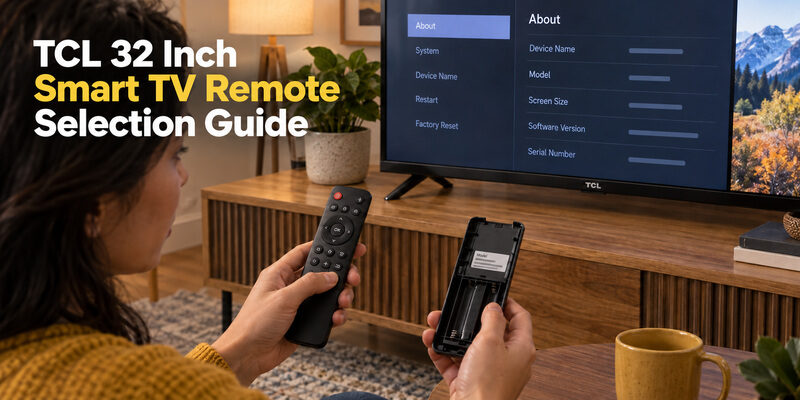
Short answer: Choose a remote by the TV’s exact model and operating platform, not its 32-inch screen size.
TCL sells televisions of the same size with different smart-TV systems, and those systems do not necessarily use interchangeable controllers. A replacement can also provide basic infrared buttons while omitting the wireless connection needed for voice features. The right purchase starts with a model match and a clear list of required functions.
This TCL 32 inch smart TV remote guide explains how to identify your set, compare replacement types, check seller claims, and verify the result after delivery. It also covers phone control as a temporary option and shows why a listing for a larger TCL television is not enough evidence of compatibility.
Identify Your TCL 32 Inch Smart TV Remote Requirements
Start with the television’s complete model
Read the model from system information, an accessible rear label, or the original purchase record. Preserve letters, numbers, and regional suffixes exactly. The number at the beginning may describe screen size, but the rest of the identifier distinguishes the product family and version.
A TCL 32 inch smart TV remote search becomes much more useful when you add that complete model. If the television is mounted and the label cannot be reached safely, use existing records or the on-screen information instead of moving the screen just to read it.
Identify the controls that must be retained
Write down whether you need voice search, input selection, volume, a numeric keypad, or only ordinary navigation. Compare those needs with the original handset and the television manual. A replacement that wakes the screen may still lack the button you use most often.
Compatibility includes functions as well as power. Before buying a TCL 32 inch smart TV remote, decide which features are essential and which printed app shortcuts are merely convenient. This makes a seller’s answer easier to judge and prevents an apparently inexpensive replacement from becoming an incomplete one.
💡 Discover Helpful Guides: How to Pair an Xfinity Remote With a TCL TV: Step-by-Step Guide
See Why Two 32 Inch TCL Sets Can Need Different Remotes
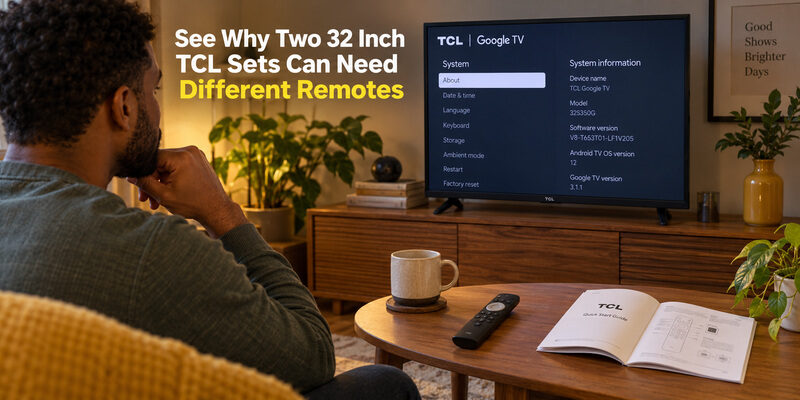
TCL’s official product pages provide a useful example: the 32S350G family is described as Google TV, while the 32S350R family is described as Roku TV in its relevant regional listings. These are examples of different platforms at the same size, not a replacement-part compatibility table.
| Evidence from the TV | What it tells you | What it does not prove |
|---|---|---|
| 32-inch screen size | Display dimensions category | Remote protocol or voice support |
| Complete model and region | Specific product identity | That every similarly named remote fits |
| Google TV or Roku TV platform | Which control family to investigate | Exact replacement part number |
| Original remote model | Useful replacement reference | Condition of the remote being sold |
| Confirmed supported-model listing | Seller’s compatibility claim | Every feature unless explicitly stated |
Use product examples to identify the platform, not to guess a part number. A TCL 32 inch smart TV remote can differ from another one even when the screen dimensions and manufacturer match perfectly.
The same caution applies to a TCL Android TV 32 inch remote listing. Confirm that your television actually uses that platform and that the listed controller supports the specific model. “Smart TV” is a category, not a single remote-control standard.
Recover Useful Information From the Original Handset
Inspect the label and button layout
If the original controller is available, photograph its front and any model label in the battery area or on the rear. Remove only the normal battery cover as instructed. There is no need to split the housing to obtain an ordinary replacement reference.
A microphone button, directional pad, and shortcut arrangement can help distinguish versions. However, two shells may look similar while using different electronics. Treat a TCL TV remote image in a listing as supporting evidence alongside a model statement, rather than as the sole compatibility test.
Record what already works
Before discarding the old handset, test which controls respond. If Power works but voice does not, the issue may involve wireless pairing or assistant setup rather than complete remote failure. A lost battery cover is also different from a failed circuit board.
Keep a useful working comparison. A TCL 32 inch smart TV remote replacement can be evaluated against the old handset’s functioning buttons. Record those results so you do not later mistake an existing television or sound-system problem for a defect in the new controller.
📖 Read More Guides: TCL TV Remote: Complete Setup, App, Codes, Troubleshooting & Replacement Guide
Compare Original Compatible and Universal Controllers
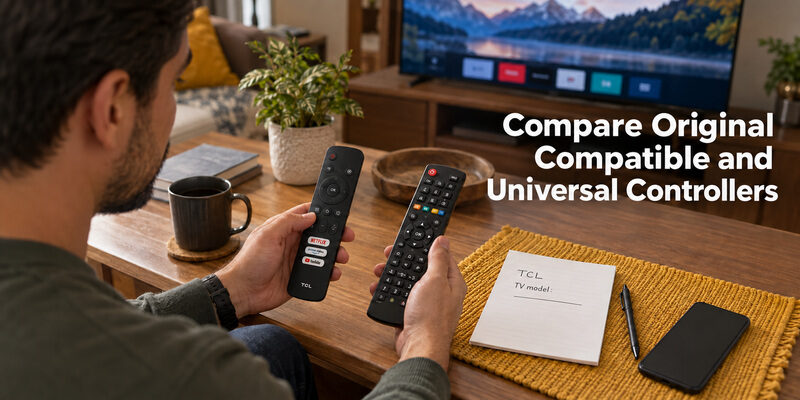
Choose an original replacement for a known feature match
An original replacement associated with the exact television or confirmed part number can simplify matching, especially when voice control matters. Still verify the supplied item, regional version, and whether the seller’s use of “original” is supported by product information.
For a TCL 32 inch smart TV remote, a recognizable logo is not enough to establish provenance. Ask whether the listing is an original manufacturer part or a third-party replacement designed to be compatible. Clear wording is more useful than a photograph of a familiar brand name.
Evaluate compatible replacements by their stated functions
A compatible third-party handset may be suitable for basic navigation and sound. Look for a supported-model list and an explicit statement about any microphone or pairing requirements. Do not assume that a microphone-shaped button guarantees a working voice feature.
Buy the feature set you can verify. A basic TCL 32 inch smart TV remote can be a sensible choice for someone who never uses voice, provided Home, Back, Input, and audio controls meet that viewer’s actual needs.
Use a universal remote when its limits fit the job
A universal infrared controller can be useful for supported basic TV commands. It requires the manufacturer’s appropriate code or search process, and it may not reproduce every smart-TV shortcut or wireless feature.
Choose it when the intended task is clear, such as controlling power and television volume alongside other equipment. Avoid treating “universal” as a promise of complete equivalence to the original voice remote.
📘 Find the Right Guide: TCL Roku TV Remote Not Working? Easy Fixes to Get It Working Again
Check Voice Power and Input Claims Separately
Verify whether voice requires pairing
On supported TCL Google TV and Android TV setups, voice functionality relies on the appropriate wireless connection. Basic infrared operation may work before that connection is restored. TCL’s pairing guidance should be followed for the exact platform and handset.
When assessing a TCL 32 inch smart TV remote, test a simple spoken request only after ordinary navigation works. If the TV hears the request but cannot complete it, investigate the assistant’s settings, network, and supported features before assuming the remote microphone is faulty.
Check controls for external equipment
Input selection changes what the television displays; it does not necessarily control the connected console, receiver, or streaming player. Volume behavior can also depend on whether sound comes from the TV speakers or an external system.
A successful Power test is incomplete evidence. Ask whether the replacement supports the TV’s input menu and the audio controls you need. If the listing focuses only on turning the screen on and off, obtain a clearer feature answer before purchasing.
Read Price and Seller Terms as a Complete Offer
Compare equivalent products
A TCL 32 inch TV remote price has little meaning without knowing whether the item is original, compatible, universal, new, or used. Shipping, included batteries, a return window, and support for a failed compatibility claim can also change the practical value.
Use the current price shown for your location and account. Avoid comparing a bare used handset against a new complete package as though the products were identical. The relevant question is what the total offer provides for your specific TV.
Obtain a useful compatibility answer
Send the seller the complete model and the functions you require. Ask whether the supplied controller supports that model’s power, navigation, input selection, volume, and voice where relevant. Keep the response with your order details.
Specific answers reduce replacement risk. A TCL 32 inch smart TV remote listing that names your model and explains voice support is easier to evaluate than one claiming to fit every TCL television. If the answer remains vague, use a seller who can identify the product more clearly.
Compare two household televisions without mixing their details
If you are replacing controllers for more than one room, make a separate note for each television. Include the model, platform, original remote reference, and the features that viewer needs. Similar screen sizes and black remote shells can make two distinct products easy to confuse during ordering.
Label each candidate purchase with its intended room before checking out. A TCL 32 inch smart TV remote confirmed for the bedroom should not automatically be ordered again for a kitchen set just because both screens carry the same brand. Obtain an independent match for the second model.
Where a seller claims that one handset supports both televisions, ask whether all required functions are supported on each. The answer may differ for voice, inputs, or app shortcuts. Keep the explanation attached to the appropriate order instead of relying on memory after delivery.
Consider the viewer’s everyday handling needs
Compare how easily the intended user can identify Home, Back, and Volume. Small labels, closely spaced buttons, or a different layout can make an otherwise compatible product less convenient. These are usability considerations rather than proof of electrical compatibility, so assess them after the model match is established.
A TCL 32 inch smart TV remote used in a guest room may need a simpler written instruction than one used by its regular owner. Show the normal route to the viewing service and how to return after selecting the wrong menu. The successful replacement should make those ordinary actions straightforward, not merely provide a long list of buttons.
📖 Explore Articles: TCL TV Remote Download: Control Your TCL TV With Your Phone
Avoid Matching by Another Screen Size Alone
Understand when a larger-model listing is only a lead
Search results for a TCL 43 inch smart TV remote or TCL 55 inch smart TV remote may show a familiar handset. A remote can serve multiple models, but shared appearance and brand do not establish that your 32-inch model is among them.
The same applies to TCL 40 inch smart TV remote and TCL 65 inch smart TV remote listings. Look for your exact television in the supported-model information or obtain a direct confirmation. Do not infer compatibility from the largest screen size printed in a sales title.
Separate picture technology from controller support
Descriptions such as 4K, QLED, or LED refer to display-related characteristics, not a universal remote family. A TCL 4K TV remote or TCL LED TV 32 inch remote phrase may narrow a search but still leave the platform and part number unresolved.
Size and picture labels cannot replace model matching. For a TCL 32 inch smart TV remote, keep returning to the complete identifier and required features. A larger television’s controller is a candidate only when its support information includes your actual set.
Inspect and Test the Replacement During the Return Window
Check the item before setup
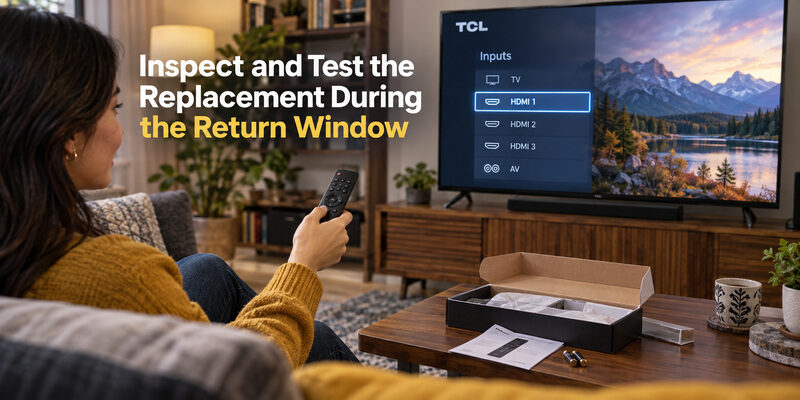
Compare the delivered model and button layout with the listing. Inspect the battery compartment, cover, and visible contacts, then install the specified batteries with the indicated polarity. If the controller is rechargeable, follow its charging instructions instead.
Keep the packaging until the TCL 32 inch smart TV remote has completed a normal viewing session. If there is obvious shipping damage or the supplied item differs from the order, document that before attempting unnecessary repairs.
Run a repeatable viewing test
Use the same short sequence each time so you can compare results without changing several devices at once. Test from a normal seating position and keep the TV’s receiver area unobstructed for infrared commands.
| Function | Practical test | What to note |
|---|---|---|
| Power | Wake and return to standby | Consistent response |
| Navigation | Home, directions, OK, Back | Correct selection and exit |
| Sound | Volume and Mute | Actual speaker or sound system response |
| Input | Select a connected HDMI source | Correct source displayed |
| Voice if supported | One simple request after pairing | Listening response and command result |
Test every required function before deciding to keep it. A TCL 32 inch smart TV remote that works only at very close range, misses directions, or lacks promised voice support deserves investigation while the return terms still apply.
💡 Discover Helpful Guides: TCL TV Not Responding to Remote Troubleshooting Guide
Diagnose a Partial Match Before Buying Again
Separate setup problems from missing features
If basic keys work but voice does not, verify the documented pairing process. If only sound fails, check the active audio output. If a universal controller handles Power but not Input, another manufacturer-listed code may provide a better command match.
A TCL 32 inch smart TV remote can appear incompatible when its setup is unfinished. Record the working functions before retrying anything. This prevents a successful connection from being discarded because one separate feature needs configuration.
Recognize when the listing does not meet the requirement
If the seller confirms that the remote does not support the feature you need, repeated resets will not add that capability. Use the return route and choose a correctly specified controller. A missing microphone or absent button is not a pairing error.
Do not reset the television to compensate for an unsuitable purchase. Factory reset can remove the network and accounts while leaving the same hardware mismatch. Preserve working TV settings and focus on the controller’s documented support.
Keep Watching While You Arrange the Right Handset
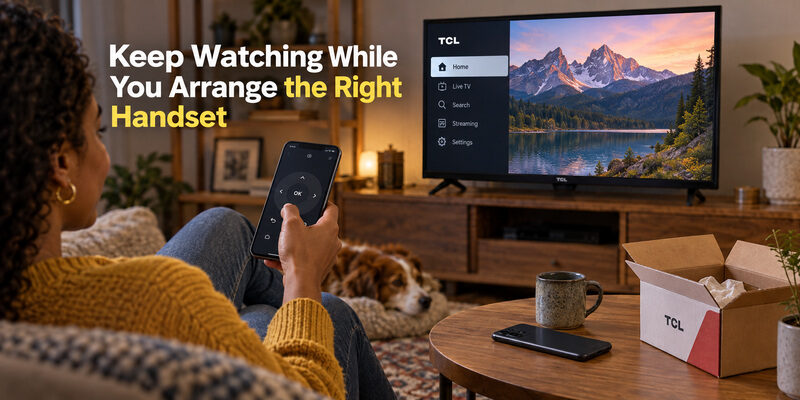
A compatible phone remote can provide temporary navigation when the TV is already configured and reachable. Match the app to the built-in platform, use its required network, and complete any on-screen pairing process. A new or reset television may still need a physical setup controller.
For supported models, is an option to evaluate while you replace the handset. Verify the actual functions before relying on the backup. Phone control does not make every TCL 32 inch smart TV remote interchangeable or restore a disconnected TV’s network automatically.
The guide covers replacement selection more broadly. If your set uses Google TV, the guide explains the phone connection route.
Use a Remote TV App to Control Your TCL TV
If your TCL remote is lost, broken, or out of battery, a Remote TV App can turn your phone into a convenient replacement remote. Once your TCL TV is powered on and connected to a compatible network, you can use your smartphone for everyday controls instead of relying on the physical remote.
Control Your TCL TV With the Remote TV App by Begamob
The Remote TV App by Begamob is designed to make TV control easier from your phone. It supports popular smart TV brands, including TCL, and provides the essential controls most users need for daily viewing.
Depending on your TCL model and connection, you can use the app to:
- Navigate menus and apps
- Adjust the volume
- Change channels
- Use Home, Back, and directional controls
- Control playback
- Enter text more easily using your phone
- Manage compatible TVs from one mobile device
Setup is straightforward: connect your phone and TCL TV to the same Wi-Fi network, open the Remote TV App, and select your TV when it appears. Follow any pairing instructions shown on the television.
This makes the app especially useful when you lost your TCL TV remote, the batteries suddenly run out, or you simply prefer using your phone instead of keeping another physical controller nearby.
However, keep in mind that a phone remote normally requires the TV to be powered on or available through a supported network standby mode. If your TCL TV is completely offline or disconnected from Wi-Fi, use the TV’s physical power button first, then connect the app once the television is accessible again.
Want an easier backup for your TCL remote? Try the Remote TV App by Begamob and control your TV directly from your phone.
Questions About Buying a 32 Inch TCL Remote
Will any TCL remote work with a 32-inch TCL TV?
No. Match the complete model, platform, and required features. Screen size and brand alone do not establish compatibility. A remote that handles basic infrared commands may still lack the wireless or voice functionality of the original controller.
Can I use a remote advertised for a 55-inch model?
Possibly, if its documented supported-model list includes your exact TV. A sales title naming a larger size is not enough evidence. Ask for confirmation and verify the functions you need before treating it as a TCL 32 inch smart TV remote replacement.
Is an original remote always necessary?
No. A clearly compatible replacement can be suitable when its features match your needs. An original part may simplify a specific feature match, but provenance, model support, condition, and return terms still matter. Evaluate the supplied item rather than the label alone.
Can a phone handle first setup after a reset?
Not in every situation. A phone controller commonly needs the television to be reachable and able to complete pairing. Keep a supported physical setup route if network configuration or initial setup cannot be reached through the app in the TV’s current state.
Final Thoughts
A TCL 32 inch smart TV remote should be chosen by exact television identity and required controls. Confirm the platform, compare the original handset where available, and obtain a clear support statement before paying for a replacement.
Verify the complete viewing routine during the return window. Power, navigation, sound, input, and voice are separate checks. Once the correct TCL 32 inch smart TV remote works, save its model information and prepare a compatible phone backup for the next interruption.
Download TV Remote App