
Insignia 8 Device Universal Remote: Setup and Compatibility
By the Remote TV App Team
Last updated: September 2026
Short answer: The Insignia 8 device universal remote is the brand’s NS-RMT8D21 Backlit Universal Remote, a $29.99 Best Buy house-brand remote that controls up to eight devices — TV, streaming player, Blu-ray, soundbar, cable/satellite box, and more — using pre-programmed auto code search that doesn’t require entering a manual code for most major brands.
This guide covers what the remote actually controls, how to program it to your specific devices, which brands it works with (including LG), how it compares to Insignia’s smaller 3-device universal remote, and what to try if it won’t control something. Everything below applies whether you’re setting it up fresh out of the box or replacing an aging stack of separate remotes.
What Is the Insignia 8-Device Universal Remote?
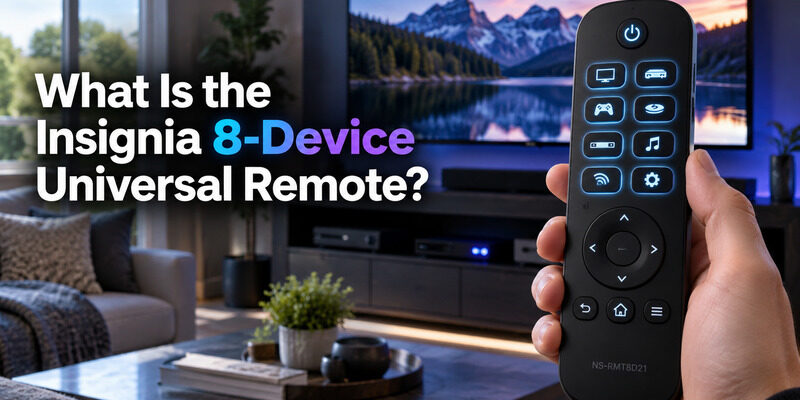
Officially listed as model NS-RMT8D21, this remote is designed to replace up to eight separate remotes with one backlit unit.
Key Specs
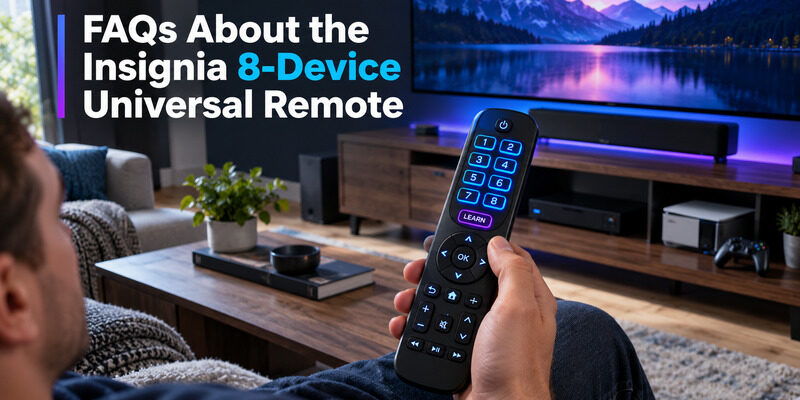
The remote controls eight devices at once, uses infrared signals with roughly a 30-foot range, includes 60 buttons, and is fully backlit for use in a dark room. It’s built from standard ABS plastic and uses a learning feature that can copy functions directly from an original remote if a device isn’t in its pre-programmed database.
The long range compared to many bundled remotes is a specific selling point for larger living rooms where the entertainment center sits farther from the seating area.
| Spec | Detail |
| Model number | NS-RMT8D21 |
| Devices controlled | 8 |
| Setup method | Auto code search + learning |
| Range | Up to 30 ft (9.1 m) |
| Backlit | Yes |
| Number of buttons | 60 |
What “8 Devices” Actually Means
The eight device slots typically cover a TV, a streaming device, a Blu-ray or DVD player, a soundbar, a cable or satellite receiver, and a few auxiliary slots for anything else in an entertainment center — each slot is independently programmed to its own device, so switching which physical gadget the “TV” slot controls doesn’t affect any other slot’s settings.
| Comparison | Insignia 8-Device (NS-RMT8D21) | Insignia 3-Device |
| Devices controlled | 8 | 3 |
| Backlit | Yes | Varies by model |
| Learning feature | Yes | Varies by model |
| Typical price | $29.99 | Lower |
| Best for | Full entertainment centers | Basic TV + streaming setups |
💡 Discover Helpful Guides: Insignia TV Remote App: Free Options and How to Set Up
How to Program the Insignia 8-Device Universal Remote
The Insignia 8 device universal remote is built around pre-programming that connects to major brand devices without needing a code, which is different from older universal remotes that always required manual code entry before use.
Auto Code Search Setup
Select the device type button (TV, for example), then hold the corresponding Setup button until the LED blinks twice. Point the remote at the device and press the Power button repeatedly — like the Xfinity auto-search process, it cycles through stored codes and locks in as soon as the device responds.
Repeat this same process independently for each of the eight device slots you want to program.
Using the Learning Feature
If a specific device isn’t recognized through auto search, the learning feature can copy button functions directly from that device’s original remote, which is especially useful for older or less common audio equipment that pre-programmed databases sometimes miss.
This is one of the features that sets the Insignia 8 device universal remote apart from cheaper universal remotes that only support fixed code lists
📘 Find the Right Guide: Insignia TV Remote Replacement: Options and Buying Guide
Insignia Universal Remote Codes for Common Brands
Because the Insignia 8 device universal remote relies on auto code search rather than a single published list, brand compatibility is best checked through the setup process itself rather than a fixed code table.
Major TV and Audio Brands
The remote’s pre-programmed database covers nearly all major TV brands, most popular soundbar and AV receiver brands, and the most common streaming device and Blu-ray player brands sold at Best Buy and similar retailers, which is where the “8-device” claim on the box comes from.
When a Brand Isn’t Found Automatically
For a newer or less common device that auto search doesn’t immediately recognize, running the search a second time after confirming line of sight, or falling back to the learning feature described above, resolves the vast majority of cases.
Using It With an LG TV
LG is one of the most frequently asked-about compatibility questions for this remote, likely because so many households mix an Insignia TV in one room with an LG set in another and want one Insignia 8 device universal remote to handle both.
Setting Up LG Compatibility
The auto code search process works the same way regardless of brand — select TV, hold Setup, point at the LG set, and press Power repeatedly until it responds. LG’s own remote codes are included in the same pre-programmed database as Insignia’s own TVs, so no separate download or firmware step is needed.
What Might Not Transfer
Some LG-specific features like webOS smart hub navigation or certain LG Magic Remote pointer functions won’t carry over to a standard infrared universal remote, since those rely on technology the Insignia remote doesn’t replicate — basic power, volume, input, and channel control all work normally regardless of brand.
📖 Read More Guides: Insignia TV Remote Codes: Complete Programming Guide
Comparing 8-Device vs 3-Device Insignia Universal Remotes
Insignia also sells a smaller 3-device universal remote for people who don’t need to consolidate a full entertainment center the way the Insignia 8 device universal remote does.
When 3 Devices Is Enough
If your setup is just a TV, a streaming device, and maybe a soundbar, the 3-device version covers that without paying for slots you won’t use, and it’s typically less expensive than the 8-device model.
When 8 Devices Makes More Sense
Households with a cable or satellite box, a separate Blu-ray or DVD player, and additional AV equipment get more practical value from the 8-device version, since running out of programmable slots on a smaller remote means falling back to multiple remotes anyway.
💡 Discover Helpful Guides: Insignia TV Remote Not Working? How to Fix It Fast
Troubleshooting a Universal Remote That Won’t Work
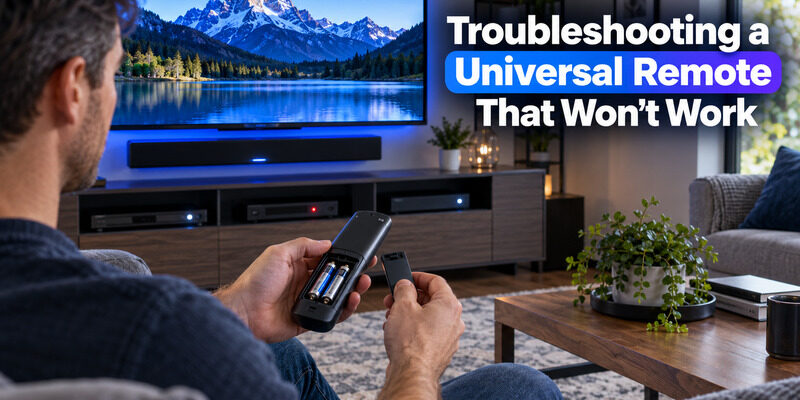
Occasionally the Insignia 8 device universal remote won’t control a device correctly even after setup, and the fix is almost always simpler than starting over from scratch.
Confirm the Basics
Fresh batteries and a clear line of sight solve more universal remote problems than a wrong code does — check both before repeating the programming process from scratch.
Reprogramming a Single Device Slot
If only one device stopped responding while the rest of the remote works fine, reprogram just that device’s slot through the same auto code search or learning process rather than resetting the entire remote, which would undo every other device’s setup along with it.
🗺️ Browse How-To Guides: Lost Insignia TV Remote: What to Do Right Now
FAQs About the Insignia 8-Device Universal Remote
What is the model number of the Insignia 8-device universal remote?
It’s the NS-RMT8D21, a backlit universal remote sold through Best Buy that controls up to eight devices using auto code search and a learning feature, priced at $29.99 at the time of writing.
Does the Insignia 8-device universal remote need codes entered manually?
No, it’s designed around pre-programmed auto code search that connects to major brand devices without requiring a manual code, though the learning feature is available as a backup for devices it doesn’t recognize automatically during setup.
Will a universal remote work on an Insignia TV?
Yes, Insignia TVs are included in the same auto code search database as other major brands, so a universal remote — including Insignia’s own 8-device model — pairs with an Insignia TV the same way it would with any other brand on the market.
Can the Insignia universal remote replace an LG remote entirely?
For standard functions like power, volume, input, and channel control, yes. Smart features specific to LG’s webOS interface or Magic Remote pointer control won’t transfer to a standard infrared universal remote like this one.
Is there a smaller Insignia universal remote if I don’t need 8 devices?
Yes, Insignia also sells a 3-device universal remote for setups with fewer components, which typically costs less than the 8-device version while covering a basic TV, streaming device, and one additional slot.
Final Thoughts
The Insignia 8 device universal remote (model NS-RMT8D21) is built to replace a cluttered stack of remotes with one backlit unit that auto-programs to most major brands without needing a manual code.
Setup takes just a few minutes per device through the auto code search process, the learning feature covers anything the database misses, and an Insignia 8 device universal remote works with Insignia, LG, and nearly every other common TV or audio brand for standard remote functions.
Download TV Remote App