
Panasonic TV Remote Battery Types Replacement and Common Problems
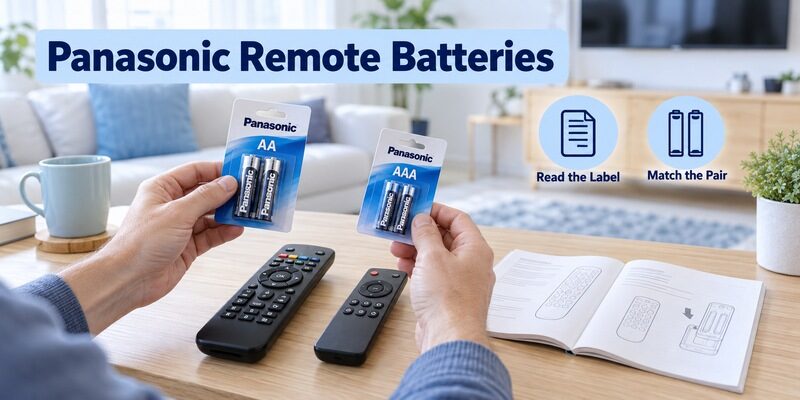
Short answer: Use the battery size and type marked inside your specific Panasonic remote.
Panasonic TV remote battery requirements vary: documented examples include two AA cells for the TC-P60U50’s supplied handset and two AAA cells for the JX600Z’s RC870PN remote. Those examples explain why buying batteries by television brand or screen size alone can lead to the wrong choice.
This guide covers identifying the required cells, opening the battery compartment, installing a matched pair, and checking a remote that still fails afterward. It also separates ordinary cover removal from case disassembly and explains how to investigate repeated battery changes without assuming that every remote has the same expected battery life.
Identify the Panasonic TV Remote Battery Before Buying
The handset specification controls the choice. Read its battery-compartment marking and matching manual, especially if the remote is a third-party replacement rather than the one originally supplied with the TV.
| Documented television or handset | Battery example | Scope |
|---|---|---|
| TC-P60U50 supplied N2QAYB000706 | Two AA batteries | Panasonic operating instructions for that model |
| JX600Z supplied RC870PN | Two AAA batteries | Panasonic operating instructions for that family |
| Another original or replacement remote | Read its own specification | Do not infer from these examples |
Read the compartment and old cells
Open the correct battery cover and look for size, quantity, and polarity information. Compare it with the old cells only as a cross-check; a previous owner may have installed an unsuitable type. If the markings are unclear, use the full remote part number or TV model to locate the relevant instructions.
Record the panasonic tv remote battery specification in a phone note before shopping. Include the quantity and any chemistry requirement from the manual. This avoids returning home with a similarly named but physically different cell, especially when a household has several remotes that use different sizes.
If you maintain several televisions, mark the spare packs with the intended remote model after checking the requirement. Do not rely on the room name alone if remotes are regularly moved between rooms. A panasonic tv remote battery record that follows the actual handset prevents a correct battery for one controller from being forced into another simply because both are used with Panasonic screens.
Keep replacement handsets separate
A universal or third-party handset can have its own battery requirements even when it operates a Panasonic television. Its case size does not establish the cell type. Check the remote manufacturer’s instructions rather than carrying over the original Panasonic handset’s specification.
When a replacement arrives without batteries, inspect the compartment before opening a new pack. A panasonic tv remote battery purchase should match the controller in your hand. The television model remains useful for identifying the original accessory, but it cannot override the label on a different replacement product.
📘 Find the Right Guide: Panasonic TV Remote: Choose, Set Up and Replace It
Open the Battery Cover Using Its Intended Mechanism
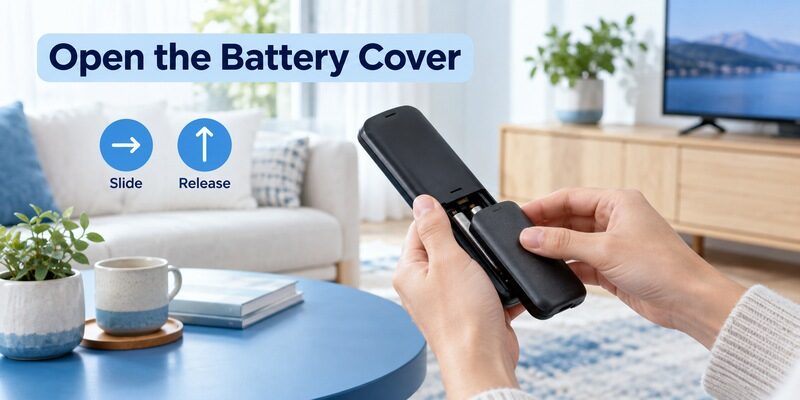
Sliding covers
Look for a molded arrow, textured thumb area, or the opening diagram in the manual. Support the handset in one hand and move the cover in the indicated direction using controlled pressure. Do not assume the cover lifts straight upward when its rails are designed to slide.
Stop if the cover does not move as expected. Check that a protective sleeve is not holding it in place and that you are pressing the intended area. A panasonic tv remote battery change should not require a knife, a screwdriver pushed into the seam, or enough force to bend the case.
Work over a clear table so a dropped cover or battery can be found immediately. Remove a fitted protective sleeve according to its own design if it obstructs access. If the cover feels unusually tight, inspect its direction arrows and the manual illustration again. The goal is to release the retaining mechanism correctly, not to separate the case by increasing pressure until something gives way.
Latch or hook covers
Some designs release a small latch or hook before the cover opens. Follow the model’s diagram and avoid snapping the latch backward. Panasonic model manuals show the intended cover mechanism, which is why a video of another handset may show a different motion from yours.
Place the panasonic tv remote cover on a clear surface while working. If several remotes are open, keep each cover beside its own handset because similar covers can have different rails or clips. Check that the retaining tabs remain intact before reinstalling batteries.
📘 Find the Right Guide: App for Panasonic TV Remote: VIERA and Platform Options
Replace the Cells and Check Polarity
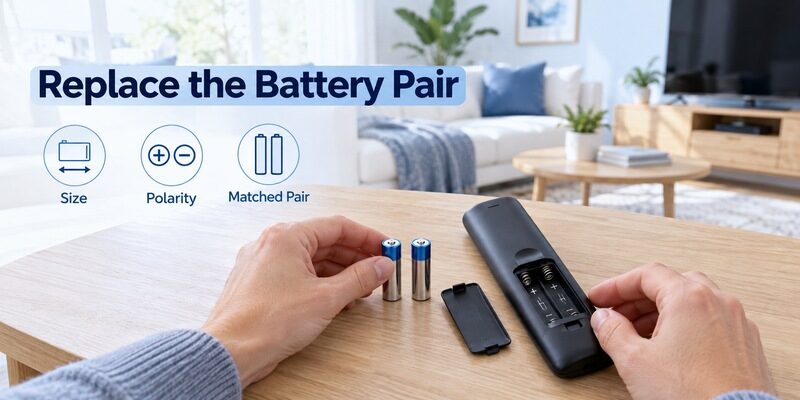
Remove the old pair and inspect the compartment
Take out the old batteries and keep them separate from unused cells. Inspect the compartment for obvious leakage, broken contacts, or debris before installing replacements. If the compartment is damaged or contaminated, do not treat the job as a routine battery swap; follow appropriate battery handling guidance and consider replacing the remote.
For a normal panasonic tv remote battery replacement, choose a fresh matched pair of the specified type. Energizer’s battery-care guidance advises against mixing old and new batteries or different types and makes. Keep the pair together so the next test has a clear, known starting condition.
Look at the old pair before setting it aside and compare its size with the fresh pack, but use the compartment markings as the authority for orientation. A quick photograph of those markings can help another household member perform the next replacement. It also gives you a reference if a panasonic tv remote battery problem appears immediately after installation and you need to recheck the arrangement calmly.
Install and close without force
1. Read each slot: Locate its plus and minus marks before inserting a cell.
2. Seat the first battery: Place it according to the marked orientation and intended contact arrangement.
3. Install the second battery: Check its own polarity rather than copying the first slot automatically.
4. Refit the cover: Align the rails or tabs and close it with the documented motion.
5. Test a simple command: Try a normal television control from a clear position.
A cover that will not close deserves another check. Verify cell size, seating, and cover alignment instead of pressing harder. During a panasonic tv remote battery change, force can turn a simple mismatch into a broken retaining clip or damaged contact.
After the first successful command, test several normal buttons and move to your usual seat. This confirms that the batteries remain seated during ordinary handling. A remote that works only while its cover is squeezed may still have a contact or case problem requiring attention.
💡 Discover Helpful Guides: Download the Panasonic TV Remote App: Complete Setup Guide
Understand Battery Size Chemistry and Rechargeable Claims
Size and chemistry are different details
AA and AAA describe sizes, while alkaline and other chemistry names describe battery types. Two cells can fit the same physical slot yet have different characteristics. Panasonic’s battery reference information distinguishes these names, and television manuals can specify which types are appropriate for a particular remote.
Follow the handset instructions rather than a generic battery ranking. A panasonic tv remote battery does not become suitable merely because its packaging promises high performance. Match the size, number, and permitted type before comparing convenience or price.
Read small-print identifiers carefully when buying a larger household pack. A near-identical package can contain a different size, and a mixed drawer can contain used cells that look new. Keep unopened or clearly unused batteries apart from removed ones so installation starts with a genuinely fresh pair.
Rechargeable batteries need explicit compatibility
Do not assume that every rechargeable cell of the same size is approved for the handset. Some Panasonic remote instructions explicitly warn against rechargeable types. Check the exact manual and use the specified non-rechargeable type where that is required.
Never attempt to recharge a battery sold as non-rechargeable. A panasonic tv remote battery discussion should distinguish buying approved rechargeable cells from trying to revive disposable ones. If you want a reusable option, confirm compatibility and use the battery manufacturer’s correct charging equipment and instructions.
Avoid homemade spacers, adapters, or improvised combinations to make an incorrect battery fit. The compartment is designed around a particular arrangement. Keeping that arrangement intact makes later troubleshooting simpler and prevents the cover from becoming an unintended part of the electrical contact system.
💡 Discover Helpful Guides: Panasonic TV Remote Universal Compatibility and Setup Guide
Diagnose a Remote That Still Fails After Replacement
| Observation | Next check | What it helps separate |
|---|---|---|
| No response immediately after installation | Size polarity and seating | Installation error versus another fault |
| Works when the cover is pressed | Cover and contacts | Mechanical movement versus software |
| Works only near the TV | Clear receiver path and known fresh pair | Range problem versus missing command |
| Power works but voice fails | Supported remote registration | Battery supply versus voice setup |
| TV ignores its own controls too | Television power diagnosis | Remote fault versus TV fault |
Verify the replacement pair
Check each cell’s orientation against the compartment rather than relying on memory. Confirm that both replacements were fresh and of the same specified type. If you have a second known fresh pair, one controlled comparison can help distinguish a battery issue from a continuing remote fault.
Do not keep cycling through unlabelled batteries from a drawer. A panasonic tv remote battery test loses value when the condition of each pair is unknown. Record the pair used and the result so you can stop repeating an already completed check.
Try the same command from the same position before and after the replacement. If you also move the television, clear a blocked receiver, and change the source, you cannot tell which action helped. A controlled comparison does not require special equipment: one known fresh pair and one repeatable task are enough to make the first battery check meaningful. Record a continuing failure before expanding the diagnosis.
Move beyond batteries when the evidence points elsewhere
If the remote has good power but one button consistently fails, inspect that key and verify compatibility. If navigation works but the microphone does not, use the correct pairing and voice-service checks. A complete battery replacement cannot add an unsupported command or establish every wireless feature automatically.
A successful battery test is a reason to narrow the diagnosis. The guide covers receiver obstructions, individual buttons, and television response. Use it when the panasonic tv remote battery is no longer the most likely explanation.
📖 Read More Guides: Panasonic TV Remote Replacement Buying and Compatibility Guide
Investigate Batteries That Seem to Drain Too Quickly
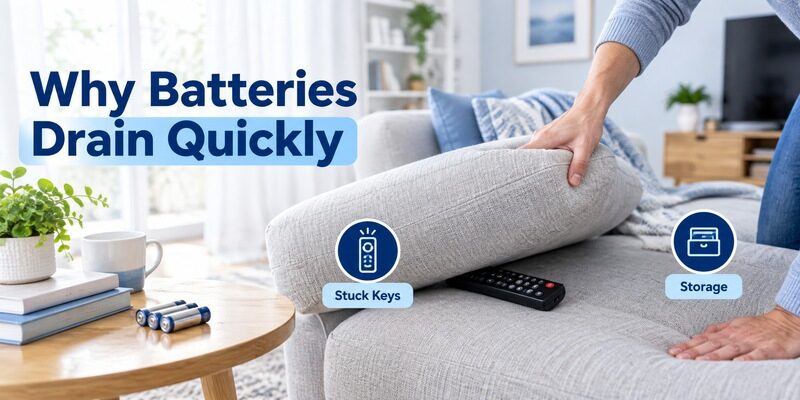
Look for a button held down in storage
Check whether the remote is trapped under a cushion, pressed against another object, or squeezed by a tight cover. A key that remains depressed can create continuous activity on some handsets. Store the remote where the keypad is free and compare behavior over a normal period of use.
For panasonic tv remote battery drain, change the storage condition before buying another pack repeatedly. Note the date the fresh pair was installed and whether the remote was found with a stuck button. Those observations provide a more useful pattern than an unsupported claim that the batteries should last a fixed number of months.
A battery indicator, where the remote platform provides one, should be considered alongside actual operation and the model’s guidance. Do not infer exact remaining life from a single display reading or compare readings across unrelated controllers. If the handset becomes unresponsive while the indicator still seems adequate, check contacts and the failed function rather than assuming the display has diagnosed the cause. Keep the observation factual for support.
Separate heavy use from abnormal behavior
Usage patterns and remote features differ, so there is no single lifespan that can be promised for every Panasonic handset. Compare the same remote under its usual routine instead of comparing it with a different controller in another room. A voice remote and a simple occasional-use infrared handset are not equivalent test cases.
Repeated unexplained depletion warrants a handset check. If a panasonic tv remote battery pair repeatedly fails unusually quickly despite correct installation and unobstructed buttons, record the pattern and contact support or consider a compatible replacement. Do not treat endless battery replacement as a complete diagnosis.
If another person also uses the remote, ask whether they noticed a stuck key, spill, or fall. That information can explain a change that occurred while you were absent. Keep the conversation factual so a useful detail is not lost because everyone assumes the battery brand must be responsible.
📖 Read More Guides: Panasonic TV Remote Viera Model Identification and Controls
Handle Loose Covers Damaged Contacts and Leakage
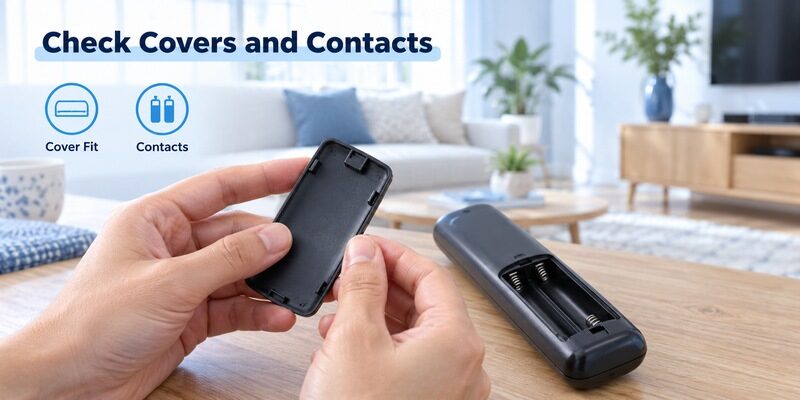
A missing cover affects everyday handling
A damaged cover can allow cells to move or leave the compartment exposed. Find a cover or replacement handset matched to the complete remote part number. A cover from a visually similar remote can have incompatible clips even if its outline seems close.
For a panasonic tv remote battery compartment that loses contact when moved, check the mechanical fit rather than adding metal foil or bending contacts aggressively. Improvised conductors are not a suitable repair. A properly fitted part or a correctly matched replacement provides a more predictable result.
Avoid using a remote with obvious compartment damage as a test instrument for several fresh battery pairs. The unresolved physical condition can make every comparison unreliable. Keep the affected unit separate and identify a replacement using its full part number. This is a more useful next step than treating each new pair as another opportunity to overcome a contact that is visibly broken or contaminated.
Leakage changes the task
Do not handle leaking material as ordinary dust or keep using visibly damaged cells. Follow the battery manufacturer’s handling and disposal instructions and avoid spreading residue onto other household surfaces. If the compartment or contacts are affected, replacing the handset may be more practical than attempting an uncertain repair.
A panasonic tv remote battery guide cannot identify the condition of a corroded circuit through a symptom description. Keep the damaged remote separate while obtaining advice. The guide explains how to identify a suitable replacement without guessing from the case shape.
Battery access is different from case disassembly
Opening the battery cover is a normal maintenance task; splitting the entire shell is a different operation. If you search open panasonic tv remote or panasonic tv remote disassembly, check that the instructions concern the task you actually need. A battery change should not require exposing the circuit board.
Stop when the accessible checks no longer explain the fault. A panasonic tv remote battery problem does not justify opening the television or probing electronics. Preserve the model information and describe the observed damage to a suitable support or replacement supplier instead.
💡 Discover Helpful Guides: Panasonic TV Remote Not Working Troubleshooting Guide
Store Batteries and Keep a Temporary Control Option
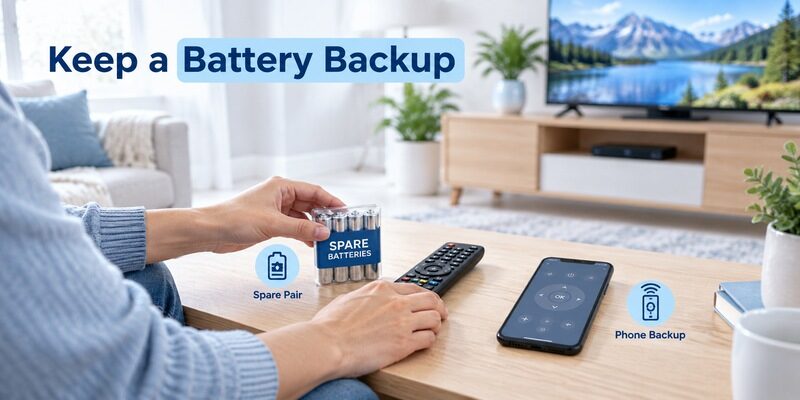
Keep spare cells identifiable
Store batteries according to their manufacturer’s instructions, away from excessive heat and loose metal objects. Keep fresh pairs distinguishable from used cells. If a handset will be stored for a long period, follow its manual’s instructions about removing batteries rather than leaving an unknown old pair inside indefinitely.
Label the battery requirement with the remote record. A panasonic tv remote battery note can be as simple as the remote model, required cell size, and quantity. This is especially useful when a relative replaces batteries and does not have easy access to the original manual.
Keep the physical remote accessible once the phone backup works. A visitor or another household member may not have the app or the same network access. Store the remote with an unobstructed keypad and a secure cover so it remains ready for ordinary use. A prepared backup is most useful when it supplements a maintained handset and clear battery information, rather than becoming the only way to recover from every small fault.
Use a phone where the television supports it
Remote TV App can provide navigation on compatible networked televisions while batteries or a replacement handset are unavailable. Check the requirements and test the intended TV. A supported phone backup can keep a simple battery failure from interrupting ordinary viewing.
The app cannot guarantee access to an unsupported or offline television, and initial approval may require another controller. Set it up while the physical remote still works when practical. That makes the backup useful before the next panasonic tv remote battery replacement becomes urgent.
📖 Read More Guides: Panasonic TV Remote with Voice Control Features and Everyday Use
Frequently Asked Questions
Do Panasonic remotes always use AAA batteries
No. Documented Panasonic remotes use different sizes, including AA and AAA examples. Read the specific handset’s specification. A panasonic tv remote battery choice should follow that information rather than the television brand alone.
Should both batteries be changed together
Use a matched fresh pair as specified and avoid mixing new and used cells. Keeping the pair together makes the result easier to evaluate and follows battery-care guidance. Do not move one partly used cell into a new pair simply because the remote still responds briefly.
Does changing batteries factory reset the TV
Removing remote batteries does not itself select the television’s factory reset command. If a wireless function needs attention afterward, consult the remote’s setup instructions. A panasonic tv remote battery change and erasing the TV’s stored settings are separate operations.
What if the battery cover will not close
Recheck battery size, seating, and cover alignment. Do not force the cover or trim a cell or retaining tab. If a correct installation still cannot close, inspect for damage and obtain the appropriate replacement part or handset.
Final Thoughts
Choose the panasonic tv remote battery from the handset’s own markings and manual, then replace the cells as a matched pair with correct polarity. Open only the intended battery cover and confirm that it closes without force.
If the remote still fails, separate contact problems, blocked reception, and wireless setup from battery supply. Keep the model and battery specification recorded, and prepare a supported backup so an ordinary battery change remains a small maintenance task.
Download TV Remote App