
Will a Universal Remote Work on a Hisense TV?
Yes, a universal remote will work on a Hisense TV, as long as it supports Hisense codes or has an automatic code-search feature, which nearly all modern universal remotes do.
The short answer covers most situations, but the details matter. Whether a universal remote fully works depends on the TV’s platform, the remote’s code library, and which features you expect it to control beyond basic power and volume.
This guide answers the core question of will a universal remote work on a Hisense TV in depth, then covers the related questions people ask right after — whether a Roku remote works, where to find codes, and how to actually set the remote up.
By the end you’ll know exactly what a universal remote can and can’t do on a Hisense set, and when a phone app is the better choice.
If you’re weighing a universal remote against a replacement or an app, the answer to will a universal remote work on a Hisense TV is the first thing to settle — and it’s a reassuring yes for basic control.
Will a Universal Remote Work on a Hisense TV? The Full Answer
A universal remote works on a Hisense TV because Hisense uses standard infrared command codes that appear in the code libraries of virtually every major universal remote brand. When you program the remote with a Hisense code, it learns to send the same signals the original remote sent, and the TV responds exactly as it would to its factory remote.
The question of will a universal remote work on a Hisense TV really comes down to two things: does the remote’s library include a working Hisense code, and does it have an auto-search fallback if the listed code doesn’t work. The answer is almost always yes on both counts for any universal remote made in the last decade.
Where the answer gets more nuanced is around smart features. A universal remote reliably handles power, volume, channel, and input, but it usually can’t replicate voice search, dedicated streaming-app buttons, or smart-menu shortcuts that the original Hisense remote offered. For basic TV control, though, compatibility is not in doubt.
Download LG TV RemoteIs a Hisense Remote Universal on Its Own?
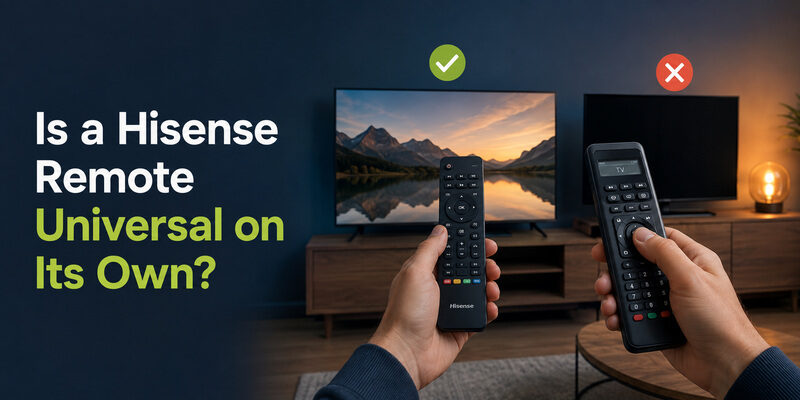
This question flips the usual one around, and it’s worth clearing up. The remote that ships with a Hisense TV is not a universal remote — it’s designed specifically for Hisense sets and won’t control other brands out of the box.
So when people ask is a Hisense remote universal, the honest answer is no. A stock Hisense remote controls Hisense TVs and, in some cases, a soundbar or device connected via HDMI-CEC, but it isn’t built to program codes for a Samsung, LG, or Vizio TV the way a true universal remote is.
That distinction is exactly why the reverse question — will a universal remote work on a Hisense TV — is the more useful one to ask when you’ve lost the original remote. You’re looking for a third-party universal remote to control the Hisense, not expecting the Hisense remote to become universal.
Understanding this distinction makes the practical question — will a universal remote work on a Hisense TV — much clearer, since it points you toward buying a third-party universal remote rather than expecting the stock one to expand.
💡 Discover Helpful Guides: Hisense TV Remote App: Control Your Hisense TV From Your Phone
Does a Roku Remote Work With a Hisense TV?
This is one of the most common follow-up questions, and the answer depends entirely on whether the Hisense TV runs the Roku platform.
A Hisense TV that is a Roku TV works with a Roku remote, because the remote and the TV’s built-in Roku software are designed for each other. If your Hisense set shows the Roku home screen, then yes — a Roku remote works with a Hisense TV in that specific case, and pairing it is straightforward using the pairing button under the battery cover.
However, a standard Roku remote will not fully control a Hisense TV that runs VIDAA or Google TV instead of Roku. A Roku remote built for a Roku streaming device communicates in ways a non-Roku Hisense TV doesn’t understand for menu navigation, though basic power and volume may still work over HDMI-CEC or infrared on some models. So whether a Roku remote works on a Hisense TV is really a question about the TV’s platform, not the remote alone.
When a Roku Remote Will Work
If the TV is a Hisense Roku TV, a replacement Roku remote or a Roku voice remote pairs and functions fully. This is the one scenario where the answer to can you use a Roku remote on a Hisense TV is a clean yes.
When It Won’t
On a VIDAA or Google TV Hisense set, a Roku remote can’t drive the smart menus. In that case a universal remote programmed with a Hisense code is the better route, which loops back to the main question of will a universal remote work on a Hisense TV — and there, the answer stays yes.
What a Universal Remote Can and Can’t Control
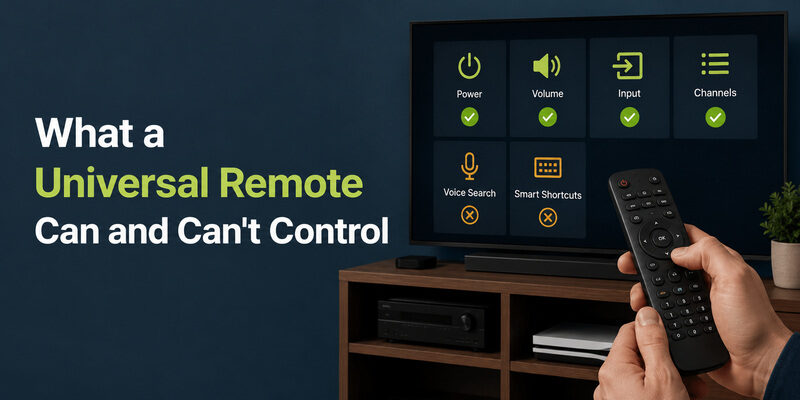
Setting expectations correctly is the difference between being satisfied with a universal remote and being disappointed by it. A universal remote is excellent at the fundamentals and limited on the extras, and knowing the split upfront helps you decide whether will a universal remote work on a Hisense TV is a yes for your particular needs.
What It Handles Reliably
A properly programmed universal remote handles powering the TV on and off, adjusting volume, muting, changing channels on broadcast inputs, and switching between HDMI and other sources. These cover the large majority of daily interactions with a TV, which is why a universal remote is such a common fix for a lost original.
For a household that mostly watches through a cable box or a connected streaming device, these controls are genuinely all you need from the TV’s own remote, so a universal remote works on a Hisense TV without any real compromise.
What It Usually Can’t Do
Most universal remotes can’t launch specific streaming apps with one button, use voice search, or open platform-specific settings shortcuts. If those features are essential to how you use the TV, a universal remote answers will a universal remote work on a Hisense TV with a qualified yes — it works for control, but not for everything the smart platform offers.
This is the single most important limitation to weigh, because it’s the one that surprises people after they’ve already bought and programmed the remote.
The HDMI-CEC Factor
Some universal remotes gain extra control through HDMI-CEC, the feature that lets connected devices talk to each other over HDMI. When it’s enabled, a universal remote may control a connected soundbar or streaming box alongside the Hisense TV, extending what a single remote can do beyond the basics.
With CEC in play, will a universal remote work on a Hisense TV can even extend to a soundbar or streaming box, not just the TV itself.
📘 Find the Right Guide: Hisense TV Remote Batteries: Size, Replacement, Drain, and Fixes
Finding the Right Hisense Universal Remote Code
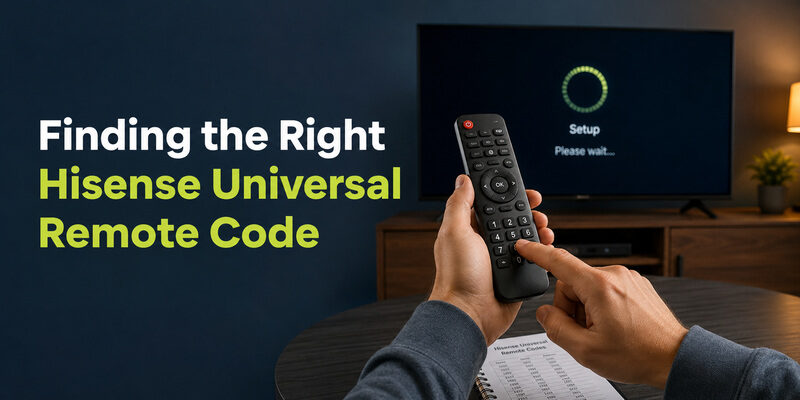
The key to making any universal remote work on a Hisense TV is the code. Every universal remote brand maintains its own list of Hisense tv remote universal code numbers, and using the right one is what tells the remote how to speak to the TV.
Codes are specific to the remote brand, not just to Hisense, so a code that works on one brand of universal remote won’t necessarily work on another. Always use the Hisense code list that came with your specific remote or its manufacturer’s app.
Getting the code right is the whole ballgame; with the correct code entered, will a universal remote work on a Hisense TV stops being a question and becomes a two-minute setup.
Where to Find the Code
Check the printed manual that came with the universal remote first, since it lists Hisense codes directly. If the manual is gone, the remote manufacturer’s website or companion app usually has the full code list searchable by TV brand. A related walkthrough on locating codes is covered in .
The code is the bridge between the remote and the TV, and it’s the practical answer to will a universal remote work on a Hisense TV once you locate it.
Trying Multiple Codes
Hisense usually has several codes per remote brand rather than one, so if the first code controls power but not volume, move on to the next code in the list. A partial match means you’re close but not on the exact code, which is normal and easily fixed by trying the next option.
Using Auto Code Search
If no listed code works, auto code search steps through every code in the remote’s memory until the TV responds. It’s slower but doesn’t require knowing a code number, and it’s the reason will a universal remote work on a Hisense TV is almost never a flat no — even an unlisted model can usually be found by search.
📖 Read More Guides: Hisense TV Code for Universal Remote: Verified Codes and Programming Steps
How to Program a Universal Remote to a Hisense TV
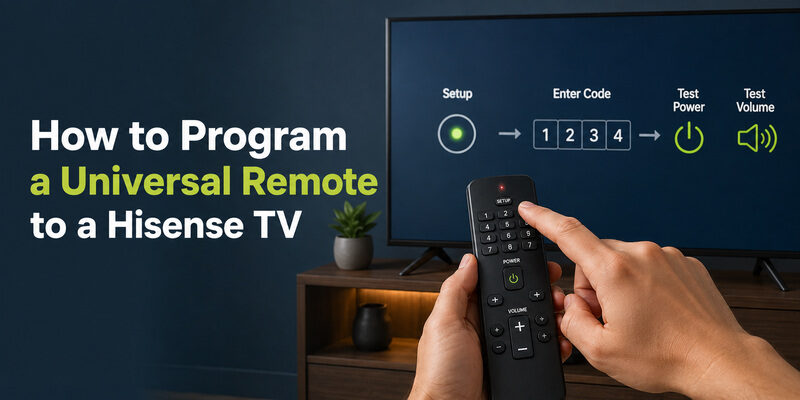
Once you have a code, setup takes just a minute or two. The exact button names vary slightly by remote brand, but the sequence is consistent across nearly all of them, and it’s the final step in confirming that a universal remote works on a Hisense TV in practice, not just in theory.
The Basic Programming Sequence
Start by turning the Hisense TV on manually. Hold the Setup button on the universal remote until its indicator light stays on, which signals it’s ready to accept a code. Enter the Hisense code using the number pad; the light usually blinks or turns off to confirm the code was accepted.
Finally, test power and volume to confirm the code works. A fuller general walkthrough is available in , which applies to Hisense sets as well.
If the First Code Fails
If the code doesn’t work, repeat the process with the next Hisense code, or switch to auto search. Don’t give up after one code — a single failed code says nothing about whether will a universal remote work on a Hisense TV, only that you haven’t found the matching code yet.
Confirming Everything Works
Test each function you care about — power, volume up and down, mute, and input switching — before considering setup complete. A code that nails power and volume but misses input switching may not be the ideal match, and trying one more code can sometimes get you full control.
📖 Read More Guides: How to Open Hisense TV Remote Safely for Batteries, Cleaning, or Repair
When a Universal Remote Isn’t the Best Choice
A universal remote is a solid answer to will a universal remote work on a Hisense TV, but it isn’t always the most convenient one. If you rely heavily on streaming apps and voice search, the missing smart features can make a universal remote feel like a downgrade.
In those cases, a genuine platform-matched replacement remote or a phone app restores the full experience. A universal remote shines when you want a simple, physical, one-purchase fix for basic control — and it falls short when you want everything the original smart remote did.
Heavy Streaming Users
If most of your viewing happens inside apps like Netflix, YouTube, or Disney+, the loss of one-touch app buttons and voice search is felt daily. Here the answer to will a universal remote work on a Hisense TV is technically yes but practically frustrating, and a phone app or genuine remote serves you better.
Basic TV Watchers
If you mainly watch broadcast channels or a single connected box, a universal remote is close to a perfect fit. You lose nothing you actually use, and you gain a durable physical remote for a small one-time cost.
For this group, will a universal remote work on a Hisense TV is an unqualified yes, with no downside worth mentioning.
Can a Remote TV App Work Instead of a Universal Remote?
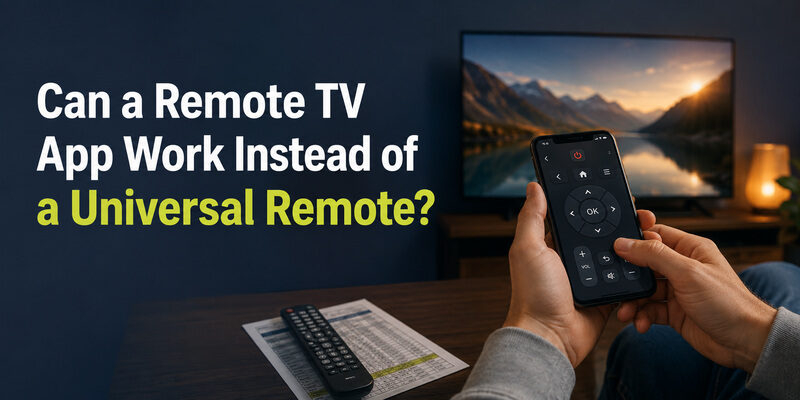
Yes, and for many people it’s the better option. The Remote TV App turns a phone into a Hisense TV remote over Wi-Fi, covering power, volume, navigation, and app launching without buying any hardware at all.
Where a universal remote answers will a universal remote work on a Hisense TV with a hardware purchase and a code-programming step, a phone app skips both — there’s no code to find and nothing to buy. It’s especially useful for smart features a universal remote can’t replicate, since it navigates the TV’s actual menus. as a free alternative before committing to a universal remote.
For anyone who found this page asking will a universal remote work on a Hisense TV, the app is worth a look precisely because it sidesteps the code hunt entirely while still doing everything a universal remote does.
🗺️ Browse How-To Guides: Hisense Remote Control Manual: Buttons, Pairing, Apps, and Troubleshooting
FAQs About Universal Remotes and Hisense TVs
Will any universal remote work on a Hisense TV?
Almost any universal remote made in the last decade will work, because they include Hisense codes or an auto-search feature. Very old or extremely basic universal remotes without Hisense in their library are the only likely exceptions.
Can you use a universal remote on a Hisense TV without a code?
Yes, using auto code search. The remote steps through its codes automatically until the TV responds, so you don’t need to know the specific Hisense code number in advance.
Does a Roku remote work with a Hisense TV?
Only if the Hisense TV runs the Roku platform. On a Hisense Roku TV, a Roku remote works fully; on a VIDAA or Google TV Hisense set, it won’t control the smart menus.
Is a Hisense remote universal?
No. The remote that ships with a Hisense TV is built for Hisense sets and can’t be programmed to control other TV brands the way a true universal remote can.
Can I use my phone instead of a universal remote?
Yes. The Remote TV App controls a Hisense TV over Wi-Fi with no code programming and no hardware purchase, and it can reach smart features a universal remote can’t.
Final Thoughts
So, will a universal remote work on a Hisense TV? Yes — for power, volume, channel, and input, a universal remote programmed with a Hisense code is a dependable fix, and auto search covers even the models that aren’t in the printed list.
The one caveat is smart features: voice search and app shortcuts stay with the original remote or a phone app. If those matter to you, weigh a universal remote against the Remote TV App, which restores full control at no cost and without hunting for the right code.
Download LG TV Remote