
How to Pair Apple TV Remote: Complete Pairing and Reconnection Guide
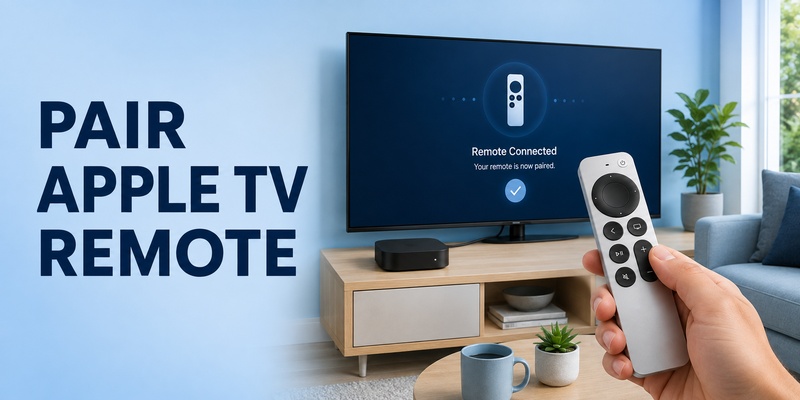
Knowing how to pair apple tv remote is useful when you buy a replacement Siri Remote, move a remote to another Apple TV, see a disconnected warning, or find that button presses no longer control the box. In most cases, the process is short: place the remote close to Apple TV, point it toward the box, and hold the correct two-button combination until pairing begins.
The exact buttons depend on the remote generation. Current silver Siri Remote models use Back and Volume Up, while the first-generation black Siri Remote uses Menu and Volume Up. If pairing still fails, Apple recommends restarting the remote and power-cycling Apple TV before trying again.
This guide explains how to pair apple tv remote step by step, including replacement remotes, reconnecting after a disconnect, third-generation Siri Remote questions, older Apple TV hardware, Wi-Fi situations, and the most common pairing failures. It also separates connection problems from physical damage so you do not waste time troubleshooting the wrong issue.
1. How to Pair Apple TV Remote: Quick Method
For most Siri Remote and Apple TV Remote models, how to pair apple tv remote comes down to proximity and one button combination. Turn on Apple TV, move the remote close to the box, point the front of the remote toward Apple TV, then hold Back and Volume Up. On the first-generation Siri Remote, use Menu and Volume Up instead.
Quick pairing steps
- Turn on Apple TV and make sure you can see its screen.
- Bring the remote within about 3–4 inches of the Apple TV box.
- Point the remote toward the front of Apple TV.
- Hold Back + Volume Up for a newer Siri Remote, or Menu + Volume Up for the first-generation model.
- Keep holding for several seconds until an onscreen pairing message appears.
- If requested, place the remote on top of Apple TV until pairing finishes.
If you searched how do you pair an apple tv remote, this is the main procedure to try first. The same basic sequence also answers how to connect apple remote to apple tv for most modern Siri Remote hardware.
When learning how to pair apple tv remote, avoid repeatedly pressing random buttons. Pairing works best when the remote is close to the box, has enough charge, and you hold the correct buttons continuously rather than tapping them. A careful how to pair apple tv remote attempt is usually more effective than repeating short button taps.
Download LG TV Remote2. Before Pairing: Identify Your Remote and Prepare Apple TV
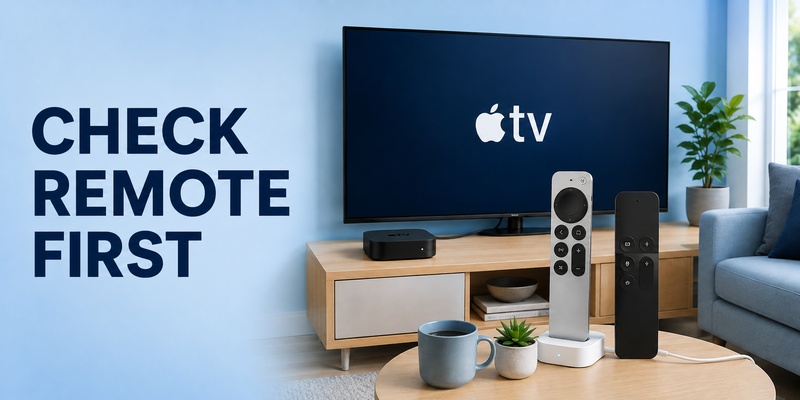
Before you attempt how to pair apple tv remote, identify which remote you have. The newer Siri Remote is silver with a circular clickpad. The first-generation Siri Remote is black with a large touch surface and a Menu button. This matters because newer models use Back + Volume Up, while the first-generation model uses Menu + Volume Up.
Check these items first
- Apple TV is powered on and connected to the correct TV input.
- The Siri Remote has sufficient battery charge.
- The remote is physically close to Apple TV.
- You know whether your model has Back or Menu.
- There is no obvious damage preventing the buttons from being pressed.
Searches for apple tv remote repair and repair apple tv remote sometimes get mixed into pairing questions. Pairing is a wireless connection task; it cannot fix a broken button, damaged charging port, swollen battery, or remote that has been physically damaged. If the remote does not power on or a required button cannot be pressed, hardware service may be needed before how to pair apple tv remote can succeed.
Preparation matters because it removes simple causes first. A correct button combination cannot overcome a completely depleted battery or a physically broken control. Treat how to pair apple tv remote as a connection procedure, not a substitute for hardware diagnosis.
💡 Discover Helpful Guides
Apple remote tv app: Complete Apple TV Remote Guide for iPhone, Siri Remote, Pairing & Fixes
3. Pair a New Siri Remote or Replacement Remote
If you bought a replacement, how to pair apple tv remote is almost the same as reconnecting the original. Turn on Apple TV, move the new remote close to the box, then hold Back + Volume Up. For the older black Siri Remote, use Menu + Volume Up.
This is the practical answer to how to connect new apple tv remote. Apple TV 4K can have one primary Apple TV remote paired at a time, so pairing the replacement automatically removes the previous primary remote from that role. You do not normally need to search through Settings and manually delete the old remote before the new one can work.
Users also search pair apple remote with apple tv, pairing apple remote to apple tv, and how do i connect my apple tv remote when they are dealing with a replacement controller. All three intents point to the same core workflow: power on the box, move close, hold the correct pairing buttons, and follow the message on screen.
If the new remote does nothing, charge it before assuming it is defective. When how to pair apple tv remote fails on a replacement unit, battery and distance are the first two variables to eliminate.
Then try how to pair apple tv remote again with the remote only a few inches from Apple TV. If the box was previously paired to another remote, successful pairing of the new controller should take over automatically.
💡 Discover Helpful Guides: Apple TV Remote Replacement: Buying and Setup Guide
4. How to Reconnect an Apple TV Remote That Disconnected
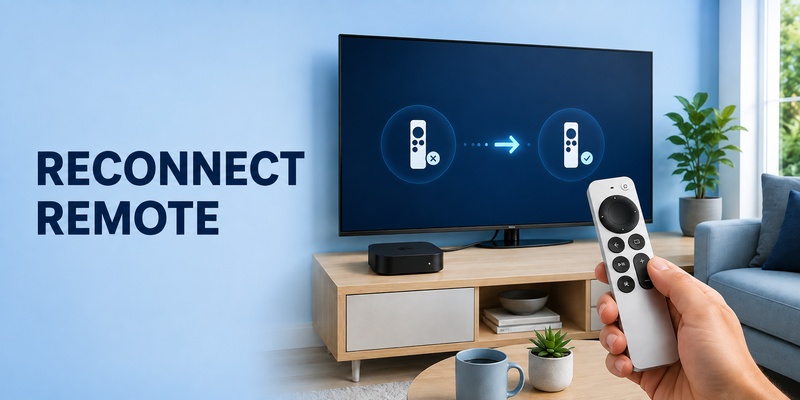
A remote that worked yesterday but suddenly shows an apple tv remote disconnected notification may not need a full replacement. Start by waiting a few seconds and pressing a button.
If the connection does not return, how to pair apple tv remote becomes the next useful step. Bring the remote close to Apple TV and repeat Back/Menu + Volume Up. If that fails, restart the remote before attempting pairing again.
For how to reconnect apple tv remote, Apple’s restart procedure is:
- Hold TV/Control Center and Volume Down together for about five seconds.
- Release the buttons after the Apple TV status light turns off and back on.
- Wait around 10–15 seconds for the Remote Disconnected notification.
- Press any button and wait for Remote Connected to appear.
The apple tv remote disconnected message during this restart is expected. It does not necessarily mean the remote has failed. The remote intentionally drops the connection as part of the restart and should reconnect after you press a button.
If your apple tv remote keeps disconnecting, check charge level, distance, and whether the problem happens only in one location. Apple also provides remote signal-strength information on supported setups, which can help separate a weak connection from a bad button or app issue.
Using how to pair apple tv remote again after the restart is a sensible next step if the connection never returns. This keeps the recovery flow simple and avoids changing unrelated Apple TV settings.
💡 Discover Helpful Guides: How to Reset Your Apple TV Remote: Pairing, Volume, and No-Remote Fixes
5. Fix Apple TV Remote Not Pairing or Not Connected
When apple tv remote not pairing persists, use a fixed troubleshooting order instead of repeating the pairing buttons indefinitely. This keeps how to pair apple tv remote focused on the most likely causes.
| Symptom | Likely cause | What to try |
| No pairing message | Distance, battery, wrong buttons | Charge remote, move within 3–4 inches, retry |
| Remote disconnected repeatedly | Weak connection or low charge | Restart remote, reduce distance, recharge |
| Pairing starts but never finishes | Temporary Apple TV state | Power-cycle Apple TV, then pair again |
| Remote feels dead | Empty battery or hardware problem | Charge first; inspect for physical damage |
| Old remote stops working after new one pairs | Expected replacement behavior | Use the newly paired primary remote |
If you see apple tv remote not connected, first press a button and give it a moment. If there is no response, restart the remote. If restart does not restore control, unplug Apple TV from power, wait about six seconds, reconnect it, and then retry how to pair apple tv remote.
This is more efficient than changing network settings or resetting unrelated devices.
For users asking why does my apple tv remote keep disconnecting, frequent drops can point to low charge, poor signal, or a remote that needs to be restarted and re-paired. If the remote continues to disconnect after those steps, use Apple’s support options rather than repeatedly cycling the same commands.
For deeper troubleshooting, the site’s guide to apple tv remote pairing not working covers failure-specific checks, while apple tv remote reconnect focuses on recurring connection drops.
6. Pairing Different Apple TV and Siri Remote Generations
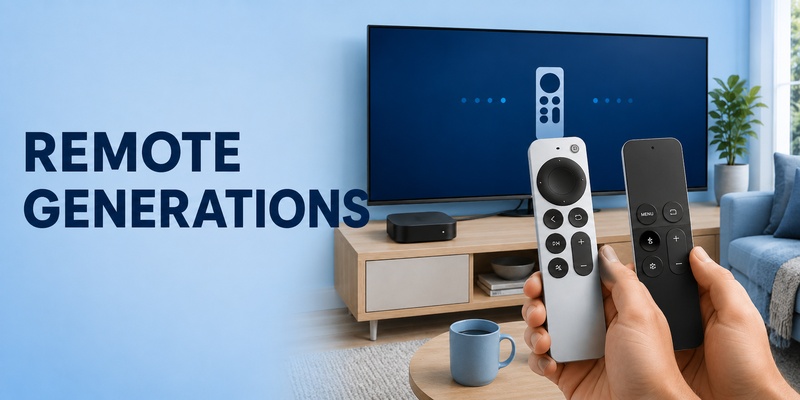
A major source of confusion around how to pair apple tv remote is the word “generation.” It may refer to the Apple TV box or to the Siri Remote itself. The pairing procedure is determined mainly by the remote design and its buttons.
Third-generation Siri Remote
The third-generation Siri Remote is the silver USB-C model. If you search pair apple tv remote 3rd generation, use Back + Volume Up while the remote is close to Apple TV.
First-generation Siri Remote
The original black Siri Remote has a Menu button rather than the Back button used on current models. For this remote, hold Menu + Volume Up. This is why instructions for how to pair apple tv remote sometimes appear to disagree even though they are describing different hardware.
“Fourth-generation” Apple TV searches
The phrase pair apple tv remote 4th generation usually refers to the 2015 fourth-generation Apple TV, later known as Apple TV HD, rather than a fourth-generation Siri Remote.
If you are using its original black Siri Remote, use Menu + Volume Up. If you have replaced it with a compatible newer Siri Remote, follow the button labels on that newer remote.
| Remote type | Pairing buttons | Visual clue |
| Newer silver Siri Remote | Back + Volume Up | Circular clickpad |
| First-generation Siri Remote | Menu + Volume Up | Black body, touch surface |
Whatever generation you own, how to pair apple tv remote starts with identifying the physical remote correctly. Once you know whether the remote has Back or Menu, the rest of the how to pair apple tv remote process is largely the same.
📖 Explore Articles: Apple TV Remote for iPhone: How to Set Up and Use Your iPhone as an Apple TV Remote
7. How to Disconnect or Replace a Paired Apple TV Remote
Users searching how to disconnect apple tv remote often want to move a remote to another Apple TV or replace it with a newer one. On Apple TV 4K, pairing a new primary remote automatically unpairs the previously paired Apple TV remote, because only one primary Apple TV remote can be paired at a time.
Successful pairing of the replacement usually handles the handoff automatically, even when the old remote is lost or no longer responding.
Apple’s current Apple TV 4K guide also describes a remote reset using TV/Control Center + Volume Down. In that guide, resetting the remote unpairs it, after which you follow the pairing instructions again. If your goal is troubleshooting rather than permanently moving the remote, remember that Apple’s general support flow also uses the same buttons to restart the remote and then reconnect it.
For how to pair apple tv remote to apple tv box after moving the controller, keep it very close to the target Apple TV and use Back/Menu + Volume Up.
Once pairing succeeds, test navigation, Back/Menu, Play/Pause, and volume separately. Finishing how to pair apple tv remote should be followed by a basic navigation test before you troubleshoot TV volume or power.
Successful navigation confirms how to pair apple tv remote worked; volume can still depend on television, receiver, HDMI-CEC, or infrared settings.
📘 Find the Right Guide: Apple TV Remote iPad: How to Set Up and Control Apple TV From Your iPad
8. Connect Apple TV to Wi-Fi Without the Physical Remote
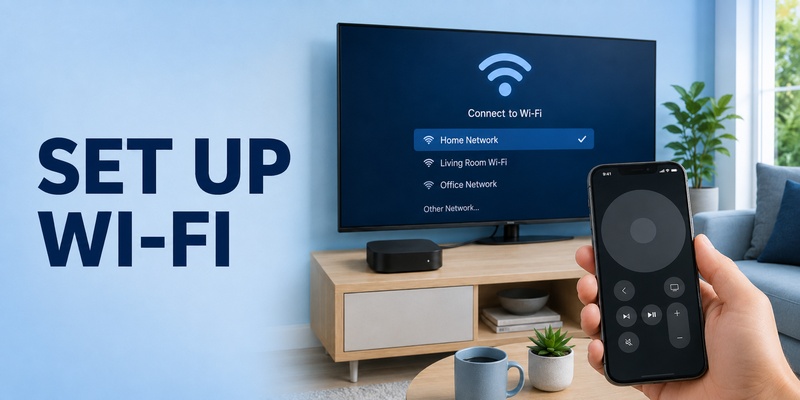
The query how to connect apple tv to wifi without remote is related to pairing, but it has an important limitation: Apple’s Remote in iPhone or iPad Control Center normally expects the mobile device and Apple TV to be on the same Wi-Fi network for setup and troubleshooting.
If Apple TV is already on your home network, open Control Center on iPhone or iPad, tap Apple TV Remote, select the Apple TV, and enter the onscreen passcode if requested. You can then navigate to Settings > Network > Wi-Fi and change networks as needed.
If Apple TV is completely offline, the iPhone remote may not be able to discover it. On an Apple TV model with Ethernet, one practical route is to connect Apple TV to your router by Ethernet temporarily, put the iPhone on the same network, use the phone remote, and then configure Wi-Fi.
Once you regain navigation, you can check network settings or confirm that Apple TV is functioning while the physical remote is unavailable.
A compatible Remote TV App can also be useful for broader phone-based TV control, depending on the television platform. For Apple TV itself, Apple’s built-in Control Center Remote is the natural first option when it can see the device on the network.
🛠️ Learn with Step-by-Step Guides: Apple TV Remote Icon: What It Means and How to Use It
9. Frequently Asked Questions About Apple TV Remote Pairing
How do I pair my Apple TV remote if it is new?
Bring it within a few inches of Apple TV, point it at the box, and hold Back + Volume Up. Use Menu + Volume Up on the first-generation black Siri Remote. If asked, place the remote on top of Apple TV until pairing completes. This is the standard how do i pair my apple tv remote workflow.
What should I do when Apple TV says the remote is disconnected?
Press a button and wait briefly. If it stays disconnected, restart the remote with TV/Control Center + Volume Down, then press a button after the disconnected notification appears. If it still fails, repeat how to pair apple tv remote close to the box.
Can I pair a replacement remote without the old remote?
Yes. You do not need the previous primary remote in your hand. Turn on Apple TV and pair the replacement close to the box. On Apple TV 4K, successful pairing of the new primary remote automatically unpairs the previous one.
Why is my Apple TV remote not pairing even when I use the right buttons?
Low battery, excessive distance, a temporary Apple TV state, or hardware damage can interfere. Charge the remote, hold it close to the box, restart the remote, power-cycle Apple TV for about six seconds, and then retry how to pair apple tv remote.
10. Final Thoughts
The most reliable way to learn how to pair apple tv remote is to remember three things: identify the remote generation, keep the remote close to Apple TV, and use the correct button combination. Newer silver Siri Remotes use Back + Volume Up, while the original black Siri Remote uses Menu + Volume Up.
If pairing does not work immediately, do not jump straight to replacement. Charge the remote, restart it with TV/Control Center + Volume Down, power-cycle Apple TV if needed, and then try how to pair apple tv remote again. A temporary apple tv remote disconnected state is often recoverable without changing your TV or network setup.
The same process covers most questions about replacement remotes, reconnecting after a drop, and moving a remote to another Apple TV. If you need a broader troubleshooting path, distinguish wireless pairing from physical damage: how to pair apple tv remote cannot repair a broken button or charging port.
When the physical controller is unavailable, use Apple TV Remote in iPhone or iPad Control Center whenever the devices can communicate on the same network. For compatible televisions and multi-device control, a Remote TV App can provide another phone-based option.
Once the remote is charged and close to the box, how to pair apple tv remote should usually take only a short button sequence rather than a complete Apple TV reset. In practice, a how to pair apple tv remote routine is a small maintenance skill worth remembering.
Download LG TV Remote