Google TV Remote Battery: Type, Life, Drain and Replacement Guide
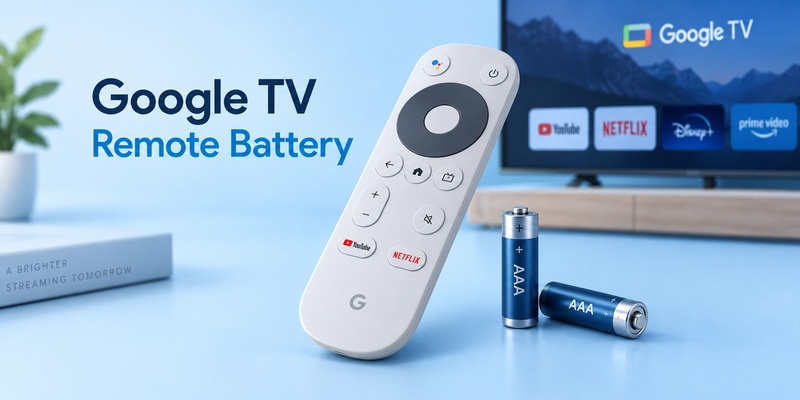
A Google TV remote uses two 1.5-volt AAA batteries, and Google recommends replacing both batteries together when troubleshooting power or connection problems.
Both the Chromecast Voice Remote and the newer Google TV Streamer Voice Remote use two AAA batteries. Google’s current specifications list two AAA batteries as included with these remotes, while Google’s troubleshooting instructions specifically recommend two fresh 1.5V AAA batteries when the original cells are unavailable.
If your Google TV remote suddenly stops responding, drains batteries unusually quickly, or shows strange LED behavior, do not immediately replace the remote. Start with the batteries, verify their orientation, watch the status LED, and then check Bluetooth pairing.
This guide covers the correct Google TV remote battery, expected lifespan, battery types, replacement steps, abnormal drain, LED symptoms, and the point at which you should stop blaming the batteries and troubleshoot the remote itself.
1. What Battery Does a Google TV Remote Use?
The correct Google TV remote battery is AAA, 1.5 volts.
Google’s official hardware specifications confirm that the Chromecast Voice Remote uses two AAA batteries, and the current Google TV Streamer Voice Remote also ships with two AAA batteries.
If you are searching for the correct remote battery name, look for:
AAA / LR03 / 1.5V
AAA describes the physical battery size. LR03 is a common IEC designation for alkaline AAA batteries.
Energizer’s AAA alkaline technical datasheet, for example, identifies the battery as IEC LR03, with a nominal voltage of 1.5 volts.
Chromecast Voice Remote
The Chromecast with Google TV Voice Remote requires:
2 × AAA batteries
Google’s specifications also show that this remote uses Bluetooth Low Energy for wireless communication and includes an IR LED for controlling compatible TVs, receivers, or soundbars.
Google TV Streamer Voice Remote
Google’s newer Google TV Streamer Voice Remote also requires:
2 × AAA batteries
Google Store lists the remote at approximately 1.4 oz without batteries and 2.2 oz with two AAA batteries installed.
So despite changes to the remote design, Google has kept the battery format simple.
You do not need AA, CR2032 coin cells, or a proprietary rechargeable battery pack.
📖 Read More Guides: Google Remote TV: Complete Guide to Apps, Pairing, Fixes, Phone Control, and Replacement
2. Google TV Remote Battery Quick Reference
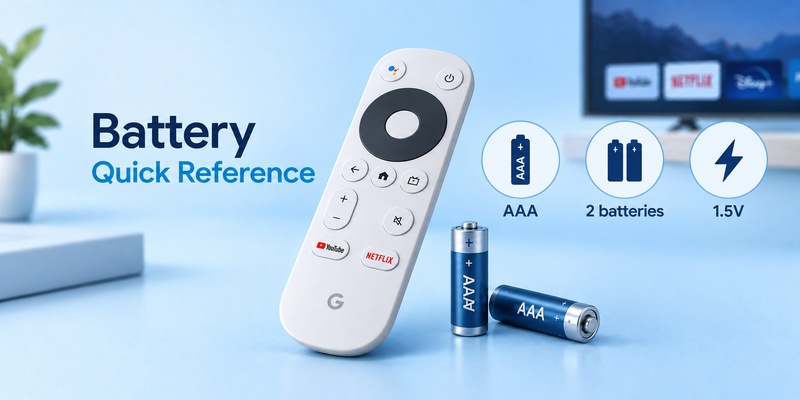
Here is the essential battery information in one place.
| Specification | Google TV Remote Requirement |
| Battery size | AAA |
| Number required | 2 |
| Recommended voltage | 1.5V each |
| Common battery designation | AAA / LR03 |
| Standard choice | Alkaline AAA |
| Replace together? | Yes |
| Included with new Google Voice Remote | Yes |
| Rechargeable battery built in? | No |
Google’s safety guidance recommends using AAA batteries rated at 1.5V and replacing all batteries at the same time. It also warns users not to use batteries rated above 1.5V in the Chromecast remote.
That makes standard quality alkaline AAA batteries the simplest option for most owners.
If your Google TV remote battery is failing, avoid mixing:
- One old and one new battery
- Different battery brands
- Different battery chemistries
- Cells with visibly different charge levels
Replace the pair together.
Google specifically recommends replacing both batteries during remote troubleshooting rather than changing just one cell.
This matters because two cells with different remaining capacities can create unstable voltage under load, making the remote appear to disconnect even though one battery still seems usable.
Download TV Remote App3. How to Open Google TV Remote and Replace the Batteries
For anyone searching how to open google tv remote, the battery compartment is located on the rear of the Voice Remote.
You do not need a screwdriver for normal battery replacement.
Step 1: Turn the remote over
Hold the Google TV remote with the buttons facing downward.
The removable rear cover gives access to the battery compartment.
Step 2: Slide or remove the battery cover
Apply gentle pressure to the rear cover and slide it away from the remote body.
Do not force the cover sideways with a screwdriver or knife.
If it does not move easily, reposition your thumb and apply pressure across a larger area of the cover.
Using metal tools can scratch the case or damage the battery compartment.
Step 3: Remove both batteries
Take out both AAA cells.
If the remote has been acting strangely, inspect the compartment for:
- Leakage
- White or green corrosion
- Bent contacts
- Dust
- Moisture
- Batteries inserted incorrectly
Do not install new batteries over visibly corroded contacts.
Step 4: Insert two fresh AAA batteries
Google’s setup documentation confirms that the remote takes two AAA batteries and provides guidance on correct polarity.
Follow the + and – markings inside the compartment.
Never assume both batteries face the same direction. Follow the markings inside your specific remote.
Step 5: Watch the LED
After reinstalling the batteries, watch the remote’s status LED.
Google says that during normal battery troubleshooting the LED should flash twice when the cells are successfully reinserted.
If you see no LED response, remove and reinstall the batteries once more before assuming the remote itself has failed.
💡 Discover Helpful Guides: How to Pair and Reconnect a Google TV Remote
4. How Long Do Google TV Remote Batteries Last?
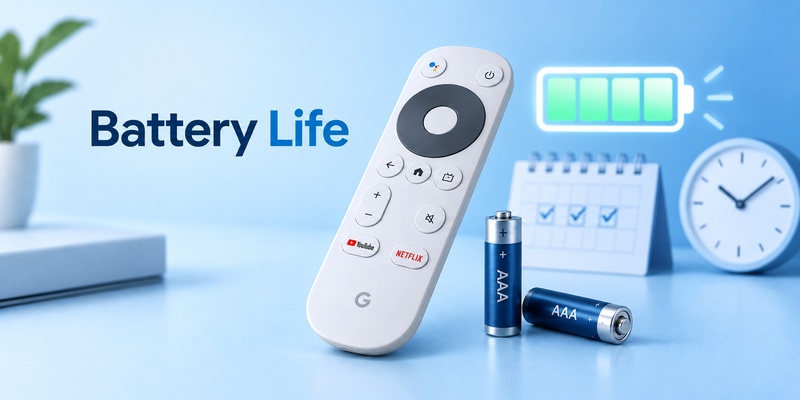
There is no official fixed answer to how long do remote batteries last in a Google TV remote.
Google does not currently publish a guaranteed number of months for Google TV Voice Remote battery life.
That is important because a claim such as “Google TV batteries always last six months” would be misleading.
Actual Google TV remote battery life depends on:
- Number of commands per day
- Voice Assistant usage
- Bluetooth activity
- Button presses
- Battery quality
- Storage temperature
- Whether the remote repeatedly reconnects
- Battery age before installation
- Abnormal firmware or hardware behavior
How long do TV remote batteries last in general?
Traditional infrared-only remotes are extremely low-drain devices because they consume significant power mainly when a button is pressed.
A Google TV Voice Remote is more complex.
It combines Bluetooth connectivity, buttons, status LEDs, voice-input hardware, and in some cases infrared control.
Energizer classifies remote controls among comparatively low-drain applications in its AAA alkaline battery documentation. Its AAA cells are specified at a nominal 1.5V and are specifically tested for remote-control use.
For that reason, a good AAA pair can often remain useful for many months under normal remote use, but there is no single lifespan that applies to every household.
If a fresh pair begins failing after only days or a few weeks, that is more suspicious than batteries gradually weakening after extended use.
In that situation, investigate google tv remote battery drain rather than simply buying another pack.
💡 Discover Helpful Guides: Google TV Remote Not Working? 15 Fixes for Pairing, Volume, Buttons, Voice, and Power
5. Which Type of AAA Battery Should You Use?
There are several types of remote battery, but they are not automatically interchangeable just because they have the same physical dimensions.
For Google TV, the safest baseline is simple:
Use two good-quality 1.5V AAA batteries.
| Battery Type | Typical Nominal Voltage | Google TV Recommendation |
| Alkaline AAA | 1.5V | Best straightforward choice |
| Carbon-zinc AAA | 1.5V | Works, usually lower performance |
| NiMH rechargeable AAA | Usually 1.2V | Not Google’s specified 1.5V |
| Lithium primary AAA | Depends on product | Check exact voltage |
| Li-ion rechargeable AAA-size cells | Can exceed 1.5V | Avoid if above specification |
Google’s safety documentation explicitly recommends AAA batteries rated at 1.5V and warns against using lithium-ion or other batteries rated above 1.5V.
Alkaline AAA
For most users, alkaline is the easiest choice.
Energizer’s current AAA alkaline specification lists:
- Zinc-manganese dioxide chemistry
- AAA / IEC LR03 designation
- 1.5V nominal voltage
- Remote controls as an intended application
What about rechargeable AAA batteries?
Many common NiMH rechargeable AAA batteries operate at approximately 1.2V nominal, lower than Google’s 1.5V recommendation.
A rechargeable cell may function in some low-power electronics, but if you are troubleshooting an unreliable Google TV remote battery, introducing a lower-voltage chemistry makes diagnosis harder.
For troubleshooting, use fresh 1.5V AAA cells first.
Once you know the remote works correctly, you can make your own battery choice based on manufacturer specifications and environmental preferences.
🗺️ Browse How-To Guides: Google TV Remote Battery: Type, Life, Drain and Replacement Guide
6. Google TV Remote Battery Drain: Why Batteries Die Quickly
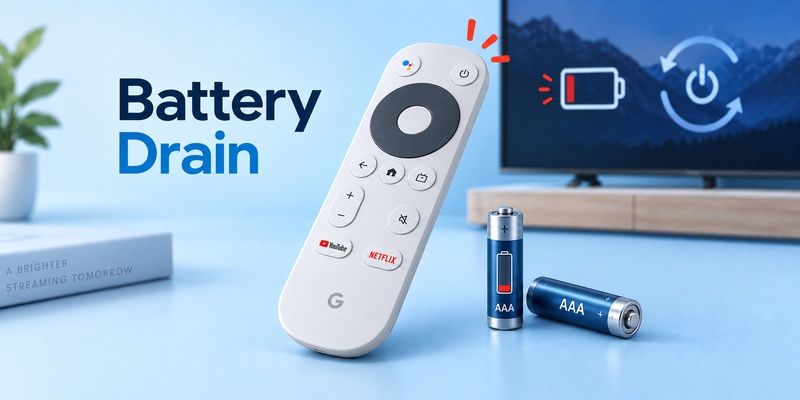
Normal battery depletion happens gradually.
Google TV remote battery drain becomes suspicious when fresh batteries lose power far sooner than expected or need frequent replacement.
There is no single cause.
Bluetooth connection problems
A Google TV remote communicates with its streaming device through Bluetooth.
When the connection becomes unstable, the remote may repeatedly attempt to reconnect.
Google’s official troubleshooting guide specifically addresses Voice Remotes that repeatedly drop their Bluetooth connection and recommends rebooting the streaming device and factory-resetting the remote if necessary.
If fast battery consumption appears together with repeated disconnects, investigate both symptoms together.
A button may be stuck
Check whether one button remains partially depressed.
A sticky D-pad, volume control, Assistant button, or shortcut key can potentially keep the remote active longer than intended.
Press every button several times and make sure each returns normally.
Voice features increase activity
Google TV Voice Remotes include microphones for voice commands.
The Google TV Streamer Voice Remote officially includes an integrated microphone, while the Chromecast Voice Remote also provides voice input.
Normal voice use should not destroy battery life, but very heavy interaction naturally creates more activity than occasional navigation.
Poor-quality or old batteries
A newly opened battery is not necessarily newly manufactured.
Storage conditions and cell quality can affect usable capacity.
If one brand performs unusually poorly, test a fresh pair from another reputable manufacturer before blaming the remote.
Firmware or remote instability
If unusual Google TV remote battery drain starts suddenly after months of normal operation, reboot the streaming device and check whether the remote is functioning normally.
Google TV also supports remote software updates through the Remotes & Accessories settings on compatible systems.
Abnormally fast drain combined with disconnections or unusual LED behavior deserves troubleshooting.
🗺️ Browse How-To Guides: Google TV Remote Not Working Light On: LED Meanings and Fast Fixes
7. Why Is My Google TV Remote Not Working After Changing Batteries?
If you’re asking why is my google tv remote not working after installing fresh batteries, the problem may no longer be the batteries themselves.
Start with the LED.
Google’s troubleshooting sequence tells users to remove both batteries, reinstall them, and check whether the status LED flashes twice.
No LED at all
If you get no LED response:
- Confirm both batteries are fresh.
- Confirm they are 1.5V AAA.
- Check polarity.
- Remove both batteries.
- Reinsert them firmly.
Google recommends repeating battery insertion and, for persistent failures, leaving the batteries removed for five minutes before reinstalling them.
LED works but the remote doesn’t
If the LED responds but the TV ignores commands, the Google TV remote battery probably has enough power.
Now suspect Bluetooth.
Google recommends rebooting the streaming device and re-pairing the remote when the LED works but the Voice Remote cannot control the Google TV interface.
You can use the dedicated How to Pair Google TV Remote guide if the controller has lost its pairing.
New batteries did not fix anything
At this point, do not keep replacing batteries.
Move to:
Restart → re-pair → remote reset → broader troubleshooting.
See Google TV Remote Not Working if the problem affects the entire remote rather than battery power alone.
8. Google TV Remote Light Stays On: Is It a Battery Problem?
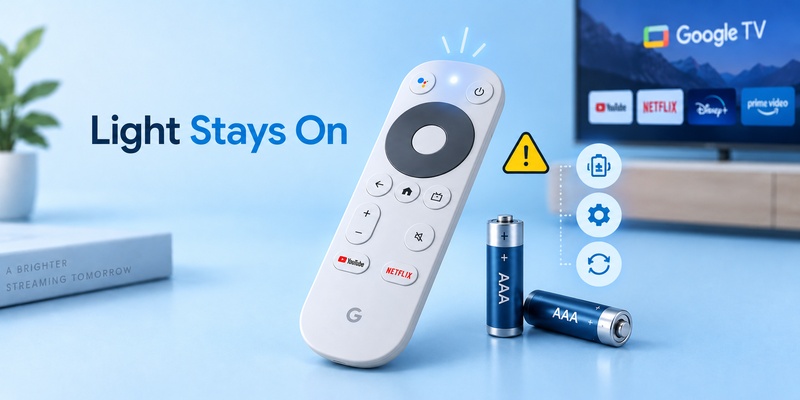
A google tv remote light stays on symptom does not automatically mean the batteries are defective.
The LED is a status indicator.
Google says it is normally hidden on the front of the remote and visible only when showing a status state.
The light can appear during:
- Battery insertion
- Pairing
- Factory reset
- Connection troubleshooting
- Other remote status events
Check what happened immediately before the light appeared
Did you just replace the Google TV remote battery?
Did you hold a pairing combination?
Did you attempt a factory reset?
Context matters.
For example, LED behavior is deliberately used as part of Google’s Voice Remote reset procedures.
Light on but remote not responding
If the LED activates while navigation still fails, the batteries are at least supplying some power.
The next likely area is the Bluetooth connection.
Restart the Google TV streaming device and try pairing again.
For a detailed explanation of this exact symptom, see Google TV Remote Not Working Light On.
Do not repeatedly replace good batteries just because the LED remains visible during a connection problem.
💡 Discover Helpful Guides: How to Control Google TV With Phone on Android and iPhone
9. Google TV Remote Not Responding: Battery Troubleshooting
When the google tv remote not responding problem appears, use a structured diagnostic sequence.
| Symptom | Likely Area | What to Try First |
| No LED | Battery/power | Fresh 1.5V AAA pair |
| LED flashes after batteries | Battery power probably present | Check pairing |
| Remote responds slowly | Connection/interference | Move closer, reboot |
| Frequent disconnects | Bluetooth issue | Restart and reset |
| Some buttons fail | Button/hardware issue | Test individual buttons |
| Batteries die unusually fast | Drain/hardware/connection | Diagnose battery drain |
Step 1: Replace both batteries
Use two fresh 1.5V AAA batteries.
Google explicitly recommends doing this when the Voice Remote is unresponsive.
Step 2: Look for two LED flashes
Remove and reinstall the batteries while watching the LED.
Google uses the two-flash response as part of its basic battery diagnosis.
Step 3: Leave batteries out for five minutes
If there is still no proper response, Google’s troubleshooting flow recommends removing both batteries and waiting five minutes before reinstalling them.
Step 4: Reboot the Google TV device
A Google TV remote battery cannot solve a frozen Bluetooth connection.
Unplug the Google streaming device from power, wait about a minute, and reconnect it.
Google includes this reboot in its Voice Remote Bluetooth troubleshooting process.
Step 5: Re-pair
For replacement or disconnected Google Voice Remotes, Google documents holding Back + Home for about three seconds if automatic pairing does not occur.
At that stage, you are troubleshooting connectivity rather than battery chemistry.
🗺️ Browse How-To Guides: How to Connect Google TV to WiFi Without Remote: 5 Working Methods
10. Google TV Remote Buttons Explained and Their Effect on Battery Use
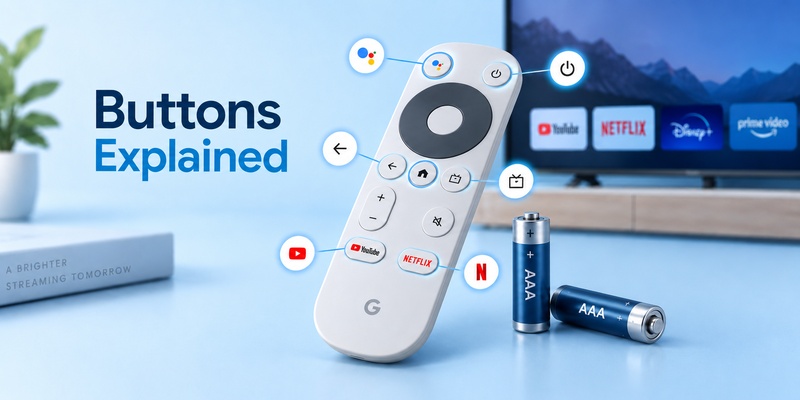
Understanding google tv remote buttons explained can help you distinguish a battery problem from a control problem.
Google TV Streamer Voice Remote includes:
- D-pad
- Select
- Home
- Back
- Volume
- Power
- YouTube
- Netflix
- Play/Pause
- Assistant
- Customizable button
Google also lists an integrated microphone, Bluetooth connectivity, and IR support for controlling compatible TVs, soundbars, or receivers.
Navigation buttons
For anyone learning how to use google tv remote, the D-pad and Select button handle most navigation.
These buttons send control commands through the remote’s wireless connection.
Assistant button
Voice interaction activates the microphone and sends a more complex interaction than a basic directional click.
Normal use is expected and should not cause severe Google TV remote battery drain by itself.
Power and volume
Some TV-control functions can use IR rather than the same Bluetooth pathway used for Google TV navigation.
This creates an important diagnostic clue:
If Home and navigation work but TV volume doesn’t, changing the batteries again may not solve the problem.
The remote can have enough battery power while the IR or TV-control configuration is incorrect.
Stuck buttons
A physically stuck button is different.
If a key remains engaged, it may generate unnecessary remote activity.
Clean around the button carefully and verify that every button returns to its normal position after being pressed.
📘 Find the Right Guide: Google TV Remote Finder: How to Find a Lost Remote
11. How to Extend Google TV Remote Battery Life
A Google TV remote battery should not require constant attention.
A few habits can reduce unnecessary problems.
Replace batteries as a pair
Never mix a partially depleted AAA with a fresh one.
Google’s safety guidance specifically recommends replacing all batteries at the same time.
Use the recommended voltage
Choose 1.5V AAA batteries.
That removes voltage mismatch as a troubleshooting variable.
Fix repeated disconnections
Do not ignore a remote that continually loses Bluetooth connection.
Google provides separate troubleshooting specifically for repeated connection drops, including rebooting the streaming device and resetting the remote.
Keep the battery compartment dry
Moisture and battery leakage can damage contacts.
Google’s safety documentation warns users to keep batteries away from water, excessive heat, damage, and short circuits.
Remove batteries during very long storage
If a remote will remain unused for a long period, removing alkaline cells can reduce the risk of old batteries leaking inside the compartment.
Keep a phone remote ready
A backup does not directly extend battery life, but it prevents unnecessary panic when a battery pair suddenly dies.
Google TV can be controlled from a compatible phone over the local network.
A Remote TV App can also provide a useful backup for households using several compatible TV brands.
Physical remote for everyday use + phone remote for emergencies is a practical setup.
12. When Batteries Are Not the Problem
Eventually, replacing the Google TV remote battery stops being useful.
If two confirmed fresh batteries produce normal LED activity but the remote still fails, the problem is likely elsewhere.
Pairing
The Voice Remote may have lost its Bluetooth pairing.
Google says a replacement remote normally pairs automatically, but if it does not, Back + Home for approximately three seconds can initiate manual pairing.
Streaming device problem
Restart the Chromecast with Google TV or Google TV Streamer.
Google recommends rebooting the streaming device as part of remote troubleshooting.
Remote software
If the remote is connected but behaves unpredictably, check available remote updates from Google TV’s Remotes & Accessories area.
Factory reset
Persistent connection problems may justify resetting the remote.
Do not confuse this with factory-resetting the entire Google TV streaming device.
If needed, follow How to Reset Google TV Remote.
Hardware failure
Suspect hardware if:
- Fresh batteries never produce an LED response.
- Battery contacts are damaged.
- The remote has suffered liquid damage.
- Multiple buttons are physically broken.
- Battery drain remains extreme after reset and re-pairing.
- The remote repeatedly disconnects despite completing troubleshooting.
Google sells replacement Voice Remotes and confirms that compatible replacement hardware can be paired with Chromecast with Google TV and Google TV Streamer.
Do not keep buying batteries for a remote with a confirmed hardware fault.
🧭 Explore Guides: Google TV Remote Replacement: Compatibility, Buying, and Pairing Guide
13. Frequently Asked Questions
What battery does a Google TV remote use?
Two 1.5V AAA batteries. Google lists two AAA batteries for both Chromecast Voice Remote and Google TV Streamer Voice Remote and recommends fresh 1.5V AAA cells when troubleshooting.
How long do Google TV remote batteries last?
Google does not publish a guaranteed battery-life figure for its Voice Remotes. Actual lifespan varies with usage, voice commands, Bluetooth activity, battery quality, temperature, and connection behavior. Very rapid drain from fresh batteries should be investigated rather than considered normal.
Why is my Google TV remote not responding with new batteries?
If the LED responds after inserting fresh AAA batteries, power may not be the main problem. Restart the streaming device and re-pair the remote. Google recommends Back + Home for about three seconds when a remote does not pair automatically.
Can I use rechargeable batteries in a Google TV remote?
Google specifies 1.5V AAA batteries for troubleshooting and warns against cells rated above 1.5V. Many common NiMH rechargeable AAA cells are nominally 1.2V, so fresh 1.5V alkaline batteries are the simplest choice when diagnosing problems.
Why are my Google TV remote batteries draining so fast?
Fast Google TV remote battery drain can be associated with poor batteries, connection problems, repeated Bluetooth reconnection, stuck buttons, or hardware faults. If several fresh pairs drain unusually fast, restart and reset the remote rather than continuing to replace batteries.
Can I control Google TV while the batteries are dead?
Yes, if your Google TV is still connected to the network. A compatible phone can act as a virtual remote, giving you temporary access while you replace or troubleshoot the physical controller.
14. Final Thoughts
The Google TV remote battery setup is simple: two fresh 1.5V AAA batteries.
Both Chromecast Voice Remote and Google TV Streamer Voice Remote use the same basic battery size, so you do not need proprietary cells or an internal rechargeable pack. Google also recommends replacing both batteries together rather than mixing old and new cells.
If the remote stops working, use this order:
Check battery orientation → install two fresh AAA batteries → watch for LED activity → reboot Google TV → re-pair the remote → reset it if necessary.
Do not assume every unresponsive remote has dead batteries.
If the google tv remote light stays on, commands fail despite fresh batteries, or google tv remote battery drain becomes unusually severe, investigate Bluetooth pairing and remote hardware as well.
And when you’re wondering how long do tv remote batteries last, remember that Google does not specify a fixed number of months. Battery life varies with real-world use.
The most useful rule is therefore not a calendar interval.
Replace the batteries when performance changes, and investigate the remote if fresh batteries repeatedly fail far sooner than expected.