
Puffin TV Remote iOS: Can You Control Puffin TV Browser From an iPhone?
No official Puffin TV Remote iOS app is currently available for iPhone; CloudMosa’s official Puffin TV Remote is listed for Android, while Puffin TV Browser is designed for Android TV.
That distinction matters because many people searching for puffin tv remote ios are not simply looking for another universal TV remote. They want a phone-based controller that can navigate Puffin TV Browser, move a cursor, enter text, and replace the awkward directional controls of a physical TV remote.
The official Android companion app is built for exactly that job, but the same dedicated controller is not currently presented by CloudMosa as an iOS product. If you use an iPhone, the practical solution is to use the TV platform’s own iPhone remote, an iOS-compatible universal remote, or a Remote TV App that supports your television model.
1. Is Puffin TV Remote Available on iOS?
The short answer is no: there is no verified official puffin tv remote ios release in CloudMosa’s current product lineup. CloudMosa publishes Puffin TV Remote on Google Play, and the listing describes it as a companion controller for Puffin TV Browser. The app provides a digital D-pad and touchpad for navigating the Puffin TV homepage and browser menu.
This is different from Puffin Web Browser on iPhone. CloudMosa still maintains iOS support documentation for its mobile Puffin browser products, but a mobile browser is not the same thing as a TV remote. Installing Puffin on an iPhone does not automatically turn the phone into a dedicated Puffin TV Browser controller.
If your goal is puffin tv remote ios, first separate these three products:
| Product | Main purpose | Current platform focus | Dedicated Puffin TV remote? |
| Puffin TV Browser | Browse the web on a television | Android TV | Controlled through compatible TV/remote controls |
| Puffin TV Remote | Navigate Puffin TV Browser | Android phone/tablet | Yes |
| Puffin mobile browser | Browse on a phone | Mobile platforms | No |
CloudMosa’s official Puffin TV Browser page specifically promotes Android TV and directs users to Google Play. Its current Puffin TV Remote listing is also on Google Play. For iPhone users, puffin tv remote ios is therefore a compatibility question rather than a direct App Store download.
That makes it risky to trust third-party pages claiming to offer a special iPhone build unless the download can be verified through an official Apple or CloudMosa source.
For most iPhone owners, the better question is not “Where can I download puffin tv remote ios?” but “Which iPhone remote can control the TV or streaming device that is running Puffin?”
Download LG TV Remote2. What Puffin TV Remote Actually Does
Puffin TV Remote is not a full universal television controller. Its main job is to make Puffin TV Browser easier to use from a phone. According to the official Google Play description, users can switch between a digital D-pad and a touchpad to navigate the Puffin TV homepage and browser interface.
That focus explains why someone searching for puffin tv remote ios may be disappointed by a normal iPhone remote app. A standard TV remote can often change volume, control power, open apps, or move through the television’s menus, but it may not reproduce every browser-specific touchpad behavior.
The official puffin tv remote is most useful for actions such as:
- moving through Puffin TV Browser menus;
- navigating web pages more comfortably than with arrow keys;
- using touchpad-style movement where supported;
- reducing the friction of browsing on a large TV screen.
It is also important to understand what it is not. The Puffin controller is not intended to replace every Samsung, LG, Roku, Sony, Fire TV, or Android TV remote function. In other words, puffin tv remote ios is about browser navigation first, not full TV control.
So if you searched puffin tv remote iphone because you lost your TV remote, start by checking whether you actually need browser navigation or full television control. If you mainly need power, volume, input, channels, and app navigation, an iPhone-compatible universal remote is usually the more flexible choice.
🛠️ Learn with Step-by-Step Guides: Apple remote tv app: Complete Apple TV Remote Guide for iPhone, Siri Remote, Pairing & Fixes
3. How Puffin TV Browser and the Remote Work Together
Puffin TV Browser is built for television screens rather than for standard mobile browsing. Its interface removes much of the traditional browser chrome and emphasizes a more immersive TV experience. CloudMosa also promotes phone-assisted features such as sending URLs from a phone to the TV.
For Android users, the intended setup is straightforward: install Puffin TV Browser on a compatible Android TV device and use the official Puffin TV Remote on an Android phone when you want more convenient navigation. This is where puffin tv remote ios differs from the official Android workflow.
For iPhone users, puffin tv remote ios creates a platform mismatch. The TV browser itself is centered on Android TV, while the official dedicated phone remote is published for Android. That means an iPhone user generally has to control the underlying TV platform instead of controlling Puffin through the dedicated Puffin remote.
If you need more iPhone control options, an Android TV remote for iOS is generally more relevant than downloading an unverified puffin remote ios package. A platform remote is usually the safest puffin tv remote ios workaround because it controls the device running the browser rather than relying on an unsupported Puffin-specific iPhone app.
💡 Discover Helpful Guides
Apple TV Siri Remote: Complete Guide to Features, Generations, Pairing, and Everyday Use
4. Can You Use an iPhone With Puffin TV Browser?
Yes, you can still use an iPhone around a Puffin TV Browser setup, but not through a verified dedicated puffin tv remote ios app. The iPhone can serve as part of the overall control workflow when the television or streaming platform provides iOS remote support.
Think of the control path in layers:
- Puffin TV Browser runs on the TV or Android TV device.
- The TV operating system handles directional navigation, app launching, and device-level commands.
- Your iPhone remote app controls that TV operating system.
- Those commands are then used to move around inside Puffin TV Browser.
This may not give you every feature of the official Android Puffin controller, but it can be enough for basic navigation. That layered setup is the practical meaning of puffin tv remote ios on an iPhone today.
For users who searched puffin tv remote ios because they want to type web addresses from an iPhone, text input support is especially important. Some TV-platform remotes offer a phone keyboard when the television requests text. Others provide only directional keys and a touchpad.
The important point is to choose the remote according to the device running Puffin. If Puffin TV Browser is running on Android TV or Google TV, look for an iOS remote compatible with that platform rather than searching only by the Puffin brand name.
5. Is Puffin TV Browser Free?
No. CloudMosa’s current support information says Puffin TV Browser is subscription-based and no longer provides a usage quota or free trial. Puffin currently lists monthly and shorter prepaid subscription options, although actual pricing may vary by location and Google Play billing conditions.
This directly answers two related searches: is puffin tv browser free and is puffin tv free. At present, users should expect a paid model for ongoing Puffin TV Browser usage rather than assuming the browser is permanently free.
This pricing detail is important when evaluating puffin tv remote ios alternatives. Even if you solve the iPhone control problem with another remote app, the Puffin TV Browser service itself may still require payment.
Before subscribing, confirm that Puffin TV Browser solves a problem you cannot already handle with the browser or apps built into your TV. Cost is therefore part of the puffin tv remote ios decision, not just app availability.
🛠️ Learn with Step-by-Step Guides: Apple TV Remote App Not Working: Fast Fixes for iPhone and Siri Remote Issues
6. Best iPhone Alternatives to Puffin TV Remote
The best replacement for puffin tv remote ios depends on what you actually need to control. There is no single alternative that is automatically best for every TV because different platforms expose different remote-control functions to iOS.
| Your main need | Better iPhone option | Why it fits |
| Control the TV running Puffin | TV-brand or platform remote | Matches the device rather than only the browser |
| Navigate Android TV / Google TV | Compatible iOS Android TV remote | Gives D-pad and device navigation |
| Control several TV brands | Universal Remote TV App | Useful when you have multiple TVs |
| Type and browse more easily | Remote with keyboard/touchpad | Better for URLs and search fields |
| Replace a lost physical remote | iphone tv remote free option | Basic controls without buying hardware immediately |
A Remote TV App can be a practical fallback when the dedicated Puffin controller is unavailable on your phone. For puffin tv remote ios, choose by TV platform first and browser second.
If the app supports your television, it can provide common controls such as navigation, volume, playback, app access, and sometimes a touchpad or keyboard.
For someone specifically searching puffin tv remote ios, the key is to avoid treating “universal” as proof of compatibility. Check the supported TV brands and operating systems first. A universal iOS remote may work perfectly with the television while still lacking some browser-specific behavior.
The advantage of a broader Remote TV App is that it remains useful outside Puffin. You can use it for normal TV navigation, streaming apps, playback control, and other everyday functions instead of installing a remote that only works with one browser.
💡 Discover Helpful Guides: Fire TV Remote iOS: How to Control Fire TV and Fire Stick From iPhone
7. Can an iPhone TV Remote App Work Without Wi-Fi?
Usually, smart TV remote apps work best when the iPhone and TV are connected to the same local network. That is because many modern remote apps discover and control TVs over Wi-Fi rather than using infrared.
The keyword iphone tv remote app without wifi often describes a different need from puffin tv remote ios. Most iPhones do not include a general-purpose infrared blaster, so an iPhone normally cannot imitate a traditional IR TV remote by itself.
Before choosing an app, check these basics:
- Is the TV powered on and connected to the home network?
- Is the iPhone on the same Wi-Fi network?
- Does the TV require a pairing code or confirmation prompt?
- Does the app support your exact TV platform?
- Are Local Network permissions enabled for the app on iPhone?
If your home Wi-Fi is down, the physical remote may still be required to reconnect the TV. Network access is therefore a central limitation for puffin tv remote ios alternatives.
This is another reason a search for puffin tv remote ios should begin with device compatibility. The remote must be able to communicate with the television first; Puffin Browser control comes after that connection is established.
📘 Find the Right Guide: Apple TV Remote iOS: Set Up, Connect, and Fix Common iPhone Remote Problems
8. Puffin TV Remote Compatibility and Troubleshooting Checks
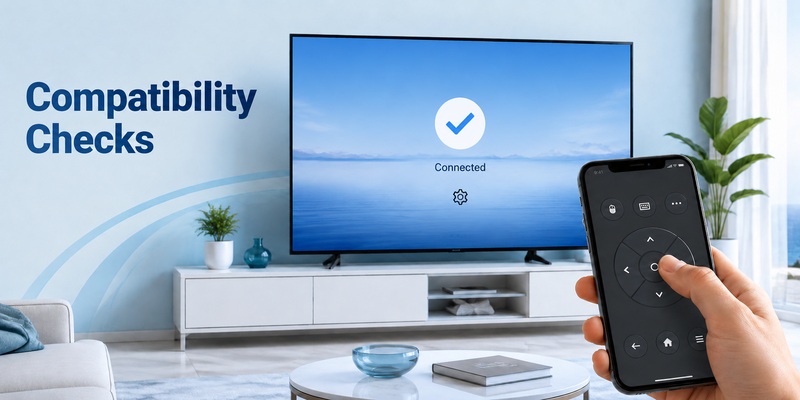
If you are trying to control Puffin TV Browser from a phone, identify which part of the setup is failing before changing apps. Treat puffin tv remote ios troubleshooting as two layers: TV connectivity and browser navigation.
Start with the television. Confirm Puffin TV Browser launches normally and responds to the physical remote. If the browser itself is frozen, a phone remote will not necessarily fix it.
Next, confirm the phone platform. On Android, use the official Puffin TV Remote listing from CloudMosa. On iPhone, do not spend time repeatedly searching for a current official puffin tv remote ios download that cannot be verified through Puffin’s current product pages.
Then test the underlying TV remote connection. A compatible iPhone app should at least be able to discover the TV and move through the television’s own interface. If it cannot do that, the problem is below the Puffin layer.
If you encounter a page labeled puffin tv remote 1.1 ios, treat that wording as a legacy or third-party search label, not proof of an official iPhone release. Current official distribution still points to the Android companion app, so verify the developer and store source before installing anything.
A useful diagnostic order is:
- restart the TV or streaming device;
- restart the phone;
- reconnect both devices to the same network;
- check iOS Local Network permission for the remote app;
- confirm the TV allows mobile-device control;
- pair again if a code appears on screen;
- test navigation in the TV home menu before opening Puffin.
This approach is faster than switching between random apps. A common mistake is opening the browser first and assuming a failed cursor means the entire phone connection is broken.
Test Home, Back, and directional commands at the TV level first. If those work, you can narrow the issue to browser interaction.
For iPhone users, the most reliable puffin tv remote ios workaround is therefore a known-compatible TV or platform remote rather than an unofficial Puffin-branded package.
📘 Find the Right Guide: Fios Remote TV Codes: Find, Program, and Fix Your Verizon Fios Remote
9. FAQ About Puffin TV Remote on iPhone
Is there a Puffin TV Remote app for iPhone?
No official iPhone version could be verified from CloudMosa’s current product pages. The official Puffin TV Remote is published on Google Play for use with Puffin TV Browser. If you need puffin tv remote ios functionality, use an iOS remote that supports the TV or streaming platform running Puffin.
Can I control Puffin TV Browser with my iPhone?
Yes, indirectly in many setups. An iPhone remote that controls the underlying Android TV, Google TV, or smart TV platform may let you navigate inside Puffin TV Browser. That is the most realistic puffin tv remote ios setup on iPhone, although it may not reproduce every feature of the dedicated Android Puffin remote.
Is Puffin TV Browser free in 2026?
No. Puffin’s official support information says Puffin TV Browser is subscription-based and no longer includes a free usage quota or free trial. Pricing options can vary by country and Google Play billing conditions.
Should I download an old Puffin Remote iOS file from a third-party site?
It is safer not to unless you can independently verify the developer, signing, distribution source, and version. A current official puffin remote ios listing is not visible in the official Puffin product paths reviewed for this guide.
10. Final Thoughts
If you searched puffin tv remote ios hoping for an official iPhone companion to Puffin TV Browser, the current answer is straightforward: the dedicated Puffin TV Remote is an Android app, while Puffin TV Browser itself is designed around Android TV.
That does not mean an iPhone is useless with Puffin. The practical puffin tv remote ios answer is to control the television or streaming platform that runs the browser. A compatible iPhone remote can often handle directional navigation, Back, Home, text entry, playback, and other commands, depending on the TV.
For most users, this is more practical than searching for an unofficial puffin tv remote ios download. It also gives you a remote that works across the rest of your TV experience instead of only one browser.
If you want one phone-based controller for everyday use, try a compatible Remote TV App and confirm that your TV model is supported. If your device is Android TV or Google TV, start with the platform-specific iOS options first, then use Puffin TV Browser as just one app within that setup.
Download LG TV Remote