
Google Remote TV App: Best Apps for TCL, Hisense, Sony, Philips, onn. and Xiaomi
You can control most Google TV and Android TV devices from your phone using the official Google TV app, Google Home, a manufacturer app, or a compatible universal remote app.
The best google remote tv app, however, depends less on the logo printed on the front of your television and more on which operating system the TV actually runs.
A TCL Google TV and TCL Roku TV require different remote ecosystems. The same is true for Hisense models running Google TV, Roku TV, Fire TV or VIDAA.
For a television that genuinely runs Google TV or Android TV, the official Google TV app is usually the first option to try. Google says its mobile app can control playback, power, volume, Google Assistant and text entry on supported devices.
Google’s TV platform is also substantial: the company says Google TV and other Android TV OS devices now power more than 300 million active devices worldwide.
This guide compares the best app choices by TV brand so you can choose the right controller without downloading five different remote apps.
1. Does Google TV Have a Remote App?
Yes. Google officially lets you use your smartphone as a remote for Google TV and Android TV.
For anyone searching does google tv have a remote app, the main official option is the Google TV application.
Google says the mobile remote can:
- Navigate the Google TV interface
- Play movies and TV shows
- Play and pause media
- Turn supported TVs on or off
- Change volume
- Activate Google Assistant
- Enter text using the phone keyboard
This makes the google remote tv app particularly useful when the physical remote is missing, has dead batteries or is temporarily disconnected.
There is one important requirement:
Your phone and television normally need to be connected to the same Wi-Fi network.
Google specifically lists mismatched Wi-Fi networks as one of the main reasons the virtual remote cannot discover a Google TV device.
Is there a separate Google remote app?
Users searching is there a google tv remote app sometimes expect to find a standalone application called “Google TV Remote.”
Google has instead integrated virtual-remote features into its broader Google TV and Google Home ecosystem.
That means the safest starting point for a Google TV is usually:
Google TV app → Google Home → manufacturer app → compatible universal remote app.
Which one is best depends on the TV brand and platform.
📖 Read More Guides: Google Remote TV: Complete Guide to Apps, Pairing, Fixes, Phone Control, and Replacement
2. How a Google Remote TV App Works
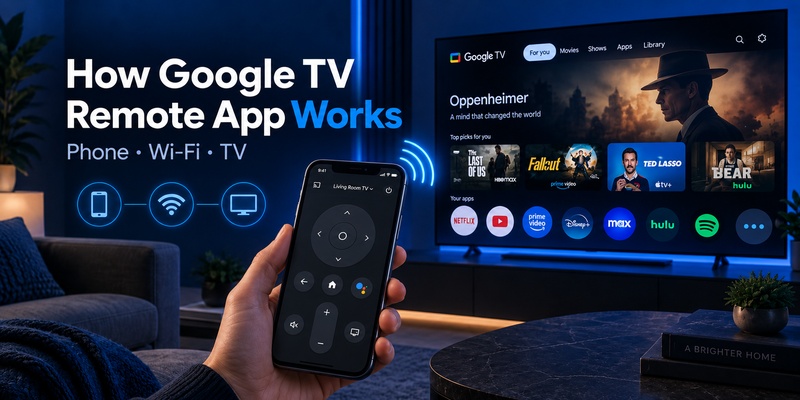
A google remote tv app generally communicates with your television over the local network instead of copying an old infrared remote.
The phone and TV discover each other on Wi-Fi, after which the TV displays a pairing code.
Google’s standard process is:
- Open the Google TV app.
- Select nearby TVs.
- Choose your Google TV device.
- Enter the code displayed on the television.
- Tap Pair.
Once paired, the smartphone becomes a google tv remote control app with directional controls and other supported functions.
Wi-Fi remote vs infrared remote
This distinction matters when comparing apps.
A Wi-Fi google remote tv app communicates through the TV’s network features. It can often provide smart controls, keyboard entry and app navigation.
An infrared remote app requires a phone with an IR transmitter and behaves more like a conventional remote.
Modern iPhones do not include a general-purpose IR blaster, so most iPhone remote solutions rely on Wi-Fi.
Why phone remotes are useful
A phone remote has one advantage that traditional hardware struggles to match:
typing.
Entering an email address, Wi-Fi password or movie title using a phone keyboard is significantly faster than clicking through an on-screen keyboard one letter at a time.
That alone makes keeping a google remote tv app installed worthwhile even if your physical remote works perfectly.
Download TV Remote App3. How to Choose a Remote App by TV Brand
Do not choose a remote application based only on the manufacturer.
Choose it based on manufacturer + operating system.
This is the biggest mistake people make when searching for a remote app for google tv.
For example:
| TV / Device | Platform | Best First App | Alternative |
| TCL Google TV | Google TV | Google TV / Google Home | Universal Remote TV App |
| TCL Roku TV | Roku TV | Roku app | Universal remote app |
| Hisense Google TV | Google TV | Google TV | Universal remote app |
| Hisense VIDAA | VIDAA | VIDAA-compatible app | Universal remote app |
| Sony BRAVIA Google TV | Google TV | Google TV / BRAVIA Connect | Universal remote app |
| Philips Google TV | Google TV | Google TV | Universal remote app |
| onn. Google TV | Google TV | Google TV / Google Home | Compatible universal app |
| Xiaomi Google TV | Google TV | Google TV / Google Home | Mi Remote |
| Element Google TV | Google TV | Google TV | Compatible universal app |
This explains why two people can own TCL televisions yet get completely different results from the same google remote tv app.
Check your home screen
If you are uncertain, look at the television interface.
A Google TV normally displays Google’s “For you,” Apps and other Google TV navigation areas.
You can also open:
Settings → System → About
The exact path varies by manufacturer, but the goal is to identify whether you have:
- Google TV
- Android TV
- Roku TV
- Fire TV
- VIDAA
- Another smart TV platform
Identify the platform before installing an app.
💡 Discover Helpful Guides: How to Pair and Reconnect a Google TV Remote
4. Best TCL Google TV Remote App
For a genuine TCL Google TV, the official Google ecosystem is normally the best place to start.
The tcl google tv remote app options include both Google TV and Google Home.
TCL’s own current support documentation confirms that Google Home can control TCL Google TV from Android, iPhone and iPad. Supported controls include menu navigation, volume adjustment, app launching and keyboard input.
Best choice: Google TV app
For simple television navigation, the Google TV app is usually the most direct choice.
Use it if you primarily need:
- Directional navigation
- Home and Back
- Playback
- Text input
- Voice functions
- Volume control
The phone and television should be on the same network.
Alternative: Google Home
Google Home is better if the TCL is part of a larger smart-home setup.
TCL documents adding the television to Google Home and then opening its virtual remote from the device page.
Watch out for TCL Roku TV
Not every TCL television uses Google TV.
A remote app for tcl google tv should not automatically be used for a TCL Roku model.
TCL is the hardware brand. Google TV or Roku TV is the software platform.
If the home screen says Roku, use a Roku-compatible controller instead.
This is why app selection by operating system is more reliable than selecting by brand name alone.
💡 Discover Helpful Guides: Google TV Remote Not Working? 15 Fixes for Pairing, Volume, Buttons, Voice, and Power
5. Best Hisense Google TV Remote App
Hisense is another brand where identifying the operating system is critical.
A hisense google tv remote app should be chosen for a Hisense model that actually runs Google TV.
Hisense also sells TVs using other platforms, including VIDAA, Roku TV and Fire TV depending on country and model.
For Hisense Google TV
Start with the Google TV app.
Because Google’s official virtual remote works with Google TV and Android TV devices, it provides the most straightforward google remote tv app experience for a compatible Hisense Google TV.
You can use it for navigation, playback, volume, text entry and other supported functions.
When a universal app is useful
A universal Remote TV app becomes more interesting when your household includes different Hisense platforms or televisions from multiple manufacturers.
Rather than keeping one application for a Hisense Google TV and another for an LG or Roku television, a compatible universal app can consolidate basic controls.
The Remote TV App site, for example, currently lists compatibility across 1,000+ TV brands and highlights Samsung, LG, Sony, TCL, Hisense, Philips and Roku among supported platforms.
The key rule remains:
Check the Hisense operating system first.
🗺️ Browse How-To Guides: Google TV Remote Battery: Type, Life, Drain and Replacement Guide
6. Best Sony Google TV Remote App
Sony provides one of the clearest examples of why users should compare official options instead of automatically installing a generic controller.
For a compatible BRAVIA television, the best sony google tv remote app may be either:
Google TV app or Sony | BRAVIA Connect.
Sony’s February 2026 support documentation confirms that supported BRAVIA models can be controlled from a smartphone with either application.
Choose Google TV when…
Use the Google TV google remote tv app if you mainly want standard platform-level controls.
It is ideal for:
- Moving around Google TV menus
- Selecting apps
- Entering text
- Controlling playback
- Replacing the physical remote temporarily
Choose BRAVIA Connect when…
Use Sony’s app when your supported television benefits from Sony-specific device management.
Sony notes that BRAVIA Connect support depends on model. Its supported product list currently includes newer ranges such as BRAVIA 9, BRAVIA 8, BRAVIA 8 II, BRAVIA 5, BRAVIA 3, BRAVIA 2 II and A95L, although regional availability can vary.
So for Sony, the decision is simple:
Google controls → Google TV app.
Sony-specific control → BRAVIA Connect when supported.
🗺️ Browse How-To Guides: Google TV Remote Not Working Light On: LED Meanings and Fast Fixes
7. Best Philips Google TV Remote App
For a Philips television running Google TV, the official Google TV app is a logical first choice.
Philips’ own support material confirms that users can turn an Android phone into a remote for Philips Google TV using Google’s application.
The documented controls include:
- TV navigation
- Media playback
- Power
- Google Assistant
- Volume
- Text entry
That makes the official app the safest starting point for someone searching for a philips google tv remote app.
Android vs iPhone
Older Philips documentation contains platform-specific limitations that may no longer reflect Google’s current app availability.
Google’s current documentation supports virtual remote functionality through the Google TV ecosystem, while the Google TV app is currently available on both Android and iPhone in supported markets.
Because regional and model support changes, follow Google’s current availability for your phone and check Philips compatibility for your specific television.
Universal alternative
If you own Philips plus televisions from several other brands, a universal google remote tv app may be more convenient than maintaining separate applications.
8. Best Remote Apps for onn., Element and Xiaomi Google TV
Smaller or value-focused Google TV brands often create the most confusion because people search for a brand-specific remote that may not actually be necessary.
onn. Google TV
For an onn google tv remote app, start with Google’s own ecosystem.
Walmart’s onn. Google TV devices use the Google TV platform, so Google TV or Google Home should generally be the first options for compatible models.
Google itself has referenced the Walmart onn. 4K Pro as part of the Google TV device ecosystem.
If you simply lost the physical remote, installing another brand-specific application is usually unnecessary.
Element Google TV
For an element google tv remote app, apply the same operating-system rule.
If the television genuinely runs Google TV or Android TV, first test the Google TV app.
Do not assume all Element smart televisions use Google TV, because hardware manufacturers may sell different platform variants.
Xiaomi Google TV
The situation is slightly different for the xiaomi google tv remote app.
Xiaomi officially recommends either:
- Mi Remote
- Connecting the Xiaomi TV to Google Home
for supported television control.
If your Xiaomi television uses Google TV or Android TV, Google’s virtual remote can also be relevant at the platform level.
The best choice therefore depends on what you want:
Google TV navigation → Google ecosystem.
Xiaomi-specific ecosystem → Mi Remote.
Multiple TV brands → universal Remote TV App.
9. Google TV App vs Google Home vs Manufacturer Apps
There is no single google remote tv app that is automatically best in every situation.
The right choice depends on how much control you need.
| App Type | Best For | Advantages | Limitations |
| Google TV app | Google TV navigation | Official, keyboard, playback, voice | Primarily Google/Android TV |
| Google Home | Smart-home users | TV + home devices in one app | More complex interface |
| Manufacturer app | Brand-specific functions | May expose extra TV features | Limited to selected models |
| Universal remote app | Multiple brands | One app for several TVs | Feature support varies |
Google TV app
The official google tv remote app is the safest default for a genuine Google TV.
Google’s current documentation confirms remote control of both Google TV and Android TV.
Google Home
Google Home makes sense if the television already lives inside your Google smart-home ecosystem.
For some manufacturers, such as TCL and Xiaomi, the companies themselves document Google Home as a control option.
Manufacturer apps
Sony is a good example.
BRAVIA Connect can expose a more Sony-focused experience, whereas the Google TV google remote tv app handles the broader Google television platform.
Universal remote apps
A universal option becomes more useful as the number of brands in your home increases.
If you have a Sony Google TV in one room, Roku TV in another and an LG television elsewhere, three separate brand apps quickly become annoying.
💡 Discover Helpful Guides: How to Control Google TV With Phone on Android and iPhone
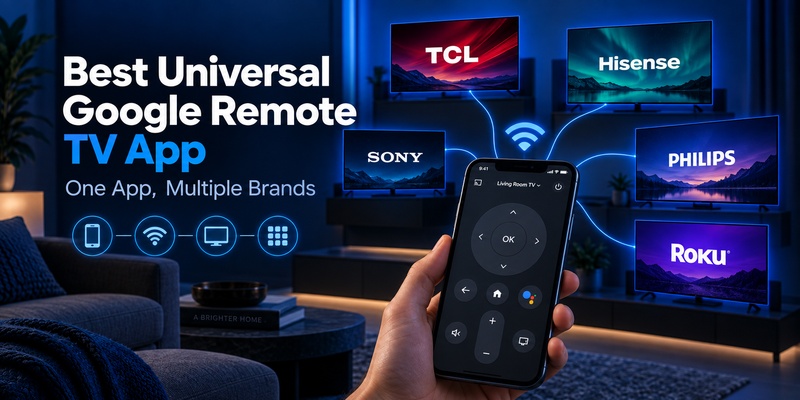
10. Best Universal Google Remote TV App for Multiple Brands
A universal app is most useful when Google TV is only one of several television ecosystems in your home.
Instead of asking only, “Which google remote tv app controls my Google TV?” ask:
“How many different TVs do I need one phone to control?”
If the answer is more than one brand or operating system, consider the Remote TV App.
The current Remote TV App site lists support for 1,000+ TV brands, including Samsung, LG, Sony, TCL, Hisense, Philips, Roku TV, Fire TV, Apple TV, Panasonic and Vizio. It also advertises Wi-Fi auto-detection for supported televisions.
When Remote TV App makes sense
Choose a universal google remote tv app alternative when:
- You have several TV brands.
- Family members frequently lose physical remotes.
- You want one familiar interface.
- You need a backup controller.
- You do not want a folder full of brand-specific apps.
When Google’s app is still better
If you own only one Google TV and want maximum platform-level compatibility, Google’s official app is usually the simpler choice.
That is why this is not really an “official vs universal” competition.
Google TV app is optimized for the platform. A universal Remote TV app is optimized for convenience across brands.
🗺️ Browse How-To Guides: How to Connect Google TV to WiFi Without Remote: 5 Working Methods
11. Google TV Remote App Download: Android, iPhone and Free Options
For a safe google tv remote app download, use the official Google Play Store or Apple App Store rather than third-party APK websites.
Google TV remote app for Android
The google tv remote app for android is integrated with Google’s Google TV ecosystem.
Google Play currently shows the Google TV application from Google LLC with 10B+ downloads worldwide, although that figure covers the entire Google TV application rather than only its remote feature.
If you search google remote control download, verify that the developer is Google LLC before installing software claiming to be an official Google app.
Android TV Remote Service
Users may also encounter android tv remote control by google llc in search results.
Google Play currently lists Android TV Remote Service from Google LLC with 500M+ downloads and states that it enables Android phones or tablets to act as remote controls for Android TV. Its current listing also points users toward the remote controls inside Google TV, Google Home or Android Quick Settings.
This is better understood as a supporting system service, not necessarily the standalone app most users should manually open every day.
Is Google TV remote app free?
The official google tv remote app free functionality does not require buying a separate physical remote.
Google TV itself can be installed from supported official app stores.
For iPhone users, Apple’s current listing shows Google TV from Google LLC as a free application, with availability depending on country and device requirements.
So if you search google tv remote download, start with the official store rather than a random download page.
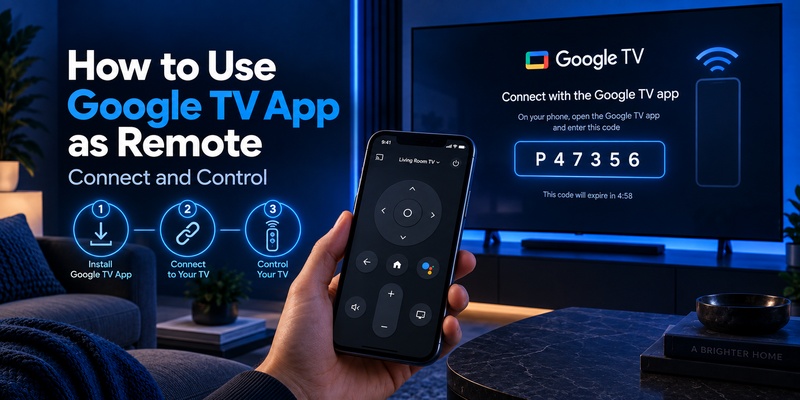
12. How to Use Google TV App as Remote
The answer to how to use google tv app as remote is straightforward.
First, make sure the TV and phone are connected to the same network.
Then:
- Open Google TV on your phone.
- Tap the nearby-TV or remote option.
- Select your television.
- Wait for the pairing code to appear on the TV.
- Enter the code on the phone.
- Tap Pair.
- Use the on-screen controls.
Google documents this pairing process for compatible Google TV and Android TV devices.
Android Quick Settings
Android users have another convenient option.
Google allows the virtual TV controller to be added to Quick Settings on supported Android phones.
That means your google remote tv app can be accessible with a swipe instead of opening the full Google TV app every time.
Test these controls after pairing
Check:
- Direction pad
- Home
- Back
- Play/Pause
- Volume
- Keyboard
- Voice control
Not every hardware manufacturer exposes every control in exactly the same way.
If basic navigation works but power or volume does not, the problem may involve CEC or manufacturer-specific configuration rather than the app connection itself.
📘 Find the Right Guide: Google TV Remote Finder: How to Find a Lost Remote
13. Google TV Remote App Not Connecting: Fast Fixes
If a google remote tv app cannot find the TV, check the network before reinstalling anything.
Google’s first recommendation is to make sure both devices are connected to the same Wi-Fi network.
Fix 1: Verify Wi-Fi
Check the network name on both devices.
Your phone may automatically connect to a different access point, guest Wi-Fi or mobile data while the television remains on the home network.
Fix 2: Restart the television
Google recommends unplugging the Google TV device, waiting 10 seconds, reconnecting power and trying the virtual remote again.
Fix 3: Restart the app
Close the google remote tv app completely and reopen it.
Then scan for nearby TVs again.
Fix 4: Check volume configuration
If navigation works but volume does not, Google recommends checking:
Settings → Remotes & Accessories → Set up remote buttons → Volume control
For compatible setups, Auto (CEC) may resolve the issue.
Fix 5: Confirm you have Google TV
If the app never discovers the television, confirm that the TV actually uses Google TV or Android TV.
A TCL Roku TV or Hisense VIDAA television will not magically become a Google TV just because the manufacturer also sells Google TV models.
That is why platform identification is the first step in choosing the right app.
🧭 Explore Guides: Google TV Remote Replacement: Compatibility, Buying, and Pairing Guide
14. Should You Download a Google TV Remote Mod APK?
Avoid a google tv remote mod apk unless you fully understand the source and security risks.
For normal Google TV control, there is little reason to install modified software.
Google already provides official remote functionality, and legitimate third-party apps are available through established app stores.
A modified APK can introduce unnecessary risks such as:
- Altered permissions
- Malware
- Tracking code
- Credential theft
- Outdated remote protocols
- No automatic security updates
If you want a google remote control app, install it from Google Play, Apple’s App Store or another trusted official marketplace.
Do not grant a remote app access to contacts, messages, accessibility controls or unrelated sensitive permissions unless there is a clear functional reason.
A television remote should generally need network-related access, local-device discovery and only those permissions required for its advertised features.
For most users, an official or established google remote tv app is safer and easier than sideloading modified software.
🧭 Explore Guides: Google Home TV Remote: How to Control Your TV From the Home App
15. Frequently Asked Questions
Does Google TV have a free remote app?
Yes. Google’s official Google TV ecosystem provides virtual remote functionality for compatible Google TV and Android TV devices. The phone and TV normally need to be on the same Wi-Fi network.
What is the best TCL Google TV remote app?
For an actual TCL Google TV, start with the google remote tv app functionality provided through Google TV or Google Home. TCL officially documents Google Home remote control for supported TCL Google TV models.
What is the best app for Sony Google TV?
Use Google TV for normal Google platform navigation. On supported newer BRAVIA models, Sony also offers BRAVIA Connect for manufacturer-specific control. Sony officially documents both options.
Can one remote app control TCL, Sony and Hisense TVs?
Potentially, yes. A universal Remote TV app can be more convenient when you have several brands, provided each specific TV model and platform is supported. Always check the operating system as well as the manufacturer.
Can I use Google TV remote without Wi-Fi?
The standard network-based google remote tv app normally requires the phone and Google TV to share a Wi-Fi network. Google’s troubleshooting guidance specifically identifies same-network connectivity as a requirement.
Is Google TV Remote available on iPhone?
Yes, in supported regions. Google’s Google TV application is currently listed for iPhone and iPad, while Google also documents virtual-remote functionality across its TV ecosystem. Availability and minimum OS requirements can change by region.
📘 Find the Right Guide: Chromecast With Google TV Remote: Buttons, Pairing, Setup, and Fixes
16. Final Thoughts
The best google remote tv app is determined by your TV’s operating system first and its manufacturer second.
For TCL, Hisense, Philips, onn. and other televisions that genuinely run Google TV, Google’s own application is usually the best starting point.
For Sony BRAVIA, Google TV works well for platform controls while BRAVIA Connect can be valuable on supported models.
For Xiaomi, the choice can extend to Google Home or Mi Remote because Xiaomi itself documents both ecosystem-level and manufacturer-specific control options.
If you own televisions from several manufacturers, a universal Remote TV App becomes more practical because it reduces the need to switch between multiple apps.
The simplest decision rule is:
One Google TV → start with Google TV.
Brand-specific features → check the manufacturer’s app.
Several TV brands → consider a universal Remote TV App.
And whichever google remote tv app you choose, set it up while the physical remote still works. That gives you an immediate backup the next time the remote disappears under the couch, runs out of batteries or refuses to pair.
Download TV Remote App